SaaS Business
10 Latest Micro SaaS Ideas for 2026: Inspired by X User Experiences
Discover 10 validated micro SaaS ideas for 2026 inspired by real user frustrations on X. From inbox detoxers to uptime alerts, these ideas are ready to build.


Contents (7)
Quick answer: The ten micro SaaS ideas pulled from X complaints in 2026 are Inbox Detoxer (smart Gmail categorization and working unsubscribes), One-Link Uptime Alert (paste a URL, get 5-minute checks), Screenshot Vault (AI-tagged screenshot library), Memory Machine (auto-generated travel reels), Feedback Pop (embeddable micro-surveys), Expose.app (secure local tunnels), Meetwaste.io (live meeting cost ticker), Retro.style (era-specific CSS generator), Gitnotes.co (private notes on GitHub repos), and a Freelance Project Tracker for writers. Each targets $1K to $10K MRR within 12 to 24 months.
Key Takeaways
- Source of the ideas: All ten came from analyzing hundreds of X discussions, Reddit threads, and indie hacker communities where people described the problem themselves.
- Revenue target: Each idea is scoped to reach $1,000 to $10,000 MRR within 12 to 24 months, not unicorn scale.
- Highest ceiling: One-Link Uptime Alert carries the widest range at $2,000 to $10,000 MRR in two years with low build complexity.
- Lowest build complexity: Retro.style, One-Link Uptime Alert, and the Freelance Project Tracker are all rated Low.
- Validate before coding: Ask how people solve the problem today; 50 landing page signups in 48 hours is the go signal.
- Ship one feature: One feature at 95% beats three at 70%, built on Supabase, Next.js, and Vercel in a weekend.
- Target users with budgets: Freelancers billing $100 per hour and developers with corporate cards do not argue over $10 per month.
Your inbox has 14,237 unread emails. You've lost three client screenshots somewhere in your camera roll. That uptime monitor you signed up for sends you seventeen alerts before you've had coffee.
Sound familiar?
While venture capital celebrates the next billion-dollar unicorn, solo founders are quietly building $50K/month businesses by solving these exact frustrations. No investors. No ten-person teams. Just one person who got tired of the same problem and actually did something about it.
The best part? These ideas aren't coming from some Silicon Valley think tank. They're ripped straight from X threads where developers vent about broken workflows, freelancers complain about lost invoices, and founders share their "I wish this existed" moments.
We analyzed hundreds of recent X discussions, Reddit threads, and indie hacker communities to find 10 micro SaaS ideas that people are literally begging someone to build. Each one addresses a real pain point, targets users with actual budgets, and can realistically hit $1K-$10K MRR within 12-24 months.
Why X Users' Pain Points Make Perfect Micro SaaS Ideas
X is different from other platforms. When developers tweet "why doesn't this exist yet?" at 2 AM, they're not performing for likes. They're genuinely frustrated. When founders thread their daily struggles, they're documenting real problems they'd pay to solve.
This authenticity creates a goldmine for micro SaaS builders. The opportunities are real and the timing has never been better, particularly because these complaints validate market demand instantly. Someone tweeting about email chaos isn't guessing—they're living it right now.
Compare this to building based on market research reports or trend predictions. By the time those land, competitors have saturated the space. But a founder venting about their broken screenshot workflow yesterday? That's a fresh opportunity.
The best micro SaaS products solve problems too small for big companies to care about — but painful enough that someone will pay $29/month to make them disappear. Enterprise companies won't build a tool for freelance writers tracking three clients. But those writers will absolutely pay $10/month to never miss a deadline again.
The validation cycle moves faster on X too. Post a landing page, gauge replies, iterate based on feedback—all in 48 hours. Traditional market research takes months and costs thousands. X gives you direct access to your exact target users, many of whom will tell you exactly what they need.
The 10 Micro SaaS Ideas Worth Building in 2026
1. Inbox Detoxer (Productivity/Email Management)
Your email inbox is killing your productivity. Not with important messages—with subscriptions you don't remember signing up for, SaaS trial notifications from 2022, and finance alerts from accounts you closed.
The Problem: Indie founders and freelancers waste 2-3 hours weekly managing email chaos. Important client messages get buried under promotional clutter. The mental load of knowing you have 10,000+ unread emails creates constant background stress.
The Solution: Auto-categorize Gmail inboxes into smart folders (finance, SaaS, personal), offer intelligent one-click unsubscribes that actually work, and provide weekly dashboards showing which services you're paying for but never opening.
Key Features:
- Smart categorization using AI to learn your patterns
- Bulk actions for similar emails (unsubscribe from all SaaS trials at once)
- Usage analytics showing you which newsletters you never read
- Integration with payment processors to flag unused subscriptions
- Privacy-first approach with local processing where possible
Target Users: Solo founders juggling multiple projects, freelancers working with dozens of clients, consultants drowning in follow-up threads
Build Complexity: Medium. Gmail API integration is straightforward, but smart categorization requires decent AI implementation or clever rule-based systems.
Monetization: Start with freemium (basic categorization free, advanced features $7/month). Add a premium tier at $15/month with cross-platform sync and advanced analytics.
MRR Potential: $1K-$5K within first year. Email tools have low churn when they work well—people hate switching.
Validation Tip: Create a Google Sheet template that manually categorizes Gmail by sender domain. If 50+ people download it and use it for a month, you've validated demand.
2. One-Link Uptime Alert (DevOps/Monitoring)
Enterprise uptime monitoring tools want your credit card, your firstborn, and a thirty-minute onboarding call. Solo developers building on Webflow or Framer just want to know if their site goes down.
The Problem: Current solutions fail them with complex dashboards and enterprise pricing. A freelance developer with five client sites doesn't need infrastructure monitoring—they need simple alerts.
The Solution: Paste your URL. Get instant uptime checks every 5 minutes. Receive alerts via email, SMS, or Slack when something breaks. That's it. No dashboards you'll never open, no features you don't need.
Key Features:
- Zero-config setup (literally just paste a URL)
- Global monitoring from multiple regions
- Smart alerting that doesn't spam you
- Status page generation for your clients
- Historical uptime data with simple graphs
Target Users: Webflow/Framer builders, no-code entrepreneurs, freelance developers managing client sites
Build Complexity: Low. Uptime monitoring is a solved problem technically. The challenge is making it stupidly simple.
Monetization: Free tier for one site checked hourly. $5/month for 10 sites with 5-minute checks. $15/month for SMS alerts and priority support.
MRR Potential: $2K-$10K in two years. Once someone sets up monitoring, they rarely switch providers.
Validation Tip: Post in no-code communities asking "how do you monitor your sites?" If responses include "I just check manually" or "I should probably monitor this," you've found your market.
3. Screenshot Vault (Content Creation/Organization)
Every founder has the same problem. They screenshot a great tweet for inspiration. Grab a competitor's landing page. Save a dashboard metric. Then six months later when they actually need that screenshot, it's buried under 2,000 photos of their cat.
The Problem: Screenshots become digital hoarding without organization. Searching your camera roll for "that one image" wastes hours. Inspiration gets lost forever.
The Solution: Automatically capture and organize screenshots by project, topic, or even detected content. Add searchable tags, create collections, generate annual recaps of your most-saved content.
Key Features:
- Automatic screenshot detection and import
- AI-powered tagging (recognizes UI elements, text, colors)
- Project-based organization
- Full-text search inside screenshots
- Smart collections that auto-populate based on rules
- Cross-device sync
Target Users: Founders documenting their journey, marketers saving competitor research, designers collecting inspiration, developers tracking UI patterns
Build Complexity: Medium. OCR and image analysis are available via APIs, but making the organization actually useful requires thoughtful UX.
Monetization: Free tier for 100 screenshots. $7/month for unlimited with AI tagging and search. $15/month adds team sharing.
MRR Potential: $500-$3K in first year. Visual professionals become sticky users once their library grows.
Validation Tip: Build a simple iOS shortcut that saves screenshots to Notion with tags. If people actually use it daily for a month, you're onto something.
4. Memory Machine (Personal Media/Travel)
You take 437 photos on vacation. They sit in your camera roll forever. You mean to make an album or video, but by the time you get around to it, you can't remember which day you went to the beach.
The Problem: Photo libraries are messy. Creating shareable memories requires hours of manual editing. Most vacation photos never get looked at again.
The Solution: Auto-sort galleries by date and location. Generate reels, photo journals, or polaroid-style layouts using AI. Turn a week-long trip into a 60-second highlight reel with zero editing.
Key Features:
- Automatic trip detection and photo grouping
- AI-generated captions based on location/context
- One-click output in multiple formats (reel, journal, slideshow)
- Music suggestion based on mood/location
- Privacy-focused local processing option
- Easy sharing to social platforms
Target Users: Travelers who take photos but never organize them, parents documenting kids' milestones, casual photographers wanting professional-looking outputs
Build Complexity: Medium-high. Computer vision for photo selection and video generation are complex but achievable with current APIs.
Monetization: Free for basic organization. $7/month for unlimited AI-generated outputs. One-time purchases for premium templates.
MRR Potential: $800-$4K in two years. This hits an emotional pain point people will pay to solve.
Validation Tip: Offer to manually create a memory video for five friends using their photos. If they all say "I'd pay for this," and their friends ask how they made it, build the tool.
5. Feedback Pop (User Research/Web Analytics)
You launch your MVP. Traffic looks decent. But you have no idea why 90% of visitors bounce. Google Analytics shows where they click, but not why they leave confused.
The Problem: Early-stage founders need qualitative feedback, not just quantitative data. "What confused you on this page?" is more valuable than a heatmap showing people clicked the FAQ.
The Solution: Embeddable widget that asks visitors specific questions at smart moments. Combines micro-surveys with anonymized session recordings and click patterns.
Key Features:
- Simple embed code (one line of JavaScript)
- Customizable question triggers (exit intent, time-based, scroll-based)
- Anonymous session replay for confused visitors
- Integration with common tools (Notion, Slack, email)
- A/B testing for different feedback questions
- GDPR-compliant by default
Target Users: Solo founders testing MVPs, indie hackers validating ideas, bootstrap startups pre-product-market fit
Build Complexity: Medium. Session recording is complex but libraries exist. The real work is making insights actually useful.
Monetization: Free for 50 responses/month. $9/month for unlimited with session recordings. $29/month adds priority support and custom branding.
MRR Potential: $1K-$6K in first year. Founders in validation phase have budget and urgency.
Validation Tip: Create a Typeform that asks these questions manually. If 20+ founders use it seriously and ask for better integration, build the full product.
6. Expose.app (Development Tools)
You're building a web app on your laptop. Your client wants to see the current version. Now you need to deploy to staging, wait for builds, share credentials. Twenty minutes wasted for a five-second look.
The Problem: Sharing local development environments securely is unnecessarily difficult. Solutions exist but require setup, configuration, and often break.
The Solution: Instantly expose local web services to the internet via secure tunnels, with built-in analytics showing who accessed what and when.
Key Features:
- One command to share:
expose share localhost:3000 - Secure temporary URLs that auto-expire
- Password protection and access analytics
- Custom subdomains for professional appearance
- Webhook testing and debugging
- Works through corporate firewalls
Target Users: Freelance developers, agency teams, remote contractors, API builders testing webhooks
Build Complexity: Medium-high. Tunneling infrastructure needs to be reliable and secure. Similar to ngrok but with better UX.
Monetization: Free tier with 2-hour sessions. $9/month for unlimited with custom domains. $29/month for team features.
MRR Potential: $6K in 2 years, potential exit at $430K based on similar tools.
Validation Tip: If you're a developer, use it yourself for two weeks. If you find yourself reaching for it daily, other developers will too.
7. Meetwaste.io (Business Productivity/Meetings)
That meeting could have been an email. Everyone knows it. But nobody knows exactly how much money the company wastes on unproductive meetings until they see the number.
The Problem: Teams schedule meetings out of habit, not necessity. Without visibility into actual costs (time x salary x participants), the waste continues indefinitely.
The Solution: Browser extension that automatically calculates and displays real-time meeting costs based on participant salaries and duration. Shames teams into being more thoughtful about scheduling.
Key Features:
- Calendar integration (Google, Outlook)
- Live cost ticker during meetings
- Weekly/monthly waste reports
- Meeting ROI scoring (outcome vs cost)
- Suggested alternatives (async updates, documentation)
- Team benchmarking and gamification
Target Users: Remote teams drowning in Zoom fatigue, managers trying to optimize team time, corporate teams with meeting bloat
Build Complexity: Low-medium. Calendar APIs are well-documented. The challenge is making the data compelling without being preachy.
Monetization: Free for individual use. $10/user/month for team analytics. $25/user/month for enterprise with Slack integration.
MRR Potential: $800 in 2 years, potential exit at $4K. Niche but valuable for the right companies.
Validation Tip: Manually calculate meeting costs for your own team for a month. If the numbers shock you into changing behavior, they'll shock others too.
8. Retro.style (Web Design/CSS)
Every design trend eventually circles back. Right now, brutalist websites and Y2K aesthetics are having a moment. But creating retro CSS from scratch takes hours of tweaking and reference hunting.
The Problem: Designers want to quickly apply vintage aesthetics without becoming CSS archaeologists. Existing generators produce generic outputs that all look the same.
The Solution: Generate custom retro-themed CSS based on specific eras (90s web, brutalist, Y2K, vaporwave). Input your color preferences, get production-ready code.
Key Features:
- Era-specific presets with historical accuracy
- Customizable color schemes and fonts
- Component library (buttons, forms, cards)
- Export as CSS, Tailwind config, or styled-components
- Live preview with your actual content
- One-click copy to clipboard
Target Users: Web designers wanting quick aesthetic pivots, hobbyist site builders, developers with zero design skills
Build Complexity: Low. CSS generation is straightforward. The value is in curated, actually-good presets.
Monetization: Free for basic presets. $5/month for premium eras and components. $15 one-time for specific era packs.
MRR Potential: $500 in 2 years, potential exit at $3K. Small niche but passionate users.
Validation Tip: Create five really good CodePen examples of retro styles. If they get significant engagement and people ask "how did you make this?", build the generator.
9. Gitnotes.co (Code Management/Dev Tools)
You're browsing GitHub repositories. You find a useful library for a project you're planning in three months. You star it. Three months later, you've forgotten why you starred it or what problem it solved.
The Problem: GitHub stars are bookmarks without context. Developers lose track of why they saved repos, what features they cared about, or which alternatives they compared.
The Solution: Browser extension that lets you attach private notes directly to any GitHub repo. Add context, comparisons, implementation ideas—anything you'll want to remember later.
Key Features:
- Quick note popup on any GitHub page
- Tag-based organization
- Search across all your notes
- Markdown support for detailed documentation
- Export to Notion, Obsidian, or plain text
- Sync across devices
- Share note collections with team
Target Users: Developers managing multiple projects, tech leads evaluating tools, open-source contributors tracking dependencies
Build Complexity: Low-medium. Browser extension development is well-documented. Storage and sync are the main challenges.
Monetization: Free for 50 notes. $5/month for unlimited with sync. $15/month for team collaboration.
MRR Potential: $3K in 1 year, potential exit at $250K if you build a strong developer community.
Validation Tip: Keep a manual spreadsheet of GitHub repos with notes for two weeks. If you reference it constantly, automate it.
10. Freelance Project Tracker (Freelancing/Writing)
You have four clients. Client A owes you for two articles. Client B just sent revisions. Client C hasn't responded about the invoice you sent last week. And you just realized you forgot to track hours for Client D's emergency project yesterday.
The Problem: Freelance writers juggle too many moving pieces across different clients, all with different payment schedules, revision processes, and communication styles. Spreadsheets break down. Generic project management tools are overkill.
The Solution: Dead-simple project tracking built specifically for freelance writers. Track assignments, deadlines, payments, and revisions with zero learning curve.
Key Features:
- Client-based organization with custom workflows
- Deadline warnings before things get urgent
- Payment tracking with "gentle nudge" email templates
- Revision counter (so you know when to charge extra)
- Time tracking that doesn't feel like a burden
- Invoice generation from tracked work
- Portfolio building from completed projects
Target Users: Freelance writers, content creators, copywriters, ghostwriters
Build Complexity: Low. This is mostly good UX around a database. The killer feature is making it feel effortless.
Monetization: Free for 3 active projects. $10/month for unlimited clients and invoicing. $20/month adds team features for agencies.
MRR Potential: $1K+ in first months via aggressive Reddit/Twitter marketing. Writers are desperate for this and have budget.
Validation Tip: Create a Notion template that does this. Price it at $20. If 30+ writers buy it in the first week, you've validated demand.
Quick Comparison: Which Idea Should You Build?
| Idea | Niche | Target Users | Key Problem | Est. MRR (1-2 Years) | Build Complexity |
|---|---|---|---|---|---|
| Inbox Detoxer | Productivity/Email | Indie founders | Inbox chaos | $1K–$5K | Medium |
| One-Link Uptime | DevOps | Solo devs | Uptime monitoring | $2K–$10K | Low |
| Screenshot Vault | Content Creation | Founders/Marketers | Lost screenshots | $500–$3K | Medium |
| Memory Machine | Personal Media | Travelers | Messy photo libraries | $800–$4K | Medium-High |
| Feedback Pop | User Research | MVP founders | Lack of user insights | $1K–$6K | Medium |
| Expose.app | Development | Remote devs | Sharing local environments | ~$6K | Medium-High |
| Meetwaste.io | Business Productivity | Remote teams | Unproductive meetings | ~$800 | Low-Medium |
| Retro.style | Web Design | Designers | Time-consuming retro CSS | ~$500 | Low |
| Gitnotes.co | Code Management | Developers | Forgetting repo context | ~$3K | Low-Medium |
| Freelance Tracker | Freelancing | Writers | Disorganized project tracking | $1K+ | Low |
How to Turn These Ideas Into Reality
You've picked an idea. Now what? Some founders spend six months planning features nobody asked for before shipping something simple. Don't be that founder.
Week 1: Validate Before You Code
Post in relevant communities. Not "would you use this?" but "how do you currently solve this problem?" If people describe painful manual workarounds, you've found product-market fit before writing a line of code.
Create a landing page using Carrd or a simple HTML file. Describe the problem and solution in three sentences. Add an email signup form. Share it on X, relevant subreddits, and indie hacker forums.
The goal isn't traffic—it's conversations. If five people email you asking "when can I use this?", you're validated. If you get 50 signups in 48 hours, drop everything and start building.
Weeks 2-4: Build the Stupidly Simple MVP
Pick one killer feature. Not three features that are each 70% good. One feature that's 95% good. For Inbox Detoxer, that's smart categorization—nothing else. For Gitnotes, it's just the ability to add and search notes.
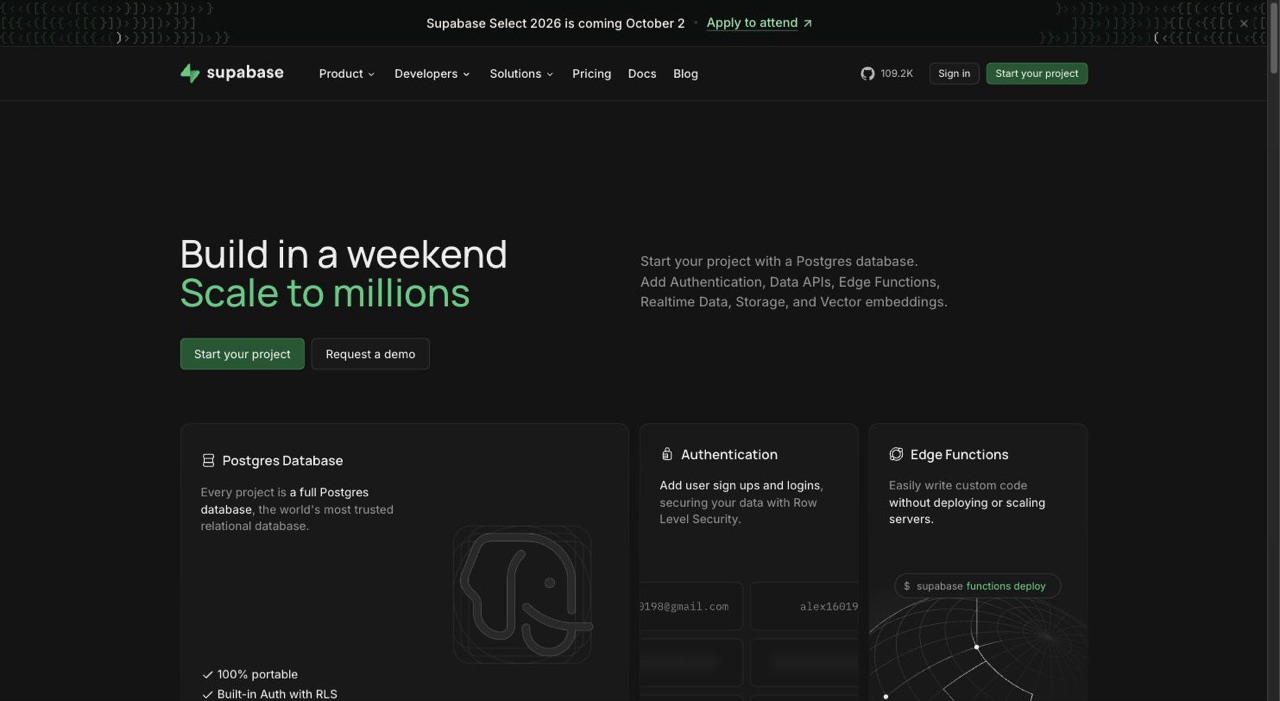
Use modern tools that handle infrastructure for you. Supabase for database and auth. Next.js for the frontend. Vercel for hosting. You can build and deploy a functional MVP in a weekend.
Avoid the temptation to add "just one more thing." That's how weekends become months. Ship when it's embarrassingly simple but genuinely useful.
Month 2: Launch and Learn
Product Hunt is overrated. Your first 100 users should come from direct outreach. DM people on X who complained about the problem. Email everyone who signed up for your waitlist. Post in niche communities where your users hang out.
Offer it free or dirt cheap initially. You're buying feedback, not maximizing revenue. Every conversation with an early user teaches you something critical about what to build next.
Track everything. Not vanity metrics—real usage patterns. Which features do people actually use? Where do they get confused? What makes them come back daily vs abandon after one session?
Months 3-6: Iterate Toward Product-Market Fit
Once your MVP gains traction, shift focus to scalability. Automate onboarding, support, and billing processes early. Build what users request, not what sounds cool.
Add your second feature only when 10+ users have asked for the same thing. Kill features that nobody uses, even if they were in your original plan. The roadmap is just a hypothesis—usage data is reality.
Start charging before you think you're ready. If someone gets value from your product weekly, they'll pay $10/month for it. Set up Stripe, add a paywall, see what happens. You'll be surprised.
Why These Ideas Work (When Others Fail)
The pattern across all successful micro SaaS isn't luck. Competition validates the market. The key is being specific enough to win, not broad enough to be ignored.
They solve frequent, annoying problems. Not life-changing problems—irritating ones that happen every day. Inbox clutter. Lost screenshots. Forgotten repo context. These problems are small enough that enterprises ignore them, but persistent enough that individuals will pay to make them disappear.
They target users with money. Freelancers who bill $100/hour won't blink at $10/month. Developers at startups have corporate cards. These aren't consumer products fighting for $2.99—they're professional tools with clear ROI.
They're stupidly simple to explain. "Screenshot organization" needs zero clarification. "Uptime monitoring with one URL" doesn't require a demo. If your mom understands what your product does in one sentence, you're onto something.
They benefit from habit formation. Once someone organizes their screenshots in your tool, switching means reorganizing everything. Once notes are attached to GitHub repos, exporting and reimporting elsewhere is painful. This creates natural retention.
They can start profitably small. You don't need 10,000 users to hit $5K MRR at $10/month. You need 500 users who genuinely love your product. That's an achievable number for a solo founder with targeted marketing.
Your Next 48 Hours
Stop researching. Stop planning the perfect feature set. Stop waiting for the right time.
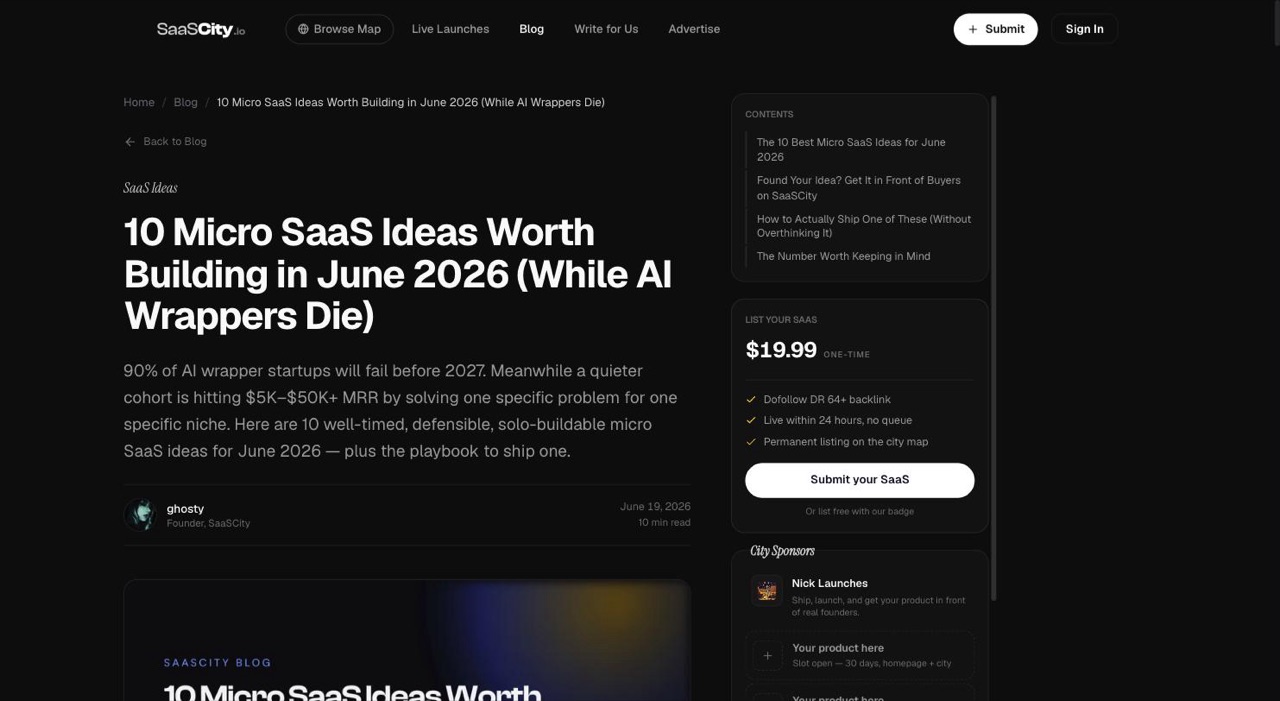
Pick one idea from this list—or find your own by spending two hours scrolling X for developer complaints. (Want a fresher batch? See our 10 micro SaaS ideas worth building in June 2026, curated as the AI wrappers die off.) The pattern is always the same: "why doesn't this exist?" followed by three people saying "I'd pay for that."
Spend one week going deeper. Read everything in the source communities. Document 20+ specific quotes describing the problem. Build a landing page. Get it in front of 100 people who have this problem.
If you get 20+ signups, build the thing. If you get 2 signups, talk to people and refine the positioning. Either way, you've spent a week and learned something real.
The micro SaaS gold rush isn't coming—it's already here. Solo founders are building sustainable wealth through $50K/month businesses without investors or stress. They follow one rule: solve specific problems for people with budgets.
The opportunity isn't building the next Slack. It's building the thing that Slack users desperately need but Slack will never bother making. That's your edge.
Build it this month. Not next quarter. Not when everything's perfect. This month.
Someone on X is complaining about your future product right now. Go find them.
Get your SaaS in front of founders
List your product on the SaaSCity live city map - a permanent listing, real discovery, and a backlink from a high-DR directory. Free to start; upgrade for a dofollow link and a building on the map.