SaaS Business
Best Payment Processor for SaaS in 2026: Stripe vs Paddle vs Razorpay Compared
A guide on choosing the right payment processor for your SaaS startup in 2026. Compares Stripe, Paddle, Razorpay, Lemon Squeezy, and more — including international payments — so you can decide based on your team, location, and business model.


Contents (9)
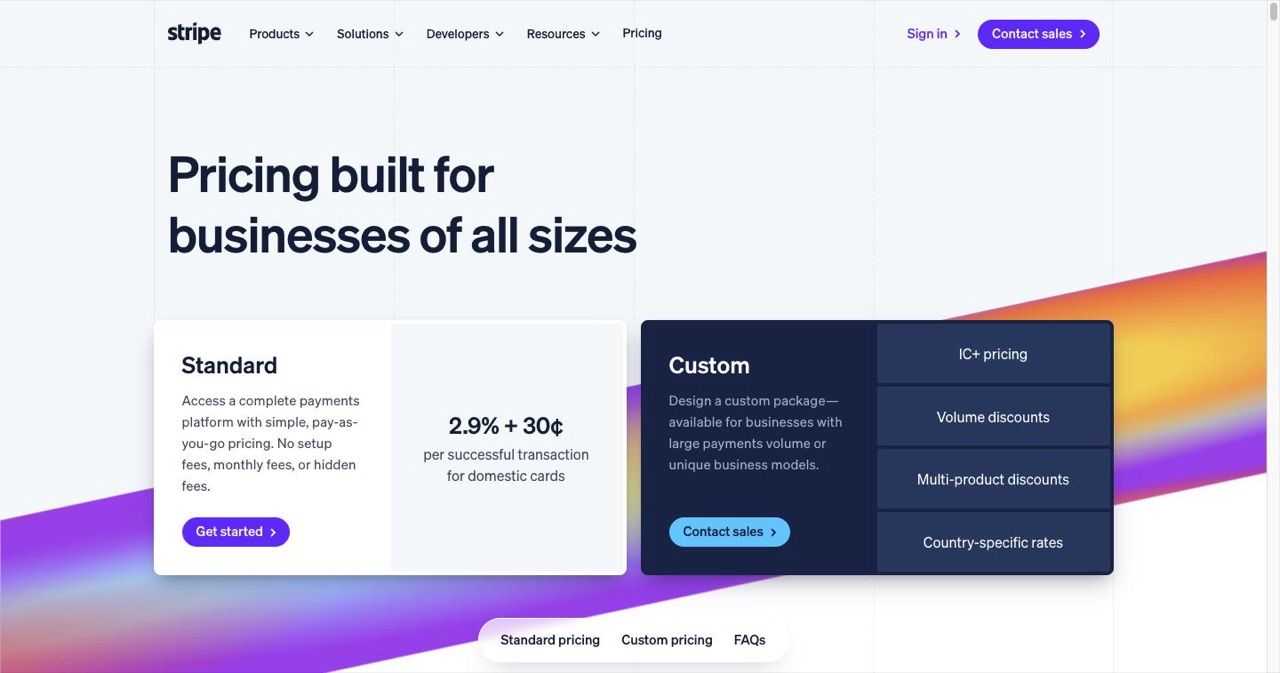
Quick answer: The best payment processor for a SaaS in 2026 depends on your team size, your location, and your tax appetite. Stripe charges 2.9% plus $0.30 and gives technical teams the deepest API across 195+ countries. Paddle and Lemon Squeezy charge 5% plus $0.50 and act as Merchant of Record, handling VAT, sales tax, and GST for you. Razorpay is effectively mandatory for Indian-registered businesses because of UPI. Square covers in-person plus online selling.
Let's be honest: you didn't start building your SaaS to become an expert at processing payments. You want to make something that people will love, not spend weeks at 2 AM comparing transaction fees and reading compliance documents.
But here's the deal: your payment processor can make or break your business. If you choose the wrong one, you'll have to deal with failed transactions, unhappy customers, compliance issues, and fees that slowly eat away at your already thin margins. If you choose the right one, you won't even think about it, which is how it should be.
This guide cuts through all the noise. No fluff, no old advice, just useful tips from real SaaS founders who have been there.
Key Takeaways
- Stripe for control: Standard pricing is 2.9% plus $0.30 per transaction, with support for 195+ countries, 100+ payment methods, and the Radar fraud tool, but you own tax compliance yourself.
- Merchant of Record for speed: Paddle and Lemon Squeezy both charge 5% plus $0.50 and take legal responsibility for the sale, including VAT, sales tax, and GST across their supported markets.
- The MoR premium is quantifiable: At $50,000 monthly revenue with 30% international customers, Stripe runs roughly $1,595 a month in fees versus about $2,750 for Paddle.
- Razorpay is India-specific: It supports UPI, which carries 63% of digital transactions in India, and settles in INR, but non-Indian entities cannot use it at all.
- Effective rate beats advertised rate: International fees add 1 to 2%, currency conversion adds another 1 to 2%, and chargebacks cost $15 to $25 each.
- Reserves can trap cash: Some processors hold 10 to 30% of revenue in a rolling reserve, particularly for new accounts.
- Switching stays possible: Most processors export payment tokens and customer data, so start with what gets you paid fastest and revisit with real volume data.
Why Your Payment Processor Is Important
This choice is not given enough thought by most founders. You're focused on finding the right market for your product, getting your first users, and maybe even getting your first funding. But your payment system is the actual link between your product and the money it makes.
Think about what will happen if things go wrong:
- If recurring payments don't go through, you lose customers you worked hard to get.
- High transaction fees add up with each sale, taking 3–5% of your income for good.
- Not having local payment options can hurt conversion rates in important markets.
- In some countries, compliance problems can shut you down overnight.
- Bad dunning (not being able to get paid back) quietly takes money from MRR every month.
One of the founders said it best on Twitter: "I spent more than 100 hours working on my landing page design and only 30 minutes reading the payment processor terms. Can you guess which one almost killed my startup when they suddenly froze my account?"
Knowing What You're Really Picking
Before we get into the details, let's make sure we understand some terms. People might mean different things when they say "payment processor":
Payment Gateway: The part of the website that lets customers pay. You could say that it's the checkout form and the first link to banks.
Payment Processor: The system that works behind the scenes to move money between banks, check to see if there is enough money, and give permission.
Merchant of Record (MoR): A business that is legally responsible for the sale, including collecting taxes, following the law, and sending money. They take care of the messy international tax stuff for you.
Most modern solutions, like Stripe, combine all three. Some, like Paddle and Lemon Squeezy, go all the way to MoR, which means they take care of everything, even making sure they follow the rules for taxes around the world.
The MoR route costs more (usually 5% + $0.50 vs 2.9% + $0.30), but it can save bootstrapped founders a lot of time and possible legal problems.
What Really Matters When You Choose (And What Doesn't)
Fees for Transactions (But Not in the Way You Think)
Everyone is worried about whether it's 2.9% or 2.5%. The truth is that most startups don't care as much about that difference as you think they do.
If you make $10,000 a month, the difference between 2.9% and 2.5% is $40 a month. It is real money, but think about it this way:
- The time it takes to add a processor that is harder to use
- Money lost because local payment methods weren't available
- Churn because of bad tools for managing subscriptions
The biggest fee traps are:
- Fees for international transactions: Usually an extra 1–2%, which no one tells you about ahead of time
- Fees for converting currency: These can add 1–2% more.
- Chargeback fees: $15 to $25 for each chargeback, no matter what happens
- Monthly minimums: If you don't reach certain transaction levels, some processors will charge you.
How hard it is to integrate vs. how long it takes to get to market
Stripe has the best experience for developers. That's it. Their documentation is famous, their APIs are well-organized, and you can set up a basic integration in just a few hours.
But here's something no one tells you: if you're a non-technical founder or have a small team, you might spend weeks building features that come with a more expensive MoR solution.
Need help with managing subscriptions? Trial times? Automated dunning? What is proration? You're coding all of that with Stripe. It's built-in with Paddle or Lemon Squeezy.
Choose based on your team, not just how nice the API is.
Reach around the world (but be realistic)
Every processor says they have "global reach." What matters is whether they support the countries and payment methods you'll actually use in the next 12 to 24 months.
Starting in Canada and the US? Stripe, Square, and Braintree are all great.
Specifically going after India? Razorpay is the answer. They know how to handle UPI payments (which are used for 63% of digital transactions in India), local cards, and INR settlements.
Planning for the whole world from the start? An MoR like Paddle takes care of taxes in more than 200 countries automatically.
Don't make your site better for countries you might visit in five years. Think about where your first 100 customers will come from.
The Boring Stuff That Keeps You Safe and Compliant
You have to follow PCI DSS rules. Check to make sure that all major processors can do this. If you get hacked or have compliance problems, your business could be over.
Check for:
- PCI Level 1 certification (the highest level)
- Automatic fraud detection
- 3D Secure for card authentication
- Tokenization (so you don't keep real card numbers)
If you want to sell in Europe, you have to follow the GDPR. Check that your processor can handle data correctly.
If you use a MoR, they will collect and send in your taxes. This is a big deal. Dealing with VAT in 27 EU countries or sales tax in more than 50 US states is a nightmare.
The Real Options to Think About (2026 Edition)
Let's get down to business. These are the processors that real SaaS founders are using and telling others to use right now.
Stripe: The Developer's Choice
Best for teams that are good with technology and want the most control and customization
Stripe is still the best choice for a good reason. Their API can do just about anything, they work with 195+ countries, and they handle more than 500 million API requests every day, with published uptime metrics.
The Good:
- No one else has as much experience as a developer
- Tools for subscription billing keep getting better
- Covers a lot of ways to pay (more than 100)
- Radar is a good way to find fraud.
- Real interchange-plus pricing is available for larger amounts
The Not-So-Good:
- Hard to set up for founders who aren't technical
- You are in charge of following the tax laws
- Fees add up when you do business with people in other countries (1.5% more)
- Some areas still don't have a lot of options
- Customer service isn't always great
Prices: The standard price is 2.9% plus $0.30 for each transaction. You can get discounts for buying in bulk.
One founder who switched from Paddle back to Stripe said, "We wanted more control over the checkout experience." It was worth it for us, but we had to hire a developer just to keep our billing system running.
Paddle: The Complete Solution
Best for: Teams that want to focus on making things, not paying taxes and bills
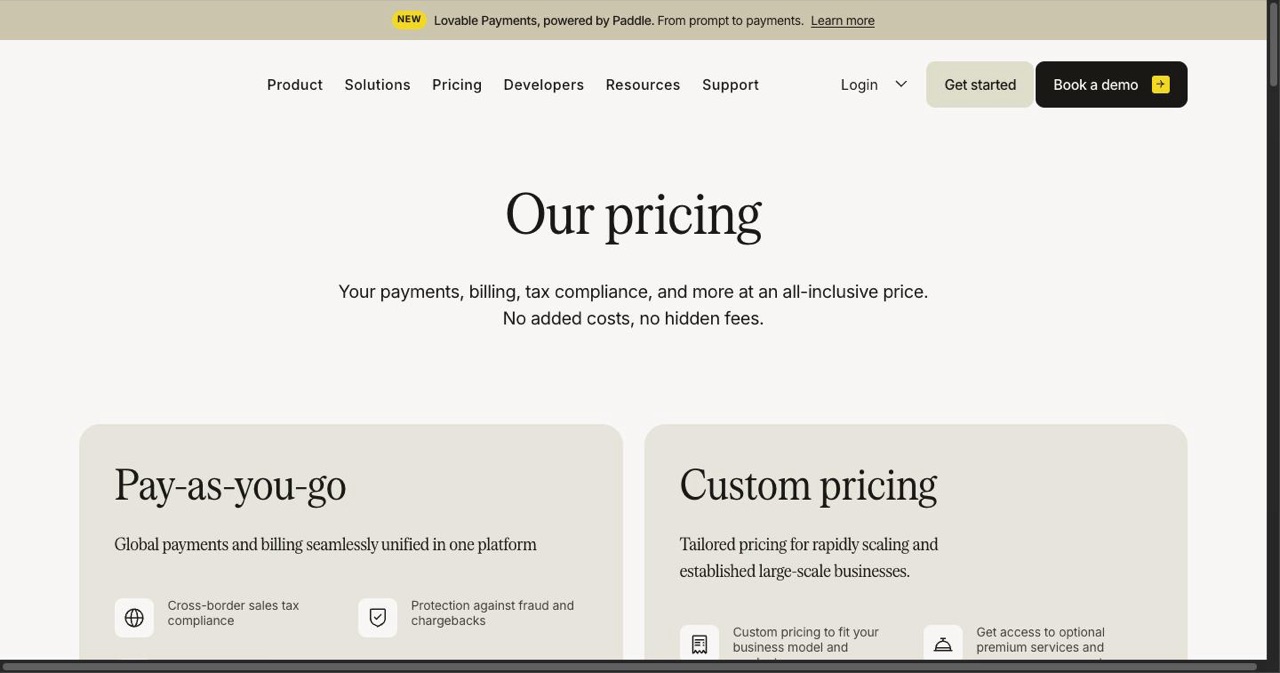
Paddle is your Merchant of Record, which means they are the legal seller. You make the product, and they take care of everything else.
The Good:
- No tax problems; they take care of VAT, sales tax, and GST for you.
- Includes tools for managing subscriptions, sending reminders, and reporting
- Localized checkout in more than 200 countries
- They are responsible for compliance
- Help for buyers 24 hours a day, 7 days a week (they help your customers, not just you)
The Bad:
- More fees (5% plus $0.50)
- Not as customizable as Stripe
- You have to stay in their ecosystem
- Some customers say that it takes longer to process payouts
Cost: 5% plus $0.50 for each transaction, all included
A developer from a successful SaaS company said, "Paddle's fees hurt, but my co-founder doesn't have to deal with payment issues anymore. That alone made the extra 2% worth it."
Lemon Squeezy: The Indie Maker's Pick
Best for: Small teams and solo founders who are launching digital products
Stripe bought Lemon Squeezy in the middle of 2024, but the company still runs on its own. For good reason, the indie maker community loves them.
The Good:
- The quickest approval process (usually less than 48 hours instead of weeks)
- Dashboard that is clean and easy to use
- MoR services (they take care of taxes)
- System for affiliates built in
- Works well with software sales (eBooks, courses, templates)
- Accept credit cards, PayPal, Apple Pay, Google Pay, and more.
The Bad:
- Future plans are unclear after the purchase
- Not as big as Paddle or Stripe
- Some ways to pay from other countries are missing
- Fees that are higher than those of pure gateway solutions
Cost: 5% plus $0.50 for each transaction
"Real Talk": A creator who sells a productivity SaaS said, "I switched from Gumroad to Lemon Squeezy and conversions jumped three times. The checkout process just works better."
Razorpay: The Best Payment Service in India
Best for: SaaS companies that want to sell to people in India
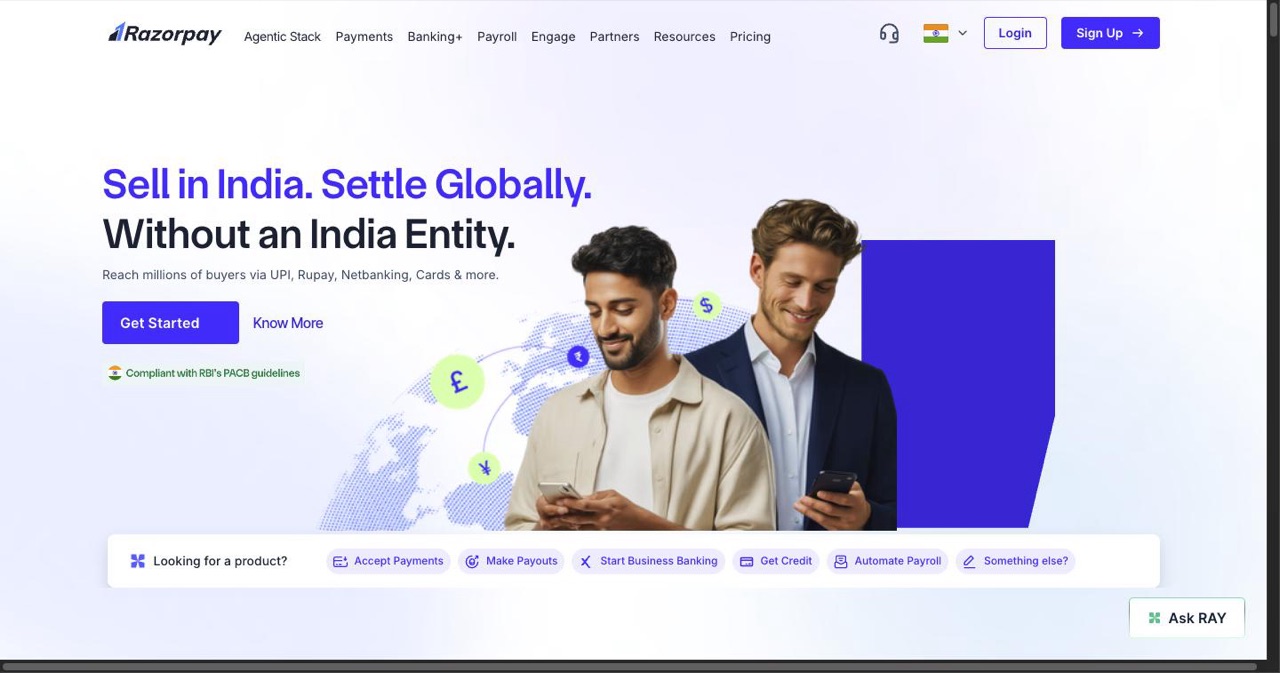
Razorpay is not an option if you are building for India or taking large payments from Indian customers. It is necessary.
The Good:
- Works with UPI, the payment method that Indians really use
- Works with wallets, local cards, and net banking
- Made just for Indian rules
- Fees for domestic transactions are lower
- The RBI has just approved a cross-border payment aggregator
The Bad:
- Mostly focused on India, but with some growth in Southeast Asia
- Only useful for businesses in India
- Help can take a long time to get during busy times
- 18% GST on top of the transaction fees
Prices: 2% for each transaction in the US, plus 18% GST
Real Talk: A few years ago, when Stripe "ghosted India" because of regional availability issues, thousands of SaaS founders rushed to Razorpay. It's now the default for anyone who wants to do business in India.
Razorpay vs Stripe for international payments: this comes up constantly, so here's the short version. Razorpay lets Indian-registered businesses accept international cards in 100+ currencies with INR settlement, and its cross-border aggregator approval keeps expanding what it can do. But the direction matters: if you're an Indian entity selling globally, Razorpay works and handles local compliance for you. If you're a non-Indian entity selling globally (including into India), Razorpay isn't available to you at all—you want Stripe, or a merchant of record like Paddle that handles the tax mess on top.
Other Options You Should Know About
Square: This is a great option for businesses that need to accept payments both in person and online. Square's hardware ecosystem is the best if you go to conferences or have a physical presence. Not the best choice for pure SaaS, but great if you need to be able to change things.
PayPal/Braintree: Braintree, which is owned by PayPal, lets you customize a lot and gives you the trust of PayPal's network. Customers trust the "Pay with PayPal" button, which can increase conversions by 15% to 20%. But PayPal is known for freezing accounts without warning.
Polar: A new option that has a good developer experience. Still small but growing quickly with indie makers.
The Decision Framework That Works
Here's how to make a choice without overthinking it:
Step 1: Be Honest When You Answer These Questions
- Do you have a developer or technical co-founder? (Yes → Stripe becomes a lot easier)
- Is there less than three people on your team? (Yes → Look into MoR solutions to save time)
- Aiming mostly at the US and Canada? (Yes, Stripe and Square work well)
- Are you going after India? (Yes → Razorpay is pretty much needed)
- Need to start taking payments in more than 10 countries right away? (Yes → Paddle or Stripe)
- Is paying your taxes a nightmare for you? (Yes → Go MoR with Paddle/Lemon Squeezy)
Step 2: Figure Out What Your Real Costs Are
Don't only look at the fees for transactions. Figure out:
- Fees for transactions × expected volume
-
- International fees (if they apply)
-
- Fees for changing money
- Plus the time it takes to set up and keep up with
-
- Cost of following the rules (if you do it yourself)
A SaaS that makes $50,000 a month and has 30% of its customers from other countries:
- Stripe: About $1,595 a month in fees, plus taxes and the cost of developers' time
- Paddle: about $2,750 a month in fees and no time or stress for compliance
Is it worth $1,155 a month to not have to deal with VAT, sales tax, and international compliance? Definitely for a lot of founders.
Step 3: Start with the Basics, Change Them Later If You Need To
Good news: most processors let you send out payment tokens and customer data. You won't be stuck forever.
Start with what will make you money the fastest. You can always switch later when you have more of something or your needs are clearer.
Testing Before Making a Decision
Don't just sign up and wait. All processors have test modes:
- Create a test account: All major processors have sandbox environments
- Go through your real checkout process: Test it like a customer would
- Check mobile experience: More than 60% of transactions happen on mobile now.
- Try a payment that didn't go through: Find out how the error handling works.
- Check out the dashboard: You'll use it every day, so make sure it makes sense.
Try it out for a few hours. The processor that "feels right" is often the right one.
Things You Shouldn't Do
Picking Based Only on Fees A founder saved 0.5% on fees by picking a cheaper processor, but they had to spend 40 hours over three months dealing with their awful API and missing features. If you do the math, that's $8,000 lost to save maybe $200 in fees at a cost of $200 per hour.
Not Paying Attention to Currency and International Fees The rate that is advertised is never the whole story. One SaaS said it was paying 2.9%, but after international and currency fees were added, the real rate was 4.2%.
Not Reading the Rules About Reserves Some processors can keep 10–30% of your revenue in a rolling reserve, especially when you're just starting out. That ties up important cash flow.
Not Going into Test Mode A founder went straight to production without testing, only to find that their processor couldn't handle the currency conversion they needed. Had to put everything back together.
Not Understanding How Complicated Taxes Are "Don't worry, I'll take care of the taxes myself" is a common last word. One startup got a £50,000 VAT bill they didn't know they owed because they didn't use a MoR solution.
When to Change Processors
You don't have to stick with your first choice. If you think about switching,
- Your effective rate is more than 4% (including all fees)
- Help is always bad when you need it
- The rate of failed payments is higher than normal
- You're growing into areas where your processor doesn't work well.
- You're wasting too much developer time keeping up with custom billing logic
Usually, the best time to switch is between major product versions or during times of the year when things are slower.
The Real Secret
Here's what successful founders know: the "best" payment processor is the one that
- Works well
- Takes care of your most important markets
- Doesn't take up your time
- Scales when you need it to
That's all. Everything else is just making things better.
You're starting a SaaS business, not a payment processing business. Choose the processor that lets you focus on what really matters: helping your customers solve their problems.
Start with what makes sense for you right now. Get to the money. Then make improvements later when you have real data instead of just guesses.
Quick Decision Matrix
Solo founder, not technical, global audience → Lemon Squeezy or Paddle
Technical team with a focus on the US and Canada → Stripe
Any SaaS that wants to sell to Indian customers → Razorpay (no exceptions)
A team that hates compliance and is bootstrapped → Paddle
Need to pay in person and online → Square
Have developers already, want full control → Stripe
Just starting out and not sure about anything → Lemon Squeezy (quick approval, everything in one place)
Don't forget that you can always change your mind later. Don't let payment processor analysis paralysis keep you from starting.
Get something to work, get paying customers, and then make it better based on real data.
Stop reading now and go make something that people will spend money on.
Get your SaaS in front of founders
List your product on the SaaSCity live city map - a permanent listing, real discovery, and a backlink from a high-DR directory. Free to start; upgrade for a dofollow link and a building on the map.