Launch & Growth
Programmatic SEO for SaaS: How to Generate Hundreds of Ranking Pages at Scale
Programmatic SEO lets you create hundreds of targeted pages from data and templates. This guide covers the strategy, technical implementation, content quality requirements, and pitfalls that make or break programmatic SEO for SaaS companies.


Contents (10)
Quick answer: Programmatic SEO for SaaS means generating many pages from one template plus a structured data source, so each page targets a unique long-tail keyword such as "CRM for real estate" or "Zapier + Slack integration". It only works when every page carries genuinely unique data: distinct pain points, relevant features, industry-specific competitors and real stats. The practical prerequisites are DR 25 or higher, 10+ editorial articles already published, and a real data source. Zapier, Wise, Canva, NomadList and G2 all run this pattern at scale.
What if you could create 500 SEO-optimized pages in a weekend instead of writing 500 individual blog posts over 2 years?
That's the promise of programmatic SEO (pSEO) — generating pages at scale from data, templates, and automation. Done right, it's the most efficient way to capture long-tail search traffic. Done wrong, it gets your site penalized for thin content.
This guide covers the complete pSEO playbook for SaaS companies: the strategy, the technical implementation, the quality requirements that keep you safe, and real examples of SaaS companies doing it successfully.
Key Takeaways
- Template plus data, not find-and-replace: Each generated page must have unique pain points, features, competitors, stats and FAQs, or Google treats it as a near-duplicate.
- DR 25 is the entry ticket: Programmatic pages are thinner by nature and need domain authority behind them before they can rank.
- Editorial content comes first: Publish 10+ editorial articles to establish topical authority, then layer programmatic pages on top and cross-link them to a pillar.
- Static generation, not server rendering: Build the pages at build time with SSG and generate unique title and meta description per page from the data.
- The 10% rule: Manually review at least 10% of pages before launch; if 1 in 10 misses the quality bar, fix the template and data first.
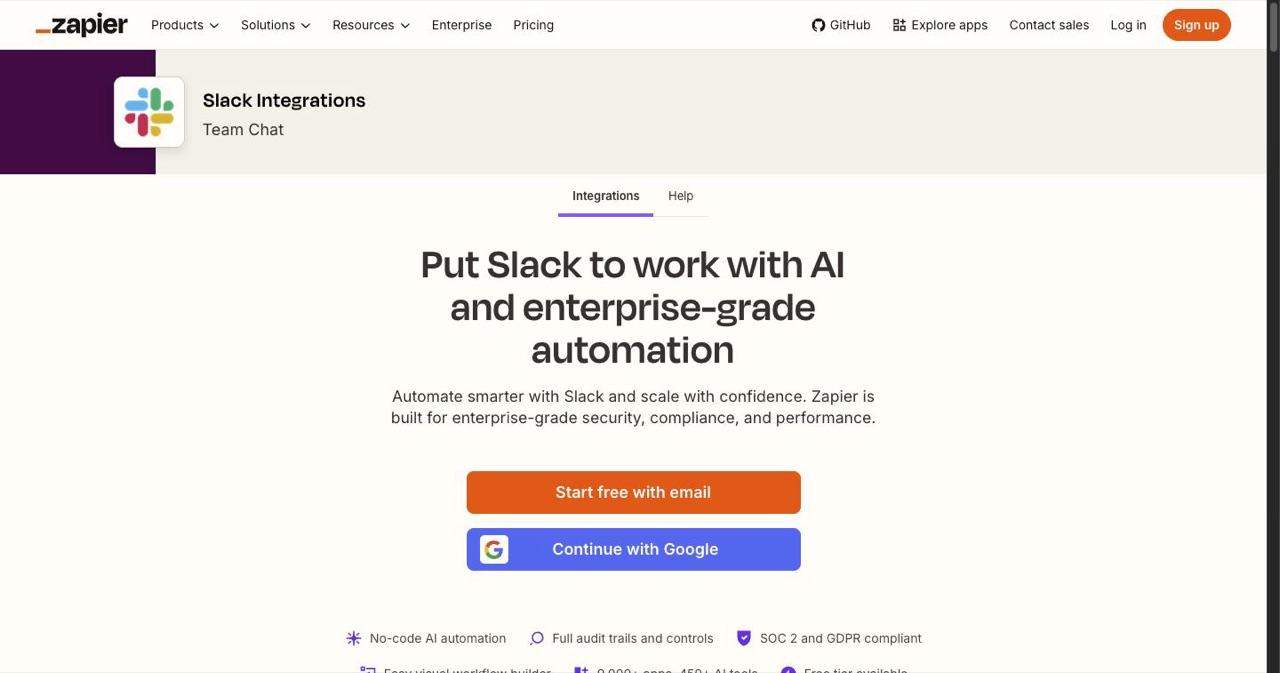
- Proven patterns exist: Zapier runs 10,000+ integration pages, Wise 100+ country transfer pages, G2 over 100,000 software review pages, all on genuinely unique per-page data.
- Benchmarks to judge by: 70%+ indexed within 4 weeks, average position under 30 within 3 months, 20% of pages in the top 10 within 6 months.
What Is Programmatic SEO?
Programmatic SEO means generating many pages from a repeating pattern, where each page targets a unique long-tail keyword combination.
Traditional SEO: Write one page per keyword, manually.
"best CRM for small business" → write a 2,000-word article
"best CRM for real estate" → write another 2,000-word article
"best CRM for agencies" → write yet another article
Programmatic SEO: Create a template + data source, generate all pages automatically.
Template: "Best CRM for [Industry]"
Data source: 50 industries with unique details
Output: 50 unique, targeted pages
The key difference: each programmatic page must provide unique, genuine value — not just the same template with different words swapped in. Google's systems in 2026 are sophisticated enough to detect and penalize pages that are substantively identical.
When Programmatic SEO Works for SaaS
pSEO works well when your product or market has natural keyword patterns with:
- A repeating modifier — Industry, location, tool name, use case
- Unique data for each variation — Each page has something genuinely different to show
- Real search demand — People actually search for "[your category] for [modifier]"
Pattern Examples for SaaS Companies
| Pattern | Example Keywords | Page Count |
|---|---|---|
[Product] for [Industry] | "CRM for real estate," "CRM for dentists" | 50-200 |
[Product] vs [Competitor] | "Notion vs Ahrefs," "Slack vs Teams" | 20-100 |
Best [Category] tools for [Use Case] | "Best analytics tools for e-commerce" | 30-100 |
How to [Action] in [Location] | "How to register a startup in California" | 50-500 |
[Tool A] + [Tool B] integration | "Zapier + Slack integration guide" | 50-300 |
[Category] tools with [Feature] | "CRM tools with email automation" | 20-50 |
[Competitor] alternative for [Niche] | "Salesforce alternative for freelancers" | 30-100 |
When It DOESN'T Work
- No unique data per page. If every "CRM for [Industry]" page says the same thing with the industry name swapped, Google will penalize it.
- No search demand. If nobody searches for "[your product] for basket weavers," don't create the page.
- Your DR is too low. pSEO pages are thin by nature. You need DR 25+ for them to rank.
- You have no supporting content. Programmatic pages work best when supported by high-quality editorial content that establishes topical authority.
The Technical Implementation
Step 1: Build Your Data Source
Every pSEO system starts with data. The richer your data, the more unique each page can be.
Data sources for SaaS pSEO:
| Data Type | Source | Example |
|---|---|---|
| Industries/niches | BLS, LinkedIn, custom research | 100+ industry categories |
| Competitor info | G2, Capterra, pricing pages | Features, pricing, ratings |
| Location data | Census, government databases | Cities, states, countries |
| Tool/integration data | API docs, public databases | Integration capabilities |
| User-generated content | Reviews, questions, case studies | Real user experiences |
Example data structure for "[Product] for [Industry]" pages:
interface IndustryPageData {
  industry: string;
  slug: string;
  painPoints: string[];       // Unique per industry
  features: string[];          // Which of your features matter most
  competitors: string[];       // Industry-specific competitors
  caseStudy?: string;          // Real customer story
  stats: {
    marketSize: string;
    avgCompanySize: string;
    commonTools: string[];
  };
  faqs: {
    question: string;
    answer: string;
  }[];
}
Step 2: Create Smart Templates
The template is everything. A bad template produces 500 thin pages. A good template produces 500 genuinely useful pages.
Bad template (will get penalized):
# Best CRM for {industry}

Looking for the best CRM for {industry}? Here's why our CRM is perfect for {industry}!

Our CRM helps {industry} companies manage their customers better.

[Buy Now button]
This is garbage. Every page is identical except for one word. Google will rightfully penalize this.
Good template (will rank):
// app/crm-for/[industry]/page.tsx
import { getIndustryData } from '@/lib/pSEO/industries';

export default async function IndustryPage({ params }) {
  const data = await getIndustryData(params.industry);

  return (
    <>
      <h1>Best CRM for {data.industry}: Solve Your Biggest Challenge</h1>

      <section>
        <h2>Why {data.industry} Companies Struggle With CRM</h2>
        {/* Unique pain points per industry */}
        {data.painPoints.map(point => (
          <PainPointCard key={point.title} {...point} />
        ))}
      </section>

      <section>
        <h2>Features That Matter for {data.industry}</h2>
        {/* Only show features relevant to this industry */}
        {data.features.map(feature => (
          <FeatureHighlight key={feature.name} {...feature} />
        ))}
      </section>

      <section>
        <h2>How {data.industry} Companies Use [Your Product]</h2>
        {/* Real case study or detailed scenario */}
        {data.caseStudy ? (
          <CaseStudy {...data.caseStudy} />
        ) : (
          <UsageScenario industry={data.industry} />
        )}
      </section>

      <section>
        <h2>Industry Stats</h2>
        <StatsGrid stats={data.stats} />
      </section>

      <section>
        <h2>{data.industry} CRM vs Competitors</h2>
        <ComparisonTable
          competitors={data.competitors}
          industry={data.industry}
        />
      </section>

      <FAQSection faqs={data.faqs} />
    </>
  );
}
The difference: Each page has unique pain points, relevant features, industry-specific competitors, real stats, and tailored FAQs. Google sees these as genuinely different pages.
Step 3: Generate Static Pages
For SEO, your programmatic pages should be statically generated at build time (SSG), not server-rendered on request.
// app/crm-for/[industry]/page.tsx

// Generate static paths for all industries
export async function generateStaticParams() {
  const industries = await getAllIndustries();
  return industries.map(industry => ({
    industry: industry.slug,
  }));
}

// Generate unique metadata per page
export async function generateMetadata({ params }) {
  const data = await getIndustryData(params.industry);
  return {
    title: `Best CRM for ${data.industry} | [Your Product]`,
    description: `Discover how ${data.industry} companies use [Your Product] to ${data.painPoints[0].solution}. Compare features, pricing, and alternatives.`,
  };
}
Step 4: Add Unique Content Signals
Google's quality algorithms look for signals that differentiate pages. Add these to every programmatic page:
| Signal | Implementation |
|---|---|
Unique <title> and <meta description> | Generated from data (never duplicate) |
| Unique H1 | Include the modifier naturally |
| At least 2-3 paragraphs of unique copy | Pull from data source, not template |
| Unique images or data visualizations | Charts built from industry data |
| Internal links to relevant content | Link to related blog posts and other pSEO pages |
| Schema markup | FAQPage schema with industry-specific FAQs |
| User-generated content | Reviews or testimonials from that industry |
Step 5: Build an Index Page
Create a central page that links to all your programmatic pages. This:
- Helps Google discover all pages
- Provides users a browsable directory
- Targets the head keyword (e.g., "best CRM by industry")
// app/crm-for/page.tsx
export default function IndustriesIndex() {
  const industries = getAllIndustries();

  return (
    <>
      <h1>Best CRM by Industry</h1>
      <p>Find the perfect CRM solution for your industry.</p>

      <div className="grid grid-cols-3 gap-4">
        {industries.map(industry => (
          <IndustryCard key={industry.slug} {...industry} />
        ))}
      </div>
    </>
  );
}
Quality Control: The Make-or-Break Factor
Google's helpful content system in 2026 specifically targets low-quality programmatic pages. Here's how to stay on the right side:
The Quality Checklist (Per Page)
- Would you bookmark this page? (If no, improve it)
- Does it contain at least 500 words of unique content?
- Does it answer a question that the search query implies?
- Is there data or information you can't find by just searching the head keyword?
- Does internal linking connect this to related high-quality editorial content?
Red Flags That Trigger Penalties
| ❌ Red Flag | Why It's Bad |
|---|---|
| Same content with only modifier swapped | Google detects near-duplicate pages |
| No unique images or media | Signals templated, low-effort content |
| All pages have identical word count | Looks automated (because it is) |
| No internal links TO the page | Google can't discover or value orphan pages |
| Auto-generated lorem ipsum text | Obvious spam |
| AI-generated content without human review | Quality and factual accuracy suffer |
The 10% Rule
Review at least 10% of your programmatic pages manually before launching. If 1 in 10 pages doesn't meet your quality bar, rework the template and data before pushing all pages live.
pSEO + Editorial Content: The Winning Combination
Programmatic pages work best when supported by editorial (manually written) content. Here's the architecture:
Editorial Pillar Article
  (e.g., "The Complete Guide to CRM")
  ├── Links to programmatic pages
  │
  Programmatic Pages
  (e.g., "CRM for [Industry]" × 50)
  ├── Each links back to pillar
  ├── Each links to product page
  └── Cross-link to related industries
This structure tells Google:
- You have deep expertise (pillar article)
- You cover the topic comprehensively (50+ related pages)
- The pages are connected and contextual (internal links)
Our own content structure follows this pattern. The domain authority guide pillar supports articles like this one, the link building guide, and the directory submission guide.
Real-World SaaS pSEO Examples

| Company | Pattern | Pages | How It Works |
|---|---|---|---|
| Zapier | "[Tool A] + [Tool B] integration" | 10,000+ | Each page shows real integration details, triggers, and actions |
| Wise | "Send money to [Country]" | 100+ | Unique fees, exchange rates, and transfer times per country |
| Canva | "[Type] templates" | 1,000+ | Real templates with preview and customization |
| NomadList | "Cost of living in [City]" | 500+ | Unique data points from user submissions per city |
| G2 | "[Software] reviews" | 100,000+ | User-generated reviews as unique content |
The common thread: Every successful pSEO implementation has genuinely unique data for each page. It's never just template + find-and-replace.
When to Add pSEO to Your Strategy
| Prerequisite | Why |
|---|---|
| DR 25+ | Thin(ner) pages need domain authority to rank |
| 10+ editorial articles published | Establishes topical authority first |
| Unique data source identified | You need real data, not fabricated content |
| Technical ability to generate pages | Next.js ISR/SSG or similar |
| Time to maintain | Pages need periodic updates |
Don't start with pSEO. Start with:
- Directory submissions (build DR)
- Editorial content (establish authority)
- Then add pSEO to capture long-tail at scale
Measuring pSEO Success
| Metric | Tool | What to Track |
|---|---|---|
| Pages indexed | Google Search Console | % of pSEO pages in Google's index |
| Impressions per page | GSC | Are pages appearing in search results? |
| Clicks per page | GSC | Are people clicking through? |
| Average position | GSC | Ranking position per keyword |
| Organic traffic from pSEO | GA4 (filter by URL pattern) | Total traffic from programmatic pages |
| Conversions from pSEO | GA4 Goals | Signups or purchases from these pages |
Benchmarks:
- 70%+ of pages should be indexed within 4 weeks
- Average position should be < 30 for target keywords within 3 months
- At least 20% of pages should rank in top 10 within 6 months
If you're significantly below these benchmarks, your content quality isn't high enough or your topic selection is wrong.
The Bottom Line
Programmatic SEO is a powerful growth lever for SaaS companies — but it's not a shortcut. It requires:
- Genuine unique data for each page
- Smart templates that produce differentiated content
- Editorial content to establish topical authority first
- DR 25+ to give programmatic pages a chance to rank
- Ongoing maintenance to keep content fresh and accurate
When those conditions are met, pSEO can capture hundreds of long-tail keywords that would be impossible to target with editorial content alone.
Start with the foundations:
- Build your DR through directory submissions
- Create editorial content following our domain authority guide
- Earn backlinks with our link building guide
- Then layer in pSEO to go wide
Get your SaaS in front of founders
List your product on the SaaSCity live city map - a permanent listing, real discovery, and a backlink from a high-DR directory. Free to start; upgrade for a dofollow link and a building on the map.