Build with AI
Building Custom OpenClaw Wrappers for Automated Lead Generation in 2026
Learn how to build custom OpenClaw wrappers to automate your entire lead generation pipeline. From scraping to sending personalized cold emails, discover how to use open-source AI agents for 24/7 prospecting.

Contents (11)
- Key Takeaways
- Understanding OpenClaw AI Agents in 2026
- What Are OpenClaw Wrappers and Why Build Them?
- Why OpenClaw Wrappers Win for Lead Generation
- How to Build a Custom OpenClaw Wrapper for Lead Generation
- Key Tools for Your OpenClaw Lead Gen Stack
- Best Practices That Actually Separate Good Wrappers from Broken Ones
- Real-World Examples Worth Knowing About
- What's Coming for OpenClaw Lead Generation
- Frequently Asked Questions
- Start Building Your Agent
Quick answer: An OpenClaw wrapper is a vertical application built on top of OpenClaw, the MIT-licensed open-source AI agent by Peter Steinberger that passed 196,000 GitHub stars in under three months. For lead generation it wires ClawHub skills like lead-hunter, apify-scraper and gmail-skill into one pipeline: scrape prospects, enrich them, score them against your ICP, draft personalized cold email and follow up. Running 100 leads a day costs $30 to $80 per month in API tokens.
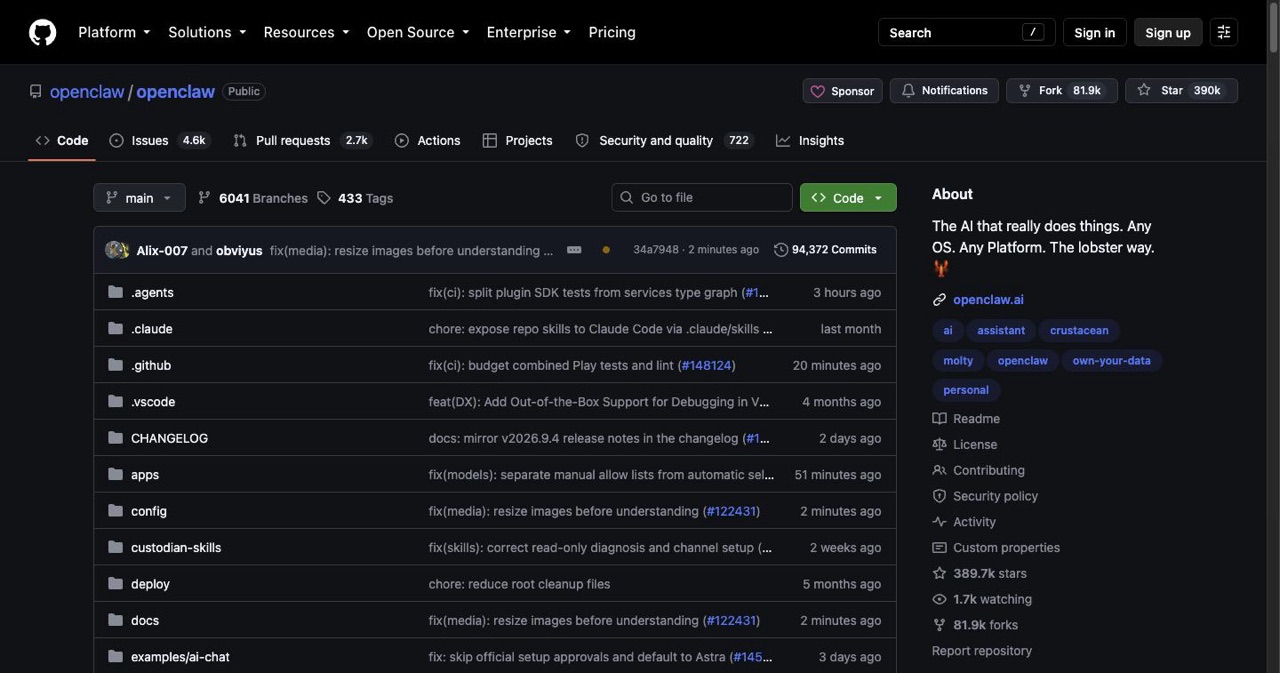
A solo developer from Vienna built a weekend project. It got more GitHub stars in two weeks than React accumulated in eight years. OpenAI hired him before Meta could. That project is OpenClaw, and it's quietly reshaping how aggressive sales teams run automated lead generation in 2026.
If your Sales Development Representatives (SDRs) are still manually pulling prospect lists, copy-pasting cold email templates, and chasing follow-ups through spreadsheets, this is going to sting. OpenClaw wrappers are doing all of that autonomously, around the clock, for the price of an API key.
This comprehensive guide covers everything you need to know about building custom OpenClaw wrappers for automated lead generation, from understanding the core AI agent architecture to shipping a production-grade system that actually converts.
Key Takeaways
- OpenClaw acts, it does not just chat: It runs as a long-running Node.js service on your machine or VPS, connects to Claude Opus 4.6, GPT-4o or DeepSeek, and you talk to it through WhatsApp, Discord, Telegram or Signal.
- Local-first memory: Agent memory sits on disk as Markdown files with no cloud sync, which matters for sensitive prospect data.
- Wrappers are the productization layer: Community reports put wrapper-based Micro SaaS businesses at $2K to $40K MRR.
- Six build steps: Install OpenClaw, map the pipeline before writing code, install ClawHub skills, wire the wrapper logic in TypeScript, schedule proactive scraping with cron, then harden security.
- Cost beats headcount: 100 leads per day costs $30 to $80 per month in API spend against $4,000 to $6,000 per month for an SDR, with hosting at $10 to $24 per month on Hetzner or DigitalOcean.
- Skills are not vetted: Cisco's AI security team found a ClawHub skill performing data exfiltration, so read source and check maintainer commit history before installing.
- Proven at scale already: One operator researched, categorized and emailed 410 trade show leads autonomously over a single weekend.
Understanding OpenClaw AI Agents in 2026
OpenClaw (born as Clawdbot in November 2025, briefly Moltbot, then rebranded after trademark friction with Anthropic) is a free, open-source, MIT-licensed AI agent created by Peter Steinberger. It crossed 196,000+ GitHub stars in under three months, one of the fastest-growing open-source projects in history. On February 14, 2026, Steinberger announced he was joining OpenAI, with the project transitioning to an independent foundation. The code stays open. The momentum isn't slowing.
If you haven't set up the base framework yet, you can read our guide on how to run OpenClaw using free NVIDIA inference APIs.
Here's what makes OpenClaw different from every other AI automation tool your sales team has tried and abandoned:
It doesn't just talk. It acts.
OpenClaw runs as a long-running Node.js service on your local machine or Virtual Private Server (VPS). It connects to an LLM of your choice (Claude Opus 4.6, GPT-4o, DeepSeek) and uses that model's reasoning to execute real tasks: scraping websites, firing off emails, hitting CRM APIs, managing files, and browsing the web. You interact with it through messaging apps (WhatsApp, Discord, Telegram, Signal). It messages you back when something needs your attention.
Memory is stored locally as Markdown files. No cloud sync. No data leaving your machine unless you explicitly configure it. For sales teams handling sensitive prospect data, that privacy-first design matters.
OpenClaw vs. Traditional Lead Gen Automation Tools
| Feature | OpenClaw | Zapier | Make.com |
|---|---|---|---|
| Cost | Free (bring your own API key) | $19–$799/month | $9–$299/month |
| Autonomy | High: agent decides next steps | Low: if/then only | Medium |
| Customization | Full: write your own skills | Template-limited | Template-limited |
| Data Privacy | Local-first, self-hosted | Cloud-dependent | Cloud-dependent |
| AI Reasoning | Native | Bolt-on | Bolt-on |
What Are OpenClaw Wrappers and Why Build Them?
A wrapper is a vertical-specific application built on top of OpenClaw's core. Think of OpenClaw as an engine. The wrapper is the car body you build around it for a specific job.
For lead generation, a wrapper might be called "LeadClaw" or "ProspectBot." It packages a curated set of skills (OpenClaw's term for plugins), a pre-configured workflow, a clean interface, and sometimes a custom prompt system, all tuned for one purpose: finding, qualifying, and closing leads without a human in the loop for routine steps.
Why build a wrapper instead of using OpenClaw raw?
For internal use: Wrappers let non-developers on your team run complex AI automations without touching the command line. Set it up once, hand it off to your SDRs.
For productization: Indie hackers are already selling OpenClaw wrappers as Micro SaaS products. Community reports put wrapper-based businesses at $2K–$40K MRR. Build it once, sell it to an entire industry vertical.
For focus: Raw OpenClaw can do almost anything, which means it needs guardrails. A well-scoped wrapper keeps the AI agent on task.
The core use cases for AI agents in lead generation:
- Scraping Google Business profiles or LinkedIn for cold prospects
- Enriching lead data with company details, revenue estimates, and contact info
- Qualifying leads against Ideal Customer Profile (ICP) criteria before a human ever sees them
- Drafting and sending highly personalized cold outreach emails
- Running follow-up sequences autonomously based on prospect replies
Why OpenClaw Wrappers Win for Lead Generation
The efficiency argument is obvious: an AI agent running 24/7 doesn't take sick days or forget Thursday's follow-up. But the real advantage shows up at scale.
One OpenClaw operator automated an entire trade show pipeline: 410 leads researched, categorized, and emailed autonomously over a single weekend. Another built a wrapper targeting local businesses without websites. The agent scrapes Google profiles, builds a preview site for each prospect, and sends a cold pitch with the preview attached. These aren't edge cases. They're the new baseline for growth teams willing to build.
The cost structure changes everything. Traditional lead gen tools charge per seat, per contact, or per action. OpenClaw's costs are LLM tokens and compute. A well-optimized wrapper handling 100 leads per day runs $30–$80/month in Anthropic or OpenAI API costs. Compare that to a human SDR at $4,000–$6,000/month before benefits.
The 2026 context adds another layer: multi-agent systems. OpenClaw now supports coordinated agent swarms: a research agent, a writing agent, and a QA agent working in parallel. For lead generation, this means one agent pulls prospects from Google Maps while another drafts email copy while a third checks deliverability. The sales pipeline doesn't wait.
How to Build a Custom OpenClaw Wrapper for Lead Generation
Here's how it actually works, step by step.
Step 1: Install OpenClaw
You need Node.js 22+ and an LLM API key. Claude Opus 4.6 is the best current choice for reasoning-heavy tasks; Claude Haiku 4.5 handles high-volume structured work cheaply.
curl -fsSL https://openclaw.ai/install.sh | bash
On first run, OpenClaw walks you through connecting a messaging platform and setting your API key. Store keys in .env. Never hardcode them.
For team deployments, DigitalOcean's one-click OpenClaw deploy ($24/month) gives you a security-hardened VPS instance without the setup overhead.
Step 2: Map Your Workflow Before Writing Code
This gets skipped constantly. Don't skip it.
Draw out your sales pipeline:
Scrape prospects → Enrich data → Score/qualify → Draft outreach → Send → Track → Follow up
Each arrow is a skill invocation. Know what data flows between steps. Decide which steps can run fully autonomously and which need a human decision. Your wrapper's logic lives here, not in the code.
Step 3: Install Lead Gen Skills
OpenClaw's skill system is its real superpower. ClawHub (the community skill repository) has 5,000+ contributions. For lead generation, you'll want:
- lead-hunter: LinkedIn and Google Business enrichment
- apify-scraper: Headless browser scraping for prospect discovery via Apify
- gmail-skill: Authenticated Gmail sending and inbox management
- brave-search: Real-time web research on prospects before outreach
- webhook-intake: Receives inbound leads from forms, ads, or CRMs like HubSpot
openclaw skill install apify-scraper
openclaw skill install gmail-skill
Security note worth taking seriously: ClawHub skills are community-submitted and not rigorously vetted. Cisco's AI security team found a third-party skill performing data exfiltration without user awareness. Read source code before running anything in production. Only install from maintainers with verified commit history.
Step 4: Build the Wrapper Logic
Your wrapper is a TypeScript configuration file that wires skills together. Here's a simplified lead intake handler:
// webhook-handler.ts
import { OpenClaw } from 'openclaw-sdk';

const agent = new OpenClaw({
  model: 'claude-opus-4-6',
  skills: ['lead-hunter', 'gmail-skill', 'brave-search'],
  memory: './lead-memory/',
});

agent.on('POST /hooks/new-lead', async (lead) => {
  // 1. Enrich the lead
  const enriched = await agent.skill('lead-hunter').enrich(lead);

  // 2. Score against ICP
  const score = await agent.reason(`
    Score this lead 1-10 against our ICP: SaaS companies,
    50-500 employees, US-based, Series A+.
    Lead data: ${JSON.stringify(enriched)}
  `);

  // 3. If qualified, draft and send personalized email
  if (score >= 7) {
    const email = await agent.reason(`
      Write a personalized cold email for ${enriched.name} at ${enriched.company}.
      Reference their recent activity: ${enriched.recentNews}.
      Max 4 sentences. No fluff.
    `);
    await agent.skill('gmail-skill').send({
      to: enriched.email,
      subject: `Quick question for ${enriched.company}`,
      body: email,
    });
  }
});
Key design principle: use Claude Opus (or your strongest model) for reasoning steps: scoring, email drafting, strategic decisions. Use cheaper models for structured data tasks like parsing or formatting. This cuts API costs 60–70% on high-volume pipelines.
Step 5: Schedule Proactive Lead Discovery
OpenClaw's built-in cron scheduler lets you run proactive tasks, with no inbound trigger needed.
// Scrape new prospects every morning at 7am
agent.schedule('0 7 * * *', async () => {
  const prospects = await agent.skill('apify-scraper').scrapeGoogleMaps({
    query: 'SaaS companies San Francisco',
    limit: 50,
  });

  for (const prospect of prospects) {
    await agent.emit('POST /hooks/new-lead', prospect);
  }
});
This is your overnight lead machine. Runs while your team sleeps. Delivers a prioritized, qualified list by morning.
Step 6: Harden Security Before Deploying
OpenClaw's power is precisely what makes it dangerous when misconfigured.
- Store all API keys in environment variables, never in code.
- Restrict the agent's file system access to only what it needs.
- Audit every skill before installing: read the source, check the maintainer's history.
- Use Row-Level Security (RLS) if you're syncing lead data to Supabase.
- Understand prompt injection risk: if your agent reads emails or scraped web content, adversarial content in those sources can manipulate its behavior. CrowdStrike's 2026 security advisory on OpenClaw covers this thoroughly. Read it before you go live.
Key Tools for Your OpenClaw Lead Gen Stack
LLMs: Claude Opus 4.6 for reasoning and drafting. Claude Haiku 4.5 for high-volume structured tasks. GPT-4o as a cost-efficient alternative.
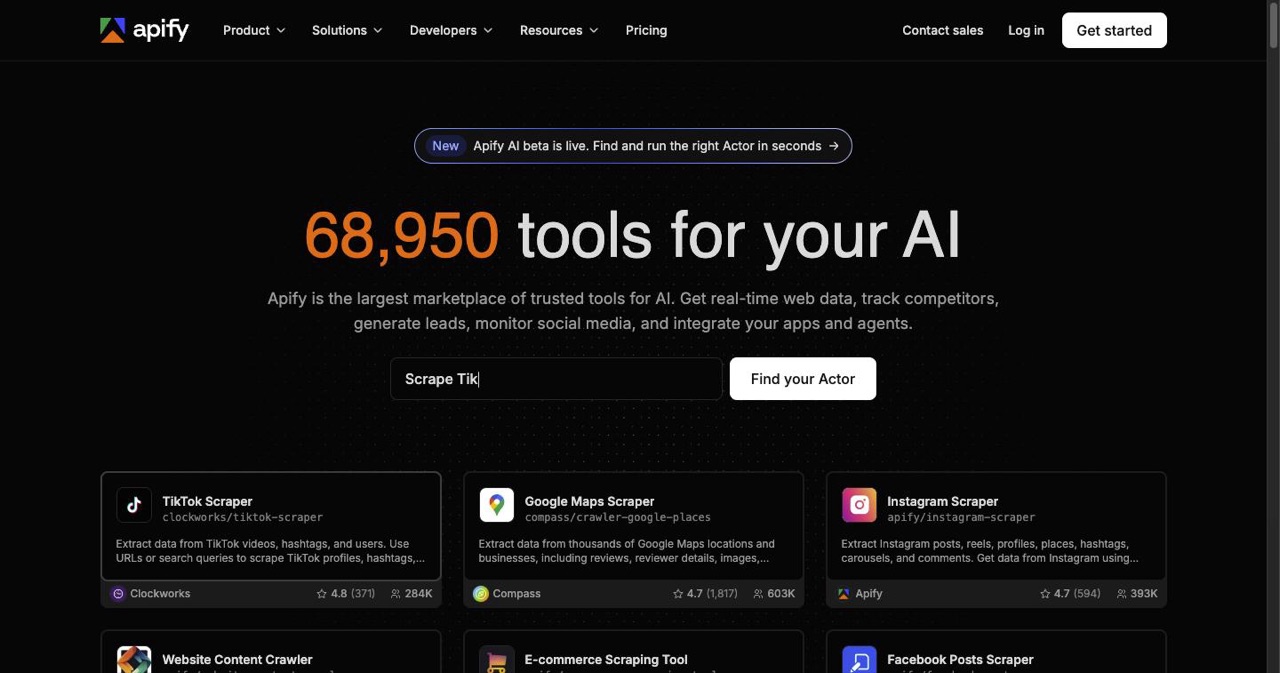
Data sources: Apify for scraping, Brave Search API for real-time research, Google Maps API for local business prospecting.
CRM sync: HubSpot and Pipedrive both have webhook endpoints OpenClaw can hit directly. Qualified leads land in your CRM automatically, with no manual entry.
Hosting: For solo operators, a Mac Mini works. For teams, DigitalOcean's one-click deploy or a Hetzner VPS ($10–$20/month) handles production load reliably.
Monitoring: Lovable + Supabase gives you a lightweight dashboard to track lead volumes, email performance, and agent activity.
Best Practices That Actually Separate Good Wrappers from Broken Ones
Start with one step. Automate email drafting first. When your team trusts the output, add qualification. Then scraping. Incremental beats ambitious-and-broken every time.
Build in a human review gate for high-value outreach. Your agent can draft every email, but for strategic accounts, route through Slack for approval before sending. Three lines of configuration.
Test with synthetic leads before going live. Create fake prospect profiles and run your full pipeline end-to-end. Catch the gaps before they reach real people.
Set API spending alerts on day one. A misconfigured agent caught in a loop can burn through hundreds of dollars in API fees overnight. Every LLM provider lets you set spend limits. Use them.
Version-control your wrapper config like production code. Git, pull requests, staging environment. You'll need to roll back a broken skill update eventually, so make that easy.
Real-World Examples Worth Knowing About
A real estate operator built a wrapper that scraped Facebook groups and Reddit for homeowners mentioning life events (job changes, new babies, divorces) and enriched those signals with property data. The system processed and qualified leads before any human touched them.
Another team tackled 410 trade show contacts over a weekend. OpenClaw researched each contact, categorized them by buying stage, and sent personalized follow-ups. Two days of SDR work, done autonomously.
The website sales wrapper is the one that keeps coming up in developer communities: scrape Google Business profiles for businesses without websites, generate a preview site for each, send a cold email with the preview attached. The pitch is specific. The timing is immediate. The effort is zero after setup.
What's Coming for OpenClaw Lead Generation
With Steinberger inside OpenAI and the project under foundation governance, multi-agent coordination is the clear next frontier. Research agents, writing agents, and outreach agents running in parallel, with pipelines that take 20 minutes today completing in under five.
Voice-based outreach is already being tested in the community. Personalized video prospecting (generated and sent autonomously) is on developer roadmaps. As these mature, the gap between teams using OpenClaw and teams that aren't will stop being a productivity advantage and start being a structural one.
Frequently Asked Questions
What is an OpenClaw wrapper? A purpose-built application on top of OpenClaw's core: pre-packaged skills, workflows, and interfaces tuned for one job. Non-developers can run it; developers can sell it.
How much does it cost to build one? Building is free under the MIT license. Runtime costs are API tokens ($30–$150/month depending on volume) plus hosting ($0–$24/month). No per-seat or per-contact fees.
Is OpenClaw secure for lead data? With proper configuration, yes. The local-first design keeps data on your machine. The risks are prompt injection via ingested content, unvetted community skills, and misconfigured permissions. Read CrowdStrike's 2026 advisory before deploying in a business context.
Can non-developers use it? Raw OpenClaw requires basic comfort with a terminal. A well-built wrapper can be managed entirely through WhatsApp or Slack after initial setup, with no terminal required.
How is it different from Zapier? Zapier executes if/then logic you define in advance. OpenClaw reasons: it evaluates situations, makes decisions, and chooses next steps. That's the difference between automation and agency.
Start Building Your Agent
The GitHub repository is at github.com/openclaw/openclaw. ClawHub has the skills library you need to get a lead pipeline running in an afternoon.
The gap between teams using AI agents for lead generation and teams that aren't is widening fast. The tools are free. The only barrier is building the thing.
Pick one step in your pipeline (email drafting, or prospect qualification) and wire it up this week. Once you see an agent handle that reliably, the rest of the pipeline becomes obvious. Every good wrapper starts with one workflow that actually works.
If you turn your wrapper into a product, submit it to the AI directories ranked by DR so buyers can find it.
Get your SaaS in front of founders
List your product on the SaaSCity live city map - a permanent listing, real discovery, and a backlink from a high-DR directory. Free to start; upgrade for a dofollow link and a building on the map.