Build with AI
How to Use the Kimi K2.5 Model, Including Agent Swarm Mode, in Google's Antigravity IDE
Google's Antigravity IDE combined with Kimi K2.5's Agent Swarm mode allows 100 autonomous sub-agents to execute parallel workflows, reducing execution time by 4.5x.

Contents (11)
- Key Takeaways
- What Makes Kimi K2.5 Different
- Understanding Google's Antigravity IDE
- Why Combine Kimi K2.5 with Antigravity
- Prerequisites and Setup Requirements
- Integration Step-by-Step
- Activating and Using Agent Swarm Mode
- Practical Implementation Examples
- Best Practices and Optimization Strategies
- Troubleshooting Common Issues
- The Development Paradigm You've Been Waiting For
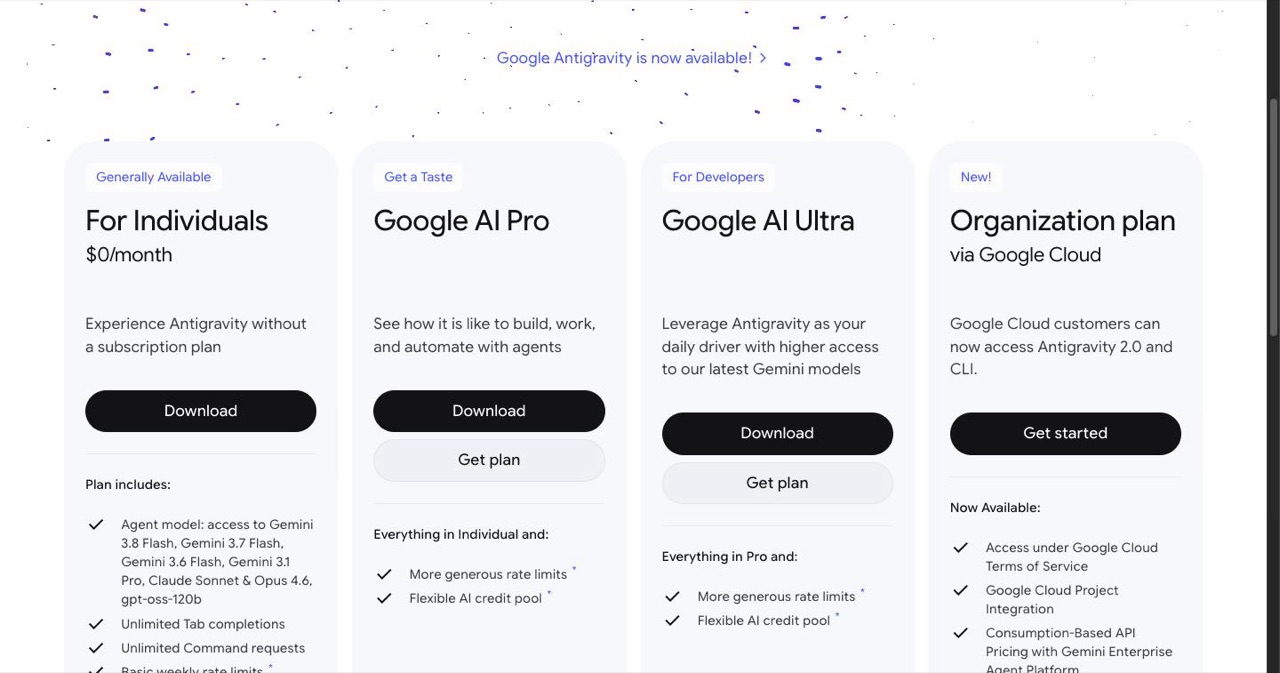
Quick answer: Google's Antigravity is a free agent-first IDE built on a VS Code fork, launched November 2025 with Gemini 3 Pro as default and support for third-party models. Adding Moonshot AI's Kimi K2.5, a 1-trillion-parameter Apache 2.0 MoE model that activates 32 billion parameters per request, unlocks Agent Swarm mode: up to 100 self-orchestrated sub-agents and 1,500 tool calls in one workflow, roughly 4.5x faster than single-agent runs. You add it under Settings, Models, Third-Party Models with a 256000 context window.
Your IDE just became obsolete.
Not hyperbole—that's the reality developers faced in November 2025 when Google dropped Antigravity, an agent-first development platform that fundamentally reimagines how we write code. Pair it with Moonshot AI's Kimi K2.5 and its Agent Swarm mode, and you're looking at 100 autonomous sub-agents executing parallel workflows that previously took your entire team days to complete.
This guide walks you through integrating Kimi K2.5—a 1-trillion-parameter open-source multimodal model—into Google's Antigravity IDE, with particular focus on activating Agent Swarm mode for complex development tasks. Whether you're automating research pipelines, building full-stack applications from screenshots, or orchestrating multi-agent coding workflows, this combination reduces execution time by up to 4.5x compared to traditional single-agent setups.
Key Takeaways
- Open weights at trillion scale: Kimi K2.5 shipped in January 2026 under Apache 2.0, with 1 trillion total parameters and 32 billion active per request.
- Four modes, one model: Instant for speed, Thinking for step-by-step reasoning, Agent for 200 to 300 tool calls, and Agent Swarm for up to 100 sub-agents and 1,500 tool calls.
- Cost gap is large: Kimi K2.5 costs 76% less than Claude Opus 4.5, with API pricing between $0.10 and $3.00 per million tokens and a free tier at Kimi.com.
- Antigravity is free for individuals: Google's November 2025 IDE splits into an Editor View and an Agent Manager, and connects to Cloud Storage and BigQuery through the Model Context Protocol.
- Configuration is explicit: Register Kimi under Models, Third-Party Models with a 256000 context window and Support Tool Use plus Multimodal Input enabled.
- Swarms need swarm prompts: Generic requests will not trigger coordination, so the prompt must name a lead role and the specialized agent groups.
- Local inference is impractical for most: Full weights run about 400GB and VRAM needs far exceed 24GB, so the API or NVIDIA NIM is usually the realistic path.
What Makes Kimi K2.5 Different
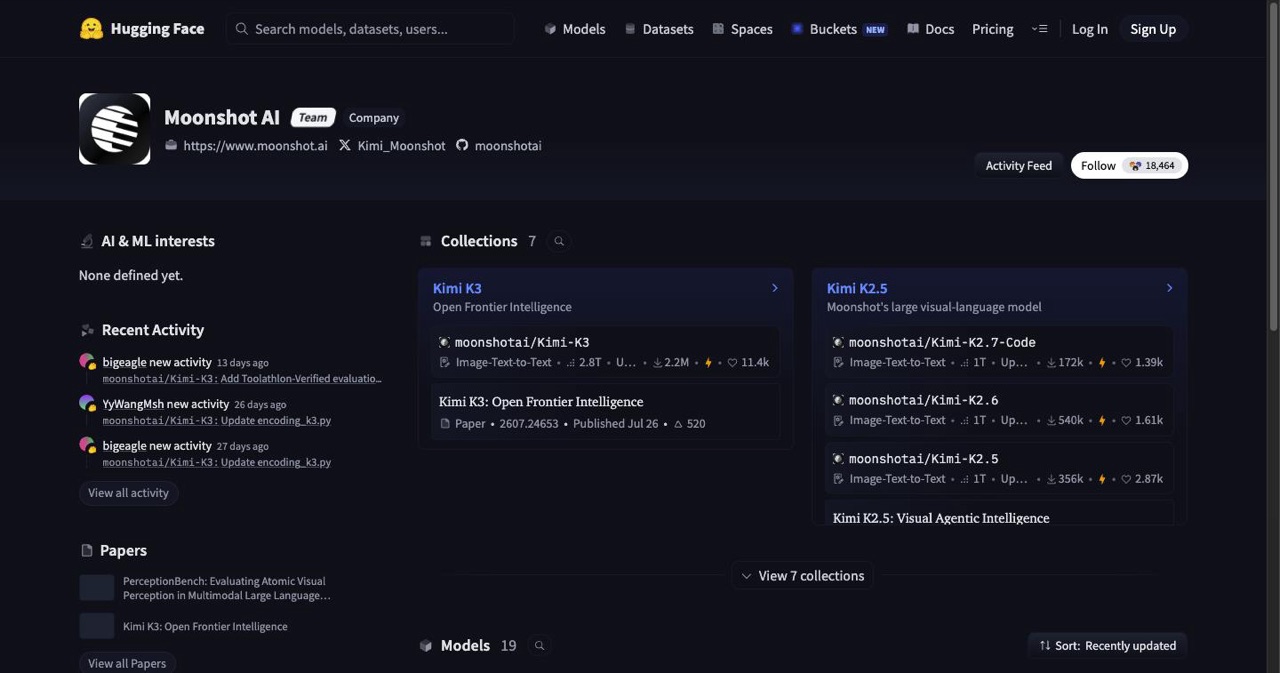
Moonshot AI released Kimi K2.5 in January 2026 under an Apache 2.0 license, positioning it as the first truly open-source native multimodal agentic model at scale. The architecture relies on Mixture-of-Experts (MoE) with 1 trillion total parameters, though it activates only 32 billion per request—keeping inference costs down while maintaining performance that rivals closed-source alternatives.
The model trained on 15 trillion mixed visual and text tokens, giving it exceptional capabilities in cross-modal reasoning. Feed it a wireframe sketch, and it generates production-ready code. Show it a data visualization, and it extracts insights other models miss.
Four operational modes define how Kimi K2.5 handles tasks:
Instant Mode prioritizes speed for straightforward queries. You get rapid responses suitable for quick coding questions or documentation lookups.
Thinking Mode activates step-by-step analysis for complex problem-solving. The model shows its reasoning chain, useful when debugging intricate systems or planning architecture.
Agent Mode enables autonomous workflows with 200-300 tool calls. The model plans, executes, and verifies tasks across multiple steps without constant human intervention.
Agent Swarm Mode self-orchestrates up to 100 sub-agents for massive parallel tasks, handling up to 1,500 tool calls in a single workflow. This mode excels at research aggregation, large-scale data extraction, and comprehensive development projects.
Performance metrics tell the story. Kimi K2.5 scores 50.2% on Humanity's Last Exam—a benchmark designed to test capabilities beyond current AI systems. It costs 76% less than Claude Opus 4.5 while matching or exceeding performance in coding and visual understanding tasks.
You can access Kimi K2.5 through multiple channels: the free Kimi.com chat interface, API endpoints ($0.10-$3.00 per million tokens), direct downloads from Hugging Face, or NVIDIA NIM APIs for enterprise deployments.
Understanding Google's Antigravity IDE
Google launched Antigravity in November 2025 as a response to the emerging agent-first development paradigm. Traditional IDEs assumed developers write every line of code. Antigravity assumes AI agents will handle significant portions of implementation while developers focus on architecture and oversight.
Built on a modified VS Code fork, Antigravity integrates Gemini 3 Pro as its primary intelligence layer while supporting third-party models like Claude Sonnet 4.5, OpenAI's GPT-OSS, and—crucially for this guide—Kimi K2.5.
The interface splits into two primary views:
Editor View functions as an AI-powered IDE with tab autocompletion, natural language commands, and context-aware agents that understand your entire codebase. Type a request in plain English, and the IDE generates, modifies, or debugs code based on full project context.
Agent Manager serves as mission control for background agents, artifacts, and parallel tasks. Here you launch multiple agents simultaneously, monitor their progress through verifiable artifacts, and manage task queues through a dedicated inbox system.
The agentic capabilities extend beyond code generation. Built-in browser automation lets agents test interfaces, scrape data, or verify deployments. Multi-agent orchestration coordinates complex workflows where different agents handle frontend, backend, testing, and documentation in parallel.
Google connected Antigravity to Cloud services through the Model Context Protocol (MCP), enabling agents to pull data from Cloud Storage, BigQuery, or other Google infrastructure without manual API configuration.
What sets Antigravity apart from Cursor or Windsurf? It's free forever for individual developers. The verifiable artifacts system provides transparency into agent actions. The parallel task inbox prevents context-switching between simultaneous agent operations.
Download from antigravity.google. The public preview includes generous rate limits that cover most development workflows.
Why Combine Kimi K2.5 with Antigravity
The integration creates a multiplier effect that neither tool achieves alone.
Cost efficiency becomes absurd. Kimi K2.5's open-source nature means you can access powerful models via APIs at minimal fees or run locally if you have enterprise-grade hardware. Antigravity charges nothing. Your entire agentic development stack costs less than a single Copilot subscription.
Agent Swarm mode transforms Antigravity's parallel execution model. While Antigravity supports multiple agents, Kimi's swarm capability lets a single prompt spawn up to 100 coordinated sub-agents. A task that would require manually launching and monitoring dozens of separate agent instances becomes a single operation.
Multimodal capabilities unlock new workflows. Sketch a UI on paper, photograph it, and let Kimi agents generate the implementation. Screenshot an error in production, and agents debug by analyzing visual stack traces. Feed in architectural diagrams, and agents scaffold matching code structures.
Scalability handles enterprise complexity. Large codebases that choke single-agent systems get distributed across swarm agents that process different modules simultaneously. Integration testing that takes hours runs in minutes when parallelized across agent clusters.
The practical impact: workflows that previously required a team and a week compress into automated processes that complete overnight.
Prerequisites and Setup Requirements
Hardware considerations: A modern development machine handles Antigravity easily. However, running Kimi K2.5 locally is extremely difficult due to massive VRAM requirements—far exceeding 24GB. Unless you have a cluster of Mac Minis or tens of high-end GPUs, it is significantly better to purchase the Kimi 2.5 coding plan API or use the NVIDIA API.
Required accounts: Moonshot AI API key from platform.moonshot.cn (free tier available), Hugging Face account for model weight downloads if running locally, Google account for Antigravity access, NVIDIA account for NIM API access as a fallback.
Knowledge baseline: Basic IDE familiarity, understanding of API authentication, experience with prompt engineering for AI models.
Download Antigravity first. The installer handles dependencies and sets up Gemini 3 as the default model. Initial setup takes about five minutes on standard internet connections.
Integration Step-by-Step
Step 1: Install Antigravity
Navigate to antigravity.google and download the installer for your platform (MacOS, Windows, or Linux). Run the installer and complete the initial setup wizard. When prompted, authenticate with your Google account. The setup configures Gemini 3 Pro as the default model.
Launch Antigravity and verify the Editor and Agent Manager views load correctly.
Step 2: Obtain Kimi K2.5 Access
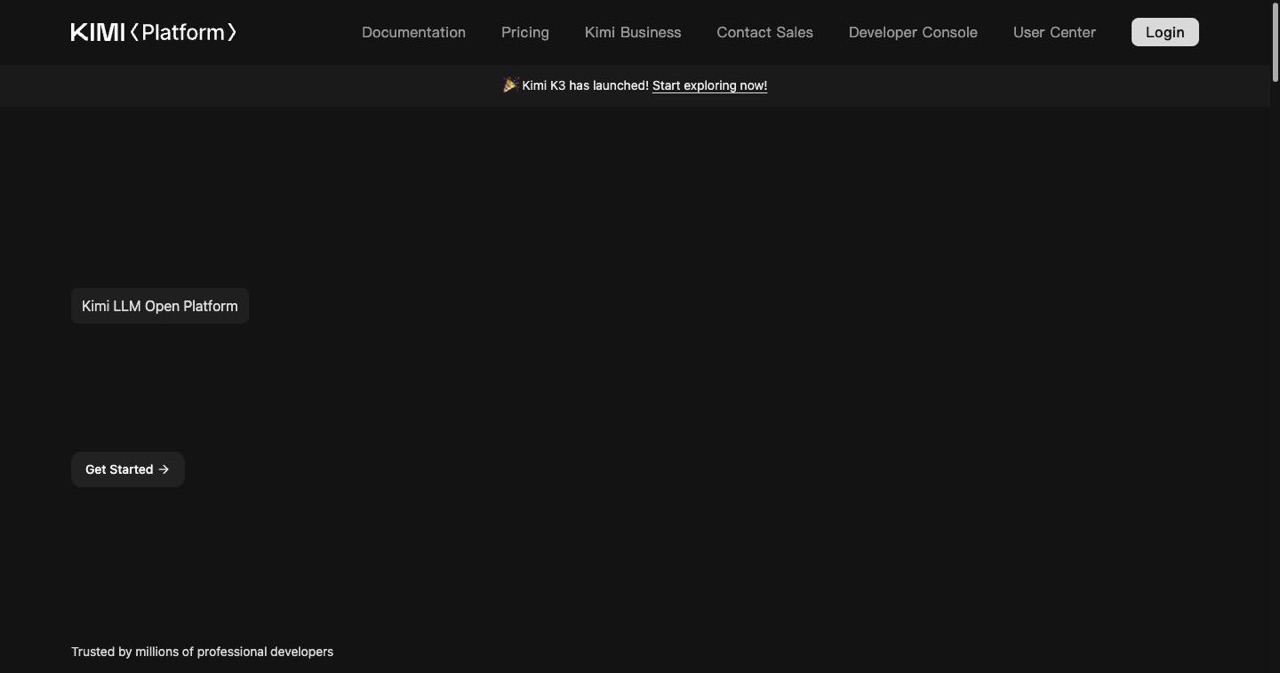
For API access: Create an account at platform.moonshot.cn, navigate to API settings, and generate an API key. Note the endpoint URL provided in your dashboard.
For local deployment: Visit Hugging Face and download Kimi K2.5 model weights. You'll need significant storage (approximately 400GB for full weights). Follow Moonshot's documentation for setting up local inference servers.
For NVIDIA NIM: Log into NVIDIA's AI platform, search for Kimi K2.5 in the model catalog, and click "View Code" to generate an API key and endpoint.
Step 3: Configure Kimi in Antigravity
Open Antigravity Settings (Cmd+, on Mac, Ctrl+, on Windows). Navigate to Models > Third-Party Models > Add Model.
Input the following details:
- Model Name: Kimi K2.5
- API Endpoint: Your Moonshot API URL, NVIDIA NIM endpoint, or local server address
- API Key: Your authentication token
- Context Window: 256000
- Model Type: Chat Completion
Under Advanced Settings, enable "Support Tool Use" and "Multimodal Input."
Set Kimi K2.5 as the primary model for Agent Manager operations. You can keep Gemini 3 for Editor autocomplete if preferred, or switch both to Kimi.
Step 4: Install Browser Extension
In Antigravity's Extensions panel, search for "Antigravity Browser Automation." Install and enable it. This gives agents the ability to control browser instances for testing and web scraping.
Step 5: Verify Integration
Open Agent Manager and create a test task. Try a simple prompt: "Create a Python script that fetches the current time and writes it to a file called timestamp.txt"
The agent should plan the task, generate the code, execute it, and verify the output. If you see the plan appear in Agent Manager and the task completes successfully, your integration works.
Activating and Using Agent Swarm Mode
Agent Swarm represents Kimi K2.5's most powerful capability, but it requires specific activation patterns within Antigravity.
Activation Protocol:
In Agent Manager, craft a system-level prompt that explicitly requests swarm behavior. Generic prompts won't trigger the multi-agent coordination system.
Example swarm activation prompt:
"You are the Lead Project Architect. Activate Agent Swarm mode with up to 100 sub-agents to build a complete e-commerce platform based on the following requirements: [detailed spec]. Coordinate agents for frontend development, backend API, database schema, authentication, payment integration, testing, and documentation. Each agent should work in parallel and report progress through artifacts."
How Swarm Orchestration Works:
Kimi receives your prompt and analyzes task complexity. It breaks the project into discrete, parallelizable sub-tasks. The model spawns specialized sub-agents, each with specific instructions and tool access. A coordinator agent monitors progress, resolves dependencies, and synthesizes outputs.
In Antigravity's Agent Manager, you'll see multiple artifact streams appear—one for each major sub-agent cluster. The inbox populates with progress updates and decision requests.
Monitoring Swarm Progress:
The Artifacts panel shows real-time updates from each agent group. Click individual artifacts to see detailed logs, code outputs, or error messages.
The Inbox receives notifications when agents need human input—architectural decisions, API key approvals, or confirmation before destructive operations.
The Task Graph (enable in View > Show Task Graph) visualizes agent dependencies and parallel execution streams.
Resource Management:
Monitor the context window carefully. With 256K tokens, you have substantial room, but complex swarms consume context faster than single agents. If you approach limits, Kimi automatically compresses earlier conversation history or requests confirmation to continue with reduced context.
Token usage appears in the status bar. For long-running swarms, consider checkpointing progress by exporting artifacts mid-task.
Stability Considerations:
Agent Swarm mode occasionally experiences coordination issues in workflows exceeding 8-10 hours of continuous operation. For massive projects, break them into multi-day phases rather than single continuous runs.
Network latency affects swarm performance when using API endpoints. Local inference provides more consistent coordination for complex swarms.
Practical Implementation Examples
Example 1: Building a Dashboard from a Screenshot
You photograph a hand-drawn dashboard wireframe on a whiteboard.
Upload the image to Agent Manager with this prompt:
"Agent Swarm mode: Build a fully functional analytics dashboard matching this wireframe. Deploy separate agents for: 1) Frontend React components with Tailwind styling, 2) Backend Express API with mock data endpoints, 3) Data visualization using Chart.js, 4) Responsive design testing across devices, 5) Component documentation. Deliver production-ready code with deployment instructions."
The swarm analyzes the image, extracts layout requirements, and spawns five primary agent groups. Within 25 minutes, you have a complete dashboard with sample data, responsive breakpoints, and deployment scripts for Vercel.
Example 2: Comprehensive Market Research Report
Task: "Generate a market analysis report on AI development tools, formatted as a professional Word document."
Swarm prompt:
"Activate Agent Swarm: Research AI development tools market. Deploy agents for: 1) Competitor analysis (Cursor, GitHub Copilot, Replit, Codeium), 2) Pricing data extraction, 3) Feature comparison matrix, 4) User review sentiment analysis, 5) Market trend identification, 6) Report writing and formatting to DOCX. Synthesize into a 15-page executive report."
Agents distribute across research tasks. Some scrape pricing pages (via browser automation), others analyze GitHub repositories for feature lists, others process user reviews from Reddit and Twitter. The synthesis agent compiles findings into structured sections. The formatting agent generates a Word document with charts, tables, and executive summary.
Output: A comprehensive market report in 40 minutes that would take a human analyst two weeks.
Example 3: Full-Stack Application Development
"Agent Swarm: Build a task management SaaS application with: User authentication (email/password and OAuth), real-time collaboration, file attachments, comment threads, activity timeline, admin dashboard, automated testing suite (80%+ coverage), API documentation. Tech stack: Next.js 16, Supabase, Tailwind, TypeScript."
This activates a large swarm that coordinates across:
- Authentication agents building login flows
- Frontend agents creating UI components
- Backend agents implementing API routes
- Database agents designing schemas
- Testing agents writing unit and integration tests
- Documentation agents generating API specs
The swarm handles dependency resolution automatically. When the authentication agent completes, frontend agents immediately integrate those components. Database schema changes propagate to relevant backend agents.
Within three hours, you have a deployable application that would normally require days of coordinated team effort.
Best Practices and Optimization Strategies
Prompt Engineering for Swarms:
Structure activation prompts with clear role definitions. Instead of "build an app," specify "activate swarm with dedicated agents for architecture, frontend, backend, testing, and deployment."
Explicitly state coordination requirements: "Agents must share type definitions through a central schema agent" or "Testing agents should validate each component as implementation agents complete work."
Request artifact granularity: "Each major component should generate a separate artifact with progress logs."
Performance Optimization:
Running Kimi locally eliminates API latency and rate limits. If you have the hardware, local inference provides 30-40% faster swarm coordination.
Use Antigravity's MCP integrations to pre-load context. Connect Google Cloud Storage for documentation, BigQuery for data analysis, or GitHub for repository access. Agents access resources without repeated API calls.
Monitor token consumption. Enable automatic context compression in Antigravity settings to extend swarm runtime without hitting limits.
Security and Privacy:
For sensitive projects, deploy Kimi K2.5 locally rather than using cloud APIs. Your code never leaves your infrastructure.
Review agent actions through artifacts before executing destructive operations. Antigravity's approval queue lets you whitelist safe operations while flagging database deletions or external API calls.
Audit trail: Export artifact logs for compliance. Antigravity maintains complete records of agent decisions and actions.
Comparative Analysis:
Agent Swarm vs. Claude's Projects with multiple agents: Kimi swarms self-coordinate without manual agent definition. Claude Projects require explicit agent role specification.
Agent Swarm vs. single-agent Kimi workflows: Swarms achieve 4.5x speed improvement on parallelizable tasks. For sequential workflows, single-agent mode uses fewer resources.
Kimi vs. closed-source alternatives: The open-source advantage means unlimited local inference. No usage caps, no pricing anxiety, complete data control.
Troubleshooting Common Issues
API Rate Limiting:
Symptom: Swarm execution pauses with "rate limit exceeded" errors.
Solution: Switch to local inference, or reduce swarm size to 20-30 agents initially. NVIDIA NIM free tier has higher limits than Moonshot's free API.
Context Window Overflow:
Symptom: After several hours, agents report "context limit approaching" warnings.
Solution: Enable auto-compression in Settings > Models > Kimi K2.5 > Advanced. Alternatively, checkpoint progress by exporting current artifacts, then restart the swarm with condensed context.
Integration Connection Failures:
Symptom: "Failed to connect to model endpoint" when adding Kimi to Antigravity.
Solution: Verify your API endpoint URL format. Some users need to proxy Kimi through OpenRouter or LiteLLM for Antigravity compatibility. Check firewall settings for local inference servers.
Agent Coordination Instability:
Symptom: Swarm agents produce conflicting outputs or fail to coordinate.
Solution: Reduce swarm complexity. Break your task into two sequential swarms rather than one massive parallel operation. Increase specificity in coordination instructions.
Resource Exhaustion:
Symptom: System slowdown or crashes during large swarms.
Solution: Limit concurrent agents to 50 on standard hardware. Close unnecessary applications. For GPU inference, monitor VRAM usage—stay below 90% utilization.
Additional Resources:
Official documentation: docs.moonshot.cn and antigravity.google/docs Community forums: r/google_antigravity and r/KimiAI on Reddit Video tutorials: Search "Kimi K2.5 Antigravity integration" on YouTube for screen-recorded walkthroughs Discord: Both Moonshot and Google maintain active developer Discord servers
The Development Paradigm You've Been Waiting For
This integration represents more than incremental improvement in developer tools. It signals a fundamental shift in how software gets built.
When 100 AI agents coordinate on complex projects with minimal human oversight, the bottleneck moves from implementation to architecture and product vision. Your role evolves from writing code to conducting an orchestra of autonomous specialists.
The economics alone justify adoption. Zero-cost tooling that matches or exceeds $200/month commercial alternatives changes who can build software and at what scale.
Start small. Run a single swarm on a side project. Watch how agents coordinate. Notice where they excel and where they need guidance. Then scale to production workflows. If you want a design pipeline feeding the swarm, our guide to connecting Antigravity with Google Stitch slots straight into this setup.
The tools exist today. The question is whether you'll still be writing boilerplate six months from now, or orchestrating agent swarms that ship features while you sleep. (And if the boilerplate is the part you hate, start from one that's already built.)
Get your SaaS in front of founders
List your product on the SaaSCity live city map - a permanent listing, real discovery, and a backlink from a high-DR directory. Free to start; upgrade for a dofollow link and a building on the map.