Build with AI
How to Build and Launch an AI SaaS in a Weekend: The Step-by-Step Blueprint
Stop planning for months. Here's the exact system for building and launching a revenue-ready AI SaaS in 48 hours — from picking your idea to processing your first payment. Includes the tech stack, shortcuts, and the painful lessons we learned so you don't have to.


Contents (7)
Quick answer: Building and launching an AI SaaS in a weekend takes about 18 to 23 hours spread across 48: Friday evening for idea validation and stack setup, Saturday for the core AI feature and Stripe credit packages, Sunday for deploying to Vercel and submitting to SaaSCity, Indie Hackers, Reddit and Hacker News. With the SaaSCity AI Boilerplate handling Supabase auth, Stripe webhooks and atomic credit deduction, the cash cost lands near $99.
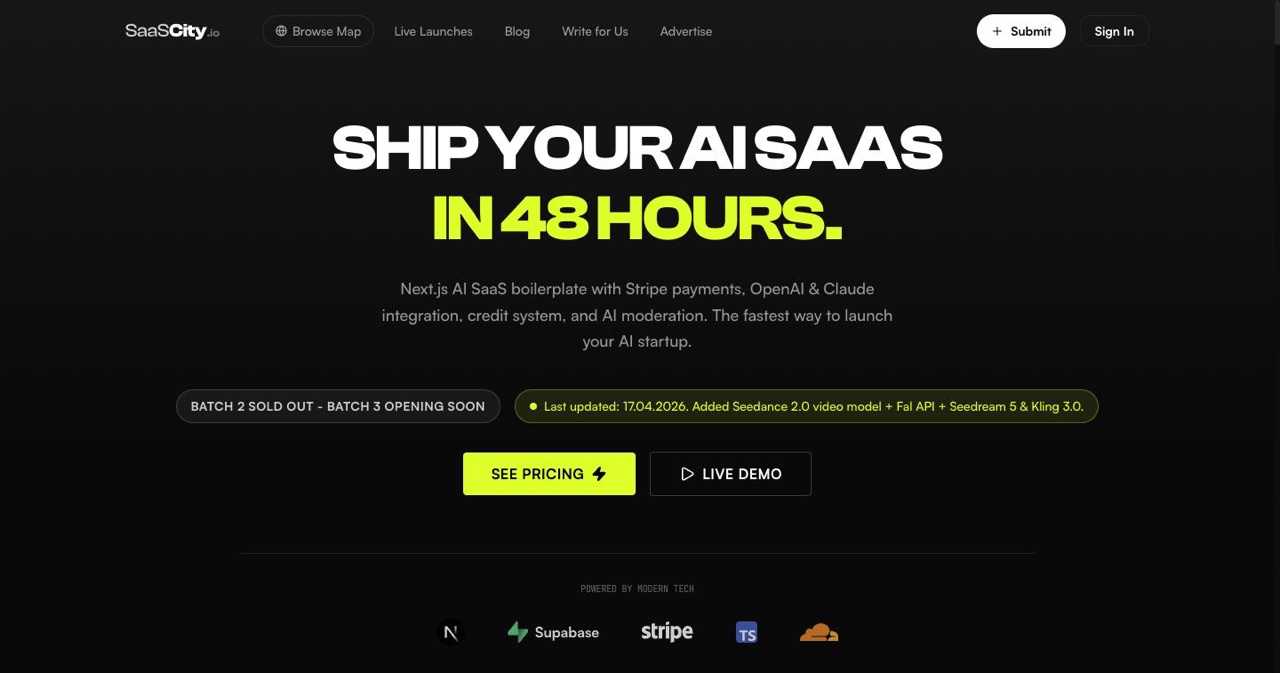
You don't need three months and a team of five to launch an AI SaaS. You need a weekend, a clear plan, and the right shortcuts.
This isn't motivational fluff. This is the exact system, hour by hour, for going from "I have an idea" to "someone just paid me money" in 48 hours. We've watched hundreds of founders do this, and the ones who succeed all follow the same pattern: they eliminate decisions, use pre-built infrastructure, and ship something embarrassingly simple.
The ones who fail spend Saturday afternoon comparing authentication libraries.
Let's make sure you're in the first group.
Key Takeaways
- One capability, one verb: Pick a single AI feature such as generating marketing copy or removing image backgrounds, and charge from day one rather than opening with a free tier.
- Infrastructure is the trap: From scratch, auth, Stripe, credits and a dashboard cost 11 to 20 hours before any AI code gets written.
- The boilerplate shortcut: The SaaSCity AI Boilerplate ships Next.js 16, Supabase auth, Stripe webhooks, atomic credit deduction, moderation and rate limiting, and sets up in 30 to 45 minutes.
- Budget $20 in API spend: That covers hundreds of text generations or 100+ images, enough to validate the product over a weekend.
- Three credit packages, no more: Starter 50 for $4.99, Pro 200 for $14.99, Power 500 for $29.99, priced at 5 to 10 times your API cost.
- Five landing page sections: Hero, real demo output, three-step how it works, pricing, and an FAQ answering the top three objections. No testimonials yet.
- Launch Sunday, keep going after: Submit to at least five platforms on day three, then aim for 100+ directory submissions in the first month.
Before We Start: The Weekend Rules
These rules exist to keep you from doing what 90% of indie founders do: overthinking and underdelivering.
Rule 1: Pick one AI capability. Not three. Not five. One. "Generate marketing copy" or "Remove image backgrounds" or "Transcribe meeting notes." One verb, one noun.
Rule 2: Charge from day one. Free tiers are a trap. If someone won't pay $5 for your tool, it's not solving a real problem. You can add a free trial later.
Rule 3: Use boilerplates. Building auth, payments, and credit systems from scratch over a weekend is impossible. Use pre-built solutions. More on this below.
Rule 4: Ship ugly. Your landing page doesn't need animations. Your dashboard doesn't need dark mode. Ship something that works, charge money for it, then make it pretty.
Rule 5: No features you won't need Saturday night. Admin dashboards, team accounts, API access, custom domains: all of this can wait. Build the minimum path from "user signs up" to "user gets AI output."
The Weekend Timeline
Friday Evening (2-3 hours): Foundation
Hour 1: Pick Your Idea and Validate It
The best AI SaaS ideas in 2026 fall into a few proven categories:
| Category | Example | AI Provider | Revenue Model |
|---|---|---|---|
| Content generation | Blog post writer, ad copy generator | OpenAI GPT-5 mini | Credits per generation |
| Image generation | Logo maker, product photo generator, thumbnail creator | Fal.ai (FLUX 2), OpenAI GPT Image 1.5 | Credits per image |
| Video generation | Short-form video creator, talking avatar, cinematic clips | Fal.ai (Kling 3.0, Seedance 2.0), Replicate | Credits per video |
| Document processing | PDF summarizer, contract analyzer | Claude Opus 4.6 (1M context) | Credits per document |
| Code generation | Code reviewer, SQL generator | GPT-5, Claude | Credits per generation |
| Audio/Voice | Text-to-speech, podcast transcription | ElevenLabs, Whisper | Credits per minute |
Validation in 15 minutes:
- Search the keyword on Google. Are people looking for this? ("AI blog post generator" → yes, lots of searches)
- Check There's An AI For That. Do competitors exist? Competitors = market demand. No competitors = maybe nobody wants this.
- Would you pay $10/month for this tool? If not, why would anyone else?
For more inspiration on profitable AI SaaS ideas with revenue estimates, check our dedicated guide to boring SaaS ideas printing $5K MRR.
If you need help validating your idea, our startup idea validation checklist walks through the entire process.
Hour 2: Set Up Your Stack
You have two paths. Choose based on your experience:
Path A: Use a Boilerplate (Recommended, saves 20+ hours)
The SaaSCity AI Boilerplate ships with everything you need pre-configured:
- ✅ Next.js 16 with App Router
- ✅ Supabase auth (email, Google, GitHub)
- ✅ Stripe payments with webhook handling
- ✅ Credit system with atomic deduction (no race conditions)
- ✅ Multi-provider AI integration (OpenAI, Claude, Fal.ai, Replicate)
- ✅ AI content moderation
- ✅ Admin dashboard
- ✅ Rate limiting
Setup time: 30-45 minutes. Clone the repo, add your environment variables, run npm install && npm run dev. You're ready to build your actual feature.
This is the path we recommend. The "Should I use a boilerplate?" section in our complete technical guide explains the math: building auth + payments + credits from scratch takes 2-3 months. You don't have 2-3 months. You have a weekend.
For an honest comparison of available boilerplates, see our best AI SaaS boilerplates comparison for 2026.
Path B: Build From Scratch (Only if You're Very Experienced)
If you insist on building from scratch, here's the minimum stack:
# Create Next.js app
npx -y create-next-app@latest my-ai-saas --typescript --tailwind --app --src-dir

# Install essentials
cd my-ai-saas
npm install @supabase/supabase-js stripe openai @fal-ai/serverless-client
But you'll also need to build:
- Authentication flow (2-4 hours)
- Stripe checkout + webhook handler (3-5 hours)
- Credit system with race condition handling (4-8 hours)
- User dashboard (2-3 hours)
That's 11-20 hours of infrastructure before you write a single line of AI code. On a 48-hour timeline, this leaves almost no time for your actual product.
Hour 3: Configure Your AI Provider
Regardless of which path you chose, you need API keys. Sign up for the providers you'll use:
For text generation:
- OpenAI: Get an API key. Start with GPT-5 mini ($0.25/$2.00 per 1M tokens). It's the best balance of quality and cost.
For image generation:
- Fal.ai: Sign up and get an API key. FLUX 2 Pro generates photorealistic images for ~$0.04 per image. Fastest inference in the market.
For video generation:
- Fal.ai or Replicate: Kling 3.0 or Seedance 2.0 on Fal.ai are the current leaders for video. Seedance 2.0 excels at cinematic, consistent video with precise camera control. ~$0.10-0.39/second.
Cost budgeting for a weekend:
- Set a $20 API spending limit. That's enough for hundreds of text generations or 100+ images. You won't need more than this to validate your product.
For a comprehensive breakdown of every AI model, its pricing, and which provider to use, see our complete technical guide to building an AI SaaS.
Saturday Morning (4-5 hours): Build the Core Feature
This is the only part of the weekend where you write actual product code. Everything else is infrastructure (which your boilerplate handles) or marketing.
The Core Feature Architecture
Every AI SaaS has the same basic flow:
User Input → Validation → Credit Check → AI API Call → Output → Save to DB
Here's what this looks like in code with the SaaSCity boilerplate:
// app/api/generate/route.ts
import { OpenAI } from 'openai';
import { createClient } from '@/lib/supabase/server';

const openai = new OpenAI();

export async function POST(req: Request) {
  const supabase = await createClient();
  const { prompt } = await req.json();

  // 1. Get authenticated user
  const { data: { user } } = await supabase.auth.getUser();
  if (!user) return new Response('Unauthorized', { status: 401 });

  // 2. Get user profile with credits
  const { data: profile } = await supabase
    .from('users')
    .select('id, credits')
    .eq('auth_id', user.id)
    .single();

  // 3. Check and deduct credits (atomic operation)
  const { data: hasCredits } = await supabase.rpc('deduct_credits', {
    p_user_id: profile.id,
    p_amount: 1, // 1 credit per generation
    p_description: 'Blog post generation',
  });

  if (!hasCredits) {
    return new Response('Insufficient credits', { status: 402 });
  }

  // 4. Call the AI
  const completion = await openai.chat.completions.create({
    model: 'gpt-5-mini',
    messages: [
      {
        role: 'system',
        content: 'You are a professional blog post writer. Write engaging, SEO-optimized content.',
      },
      { role: 'user', content: prompt },
    ],
    stream: true,
  });

  // 5. Stream the response
  const encoder = new TextEncoder();
  const readable = new ReadableStream({
    async start(controller) {
      for await (const chunk of completion) {
        const text = chunk.choices[0]?.delta?.content || '';
        controller.enqueue(encoder.encode(text));
      }
      controller.close();
    },
  });

  return new Response(readable, {
    headers: { 'Content-Type': 'text/event-stream' },
  });
}
For image generation with Fal.ai:
// app/api/generate-image/route.ts
import * as fal from '@fal-ai/serverless-client';

fal.config({ credentials: process.env.FAL_KEY });

export async function POST(req: Request) {
  // ... auth and credit check same as above ...

  const result = await fal.subscribe('fal-ai/flux/dev', {
    input: {
      prompt: userPrompt,
      image_size: 'landscape_16_9',
    },
  });

  return Response.json({
    imageUrl: result.images[0].url,
  });
}
The Frontend: Keep It Simple
Your Saturday morning frontend should have exactly three elements:
- Input area: Text input, textarea, or file upload
- Generate button: Calls your API
- Output area: Shows the AI result (text stream, image, video)
That's it. No sidebar with model settings. No "advanced options." No dark mode toggle. Three elements.
// app/dashboard/page.tsx (simplified)
'use client';

import { useState } from 'react';

export default function Dashboard() {
  const [prompt, setPrompt] = useState('');
  const [output, setOutput] = useState('');
  const [loading, setLoading] = useState(false);

  async function handleGenerate() {
    setLoading(true);
    setOutput('');

    const res = await fetch('/api/generate', {
      method: 'POST',
      body: JSON.stringify({ prompt }),
    });

    const reader = res.body?.getReader();
    const decoder = new TextDecoder();

    while (true) {
      const { done, value } = await reader!.read();
      if (done) break;
      setOutput(prev => prev + decoder.decode(value));
    }

    setLoading(false);
  }

  return (
    <div className="max-w-2xl mx-auto p-8">
      <h1 className="text-2xl font-bold mb-6">AI Blog Writer</h1>

      <textarea
        value={prompt}
        onChange={(e) => setPrompt(e.target.value)}
        placeholder="Describe the blog post you want..."
        className="w-full h-32 p-4 border rounded-lg"
      />

      <button
        onClick={handleGenerate}
        disabled={loading || !prompt}
        className="mt-4 px-6 py-3 bg-blue-600 text-white rounded-lg disabled:opacity-50"
      >
        {loading ? 'Generating...' : 'Generate'}
      </button>

      {output && (
        <div className="mt-8 p-6 bg-gray-50 rounded-lg whitespace-pre-wrap">
          {output}
        </div>
      )}
    </div>
  );
}
Saturday Morning Checklist
- Core API route working (input → AI → output)
- Credit deduction happening on each generation
- Basic frontend with input/output
- Test with 5-10 different prompts to catch edge cases
- Error handling for failed generations (refund credits!)
Saturday Afternoon (3-4 hours): Payments & Credit Packages
If you're using the SaaSCity AI Boilerplate, this is already done. Skip to the landing page section.
If you're building from scratch, here's what you need:
Stripe Checkout Setup
Create 2-3 credit packages:
| Package | Credits | Price | Cost/Credit |
|---|---|---|---|
| Starter | 50 | $4.99 | $0.10 |
| Pro | 200 | $14.99 | $0.075 |
| Power | 500 | $29.99 | $0.06 |
// app/api/checkout/route.ts
import Stripe from 'stripe';

const stripe = new Stripe(process.env.STRIPE_SECRET_KEY!);

const PACKAGES = {
  starter: { credits: 50, price: 499 },   // price in cents
  pro: { credits: 200, price: 1499 },
  power: { credits: 500, price: 2999 },
};

export async function POST(req: Request) {
  const { packageId, userId } = await req.json();
  const pkg = PACKAGES[packageId as keyof typeof PACKAGES];

  const session = await stripe.checkout.sessions.create({
    payment_method_types: ['card'],
    line_items: [{
      price_data: {
        currency: 'usd',
        product_data: { name: `${pkg.credits} Credits` },
        unit_amount: pkg.price,
      },
      quantity: 1,
    }],
    mode: 'payment',
    success_url: `${process.env.NEXT_PUBLIC_URL}/dashboard?purchased=true`,
    cancel_url: `${process.env.NEXT_PUBLIC_URL}/pricing`,
    metadata: {
      user_id: userId,
      credits: String(pkg.credits),
    },
  });

  return Response.json({ url: session.url });
}
Don't forget the webhook handler. This is what actually adds credits after payment. Our complete technical guide has the full webhook implementation with idempotency checks.
Pricing strategy: Charge 5-10x your API cost. If a GPT-5 mini generation costs you ~$0.01 in tokens, charge 1 credit ($0.10). Your margin should be 80%+.
For a deep dive into SaaS pricing models and psychology, keep an eye out for our upcoming pricing strategy guide.
Saturday Evening (2-3 hours): The Landing Page
Your landing page needs to do one thing: convince visitors to sign up and try your tool. It does NOT need to be pretty. It needs to be clear.
The 5-section landing page formula:
- Hero: What it does + who it's for (one sentence). Big CTA button.
- Demo: Show a real output. Screenshot or GIF of your tool in action. Not a mockup. Not a placeholder. The actual thing.
- How it works: 3 steps: Sign up → Enter prompt → Get result.
- Pricing: Your 2-3 credit packages. Keep it simple.
- FAQ: Address the top 3 objections (Is it free? How do credits work? Can I cancel?).
That's it. No testimonials (you don't have any yet). No feature matrix. No "enterprise" tier.
Saturday Evening Checklist
- Landing page live with clear value proposition
- Stripe checkout working for at least one credit package
- Webhook handler tested and processing payments correctly
- Account creation → generation → payment flow working end to end
Sunday Morning (3-4 hours): Polish & Deploy
Deploy to Production
If you're on Next.js + Vercel, deployment is trivial:
# Install Vercel CLI if needed
npm i -g vercel

# Deploy
vercel --prod
Add your environment variables in the Vercel dashboard:
OPENAI_API_KEYFAL_KEY(if using image generation)STRIPE_SECRET_KEYSTRIPE_WEBHOOK_SECRETNEXT_PUBLIC_SUPABASE_URLNEXT_PUBLIC_SUPABASE_ANON_KEYSUPABASE_SERVICE_ROLE_KEY
Set Up Your Stripe Webhook
In the Stripe dashboard:
- Go to Developers → Webhooks
- Add endpoint:
https://yourdomain.com/api/webhooks/stripe - Select event:
checkout.session.completed - Copy the webhook signing secret to your env vars
Quick Polish Checklist
- Custom domain connected (Vercel → Settings → Domains)
- Favicon and og:image set
-
<title>and meta description on all pages - Error states handled (no credits, API down, rate limited)
- Mobile responsive (test on your phone)
- HTTPS working (Vercel handles this automatically)
Sunday Afternoon (3-4 hours): Launch & Get First Users
Your product is live. Now get people to see it.
Immediate Launches (Do These Today)
- SaaSCity: Submit your product. Free, fast review, permanent listing.
- Indie Hackers: Create a product page, share your "built it in a weekend" story.
- Reddit: Post in relevant subreddits (r/SaaS, r/SideProject, r/Startup, r/artificial).
- Twitter/X: Share your build story. "I built an AI [thing] in 48 hours" threads get attention.
- Hacker News: Post a "Show HN" with an honest description.
Queue These for Monday-Friday
- Product Hunt: Schedule a launch for Tuesday or Wednesday
- BetaList: Submit for upcoming feature
- DevHunt: If it's a developer tool
- There's An AI For That: If it uses AI (it does)
- Start working down the directories ranked by DR
For a comprehensive list of 20+ launch platforms beyond Product Hunt, read our guide to Product Hunt alternatives for SaaS.
For the full directory submission strategy, see our complete guide to SaaS directory submissions.
Sunday Afternoon Checklist
- Submitted to at least 5 platforms
- Shared on social media
- First non-friend user has signed up
- First payment received (the dream!)
The Weekend Summary
Here's what you built in 48 hours:
| Component | Time Spent | Notes |
|---|---|---|
| Idea selection + validation | 1 hour | Friday evening |
| Stack setup + AI provider config | 2 hours | Friday evening |
| Core AI feature (API + frontend) | 4-5 hours | Saturday morning |
| Payments + credit system | 3-4 hours | Saturday afternoon |
| Landing page | 2-3 hours | Saturday evening |
| Deployment + polish | 3-4 hours | Sunday morning |
| Launch + distribution | 3-4 hours | Sunday afternoon |
| Total | 18-23 hours | Spread over 48 hours |
That's a revenue-ready AI SaaS with authentication, payments, credit-based pricing, and multi-platform distribution, in a weekend.
With the SaaSCity AI Boilerplate, subtract 8-12 hours from the infrastructure tasks (auth, payments, credits, moderation). That means you spend the majority of your weekend on your actual product and your launch, not on boilerplate code.
What Happens After the Weekend
The weekend gets you to launch. What happens next determines if this becomes a real business.
Week 2: Fix bugs. Add the second-most-requested feature. Keep submitting to directories (aim for 100+ submissions in the first month using our directory rankings). If you'd rather hand that off, our directory submission service does the submissions for you.
Week 3-4: Write one or two blog posts targeting keywords related to your product. This is the beginning of your content marketing engine. Read our SaaS marketing playbook for the full strategy.
Month 2: Analyze which acquisition channels are working. Double down on those. Drop the ones that aren't.
Month 3: Your DR should be 20-30+ from directory submissions. Organic traffic is starting to come in. Iterate on your product based on user feedback.
For the complete startup trajectory from idea to $100K ARR, see our guide to launching a SaaS in 2026.
Common Weekend Mistakes
Mistake 1: Scope Creep
"I'll just add a settings page..." No. Ship without it. Settings pages don't get you customers.
Mistake 2: Analysis Paralysis on the Stack
Don't spend 3 hours comparing Next.js vs Remix vs SvelteKit. Pick Next.js, use a boilerplate, and move on.
Mistake 3: Perfecting the Landing Page
A ugly landing page with a clear value proposition converts better than a beautiful one with a vague message.
Mistake 4: Not Charging
"I'll make it free first to get users, then add payments later." This is how you end up with 500 users, $0 revenue, and a $200/month API bill.
Mistake 5: Building Without Validating
If you can't describe your product in one sentence and explain who would pay for it, go back to the validation step. Our idea validation checklist can help.
FAQ
Can I really build an AI SaaS in a weekend?
Yes, with caveats. You're building a functional MVP, not a polished product. Auth, payments, and one core AI feature: that's achievable in 48 hours, especially with a boilerplate. What you won't have: a perfect UI, multiple AI models, team accounts, or an admin dashboard. Those come in weeks 2-8.
What if I'm not a developer?
You'll need some coding ability to build the AI integration layer. However, tools like Cursor and Google Antigravity (AI-powered coding IDEs) can help non-developers build functional apps. Read our vibe coding guide for techniques.
How much does it cost to start?
- SaaSCity AI Boilerplate: $79.99 (one-time)
- Vercel hosting: $0 (free tier)
- Supabase: $0 (free tier)
- OpenAI API: $20 (initial credit)
- Domain: $10/year
- Total: ~$99 to launch a production-ready AI SaaS
Without a boilerplate, the cost is lower ($30-50) but you'll spend 2-3x more time on infrastructure.
What AI models should I start with?
Start with GPT-5 mini for text ($0.25/1M input tokens) and FLUX 2 via Fal.ai for images (~$0.04/image). For video, Seedance 2.0 offers the best cinematic quality at ~$0.10-0.20/sec, while Kling 3.0 is strongest for realistic human video. These offer the best quality-to-cost ratio. You can add more models later. See the full model pricing comparison for details.
What if my weekend launch fails?
It won't "fail" if you get even one paying customer. But if nobody signs up at all, that's actually valuable data. It means either your idea, your positioning, or your distribution needs work. Read our first 100 users guide to refine your approach.
Get your SaaS in front of founders
List your product on the SaaSCity live city map - a permanent listing, real discovery, and a backlink from a high-DR directory. Free to start; upgrade for a dofollow link and a building on the map.