Build with AI
How to Create Stunning Frontend Designs with Vibe Coding: Avoiding AI Slop in 2026
Your AI just generated another generic landing page. Inter font. Purple gradient. Three centered cards. Learn how to break free from AI slop and create distinctive, human-feeling interfaces that users actually love.


Contents (9)
- Key Takeaways
- Understanding Vibe Coding in Frontend Design
- Why AI Models Struggle with Frontend Design
- How to Avoid AI Slop in Frontend Design
- Latest Tools for Frontend Development in 2026
- Best Skills for AI Agents in Frontend Development
- Best Practices for Vibe Coding Success
- The Future of Frontend Development
- Take Action
Quick answer: AI slop is the default aesthetic that vibe coding tools fall back on: Inter or Roboto, purple gradients on white, centered heroes, three-column cards. It happens because language models sample the highest-probability patterns in their training data. You escape it by banning those choices in the prompt, using Claude's frontend-design skill across typography, color, motion and spatial composition, working design-first in Figma, and gating AI output behind style guides and human review.
Your AI just generated a landing page. Inter font. Purple gradient. Three centered cards with icons. Again.
This isn't the future we were promised. Vibe coding—the practice of building software through natural language prompts rather than traditional code—should democratize design. Instead, it's flooding the web with identical, soulless interfaces that scream "made by AI." The problem isn't the technology. It's how we're using it.
Coined by AI researcher Andrej Karpathy in February 2025, vibe coding describes an approach where you "fully give into the vibes"—describing what you want rather than how to build it. Collins English Dictionary named it their 2025 Word of the Year, cementing its cultural impact. But as the movement matures in 2026, we're discovering a critical truth: AI excels at backend logic but struggles with frontend aesthetics. Without proper guidance, these tools default to generic patterns that users now instantly recognize and dismiss.
The good news? With the right tools, skills, and techniques, you can create distinctive interfaces that don't look AI-generated. This guide shows you how.
Key Takeaways
- Slop has a fingerprint: Inter and Roboto, purple gradients, centered heroes and three-column cards are the patterns models sample most often.
- The cause is statistical, not accidental: Language models pick high-probability tokens, so safe design patterns from training data win every time unless you forbid them.
- Prompt bans work immediately: Telling Claude to avoid Inter and Roboto or to use atmospheric backgrounds instead of solid colors changes the output on the first pass.
- The frontend-design skill covers four dimensions: Typography, color and theme, motion, and spatial composition, in roughly 400 tokens of condensed guidance.
- Design-first keeps control: Concept in Figma, convert with Anima, refine with Claude Code, and share progressive versions of the UI rather than the finished product upfront.
- Security is the real cost of speed: 170 of 1,645 analyzed Lovable apps had publicly exposed sensitive user data.
- Adoption numbers are already large: 25% of Y Combinator's Winter 2025 batch shipped codebases that were 95% AI-generated, and 84% of developers use or plan to use AI tools in 2026.
Understanding Vibe Coding in Frontend Design
Vibe coding represents a fundamental shift from syntax-first to intent-first development. Instead of writing code line by line, users describe what they want to build in plain English, and AI-powered platforms generate backend, frontend, database, APIs, authentication, and deployment setup automatically.
The approach blends creative direction—mood, tone, emotional impact—with technical structure. You describe the vibe and function; AI interprets and generates visuals and code. This allows both non-developers and developers to build applications using natural language prompts instead of traditional code.
Real-World Applications
The velocity gains are substantial. Y Combinator reported that 25% of their Winter 2025 batch had codebases that were 95% AI-generated—early-stage products shipped in days that would have taken months. Tools like Cursor, Replit, and v0 have made this workflow accessible to anyone who can describe their vision in plain language.
But speed comes with tradeoffs. An analysis of apps built with Lovable found that 170 out of 1,645 applications had publicly exposed sensitive user data. The developers lacked sufficient expertise to identify vulnerabilities. Building something and understanding it are different skills.
The 2026 Evolution
A recent developer report indicates that 84% of developers already use or plan to use AI tools in 2026. The landscape has matured from experimental prototyping to production-ready workflows. Platforms now coordinate specialized AI agents—one handles frontend, another backend, a third manages database architecture—working together to build complete applications.
The challenge is maintaining quality and security while moving at AI speed. David Mytton, founder and CEO of developer security provider Arcjet, warns: "In 2026, I expect more and more vibe-coded applications hitting production in a big way. That's going to be great for velocity … but you've still got to pay attention. There's going to be some big explosions coming!"
Why AI Models Struggle with Frontend Design
AI's frontend weakness isn't random—it's architectural.
The Convergence Problem
Large language models predict the next token based on probability distributions learned from training data. In frontend design, this creates a convergence problem: "safe" design patterns that appear frequently in web training data get sampled at high probability.
The result? Every AI-generated interface gravitates toward the same median: Inter or Roboto fonts, purple gradients on white backgrounds, centered hero sections, three-column card layouts with rounded corners. This creates what users call the "AI slop" aesthetic—immediately recognizable and dismissible.
Missing the Human Elements
AI lacks several critical frontend capabilities:
Visual Judgment: Functional doesn't mean beautiful. AI generates components that technically work but have awkward spacing, poor hierarchy, and no sense of balance or rhythm.
UX Intuition: Understanding user intent, business context, and emotional tone requires human empathy. AI can't adapt to subtle user needs or anticipate how design choices affect behavior.
Pattern Awareness: AI often produces inconsistent naming conventions, leaks business logic into presentation components, and creates accessibility errors like missing ARIA labels or keyboard navigation.
Performance Optimization: Common issues include infinite loops, no debounce on searches, over-fetching data, and unoptimized asset loading that drains performance budgets.
The Backend-Frontend Gap
AI is not making everything generic and cheap—it's empowering human greatness by allowing builders to spend their effort on things that matter most to end users. But that only works when humans stay in control of creative decisions.
Backend code follows logical rules that AI handles well: data validation, API endpoints, database queries. Frontend requires taste, cultural awareness, and design intuition—qualities that emerge from human experience, not statistical patterns.
How to Avoid AI Slop in Frontend Design
Breaking free from generic AI aesthetics requires intentional intervention at multiple levels.
Recognize AI Slop
The real question isn't "was it made with AI," but "is it actually worthwhile?" There's nothing wrong with high-quality content that uses AI as part of the creative process. The issue is the flood of low-value material that adds no substance or engagement.
In design, AI slop manifests as:
- Overused fonts (Inter, Roboto, Arial, system defaults)
- Predictable color schemes (purple gradients dominate)
- Cookie-cutter layouts (centered heroes, three-column cards)
- Generic component patterns with no context-specific character
Prompt Engineering Strategies
Claude is highly steerable with the right prompting. Tell Claude to "avoid Inter and Roboto" or "use atmospheric backgrounds instead of solid colors," and results improve immediately.
Effective anti-slop prompts:
- Ban generic choices: "Avoid Inter, Roboto, Arial. No purple gradients on white backgrounds."
- Force creativity: "Choose a distinctive display font paired with a refined body font. Use dominant colors with sharp accents."
- Specify aesthetic tone: "Brutally minimal," "maximalist chaos," "retro-futuristic," "editorial magazine," "brutalist raw."
- Demand context: "Design for [specific audience]. The interface should feel [specific emotion]."
Using Claude's Frontend-Design Skill
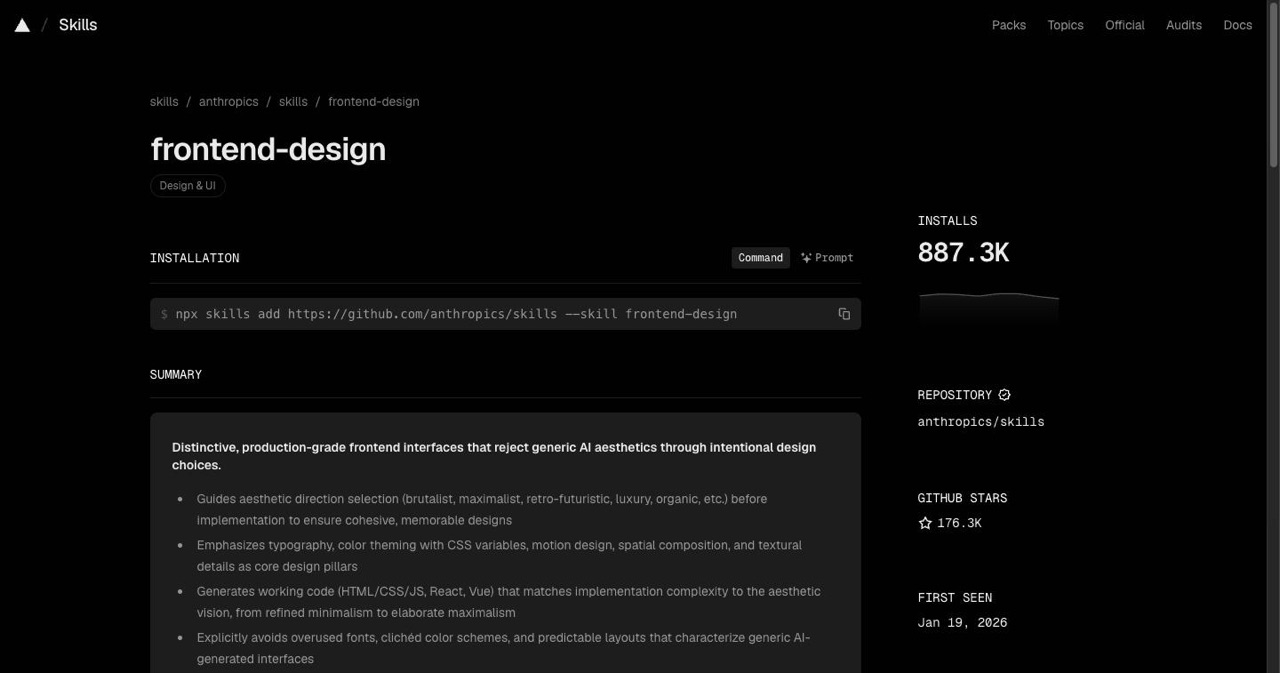
The frontend-design skill guides creation of distinctive, production-grade frontend interfaces that avoid generic "AI slop" aesthetics through exceptional attention to aesthetic details and creative choices.
The skill covers four critical dimensions:
Typography: Choose fonts that are beautiful, unique, and interesting. Avoid generic fonts like Arial and Inter; opt instead for distinctive choices that elevate the frontend's aesthetics. Pair distinctive display fonts with refined body fonts.
Color & Theme: Commit to a cohesive aesthetic using CSS variables for consistency. Dominant colors with sharp accents outperform timid, evenly-distributed palettes.
Motion: Focus on high-impact moments: one well-orchestrated page load with staggered reveals creates more delight than scattered micro-interactions. Prioritize CSS-only solutions; use animation libraries when needed.
Spatial Composition: Unexpected layouts. Asymmetry. Overlap. Grid-breaking elements. Generous negative space. Move beyond predictable grid systems.
Design-First Workflow
Start in design tools, then convert to code. This workflow maintains creative control while gaining AI velocity:
- Concept in Figma: Create high-fidelity mockups with intentional design choices
- Convert with Anima: Export Figma designs to React components
- Refine with Claude Code: Polish the generated code, fix edge cases, optimize performance
For each prompt, share a progressive version of the UI. Sharing the end product upfront confuses AI models. One step at a time. Visual references help AI understand your intent.
Governance and Quality Gates
For production applications, implement guardrails:
Style Guides: Define approved typography, color systems, spacing scales, and component patterns before AI touches code.
Pre-approved Blocks: Create a library of vetted components that AI can assemble rather than generating from scratch.
Human Review: Mandate approval for all AI-generated frontend code. Check for accessibility, performance, security, and brand consistency.
Scoring Systems: Flag outputs that match known AI slop patterns. Reject interfaces with generic fonts, purple gradients, or predictable layouts.
Comparison: AI Slop vs. Human-Guided Design
| Aspect | AI Slop | Guided Design |
|---|---|---|
| Typography | Inter, Roboto, system fonts | Playfair Display, Bebas Neue, distinctive pairings |
| Colors | Purple gradients, default palettes | Cohesive CSS variables, cultural inspirations |
| Layouts | Centered heroes, 3-column cards | Asymmetric grids, intentional breaks, overlap |
| Animations | Scattered micro-interactions | Orchestrated entrances, high-impact moments |
| Backgrounds | Flat white or solid colors | Layered gradients, noise textures, atmospheric depth |
| Spacing | Default framework values | Purposeful rhythm, generous negative space |
Latest Tools for Frontend Development in 2026
The vibe coding ecosystem has exploded. Most users switch to vibe coding tools because traditional development is too slow, too fragmented, and too expensive. Here are the platforms leading the movement:
Full-Stack Vibe Coding Platforms
Emergent: Backed by Y Combinator and recently valued at $300M after a $70M Series B round, Emergent uses a coordinated team of specialized AI agents to design, code, and deploy full-stack web and mobile apps. Supports up to 1 million tokens of context, handles frontend, backend, database, and deployment automatically.
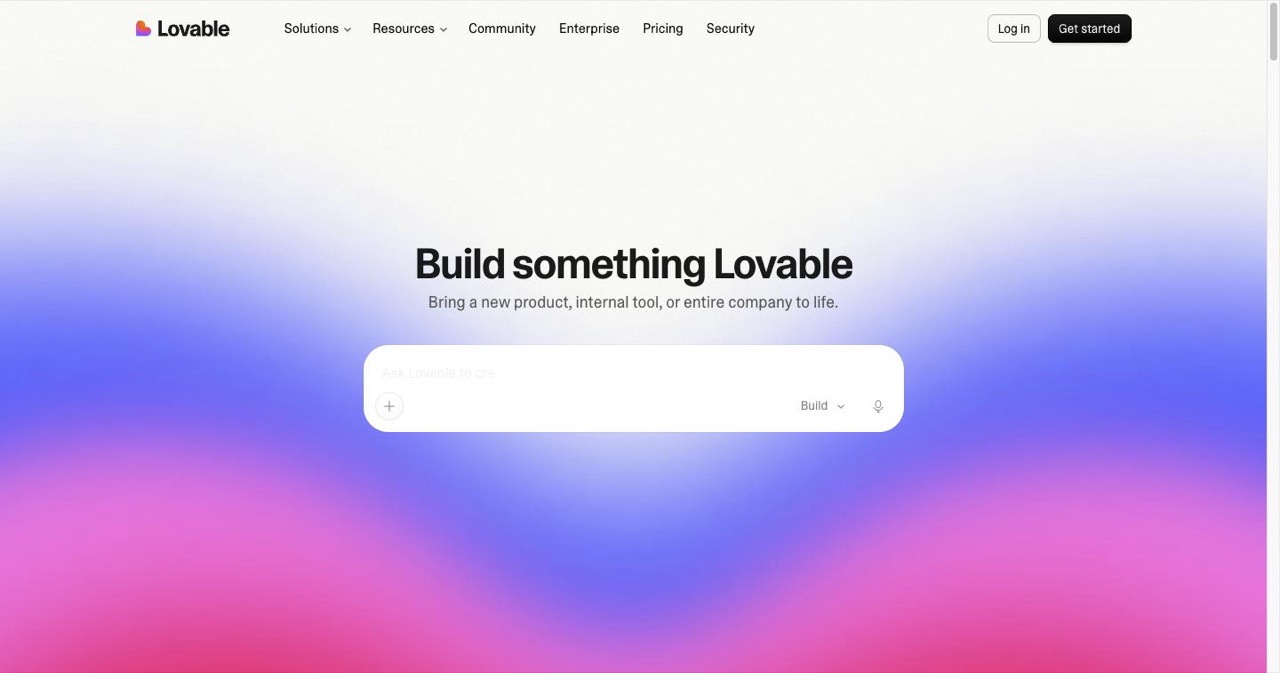
Lovable: Lovable's biggest strength is its ability to strike a balance between ease of use and output quality—one of the best tested, particularly in terms of front-end design. The tool generates clean designs without requiring detailed prompt engineering. Great for prototypes, though context limits affect complex applications.
Replit: Replit powers the vibe coding movement with a fully cloud-based environment that lets anyone build, test, and deploy apps through natural language. Its Autonomous AI Agent 3 writes, tests, and deploys applications end-to-end. Azure integration adds enterprise reliability.
AI-Powered Code Editors
Cursor: Built on top of VS Code, Cursor has established itself as one of the leading AI-powered code editors, offering deep integration with large language models. Ideal for developers who want AI assistance without leaving their familiar environment.
Windsurf: Windsurf positions itself as the solution for teams working on complex, large-scale applications. Better suited for enterprise workflows than rapid prototyping.
UI Generation Specialists
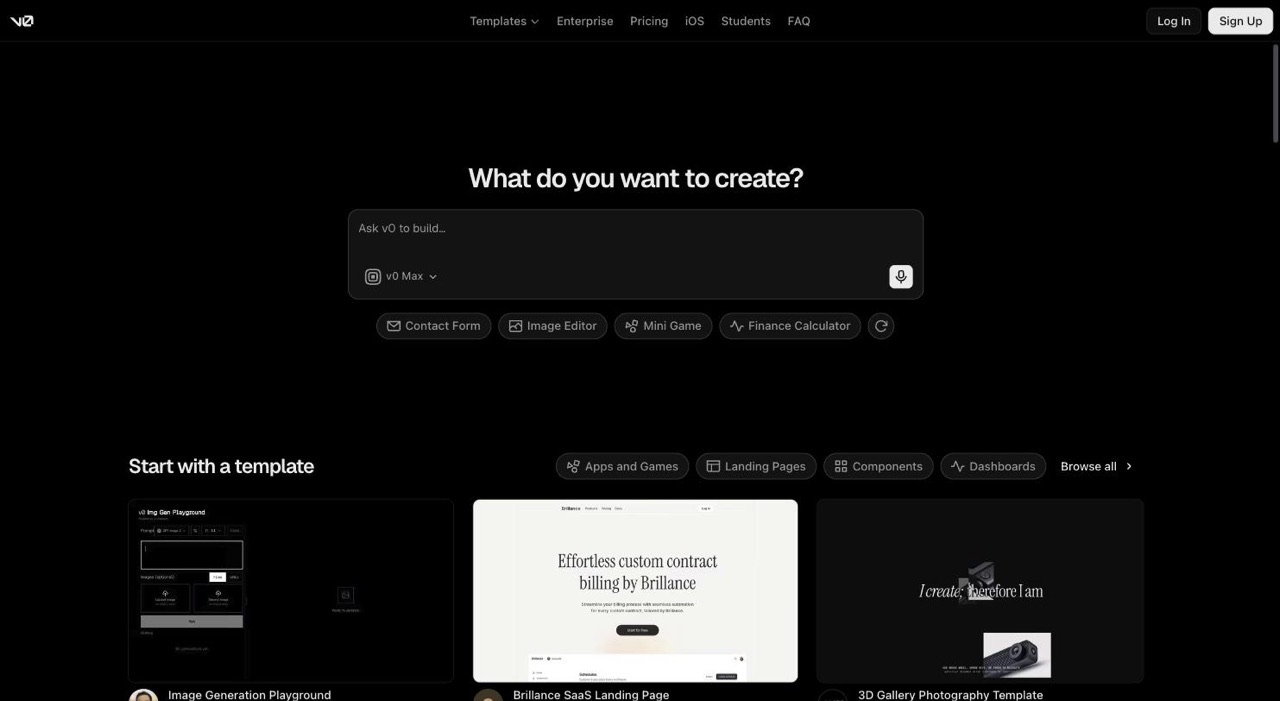
v0 by Vercel: v0 specializes in generating Next.js applications with Vercel's deployment pipeline baked in. It excels at generating individual UI components, layouts, or page sections. Uses shadcn/ui for consistent styling.
Wegic: Wegic supports Figma imports, allows prompt-based structure creation, and can export to multiple frontend frameworks including React and Vue. Bridges design and code effectively.
Claude Code and Extensions
Claude Code has become a production workhorse. Over the past few weeks, developers using Claude Code with its native Chrome integration have seen impressive production results. It opens Chrome, inspects the UI, resizes the viewport, scrolls, inspects diffs, and fixes issues end-to-end in one pass.
The plugin ecosystem extends capabilities:
- frontend-design: Anti-slop aesthetic guidance
- Chrome DevTools MCP: Full debugging access to live pages
- Linear: Issue tracker integration for seamless workflow
- Playwright: Automated testing and screenshot-based fixes
Tool Comparison Table
| Tool | Best For | Pricing | Key Features |
|---|---|---|---|
| Cursor | Developer workflows | Free/$20/mo | AI-powered IDE, deep VS Code integration |
| Lovable | Design prototypes | Free/$15/mo | Aesthetics-focused, beginner-friendly |
| v0 by Vercel | UI generation | Free/$20/mo | Next.js integration, component-level output |
| Claude Code | Production code | Subscription | Anti-slop skills, Chrome debugging, $1B+ run-rate |
| Replit | Full-stack apps | Tiered | Cloud environment, end-to-end automation |
| Emergent | Complex applications | Contact | Multi-agent orchestration, 1M token context |
Frameworks and Styling
Modern vibe coding relies on proven frontend stacks:
Meta-Frameworks: Next.js 15/16 (React compiler default), SvelteKit, Nuxt, Astro. These handle routing, server-side rendering, and build optimization.
Styling: Tailwind CSS dominates for utility-first styling. ShadCN provides high-quality component primitives that vibe coding tools understand well.
Animation: Framer Motion for React, GSAP for complex sequences. AI handles basic animations; designers add polish.
State Management: TanStack Query (formerly React Query) for server state, Zustand or Jotai for client state.
Best Skills for AI Agents in Frontend Development
As AI agents become more sophisticated, specialized skills make them more effective.
Core AI Stack Skills
RAG (Retrieval-Augmented Generation): Enables agents to pull relevant context from documentation, design systems, and existing codebases. Critical for maintaining consistency across large applications.
Vector Databases: Store and retrieve design patterns, component libraries, and style guides. Helps AI understand your specific design language.
Prompt Engineering: Understanding how to communicate intent, provide examples, and guide AI toward desired outputs without micromanaging.
Frontend-Specific Skills
React/Next.js Mastery: Most vibe coding tools output React. Understanding component composition, hooks, and Next.js patterns helps guide AI effectively.
Tailwind Expertise: Knowing Tailwind's utility classes lets you review and refine AI-generated styling quickly.
Accessibility: ARIA labels, keyboard navigation, screen reader support. AI often misses these; human oversight is critical.
Performance: Code splitting, lazy loading, image optimization. AI generates working code; humans ensure it scales.
Productivity Multipliers
Copilot/Cursor Integration: AI pair programming accelerates routine tasks—boilerplate, tests, documentation.
Component Libraries: Familiarity with ShadCN, Radix UI, or Chakra UI helps you guide AI toward proven patterns.
Testing Frameworks: Playwright for E2E, Vitest for unit tests. AI can generate tests; humans verify coverage.
Essential Skills Matrix
| Category | Skills | Why Important |
|---|---|---|
| AI Stack | RAG, Vector DBs, Agents, Embeddings | Handle data and context for dynamic UIs |
| Frontend | React/Next, Tailwind, TypeScript | Build AI apps and dashboards |
| Productivity | Copilot, Cursor, Claude Code | Code review, automation, debugging |
| Core Engineering | System Design, Performance, Security | Production-grade applications |
| Design Systems | Figma, Component Libraries, Tokens | Maintain consistency across AI outputs |
| Testing | Playwright, Vitest, Visual Regression | Catch AI errors before users do |
Specialized Agent Skills
The frontend-design skill from Anthropic contains approximately 400 tokens of condensed design wisdom that steers Claude toward distinctive aesthetics. Similar skills exist for:
- Backend: API design, database architecture, authentication patterns
- Security: Vulnerability detection, secure coding practices
- SEO: Meta tags, structured data, performance optimization
- Accessibility: WCAG compliance, semantic HTML, ARIA patterns
Skills are reusable, shareable, and composable. Browse repositories like skills.sh or claude-plugins.dev to find community-created expertise.
Best Practices for Vibe Coding Success
Combining tools, skills, and workflows creates consistent results.
Start with Taste
AI empowers builders with taste moving faster, shipping weirder ideas, and pushing the boundaries of what software can even feel like. Your aesthetic judgment is the differentiator. AI amplifies taste; it doesn't create it.
Study great design. Build a swipe file of interfaces that inspire you. Understand why they work—typography choices, color relationships, spatial rhythm, motion. Feed this into your prompts.
Iterate Deliberately
Share progressive versions of the UI with each prompt. This helps remove ambiguity. Everything makes more sense when we can see it and feel it. Same with the AI.
Don't ask AI to generate the entire interface at once. Build in layers:
- Structure and layout
- Typography and spacing
- Color and theme
- Motion and interaction
- Polish and refinement
Use Visual Testing
Claude Code Frontend Dev gives AI vision and interactivity for frontend development: Write Code → Test Visually → AI Sees Results → Auto-Fix → Repeat Until Perfect.
Screenshot-based testing catches visual regressions AI can't detect through code alone. Tools like Playwright capture renders; AI compares against expected states.
Maintain Human Oversight
Human developers must review AI-generated code for security, standards, performance, and architectural fit. This is non-negotiable for production applications.
Create checklists:
- Accessibility: Keyboard navigation, screen reader support, color contrast
- Performance: Bundle size, lazy loading, image optimization
- Security: Input validation, authentication, data exposure
- Brand: Typography, colors, tone, voice
- UX: Error states, loading states, empty states, edge cases
Know When Not to Vibe
Vibe coding works well for quick prototypes, personal tools you'll use once, exploring ideas before committing to a real build, or non-technical founders testing whether anyone wants what they're making.
It's less effective for:
- Mission-critical applications where bugs have serious consequences
- Systems requiring deep optimization or unusual architectures
- Interfaces with complex state management or real-time collaboration
- Applications that need extensive customization beyond AI capabilities
Traditional development still wins for these scenarios. Vibe coding excels at velocity, not complexity.
The Future of Frontend Development
The coding landscape is shifting from "write every line" to "direct the outcome." By 2028, researchers think that vibe coding will account for 40% of new enterprise software. Companies like Microsoft and Google report that AI writes up to 30% of their code today.
This doesn't mean frontend developers are obsolete. It means their role evolves from implementer to architect, from coder to taste-maker. The valuable skills become:
- Design judgment: Knowing what makes interfaces feel right
- UX intuition: Understanding user needs and behaviors
- System thinking: Architecting applications that scale
- Quality standards: Maintaining consistency and excellence
AI handles the repetitive work—boilerplate, basic layouts, standard patterns. Humans handle the creative decisions that define brand, emotion, and experience.
The developers who thrive will be those who can guide AI effectively. That requires understanding both design principles and AI capabilities. You need to know what to ask for and how to evaluate what you receive.
Take Action
Ready to create frontend designs that don't scream "AI-generated"? Start here:
Install Claude's frontend-design skill: Access the official skill and integrate it into your workflow. It transforms generic outputs into distinctive interfaces.
Build with intention: Choose a small project—a landing page, dashboard, or component library. Apply the principles in this guide. Ban generic fonts, commit to bold color choices, orchestrate meaningful animations.
Share your results: The vibe coding community learns through shared examples. Post your before/after comparisons. Show what's possible when humans guide AI with taste.
The tools are here. The techniques work. The only question is whether you'll settle for AI slop or demand something better.
Your interfaces should feel designed by humans, for humans—even when AI writes the code.
Stunning frontend design in the age of AI isn't about fighting the tools—it's about directing them with intention. The developers and designers who master this balance will define the next era of digital experiences.
Now go build something beautiful.
Get your SaaS in front of founders
List your product on the SaaSCity live city map - a permanent listing, real discovery, and a backlink from a high-DR directory. Free to start; upgrade for a dofollow link and a building on the map.