
AI Image Editor
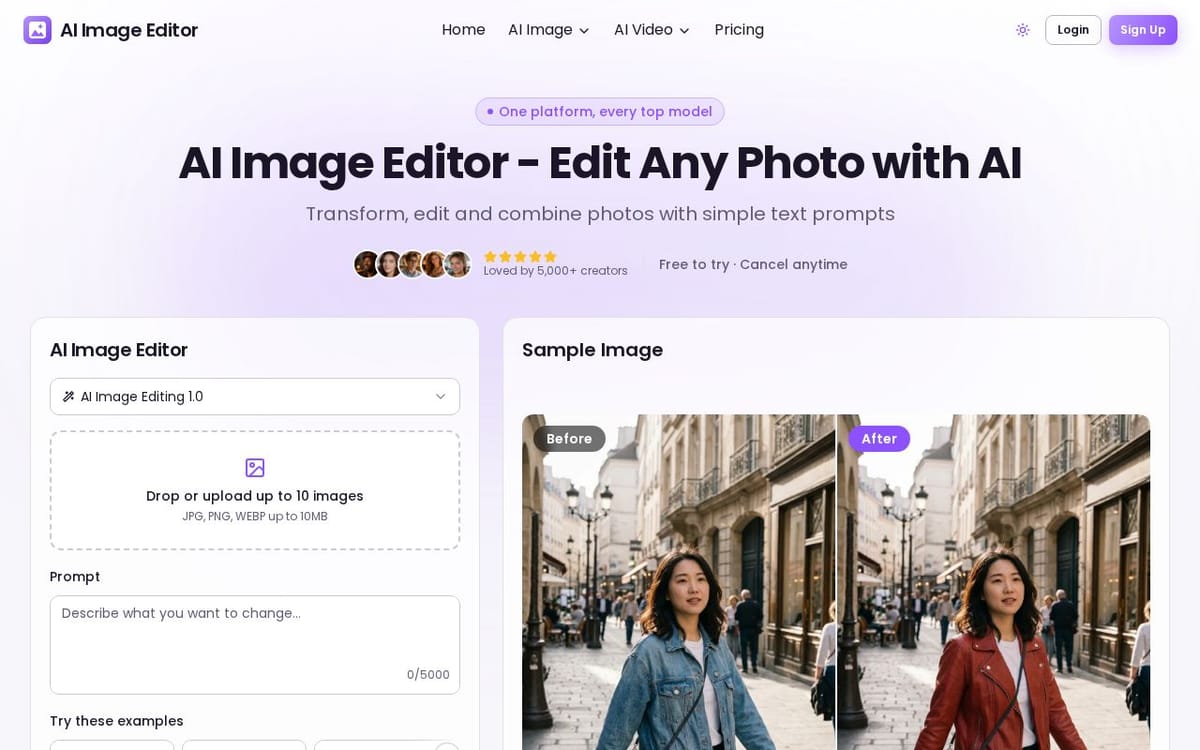
Transform, edit and combine photos with simple text prompts.
650points
Recent Supporters
Details
Launched
October 28, 2026
Category
AI & Machine Learning
Pricing
Freemium
Tags
About AI Image Editor
AI Image Editor lets users upload photos and edit or combine them through text prompts. It supports image-to-image generation, character consistency, photo enhancement, style changes, background swaps and old-photo restoration. The page lists support for JPG, JPEG, PNG and WebP files, with model-dependent limits on the number of reference images and output resolution.
The tool is aimed at creators, designers, photographers, social media teams and e-commerce businesses. Users can try one edit without an account; sign-up provides free credits, while subscriptions or credit packs add credits and unlock higher resolutions. Commercial use is available after purchasing a subscription or credit pack.
What AI Image Editor does
AI Image Editor lets users edit and transform photos with text prompts. It can apply requested changes, combine multiple images, maintain a character's appearance across scenes, generate new styles from existing images, and enhance dark, dull, or blurry photos. The product is intended to reduce manual image editing for tasks such as changing backgrounds, improving product shots, creating variations, and restoring old photographs. Users can also generate image outputs from sketches or other uploaded photos.
Users upload or drag and drop images in supported formats, then describe the desired edit in a text prompt. They can choose an available AI model, aspect ratio, and resolution before generating an edited image. The editor accepts up to 10 images in the main interface; the FAQ describes higher reference-image limits for certain models. Users can preview the result and download it. Generation costs credits based on model and resolution, with the cost shown before starting.
The page presents AI Image Editor for creators and designers, including photographers, social media managers, content creators, digital artists, e-commerce designers, and developers. Its examples cover product photography, social content, portraits, and old-photo restoration. The product works from natural-language prompts and can use multiple reference images, while model choices offer different strengths and credit costs. Free users can try an edit, and paid plans or credit packs add credits and higher-resolution editing.
Based on ai-image-editor.com, read on Oct 28, 2026.
Key features
- Edit images with text prompts
- Maintain character consistency across scenes
- Combine multiple images
- Transform images into new styles
- Enhance lighting, sharpness, and color
- Support output up to 4K on supported models
What people use AI Image Editor for
- 01Create e-commerce product photos
- 02Restyle photos for social media posts
- 03Polish portraits and headshots
- 04Restore and colorize old photos
AI Image Editor alternatives
Browse all AI & Machine Learning GPT Image 2 - Advanced Image 2
Create and edit high-fidelity images with GPT Image 2, featuring accurate multilingual text
 ClipTrend.ai
ClipTrend.ai turns photos or text prompts into social-ready AI videos with one-click viral templates
 Seedance 2.5 AI
Seedance 2.5 AI is a 4K AI video generator that turns any text prompt or photo into cinematic
 Image Translator Pixel-Perfect
AI Image Translator is an advanced tool that utilizes AI to translate text within images
 Omni Flash
Omni Flash is a free AI video editor that allows users to edit videos through natural conversation
 Text To Song - BeatBun
BeatBun is an AI music generator that transforms text prompts into royalty-free tracks