Launching Sep 6–12, 2027
This launch is approved and scheduled. The page and its dofollow backlink are live now - it joins the weekly drop in its launch week.

ihateimg.cv
Image tools that never upload your files.
50points
Recent Supporters
Details
Launched
October 21, 2026
Category
Design Tools
Pricing
Free
Tags
About ihateimg.cv
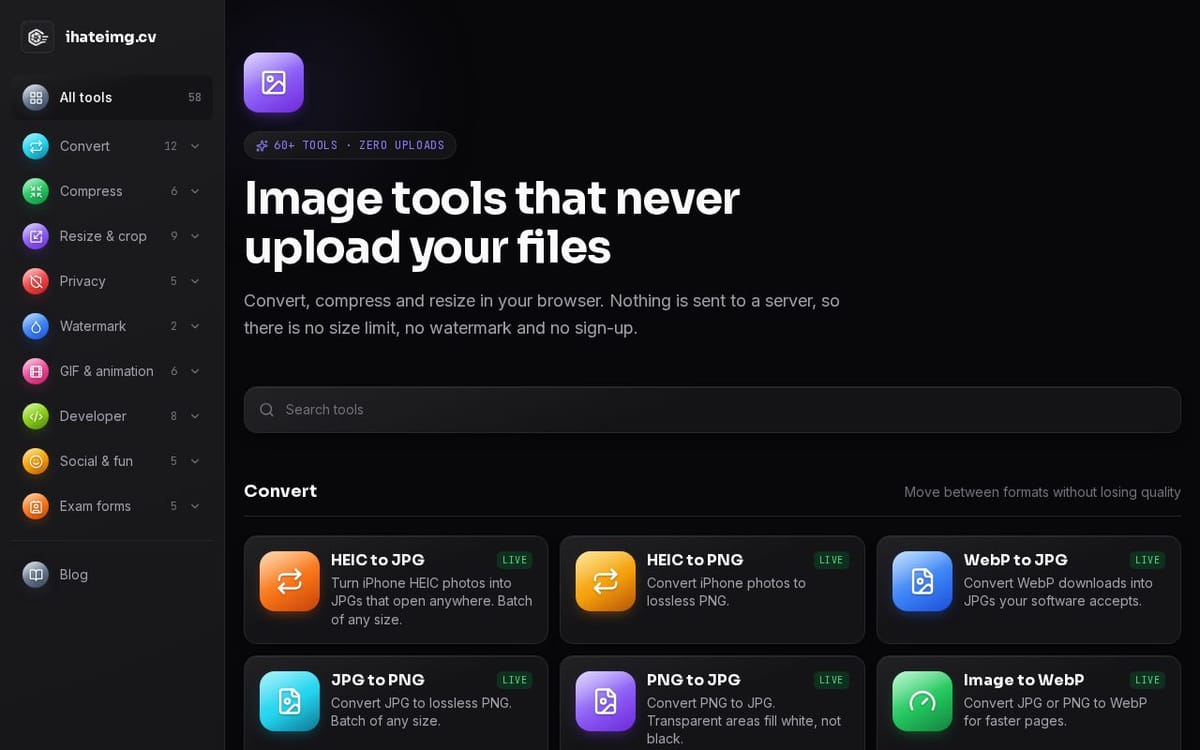
Most free image sites upload your photos to their servers, add a watermark or ask you to sign up. ihateimg.cv does the work on your device instead: 58 tools across converting, compressing, resizing and cropping, privacy (EXIF, GPS, face blur), watermarks, GIFs, developer assets like favicons and OG images, and photo and signature sizes for exam forms. Open a tool, drop in your images, download the result. Free, no account, no watermark.
What ihateimg.cv does
ihateimg.cv provides browser-based tools for converting, compressing, resizing, and editing photos, PDFs, video, and audio. Its tools also cover tasks such as removing photo metadata, creating GIFs, generating icons, and organizing PDF pages. The site addresses common file-preparation needs, including making files fit size requirements or work in different formats. It states that processing happens on the user's device, with no file-size or file-count limit set by the site.
A user opens a tool on the site and selects files from their device. The browser reads the files into memory and processes them locally; the site says files are not sent over the network. Depending on the tool, users can choose formats, dimensions, compression targets, crop areas, or other settings, then download the processed result. The site describes batch options for some tools and says the page must load once before use.
The site presents its tools for people who need to work with photos, PDFs, video, or audio, including users preparing images for websites, social platforms, printing, or exam forms. It says the tools work in current Chrome, Firefox, Safari, and Edge browsers on desktop and mobile. A notable distinction is local browser processing: the site states there is no sign-up, watermark, or site-set file-count or file-size limit.
Based on ihateimg.cv, read on Nov 6, 2026.
Key features
- Converts image, PDF, video, and audio files
- Compresses and resizes files
- Edits and organizes PDF pages
- Removes photo metadata
- Processes files in the browser
- Supports batch processing
What people use ihateimg.cv for
- 01Convert photos between file formats
- 02Compress files to meet size requirements
- 03Resize or crop images for different uses
- 04Remove location and camera data from photos
- 05Merge, split, and edit PDF pages
More in Design Tools
Browse all Design Tools Ai Logo Generator
AI Logo Generator Describe your brand and generate professional, custom logo designs in seconds
 ColoringStore
Create printable coloring pages from text prompts or photos with ColoringStore.
 Printery - Print for Figma
Printery is a Figma print plugin that exports print-ready PDFs with CMYK conversion, ICC profiles
 GROAR
Make your social metrics Roaaar
 Vidregen
Create Images and Videos With the World's Best AI Models
 ArchOne AI
All-in-one AI spatial design visualization platform for interior, exterior and landscape design.