Launching Nov 9–15, 2026
This launch is approved and scheduled. The page and its dofollow backlink are live now - it joins the weekly drop in its launch week.

Photo Timestamp
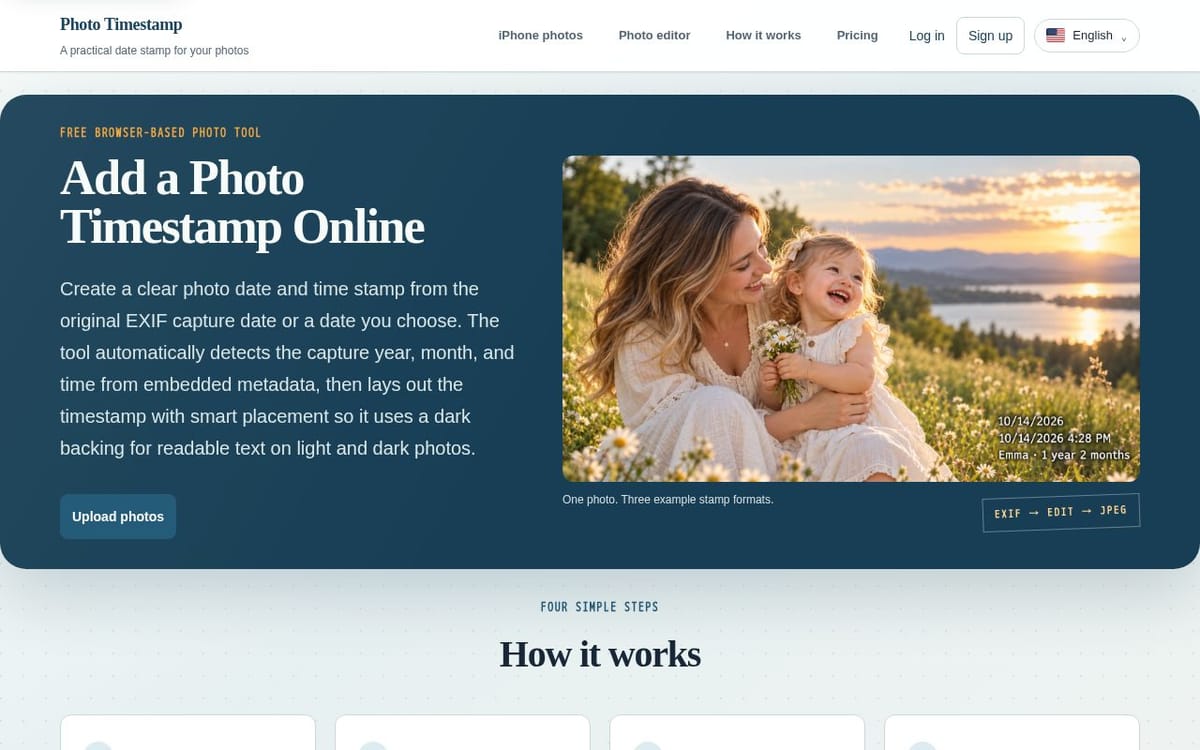
Create a clear photo date and time stamp from the original EXIF capture date or a date you choose.
50points
Recent Supporters
Details
Launched
November 5, 2026
Category
Design Tools
Pricing
Freemium
Tags
About Photo Timestamp
Photo Timestamp is a browser-based tool for adding visible date, date-and-time, or baby-age stamps to photos. It reads capture dates from EXIF metadata when available, offers a preview with adjustable format and placement, and exports stamped copies as JPEGs. It supports JPG, JPEG, PNG, HEIC, and HEIF files, with up to five photos per batch on the free plan.
The tool is intended for people organizing family photos, documenting a child’s growth, or preparing dated images for printing and sharing. Photo processing happens locally in the browser, and the original files remain unchanged. Paid Pro options include unlimited batch processing, date adjustments, custom formats, baby-age stamps, and ZIP export; access is available for 30 days, 365 days, or a lifetime, with no automatic renewal.
What Photo Timestamp does
Photo Timestamp adds a visible date, date and time, or baby age stamp to photos in a browser. It reads capture dates from embedded EXIF metadata and uses a file's last-modified date when usable capture metadata is missing. Users can preview and adjust the stamp before exporting a separate JPEG, leaving the original file untouched. The tool addresses the problem of printing or organizing photos without visible dates while keeping photo processing on the user's device.
A user selects JPG, JPEG, PNG, HEIC, or HEIF files, and the browser reads their EXIF data to suggest a working date. The user reviews the preview, chooses a timestamp format and one of nine positions, and adjusts the edge distance. The tool draws the stamp locally and exports JPEG copies, individually or in a ZIP where available. The free editor supports up to five photos per batch; Pro adds unlimited batches, date adjustments, baby age stamps, and custom formats.
The page describes the tool as useful for parents, photography enthusiasts, and people organizing family archives. It supports documenting a baby's growth, preparing dated photos for printing or sharing, and reviewing mixed collections one image at a time. Its notable distinction is browser-based, local photo processing: selected images are not uploaded to the service, and the original files remain unchanged. The free editor needs no account; Pro access is linked to an account after a verified purchase.
Based on timestamp.fit, read on Nov 5, 2026.
Key features
- Reads capture dates from EXIF metadata
- Supports JPG, JPEG, PNG, HEIC, and HEIF
- Offers date, datetime, and baby age stamps
- Provides nine timestamp placement presets
- Exports processed photos as JPEGs or ZIP
- Processes photo pixels locally in the browser
What people use Photo Timestamp for
- 01Add a visible date or time to photos
- 02Create baby age stamps from a birth date
- 03Adjust timestamp format and placement before export
- 04Batch-date family or archive photos
- 05Export timestamped photos for printing or sharing
More in Design Tools
Browse all Design Tools Ai Logo Generator
AI Logo Generator Describe your brand and generate professional, custom logo designs in seconds
 ColoringStore
Create printable coloring pages from text prompts or photos with ColoringStore.
 Printery - Print for Figma
Printery is a Figma print plugin that exports print-ready PDFs with CMYK conversion, ICC profiles
 GROAR
Make your social metrics Roaaar
 Vidregen
Create Images and Videos With the World's Best AI Models
 ArchOne AI
All-in-one AI spatial design visualization platform for interior, exterior and landscape design.