Launching Nov 9–15, 2026
This launch is approved and scheduled. The page and its dofollow backlink are live now - it joins the weekly drop in its launch week.

Pic2VideoAI
Turn a photo into a video with AI.
50points
Recent Supporters
Details
Launched
November 6, 2026
Category
AI & Machine Learning
Pricing
Free trial
Tags
About Pic2VideoAI
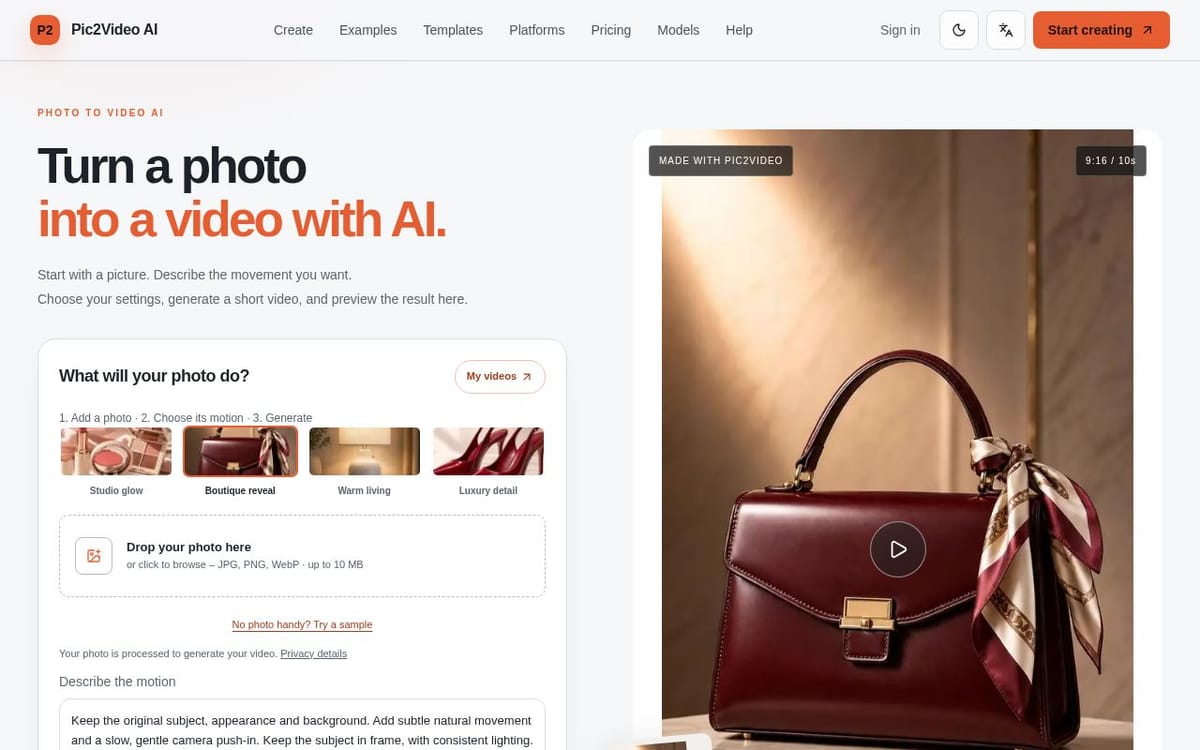
Pic2VideoAI turns a still image into a short generated video. Upload a JPG, PNG, or WebP photo, describe the movement you want in plain language, choose settings such as model, duration, and aspect ratio, then generate and preview the result. The page also offers sample product scenes and motion templates to help you explore the workflow.
It is designed for people creating personal clips, product scenes, or social media content without using a timeline or keyframe editor. Generation uses account credits, with costs shown before submission. Browsing examples and preparing a prompt are free; eligible new accounts may receive one-time starter credits, and paid credit packs and monthly plans are available.
What Pic2VideoAI does
Pic2VideoAI turns a still photo into a short generated video. Users upload an image, describe the movement they want, choose generation settings, and preview the result before downloading it. The page presents the tool for personal clips, product scenes, and ready-to-edit effects, with examples for beauty, fashion, and home products. It addresses the task of creating moving footage from a photograph without starting with a complete video project or a timeline editor.
A user uploads a JPG, PNG, or WebP photo, or starts with an example, then writes a plain-language motion prompt. They choose available settings such as model, aspect ratio, duration, and resolution, review the estimated credit cost, and submit the generation. The page displays the request status and lets the user preview the result and download an MP4. Users can also select a template or example to work from; generated videos use account credits.
The page describes Pic2VideoAI for people creating personal clips, product scenes, and ready-to-edit effects from photographs. Its examples include product imagery for beauty, fashion, and home, and it links to use cases for TikTok Shop, Shopify, Amazon, Instagram, and YouTube Shorts. The workflow uses one image and a plain-language movement instruction rather than a timeline or keyframe editor. The page says browsing examples and preparing a prompt are free; generation requires an account and credits.
Based on pic2videoai.com, read on Nov 6, 2026.
Key features
- Generates short videos from uploaded photos
- Accepts JPG, PNG, and WebP images
- Motion prompts describe subject and camera movement
- Offers selectable models, duration, and aspect ratio
- Previews and downloads generated MP4 videos
- Provides editable motion templates and examples
What people use Pic2VideoAI for
- 01Animate a product photo for social media
- 02Create short clips from personal photos
- 03Apply a template’s motion prompt to a photo
- 04Preview and download generated MP4 videos
Pic2VideoAI alternatives
Browse all AI & Machine Learning Image to Video AI
Turn photos and product images into short AI video clips online with Image to Video AI.
 Image to Video AI
Transform photos into stunning videos with our free image to video AI generator.
 ClipTrend.ai
 turns photos or text prompts into social-ready AI videos with one-click viral templates
 Seedance 2.5 AI
 is a 4K AI video generator that turns any text prompt or photo into cinematic