Launching Dec 20–26, 2027
This launch is approved and scheduled. The page and its dofollow backlink are live now - it joins the weekly drop in its launch week.

PictTool
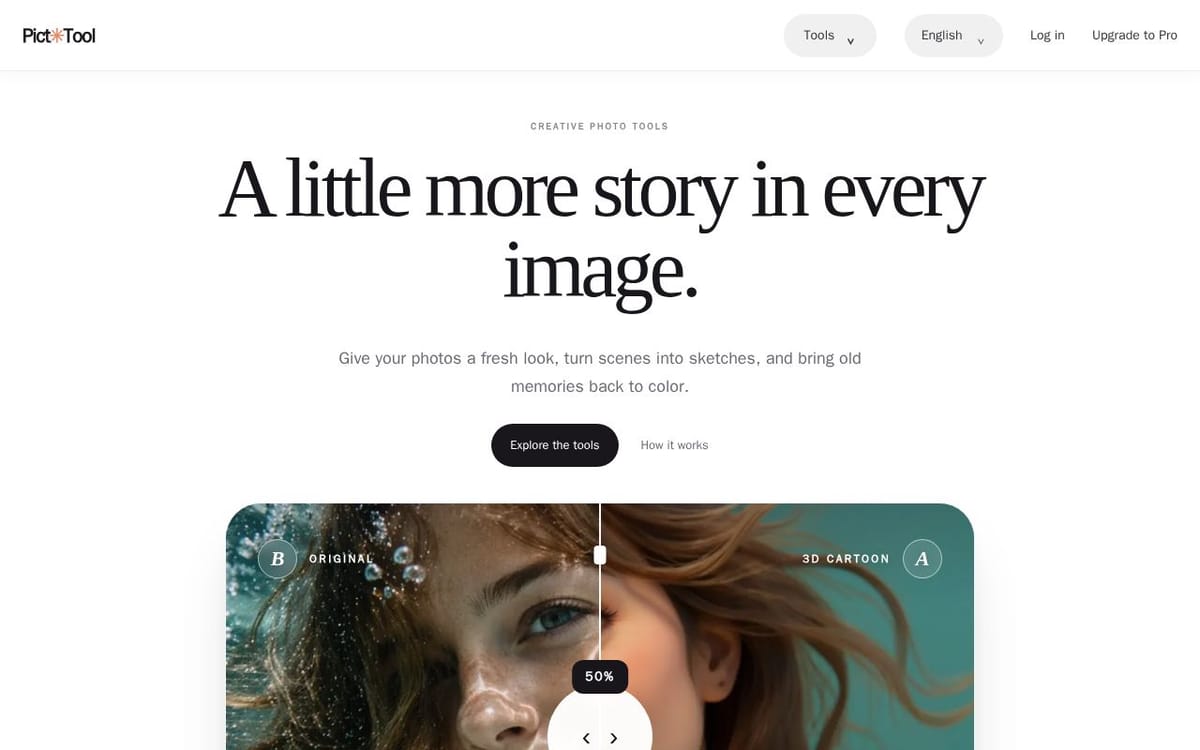
Give your photos a fresh look, turn scenes into sketches, and bring old memories back to color.
50points
Recent Supporters
Details
Launched
November 5, 2026
Category
Design Tools
Pricing
Freemium
Tags
About PictTool
PictTool provides tools for transforming photos into different artistic styles. Users can make 3D cartoon, comic, anime, watercolor, or sketch images, and colorize black-and-white photos. The workflow is to choose an image from a device, pick a style, and compare the result with the original.
The page describes the AI models used for its editing and image-generation features, as well as image-safety checks performed with Amazon Rekognition. PictTool sells a one-time package of 80 AI image edits for US$9.90; credits do not expire, and failed generations do not use credits.
What PictTool does
PictTool applies AI-powered edits and transformations to photos, letting users create looks such as 3D cartoon, comic, anime, watercolor, and sketch. It also colorizes black-and-white photos, removes backgrounds or described objects, restores faces, and offers text-to-image generation. The service presents these tools as a way to give photos a fresh look, turn scenes into sketches, and bring old memories back to color.
A user starts with an image from their device, selects a style or tool, and views the result alongside the original. PictTool uses different models depending on the selected feature, including models for photo editing, colorization, background removal, and face restoration. Uploaded images are checked by Amazon Rekognition before AI processing, and generated images are checked before delivery. The page says upload screening uses a resized JPEG copy while the original goes to the selected image tool.
PictTool is for people who want to transform personal photos, colorize older black-and-white images, or create illustrations from photographs. Its listed tools cover several visual styles as well as specific edits such as background and object removal and face restoration. The page describes a simple workflow of choosing a photo, picking a style, and comparing the result with the original, and discloses the image-safety service and AI models used.
Based on picttool.com, read on Nov 5, 2026.
Key features
- Transform photos into 3D cartoon art
- Colorize black-and-white photographs
- Convert photos into comic, anime, watercolor, or sketch styles
- Remove image backgrounds
- Restore or upscale faces
- Generate images from text
What people use PictTool for
- 01Give a photo a 3D cartoon look
- 02Restore color to a black-and-white photograph
- 03Turn a photograph into an illustration or sketch
- 04Remove a described object from an image
- 05Change an image background
More in Design Tools
Browse all Design Tools Ai Logo Generator
AI Logo Generator Describe your brand and generate professional, custom logo designs in seconds
 ColoringStore
Create printable coloring pages from text prompts or photos with ColoringStore.
 Printery - Print for Figma
Printery is a Figma print plugin that exports print-ready PDFs with CMYK conversion, ICC profiles
 GROAR
Make your social metrics Roaaar
 Vidregen
Create Images and Videos With the World's Best AI Models
 ArchOne AI
All-in-one AI spatial design visualization platform for interior, exterior and landscape design.