
PinBoardSaver
Download entire Pinterest boards in one click
450points
Recent Supporters
Details
Launched
October 18, 2026
Category
Productivity
Pricing
Freemium
Tags
About PinBoardSaver
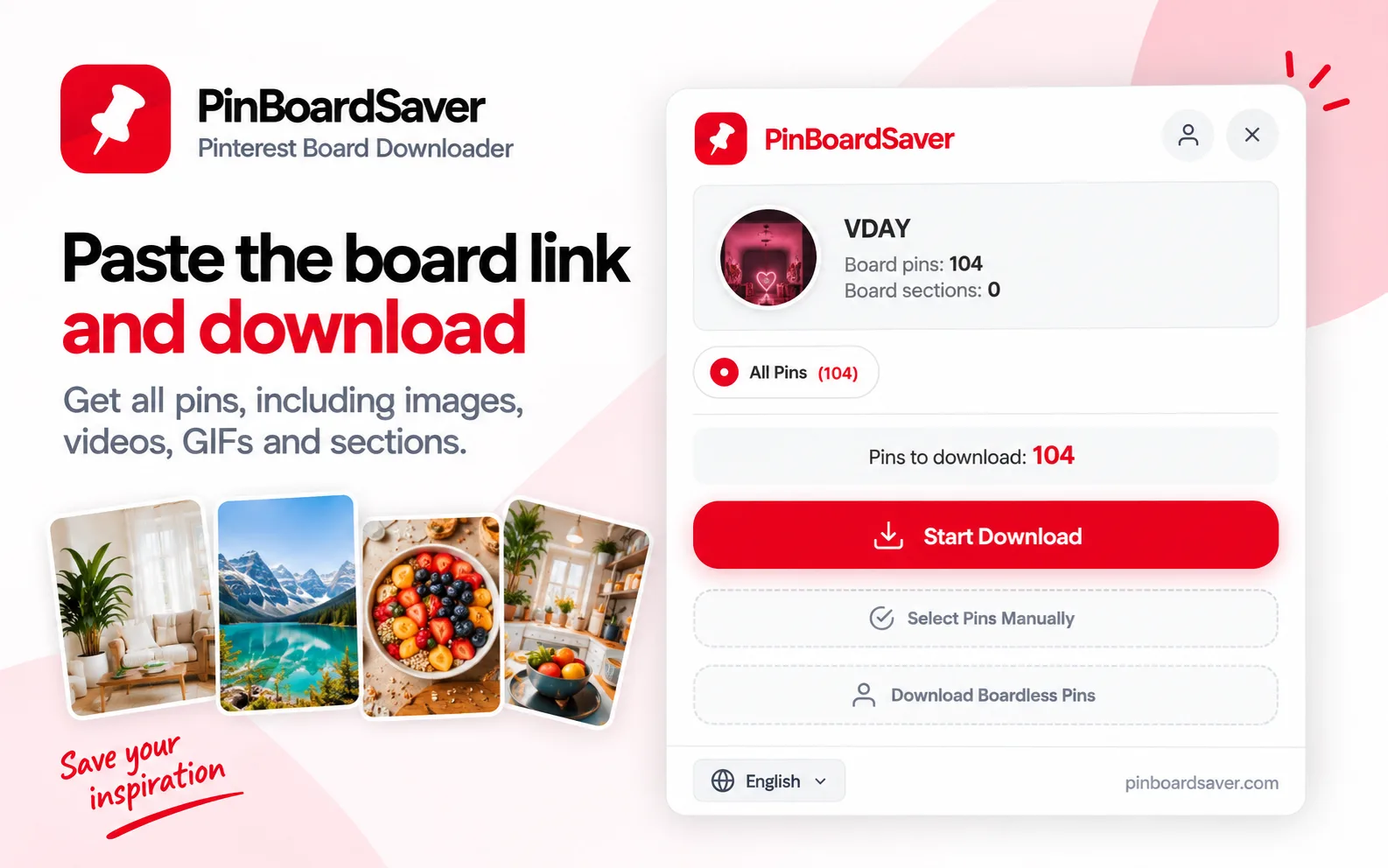
PinBoardSaver is a browser extension for downloading Pinterest boards, sections, profiles, or selected pins. It saves images, videos, and GIFs in an organized ZIP, with folders that preserve board sections. Users can also export boards as print-ready PDFs, create a single collage image, or send a board to Figma with its plugin.
It is designed for interior designers, stylists, wedding planners, and creative teams who use Pinterest for inspiration and project work. The free plan includes the first 20 pins of each download; paid plans offer unlimited pins and additional export features. The extension works in Chrome, Edge, Brave, and Arc, and the page says no Pinterest login is required.
What PinBoardSaver does
PinBoardSaver downloads Pinterest boards, sections, profiles, or selected pins into files that users can organize and use in their creative work. It saves images, videos, and GIFs, with original quality available for supported downloads. Boards can be exported as organized ZIP folders, print-ready PDF moodboards, or a single image. The product addresses the need to collect Pinterest references beyond individual pins and turn them into materials for presentations, archives, or further design work.
For board downloads, a user opens a Pinterest board in a desktop browser, opens the PinBoardSaver extension, and starts a download. They can choose all pins, whole sections, or individual pins. The extension saves the results as a ZIP with folders matching the board’s sections. Users can also export PDFs using a one-pin-per-page or masonry-grid layout, or create a single board image. To work in Figma, they use “Copy for Figma” in the extension, then paste the board into the Figma plugin.
The page presents PinBoardSaver as a tool for interior designers, stylists, wedding planners, and creative teams. It is intended for people who use Pinterest boards as references and need to turn those references into organized files, moodboards, presentations, or design material. The product also supports workflows in Figma and names Photoshop and InDesign as creative tools for working with its auto-named and numbered downloads. It works through a desktop browser extension and does not require a Pinterest login.
Based on pinboardsaver.com, read on Oct 18, 2026.
Key features
- Downloads Pinterest board pins as organized ZIP folders
- Exports boards as print-ready PDFs
- Saves images, videos, and animated GIFs
- Downloads whole boards, sections, profiles, or selected pins
- Exports boards as a single image
- Copies boards to Figma
What people use PinBoardSaver for
- 01Save Pinterest board pins for offline reference
- 02Create PDF moodboards for client meetings and presentations
- 03Organize downloaded images into folders matching board sections
- 04Copy a Pinterest board to Figma for design work
More in Productivity
Browse all Productivity Mumble AI
Mumble AI is a voice-first productivity app for Mac that combines meeting recording, dictation
 PixPin
An all-in-one productivity tool featuring smart screenshots, scrolling capture, screen recording
 DuoPlus Cloud Phone
DuoPlus Cloud Phone helps you run unlimited accounts on independent Android environments.
 VidBG Remover
VidBG Remover is an AI-powered online tool that allows users to remove video backgrounds quickly
 PDFtoMD
Convert any PDF into clean, structured Markdown in seconds with PDFtoMD
 MikeSullyTools
Fix blurry photos and improve short videos in your browser.