Launching May 17–23, 2027
This launch is approved and scheduled. The page is shareable now and goes fully live in its launch week.

PullClip
Paste a video link, save it as MP4 or MP3.
50points
Recent Supporters
Details
Launched
November 17, 2026
Category
Productivity
Pricing
Free
Tags
About PullClip
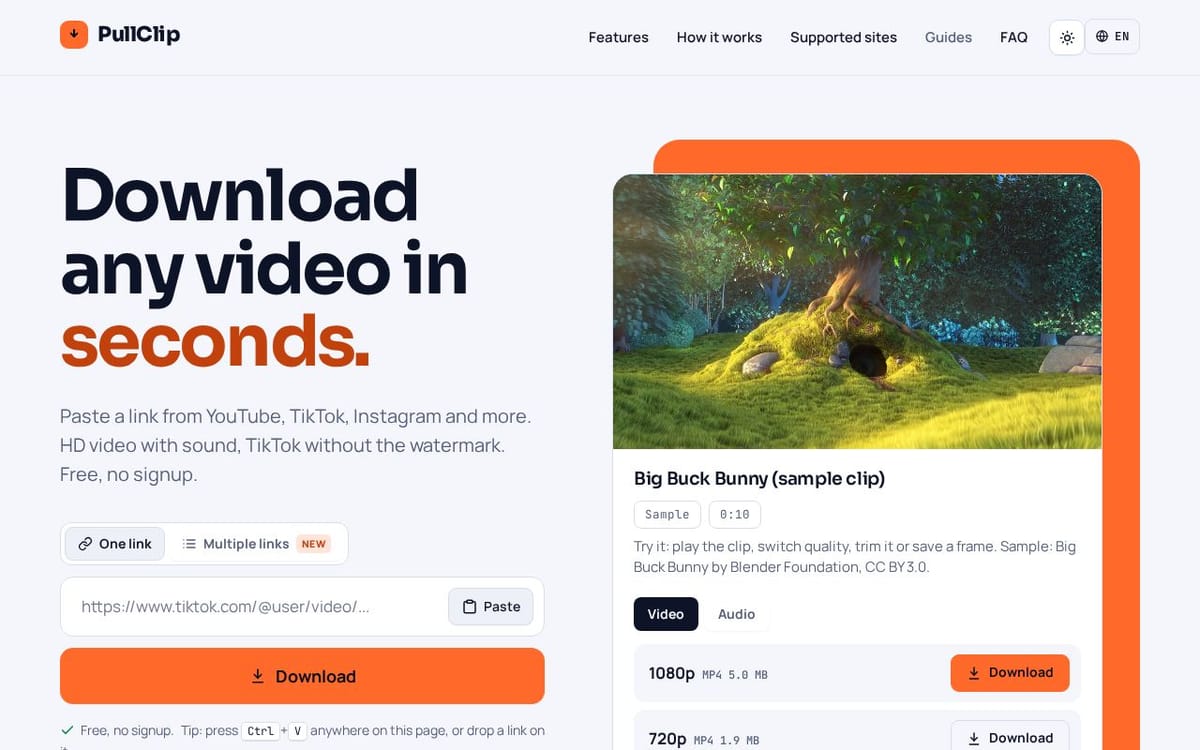
PullClip saves public videos from 28 sites, including TikTok, Instagram Reels, YouTube, Facebook, VK, OK.ru, Rutube, Vimeo, Kick and Bilibili. Paste the link, pick a size from 144p to 1080p or MP3, and download in the browser. A Trim option lets you keep only the part you need, and it works the same on Android, iPhone and desktop. No sign-up and no app to install.
What PullClip does
PullClip downloads videos and audio from supported platforms, including YouTube, TikTok, Instagram, Facebook, X, Pinterest and Reddit. It lets users save videos as MP4 files with sound or audio as MP3, choosing among the qualities available from the original upload. The page describes it as a way to save clips outside apps that may limit downloads or add watermarks. PullClip says it is free, requires no signup, and works in a browser.
A user copies a video link and pastes it into PullClip, or presses Ctrl+V anywhere on the page or drops the link there. PullClip detects the platform and displays available download options. The user selects an MP4 resolution or MP3 audio, then saves the file. The page also describes trimming a selection before downloading, saving a frame as a JPG, and scanning a code to open the same video on a phone.
PullClip is for people who want to save videos or audio from supported platforms without creating an account or installing an app. The page highlights use across desktop and mobile browsers, and says users can also install it on a phone for sharing videos directly from other apps on Android with Chrome. It emphasizes private use: recent links stay in the user's browser, and downloaded files are deleted from its server shortly after saving.
Based on pullclipvid.com, read on Nov 17, 2026.
Key features
- Downloads videos from supported platforms
- Saves video as MP4 and audio as MP3
- Offers available video resolutions
- Trims videos before downloading
- Saves video frames as JPG
- Keeps recent links in the browser
What people use PullClip for
- 01Download videos from supported social and video platforms
- 02Save audio from a video as an MP3
- 03Trim a video before saving it
- 04Save a video frame as a JPG
- 05Send a video link from a computer to a phone
More in Productivity
Browse all Productivity Mumble AI
 is a voice-first productivity app for Mac that combines meeting recording, dictation
 PixPin
An all-in-one productivity tool featuring smart screenshots, scrolling capture, screen recording
 DuoPlus Cloud Phone
 helps you run unlimited accounts on independent Android environments.
 VidBG Remover
 is an AI-powered online tool that allows users to remove video backgrounds quickly
 PDFtoMD
Convert any PDF into clean, structured Markdown in seconds with PDFtoMD
 MikeSullyTools
Fix blurry photos and improve short videos in your browser.