
Reader Assist
Make every page easier to read.
650points
Recent Supporters
Details
Launched
October 17, 2026
Category
Productivity
Pricing
Free
Tags
About Reader Assist
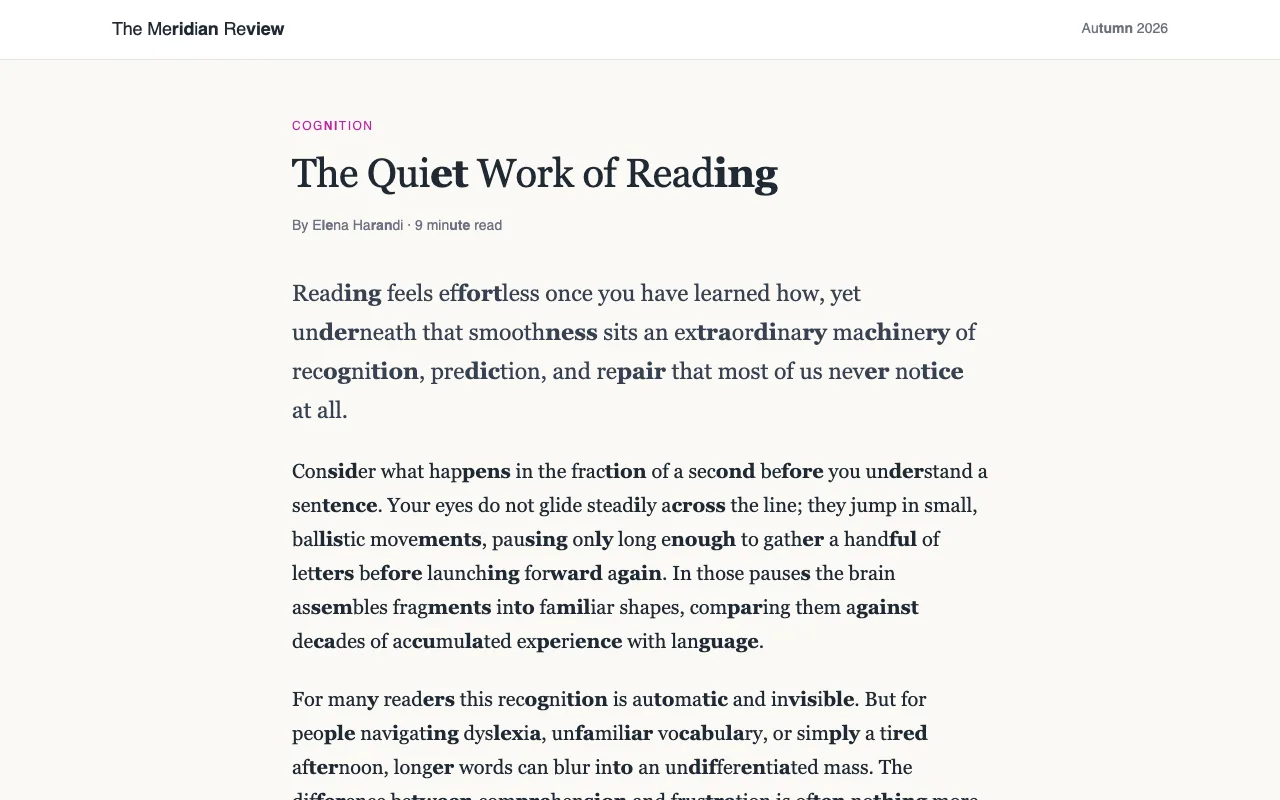
Reader Assist is a free Chrome extension designed to make web pages easier to read for people with dyslexia or ADHD, children learning to read, and anyone who finds dense text difficult. It splits long words into syllables, highlights alternating syllables or consonant-vowel pairs, and provides a reading ruler that follows the pointer to help readers keep their place.
Readers can adjust fonts, text size, letter and word spacing, ruler colours, and other settings. A reader view removes page clutter such as ads, menus, and sidebars, leaving the article in a single column. The settings follow readers across Chrome pages, and the extension can be installed on Chromebooks and other computers running Chrome. It requires no account and is free.
What Reader Assist does
Reader Assist is a free Chrome extension that changes how web pages appear to make them easier to read. It splits long words into syllables, can bold alternating syllables or consonant-vowel pairs, and provides a reading ruler that follows the pointer. Users can change fonts, text size and spacing, or open a reader view that removes ads, menus, pop-ups and sidebars. The page presents it as an aid for people with dyslexia, ADHD, reading difficulties, and others who read on screen.
After installation, Reader Assist runs in Chrome on the pages a user visits. The user opens its settings from the toolbar icon to choose and adjust aids; those settings carry across pages, and one switch turns all aids off or on. Syllable marking sends only previously unmarked single words to a server for processing, while pages are read on the user's computer. Reader view opens from the settings book icon or with Alt+Shift+R, and retains the user's marking, typeface and ruler settings.
The page describes Reader Assist for people with dyslexia, ADHD, reading difficulties, visual stress, low vision, dyspraxia, autism, or developmental language disorder, as well as children learning to read, language learners, students, adults, parents, teachers and schools. It is also intended for anyone who reads extensively on screen. The page notes that it is free, needs no account, and lets users choose which aids to use.
Based on readerassistextension.qsoft.sh, read on Oct 17, 2026.
Key features
- Splits long words into syllables
- Highlights alternating syllables or consonant-vowel pairs
- Adds a pointer-following reading ruler
- Customizes fonts, text size, and spacing
- Displays articles in a simplified reader view
- Applies reading settings across Chrome pages
What people use Reader Assist for
- 01Break long words into syllables while reading
- 02Keep your place with a reading ruler
- 03Adjust text appearance for easier reading
- 04Remove page distractions to read an article
- 05Read web pages in supported writing systems
More in Productivity
Browse all Productivity Mumble AI
Mumble AI is a voice-first productivity app for Mac that combines meeting recording, dictation
 PixPin
An all-in-one productivity tool featuring smart screenshots, scrolling capture, screen recording
 DuoPlus Cloud Phone
DuoPlus Cloud Phone helps you run unlimited accounts on independent Android environments.
 VidBG Remover
VidBG Remover is an AI-powered online tool that allows users to remove video backgrounds quickly
 PDFtoMD
Convert any PDF into clean, structured Markdown in seconds with PDFtoMD
 MikeSullyTools
Fix blurry photos and improve short videos in your browser.