Launching Dec 20–26, 2027
This launch is approved and scheduled. The page and its dofollow backlink are live now - it joins the weekly drop in its launch week.

SpinShare
Convert files inside the drag — radial file converter for Windows.
50points
Recent Supporters
Details
Launched
November 4, 2026
Category
Productivity
Pricing
Freemium
Tags
About SpinShare
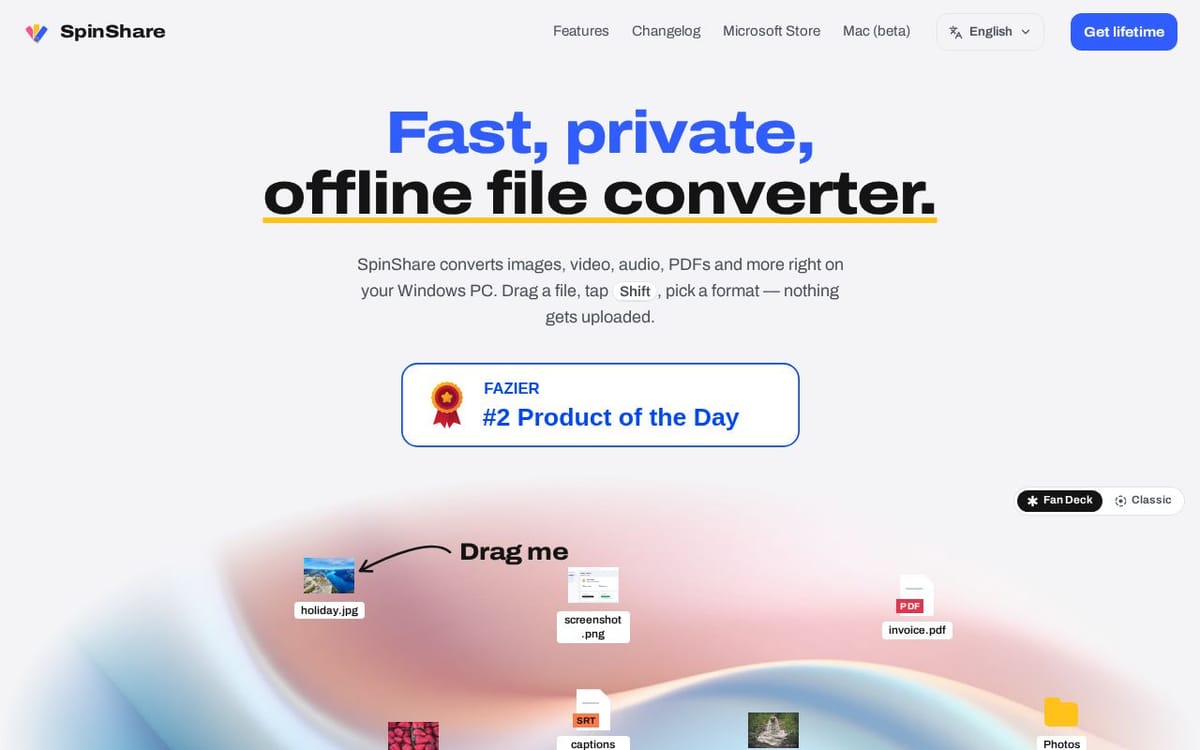
Windows-native file converter that works inside the drag gesture: drag a file, tap Shift, release over the target format — the converted file lands beside the original. Converts images, video, audio, PDFs, office docs, spreadsheets, CAD files and archives entirely locally — nothing is uploaded. Five free conversions per device, then an optional one-time lifetime license.
What SpinShare does
SpinShare converts images, video, audio, PDFs, documents, archives, subtitles, and other file types on a Windows PC. It also provides built-in tools for tasks such as cropping, compressing, trimming, splitting, merging, and redacting files, along with file actions such as copying and moving. The product addresses format compatibility and common file-editing needs while keeping files on the user's machine; the page says files are not uploaded and conversions work offline.
A user drags a file into the app, taps Shift to choose a conversion format, Ctrl to choose a tool, or Alt for file actions, then releases on an option. The page also describes keyboard navigation: focus a file, press Enter, choose with the arrow keys, and press Enter again. Users can check whether formats are supported without reading or uploading files. Conversions run locally, and the page lists downloads for Windows and beta versions for macOS.
SpinShare is for people using Windows 10 or 11 who need to convert or edit files on their PC, including photos, videos, audio, PDFs, documents, archives, and subtitles. The page also presents a macOS beta. Its stated distinctions are local processing, offline use, no sign-up, and file actions integrated with conversion tools. The page says the macOS beta includes a free trial and that one lifetime license covers Mac and Windows.
Based on spinshare.dev, read on Nov 4, 2026.
Key features
- Converts images, video, audio, PDFs, and documents
- Runs conversions locally without uploading files
- Provides 35 built-in file tools
- Offers six file actions from the Alt menu
- Checks supported input and output formats
- Tracks conversion history locally
What people use SpinShare for
- 01Convert HEIC photos to JPG
- 02Compress or crop images
- 03Convert PDFs to editable DOCX files
- 04Extract audio from video recordings
- 05Move or copy files from the Alt menu
More in Productivity
Browse all Productivity Mumble AI
 is a voice-first productivity app for Mac that combines meeting recording, dictation
 PixPin
An all-in-one productivity tool featuring smart screenshots, scrolling capture, screen recording
 DuoPlus Cloud Phone
 helps you run unlimited accounts on independent Android environments.
 VidBG Remover
 is an AI-powered online tool that allows users to remove video backgrounds quickly
 PDFtoMD
Convert any PDF into clean, structured Markdown in seconds with PDFtoMD
 MikeSullyTools
Fix blurry photos and improve short videos in your browser.