Launching Nov 9–15, 2026
This launch is approved and scheduled. The page and its dofollow backlink are live now - it joins the weekly drop in its launch week.

Thumbo
AI YouTube thumbnails with your face, in your style
50points
Recent Supporters
Details
Launched
November 4, 2026
Category
Design Tools
Pricing
Paid
Tags
About Thumbo
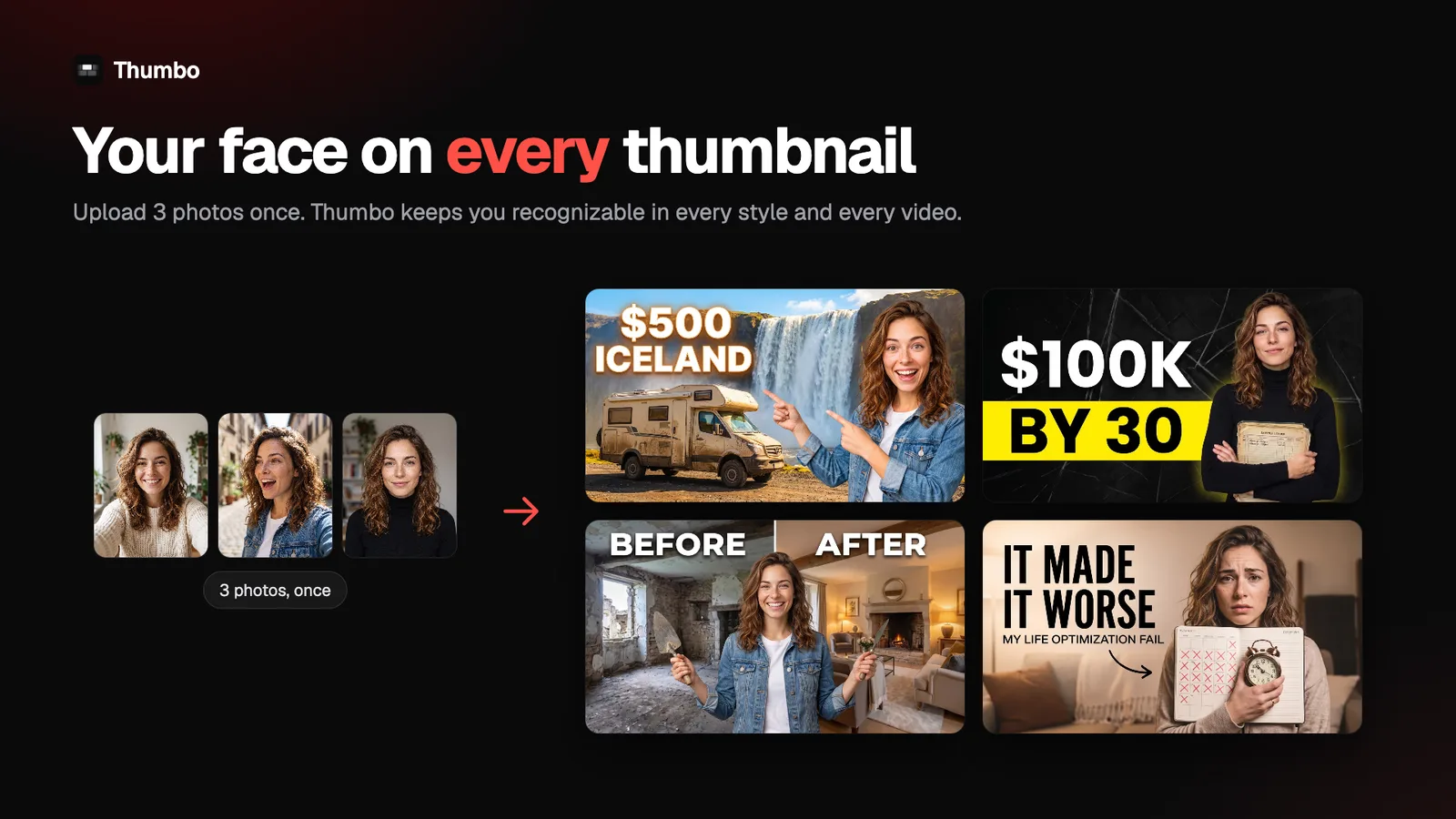
Most AI thumbnail makers give you a nice picture of a stranger. Thumbo puts you on every thumbnail: upload 3 photos once, and it keeps your face recognizable across every video.
How it works: type your video idea or paste your video, pick one of 50+ style packs, or paste the link of any channel whose look you like and Thumbo matches that style with your face and your topic. Then edit with plain words: "make the title punchier", "zoom in on my face", "swap the background". No layers, no prompts, no designer to wait on.
Paste your channel link for a free audit: a report card on your thumbnails, your outlier videos, and ideas for your niche.
There is also a free toolkit with no account needed: a YouTube thumbnail downloader (full-res source), a resizer with safe-zone crop, a compressor that hits YouTube's 2MB limit automatically, a thumbnail font previewer and niche thumbnail makers. They run in your browser, so your images never leave your machine.
Free to try. 10 credits for $5.99, 30 for $14.99, 100 for $34.99. 1 credit = 1 thumbnail or 1 edit. No subscription, and credits never expire. Built by a solo founder.
What Thumbo does
Thumbo creates YouTube thumbnails for creators who post consistently. It generates ready-to-publish thumbnail variants from a video idea or reads video content to work out a thumbnail. Users can choose from more than 50 Style Packs, match the look of a YouTube channel, and make edits with text instructions. The service aims to let creators make thumbnails themselves in minutes rather than waiting on a designer, and offers watermark-free, full-resolution downloads after a credit pack purchase.
A user can type a video idea, choose a Style Pack, and receive thumbnail variants. Alternatively, Thumbo reads uploaded video content and figures out a thumbnail. Users can paste a YouTube channel URL to match its look, or upload three photos to create a consistent persona. They can then type notes such as making a face bigger or adding a cap. One credit covers one thumbnail or one edit; downloads are watermark-free after buying a credit pack.
Thumbo is presented for creators making YouTube videos, including faceless channels and creators who want their own face to appear consistently in thumbnails. Its Style Packs cover niches such as gaming, education, finance, cooking, and vlogging, and users can also match a channel’s look from a link. The page emphasizes making thumbnails without design skills, complex interfaces, or waiting on a designer.
Based on thumbo.ai, read on Nov 4, 2026.
Key features
- Generates thumbnails from video ideas
- Reads video content to create thumbnails
- + niche-specific Style Packs
- Matches a YouTube channel’s visual style
- Creates consistent personas from uploaded photos
- Edits thumbnails from text instructions
What people use Thumbo for
- 01Create a thumbnail from a video idea
- 02Generate a thumbnail based on a video file
- 03Match a thumbnail to a YouTube channel’s style
- 04Keep a creator’s face consistent across thumbnails
- 05Edit a thumbnail using a text note
More in Design Tools
Browse all Design Tools Ai Logo Generator
AI Logo Generator Describe your brand and generate professional, custom logo designs in seconds
 ColoringStore
Create printable coloring pages from text prompts or photos with ColoringStore.
 Printery - Print for Figma
Printery is a Figma print plugin that exports print-ready PDFs with CMYK conversion, ICC profiles
 GROAR
Make your social metrics Roaaar
 Vidregen
Create Images and Videos With the World's Best AI Models
 ArchOne AI
All-in-one AI spatial design visualization platform for interior, exterior and landscape design.