Launching Sep 20–26, 2027
This launch is approved and scheduled. The page is shareable now and goes fully live in its launch week.

TransposeAny
Slow it down. Change the key. See the chords.
50points
Recent Supporters
Details
Launched
November 18, 2026
Category
Productivity
Pricing
Free
Tags
About TransposeAny
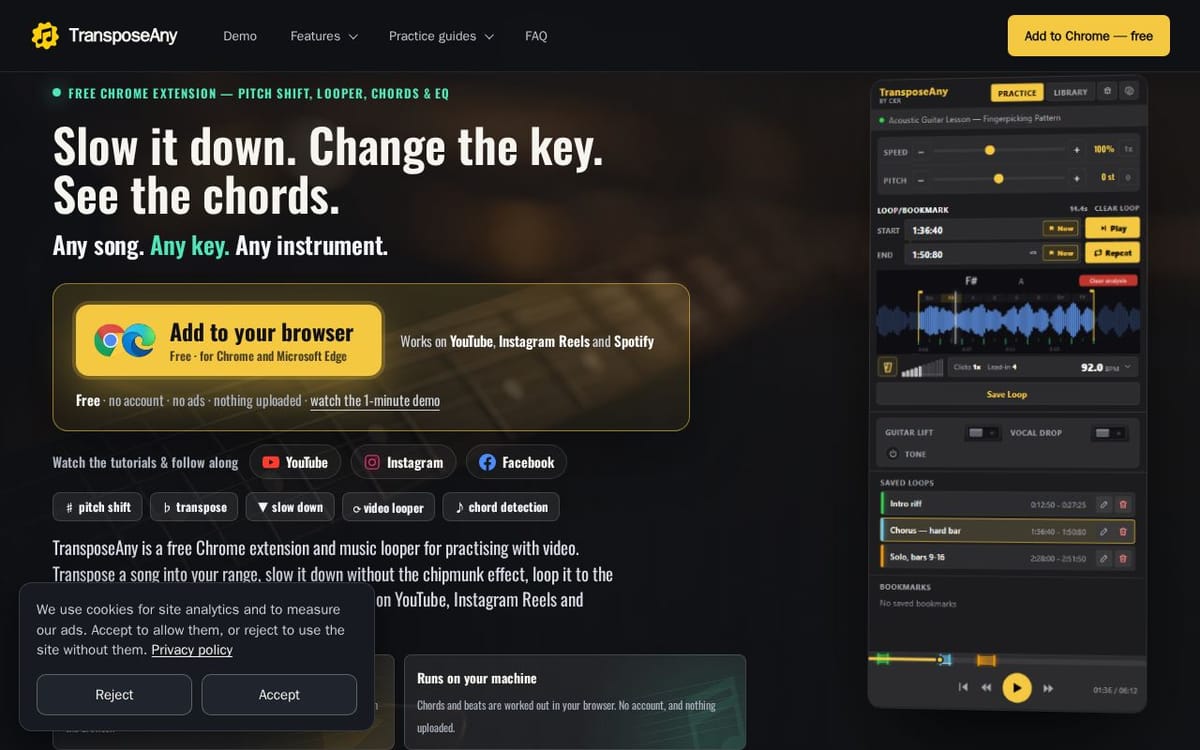
TransposeAny is a free Chrome extension for musicians who learn songs from YouTube, Instagram Reels and the Spotify web player. A panel beside the player gives you five practice tools:
- Live Chords: chord names along the waveform, aligned to the beat
- Change Key: up to 12 semitones, tempo untouched, and the chords follow
- Slow Down: 25% to 200%, pitch untouched
- A-B Loop: loop edges land on the beat, with a count-in and a metronome on the song's own beats
- EQ: hear the part you're learning
Everything runs on your own machine; audio is never uploaded. Free, with no account and no ads.
What TransposeAny does
TransposeAny is a free browser extension for practising music with videos on YouTube, Instagram Reels, Spotify, and supported video pages. It lets musicians change pitch and speed independently, loop passages, use beat and chord analysis, and adjust tone with EQ controls. The product brings these tools together beside the video, helping users work on difficult phrases, practise in a suitable key and tempo, and follow chord changes without switching to another page.
A user opens a supported video in desktop Chrome and works from TransposeAny’s side panel. They set loop markers around a passage, adjust speed, pitch, tone, and metronome options, then analyse the section for beats and chords. Chord names appear along the waveform and update as playback moves. Loop markers snap to detected beats, with a configurable count-in. The extension saves loops, bookmarks, and playback settings for each video; chord and beat analysis runs in the browser without uploading audio.
TransposeAny is for musicians practising songs, lessons, and riffs, including singers, guitarists, pianists, violinists, drummers, and teachers. It is designed for desktop Chrome and works with YouTube, Instagram Reels, Spotify, and supported video lessons. Its distinguishing approach is to keep pitch, speed, looping, chords, waveform, and timing controls together beside the video. The page says it is free, has no ads or account requirement, and processes audio locally.
Based on transposeany.com, read on Nov 18, 2026.
Key features
- Adjust playback speed and pitch independently
- Loop video passages with beat-snapped markers
- Detect chords and display them on a waveform
- Use count-ins and a beat-synced metronome
- Shape tone with a pad or 10-band equaliser
- Save loops and playback settings per video
What people use TransposeAny for
- 01Slow down a difficult phrase without changing its pitch
- 02Transpose a song into a comfortable vocal or instrument range
- 03Loop a passage to practise it repeatedly
- 04View detected chords while learning a song
- 05Adjust the mix to hear a buried instrument part
More in Productivity
Browse all Productivity Mumble AI
 is a voice-first productivity app for Mac that combines meeting recording, dictation
 PixPin
An all-in-one productivity tool featuring smart screenshots, scrolling capture, screen recording
 DuoPlus Cloud Phone
 helps you run unlimited accounts on independent Android environments.
 VidBG Remover
 is an AI-powered online tool that allows users to remove video backgrounds quickly
 PDFtoMD
Convert any PDF into clean, structured Markdown in seconds with PDFtoMD
 MikeSullyTools
Fix blurry photos and improve short videos in your browser.