WAButton
Free WhatsApp Floating Chat Button
650points
Recent Supporters
Details
Launched
November 4, 2026
Category
Productivity
Pricing
Freemium
Tags
About WAButton
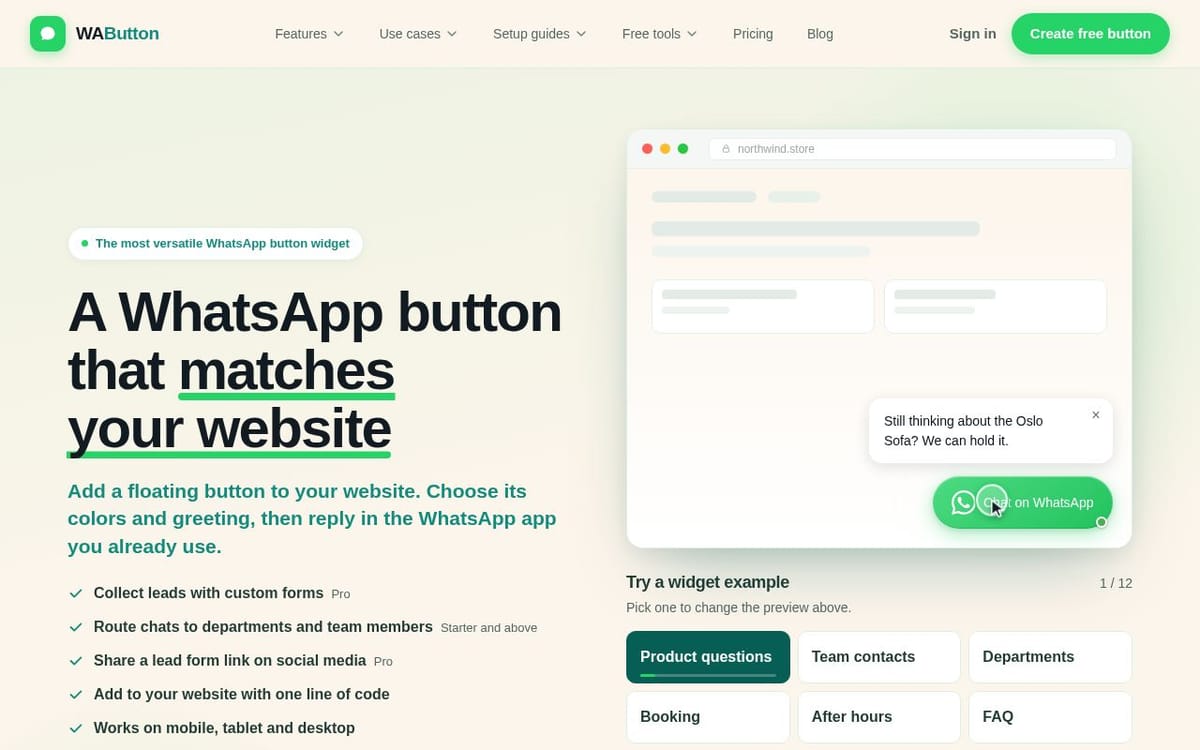
WAButton lets businesses add a customizable floating WhatsApp button to their websites. Visitors can ask questions and continue the conversation in WhatsApp, where the business replies using its existing app. The button can be styled with custom colors, labels, greetings, positions and business hours, and installed with one line of code on platforms including Shopify, WordPress, Wix and Webflow.
Starter plans add multiple team contacts and chat routing, while Pro adds customer forms with saved answers and rules for where buttons appear. WAButton offers a free plan with one button and one team contact, as well as paid plans for teams and agencies.
What WAButton does
WAButton adds a floating WhatsApp button to a website so visitors can ask questions before buying. Businesses choose the button’s colors, label, position, greeting, and when it appears. Visitors use it to open a chat in WhatsApp, where the business replies using its existing app. Depending on the plan, the widget can also collect customer details, offer team contacts, and link visitors to a WhatsApp Channel or group.
A user designs the button in WAButton’s editor, chooses the WhatsApp number and greeting, and sets options such as its position, business hours, and display rules. The user then copies the installation code into the website, with setup guides for platforms including Shopify, WordPress, Wix, and Webflow. Visitors tap the button and send their message in WhatsApp; the business replies there. On Pro and Agency, a form can collect answers before WhatsApp opens.
WAButton is for businesses that want website visitors to ask questions or contact a team through WhatsApp, including online stores, agencies, SaaS and B2B businesses, clinics, real estate businesses, and local services. It suits teams that want a customizable website button while keeping conversations in WhatsApp rather than a shared WAButton inbox. Plans support individual contacts, team routing, customer forms, and management of multiple client accounts.
Based on wabutton.app, read on Nov 4, 2026.
Key features
- Customizable floating WhatsApp button
- Greeting messages and business hours
- Team contact routing
- Customer forms with saved answers
- One-line website installation
- Website and page targeting
What people use WAButton for
- 01Answer shoppers' questions about products and delivery
- 02Discuss prices, quotes, or appointment availability
- 03Route visitors to sales, support, or billing contacts
- 04Collect customer details before opening WhatsApp
- 05Let website visitors follow a WhatsApp Channel or join a group
More in Productivity
Browse all Productivity Mumble AI
 is a voice-first productivity app for Mac that combines meeting recording, dictation
 PixPin
An all-in-one productivity tool featuring smart screenshots, scrolling capture, screen recording
 DuoPlus Cloud Phone
 helps you run unlimited accounts on independent Android environments.
 VidBG Remover
 is an AI-powered online tool that allows users to remove video backgrounds quickly
 PDFtoMD
Convert any PDF into clean, structured Markdown in seconds with PDFtoMD
 MikeSullyTools
Fix blurry photos and improve short videos in your browser.