Reviews
AI Art Create Review 2026: One Credit Balance for 12 Image and Video Models, Built for Characters
AI Art Create is a browser studio for character art. It puts FLUX.2, Nano Banana Pro, GPT Image 2, Recraft V4, Kling, Seedance, Veo 3 and five more models behind one prompt box and one credit balance, shows the cost on the Generate button and runs one prompt across up to four models side by side. We went through the studio, every model page, the companion, VTuber and character sheet workflows, the plans and the terms.

Contents (16)
- AI Art Create at a glance
- What is AI Art Create?
- How the AI Art Create studio works
- The model lineup, and what each one costs
- Comparing AI models side by side
- Building characters in AI Art Create
- Video in AI Art Create: image to video, text to video and sound
- How much does AI Art Create cost?
- Can you try AI Art Create for free?
- AI Art Create vs single-model AI tools
- Privacy, safety and the company behind AI Art Create
- What's next: AI music translation
- What we liked about AI Art Create, and what to know first
- How to get started with AI Art Create
- Is AI Art Create worth it?
- FAQ
Disclosure: this is a sponsored review.
Quick answer: AI Art Create is a browser-based AI image and video studio built around characters: companion and chatbot portraits, VTuber and PNGTuber kits, game character sheets and short animated clips. Instead of one house model, it puts models from Google, OpenAI, Black Forest Labs, ByteDance, Kuaishou, Alibaba and others behind a single prompt box and one credit balance. Every model shows its credit cost on the Generate button before you spend anything, and a comparison studio runs one prompt across up to four models side by side. As of November 4, 2026, 12 models are selectable in the studio, five for images and seven for video, with four more documented in the model directory ahead of release. Plans start at $9.99 a month for 1,000 credits, commercial rights come with Creator ($24.99) and Studio ($59.99), and your first generation is free with no card. It's run by AI Art Create LLC of Sheridan, Wyoming, and it says it was built by video game designers.
If you've ever tried to build a character with AI tools, you'll know the routine. One app makes the nicest portrait. Another is the only one that spells a name correctly on a poster. A third can animate, but only if you pay for its own plan. By the time you have a face, five expressions and a short greeting clip, you're juggling three subscriptions and three credit balances, and your character looks a little different in each app.
AI Art Create is built for that routine. It treats a character as a pipeline: design a reference, try it on a few engines, build variations from the version you approve, then animate it, all from one balance and one prompt box. The pitch on its about page is simple: "You should not need a separate subscription for each of those steps."
We went through the whole product: the studio, the comparison tool, all 16 model pages, the companion, VTuber and character sheet guides, the plans, the terms and the privacy policy. Here's how it works, what each model costs, how far the credits go and which plan fits which kind of creator.
AI Art Create at a glance
- What it is: a multi-model AI image and video studio for character work, running in the browser on desktop and mobile.
- Models you can use today: Nano Banana Pro, GPT Image 2, FLUX.2, Ideogram 3.0 and Recraft V4 for images; Seedance 2.5 Pro, Kling 3.0 Pro, Veo 3, Wan 2.2, PixVerse v5, LTX Video and Haiper 2.0 for video.
- Costs per generation: 6 to 12 credits for images and 25 to 130 credits for video, shown on the Generate button before you submit.
- Side-by-side comparison: one prompt across up to four models, with the total credit cost on the Compare button.
- Reference images: FLUX.2, Nano Banana Pro, GPT Image 2 and every video model accept a source image.
- Plans: Starter $9.99 a month (1,000 credits), Creator $24.99 (3,200 credits), Studio $59.99 (9,000 credits). Yearly billing saves roughly two months. Top-ups any time.
- Free trial: the first generation is free, no card needed.
- Commercial use: included on Creator and Studio.
- Exports: PNG, WebP and MP4, plus editable SVG from Recraft V4.
- Company: AI Art Create LLC, Sheridan, Wyoming. Support by email and on Discord.
What is AI Art Create?
AI Art Create calls itself an "AI Character, Companion & Creator Asset Studio". Its homepage describes a studio "built by video game designers" for gamers, roleplayers, developers and artists, and the pricing page says more than 25,000 creators use it.
Under the hood it's a model aggregator. Generations run through third-party providers, with fal.ai named in the terms, and the studio's job is to make a crowded model list usable: one prompt box, one balance, the price on the button, and guides that tell you which engine suits which step.
The reasoning is laid out on the about page. Each new model is good at a different part of a character. FLUX.2 takes reference images for stills. Recraft V4 makes editable vector assets. Kling, Wan, Seedance and Veo can animate an approved portrait. Rather than pick one lab and live with its gaps, you pick the engine for the step you're on.
The same page lists four rules the team works by, and they're worth reading because they shape the whole product:
- Character work comes first. Portraits, expressions, sheets and short clips drive the roadmap.
- The price is on the screen before you generate. There's no second balance for video.
- Models get added as they ship. The catalog isn't tied to one vendor's release schedule.
- Continuity is a workflow, not a guarantee. A reference image improves the next expression or clip, and the team says plainly that it won't make every generation identical.
That last point is refreshing. Plenty of AI tools promise "perfectly consistent characters". AI Art Create tells you what a reference image can and can't do, then shows you a workflow that gets the most out of it.
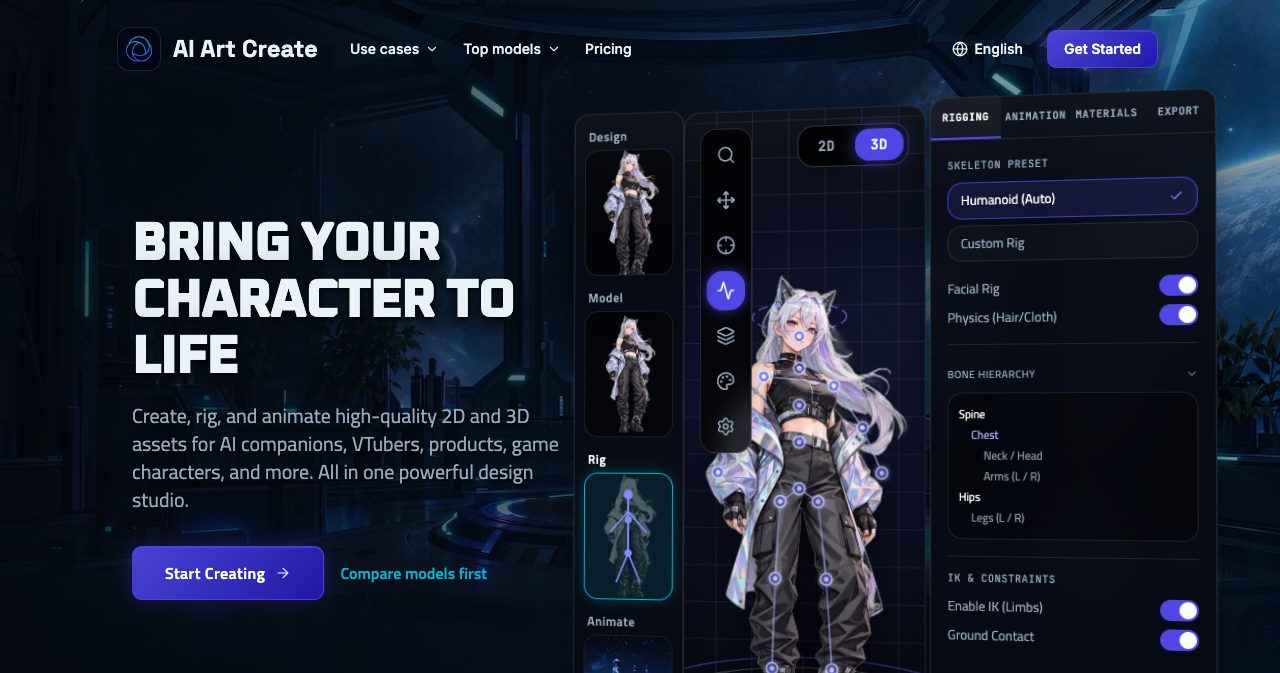
One thing to know before you start: the homepage illustration shows a rigging panel with bone hierarchies and IK toggles, which pictures the wider pipeline your art feeds into. The studio's own guides are clear that it doesn't rig Live2D models, build 3D meshes or export VRM files. It makes the images, vector assets and clips you hand to those tools, and the homepage lists "VRM-ready stills" among its exports in that sense.
How the AI Art Create studio works
Everything starts in one composer, which sits right on the homepage. There's an Image AI and Video AI switch at the top, a prompt box that takes up to 2,000 characters, a Reference slot labelled "Lock a face or pose", an Engine menu that shows each model's credit price, frame ratios, an Enhance button and the Generate button.
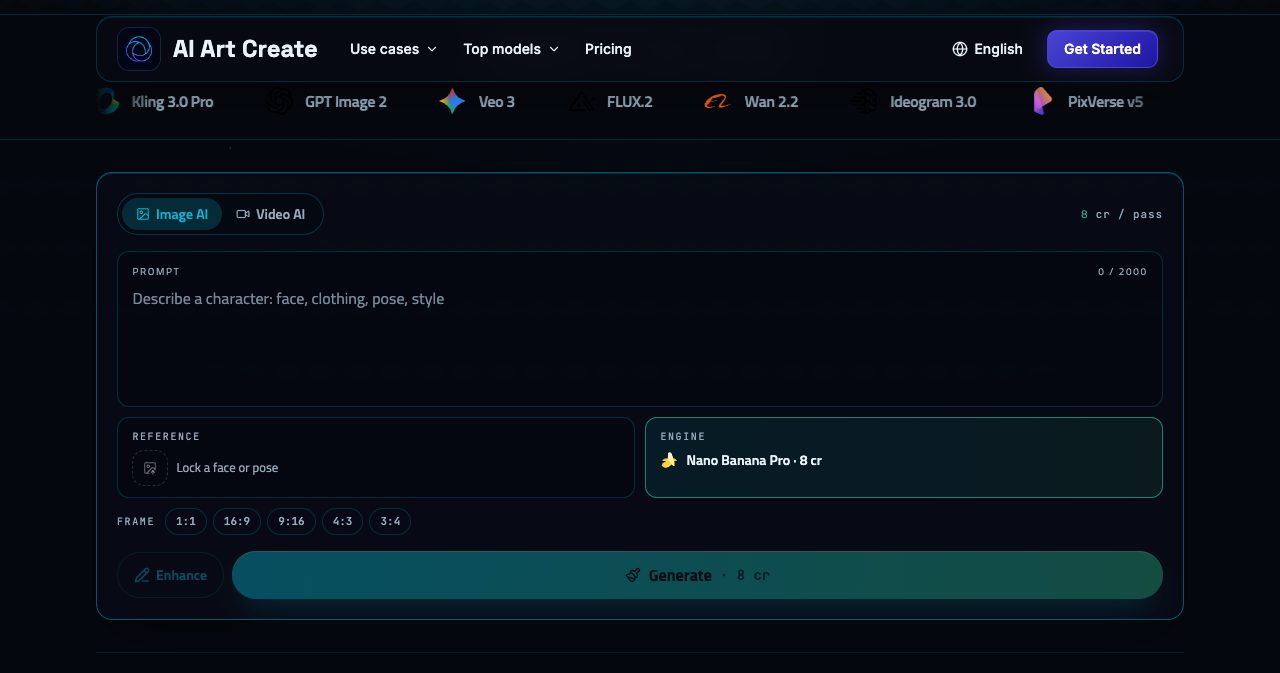
The cost appears twice: as "8 cr / pass" in the corner and on the Generate button itself. Switch the engine and both numbers change. It's a small design decision, but it means you never find out what a render cost after the fact, which matters a lot once video enters the picture.
For images you get five frame ratios: 1:1, 16:9, 9:16, 4:3 and 3:4. For video you get 16:9, 9:16 and 1:1, which covers YouTube, Reels and TikTok, and square posts.
A few other details from the help pages:
- Sign-in is by email magic link, Google or Discord, and you need to be 18 or older.
- Your gallery keeps every generation. You can share any of them to the public gallery, where other creators can view and remix the prompt.
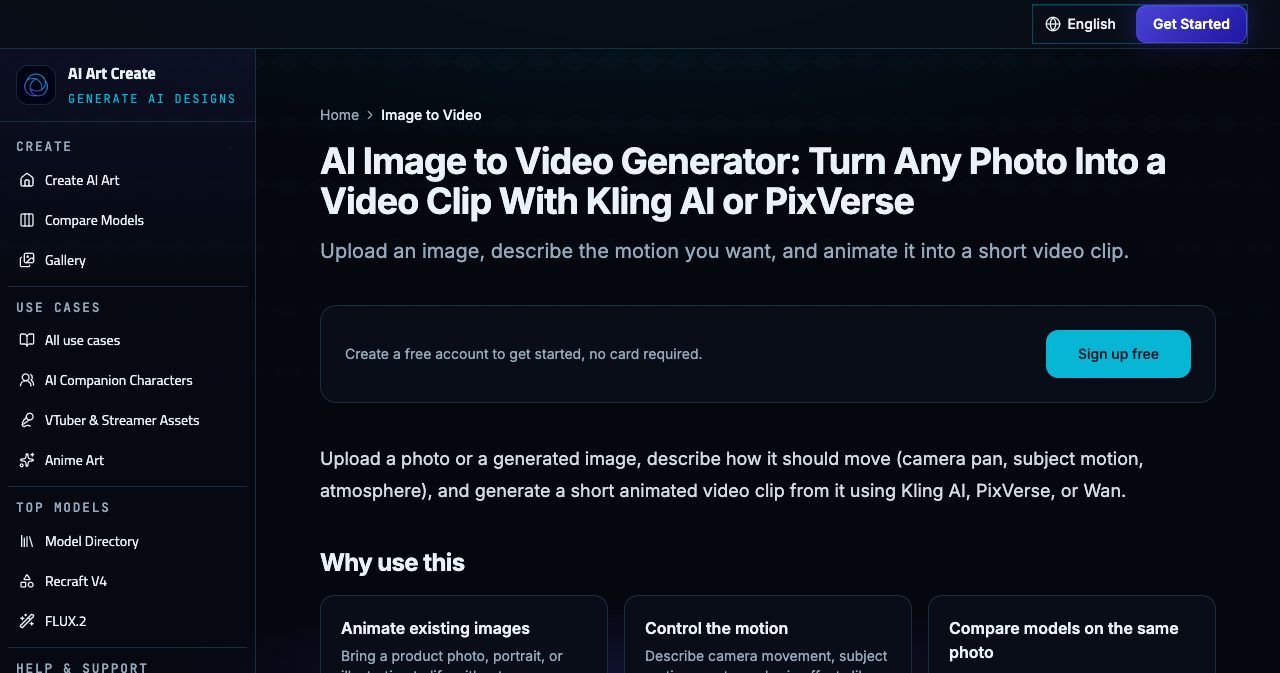
- Image to video is one click. Any finished image can go straight into an image-to-video model, and JPEG, PNG and WebP uploads work as source images too.
- It works on your phone. The site is fully responsive and can be installed as a progressive web app.
The model lineup, and what each one costs
The model directory lists 16 models. Twelve of them are selectable in the studio today:
| Model | Lab | Type | Credits per generation | Reference image | Notes |
|---|---|---|---|---|---|
| FLUX.2 | Black Forest Labs | Image | 6 | Yes | Reference-led character and product edits. Free first generation eligible |
| Recraft V4 | Recraft | Image | 6 | No, text only | Editable SVG icons, badges, logos and flat illustration |
| Ideogram 3.0 | Ideogram | Image | 7 | No, text only | Readable text in images: logos, posters, labels |
| Nano Banana Pro | Image | 8 | Yes | Strong instruction following, short text, complex briefs | |
| GPT Image 2 | OpenAI | Image | 12 | Yes | Photorealism and complex scenes |
| LTX Video | Lightricks | Video | 25 | Yes | 5-second clips, the fastest for quick drafts. Free first generation eligible |
| Haiper 2.0 | Haiper | Video | 30 | Yes | 4 or 8-second clips, smooth motion at a low cost |
| Wan 2.2 | Alibaba | Video | 45 | Yes | 5-second clips, good quality for the price |
| PixVerse v5 | PixVerse | Video | 55 | Yes | 5 or 8-second clips, stylized and social-first |
| Seedance 2.5 Pro | ByteDance | Video | 90 | Yes | 5 or 10-second clips, coherent motion and prompt adherence |
| Kling 3.0 Pro | Kuaishou | Video | 100 | Yes | 5 or 10-second clips, strong character consistency |
| Veo 3 | Video | 130 | Yes | 8-second clips with synchronized audio |
Image models can return up to four outputs per generation.
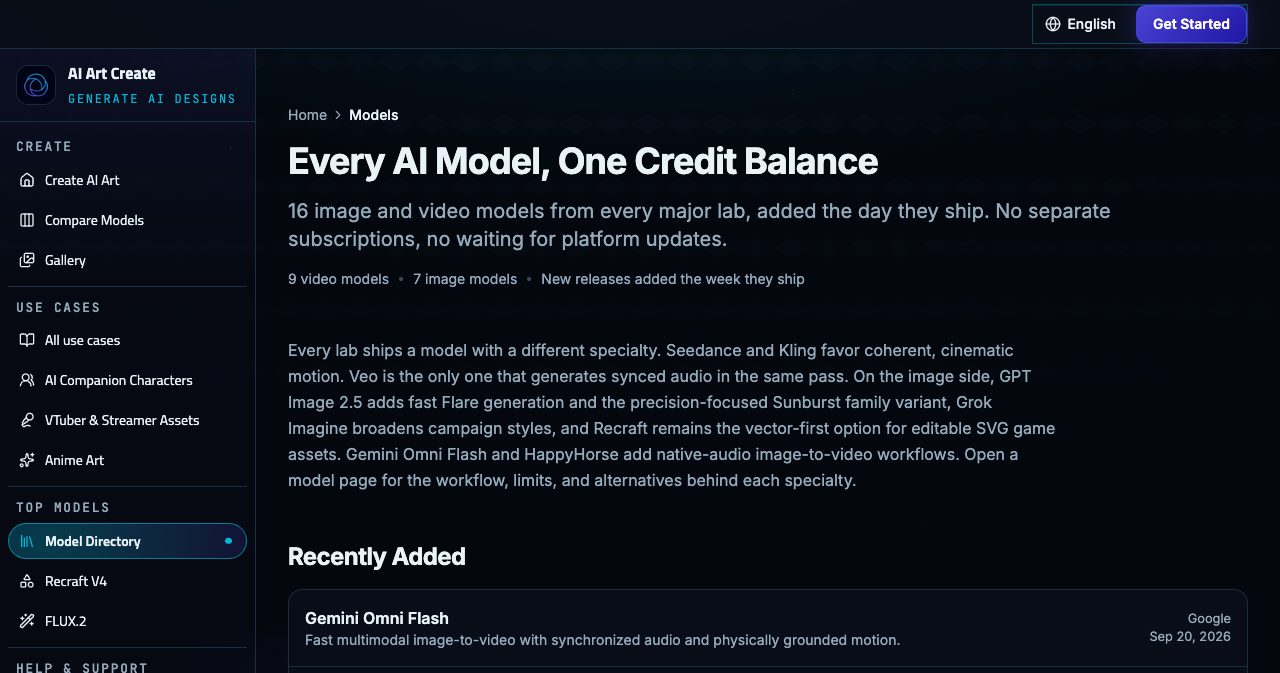
The other four are on their way. GPT Image 2.5 from OpenAI (in Flare and Sunburst variants), Grok Imagine Image 2.0 from xAI, HappyHorse 1.1 from Alibaba (1080p image-to-video with multilingual lip-sync) and Gemini Omni Flash from Google (eight-second image-to-video with sound) each have a full model page, and each page says the model isn't selectable in the studio yet. The credit figures on those pages are planning numbers. We like that the pages say so in the first paragraph rather than leaving you to find out at checkout.
The directory also dates each addition. Nano Banana Pro arrived on May 1, 2026, Kling 3.0 Pro on May 15 and Seedance 2.5 Pro on June 1, and the site says new releases are added the week they ship. If you've followed ByteDance's video line since our piece on Seedance 2.0, the 2.5 Pro version is the one on offer here.
Which AI Art Create model should you use?
Each model page ends with a "when to choose another model" section, and taken together they make a useful cheat sheet:
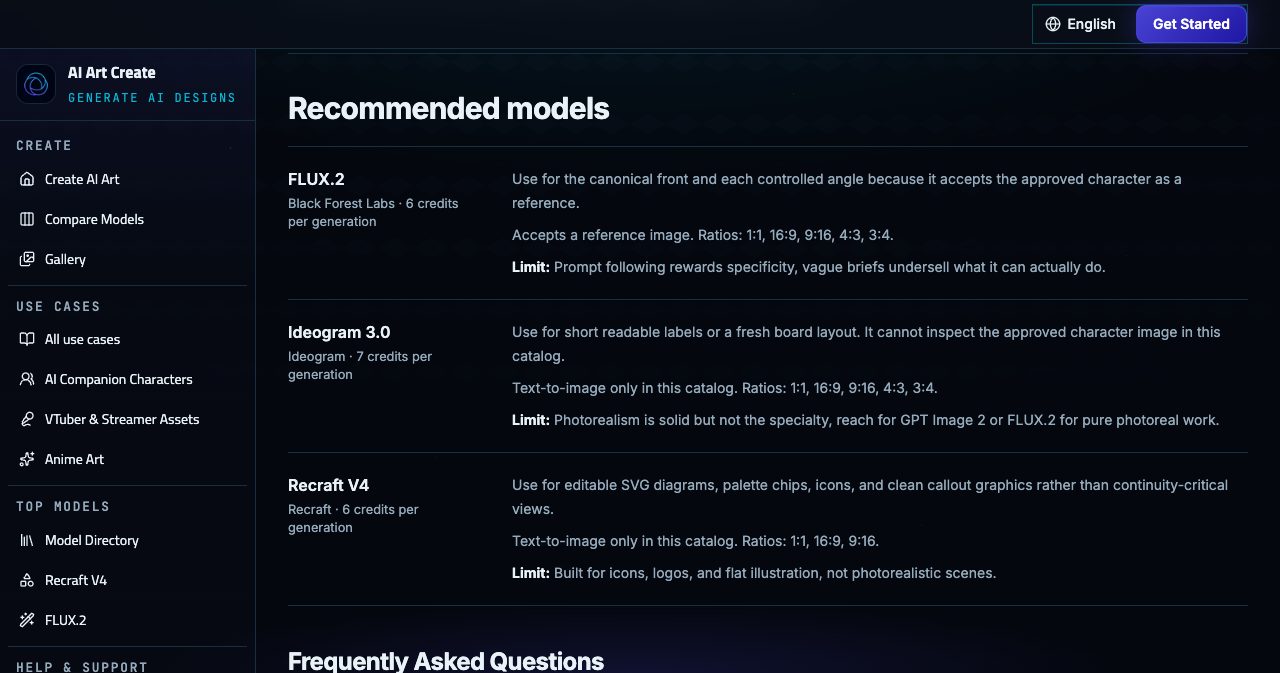
- The anchor portrait for a character: FLUX.2. At 6 credits it's the cheapest image model that accepts a reference image, so it's the natural continuity model.
- A brief with lots of constraints: Nano Banana Pro. It handles layout, objects, short labels and a source image in one request.
- Photoreal scenes and headshots: GPT Image 2.
- Short text that has to be readable: Ideogram 3.0, for logos, posters and labelled boards.
- Icons, emotes and badges you'll edit later: Recraft V4, which outputs real SVG.
- Smooth, coherent motion: Seedance 2.5 Pro.
- Motion where the face must stay the same: Kling 3.0 Pro.
- Cheap idle loops and reaction tests: Wan 2.2 or Haiper 2.0.
- Fast drafts: LTX Video at 25 credits.
- Stylized social clips: PixVerse v5.
- Dialogue, ambience and sound effects: Veo 3.
Comparing AI models side by side
The comparison studio is the feature that makes a multi-model catalog practical. You pick Image AI or Video AI, choose up to four models, write one prompt and press Compare. The results come back next to each other so you can judge style, composition and continuity together.
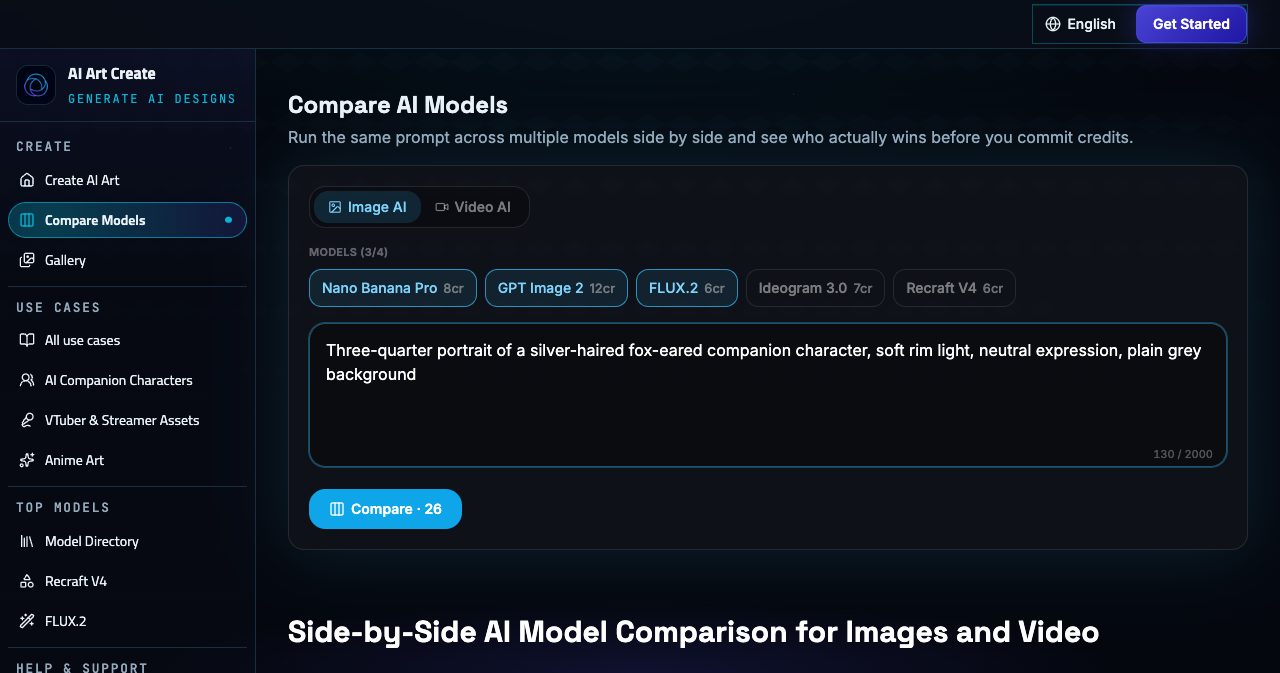
The Compare button adds up the cost first. For our test prompt across Nano Banana Pro, GPT Image 2 and FLUX.2 it showed 26 credits, which is 8 plus 12 plus 6. You only spend credits on the generations you actually run.
The page itself makes the case well: "Kling handles camera direction well but can soften skin detail. Veo 3 ships with its own audio, which is perfect for a quick Reel and useless for a silent product loop." Feature lists can't tell you that. Running your own prompt can.
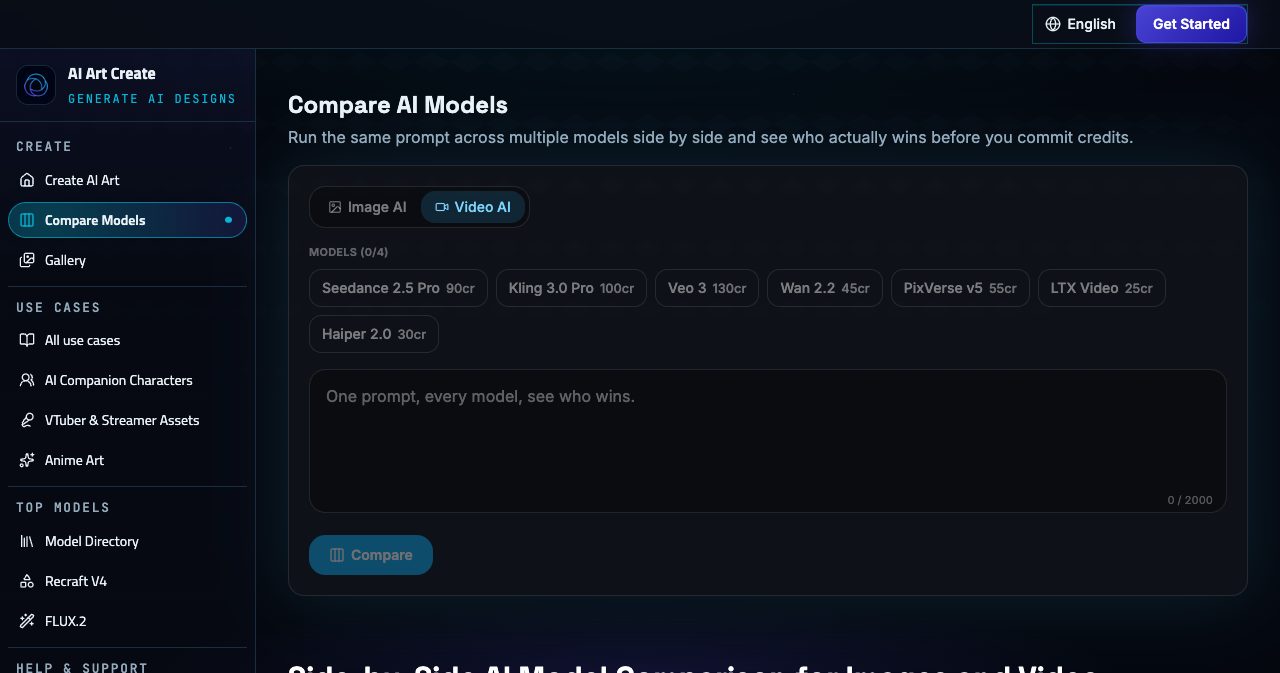
A practical tip on video: comparisons add up quickly. Running one prompt through Seedance, Kling, Veo and Wan costs 365 credits. A cheaper habit is to settle the still image with a comparison across image models, where any four engines cost 33 credits at most, then compare just two video models, such as Wan 2.2 and Kling 3.0 Pro for 145 credits.
On the pricing page, side-by-side comparison is listed on the Creator and Studio plan cards.
Building characters in AI Art Create
The use-case guides are the best part of the site. They read like notes from people who have shipped character art, with real file sizes, real failure modes and clear statements of what the tool doesn't do.
AI companions and chatbot personas
A companion needs more than one attractive portrait. It needs a reference that can carry it through new expressions, poses and reaction clips, and the AI companion guide is built around that.
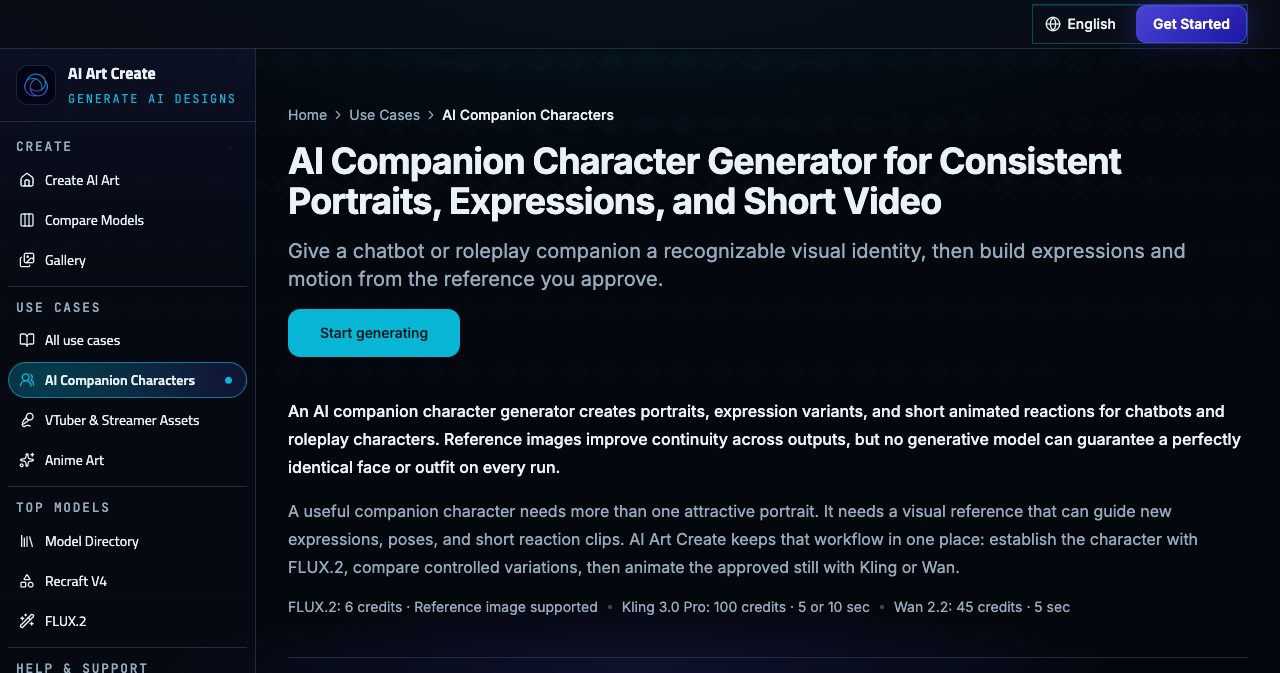
The workflow has three stages:
- Write a visual contract. List what must never change: face shape, eye and hair colour, hairstyle silhouette, skin details, signature clothing, palette and rendering style. Keep scene details, such as emotion, pose and time of day, in a separate list.
- Build an expression set before any motion. Generate a neutral three-quarter portrait in FLUX.2 in even light, approve it, then reuse it as the reference and change only the brows, eyelids and mouth for neutral, happy, concerned, surprised and angry. Toggle between outputs to catch hair drift or a costume change.
- Animate one social cue. Send the approved still to Wan 2.2 for a five-second blink, smile or head turn at 45 credits, or to Kling 3.0 Pro when a ten-second greeting needs stronger face continuity.
The guide is also clear about where the studio stops. AI Art Create makes the visuals; dialogue, memory, safety controls and live behaviour belong to the companion app. If you want a companion that talks, the same team makes Questie, a separate AI gaming companion product. And the guide asks you to keep companions clearly fictional and never to use a real person's likeness without permission, which is the right default.
VTuber and PNGTuber assets
The VTuber guide starts small, which is good advice for a new streamer. The first useful asset isn't a full rig. It's one front-facing PNGTuber avatar with eyes open and mouth closed, then a matching version with the mouth open.
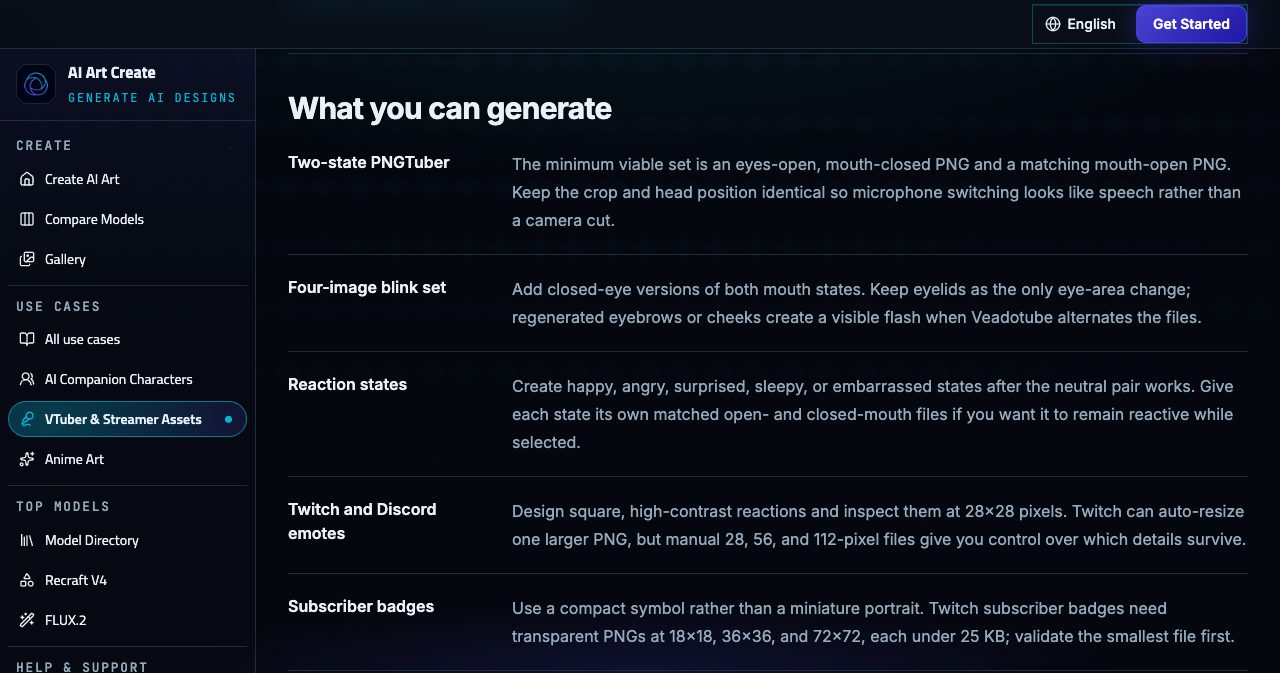
The detail here is genuinely useful:
- Two-state set: a mouth-closed and a mouth-open PNG with identical crop and head position, so mic switching looks like speech rather than a camera cut. Overlay them at 50% opacity and check that the shoulders, fringe and pupils line up.
- Four-image blink set: add closed-eye versions of both, changing only the eyelids.
- Twitch emotes: Twitch's auto-resize takes one square PNG from 112×112 to 4096×4096 under 1 MB. Manual upload uses 28×28, 56×56 and 112×112 files under 100 KB each.
- Subscriber badges: transparent PNGs at 18×18, 36×36 and 72×72, each under 25 KB.
- Stream scenes: Starting Soon, Be Right Back and offline art in 16:9, with space left for chat or schedule text.
Recraft V4 is the model for emotes and badges, because it outputs clean, editable SVG. It doesn't take a reference image in this catalog, so you describe the character's palette and signature shape in words, then check the exported raster at 18 pixels. FLUX.2 handles the avatar states from your reference.
The guide is upfront that mic switching happens elsewhere, in Veadotube Mini or another reactive-avatar app captured in OBS, and that transparent backgrounds aren't guaranteed from raster models. If the PNG has a pale fringe after background removal, you'll catch it in your real OBS scene, which is exactly where the guide tells you to test.
Game character sheets and turnarounds
For game and animation work, the character sheet guide treats a turnaround as "a measuring tool, not a collage of attractive poses". A four-point turn uses front, front three-quarter, true side and rear three-quarter views, and a five-point turn adds a true back.
The method is careful and sensible:
- Approve the front view first, in FLUX.2 on a plain background, with no foreshortening, cropped feet or hair hiding the costume.
- Generate each missing angle as its own edit, with the front attached: "same character, exact right profile, neutral A-pose, flat light, white background, no perspective, same scale". Smaller requests make a flipped scar or a missing pouch easier to spot.
- Add labels and callouts with Ideogram 3.0 for short readable text and Recraft V4 for palette chips and diagrams.
- Mark the result as AI-assisted concept reference before you hand it to an illustrator, animator or 3D artist.
The guide also explains why generated views disagree: image models optimize each figure as a picture and don't rotate a hidden 3D character. Knowing that saves a lot of frustration, and it's why the guide tells you to regenerate the one failing view instead of the whole sheet.
Icons, emotes and logos with Recraft V4
Recraft V4 deserves its own mention because it's the one model in the catalog that outputs real vectors: editable SVG with clean geometry and discrete colour regions, rather than a PNG styled to look flat.
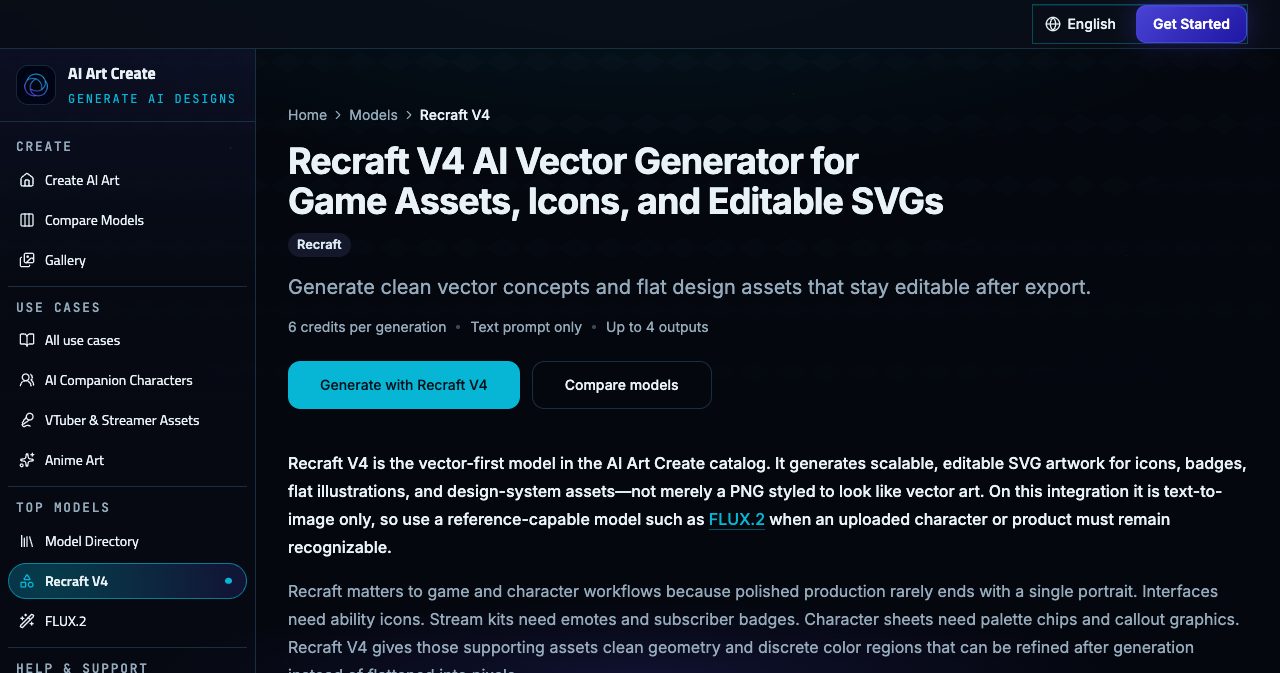
The model page suggests prompting it like a design system, with the asset type, angle, silhouette, colour count, hex values, outline and background. Its own example is a good template: "square RPG frost ability icon, centered crystalline hand, three flat blue values #D7F4FF #5BC0EB #1261A0, bold outer silhouette, no text, transparent-style plain background." Open the result in Figma or Illustrator to tidy the paths, and test it at the size it will actually be used, because an icon that looks rich at 1024 pixels can turn to noise at 32.
Product shots, ads and social content
Characters are the focus, but the catalog covers general work too. AI Art Create's FAQ lists product photography, social media reels, ad creative, anime art, headshots and logo design among common uses. Nano Banana Pro is the pick for product concepts built from a source photo, GPT Image 2 for photoreal scenes, Ideogram 3.0 for a poster headline and PixVerse v5 or Veo 3 for short vertical clips. The model pages all say the same sensible thing about commercial work: check every label, hand and product detail against the real thing before it goes out.
Video in AI Art Create: image to video, text to video and sound
Switch the composer to Video AI and the engine menu lists all seven video models with their prices. The default is Seedance 2.5 Pro at 90 credits.
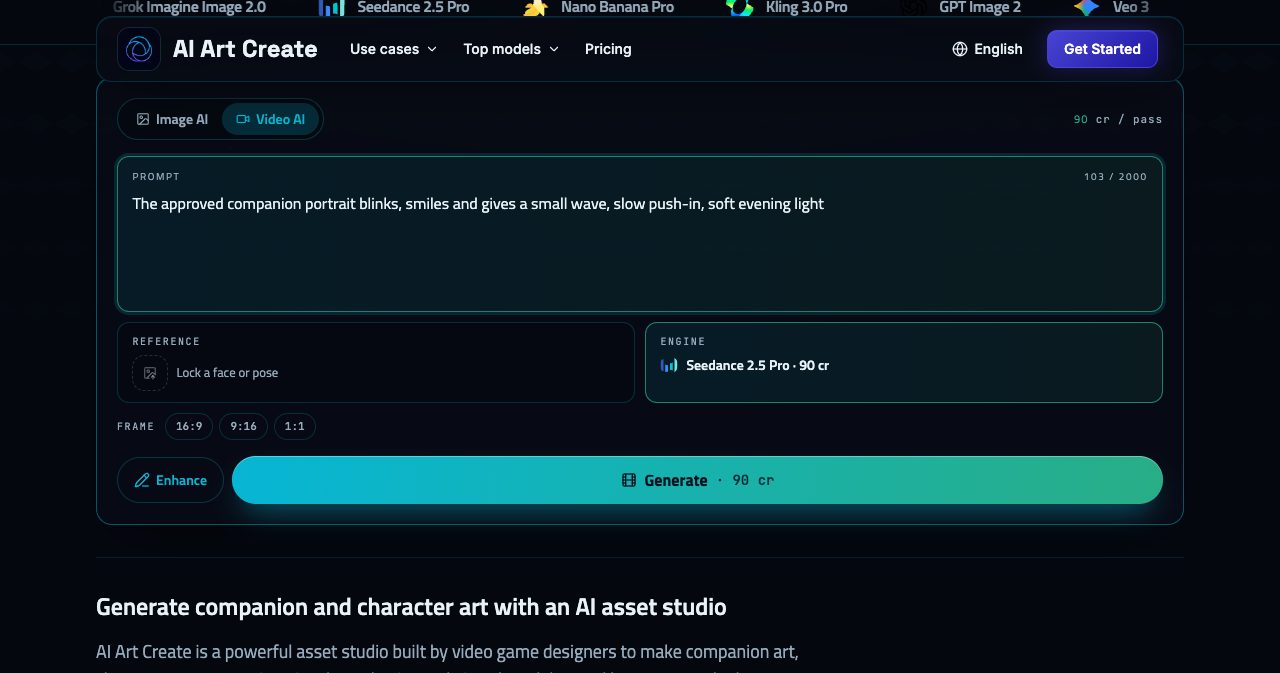
Every selectable video model accepts a source image, so the typical flow is image first, motion second. Generate and approve a still, send it to an image-to-video model with one click, and describe a single motion: a camera pan, a subject movement or an atmospheric effect such as fog or light rays. The guides recommend one restrained action per clip, because five to ten seconds is enough for a blink, a wave or a slow head turn and not much more.
For sound, Veo 3 is the model to know. It's the only selectable video model that generates synchronized audio in the same pass as the picture, it makes fixed eight-second clips and it costs 130 credits. The Veo 3 page suggests writing sound as carefully as the picture: quote the dialogue, name the speaker, and describe ambience and foley such as rain, footsteps or room tone. It also suggests designing one eight-second beat with a setup and payoff, rather than trying to squeeze a scene into it.
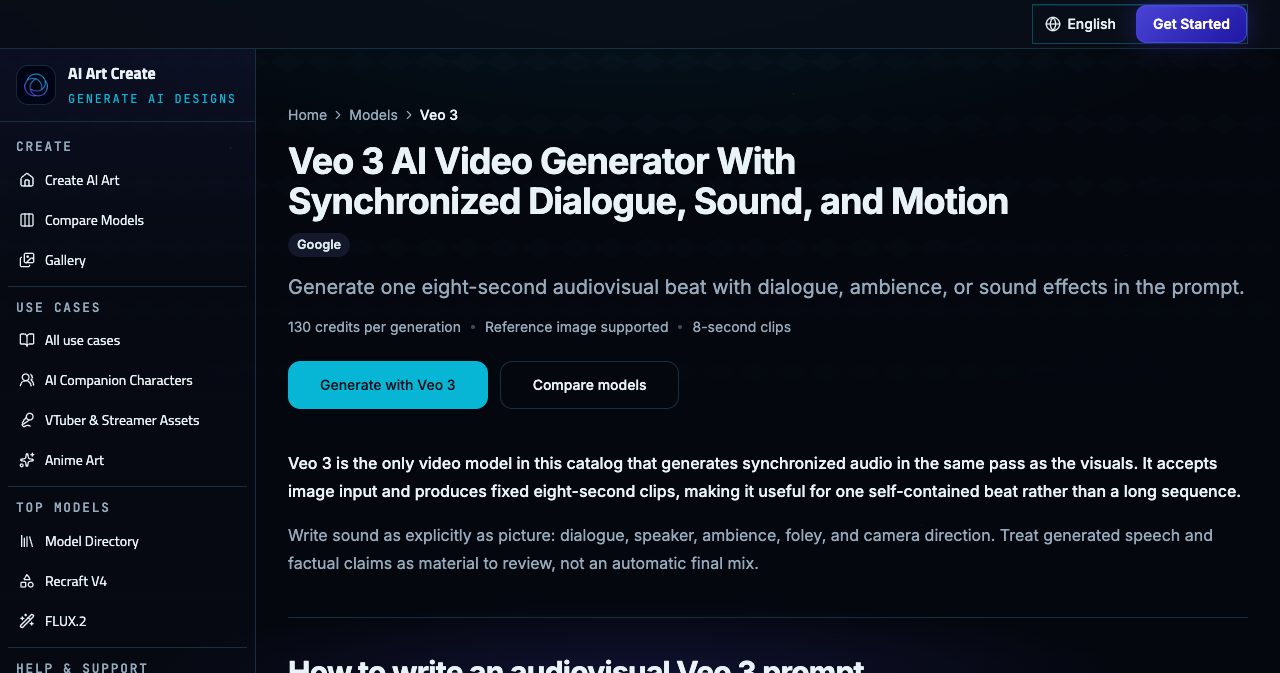
For campaigns, the advice is to treat native audio as a draft and finish levels, music rights and captions in an editor. If you need silent motion with the best continuity, Seedance 2.5 Pro and Kling 3.0 Pro both offer five or ten-second clips.
How much does AI Art Create cost?
| Plan | Price | Credits each month | What's included |
|---|---|---|---|
| Starter | $9.99/month | 1,000 | Every model, image and video generation |
| Creator | $24.99/month | 3,200 | Everything in Starter, plus side-by-side comparison, a priority queue and commercial usage rights |
| Studio | $59.99/month | 9,000 | Everything in Creator, plus private generations by default and early access to new models |
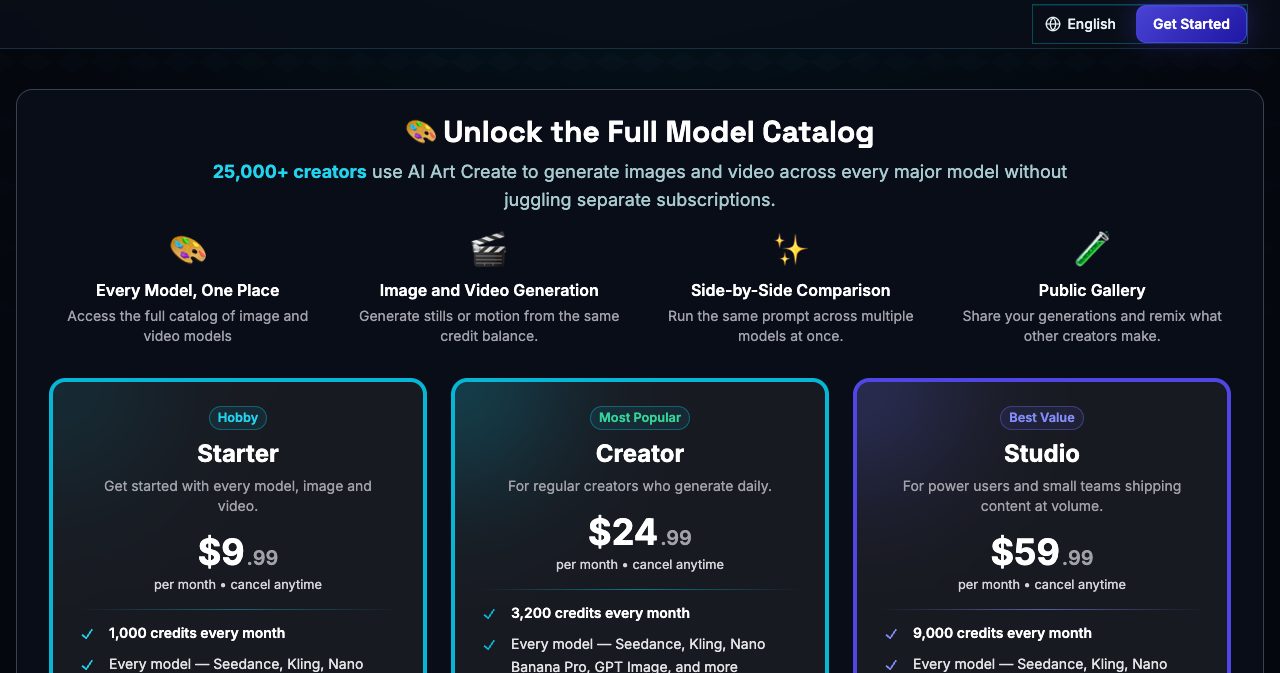
Every plan includes the full model catalog. You can find the current prices and the yearly option on the AI Art Create pricing page.
The billing details, from the pricing FAQ and the terms:
- Monthly or yearly. Yearly billing works out to roughly two months free.
- Cancel anytime. There's no cancellation fee, and you keep access until the end of the period you paid for.
- Credits refresh every billing cycle, and top-ups are available without changing plan.
- Payments go through Stripe in US dollars. PayPal isn't accepted.
- Refunds: fees are non-refundable once credits are issued or a billing period has started, except where the law says otherwise. A failed generation that used credits in error may be credited back after the team looks into it.
How far do AI Art Create credits go?
Here's what each plan's monthly credits buy if you spend them all on one model. Real months mix models, but the table gives a feel for the scale.
| Model (credits) | Starter, 1,000 credits | Creator, 3,200 credits | Studio, 9,000 credits |
|---|---|---|---|
| FLUX.2 (6) | 166 generations | 533 generations | 1,500 generations |
| Nano Banana Pro (8) | 125 | 400 | 1,125 |
| GPT Image 2 (12) | 83 | 266 | 750 |
| Wan 2.2 (45) | 22 clips | 71 clips | 200 clips |
| Seedance 2.5 Pro (90) | 11 | 35 | 100 |
| Veo 3 (130) | 7 | 24 | 69 |
Per credit, Starter works out at about 1.0 cent, Creator about 0.78 cents and Studio about 0.67 cents, so the bigger plans are roughly 22% and 33% cheaper per credit. In money terms, a FLUX.2 generation costs about 6 cents on Starter and 4 cents on Studio, and a Veo 3 clip about $1.30 on Starter and 87 cents on Studio.
A sample month for one companion character
To make that concrete, here's a budget we put together for building one companion from scratch, using the current prices:
- 10 tries at the anchor portrait on FLUX.2: 60 credits
- 1 comparison of the anchor prompt across Nano Banana Pro, GPT Image 2 and FLUX.2: 26 credits
- 5 expressions with 2 tries each on FLUX.2: 60 credits
- 6 emote and badge concepts on Recraft V4: 36 credits
- 2 idle loops on Wan 2.2: 90 credits
- 1 greeting clip on Kling 3.0 Pro: 100 credits
- 1 talking beat with sound on Veo 3: 130 credits
That's 502 credits, about half of Starter's monthly 1,000. A hobbyist can build a full character kit on the entry plan and still have room to experiment.
Which AI Art Create plan should you choose?
- Starter ($9.99) suits trying the studio, personal characters and hobby projects. It doesn't include commercial rights.
- Creator ($24.99) is the plan most working creators will want. If your art goes into anything you sell, ship or promote, commercial usage rights start here, and you also get the comparison studio and faster generation.
- Studio ($59.99) is for volume and small teams. You get 9,000 credits, early access to new models, and private generations by default written into the plan, which is handy for client work.
Can you try AI Art Create for free?
Yes. The text-to-image and text-to-video tools both let you generate once with no card on file, and the FLUX.2 and LTX Video model pages are marked as eligible for that free first generation. After that, you choose a plan or a top-up pack.
Our suggestion: spend the free generation on a FLUX.2 anchor portrait. It's the image you'd make first anyway, and it shows you straight away whether the studio suits your style.
AI Art Create vs single-model AI tools
AI Art Create publishes its own comparison pages against Higgsfield, Runway, Sora, Midjourney and OpenArt, and its argument is about structure rather than any single model.
| A single-model app | AI Art Create | |
|---|---|---|
| Models | One lab's models | 12 models from 11 labs in the studio, 16 in the directory |
| Trying another engine | Usually another subscription | Pick it from the Engine menu |
| Billing | A balance per app | One credit balance for image and video |
| Comparing outputs | Export and re-run elsewhere | One prompt across up to four models |
| Knowing the cost | Varies by app | On the Generate button before you submit |
| Other labs' models | Not offered | Added as they ship, the same week according to the directory |
To be fair to dedicated apps, a single-model tool can go deeper on its own model, with more controls, editing endpoints or longer clip lengths than an aggregator exposes. AI Art Create's model pages are open about this. The HappyHorse page, for example, notes that the provider supports a wider range of durations than the catalog documents. If you live inside one model all day and need every advanced setting, its own app may serve you better. If your work moves between portraits, vectors and motion, one balance across all of them is the better deal.
Privacy, safety and the company behind AI Art Create
On privacy, the FAQ makes three clear commitments: generations are private by default unless you share them to the public gallery, AI Art Create never sells your prompts or generated content to third parties, and you can delete your generation history at any time.
The terms add the detail you'd want to know:
- You own your content. You keep ownership of your prompts, uploads and outputs, subject to the model providers' terms, and AI Art Create takes a licence only to run and improve the service.
- Sharing is opt-in. Marking a generation public lets other users view and share it through the gallery.
- Clear content rules. No illegal content, no sexual content involving minors, no non-consensual intimate imagery, and no impersonating or harassing real people.
- Adults only. You need to be 18 or older to use the service.
AI Art Create is operated by AI Art Create LLC, registered at 30 N Gould St Ste R, Sheridan, WY 82801. The about page describes a small team split into four areas: AI research and model integrations, platform engineering, design and product, and security and privacy. It describes roles rather than naming people. General questions go to [email protected] and technical support to [email protected], with replies typically within 24 hours, and the Discord community is the quickest place to ask other creators. AI Art Create is also featured on There's An AI For That.
What's next: AI music translation
The next workflow on the roadmap is music localization: adapting songs into other languages while keeping the meaning, the syllable count, the stress and the way words land on the melody. It's aimed at character IP, companion apps and independent musicians.
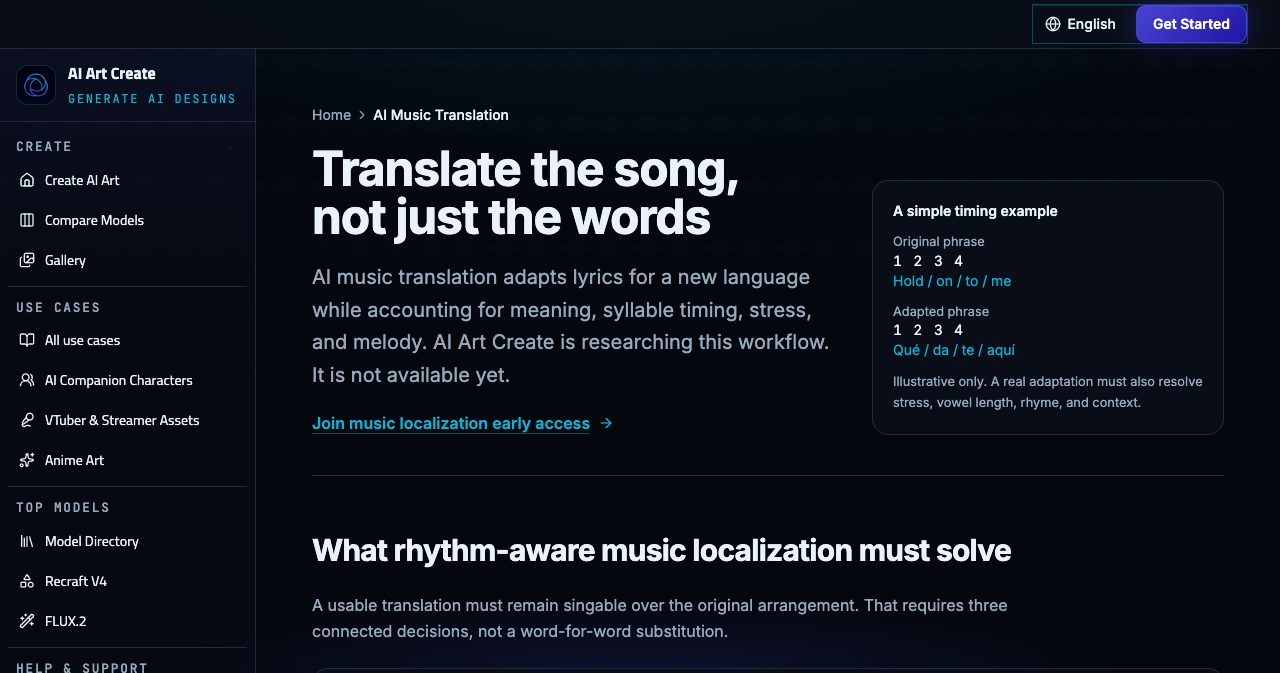
It isn't available yet, and the page says so clearly. You can join an early-access list with your name and email. The team asks musicians not to upload unreleased stems or copyrighted recordings for now, and says consent and clear rights controls will come before any voice-preserving feature ships.
What we liked about AI Art Create, and what to know first
What stands out
- The price is always visible. Credit costs sit on the Generate and Compare buttons, so video never surprises you.
- The right engine for each step. Five image and seven video models from 11 labs on one balance.
- Comparison up to four models. The quickest way to learn which engine suits your style.
- Honest documentation. Continuity is described as a workflow, upcoming models are labelled as upcoming, and each guide says what the studio doesn't do.
- Guides with real specs. Twitch emote sizes, badge file limits, turnaround angles and OBS transparency tips.
- A low starting point. A free first generation, then $9.99 a month.
Worth knowing
- 12 of the 16 directory models are selectable today. GPT Image 2.5, Grok Imagine Image 2.0, HappyHorse 1.1 and Gemini Omni Flash are documented but not yet in the studio.
- Commercial rights start on Creator. Starter is for personal use.
- It makes assets, not rigs. No Live2D rigging, 3D meshes or VRM export, and transparent PNGs aren't guaranteed.
- Not every model takes a reference. Ideogram 3.0 and Recraft V4 are text-only here.
- Video spends credits fast. One Veo 3 clip costs as much as nearly 22 FLUX.2 generations.
- It's a young platform. Independent reviews are still few, and the public gallery had no published generations yet when we checked on November 4, 2026, so your own comparison runs are the best guide to quality.
- Strict refunds. Paid periods are non-refundable once started, though failed generations can be credited back.
How to get started with AI Art Create
- Create a free account with an email magic link, Google or Discord.
- Spend your free generation on an anchor. Pick FLUX.2 and generate a neutral three-quarter portrait of your character on a plain background.
- Compare before you commit. Run the same prompt across two to four image models and keep the best.
- Build from the reference. Upload the approved image to the Reference slot and change one thing at a time.
- Animate one moment. Draft with Wan 2.2 or LTX Video, then finish with Kling 3.0 Pro, Seedance 2.5 Pro or Veo 3.
- Choose your plan. Starter for personal projects, Creator once the work is commercial, Studio for volume and client work.
Is AI Art Create worth it?
For creators who build characters, yes. The value comes from how the pieces fit together. You get the cheapest reference-led image model in the catalog for your anchor portrait, a vector model for emotes and icons, a text-friendly model for labels and posters, and seven video models for motion, with the cost on the button every time and a comparison studio to settle the choice before you spend. For a lot of creators that replaces several subscriptions with one.
It's honest about its limits, too. It won't rig your VTuber, it won't promise a pixel-identical face, and it tells you which models are still on the way. What it does well is give you a calm, well-documented place to design a character, try it on the best engines available and bring it to life. If you have a character in mind, run your first side-by-side comparison on AI Art Create and see which engine gets it right.
FAQ
What is AI Art Create?
AI Art Create is a web-based AI image and video studio at aiartcreate.com, built for character work such as AI companion portraits, chatbot avatars, VTuber and PNGTuber assets, game character sheets and short animated clips. It puts models from several labs, including Google, OpenAI, Black Forest Labs, ByteDance, Kuaishou and Alibaba, behind one prompt box and one credit balance. It is operated by AI Art Create LLC of Sheridan, Wyoming, and says it was built by video game designers.
How much does AI Art Create cost?
Starter costs $9.99 a month for 1,000 credits, Creator $24.99 a month for 3,200 credits and Studio $59.99 a month for 9,000 credits. Every plan includes every model and both image and video generation. Creator adds side-by-side comparison, a priority queue and commercial usage rights. Studio adds private generations by default and early access to new models. Yearly billing works out to roughly two months free, and you can cancel anytime.
How do AI Art Create credits work?
Each generation spends credits according to the model, and the cost is shown on the Generate button before you submit. As of November 4, 2026, image models cost 6 to 12 credits per generation and video models 25 to 130. Credits refresh every billing cycle and you can buy top-ups without changing plan. On Starter, 1,000 credits covers about 166 FLUX.2 image generations, 11 Seedance 2.5 Pro clips or 7 Veo 3 clips.
Is AI Art Create free to try?
Yes. Your first generation is free and needs no card. The text-to-image and text-to-video tools both allow one generation before you choose a plan or a top-up pack, and the FLUX.2 and LTX Video model pages are marked as eligible for the free first generation.
Which AI models can I use on AI Art Create?
As of November 4, 2026, the studio offers five image models (Nano Banana Pro, GPT Image 2, FLUX.2, Ideogram 3.0 and Recraft V4) and seven video models (Seedance 2.5 Pro, Kling 3.0 Pro, Veo 3, Wan 2.2, PixVerse v5, LTX Video and Haiper 2.0). The model directory lists 16 models in total. GPT Image 2.5, Grok Imagine Image 2.0, HappyHorse 1.1 and Gemini Omni Flash have catalog pages, which say they are not selectable in the studio yet.
Can I compare AI models side by side on AI Art Create?
Yes. The comparison studio runs one prompt across up to four image or video models at once and shows the results next to each other. The Compare button shows the total credit cost first, for example 26 credits for Nano Banana Pro, GPT Image 2 and FLUX.2 together. The plan cards list side-by-side comparison on Creator and Studio.
Can I use AI Art Create images and videos commercially?
Commercial usage rights are included on the Creator and Studio plans. Starter covers personal and non-commercial use. On every plan you keep ownership of your outputs, subject to the terms of the model providers, and you are responsible for checking outputs before you publish or sell them.
Can AI Art Create keep my character consistent?
It helps, with a limit it states openly. FLUX.2, Nano Banana Pro, GPT Image 2 and every video model accept a reference image, so an approved portrait can guide new expressions, poses and clips. AI Art Create says continuity is a workflow, not a guarantee: results can still drift between generations, so you review each output against your reference.
Does AI Art Create make VTuber, Live2D or VRM models?
No. It generates the images, editable vector assets and short clips for a VTuber or PNGTuber kit, such as matching mouth-open and mouth-closed avatar states, emotes, subscriber badges and stream scenes. It does not rig Live2D models, build 3D meshes or export VRM files, and microphone switching happens in apps like Veadotube Mini and OBS.
Can AI Art Create make videos with sound?
Yes, with Veo 3. Among the models selectable in the studio, Veo 3 is the one that generates synchronized audio in the same pass as the picture. It makes fixed eight-second clips, accepts a source image and costs 130 credits per generation. You can write dialogue, ambience and sound effects into the prompt.
Are my AI Art Create generations private?
AI Art Create's FAQ says generations are private by default unless you share them to the public gallery, that it never sells prompts or generated content, and that you can delete your generation history at any time. The Studio plan lists private generations by default as a plan feature, so check your sharing setting on Starter and Creator if privacy matters for client work.
Does AI Art Create offer refunds?
Generally no. Its terms say fees are non-refundable once credits are issued or a billing period has started, except where the law requires otherwise. Failed generations that consume credits in error may be credited back after an investigation. You can cancel at any time and keep access until the end of the period you paid for.
Who runs AI Art Create?
AI Art Create is operated by AI Art Create LLC, registered at 30 N Gould St Ste R, Sheridan, WY 82801, USA. A small team covers model integrations, platform engineering, design and security. General questions go to [email protected], technical support to [email protected], and the Discord community is the fastest place for quick questions.
Is AI Art Create a good Midjourney alternative?
It suits a different kind of user. A single-model app gives you one house look and its own tools. AI Art Create gives you several labs' models on one balance, so you can pick FLUX.2 for a reference-led portrait, Ideogram 3.0 for readable text, Recraft V4 for editable SVG and Kling or Veo 3 for motion, then compare them on the same prompt before you spend.
If you're building a creator tool of your own, like AI Art Create, SaaSCity is a free, human-reviewed startup directory with a live city map where a listing is a permanent page other founders actually see. Submitting takes about ten minutes.
Get your SaaS in front of founders
List your product on SaaSCity - a permanent listing, real discovery, and a dofollow backlink from a high-DR directory. Free with a badge; upgrade for a building on the live city map.
Founder resources
Related articles
AMW Suite Review 2026: Your CRM, Proposals, Client Portal and Helpdesk on One Login, With AI Agents That Wait for Your OK
Launch Llama Review 2026: A Free Startup Directory With a Founder Newsletter, DA 74 Backlinks and an MCP Server