Reviews
AMW Suite Review 2026: Your CRM, Proposals, Client Portal and Helpdesk on One Login, With AI Agents That Wait for Your OK
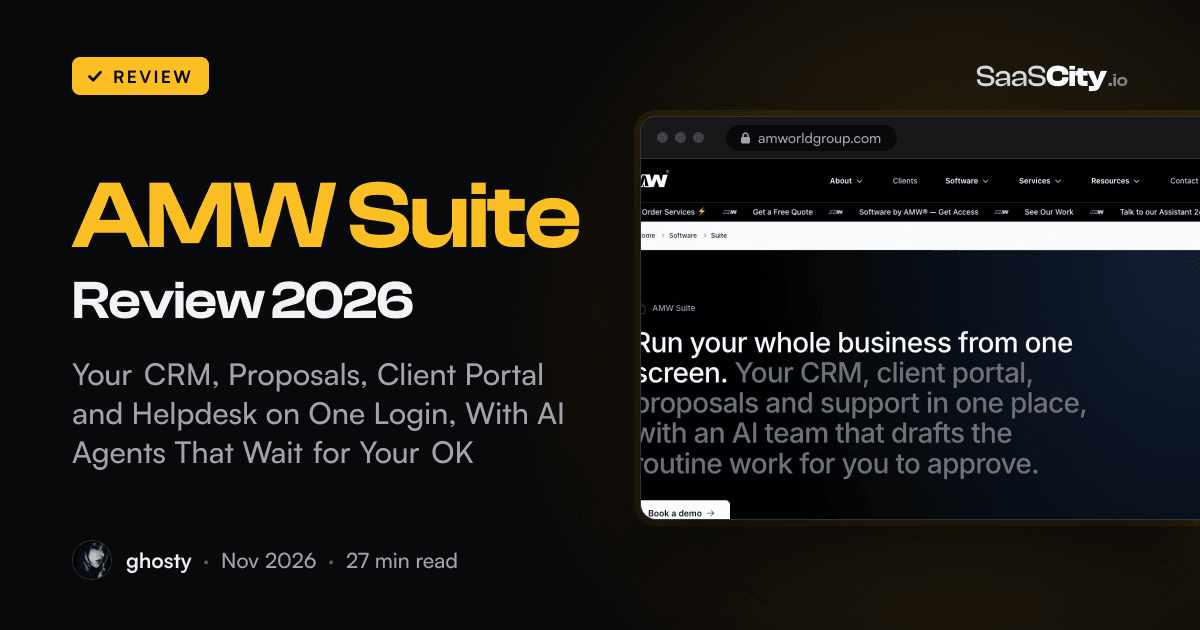
AMW Suite puts a CRM with calling and texting, proposals with e-sign, a client portal, a helpdesk, booking links, website forms and ad attribution on one login, with AI agents called Sheri, Jenna and Aria who draft the routine work and wait for a person to send it. We went through every app, the plans, the white-glove migration and the company behind it.

Contents (16)
- AMW Suite at a glance
- What is AMW Suite?
- What does AMW Suite replace?
- How the shared customer record works
- The apps, one by one
- Meet the AI team: Sheri, Jenna, Aria and Marcus
- Desktop and mobile apps
- White-glove migration: how the move works
- How much does AMW Suite cost?
- Who is behind AMW Suite?
- Who is AMW Suite for?
- AMW Suite vs a stack of separate tools
- What we liked, and what to know before you book a demo
- How to get started with AMW Suite
- Is AMW Suite worth it?
- FAQ
Disclosure: this is a sponsored review.
Quick answer: AMW Suite is an all-in-one business platform made by AMW®, a marketing and software company founded in 1997. It puts a CRM with calling, texting, WhatsApp and email, proposals with e-signatures, a branded client portal, a helpdesk, booking links, website forms and pop-ups, and (on the Business plan) ad attribution behind one login and one invoice. Every call, text, email, proposal open, booking and ticket lands on the same customer record. Three AI agents work from that record: Sheri drafts support replies, Jenna tells you who to call today and drafts your follow-ups and proposals, and Aria reads your ad spend against signed revenue. None of them sends anything. A person on your team approves every draft. Plans are Team (up to 5 users), Business (up to 10) and Enterprise, priced on a free 20-minute demo. At launch AMW listed Team at $279 a month and Business at $559 a month, billed yearly. Teams that start this month get white-glove migration from their current tools on every plan, and AMW says most moves are done in 48 hours.
Most growing businesses never choose their software stack. It piles up. A CRM because sales needed one. A proposal tool after the third Word document went out with last year's prices. A booking link, then a helpdesk when support got busy, then a shared drive or a Notion page that passes for a client portal. Each tool is fine on its own. Together they add up to a dozen logins, a dozen invoices and a dozen slightly different versions of the same customer.
You feel it in small moments. A client rings and you open four tabs to remember what you promised them. A quote gets opened twice on a Sunday evening and nobody notices until Wednesday. Someone in support answers a question without knowing the account is halfway through a renewal.
AMW Suite is built around those moments. The idea is easy to say: one record per customer, filled in by the apps as things happen, and AI agents that read the whole record before they draft anything. Where it comes from is the interesting part. AMW has been doing client work since 1997, first as a promoter in Europe, then as a marketing, PR and events company with offices in Los Angeles, Miami and New York. It built the Suite out of the tools it used to run its own pipeline and delivery, says it still runs its own business on it, and now sells that same system to other teams.
Below we go through what's in the Suite, how each app works, what the AI agents do and where they stop, how the move from your current tools works, what it costs and who it suits best.
AMW Suite at a glance
- One login and one invoice for a CRM, proposals with e-sign, a client portal, a helpdesk, booking links, website forms and pop-ups, and, on Business, ad attribution.
- Calling, texting, WhatsApp and email from inside the CRM, all saved to the customer's record.
- One shared record per customer: every call, text, email, proposal open, booking, ticket, form answer and portal message, in order.
- AI agents: Sheri (support) and Jenna (sales) on every plan, Aria (growth) on Business. Marcus (content) is listed as coming soon.
- Agents draft. A person on your team approves and sends, every time.
- Plans: Team for up to 5 users, Business for up to 10, Enterprise for larger teams. Priced on a free 20-minute demo.
- Launch pricing: $279 a month for Team and $559 a month for Business, billed yearly.
- White-glove migration included on every plan for teams starting this month. Most moves take about 48 hours.
- Apps for Mac, Windows and iPhone, alongside the web app.
- Cancel anytime. You keep access to the end of your paid term, and your data goes with you.
What is AMW Suite?
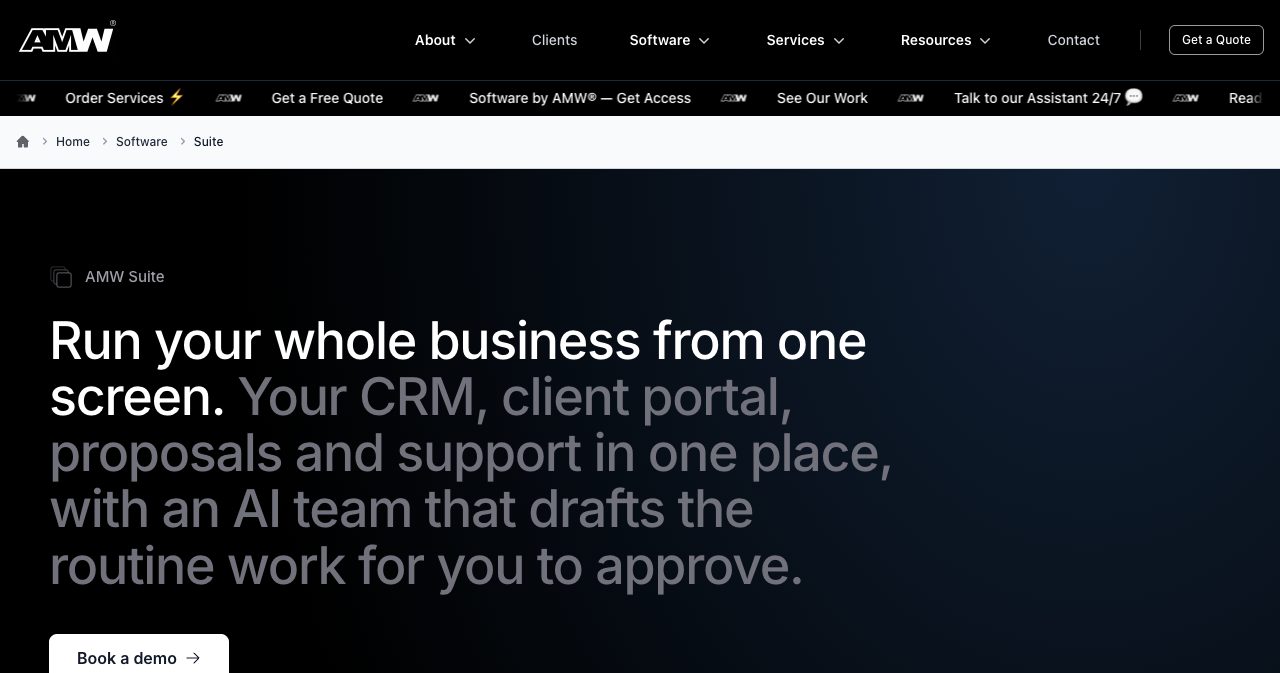
AMW Suite is a business platform for companies that sell to, support and follow up with customers. AMW's own one-line description is "your CRM, client portal, proposals and support in one place, with an AI team that drafts the routine work for you to approve."
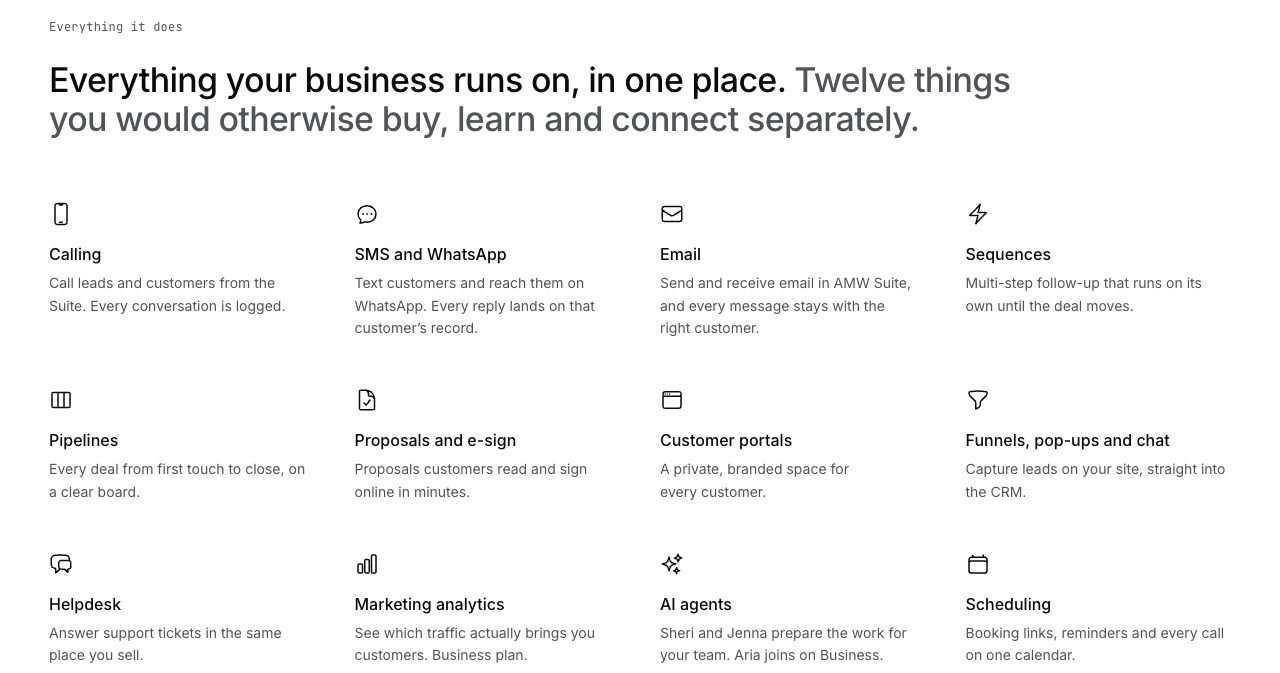
Under the hood it's seven apps that share one database of customers: AI CRM, Proposals, ClientHub, AI Helpdesk, Scheduler, Funnels and Attribution. The Team plan includes the first six. Business adds Attribution. On the Suite page AMW breaks this down into twelve jobs: calling, SMS and WhatsApp, email, sequences, pipelines, proposals and e-sign, customer portals, funnels with pop-ups and chat, helpdesk, marketing analytics, AI agents and scheduling. Its phrase for them is "twelve things you would otherwise buy, learn and connect separately."
The Suite launched in Los Angeles on May 21, 2026. In the announcement, AMW said it had spent nearly 30 years running its business on the same methodology, and built the tools "against real operations, real pipelines, real client relationships, real delivery workflows." That background shows in the product. The examples on every page are service-business moments: a dental practice moving an install date, a client reading the pricing section of a proposal for eleven minutes, a lead going quiet nine days after a demo.
What does AMW Suite replace?
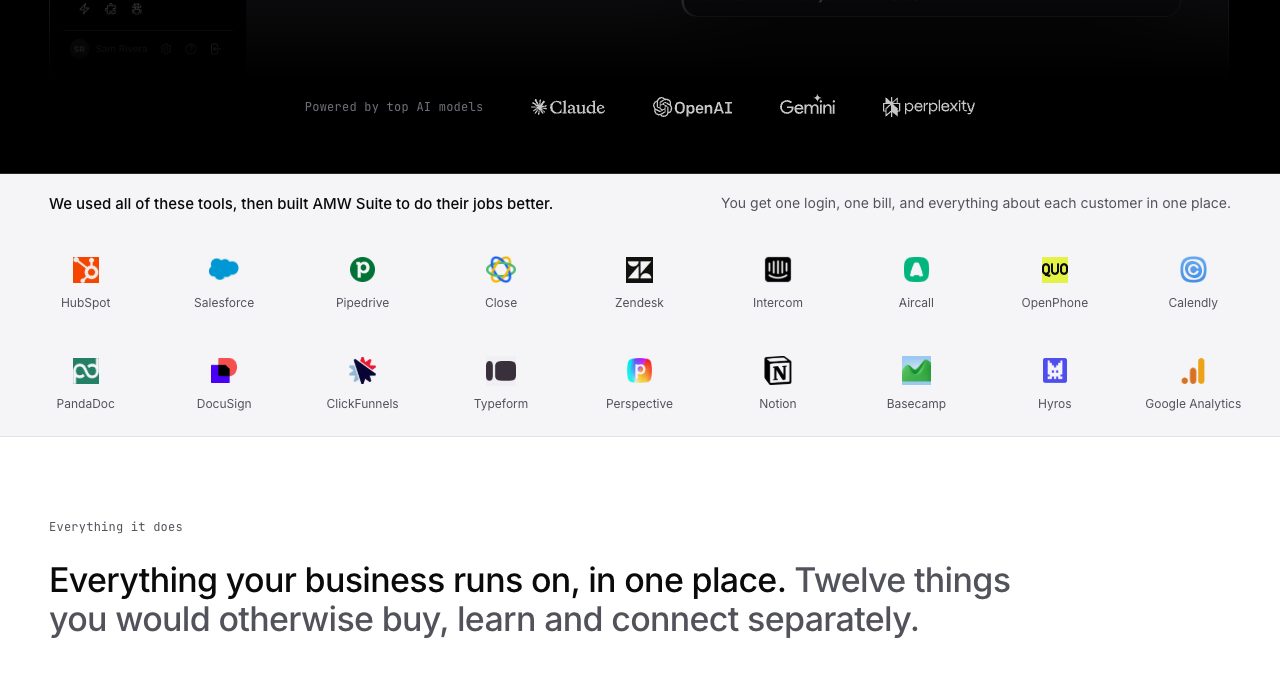
Right under the hero, AMW lists eighteen tools with the line "We used all of these tools, then built AMW Suite to do their jobs better": HubSpot, Salesforce, Pipedrive, Close, Zendesk, Intercom, Aircall, OpenPhone, Calendly, PandaDoc, DocuSign, ClickFunnels, Typeform, Perspective, Notion, Basecamp, Hyros and Google Analytics.
Each app page then names the tools it compares itself with. Put together, it looks like this:
| AMW app | What it does | Compared on AMW's site with |
|---|---|---|
| AI CRM | Contacts, deals, pipelines, calling, texting, email, sequences | HubSpot, Salesforce, Pipedrive, Close, Zoho CRM, monday CRM, Copper |
| Proposals | Drafted proposals, branded pages, e-signatures, open tracking | PandaDoc, Proposify, DocuSign, Qwilr |
| ClientHub | Client portal and shared project calendar | Dubsado, HoneyBook, Bonsai |
| AI Helpdesk | One ticket queue for email, text and portal messages | Zendesk, Intercom, Freshdesk, Help Scout, Gorgias |
| Scheduler | Booking links, reminders and prep notes | Calendly, Acuity, SavvyCal |
| Funnels | Multi-step forms, pop-ups and chat that feed the CRM | ClickFunnels, Typeform, Perspective, Leadpages |
| Attribution (Business) | Ties Google and Meta ad clicks to signed proposals | Hyros, Triple Whale, Google Analytics |
The fair way to read that table: each AMW app covers the everyday job of the tool beside it, and the payoff comes from all seven sharing one customer record. If your team relies on a very specialised feature of one of those tools, bring it up on the demo and see how AMW handles it.
How the shared customer record works
This is the idea the whole Suite rests on, so it's worth slowing down for. AMW describes the record like this: "Every call, text, email, proposal open, booking, ticket, form answer and portal message about a customer, in order, written by the apps as it happened. Your notes are the only thing anyone types."
That last sentence is the one that matters. In a stitched-together stack, somebody has to log the call, forward the email into the CRM, attach the signed PDF and update the deal stage. Most of that never happens, which is why CRMs go stale. In AMW Suite the apps write to the record themselves. Send a proposal and the opens show up. Book a call and it appears. A text comes in and it sits in the same timeline as last week's discovery call.
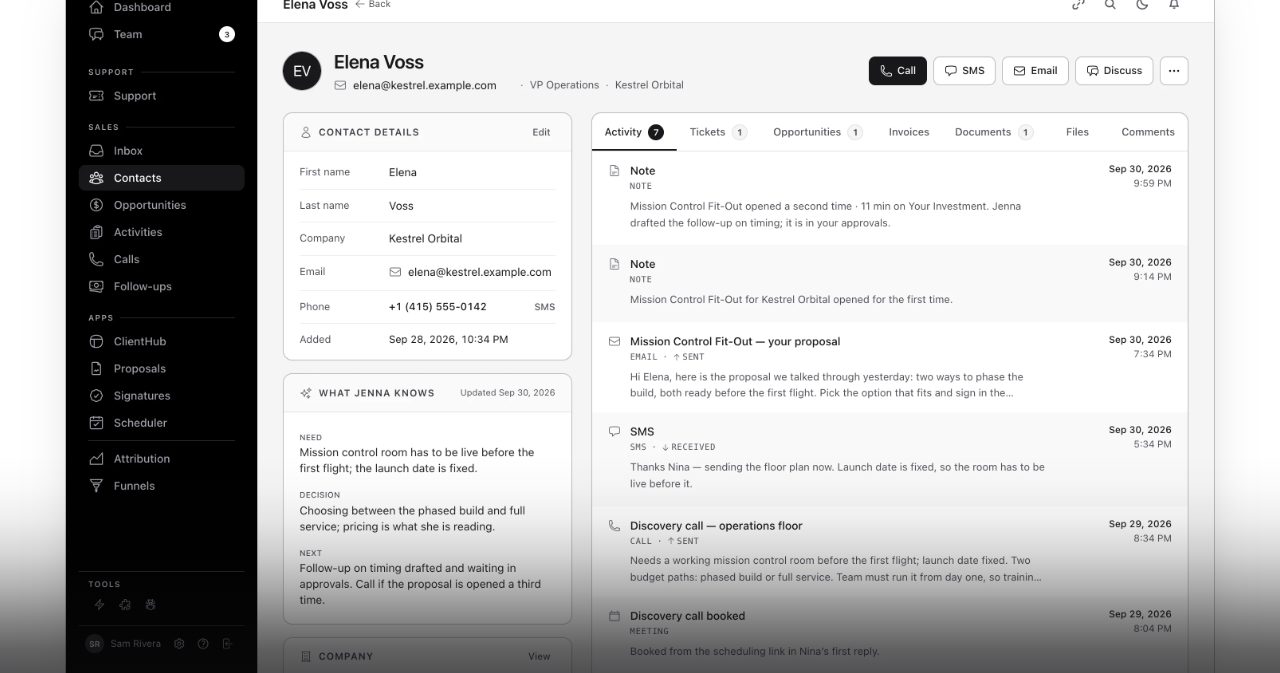
Next to the timeline sits a panel called "What Jenna knows", a short summary of what the customer needs, where their decision stands and what happens next. Anyone on your team can open the record and pick up the next call without a handover meeting.
The apps, one by one
AI CRM: who to call today, and why
AMW's AI CRM is the centre of the Suite. You get a pipeline board (contacted, qualified, quote sent, negotiation and so on), contacts and companies, an inbox, and calling and texting straight from the customer's page, with the recording and the text thread saved there. Email goes in and out of the Suite and stays with the right customer, and sequences run multi-step follow-ups until the deal moves.
The feature that makes it feel different is Jenna's morning list. Overnight she looks for what changed: a quote opened again, a question someone asked on a call, a deal that's gone quiet. Then she ranks your deals, biggest first, gives you the reason for each and drafts the follow-up. In AMW's demo, Tuesday's list reads: NovaPay ($108,000) opened your quote twice since yesterday, Summit HVAC ($24,000) asked for start dates on the call, and Brightpath ($22,500) has been quiet for nine days since the demo.
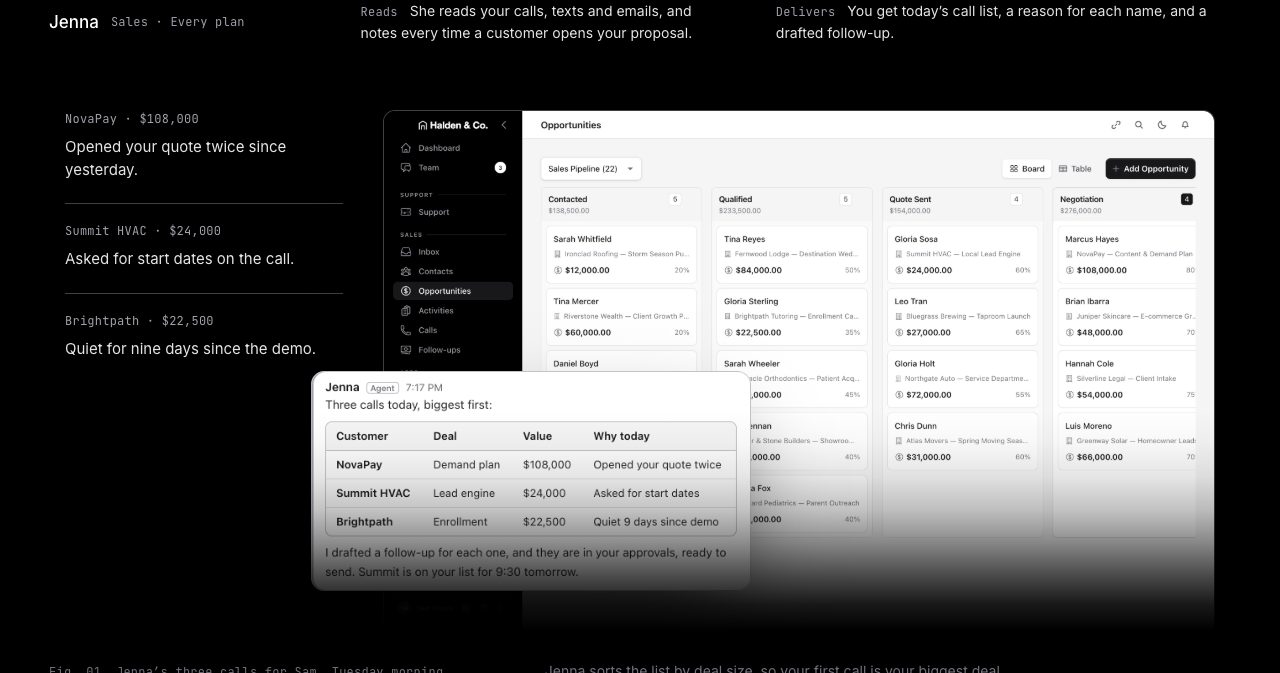
You can also just ask her. Type "Anything on Kestrel?" and Jenna tells you where the deal stands, from the calls, emails, texts and proposal on that customer's page, and drafts the next message for you to approve.
Proposals and e-sign: from call notes to signature
AMW Proposals is where the time savings get easy to picture. Jenna drafts the proposal from the ticket, your call notes and the proposals you've won before. She picks the template and the plan to offer, writes the draft and puts it in your approvals list. AMW's comparison is blunt: she does it in minutes, and typing it yourself takes an afternoon. Before you send it, you can rewrite any section with AI.
Your customer reads it under your logo, picks an option and signs in the same browser tab, on a laptop or a phone. When they confirm, the proposal locks, your team hears about it straight away, AMW CRM keeps the signed copy under the customer's name, and if the proposal carries a price, the invoice follows.
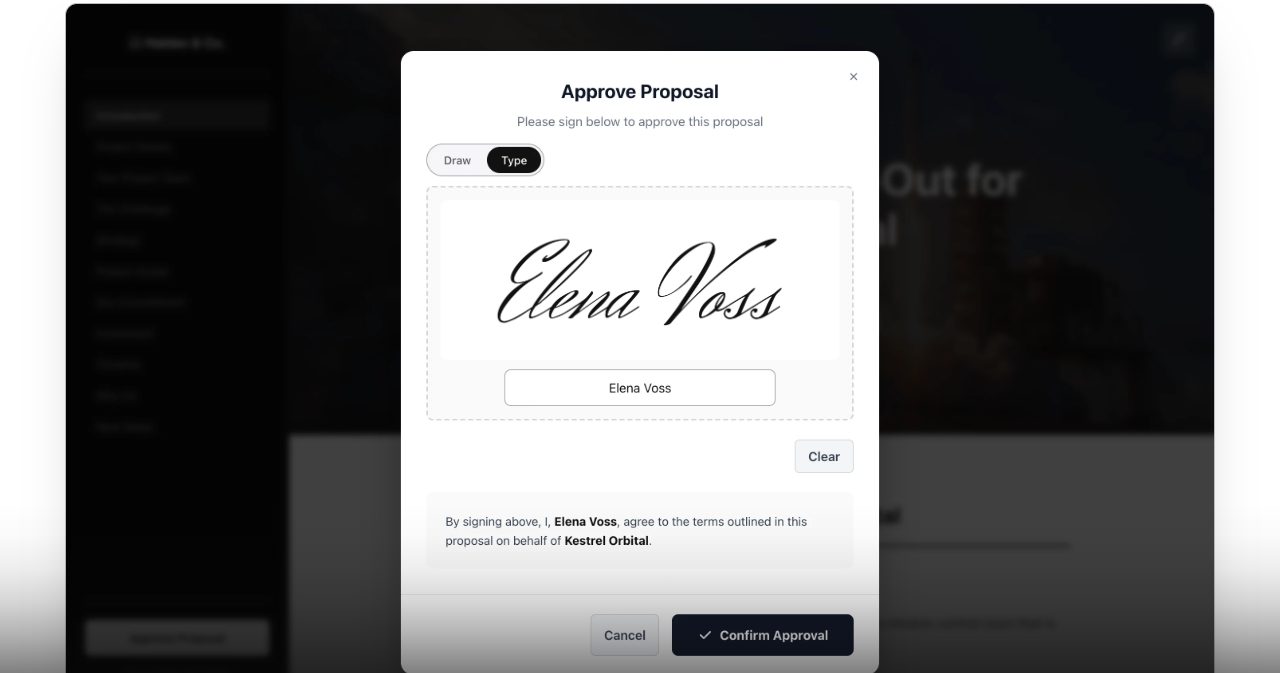
Then there's the part sales teams will love: you know the moment a proposal is opened, and which sections the customer spent time on. Each open posts a message in your team chat inside the Suite, and Jenna drafts the follow-up right then. In AMW's example, Elena opens the proposal twice in an hour and spends 11 minutes on the pricing section the second time. That's your cue to call.
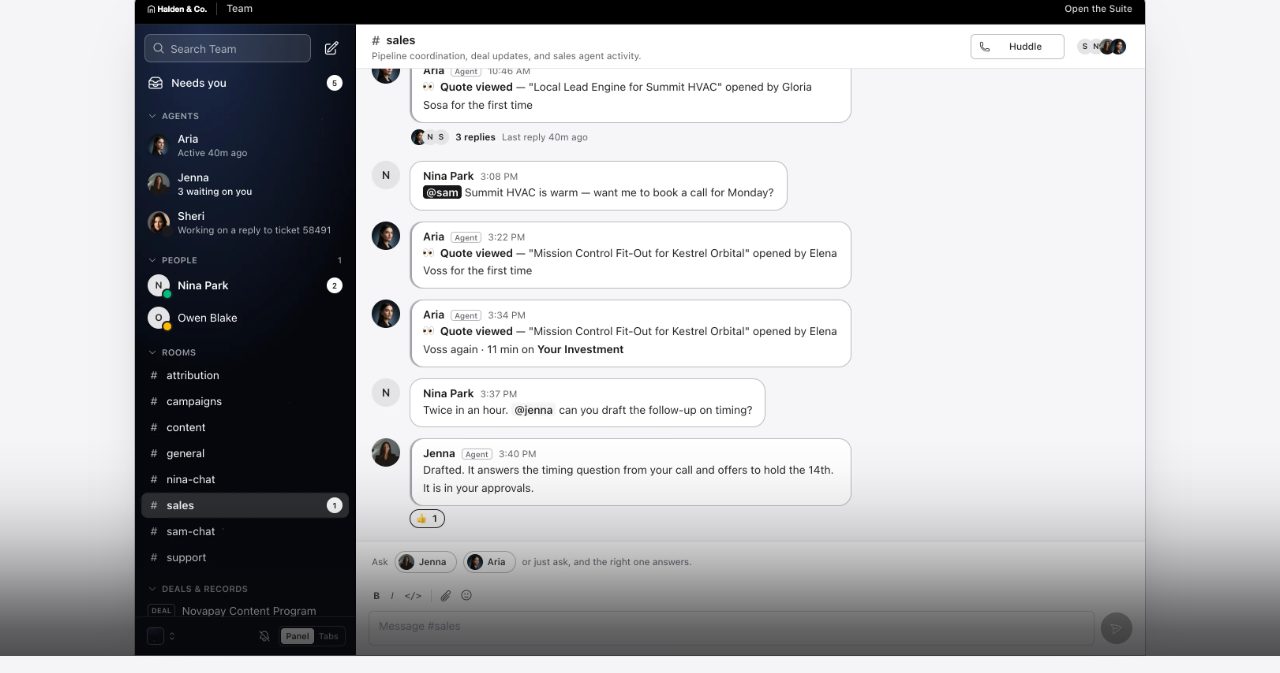
If you already have proposals that win, bring them. On the setup call AMW turns them into branded templates, and Jenna starts each new draft from those.
ClientHub: one portal, one calendar
ClientHub is the client portal, and AMW pitches it against Dubsado, HoneyBook and Bonsai. Your customer logs in and sees the plan and how far along it is, the next milestone or call, their files, invoices and messages, and the people working on their account. They can upload files and invite coworkers, each with their own login. On Business, every page carries your logo and colours.
The useful twist is the shared calendar. You put every deadline, call and reminder on one calendar and assign each item to a person. It lands on their task board in AMW CRM, with alerts by email and Slack. Your customer sees only the dates you choose to share, plus a "Things for you to do" list with a reminder before each due date: the intake form, the floor plans, the agreement, the invoice.
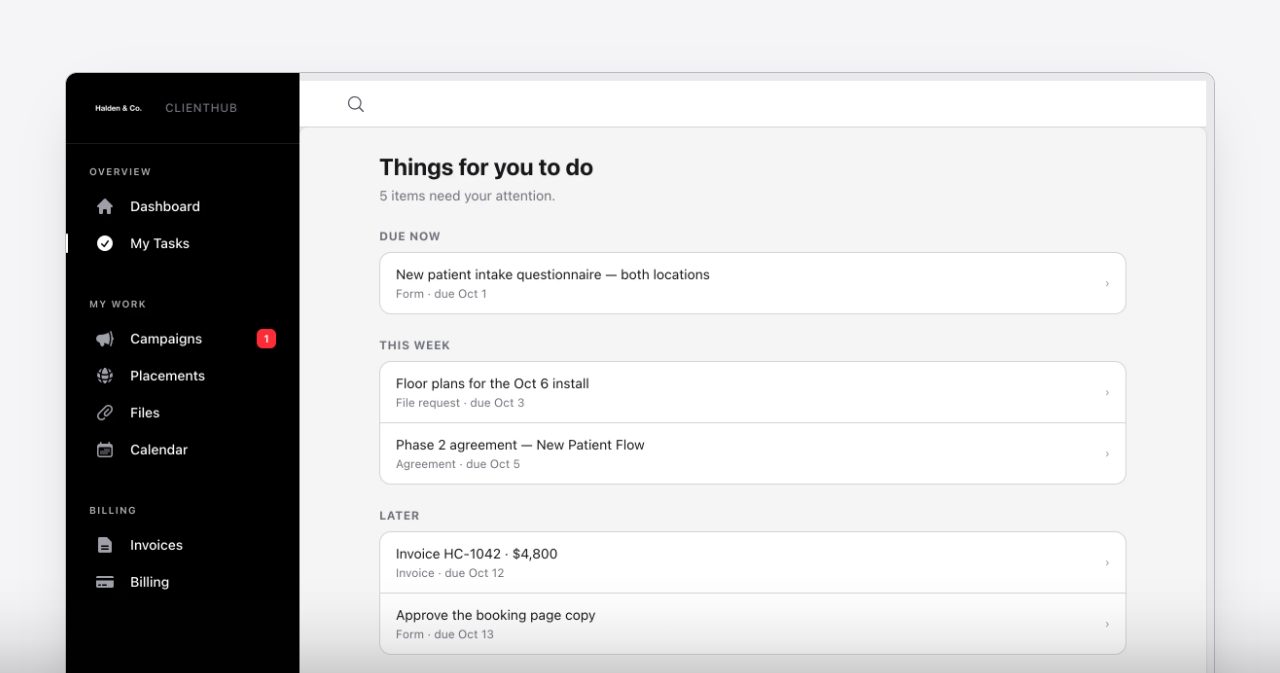
When a customer sends a message from the portal, it becomes a helpdesk ticket and Sheri drafts the reply. Move a date and both sides see the change at once.
AI Helpdesk: one queue, replies already drafted
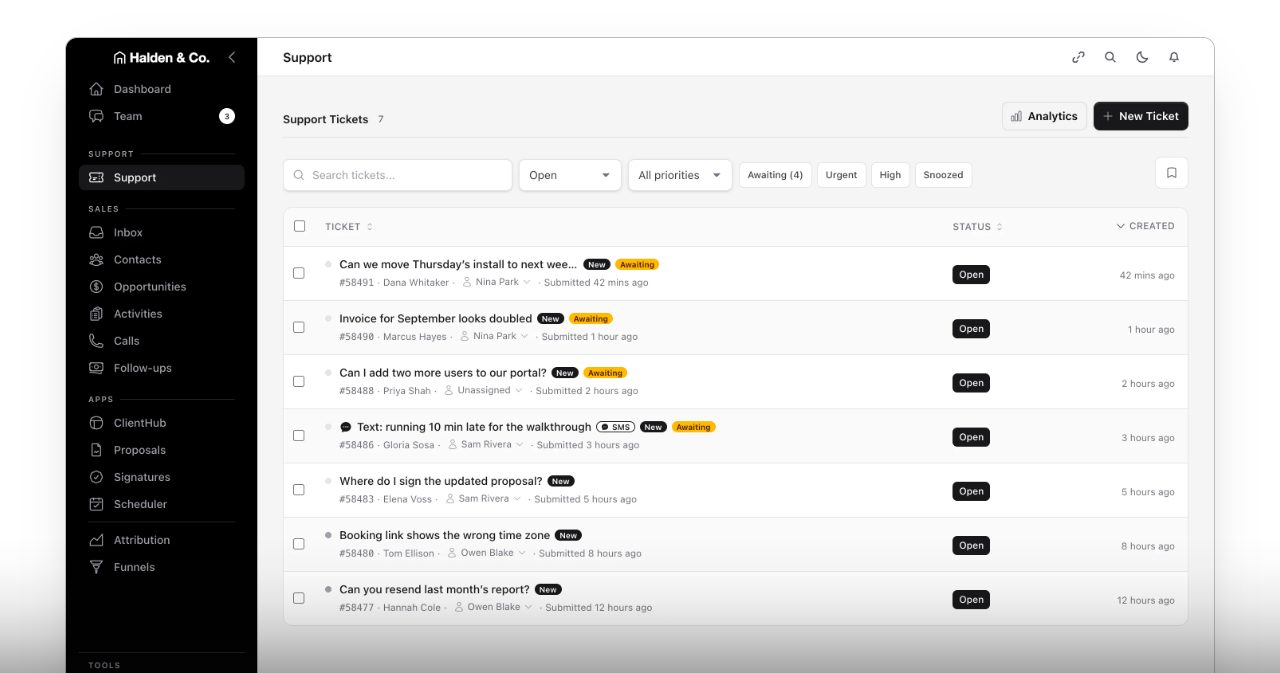
Customer emails, texts and portal messages all arrive in one queue. A text opens a ticket immediately, and your reply goes back as a text. Tickets still waiting for an answer stay at the top, so you always start with the customers who are waiting.
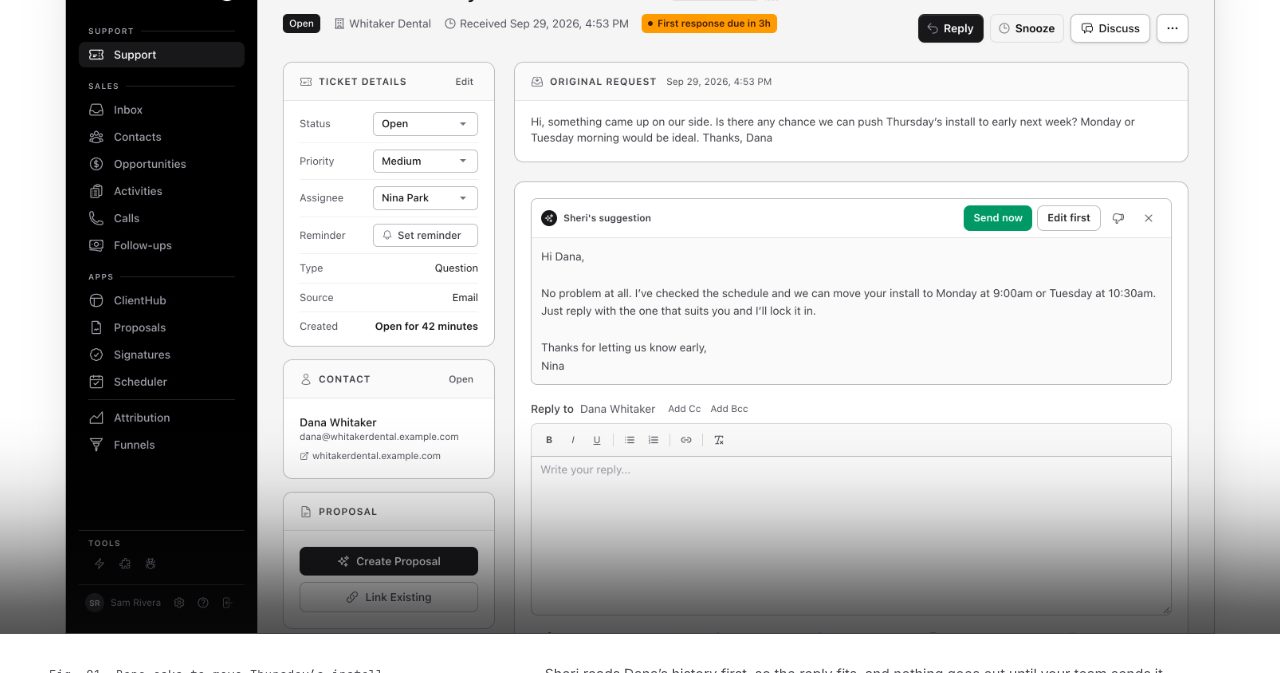
Open a ticket and Sheri's draft is already there. She reads the ticket, the customer's earlier messages and your schedule, then writes in your team's words. In the demo, Dana at Whitaker Dental asks to push Thursday's install, and Sheri offers the two open slots, Monday at 9:00 or Tuesday at 10:30, taken straight from your calendar. You click "Send now" or "Edit first". Once answered, the ticket stays in the customer's history, so sales can see it too.
Scheduler: booking links that brief you
Scheduler covers the Calendly job. You create a link for each kind of call, AMW connects your calendar with you, and the booking page only shows times you're actually free. The customer gets a confirmation page with the join link, a reschedule link and an optional text reminder.
What happens next is the AMW part. The booking lands on the customer's record in AMW CRM with the note they left, and Jenna adds the call to the host's list with a prep note. In AMW's walkthrough, Gloria books at 4:09 pm. By 4:12 the call is saved, the reminder is texted, and Jenna has left Sam a prep note: confirm the April start and the two-week lead time.
Funnels, pop-ups and chat
Funnels builds the multi-step forms people usually make in Typeform or ClickFunnels. Visitors answer one question at a time, in your colours, and on a phone the form fills the screen. You paste one line of code into your site or share a link, and during setup AMW's team can install it for you and rebuild your current forms with the same questions.
Each submission becomes a contact in AMW CRM with every answer, the page they were on and the ad or search that brought them, including Google's click ID. Jenna reads it, puts a call on the right person's list and drafts the first reply.
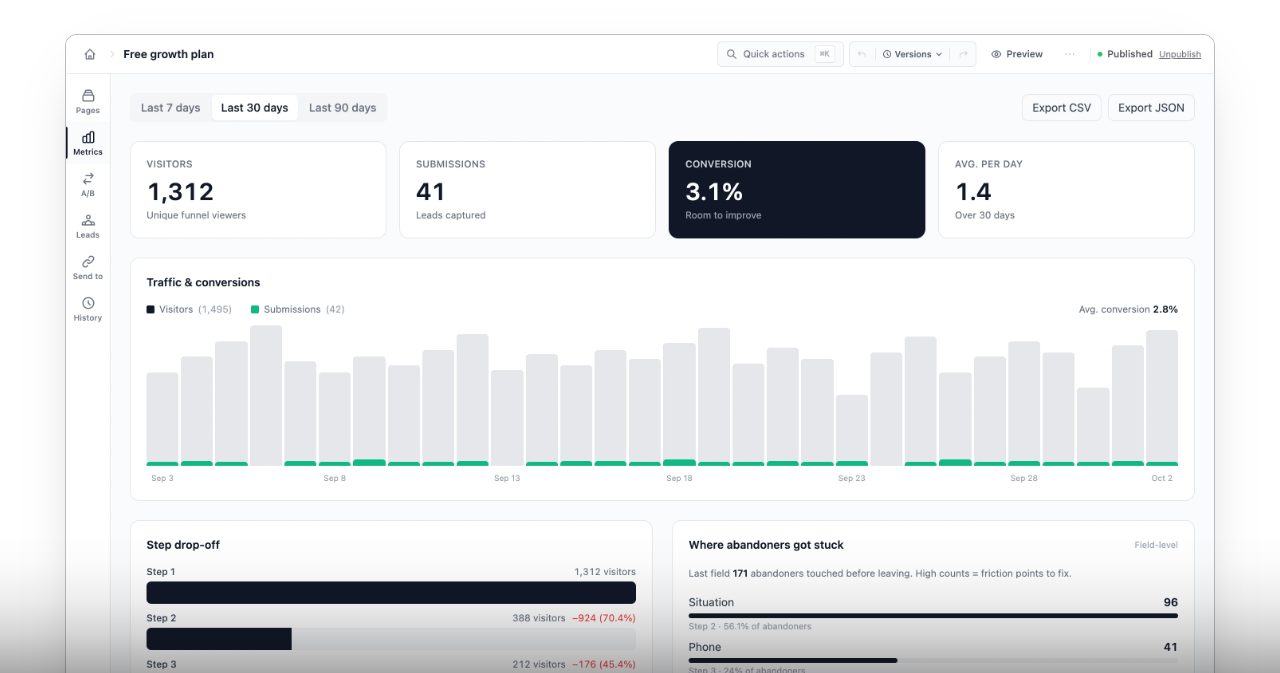
The analytics count every step and every field, so you can see the exact question where people quit. In AMW's example, 96 people dropped out at a question that asked them to type an answer, so the team made it optional.
Attribution: ad spend against signed revenue (Business plan)
Attribution is the Business plan's extra app, and it answers the question most ad dashboards dodge: which campaigns brought in customers who actually signed? You add one script to your site and connect Google Ads and Meta. AMW counts revenue when a customer signs a proposal or pays an invoice, then matches it to the click that first brought them in. Google's and Meta's own conversion numbers sit alongside for comparison, and you can switch between first-click and last-click credit. Your past ad results can be imported on the setup call.
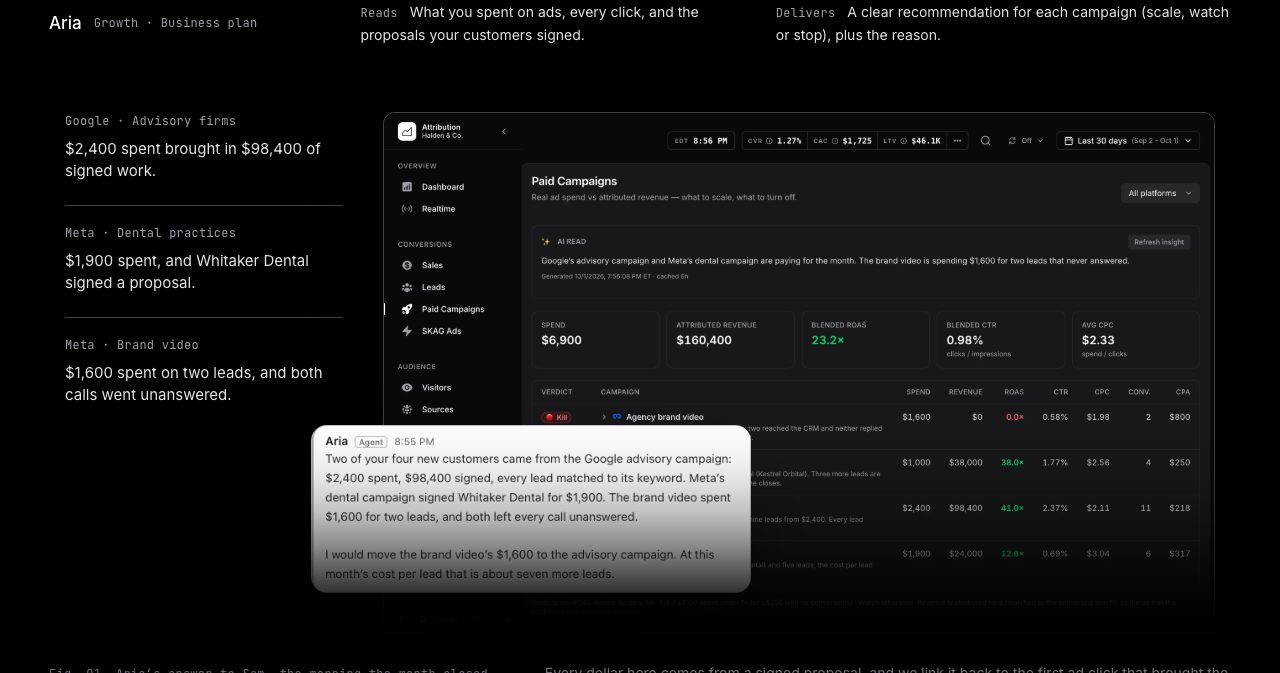
Each morning, Aria gives every campaign a verdict (scale, watch or stop) with the reason and the money behind it. In the demo account, a Google campaign aimed at advisory firms turned $2,400 into $98,400 of signed work, while a brand video spent $1,600 on two leads who never picked up.
Meet the AI team: Sheri, Jenna, Aria and Marcus
AMW presents its AI agents as specialists with names and jobs, and each name comes with a clear brief: what it reads and what it hands you.
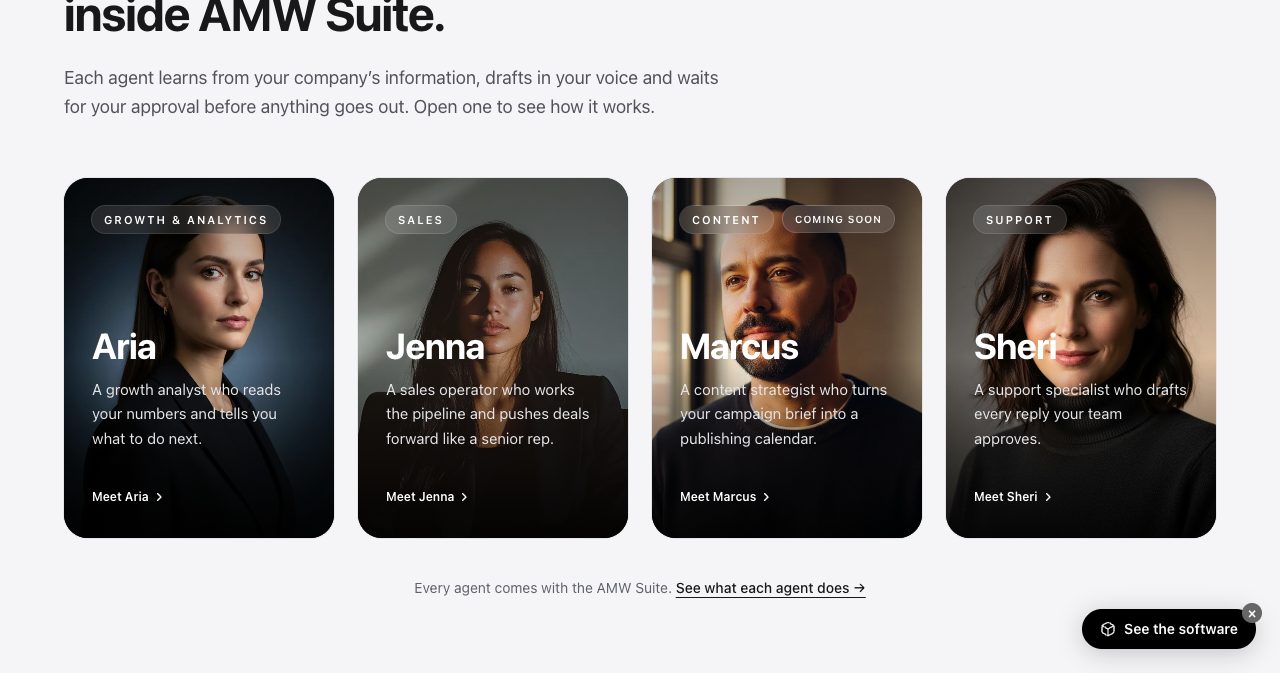
| Agent | Job | Plan | Reads | Hands you |
|---|---|---|---|---|
| Sheri | Support | Every plan | The ticket, the customer's past tickets, emails and texts, your schedule | A reply in your voice, waiting for a person to send |
| Jenna | Sales | Every plan | Every call, text, email, form answer, booking and proposal open | Today's call list with reasons, drafted follow-ups and proposals, call prep notes |
| Aria | Growth | Business | Ad spend, every click, signed proposals | A verdict per campaign each morning, with the reason and the money behind it |
| Marcus | Content | Coming soon | Your campaign brief | A publishing calendar and posts |
During onboarding the agents learn your services and your tone, so, in AMW's words, "their first suggestion already sounds like you." They also work in a shared team chat inside the Suite, where you can ask them things and they post updates, like the proposal alerts above.
The approval rule
Here's the design choice we'd weigh most if we were buying. The agents never send anything. Every draft goes into a "Waiting on your approval" list with Review and Reject buttons, and someone on your team decides. AMW puts it simply: "Each one drafts; your people decide what goes out." When Nina sends a reply Sheri wrote, the customer sees Nina's name on it.
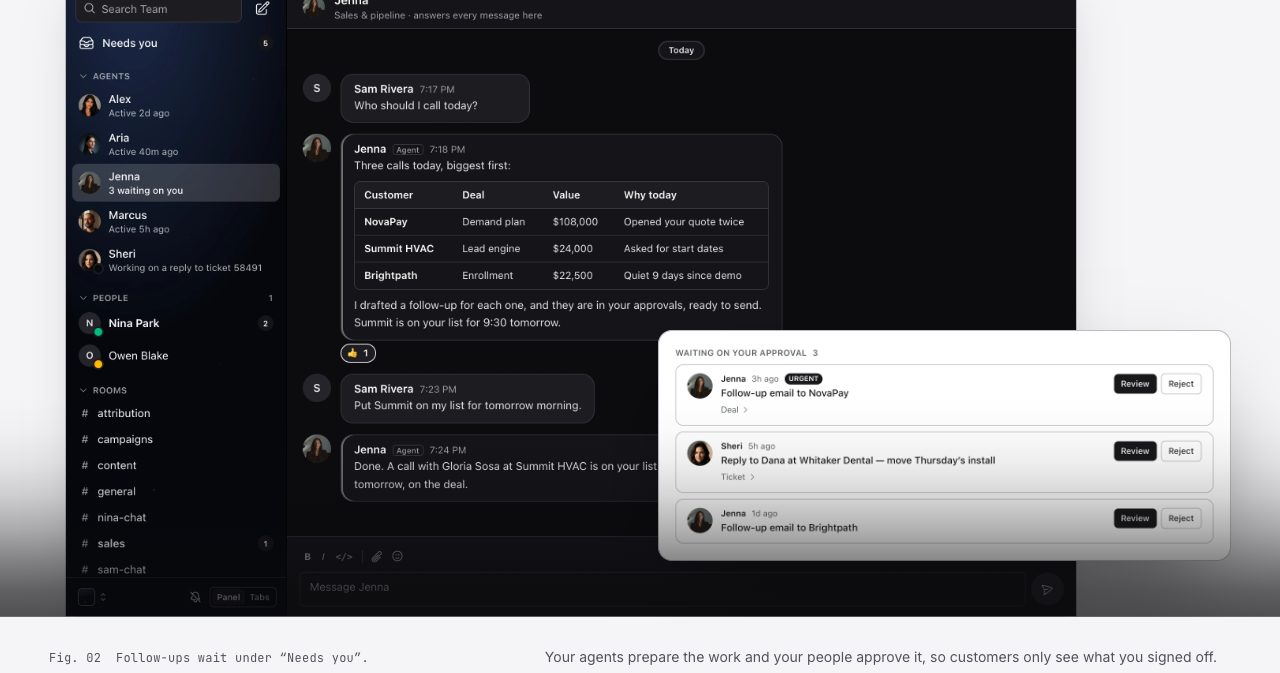
For clinics, law and accounting firms, financial advisers or anyone whose name is on every message, that's what makes the AI usable at all. You get most of the typing done for you and keep full control of what customers actually read.
Which AI models power it?
AMW says the Suite runs on "top AI models", and the Suite page shows the Claude, OpenAI, Gemini and Perplexity logos. It doesn't publish which model handles which task. If your compliance team needs to know where customer data is processed, add that to your demo questions.
Desktop and mobile apps
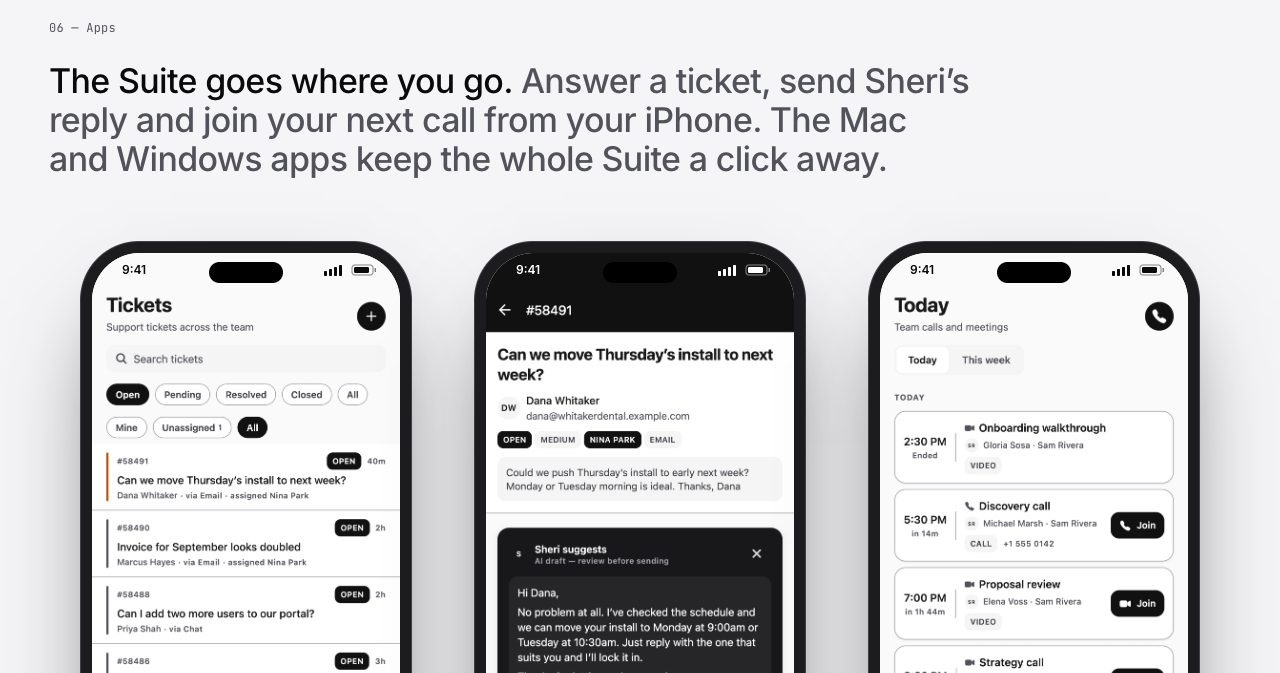
The Suite runs in the browser, and every plan also includes apps for Mac, Windows and iPhone. On the phone you can work the support queue, send Sheri's drafted reply and join your next call, which suits owners who spend half the day away from a desk.
White-glove migration: how the move works
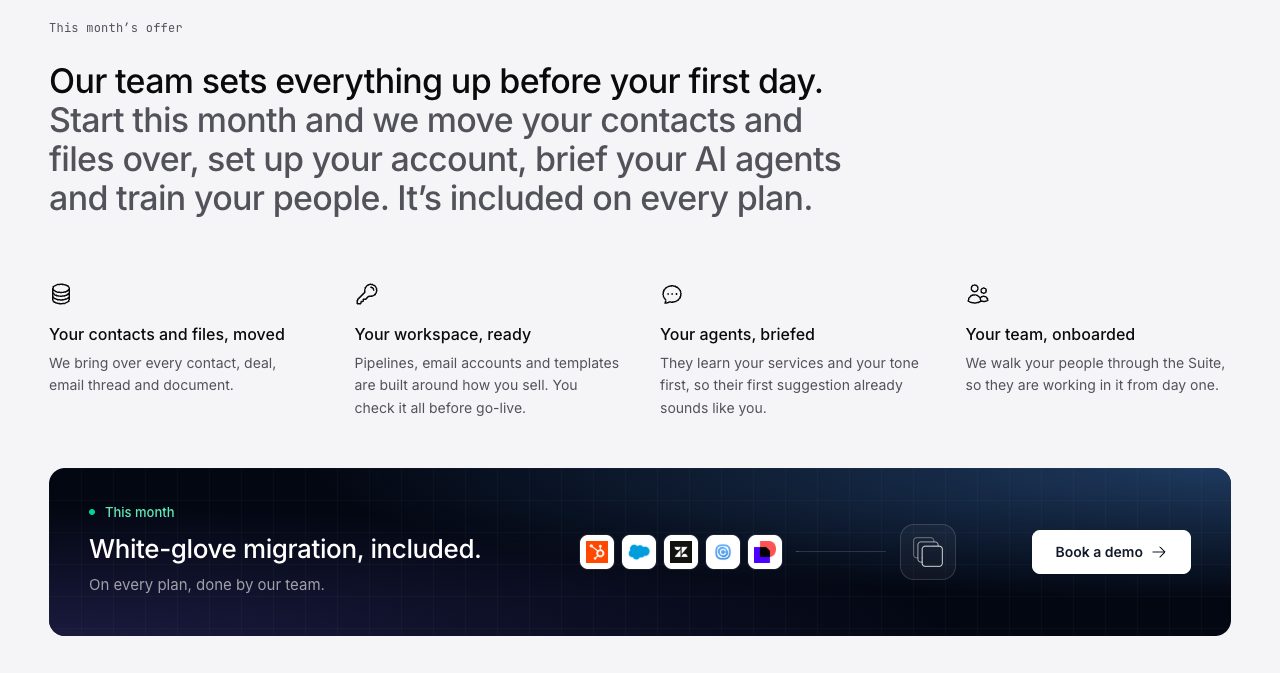
Switching tools is the part most teams dread, and it's where AMW leans on its agency side. For teams that start this month, migration is done by AMW's own team and included on every plan. It covers four things:
- Your contacts and files. Every contact, company, deal, email thread and document, with the history that came with them.
- Your workspace. Pipelines, email accounts and templates built around how you sell. You check it all before go-live.
- Your agents. Sheri and Jenna learn your services and tone first.
- Your team. AMW walks your people through the Suite so they work in it from day one.
App by app, setup goes further: your current forms are rebuilt in Funnels, your winning proposals become templates, your calendar gets connected and your past Google Ads and Meta results come into Attribution. AMW says most migrations are done in 48 hours. The offer is framed as "this month", so confirm it on your demo.
How much does AMW Suite cost?
AMW prices each team on the demo, so the plans page shows Team and Business as "On request" and Enterprise as "Custom". Here's what each plan includes:
| Team | Business | Enterprise | |
|---|---|---|---|
| Users | Up to 5 | Up to 10 | More |
| Apps | AI CRM, Proposals with e-sign, ClientHub, AI Helpdesk, Scheduler, Funnels | Everything in Team, plus Attribution | Everything in Business |
| AI agents | Sheri and Jenna | Sheri, Jenna and Aria, with high-volume AI | Higher AI volume |
| Onboarding and support | Guided setup, email support | Dedicated onboarding, priority support | Connections to your other tools, built by AMW |
| Your branding for customers | No | Yes | Yes |
| Launch price (billed yearly) | $279/month ($3,348/year) | $559/month ($6,708/year) | Custom |
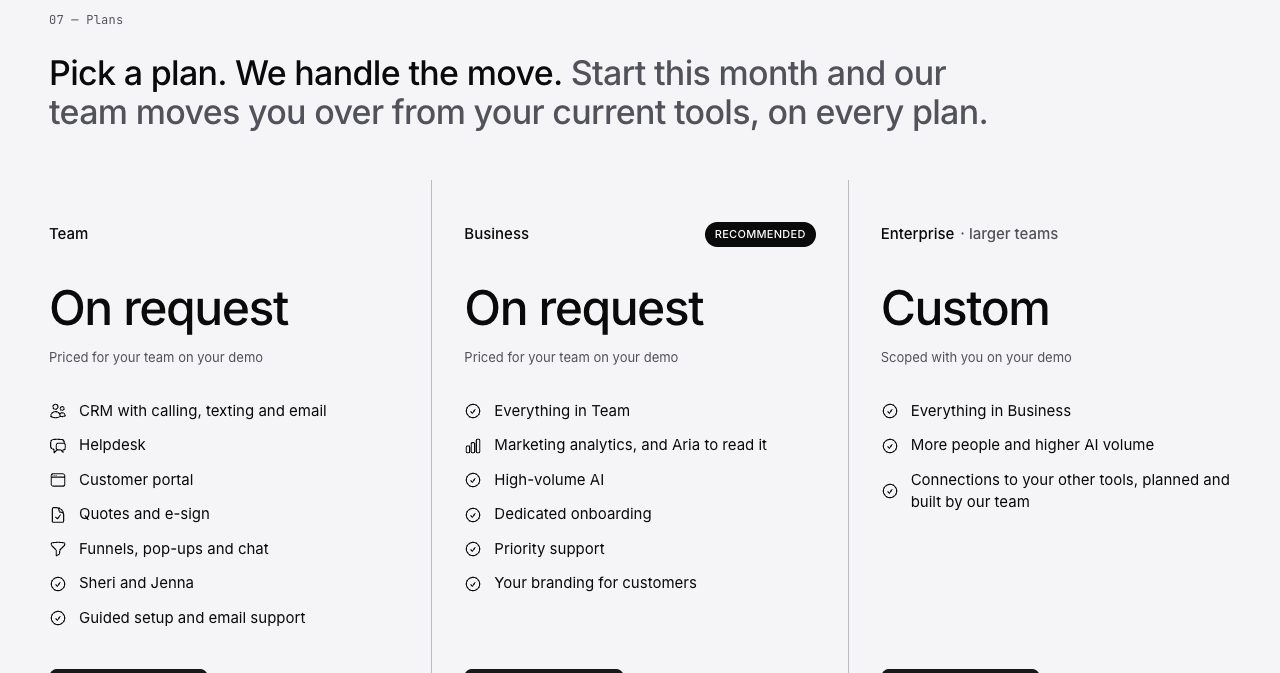
The launch prices come from AMW's May 2026 announcement, which also said every plan was available monthly and that yearly billing saved 20 percent. The Proposals page still says plans start "from $279 a month billed yearly." Take those as a guide, and get your actual number on the call.
The easiest way to judge the price is to add up what you pay today for the tools in the comparison table, per seat, and set that next to your quote. Then count the hours your team spends copying things between them. You log in once, pay one invoice, and can cancel whenever you like, keeping access until the end of the period you've paid for.
Who is behind AMW Suite?
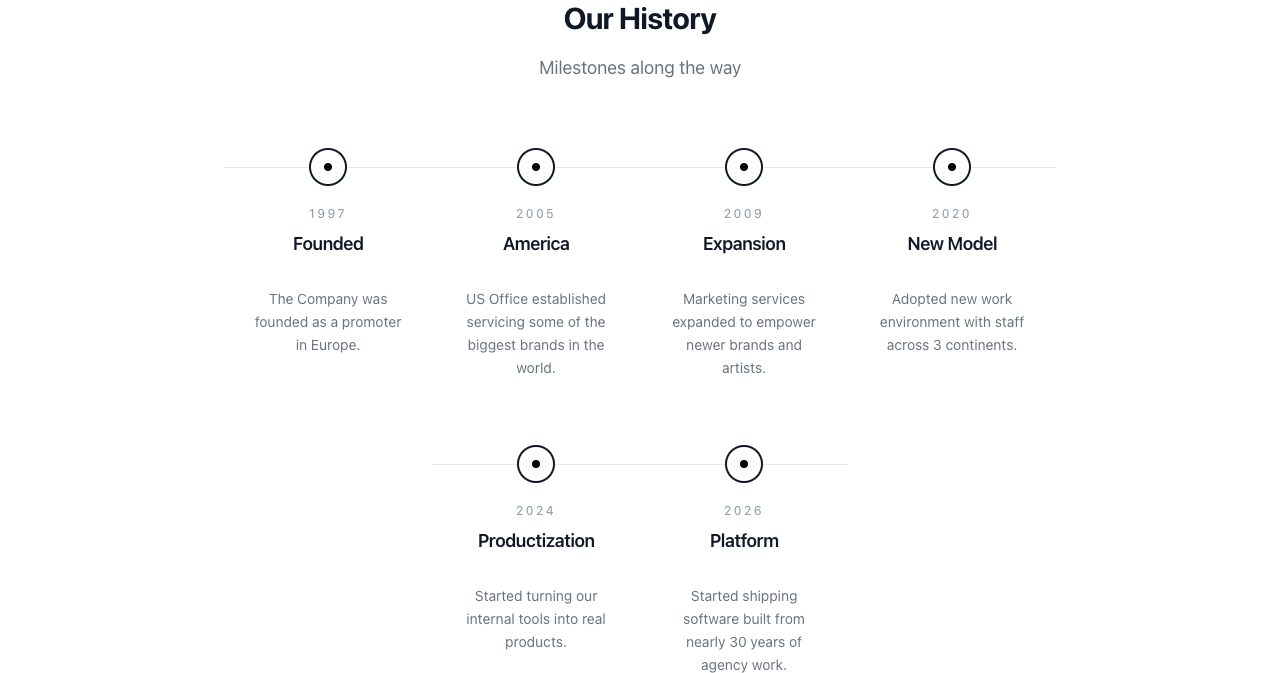
AMW® is a software, AI and marketing company. Its timeline on the About page goes like this:
- 1997: founded as a promoter in Europe.
- 2005: opened a US office working with some of the biggest brands in the world.
- 2009: expanded marketing services for newer brands and artists.
- 2020: moved to a team spread across three continents.
- 2024: started turning its internal tools into products.
- 2026: started shipping the software, built from nearly 30 years of agency work.
AMW says it has worked in more than 45 countries on six continents, with team members across North America, Europe and Asia. Its case studies include talent and event consulting for the launch of The Ritz-Carlton's first Austrian hotel, work for Art Basel and an AI project with Cognida.AI. The company still offers public relations, content marketing, AI implementation and entertainment marketing, which is handy if you'd like help with growth as well as software, though the Suite works on its own.
You can reach AMW by phone in Los Angeles (+1 310 295 4150), Miami (+1 305 521 9065) and New York (+1 212 461 4796), or on WhatsApp, Monday to Friday, 9 AM to 6 PM local time. The team usually replies within one business day.
Who is AMW Suite for?
AMW names four kinds of business on the Suite page, and the product examples back them up:
- Clinics and practices: appointments, reminders, patient questions and follow-ups.
- Real estate and property: leads, viewings, offers, signed agreements and past clients.
- Professional firms: legal, accounting and consulting, from intake to proposals to signed engagements.
- Product and B2B companies: pipelines, demos, renewals and support.
From what we saw, the sweet spot is a service business of two to ten people running five or more separate tools, where the same customer gets sold to, onboarded and supported by different people. Agencies and consultancies fit especially well, since the Suite is literally modelled on one. It also suits owners who want AI to take on the typing without ever handing it the send button.
It's a lighter fit for a solo freelancer who only needs a booking link and an invoice, since the plans start at a team of up to five. Online stores that sell through a checkout should look closely too, because the Suite's revenue tracking is built around proposals and invoices. And very large organisations with heavily customised Salesforce setups will want to scope Enterprise carefully before switching.
AMW Suite vs a stack of separate tools
| Separate tools | AMW Suite | |
|---|---|---|
| Logins and bills | One per tool | One login, one invoice |
| Customer history | Split across tools, synced by integrations or by hand | One record, written by the apps as things happen |
| AI | Each tool's assistant sees only its own data | Agents read the whole customer record before drafting |
| What goes out | Varies by tool | A person approves every draft |
| Switching | You migrate and connect everything yourself | AMW's team migrates and sets up, about 48 hours for most |
| Depth in one category | Specialist tools can go deeper | The everyday job of each tool, with shared context |
| Outside connections | Large integration marketplaces | Calendar, Slack, Google Ads and Meta; more on Enterprise, built by AMW |
What we liked, and what to know before you book a demo
What stands out
- The record fills itself. Calls, texts, opens, bookings and tickets are logged by the apps, so the CRM stays current without anyone policing it.
- AI with a brake. Sheri, Jenna and Aria do real drafting work, and nothing reaches a customer without a person's say-so.
- The proposal loop is tight. Draft from call notes, see the open, follow up while they're reading, collect the signature, send the invoice, all on one deal.
- Migration is done for you. For most teams, moving is the real cost of switching, and AMW takes it on.
- Attribution in signed revenue. Aria judges campaigns by proposals signed and invoices paid, not clicks.
- Built by people who run client work. AMW runs its own business on the Suite, and the product reads that way.
Worth knowing
- No public price list. You get a quote on the demo. The launch prices ($279 and $559 a month, billed yearly) are a reasonable guide.
- No self-serve trial advertised. The way in is the free 20-minute demo.
- Some features are Business-only. Attribution, Aria, high-volume AI and your branding in the portal sit on Business. Marcus, the content agent, is still coming soon.
- Seat caps. Team covers up to 5 users and Business up to 10. Beyond that, it's Enterprise.
- A focused ecosystem. The site mentions calendar, Slack, Google Ads and Meta connections. Anything else is listed under Enterprise, planned and built by AMW's team.
- It's new. The Suite launched in May 2026, so there are fewer independent user reviews than for decade-old tools. The demo is the place to see it working on your own use case.
How to get started with AMW Suite
- List your current tools. Note what each costs and who uses it. It makes the demo and the price comparison much quicker.
- Book the 20-minute demo. AMW looks at what you run today, walks you through the Suite and maps your move.
- Pick a plan. AMW suggests Team for up to five people, and Business for up to ten or when you want ad attribution.
- Hand over the migration. AMW's team imports your contacts, deals, history, documents and templates, rebuilds your forms and turns your winning proposals into templates.
- Review before go-live. Check the pipelines, templates and imported records while the agents are briefed on your services and tone.
- Go live. Work from the web, Mac, Windows or iPhone, and approve the drafts as they come in.
Is AMW Suite worth it?
If your week involves chasing context across a CRM, a proposal tool, a scheduler, a helpdesk and a portal, AMW Suite is well worth a demo. What it offers is easy to state and hard to build: one customer record that keeps itself up to date, AI agents that read that record and do the first draft of the routine work, and a person deciding what every customer sees. The proposal flow and Jenna's daily call list are the standout features, and the included migration takes away the biggest reason teams put off switching.
Go in with a short list of the tools you pay for and the two or three jobs that eat your team's time. Ask to see those jobs in the Suite, ask for your price and the migration plan, and you'll know within twenty minutes whether one login can replace your current pile of them.
FAQ
What is AMW Suite?
AMW Suite is an all-in-one business platform from AMW®, a marketing and software company founded in 1997. It puts a CRM with calling, texting, WhatsApp and email, proposals with e-signatures, a branded client portal, a helpdesk, booking links, website forms and pop-ups, and ad attribution on one login and one invoice. Every app writes to the same customer record, and AI agents named Sheri, Jenna and Aria read that record to draft replies, follow-ups and recommendations for your team to approve.
How much does AMW Suite cost?
AMW prices each team on a free 20-minute demo, so the site shows Team and Business as on request and Enterprise as custom. When the Suite launched in May 2026, AMW published Team at $279 a month ($3,348 a year) for up to 5 users and Business at $559 a month ($6,708 a year) for up to 10 users, billed yearly, and the Proposals page still says plans start from $279 a month billed yearly. Treat those figures as a guide and confirm your price on the demo.
What is the difference between the Team and Business plans?
Team covers up to 5 users and includes six apps (AI CRM, Proposals with e-sign, ClientHub, AI Helpdesk, Scheduler and Funnels), the Sheri and Jenna agents, guided setup and email support. Business covers up to 10 users and adds Attribution with the Aria agent, high-volume AI, dedicated onboarding, priority support and your own branding on everything customers see. Enterprise adds more users, more AI volume and connections to your other tools built by AMW's team.
Do AMW's AI agents send messages to customers on their own?
No. Sheri, Jenna and Aria read your records and draft replies, follow-ups, proposals and recommendations, and every draft waits in an approval list until someone on your team reviews it and sends it. Customers see the reply under your teammate's name.
Which AI models does AMW Suite use?
AMW says the Suite is powered by top AI models, and its Suite page shows the Claude, OpenAI, Gemini and Perplexity logos. AMW does not publish which model handles which task, so if your business needs to know where data is processed, ask on the demo.
Can AMW move my data over from HubSpot, Pipedrive, Zendesk or other tools?
Yes. AMW's team imports your contacts, companies, deals, history, email threads, tickets, templates and documents, builds your pipelines and email accounts, rebuilds your website forms, turns your winning proposals into templates, briefs the AI agents and trains your team. AMW says most migrations are done in 48 hours, and you review everything before go-live. White-glove migration is currently included on every plan for teams that start this month.
Can I buy just one AMW app, like the CRM or Proposals?
Every plan carries all six core apps, and Business adds Attribution. You can start with one app on day one and switch the others on as you go, and the price is the same either way.
Does AMW Suite have mobile and desktop apps?
Yes. Alongside the web app, AMW Suite has apps for Mac, Windows and iPhone, included with every plan. On the iPhone you can answer tickets, send Sheri's drafted replies and join your next call.
Can customers sign AMW proposals on their phone?
Yes. An AMW proposal opens in the browser on any device, and the customer picks an option, approves and signs on the same screen. The proposal then locks, your team is notified, AMW CRM keeps the signed copy and, if the proposal carries a price, the invoice follows.
Can the AMW client portal carry my own branding?
Yes, on the Business plan. Every page your customer sees in ClientHub then carries your logo and your colours. Customers can invite coworkers to the portal, each with their own login.
Can I cancel AMW Suite?
Yes, anytime. You keep access until the end of the term you have paid for, and AMW says your data goes with you.
Is there a free trial of AMW Suite?
AMW does not advertise a self-serve free trial. Access starts with a free 20-minute demo, where AMW looks at the tools you use today, walks you through the Suite, maps your move and recommends a plan.
If you're building business software of your own, SaaSCity is a free, human-reviewed startup directory with a live city map where a listing is a permanent page other founders actually see. Submitting takes about ten minutes.
Get your SaaS in front of founders
List your product on SaaSCity - a permanent listing, real discovery, and a dofollow backlink from a high-DR directory. Free with a badge; upgrade for a building on the live city map.