Build with AI
Best MCP Servers for Claude Code in 2026 (+ Exact Setup Commands)
The MCP servers actually worth connecting to Claude Code — GitHub, Context7, Playwright, databases, and more — with the exact, docs-verified claude mcp commands to add them, a starter stack, and how to keep many servers without blowing up your context.

Contents (8)
Quick answer: The MCP servers worth connecting to Claude Code in 2026 are Filesystem, GitHub, Context7, and Playwright as the starter four, plus Supabase/Postgres if you have a database, and Sequential Thinking, Memory, Fetch and Sentry as situational additions. Remote servers install with claude mcp add --transport http <name> <url>; local ones with claude mcp add <name> -- npx -y <package>. Run 4 to 8 at a time, keep tokens in --env, and scope team servers to .mcp.json.
Skills make Claude Code consistent. MCP servers make it capable — they connect it to GitHub, your database, a browser, live docs, your error tracker. Connect a server whenever you catch yourself copying data into chat from another tool.
This is the servers-and-setup guide. For how skills and plugins work, see the skills & plugins guide; for project structure, the Claude Code projects hub.
Every
claude mcpcommand below was verified against the official Claude Code MCP docs on 22 June 2026. Where a server's install varies (remote vs local, OAuth), I link its repo for the current exact line rather than risk a stale one.
Key Takeaways
- Starter four: Filesystem, GitHub, Context7 and Playwright cover file edits, repo work, accurate library docs and real browser verification.
- Two install shapes: Remote/HTTP uses
claude mcp add --transport http <name> <url>; local/stdio usesclaude mcp add <name> -- npx -y <package>. - Keep the count low: Start with 4 to 8 servers and connect only what you actually use, even though Tool Search lazy-loads tool definitions by default.
- Scopes decide reach:
--scope localis just you,--scope projectwrites a version-controlled.mcp.jsonthat prompts each teammate for approval,--scope userapplies across all your projects. - Secrets go in
--env: Pass tokens with--env, keeping at least one option between--envand the server name because of a CLI quirk. - MCP is client-agnostic: The same server runs in Claude Code, Cursor and other MCP clients; only the registration command differs.
- Check the source for GitHub and Supabase: Their install lines vary between remote, OAuth and local, so take the current one from github/github-mcp-server and supabase/mcp.
What MCP is (in one paragraph)
The Model Context Protocol is an open standard for connecting AI tools to external systems. An MCP server exposes a system (GitHub, Postgres, a browser) as tools Claude can call. It's client-agnostic — the same server works in Claude Code, Cursor, and other MCP clients. Skills are knowledge; MCP servers are reach.
The MCP servers worth connecting
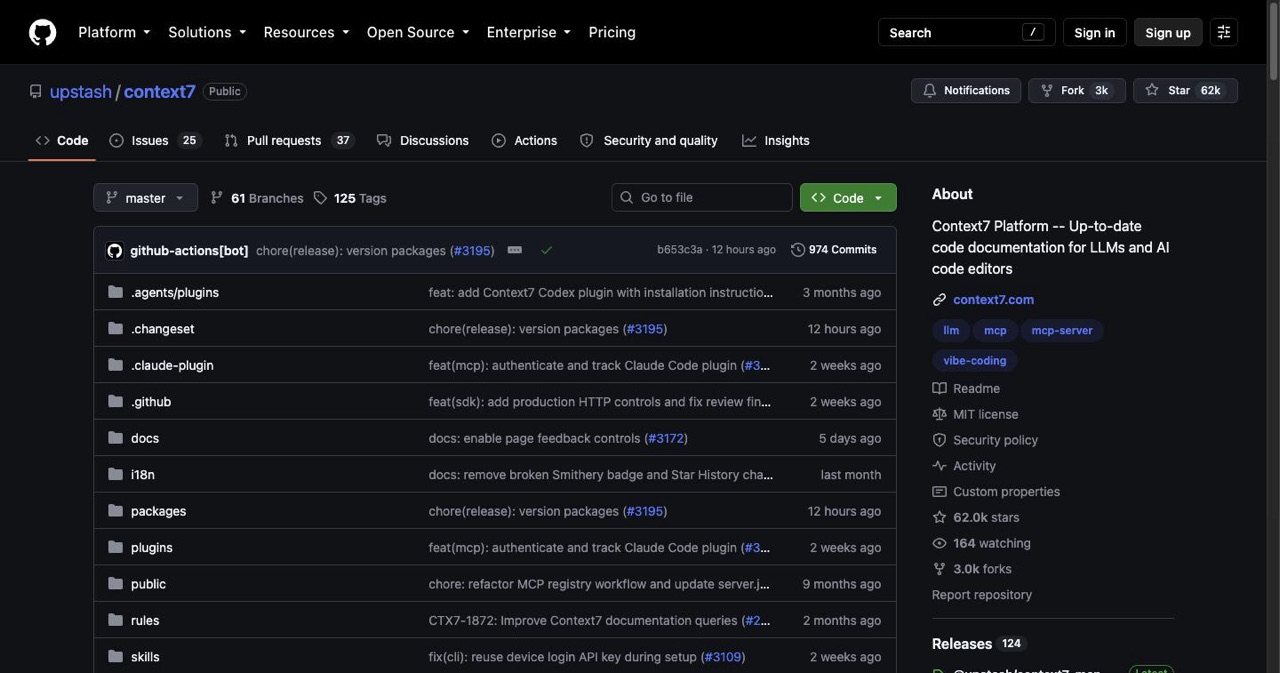
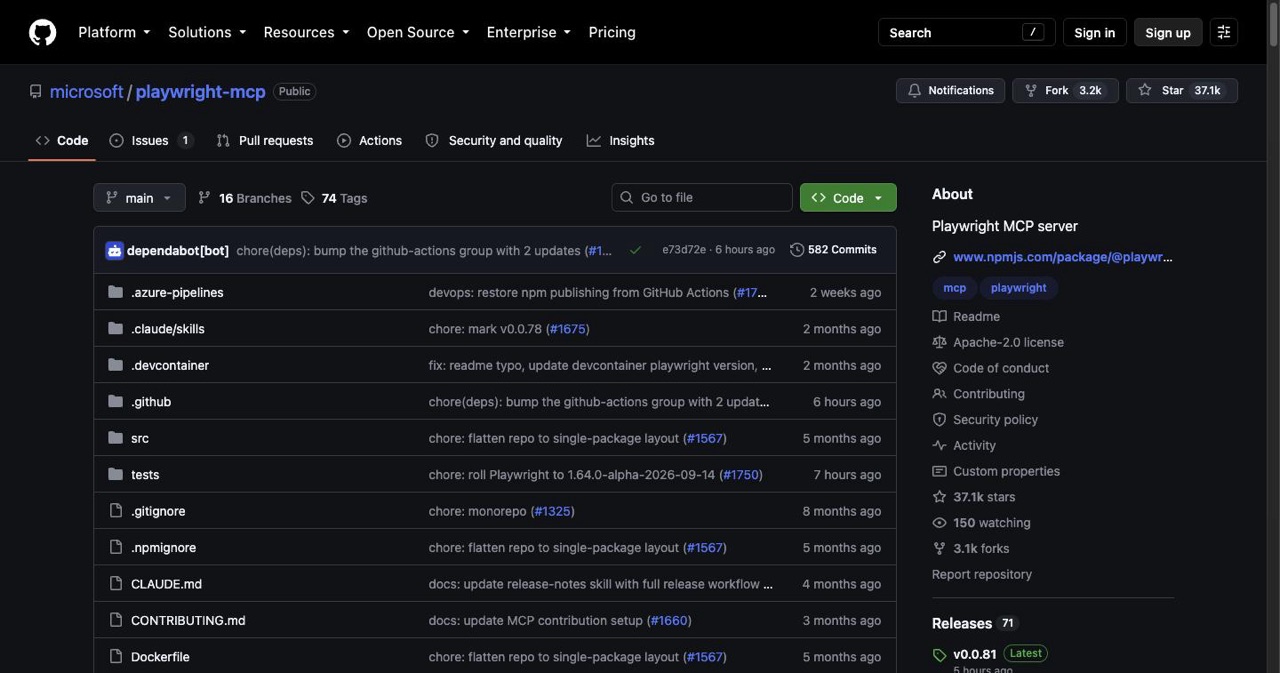
Curated and checked against live GitHub on 22 June 2026.
| Server | What it does | Repo (stars) |
|---|---|---|
| Filesystem | Sandboxed read/write outside the working dir | modelcontextprotocol/servers (~88k) |
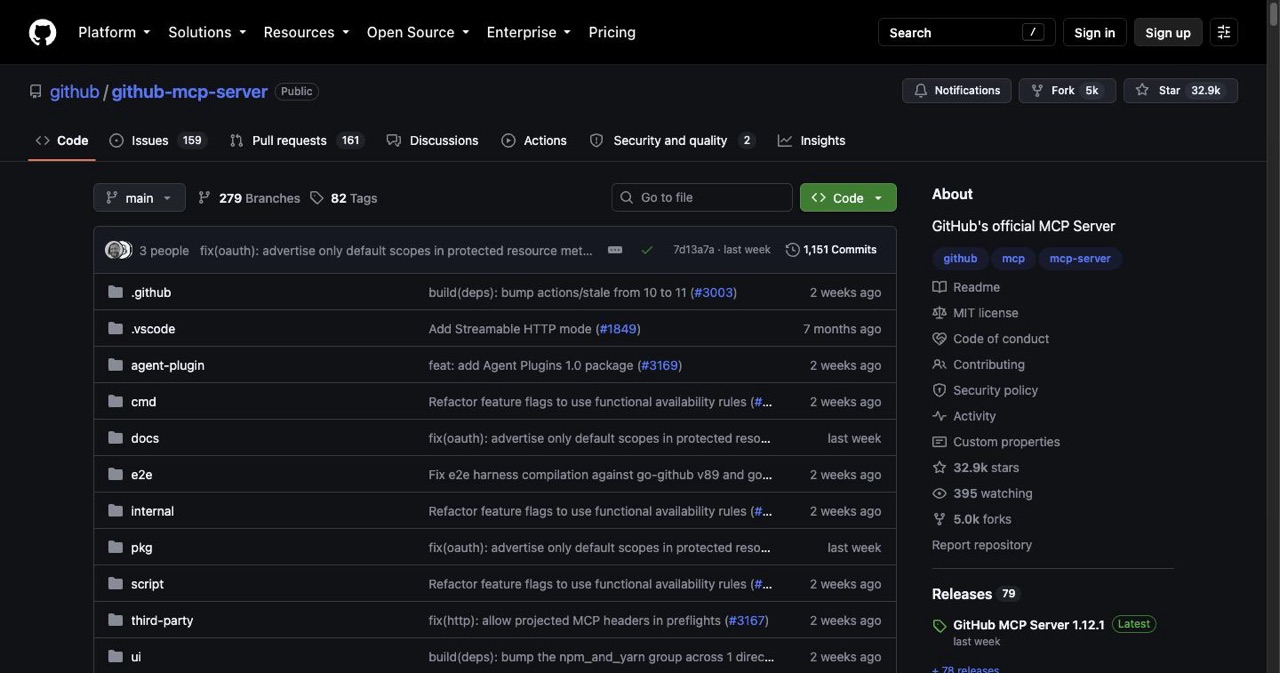
| GitHub | PRs, issues, code search, repo actions | github/github-mcp-server (~31k) |
| Context7 | Live, version-specific library docs (less hallucination) | upstash/context7 (~58k) |
| Playwright | Real browser automation + E2E testing | microsoft/playwright-mcp (~34k) |
| Supabase / Postgres | Query tables, inspect schema, run migrations | supabase/mcp (~3k) |
| Sequential Thinking | Structured multi-step reasoning | modelcontextprotocol/servers |
| Memory | Persistent knowledge graph across sessions | modelcontextprotocol/servers |
| Fetch | Lightweight web content fetching | modelcontextprotocol/servers |
| Sentry | Pull error stack traces into a session | getsentry/sentry-mcp |
The honest starter four: Filesystem + GitHub + Context7 + Playwright covers most real coding work — edit files, manage your repo, get accurate library docs, and verify in a real browser. Add Supabase/Postgres if you have a database.
Exact setup — the verified commands
There are two shapes: remote (HTTP) and local (stdio).
Remote / HTTP server (then authenticate with /mcp if it uses OAuth):
claude mcp add --transport http <name> <url>
# real example from the docs:
claude mcp add --transport http stripe https://mcp.stripe.com
Local / stdio server — everything after -- is the command that runs the server:
# Context7 — live library docs
claude mcp add context7 -- npx -y @upstash/context7-mcp

# Filesystem — give it the path it may touch
claude mcp add filesystem -- npx -y @modelcontextprotocol/server-filesystem ~/projects

# Playwright — browser automation
claude mcp add playwright -- npx @playwright/mcp@latest

# Sequential thinking
claude mcp add sequential-thinking -- npx -y @modelcontextprotocol/server-sequential-thinking
Passing secrets — use --env, and keep at least one option between --env and the name (the CLI quirk):
claude mcp add --env SOME_TOKEN=xxxx --transport stdio myserver -- npx -y some-mcp-server
Complex config — add-json (the type accepts streamable-http as an alias for http):
claude mcp add-json context7 '{"type":"stdio","command":"npx","args":["-y","@upstash/context7-mcp"]}'
Manage them:
claude mcp list            # all servers + status
claude mcp get context7    # details (or ⏸ Pending approval / ✗ Rejected)
claude mcp remove context7
In a session, /mcp shows tool counts per server, lets you authenticate OAuth servers, and reconnects dropped ones (HTTP/SSE auto-reconnect with backoff; stdio doesn't).
For GitHub and Supabase specifically, the current install (remote, OAuth, or local) is best taken from the source — see github/github-mcp-server and supabase/mcp. The claude mcp add shape is the same; only the URL/package differs.
Scopes — where the config lives
--scope local(default) — just you, this project.--scope project— writes to a version-controlled.mcp.jsonso your team gets it. Claude Code prompts each user for approval before using project servers (a security feature; reset withclaude mcp reset-project-choices).--scope user— available across all your projects.
claude mcp add --transport http stripe --scope project https://mcp.stripe.com
Keeping many servers without context bloat
- Tool Search is on by default — Claude Code lazy-loads tool definitions instead of dumping them all into context, so a few servers cost far less than they used to. (Disable only if you must, via
ENABLE_TOOL_SEARCH=false.) - Start with 4–8, not 20. Connect what you use.
- Prefer read-only configs where a server supports it.
- Keep tokens in
--env, never in chat. - Scope deliberately — project servers for the team, user scope for your always-on tools.
Put it to use
- Wire MCP into a properly structured project: the Claude Code projects hub.
- Pair it with the right skills: the skills & plugins guide.
- New to the tool? The beginner tutorial.
- Built something with a slick MCP stack? List it free on SaaSCity.
FAQ
How do I add an MCP server?
Remote: claude mcp add --transport http <name> <url>. Local: claude mcp add <name> -- npx -y <package>. Manage with claude mcp list/get/remove or /mcp.
How many should I run? 4–8 to start. Tool Search (default on) keeps the context cost low, but connect only what you use.
Are they safe?
They access real systems — prefer read-only, trust the source, keep tokens in --env, and review project-scoped servers before approving.
Cross-client? Yes — MCP is an open standard; the same server works in Claude Code, Cursor, and other MCP clients.
Get your SaaS in front of founders
List your product on the SaaSCity live city map - a permanent listing, real discovery, and a backlink from a high-DR directory. Free to start; upgrade for a dofollow link and a building on the map.