Launch & Growth
Their React Form Was Pulled After 3 Days. The HTML-First Rebuild Doubled Completions.
An overseas contractor shipped a React form for a regulated utility company. Three days later it was pulled — broken accessibility, loading spinners, localStorage storing upload files. The HTML-first rebuild that replaced it doubled form completion rates. Here's why that happened and what it means for your SaaS.

Contents (8)
Quick answer: HTML-first development means shipping working server-rendered HTML and treating JavaScript as enhancement rather than a requirement for core functionality. When developer Alistair Davidson rebuilt a regulated utility company's customer application form this way using Astro, after the contractor-built React version was pulled from production in 72 hours over blocked interactions, failed screen reader support, and localStorage image uploads, form completions doubled. The entire validation layer, published as the npm package validation-enhancer, is under 1KB.
The React app lasted 72 hours.
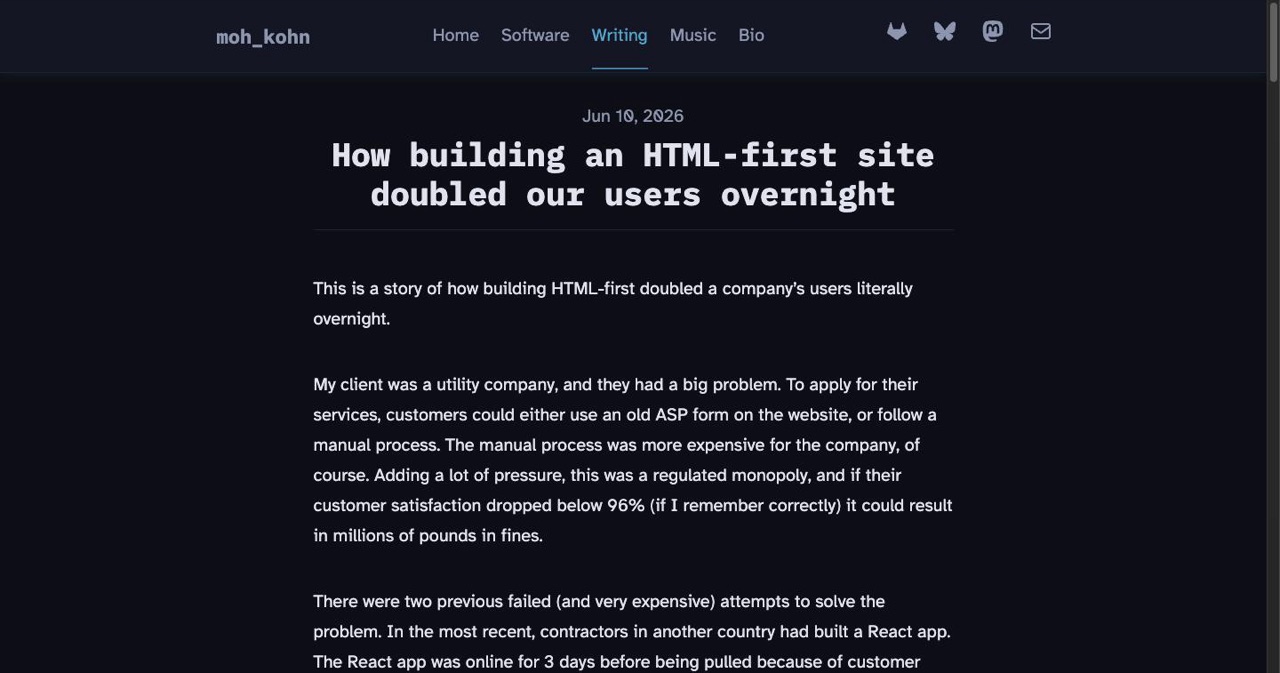
An overseas contractor team shipped a customer application form for a regulated utility company. Three days later it was pulled — excessive loading spinners blocking core interactions, broken accessibility, a critical image upload feature attempting to store files in localStorage (which has a 5MB limit and gets wiped between sessions). Customer satisfaction numbers were moving in the wrong direction. For this client, that meant regulatory fines. The app had to go.
Then developer Alistair Davidson came in. He built the same form as an HTML-first website using Astro. Server-rendered pages. JavaScript as progressive enhancement only. A validation web component under 1KB.
The number of people completing the form doubled.
That's not a Lighthouse score story. It's a conversion story — and it quietly dismantles the assumption that performance problems are JavaScript optimization problems, when sometimes they're JavaScript existence problems.
Key Takeaways
- Three days versus still running: The React build was pulled after 72 hours in production; the Astro HTML-first rebuild is still live.
- Completions doubled: Form completion rate went from baseline to 2x baseline with no change to the underlying business process.
- localStorage was the silent killer: Image uploads stored in localStorage hit a 5MB limit and were wiped between sessions, so partial applications vanished.
- Server-side sessions preserved intent: A unique ID per form interaction with state persisted at every wizard step let one user finish a form a month after starting it.
- Under 1KB of validation: The
validation-enhancerpackage wraps existing HTML forms, sets correct ARIA attributes, and falls back to browser or backend validation. - Accessibility and SEO are one investment: The rebuild moved from failed WCAG compliance to AA compliant while also becoming crawlable on Google's first pass.
- Analytics hid the damage: JavaScript failures fire before tracking scripts load, so lost users show up as people who never arrived rather than as bounces.
- Split by layer, not by framework: Keep marketing and indexed pages HTML-first; the authenticated product can stay as React-heavy as the UX needs.
What "HTML-First Development" Actually Means
HTML-first is not anti-JavaScript. It's a sequencing rule: ship working HTML, then use JavaScript to enhance it — never require JavaScript for core functionality.
In practice:
- Forms submit and validate server-side before any client-side layer kicks in
- Pages render meaningfully without JavaScript enabled
- Components work in degraded but functional states on old browsers, slow connections, and screen readers
- JavaScript adds speed and polish on top of a foundation that already works
This is what web developers called progressive enhancement before React-first became the default assumption in the mid-2010s. Frameworks like Astro, Remix, and SvelteKit have brought it back as a first-class design principle — not as nostalgia, but because the consequences of ignoring it are now visible in conversion data.
The contrast: a React app that renders nothing until a JavaScript bundle finishes downloading, parsing, and executing. On a fast machine with a modern browser, nobody notices. On a 3G connection, an old browser, or with a screen reader, you've silently locked out a portion of your users — and you'll often never know, because JavaScript errors that prevent form submission fire before analytics tracking scripts can capture the event.
This is the invisible conversion hole.
The Case Study, In Full

Davidson published the details on his blog in June 2026. The client: a utility company operating as a regulated monopoly, with a contractual requirement to keep customer satisfaction above 96% or face significant fines. Two previous attempts to build the customer form had failed. The most recent — the React version — ran for three days before complaints forced it offline.
What the React version was doing wrong:
- Loading spinners blocking user interactions during core steps
- Inaccessible to screen readers; failed WCAG compliance requirements
- Image upload using localStorage as temporary storage — 5MB limit, data lost between sessions and on browser close
- Complex global JavaScript state that broke across the multi-step wizard
Davidson's HTML-first development approach treated each wizard step as its own server-rendered page. Each form submission triggered backend validation and a redirect to the next step. No client-side state to corrupt. No JavaScript required for the critical path.
The validation layer — which he later published as the npm package validation-enhancer — is under 1KB. It wraps existing HTML forms without shadow DOM, prevents browser default validation popups, places errors in the correct ARIA attributes, and falls back gracefully to built-in browser validation or backend API validation if JavaScript isn't available. That's the full solution. No React validation library consuming months of engineering time.
Sessions were backed server-side: a unique ID per form interaction, with state persisted at every wizard step. One user started the form and completed it a month later. The HTML-first version kept their data intact. The localStorage-based React version would have discarded it. In the old analytics, that user appeared as a dropout. In the new system, they converted.
| React Version | HTML-First (Astro) | |
|---|---|---|
| Form completion rate | Baseline | 2× baseline |
| JavaScript required for core flow | Yes | No |
| Image upload storage | localStorage (5MB limit) | Backend session |
| WCAG accessibility | Failed | AA compliant |
| Cross-browser support | Modern browsers | Outdated/poor browsers too |
| Time in production before being pulled | 3 days | Still running |
Why HTML-First Websites Win on SEO
The conversion case gets most of the attention. The static site SEO implications are equally real.
Google's crawlers can parse JavaScript — but they process it in a secondary rendering queue, often hours or days after the initial crawl. Server-rendered HTML is available immediately, in the first pass. For content pages, landing pages, and anything you want indexed quickly, server-side rendering consistently outperforms client-rendered JavaScript — not because Google can't read JS, but because HTML gets read first.
The three Core Web Vitals that Google uses as ranking signals all skew toward HTML-first pages:
Largest Contentful Paint (LCP): When the main visible content renders. Server-rendered HTML shows content before any JavaScript loads. Client-side frameworks show a blank screen or skeleton until the JS bundle executes.
Cumulative Layout Shift (CLS): How much the layout moves while loading. HTML-first pages are stable from first paint. React components that hydrate after the initial render frequently cause visible shifts.
Interaction to Next Paint (INP): How fast the page responds to user input. A plain HTML form responds instantly to keystrokes and taps. A heavily hydrated React component can block input while the main thread processes JavaScript.
This is part of why investing in structured data compounds faster on an HTML-first foundation — if you're already doing JSON-LD structured data for your SaaS's SEO, the signals Google reads from that structured data land on the first crawl, not the secondary rendering pass.
HTML vs JavaScript SEO: Where the Gap Actually Lives
The HTML vs JavaScript SEO question has been running for a decade. The nuanced answer in 2026:
Google can crawl JavaScript — and for well-built, fast-loading React apps with proper SSR or static generation, the practical gap has narrowed. But "can crawl" and "crawls as effectively" aren't the same claim.
The real gaps:
Crawl budget. JavaScript-dependent pages consume more of it. Googlebot has to queue a second rendering pass. For large SaaS marketing sites, this means some pages get indexed infrequently or not at all.
Other search engines. Bing, DuckDuckGo, and smaller engines have less capable JS rendering than Googlebot. Server-rendered HTML is the safe baseline for any traffic source that isn't Google.
Social scrapers. When someone pastes your URL in Slack, shares it on LinkedIn, or posts it in a forum, the link preview is generated by a bot with minimal or no JavaScript rendering. Server-rendered HTML generates accurate previews. Client-rendered apps frequently return blank cards with no title or description.
Bundle performance in practice. A React app loading in 1.2 seconds beats HTML every time. A React app loading in 3.8 seconds — the reality for many unoptimized production apps — loses to HTML loading in 0.6 seconds, and continues losing on every subsequent crawl cycle.
The practical split: if your SaaS has a marketing site, landing pages, or any content meant to be indexed, make that layer HTML-first. The authenticated product can be as React-heavy as your UX requires. The conversion and discoverability cost is in the public-facing layer, not the app.
List Your SaaS on SaaSCity
Building a product that performs for real users — including users on slow connections, old browsers, and assistive technology? That's worth being found for.
SaaSCity.io is the directory for SaaS tools and developer products built by people who care about craft.
- Free to list: Submit your product in under 2 minutes at /live/submit
- Earn dofollow backlinks: Every listing earns a permanent, indexed backlink from a high-authority domain. Our domain rating guide explains why this compounds over time.
- 3D city map presence: Your product gets a building in the SaaSCity interactive city — visible to founders and buyers doing active research
- Discovery by people who build: Our audience is engineers, founders, and indie hackers who evaluate products seriously before adopting them
What This Means If You're Building SaaS
Davidson's case study involves a utility company form. The failure mode generalizes to any SaaS with a conversion step — signup flow, onboarding wizard, checkout, feature activation.
Your analytics can't see JavaScript failures that fire before tracking scripts load. Every SaaS with a client-rendered conversion flow has users failing silently in ways your current setup doesn't capture. A blank page that occurs before your analytics script runs doesn't appear as a bounce. It appears as a user who never showed up. The HTML-first rebuild surfaced exactly this in Davidson's project — analytics revealed previously invisible drop-offs that the React version had been generating from day one.
The framework is less important than the principle. Next.js with proper SSR, Astro, SvelteKit, Remix — all of these can ship HTML-first. The question isn't which framework you're using, but whether your conversion flows work if JavaScript fails to load, and whether you've actually tested that scenario.
Accessibility compliance and SEO are the same work. A page that functions without JavaScript is, by definition, more accessible to screen readers, older browsers, and bots. The engineering investment in progressive enhancement doesn't split across two separate goals — it compounds into both simultaneously.
The developer who complained was right. After Davidson handed the project off, the next developer objected to the non-JavaScript-dependent architecture: "that's a lot more work for us." It's accurate. Building things that degrade gracefully requires more design thinking upfront than shipping a React component tree and hoping for the best. That upfront cost is also why the completion rate doubled — design decisions that account for failure states tend to produce experiences that work for everyone, not just users with ideal conditions.
If you're building SEO momentum through directory submissions and backlinks, the HTML-first approach makes every ranking signal go further. Pages that are crawlable on the first pass, fast by default, and accessible without JavaScript don't just rank better — they convert the traffic those rankings generate.
The Constraint That Makes You Build For Everyone
Davidson closes with a thought from developer Terence Eden: build a web app that works on a PlayStation Portable on a 3G connection, and it will work for all your users, and it will still work 30 years from now.
That's an extreme target. You probably aren't worried about PSP compatibility. But the principle is load-bearing: designing for the worst-case user makes you build something that actually works for everyone.
The users you're silently losing to JavaScript failures aren't the ones who'd complain — they just leave and don't come back. They're the second half of your analytics distribution: slower devices, older browsers, patchy mobile connections, people relying on assistive technology. The assumption that "everyone has a good browser and a fast connection" is an assumption your analytics currently can't disprove, because the users it's wrong about never successfully fire an event.
The React app lasted 72 hours. The HTML-first version doubled completions. The gap between those two outcomes wasn't a JavaScript bug or a missing optimization pass. It was a JavaScript dependency — the assumption that core functionality should require JavaScript to function at all.
That assumption is optional. More founders should drop it.
SaaSCity.io covers web performance, SaaS growth, and the tools founders ship. Explore the SaaSCity directory to discover what's shipping right now — or list your own product.
Get your SaaS in front of founders
List your product on the SaaSCity live city map - a permanent listing, real discovery, and a backlink from a high-DR directory. Free to start; upgrade for a dofollow link and a building on the map.