Reviews
InspectProHQ Review 2026: The All-in-One Home Inspection Software Built by a Certified Master Inspector
InspectProHQ is home inspection software built by Dan McClain, a Certified Master Inspector in Northeast Ohio. It puts report writing, six AI tools, online booking, Stripe invoicing, client and Realtor portals and HomeOwner Hubs in one app. We went through the demo, the sample portals, the pricing (free for 2 inspections a month, Pro at $49.99) and how it compares with Spectora.

Contents (16)
- InspectProHQ at a glance
- What is InspectProHQ?
- Who built InspectProHQ?
- How does InspectProHQ work?
- Writing reports in the field
- The six AI tools, and how the inspector stays in charge
- What clients and real estate agents receive
- HomeOwner Hubs: still useful after closing day
- Running the business: booking, payments, CRM and marketing
- How much does InspectProHQ cost?
- InspectProHQ vs Spectora: how the prices compare
- What we liked and what to keep in mind
- Who is InspectProHQ for?
- How to try InspectProHQ before your next inspection
- Is InspectProHQ worth it?
- FAQ
Disclosure: this is a sponsored review.
Product details checked against inspectprohq.com (the homepage and the features, pricing, how it works, about, demo, comparison and multi-language pages), the interactive demo with its sample client portal, Realtor portal and HomeOwner Hub, the App Store and Google Play listings, and Spectora's pricing page on October 27, 2026. Every screenshot was captured in Google Chrome from those live pages the same day.
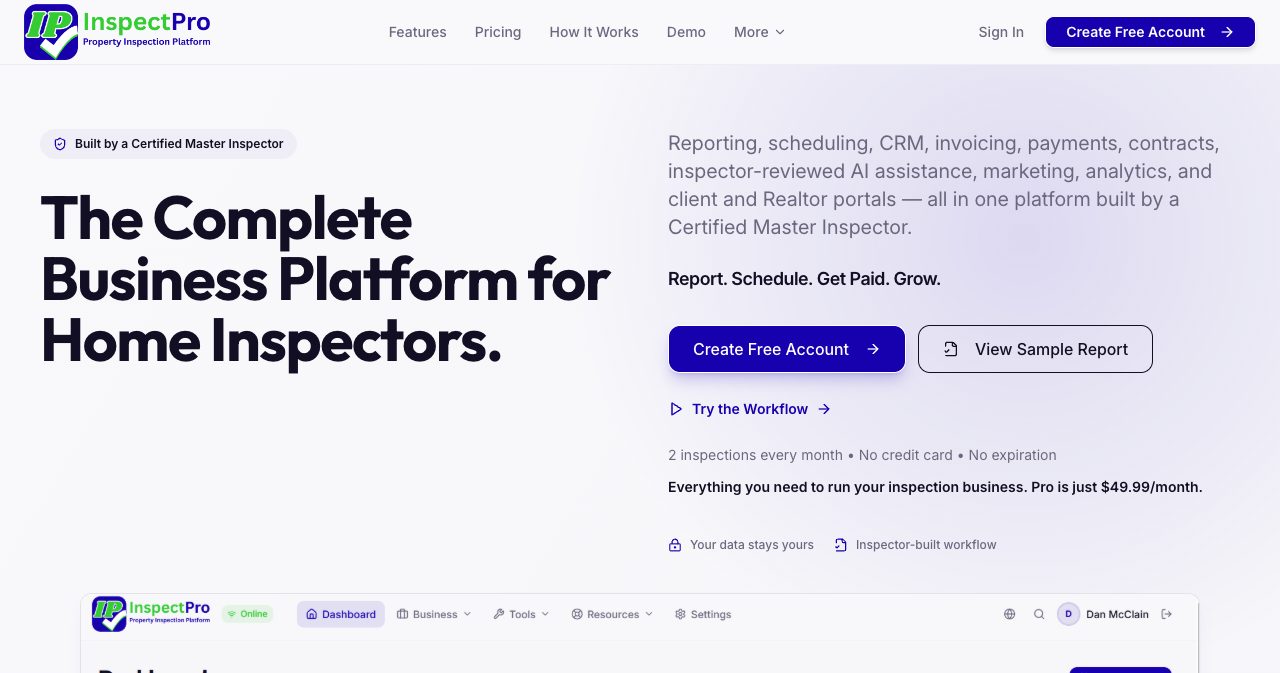
Quick answer: InspectProHQ is all-in-one software for home inspectors. One app handles the report, the booking, the agreement, the invoice and the delivery, and six AI tools draft comments, read appliance labels, review roof and thermal photos, take dictation and pull flood, radon and weather data for the address. The inspector reviews everything before it goes into a report. Dan McClain, a Certified Master Inspector who runs AMAC Home Inspections in Brunswick, Ohio, built it and funds it himself. The Free plan includes 2 inspections every month with no credit card, then $5 per extra inspection. Pro costs $49.99 a month or $500 a year for unlimited inspections, and each extra inspector seat is $24.99 a month.
An inspection doesn't end when you climb out of the crawlspace. The report still has to be written, the invoice sent, the agent answered and next week's bookings confirmed, and plenty of inspectors pay a different subscription for each of those jobs. Dan McClain did the same until a fourth tool in his stack announced a price hike, and he started building his own platform instead. InspectProHQ is the result. Below is how it works in the field and in the office, what clients and Realtors receive, what it costs next to Spectora, and who will get the most out of it.
InspectProHQ at a glance
- Inspection software and business platform for residential and commercial home inspectors, built by Dan McClain, a Certified Master Inspector and licensed Ohio home inspector. Self-funded, with no outside investors.
- Runs as a Progressive Web App (PWA) on phones, tablets and computers, with offline work and sync. Free apps are on the App Store and Google Play.
- Covers reports, online booking with two-way Google Calendar sync, a CRM for clients and agents, Stripe invoicing and payments, e-signed agreements, expenses and mileage, marketing tools and a free branded website.
- Six AI-assisted tools on Pro: comment writer, label scanner with CPSC recall checks, roof scanner, thermal imaging review, voice-to-text and environmental data lookup.
- A client portal, a Realtor portal with a Repair Request builder, and a HomeOwner Hub that stays with the buyer after closing.
- Reports, portals and the interface in 30 languages, including right-to-left Arabic and Hebrew.
- Templates for residential, commercial (ASTM E2018), new construction, 4-point, wind mitigation, WDO (NPMA-33) and Texas TREC REI 7-6 inspections, and imports from PDF, CSV and Excel.
- Free plan with 2 inspections a month, then $5 each. Pro at $49.99 a month or $500 a year with unlimited inspections. Extra seats at $24.99 a month.
What is InspectProHQ?
InspectProHQ is an inspection report writer with a small-business back office built around it. Every inspection is one record, and the booking, agreement, photos, findings, invoice and delivered report all hang off that record. The company calls it an operating system for the inspection business. Day to day, it means a client's name and address go in once, instead of being retyped from a scheduler into report software and then into an invoicing tool.
The platform is a Progressive Web App, which is a web app you can install on a phone, tablet or computer like any other app. It runs in the browser, keeps working without a connection and syncs when the signal comes back. The iPhone and Android apps open the same platform.
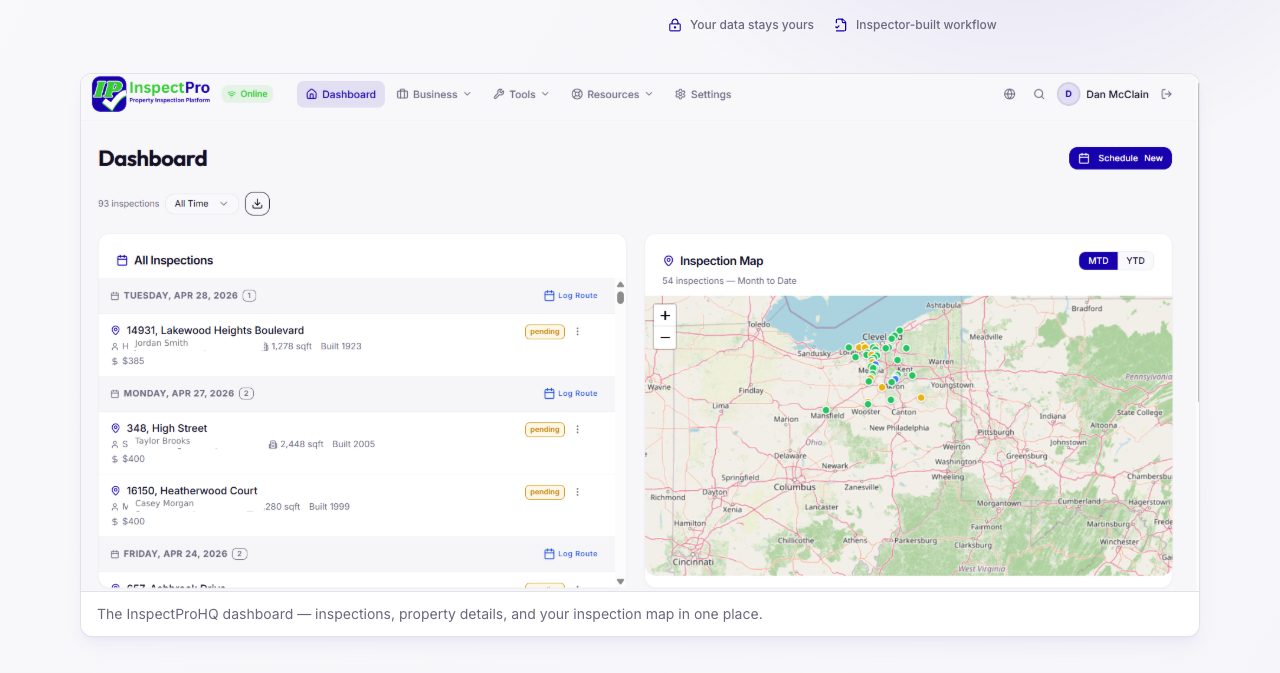
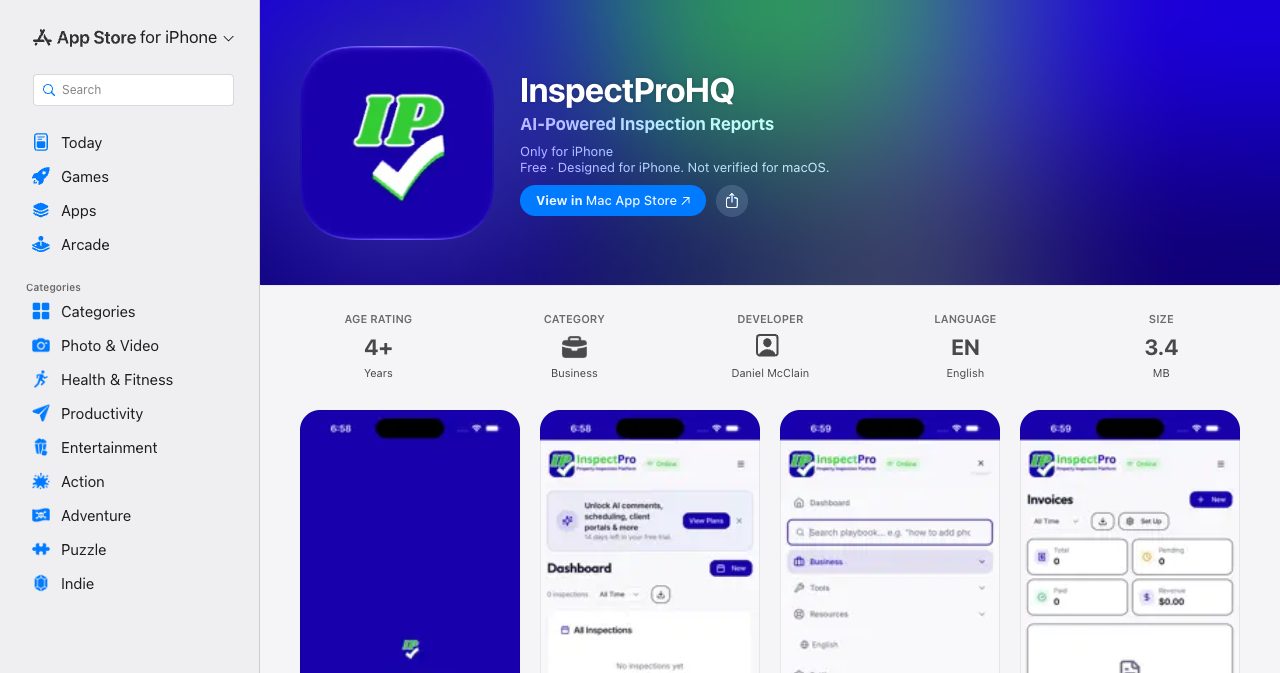
The dashboard lists inspections by date, with fees and status, next to a map of where they are. You'll see the product under two names: InspectProHQ on the website and in the App Store, and InspectPro in the app's logo, footer and Google Play title. Several unrelated inspection apps also use the name InspectPro, so look for Daniel McClain or InspectProHQ as the developer when you download it.
Who built InspectProHQ?
Dan McClain is a working home inspector in Northeast Ohio. The InspectProHQ about page lists his credentials as Certified Master Inspector, licensed Ohio home inspector, radon mitigation specialist, radon testing certification and mold certification. He started AMAC Home Inspections in 2019 and ran it on nights and weekends for three years while still managing his banking territory at PNC, then went full-time in the field in 2022. He now owns two companies in Brunswick, Ohio, serving Greater Cleveland, Akron and Medina: AMAC, which does residential, commercial and multi-unit inspections, and Northeast Ohio Radon & Mold Solutions, which tests for and remediates radon and mold.
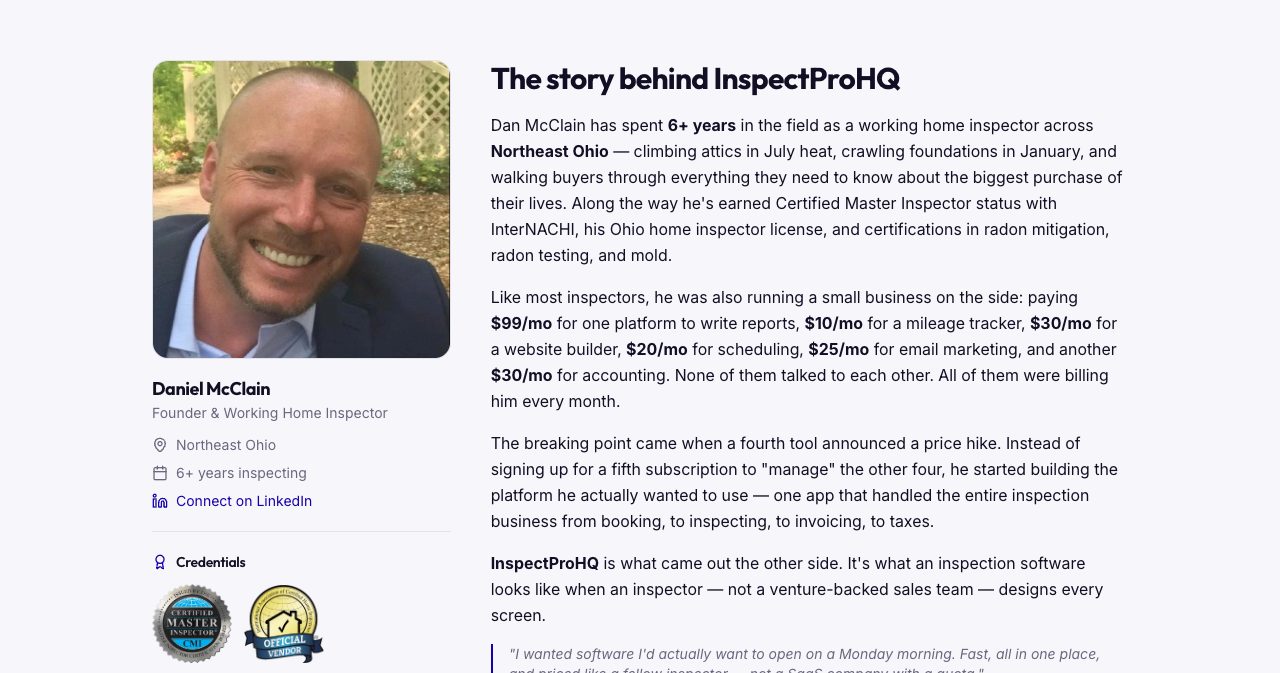
The about page tells the origin story in plain numbers. Running AMAC, he paid $99 a month for report software, $10 for a mileage tracker, $30 for a website builder, $20 for scheduling, $25 for email marketing and $30 for accounting. That's $214 a month for six tools that didn't share any data. The breaking point, he writes, was a fourth tool announcing a price hike. Instead of adding another subscription to manage the others, he began building one app that covered the whole job, from booking to taxes. He wanted software he would "actually want to open on a Monday morning," fast, in one place and "priced like a fellow inspector."
Before inspecting, McClain spent about 17 years in retail lending, mortgages and consumer credit at Fifth Third, FirstMerit, National Bank and Trust and PNC. That shows in the product. Expense tracking, mileage at the federal IRS rate, tax-ready exports, Stripe invoicing and a Mercury banking dashboard are built in from the first day, and the about page names them as features other platforms skip or charge extra for.
InspectProHQ has no venture capital or private equity behind it. Its pricing page commits to not selling client lists to data brokers, not embedding third-party trackers in reports, and keeping any AI feature that learns from inspector data opt-in. It describes the company as "currently independent" on purpose and promises to tell customers before anything material changes. The site carries an InterNACHI Official Vendor badge, and its sample template is built to meet InterNACHI and ASHI standards.
How does InspectProHQ work?
The how it works page sums up the flow in four steps, and the demo follows the same order.
- Schedule. A client books through your public booking page, or you create the inspection yourself. The appointment syncs both ways with Google Calendar, and the agreement goes out for an e-signature before you arrive.
- Inspect. You work through the template on a phone or tablet, tapping conditions, picking defects from the library, taking photos and dictating notes.
- Generate. AI drafts comments where you want help, and you review, edit and finalize them.
- Deliver. You publish to branded client and Realtor portals with a PDF, e-signature and email delivery, and the Stripe invoice goes out in the same flow.
The full report stays locked until the client signs the agreement. That spares you the follow-up call about an unsigned contract after the report is already out.
Writing reports in the field
The interactive demo opens a nearly finished inspection without asking for an account, and it's the quickest way to judge the report writer. The sample house is a 1958 single-family home in Parma, Ohio, with 131 of 166 items done. Every component has Inspected, Not Inspected and Not Present buttons and eight severity levels: None, Limitation, Maintenance, Warning, Recommendation, Monitor, Safety and Evaluation. Below them sit a drop-down of common defects, the photo tools and the inspector's notes.
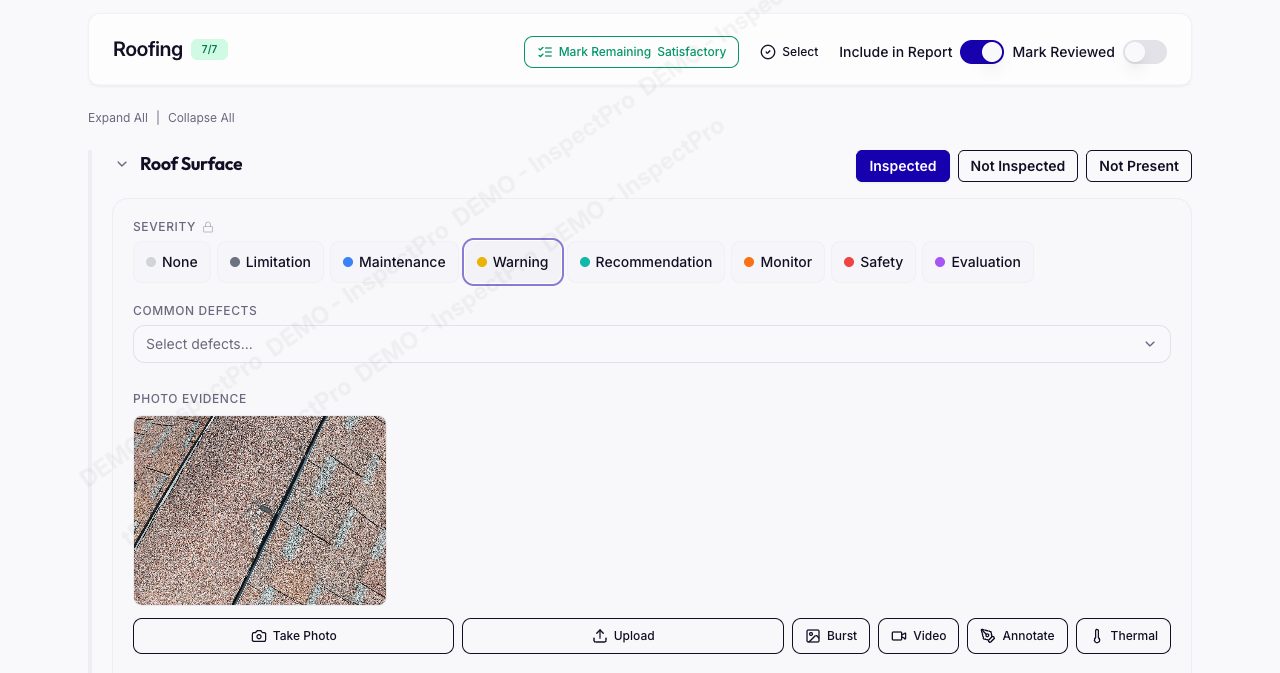
The photo row has Take Photo, Upload, Burst, Video, Annotate and Thermal, and the annotation tools draw arrows, circles and text on the image. The notes area has buttons for favorites, saved defects, code references, the AI writer and voice input, plus a box that sends the item to the repair estimate. You can log several findings on one component, photos carry GPS tags and timestamps, and a single button marks the rest of a section Satisfactory, which saves a lot of tapping on a roof where most things check out.
Templates and the defect library
New accounts start with two whole-home templates. Interior Inspection goes room by room, with 17 sections and 145 items, and is the default. Component Full Home Inspection goes system by system, with 13 sections and 115 items. Pro adds templates for commercial inspections structured around ASTM E2018 guidance, 4-point, wind mitigation, WDO on the NPMA-33 form and the Texas TREC REI 7-6 form, and there's a new construction template as well. InspectProHQ's public sample template has 16 categories, 167 components and 38 subheadings, running from Roofing, Exterior, Garage and Attic through Boiler Heat, Crawl Space, Common Areas and the locations of emergency controls.
The built-in defect library spans 15 categories, each defect with a description, a severity and a recommendation, and you can add your own. If you're switching from another platform, InspectProHQ imports templates from CSV or Excel files, and an AI parser builds a template from a PDF of your old one. Past clients and Realtor contacts import too, so your history and referral network move with you.
Does InspectProHQ work offline?
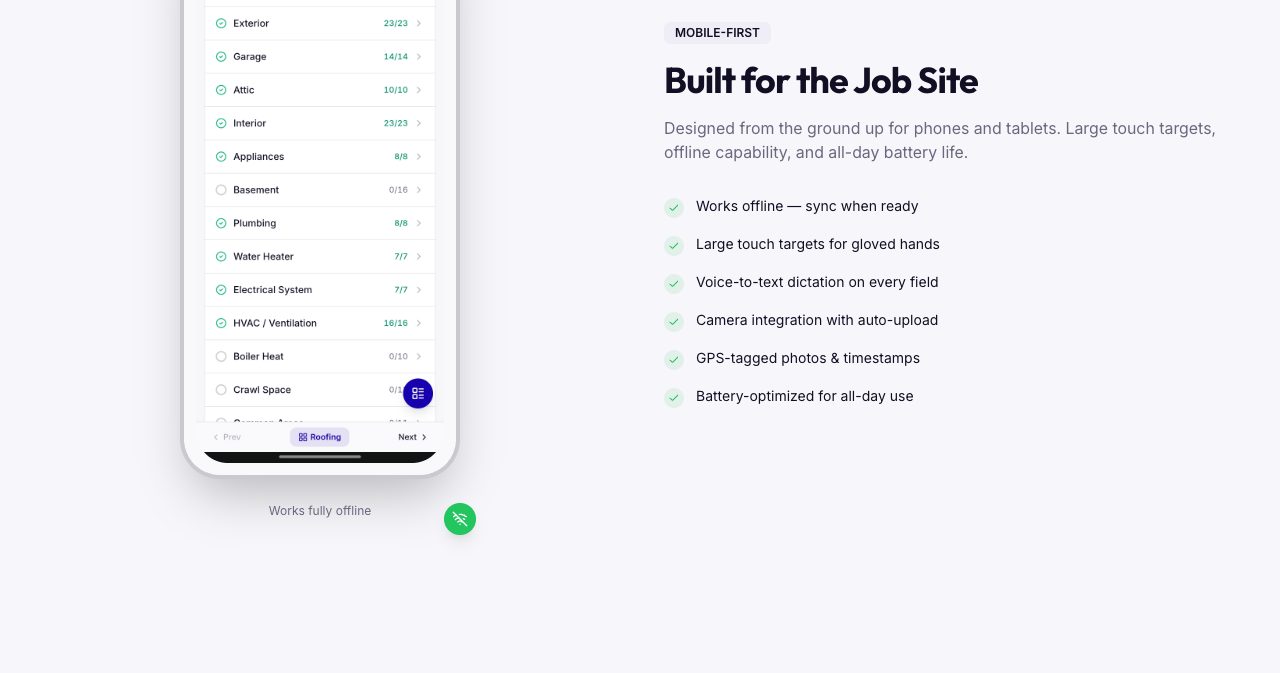
Yes. Because it's a PWA, core inspection work continues without a signal in a basement, a crawlspace or a rural property, and changes sync when you reconnect. Saved inspection data syncs across devices, so you can start on a phone at the property and finish the summary on a desktop at home. The mobile layout uses large touch targets meant for gloved hands, and every field takes voice dictation.
The six AI tools, and how the inspector stays in charge
Pro includes six AI-assisted tools. The same rule runs through every page that describes them: the AI writes a draft and the inspector decides. Nothing it suggests reaches a client until you've reviewed, edited and approved it.
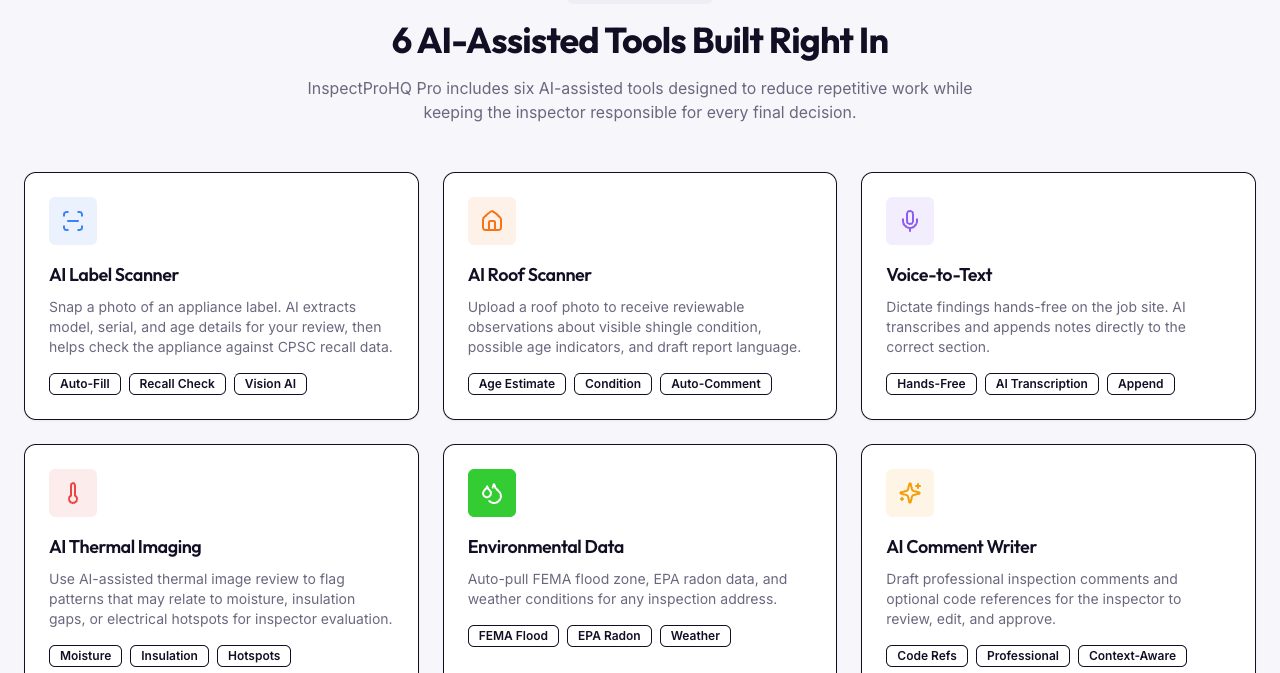
- The AI Comment Writer drafts a professional comment from the condition you selected and your notes, with optional building code references from the IRC and NEC.
- The AI Label Scanner reads the manufacturer, model, serial number and age from a photo of an appliance data plate, then checks the appliance against Consumer Product Safety Commission (CPSC) recall data.
- The AI Roof Scanner looks at a drone or ground-level roof photo and returns observations on visible shingle condition, possible age indicators and issues such as missing flashing or moss, with draft report language.
- AI Thermal Imaging flags patterns in infrared images that may point to moisture, insulation gaps or electrical hotspots, for you to evaluate.
- Voice-to-Text turns dictation into notes and adds them to the right section, so you can talk your way through a room.
- The Environmental Data lookup pulls the FEMA flood zone, the EPA radon zone, recent USGS seismic activity and the current weather for the property address.
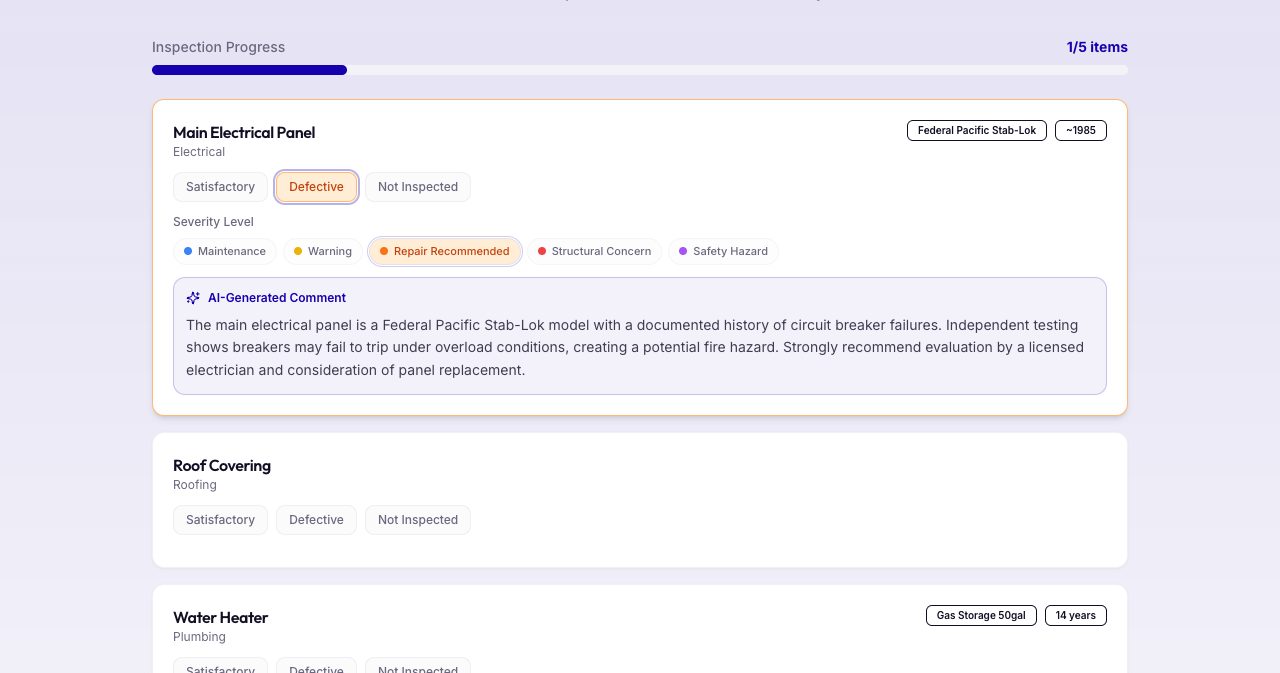
The public demo shows the comment writer at work. Mark the Federal Pacific Stab-Lok panel from around 1985 as Defective, and the demo sets the severity to Repair Recommended and writes: "The main electrical panel is a Federal Pacific Stab-Lok model with a documented history of circuit breaker failures. Independent testing shows breakers may fail to trip under overload conditions, creating a potential fire hazard. Strongly recommend evaluation by a licensed electrician and consideration of panel replacement." Inspectors type some version of that paragraph many times a year. Starting from a solid draft and adjusting it to what you saw on site is faster than typing it again.
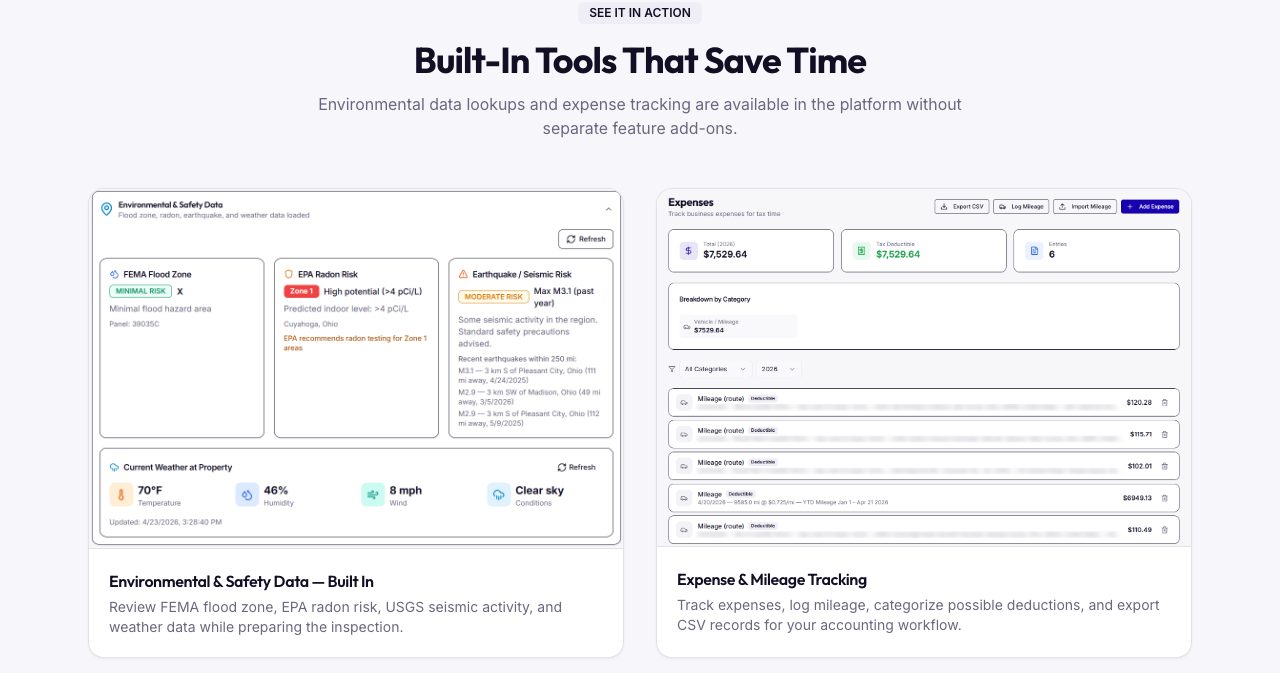
The environmental lookup replaces a few browser tabs per job. In the example on the features page, an address in Cuyahoga County, Ohio comes back as FEMA flood zone X with minimal risk, EPA radon Zone 1 with a predicted indoor level above 4 pCi/L, moderate seismic risk with a list of recent small earthquakes, and the current weather at the property. The client portal also records the weather at the time of the inspection.
Pro also includes an AI Repair Estimator with no add-on fee or revenue share. It gives a low and a high planning figure for each finding, based on national contractor averages or numbers the inspector enters, and the inspector reviews them before they appear in a report. InspectProHQ labels the ranges as non-binding and tells clients to confirm prices with licensed local contractors, which is how repair numbers in an inspection report should be presented.
What clients and real estate agents receive
Agents keep sending work to inspectors whose reports are easy to read and act on, so the delivery side matters as much as the field side. InspectProHQ can deliver an inspection four ways: a PDF with a custom cover page, a client portal, a Realtor portal and a HomeOwner Hub.
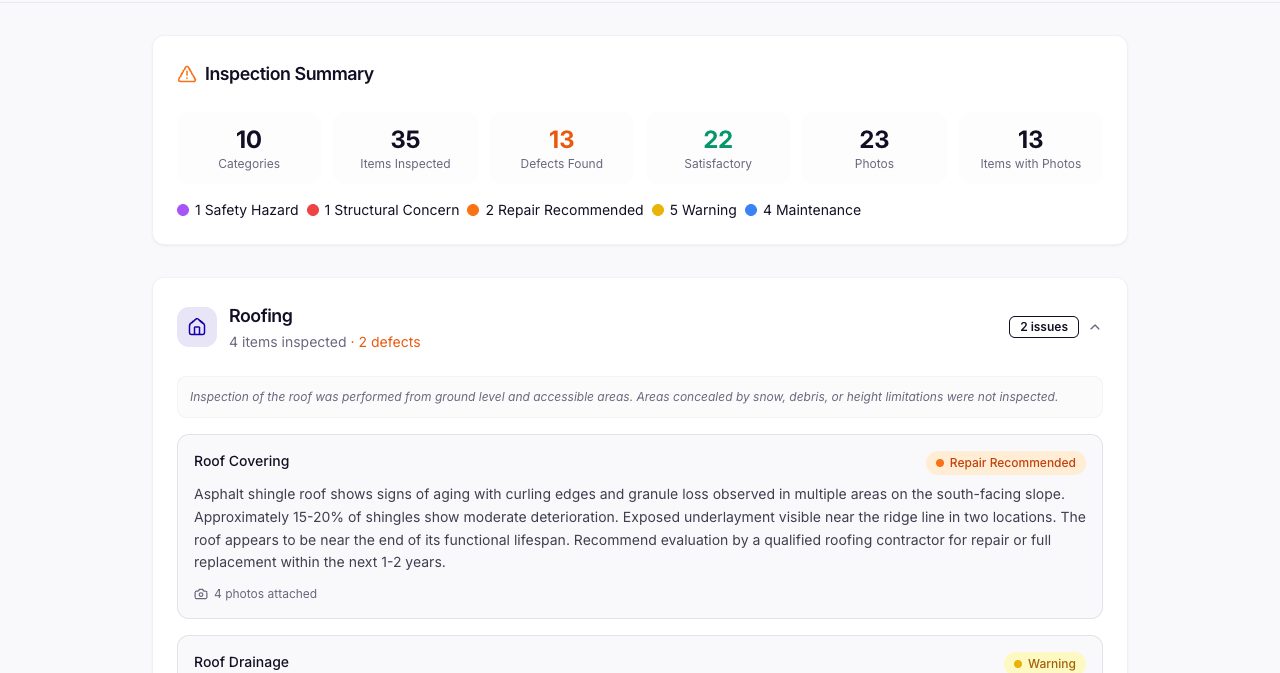
The client report opens with a summary. In the demo report for a 1987 house in Cleveland's Old Brooklyn neighborhood, it counts 10 categories, 35 items inspected, 13 defects, 22 satisfactory items and 23 photos, with the defects split into 1 safety hazard, 1 structural concern, 2 repair recommendations, 5 warnings and 4 maintenance items. Each category starts with its limitations, such as a roof inspected from the ground and accessible areas, and each finding shows its severity and how many photos are attached.
The client portal
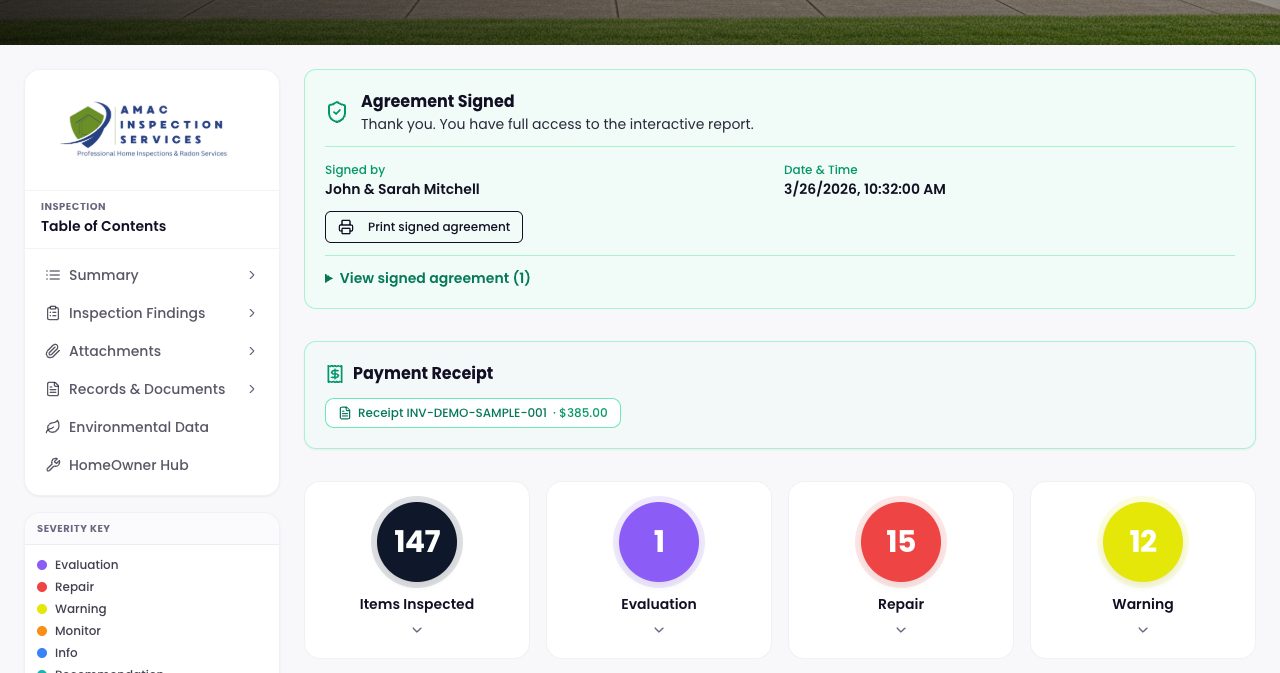
The client portal is a branded page that holds the full interactive report. In the sample, the buyers' signed agreement sits at the top with the date and time it was signed, followed by the $385 payment receipt and counters for items inspected, evaluations, repairs and warnings. A sidebar links to the findings, the attachments, the records and documents (agreement, standards of practice and invoice), the environmental data and the HomeOwner Hub. Clients can view, comment on and download the report, and the portal also lists emergency shutoff locations, the weather on inspection day and the inspector's preferred contractors.
The Realtor portal and Repair Request builder
The Realtor portal gives the agent a summary with severity counts, the defects sorted from most to least serious, repair cost ranges where the inspector included them, and one click to the full PDF. Agents can also open every inspection linked to their email address from one place.
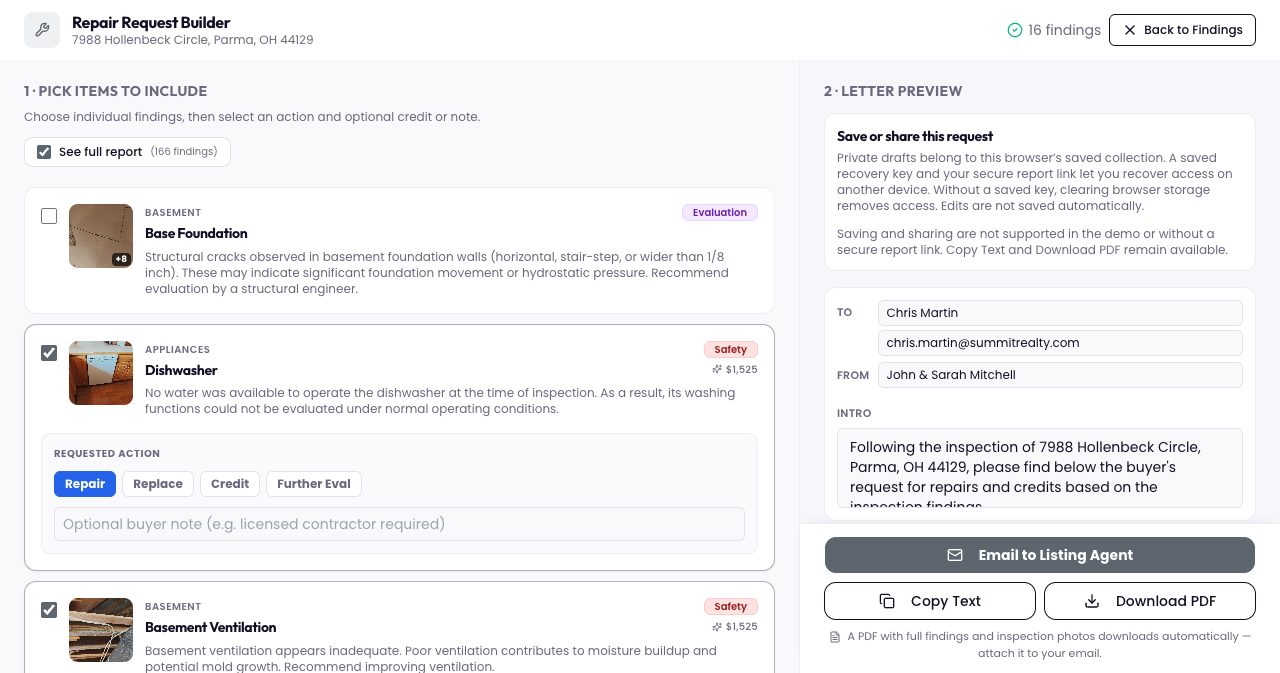
The Repair Request builder was the part of the demo we liked most. The agent ticks the findings that matter to the buyer, picks Repair, Replace, Credit or Further Eval for each one, and can add a note such as "licensed contractor required." The builder shows the estimated cost next to each item and drafts a request letter from the buyers. The agent can email it to the listing agent, copy it as text or download it as a PDF, and a PDF of the findings with inspection photos downloads automatically to attach to the email. For the agent, that replaces an evening of copying findings into a letter by hand. InspectProHQ also calls it the ROC, or Request for Corrections, builder.
Reports in 30 languages
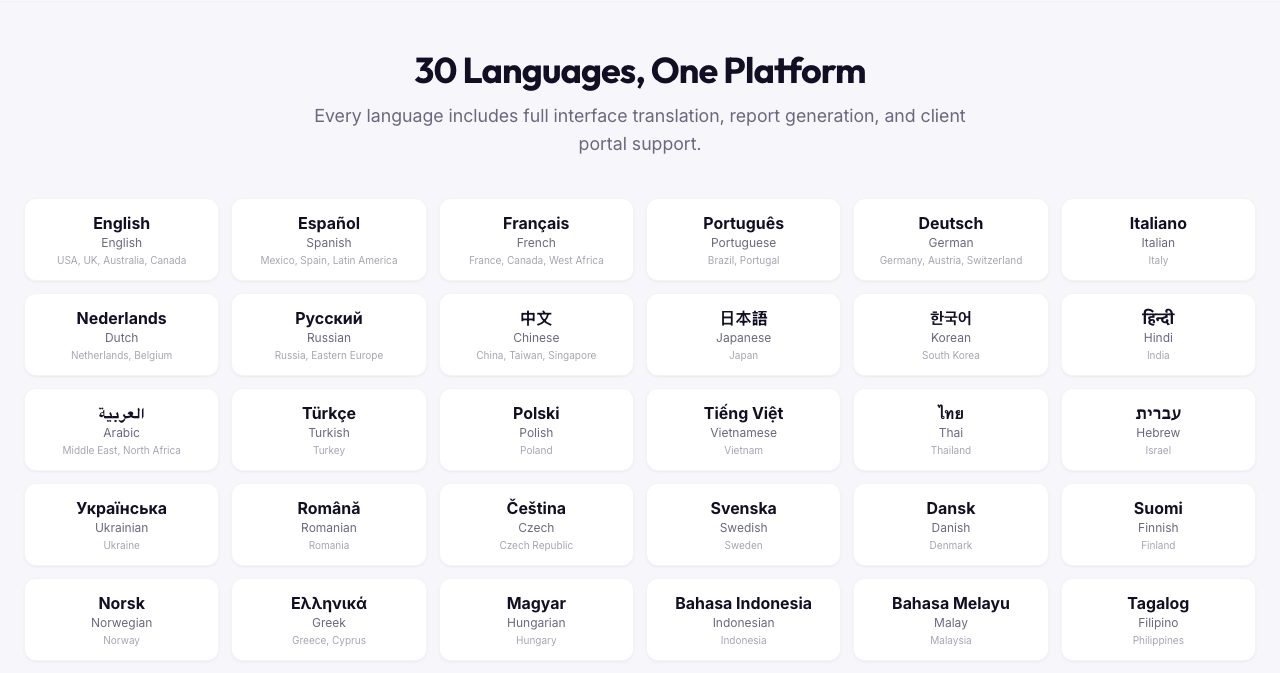
The interface, reports and portals are available in 30 languages, among them Spanish, French, Portuguese, Chinese, Vietnamese, Filipino, Arabic and Hebrew, and Arabic and Hebrew get right-to-left layouts. Each user picks their own language, so an owner can work in English while a team member works in French on the same account, and the AI tools write in the language you've chosen. Language support comes with every plan, the free one included. For inspectors in Miami, Houston or Los Angeles, a report in the buyer's first language can decide who gets the job.
HomeOwner Hubs: still useful after closing day
Most inspection reports get read during the negotiation and then filed away. The HomeOwner Hub keeps the inspection useful after closing, and it keeps the inspector's name in front of the homeowner. With one click from a finished report, the inspector creates a branded page for the home, free for the client. It holds the report and property documents, a maintenance checklist organized by season, the home's systems and appliances with their age and condition, and recall alerts. The homeowner ticks off tasks as they go, and the inspector's branding is on every page.
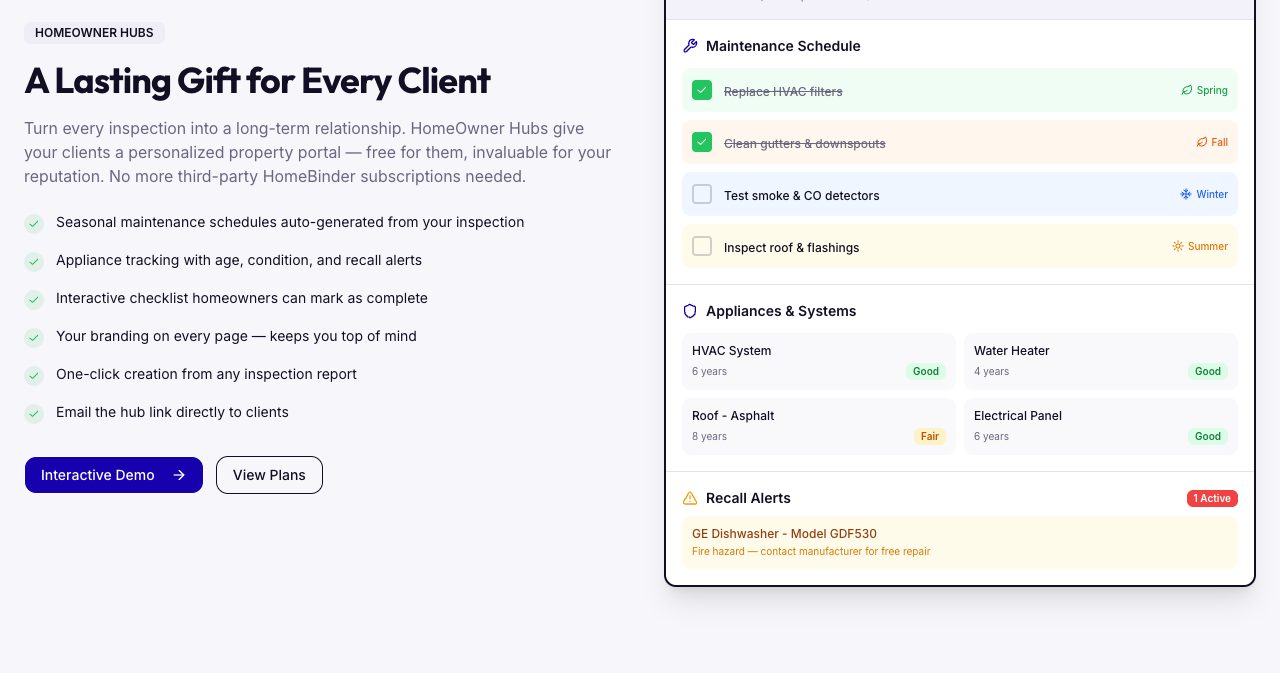
The demo hub has a few more things on it: shortcuts to order common supplies such as HVAC filters, smoke detector batteries and a water heater anode rod, an AI energy analysis, a seller report for when the owner moves on, and a notes section. Homeowners can upgrade their own hub to Premium for $5 a month, which adds receipt storage, system management and recall monitoring. The upgrade is offered to the homeowner inside their own hub.
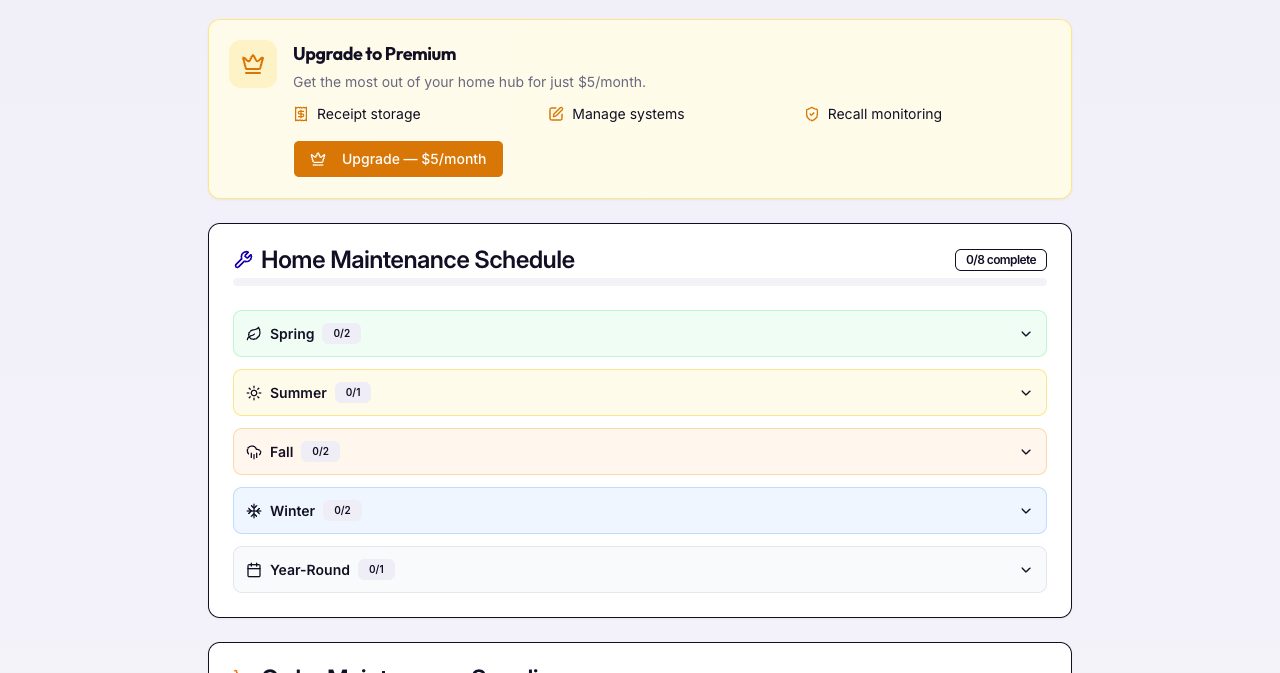
InspectProHQ is careful about the hub's limits. Its own help page says the hub shows the tasks and appliance details supplied through the inspection and doesn't build a maintenance schedule from local weather, and that a possible recall match should be confirmed with the manufacturer or an official recall source.
Running the business: booking, payments, CRM and marketing
The office side of InspectProHQ covers the jobs inspectors usually pay separate tools for. Scheduling starts with a public booking page that syncs both ways with Google Calendar and sends reminders automatically. Route planning orders the day's stops, and Pro adds two-way texting.
To get paid, you have Stripe invoices and card payments, electronic agreements with drawn signatures, and expense tracking with receipt uploads. Mileage is logged at the federal IRS rate, records export to CSV for tax time, and a Mercury banking dashboard sits next to the jobs.
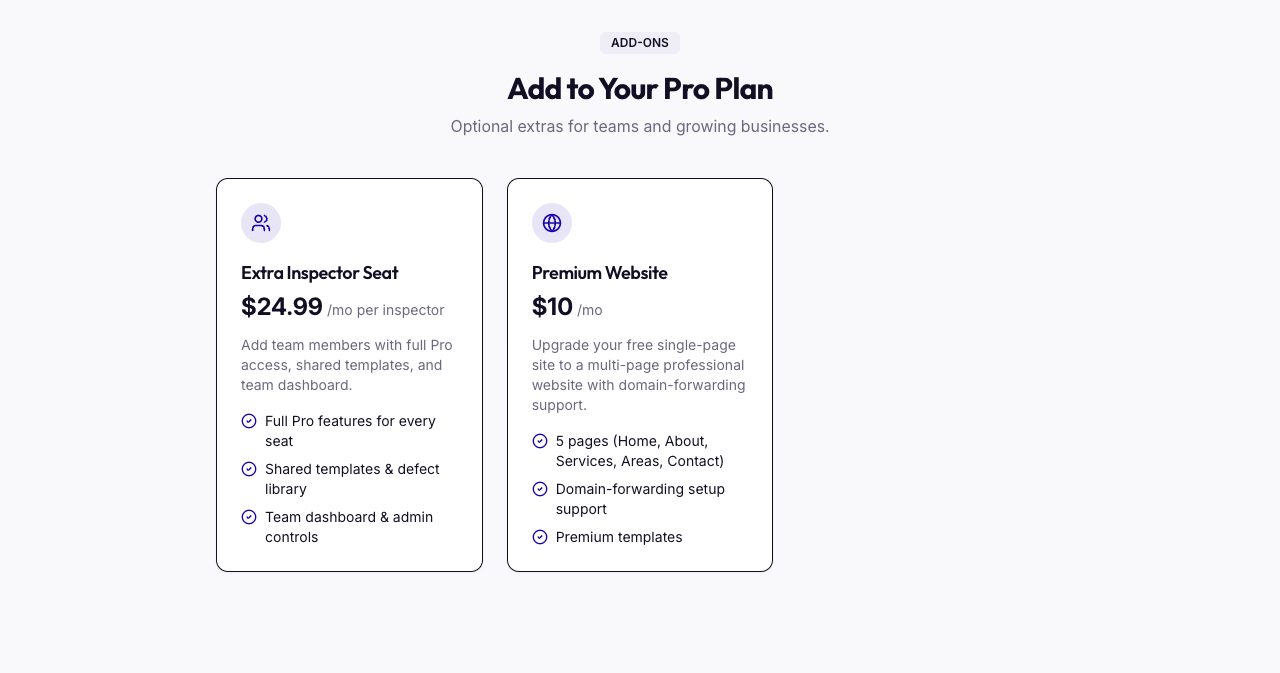
For marketing, there's a CRM for clients, agents and referral partners, email and drip campaigns, a social post generator and an analytics dashboard that tracks revenue, inspection volume and referral sources. Every account also gets a free branded single-page website with lead capture and online booking, and Pro users can upgrade to a five-page site (Home, About, Services, Areas and Contact) with help on domain forwarding for $10 a month.
Two smaller tools are aimed at newer inspectors: a license and continuing education (CE) credit tracker with renewal reminders, and an in-app business playbook with step-by-step advice on marketing and agent outreach.
For multi-inspector firms
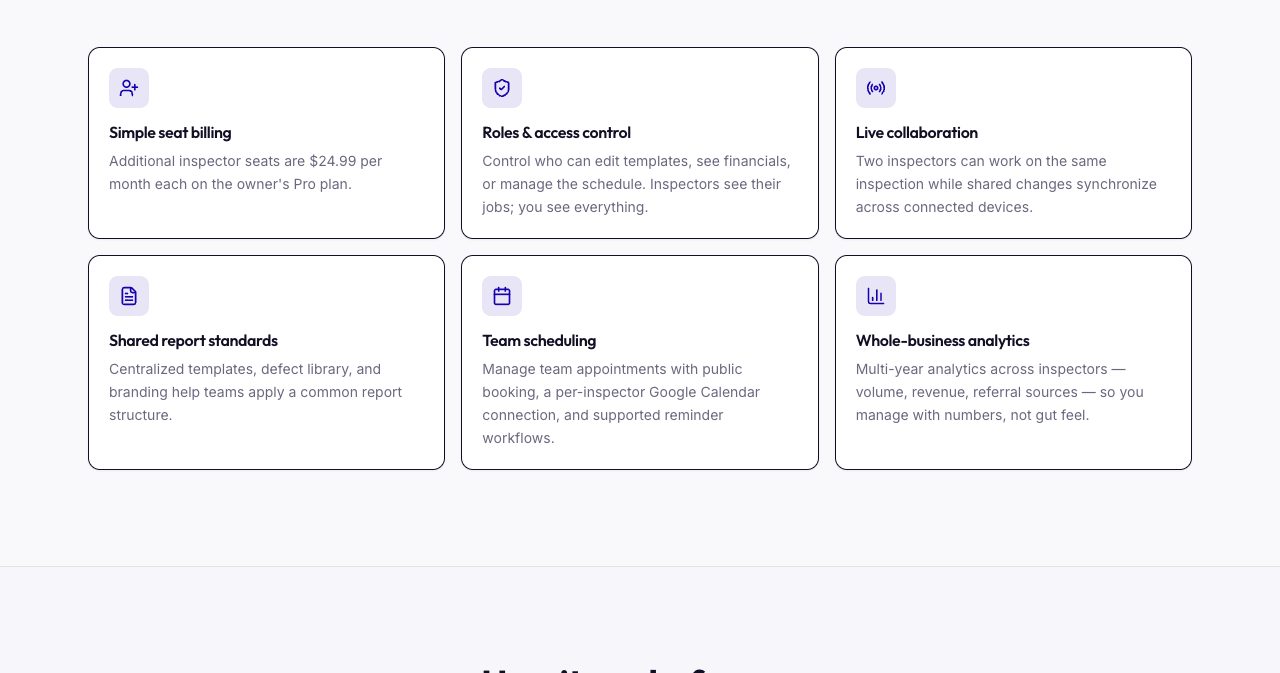
Teams run on the owner's Pro plan, at $24.99 a month for each additional inspector, and every seat gets the full Pro feature set. The owner decides who can edit templates, see financials or manage the schedule, pushes the same templates, defect library and disclaimers to every inspector, and sees every job, invoice and report across the team. Two inspectors can work on the same inspection at once with changes syncing between their devices, and each inspector connects their own Google Calendar.
How much does InspectProHQ cost?
There are two plans and two add-ons. Plans are billed monthly or yearly with no contract, payment is by credit or debit card through Stripe, and you can cancel from the billing portal at any time.
| Plan or add-on | Price | What's included |
|---|---|---|
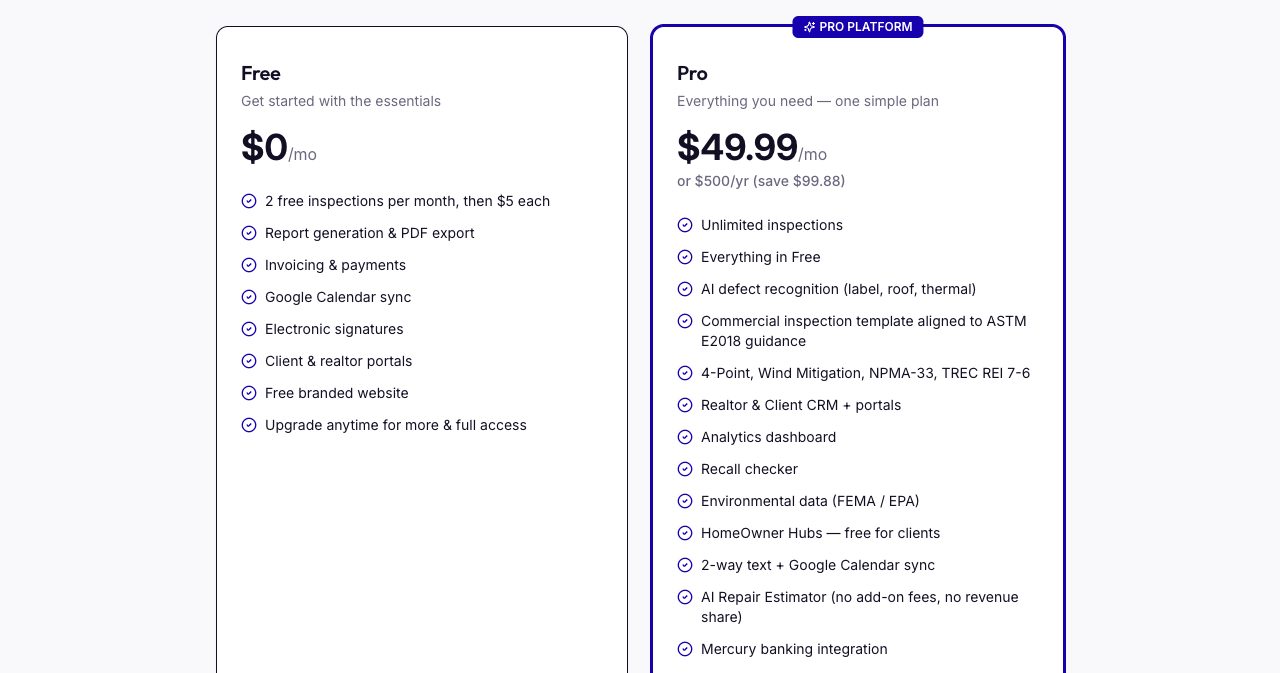
| Free | $0, then $5 per inspection after the first 2 each month | 2 inspections a month, report generation and PDF export, invoicing and payments, Google Calendar sync, e-signatures, client and Realtor portals and a free branded website. No credit card and no expiry date |
| Pro | $49.99 a month or $500 a year | Unlimited inspections and everything in Free, plus the six AI tools, commercial, 4-point, wind mitigation, NPMA-33 and TREC REI 7-6 templates, the CRM, analytics, the recall checker, FEMA and EPA data, HomeOwner Hubs, two-way texting, the AI Repair Estimator, Mercury banking and priority support |
| Extra inspector seat | $24.99 a month each | Full Pro access, shared templates and defect library, and the team dashboard |
| Premium website | $10 a month | A five-page site with premium templates and domain-forwarding setup help |
A few numbers to put that in context:
- The yearly plan works out to $41.67 a month, $99.88 less than twelve monthly payments.
- On the Free plan, 10 inspections in a month cost $40 (8 extra inspections at $5). At 12 a month the Free plan costs $50, so Pro becomes the cheaper option at around 12 inspections a month, or sooner if you want the AI tools.
- A firm with three inspectors pays $49.99 for Pro plus two seats at $24.99, which is $99.97 a month.
- McClain's old six-tool setup cost $214 a month. Pro with the premium website comes to $59.99.
Plans and add-ons can change, so check InspectProHQ's pricing page for the current numbers before you sign up.
InspectProHQ vs Spectora: how the prices compare
Spectora is the first platform InspectProHQ compares itself with, so we put the two published price lists side by side on October 27, 2026.
| InspectProHQ | Spectora | |
|---|---|---|
| Software for one inspector | Free plan, or Pro at $49.99 a month ($500 a year) | $109 a month ($1,090 a year) |
| Each additional inspector | $24.99 a month | $99 a month ($999 a year) |
| Website | Free single-page site, five pages for $10 a month | Base site at $69 a month or $699 a year, plus a setup fee |
| Starting free | 2 inspections every month, no card, no expiry | A trial with 2 free inspections, no card, no time limit |
On yearly billing, a solo inspector pays $590 less for the software on InspectProHQ. On monthly billing, a three-inspector firm pays $99.97 on InspectProHQ and $307 on Spectora, a difference of $207.03 a month.
Spectora has the longer track record and a much larger user base, and some inspectors will weigh that heavily. InspectProHQ's case is breadth at a lower price. The AI tools, HomeOwner Hubs, recall checks, environmental data and a website come with Pro, and Spectora templates import through CSV, Excel or the PDF parser. InspectProHQ also publishes comparison pages for HomeGauge, Home Inspector Pro, Palm-Tech, Tap Inspect and Horizon, which are worth reading next to each vendor's own pricing.
What we liked and what to keep in mind
What works well
- Each inspection is one record from booking to payment, so client details are entered once.
- The Free plan doesn't run out. Two inspections every month with no card and no end date let a new inspector start without a software bill.
- Pro's $49.99 includes the AI tools, HomeOwner Hubs and environmental data, with no per-report fees.
- The AI is set up as a drafting aid with the inspector reviewing every output, which is how most inspectors will want it in a report they sign.
- The Repair Request builder turns findings into a letter for the listing agent in a few minutes.
- Thirty languages come with every plan, with a separate setting for each team member.
- You can try the inspector workflow, both portals and the HomeOwner Hub before creating an account.
- The documentation is candid about limits, from the HomeOwner Hub to the repair cost ranges.
- An inspector who still inspects builds and runs it, and the about page says updates ship every week.
What to know before you start
- InspectProHQ is new. The iPhone app went live in May 2026, the Android app shows 50+ downloads and the App Store listing has no ratings yet. The homepage quotes three inspectors who use it, and independent reviews will take time to build up.
- The six AI tools, video uploads and unlimited inspections are Pro features. The Free plan covers the core report and business tools.
- There's a lot in it. Set aside an evening for setup with the in-app playbook and the tutorials on InspectProHQ's YouTube channel before your first paid job.
- The site doesn't say which AI tools work without a signal, so try them on a weak connection while you use your free inspections.
- Confirm the state forms you need. TREC REI 7-6, NPMA-33, 4-point and wind mitigation are listed, and support can answer questions about anything else.
Who is InspectProHQ for?
- New inspectors who want branded reports, ready-made templates, a website and a business playbook without paying for software before the first client.
- Solo inspectors who run everything from the truck and want report writing, booking, invoicing and marketing in one subscription.
- Small firms adding inspectors, at $24.99 a seat with shared templates, roles and live collaboration.
- Commercial inspectors, with the ASTM E2018 template, multi-building inspections and commercial agreement templates on Pro.
- Inspectors in Texas and Florida who need TREC REI 7-6, NPMA-33, 4-point or wind mitigation reports.
- Bilingual inspectors and teams whose clients would rather read the report in Spanish, Vietnamese, Chinese or another of the 30 languages.
- Inspectors whose current platform raised its prices or changed direction, and who want to bring templates, clients and Realtor contacts with them.
How to try InspectProHQ before your next inspection
- Open InspectProHQ's interactive demo. It loads a sample inspection without an account. Mark a few items, try the severity levels, and open the sample PDF, client portal, Realtor portal and HomeOwner Hub from the bar at the top.
- Create a free account. You don't need a credit card, and the Free plan includes 2 inspections every month.
- Choose a starter template, Interior Inspection or Component Full Home Inspection, or import your own from a PDF, CSV or Excel file.
- Add your logo and company details, import past clients and Realtors, connect Google Calendar and set up Stripe for payments.
- Use your two free inspections on real jobs. Take photos, dictate notes, and head into a basement with no signal to see the offline mode for yourself.
- Publish the report, collect the e-signature and send the invoice, then ask the agent what they thought of the Realtor portal.
- Move to Pro at $49.99 a month or $500 a year when you want unlimited inspections and the AI tools.
The contact page lists an email address and a phone line that also takes texts, available Monday to Friday from 9 a.m. to 6 p.m. Eastern, for questions about migrating templates or anything else before you switch.
Is InspectProHQ worth it?
For a new or solo inspector, it deserves a serious look. The Free plan costs nothing to keep, the demo needs no account, and Pro at $49.99 a month covers work that many inspectors now spread across several subscriptions. The report writer is built around quick taps on a phone, the AI tools leave the final word with the inspector, and the Repair Request builder is the kind of feature agents notice.
The main trade-off is age. InspectProHQ launched in 2026 and doesn't have years of independent reviews behind it yet. Two free inspections a month are a cheap way to find out whether it fits your workflow before you move the whole business over.
FAQ
What is InspectProHQ?
InspectProHQ is all-in-one software for home inspectors. It combines report writing with online booking, two-way Google Calendar sync, a CRM, Stripe invoicing, e-signed agreements, client and Realtor portals, HomeOwner Hubs and six AI-assisted tools. It runs as a Progressive Web App on phones, tablets and computers, works offline and has iPhone and Android apps. Dan McClain, a Certified Master Inspector in Northeast Ohio, built it.
Who built InspectProHQ?
Dan McClain, a Certified Master Inspector and licensed Ohio home inspector who owns AMAC Home Inspections and Northeast Ohio Radon & Mold Solutions in Brunswick, Ohio. He started AMAC in 2019 after about 17 years in bank lending, including at PNC, and went full-time in the field in 2022. InspectProHQ is self-funded, with no venture capital or private equity behind it.
How much does InspectProHQ cost?
The Free plan costs nothing and includes 2 inspections every month, then $5 per extra inspection, with no credit card and no expiry date. Pro costs $49.99 a month or $500 a year for unlimited inspections and every feature, the six AI tools included. Extra inspector seats are $24.99 a month each, and a five-page premium website is $10 a month. Pro has no contract and no per-report fees.
What AI tools does InspectProHQ include?
Pro includes six AI-assisted tools: a comment writer with optional IRC and NEC code references, a label scanner that reads appliance data plates and checks them against CPSC recalls, a roof scanner for drone or ground photos, thermal image review, voice-to-text dictation and an environmental lookup for FEMA flood zones, EPA radon zones, seismic activity and weather. Every AI output is a draft the inspector reviews before it goes into a report.
Does InspectProHQ work offline?
Yes. InspectProHQ is a Progressive Web App, so core inspection work keeps going without a signal in basements, crawlspaces and rural properties, and changes sync when you reconnect. Saved inspection data also syncs across your phone, tablet and computer.
Which inspection types does InspectProHQ support?
Residential inspections, with a room-by-room and a component-based starter template, plus templates on Pro for commercial inspections structured around ASTM E2018 guidance, 4-point, wind mitigation, WDO on the NPMA-33 form and the Texas TREC REI 7-6 form. New construction templates are included too. Every template can be customized, and you can import your own.
Can I move my templates from Spectora or another inspection software?
Yes. InspectProHQ imports existing templates from CSV or Excel files, and an AI parser can build a template from a PDF of your current one. You can also import your client list and your Realtor contacts, so your history and referral network come with you.
What do clients and real estate agents receive?
Clients get a branded portal with the interactive report, photos, the e-signed agreement, the invoice and payment receipt, environmental data and a PDF download, plus a free HomeOwner Hub with seasonal maintenance tasks and recall alerts. Agents get a Realtor portal with severity counts, defects sorted from most to least serious, cost ranges and a Repair Request builder that turns selected findings into a letter.
Is InspectProHQ cheaper than Spectora?
On the published prices we checked on October 27, 2026, yes. InspectProHQ Pro is $49.99 a month or $500 a year, and Spectora's software is $109 a month or $1,090 a year. Each additional inspector costs $24.99 a month on InspectProHQ and $99 a month on Spectora. InspectProHQ also has a permanent free plan with 2 inspections every month.
Is there an InspectProHQ app for iPhone and Android?
Yes. InspectProHQ is free on the App Store for iPhone (iOS 15 or later) from developer Daniel McClain, and on Google Play as InspectPro Home Inspection App by InspectProHQ. The same account also works in any browser as an installable Progressive Web App.
If you're building software for inspectors, agents or any other trade, SaaSCity is a free, human-reviewed startup directory with a live city map, where your listing is a permanent page that other founders browse.
Get your SaaS in front of founders
List your product on the SaaSCity live city map - a permanent listing, real discovery, and a backlink from a high-DR directory. Free to start; upgrade for a dofollow link and a building on the map.