News
UpGuard Found 16,326 Wide-Open Supabase Databases. The Fix Is Two Lines of SQL the AI Never Wrote (2026)
On September 25, 2026, UpGuard revealed that 16,326 Supabase databases sat wide open on the public web without requiring an exploit or authentication. The cause is a silent gap between dashboard defaults and raw SQL generated by AI coding agents. If you plan to launch on directories like SaaSCity, checking your tables before public traffic arrives is the difference between a launch day and a breach notification.

Contents (8)
- The numbers behind the UpGuard research
- The architecture trap: why the anon key is public by design
- The defaults gap: dashboard users versus AI coding agents
- The deny-all trap: why developers revert the fix
- A $10 billion valuation and the shared responsibility model
- Why this matters to founders and builders
- The 60-second audit: verify your database right now
- The real lesson of the 16,326 databases
Quick answer: On September 25, 2026, cybersecurity research firm UpGuard published findings revealing that 16,326 Supabase databases were readable by anyone on the internet with zero authentication or exploits required. The root cause is a gap between interface defaults: Supabase's web dashboard turns on Row Level Security (RLS) by default, but raw SQL generated by AI coding tools like Claude Code, Cursor, Bolt, and Lovable leaves RLS disabled. Because the Supabase anon key ships in client-side JavaScript by design, exposed tables answer standard HTTP GET requests unless secured with explicit SQL policies.
Your Supabase anon key sits in your frontend bundle right now, visible to anyone who opens browser developer tools. If your database tables were generated by an AI coding agent rather than clicked inside the web dashboard, anyone can download your user records with a single curl command.
On September 25, 2026, cybersecurity research firm UpGuard published an investigation titled "Everything Everywhere: Systemic Data Exposure in Supabase Apps." Authored by Greg Pollock, UpGuard's Director of Research and Insights, the study identified 16,326 Supabase-hosted databases with at least one table world-readable over the public internet. No zero-day vulnerability was needed, and no authentication was bypassed. The databases simply answered HTTP GET requests because their underlying Postgres tables lacked Row Level Security.
An honest disclosure before examining the technical data: you are reading this on a startup directory's blog. SaaSCity is a gamified startup directory featuring a live city map and human editorial review. Every week, our team reviews dozens of applications built in days by solo founders using AI tools. We see firsthand how fast developers ship in 2026, and we also see what gets skipped. When a founder launches a product, the database endpoint is one of the first surfaces external scanners probe.
The UpGuard dataset represents the largest study of its kind on this configuration failure, roughly ten times larger than all prior research combined. Coverage followed quickly across tech media, with TechCrunch and Cybernews reporting on the scope of exposed customer records.
Understanding how 16,326 databases ended up open requires looking at how cloud platforms design their default settings and how AI coding agents actually write code.
The numbers behind the UpGuard research
UpGuard started by fingerprinting approximately 300,000 domains showing evidence of Supabase integration. The researchers combined technographic data from BuiltWith with the public Chrome UX Report dataset hosted on Google BigQuery. Both datasets allowed them to inspect public JavaScript files across hundreds of thousands of websites, locating Supabase project subdomains and client API keys.
From there, the team queried the standard PostgREST endpoint on each discovered project for a users table. Each query produced one of three distinct outcomes:
- No accessible data returned.
- No accessible
userstable, but an API hint naming another accessible table. - A page of readable database records.
Because the volume of responsive endpoints was massive, UpGuard cataloged exposed tables by schema structure rather than downloading entire datasets, and classified each affected website's business model using an AI classification model.
| Metric from UpGuard study | Measured count or percentage |
|---|---|
| Candidate domains fingerprinted | ~300,000 |
| Confirmed open Supabase databases | 16,326 |
| Databases with PII indicators | Over 50% |
| Databases with password or token indicators | Significant minority |
| Databases with payment integration indicators | Common across e-commerce |
| Databases with plausible credit card numbers | Very small percentage |
More than half of the 16,326 open databases contained clear indicators of personally identifiable information: full names, personal phone numbers, physical addresses, and corporate email lists. A smaller percentage exposed hashed passwords, plaintext authentication tokens, or session secrets. A very small number returned plausible credit card numbers.
More commonly, databases exposed table columns indicating active payment provider integrations, such as customer identifiers for Stripe or Lemon Squeezy. While an internal payment identifier is not confidential by itself, its presence flags sites where an attacker could insert themselves into financial transactions if write permissions are also misconfigured.
Several individual exposures documented in the UpGuard report reached into hundreds of thousands, or even millions, of records:
- An adult video streaming service based in India exposed records belonging to more than 65,000 users. Leaked fields included scans and numbers for passports and driver's licences, banking details, and over 100,000 private user messages.
- A US valet and parking management service exposed thousands of customer vehicle licence plate numbers alongside reservation histories.
- An international relocation and immigration consultancy leaked contact details, visa submission statuses, and personal background files of its applicants.
- A diplomatic mission representing an African government's consulate in France left administrative records exposed.
- A virtual SIM card farm used for intercepting SMS verification messages exposed its entire log stream. Roughly 95 percent of the intercepted traffic consisted of one-time passcodes, while between 2,000 and 2,400 sampled entries were personal text messages sent between private individuals.
The exposure pattern showed distinct industry distributions. E-commerce sites and online restaurant ordering platforms were the most likely to expose consumer contact records alongside payment metadata. Unregulated online gambling and betting websites were the most likely to leak user credentials, authentication tokens, and session passwords.
Geographically, most of the misconfigured database instances were hosted on cloud infrastructure located inside the United States. However, the affected organizations and end users spanned the globe, with verified data exposures documented in Canada, India, the Philippines, the United States, and multiple countries across Africa and Europe.
The architecture trap: why the anon key is public by design
To understand how 16,326 separate databases ended up open to the public, you have to dispel the most common misconception about Supabase: the belief that the anon key is a secret token that accidentally leaked.
It was not leaked. It is public by design.
When you create a Supabase application, the client library connects directly from the user's browser to Supabase's PostgREST API gateway. To allow that browser request through, your client application passes a public API key, typically called NEXT_PUBLIC_SUPABASE_ANON_KEY or VITE_SUPABASE_ANON_KEY. Every visitor who loads your home page receives that key in their browser.
import { createClient } from '@supabase/supabase-js';

const supabaseUrl = 'https://xyzcompanyproject.supabase.co';
const supabaseAnonKey = 'eyJhbGciOiJIUzI1NiIsInR5cCI6IkpXVCJ9...';

export const supabase = createClient(supabaseUrl, supabaseAnonKey);
In traditional monolithic web development with Django, Rails, or Laravel, the database lives behind a private server layer. Your frontend never talks directly to SQL. If an attacker wants data, they must exploit an application endpoint.
Supabase uses a different model. The database engine exposes an auto-generated REST and GraphQL API directly to the public internet. Because the API gateway is open to everyone holding the anon key, the database engine itself must decide who can read which row.
In Postgres, that authorization system is Row Level Security (RLS).
When Row Level Security is enabled on a table, Postgres inspects every incoming query, evaluates a set of SQL security rules, and filters out rows the caller has no permission to see. When RLS is disabled, Postgres ignores row ownership entirely. It simply verifies whether the current database role (anon) has permission to query the table. In Supabase, the anon role is granted read access to tables in the public schema by default so that client-side queries work seamlessly.
The anon key is merely an identity tag telling the gateway which project to route requests to. Row Level Security is the actual door lock. If you remove the lock, the door swings open for anyone holding the key that you deliberately pasted on your front porch.
The defaults gap: dashboard users versus AI coding agents
If RLS is so fundamental, why were 16,326 production databases missing it?
The answer lies in a divergence between platform UI defaults and automated database migrations.
In 2025, Supabase updated its web dashboard Table Editor. When a human developer logs into the Supabase web console, navigates to the visual database manager, and clicks the button to create a new table, the interface displays an option labeled "Enable Row Level Security." As of that 2025 update, that toggle is switched on by default. If a developer uses the graphical user interface, Supabase protects them from their own oversight.
However, production applications rarely rely on manual clicks in a web dashboard. Developers use schema migration files, seed scripts, or raw SQL queries executed via the Supabase SQL Editor or command-line interface.
More importantly, developers in 2026 use AI coding assistants.
When tools like Claude Code, Cursor, Bolt, Replit, or Lovable scaffold a project, they generate standard Postgres DDL statements:
CREATE TABLE users (
    id UUID PRIMARY KEY DEFAULT gen_random_uuid(),
    email TEXT NOT NULL,
    full_name TEXT,
    stripe_customer_id TEXT,
    created_at TIMESTAMPTZ DEFAULT now()
);
In native PostgreSQL, a standard CREATE TABLE command creates a table with Row Level Security disabled. Postgres has operated this way for decades to maintain backward compatibility. Supabase's dashboard toggle cannot intercept raw SQL statements sent through migration pipelines or API connections.
The AI agent writes the DDL, executes the migration, verifies that the application frontend displays user profiles correctly, and marks the task complete. The human developer never opens the Supabase web dashboard. The safety net designed by Supabase engineers never triggers.
Supabase's official documentation states this risk explicitly:
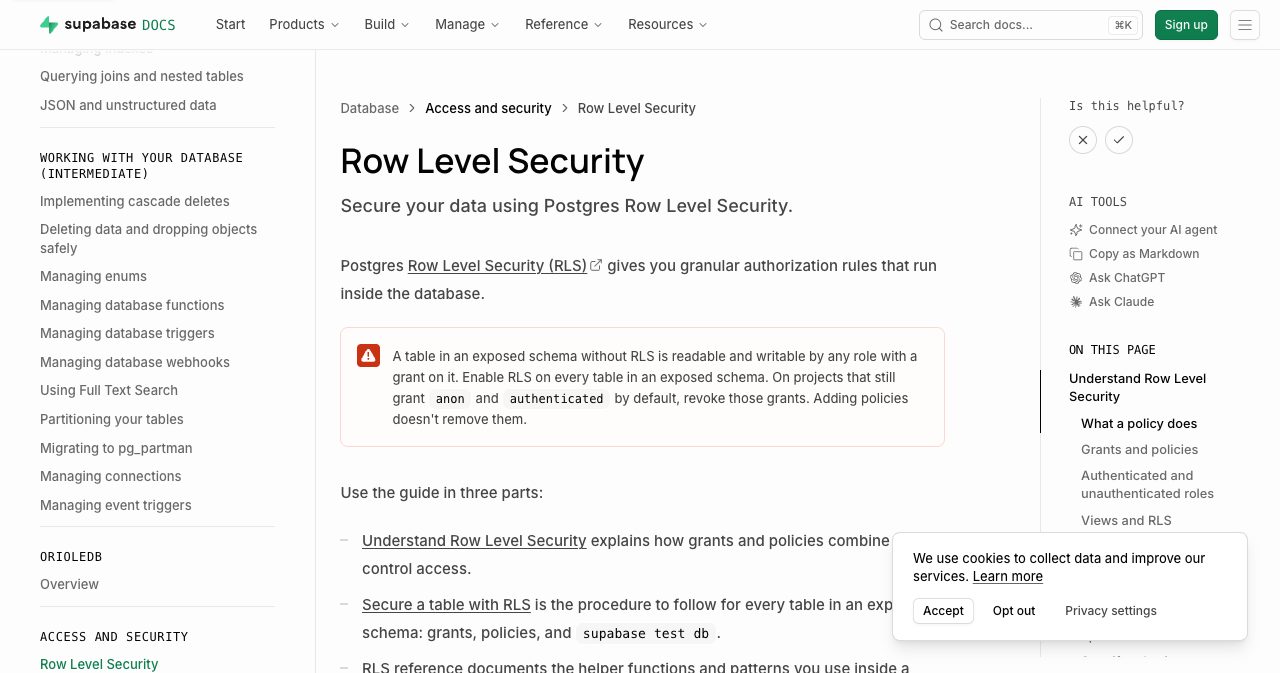
"A table in an exposed schema without RLS is readable and writable by any role with a grant on it. Enable RLS on every table in an exposed schema. On projects that still grant anon and authenticated by default, revoke those grants. Adding policies doesn't remove them."
The documentation warns developers directly on its Postgres Row Level Security guide. But an AI agent reading truncated API docs to resolve a prompt does not stop to read conceptual security warnings unless specifically instructed to audit its own schema.
The deny-all trap: why developers revert the fix
Even when a developer realizes that RLS is missing, they frequently run into a second trap that causes them to revert the security setting.
In Postgres, enabling RLS without adding an explicit access policy creates an absolute deny-all state:
ALTER TABLE users ENABLE ROW LEVEL SECURITY;
If the developer runs that single line of SQL and refreshes their application, the entire application breaks. The user dashboard shows empty arrays. Profile pages throw 403 errors. The frontend JavaScript console fills with fetch failures.
Because Postgres applies a default-deny posture when RLS is active, an enabled table with zero policies blocks everyone, including the authenticated user who owns the record.
When inexperienced developers or hurried founders see their application break right before a demo or launch, they conclude that RLS is broken or incompatible with their client library. They issue the reverse command:
ALTER TABLE users DISABLE ROW LEVEL SECURITY;
The app works again, the demo succeeds, and the database rejoins the ranks of exposed targets.
Securing a table requires two statements, not one. You must enable RLS, and you must immediately attach a permissive policy defining who can see what:
-- 1. Enable Row Level Security
ALTER TABLE users ENABLE ROW LEVEL SECURITY;

-- 2. Define an explicit access policy
CREATE POLICY "Users can only read their own record"
ON users
FOR SELECT
TO authenticated
USING (auth.uid() = id);

-- 3. Define an update policy so users cannot edit other people's rows
CREATE POLICY "Users can only update their own record"
ON users
FOR UPDATE
TO authenticated
USING (auth.uid() = id)
WITH CHECK (auth.uid() = id);
For public tables that are genuinely meant to be read by unauthenticated visitors, such as public product listings, blog articles, or city maps, the policy must explicitly declare that intent:
ALTER TABLE public_listings ENABLE ROW LEVEL SECURITY;

CREATE POLICY "Public listings are readable by anyone"
ON public_listings
FOR SELECT
TO anon, authenticated
USING (is_published = true);
If a table holds sensitive data, an empty policy list is a denial of service, while a disabled RLS flag is a data leak. Knowing the difference between those two states is what keeps your user records off public security research blogs.
A $10 billion valuation and the shared responsibility model
The context surrounding this disclosure makes the numbers particularly striking. On June 5, 2026, TechCrunch reported that Supabase had doubled its valuation to $10 billion in just eight months. The primary driver of that growth was the rapid adoption of AI coding assistants and vibe-coding platforms, which almost universally default to Supabase as their backend storage provider. In their research paper, UpGuard specifically characterized Supabase as "the database product most recommended by Claude Code."
Supabase makes launching a database accessible to anyone. A solo creator can deploy a production-ready Postgres database on the Free tier or the $25-per-month Pro tier in under sixty seconds. The company maintains rigorous enterprise security credentials, advertising compliance with SOC 2 Type 2, ISO 27001, and HIPAA standards.
When contacted by TechCrunch regarding UpGuard's findings, Supabase Chief Information Security Officer Bil Harmer stated that the company had not yet reviewed UpGuard's specific report. Harmer emphasized that Supabase projects are "secure by default," pointing to the platform's automated security advisors, educational resources, and customer notification systems. Harmer framed database security as a shared responsibility between the infrastructure platform and the application builder.
UpGuard confirmed that it initiated responsible disclosure procedures, notifying application owners where significant, high-impact data exposures were detected.
This is not the first time Supabase misconfigurations have surfaced at scale. In March 2025, developer Matt Turner published an analysis documenting widespread misconfigurations in Supabase databases created by the vibe-coding platform Lovable. Earlier investigations by UpGuard identified similar RLS oversights in databases operated by well-known apps and Y Combinator startups.
The fundamental tension is structural. A cloud platform can provide compliance reports, enterprise certifications, and automated linting tools in its web UI. But if developers interact with the platform exclusively through headless AI agents generating raw SQL migrations, web UI safeguards are effectively bypassed. For teams evaluating their infrastructure footprint, our comparisons of self-hosting alternatives for Supabase and Vercel explore how different backend architectures handle default security boundaries.
Why this matters to founders and builders
If you run an early-stage SaaS, build micro-products, or operate a startup, you might be tempted to dismiss this as an enterprise problem. That assumption is dangerous. The UpGuard dataset proves that automated scanners do not care about your monthly recurring revenue.
1. The 60-second probability
The mathematics of modern software development are straightforward. If you built your application using prompt-driven workflows, you are one prompt away from being database number 16,327. UpGuard fingerprinted 300,000 domains using public data sources. Hostile actors run identical scripts across the Chrome UX Report, GitHub repositories, and Shodan daily. Finding an open table requires no specialized hacking skills; it takes an automated curl loop scanning common table names like users, profiles, orders, and customers.
2. Regulatory liability and financial exposure
Under the European Union's General Data Protection Regulation (GDPR) and California's Consumer Privacy Act (CCPA), making user personal data publicly readable on an unauthenticated endpoint constitutes a reportable security incident.
Under GDPR Article 33, organizations must report personal data breaches to regulatory authorities within 72 hours of becoming aware of them. Fines can reach up to €20 million or 4 percent of worldwide annual turnover. For a solo founder or early startup with no formal Data Protection Agreement, no dedicated compliance officer, and zero historical access logs, navigating an official data protection inquiry can end the business before it reaches profitability. Our SaaS compliance guide for SOC 2, GDPR, and the AI Act details the specific compliance requirements early-stage teams must meet to stay out of regulatory crosshairs.
3. Launch timing and visibility risk
Every founder wants visibility. You spend weeks building a product, and the moment you have a working prototype, you submit it to discovery directories, post it to Hacker News, share it on X, and schedule a Product Hunt launch.
Here is the dilemma: visibility and security are the exact same decision made at different points in time.
The moment you list your application on a platform like SaaSCity, you announce to thousands of developers, investors, and curious observers that a new web application is live. SaaSCity offers a free listing page with a building on our live city map, providing a dofollow backlink and a scheduled Monday launch slot once you add our verification badge. Founders needing immediate turnaround can select Quick Pass for $19.99 to go live within 24 hours, or Premium for $39.99, which includes a dedicated launch post with three dofollow links.
That traffic includes genuine customers, but it also includes automated bots and technical peers who inspect the network tab. If you launch before auditing your database tables, every visitor you attract is a potential vulnerability tester. Getting listed before you have secured your tables turns a product launch into an embarrassing public incident.
4. AI search engines and brand preservation
In 2026, prospective buyers do not simply browse marketing pages; they ask AI answer engines like Perplexity, ChatGPT, and Google AI Overviews questions like: "Is [Product Name] secure?" or "Does [Product Name] protect customer data?"
Generative answer engines aggregate news reports, security disclosures, and public forum discussions. If your startup's name appears in a public research database of exposed instances, that association becomes cemented in AI search outputs indefinitely. Recovering buyer trust after an automated tool brands your service as insecure is far more expensive than preventing the leak initially.
5. Due diligence and exit valuation
Whether you are seeking angel investment, applying to an accelerator, or preparing for a micro-acquisition on Acquire.com, technical due diligence begins with data handling. Discovering that historical customer databases were world-readable kills acquisition talks faster than stagnant user growth. Buyers will not assume liability for unnotified data exposures.
Before you push any app to users, run through the foundational controls in our pre-launch security checklist for vibe-coded startups to make sure your authentication and data layers are properly isolated.
The 60-second audit: verify your database right now
You do not need specialized security software to determine whether your database is vulnerable. You can test your live production application in sixty seconds using your terminal.
# Step 1: Open your web app in Chrome or Firefox
# Step 2: Open Developer Tools (F12) -> Console or Network tab
# Step 3: Find your Supabase URL and anon public key
Once you have your project URL and public key, run this curl command in your terminal:
curl -i -X GET \
  -H "apikey: YOUR_ANON_KEY" \
  -H "Authorization: Bearer YOUR_ANON_KEY" \
  "https://YOUR_PROJECT_ID.supabase.co/rest/v1/users?select=*"
Observe the HTTP response status and body:
- Vulnerable: The command returns HTTP 200 with an array of records containing names, emails, or IDs. Row Level Security is disabled, the
anonrole holds a SELECT grant, and your data is world-readable. - Safe: The command returns HTTP 200 with
[](an empty array). Row Level Security is active and doing its job by filtering out every row for the unauthenticated caller. (Confirm in your dashboard that the table actually holds production rows, since an empty table also returns[].) - No access: The command returns HTTP 401, HTTP 403, or a permission-denied payload such as
{"message":"permission denied for table users"}. PostgREST rejected the query or theanonrole has no SELECT grant on the table.
Repeat the check for your core application tables:
# Check orders table
curl -s -H "apikey: YOUR_ANON_KEY" "https://YOUR_PROJECT_ID.supabase.co/rest/v1/orders?select=*"

# Check profiles table
curl -s -H "apikey: YOUR_ANON_KEY" "https://YOUR_PROJECT_ID.supabase.co/rest/v1/profiles?select=*"

# Check messages table
curl -s -H "apikey: YOUR_ANON_KEY" "https://YOUR_PROJECT_ID.supabase.co/rest/v1/messages?select=*"
If you prefer a direct check inside the database, run this query in the Supabase SQL Editor:
select schemaname, tablename, rowsecurity
from pg_tables
where schemaname = 'public' and rowsecurity = false;
This returns the exact list of public tables that still lack RLS, which is more reliable than inferring status from HTTP responses because it reports the setting itself rather than a symptom.
Complete the five-step dashboard review
- Inspect Security Advisor: Log into your Supabase dashboard, select your project, click the Advisors icon in the left navigation sidebar, and open Security Advisor. Review any warnings labeled "Table has RLS disabled in public schema."
- Review Exposed Schemas: Navigate to Project Settings -> API. Under the "Exposed schemas" section, verify which database schemas are exposed to PostgREST. If you have internal admin tables, ensure they live in a private schema rather than
public. - Audit Table Policies: Open the Table Editor or Authentication -> Policies view. Confirm that every table shows a green shield badge indicating RLS is active, and verify that at least one policy is assigned.
- Revoke Default Public Grants: If you deployed your project prior to late 2024, verify whether public grants were revoked from the
anonrole:REVOKE ALL ON ALL TABLES IN SCHEMA public FROM anon; GRANT SELECT ON public.public_listings TO anon; - Automate Checks with the Database Linter: Run the Supabase CLI database linter (
supabase db lint) across your project or migration files to catch tables missing RLS alongside the Dashboard Security Advisor. You can wiresupabase db lintdirectly into CI so any migration that creates a table without RLS fails the build before deployment. Review the Supabase database linter documentation for warning and error level rules.
The real lesson of the 16,326 databases
The UpGuard report is not an indictment of Supabase. The platform provides performant, well-documented, enterprise-grade Postgres infrastructure. Nor is it an indictment of PostgreSQL, which has maintained some of the most reliable security features in computer science for thirty years.
The problem is the modern development workflow.
We have entered an era where thousands of developers build and launch full-stack applications without reading database manuals or opening cloud dashboards. They instruct an AI model to build a feature, the model writes standard SQL that satisfies the immediate functional request, and the developer ships the code because the demo works.
The AI model optimizes for code that executes without errors. It does not optimize for adversarial environments unless explicitly instructed to do so. In the model's training data, CREATE TABLE is a valid, functioning command. In production web applications where the database port faces the public internet, that same command is a critical data leak waiting for a scanner to find it.
Securing these 16,326 databases does not require complex cryptography, expensive security audits, or architectural rewrites. It requires two lines of SQL that the AI forgot to write:
ALTER TABLE users ENABLE ROW LEVEL SECURITY;
CREATE POLICY "users_read_own" ON users FOR SELECT USING (auth.uid() = id);
Before you share your project link, claim your directory building, or buy your domain, take sixty seconds to run the curl check. The cheapest security work you will ever do is the work you do before anyone is watching.
Get your SaaS in front of founders
List your product on the SaaSCity live city map - a permanent listing, real discovery, and a backlink from a high-DR directory. Free to start; upgrade for a dofollow link and a building on the map.