News
10 Things You Can Do With Grok Bot Right Now — Plus the Best Skill Packs, Presets, and Templates (September 2026)
Grok Bot is an always-on teammate on a cloud computer, not another chat tab. Here are 10 real jobs you can hand it today, the skill packs and templates worth installing, and the approval lines that keep it from doing something expensive.

Contents (9)
Quick answer: Grok Bot is xAI's agent product, in beta since August 11, 2026. Each Bot is a named teammate with its own instructions, memory and skills, running on a persistent cloud computer with a browser, filesystem and terminal, so work continues after you close the laptop. Templates shipped August 28, the X connector August 29, the Android app September 2, and Grok Bot for Enterprise September 3. There is still no official template store, only x.ai/bot share links and first-party plugins.
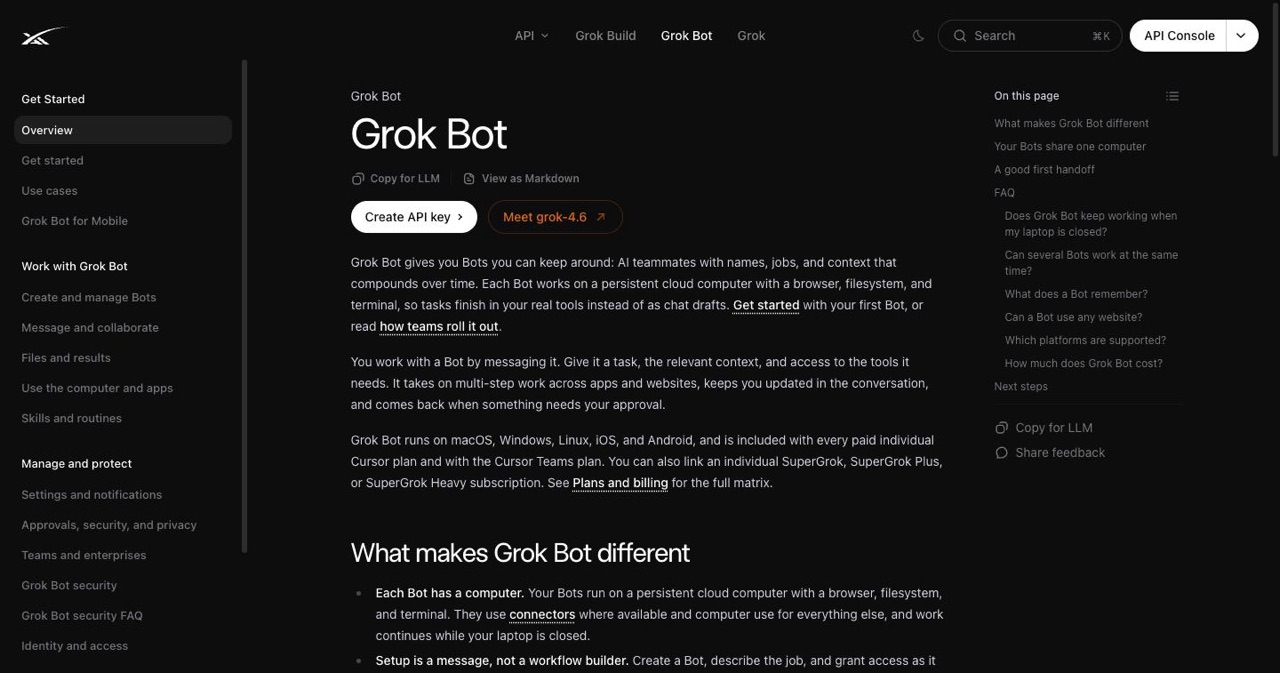
Grok answers questions. Grok Bot does the job on its own computer — browser, files, terminal, your apps — and keeps going after you close the laptop.
That distinction is the whole product. On August 11, 2026, xAI shipped Grok Bot in beta: named agents that sign into your software and run multi-step work by themselves. On August 28 shareable templates turned a working Bot into a link. On August 29 it got a native X connector. On September 2 the Android app landed. On September 3 Grok Bot for Enterprise opened with a two-week free window for existing Grok and Cursor enterprise seats.
Four weeks. Chat tab to staffed org chart.
This post is not "10 prompts for Grok." It is ten jobs you can hand a Bot today, the packs and presets people are actually installing this week, and the approval lines that stop the whole thing from becoming an expensive incident. If you want the wider context on where this category came from, we covered it in the "claw" era of agentic AI systems and in the wild world of molt projects.
Key Takeaways
- The VM is per account, not per Bot: Files, logins and browser sessions are shared across every Bot you own, which makes handoffs work and makes one careless Bot everyone's problem.
- Four weeks built the whole surface: Beta on August 11, third-party bot terms August 22, templates August 28, X connector August 29, Android September 2, Enterprise September 3.
- A template copies the blueprint, not the building: Instructions, configuration memories, skills, routines and plugin requests travel; credentials, MCP servers, private memories and chat history do not.
- Six fields make a real skill: When to use it, inputs and access, sequence, how to validate, what to return, and what needs approval.
- Routines come last: Turn one on only after two clean runs plus a test run, and trigger on a named channel, Git event or Sentry alert rather than every email.
- Draft first, approve everything irreversible: Send, buy, delete, publish and production pushes stay behind an explicit yes.
- Every store is unofficial: As of September 4, 2026 distribution is the
x.ai/botshare link plus Settings plugins, and xAI's own @bot account says community bots are third-party templates.
60-Second Orientation: Three Products People Keep Mixing Up
| Product | What it is | Use it when |
|---|---|---|
| Grok | Chat, voice, Imagine, X and web search | Fast answers, media, one-off research |
| Grok Bot | Named teammates on a shared cloud VM | Recurring work inside real apps |
| Grok Build | Coding CLI and agent workflows | Repo work in the terminal |
If you are comparing agent runtimes and their token bills before committing, our AI agent coding token plans breakdown covers the money side of running agents daily.
Anatomy of one Bot
A Bot is not a prompt. It is a small, boring configuration object:
- Identity — name, title, avatar, standing rules
- Its own conversation and memory — separate from Grok chat and from your other Bots
- A shared account computer — browser, filesystem, terminal, shared by every Bot on your account
- Plugins, connectors, and MCP — the logins that make the skills real
- Skills (invoked with
/) and mentions (@a Bot, a group, a routine, a connector) - Routines — a schedule or a narrow event trigger
- Approvals — the gate on send, buy, delete, publish, and production
If you have written agent skills before, the shape will be familiar. We wrote about the same discipline applied to Claude's skill system in shadcn's agent-skill token optimization, and the lesson transfers cleanly: a skill is a method, not a mood.
What a useful skill actually states
Six fields. Print them, tape them to the monitor, refuse any share that is missing more than one:
- When to use it — the trigger condition, in plain language
- Inputs and access — what data and which connectors
- Sequence — the steps, in order
- How to validate — what "done correctly" looks like
- What to return — the artifact, in what format
- What needs approval — the irreversible parts
The sequence before any "10 things"
Do not install nine templates on day one. Run this ladder instead:
- One safe task, done live, while you watch
- Correct it until the output is reviewable
- Save the run as a skill
- Test that skill on a second, different input
- Optionally record a teach-a-task demonstration (~10 minutes, no audio, no secrets on screen)
- Turn on a routine only after two clean runs plus a test run
Every failure story circulating this week skips steps 4 through 6.
Freshness strip — as of September 4, 2026
- Aug 11 — Grok Bot beta
- Aug 22 — third-party bot terms published
- Aug 28 — templates ship
- Aug 29 — X connector plus starter API credits
- Sep 2 — Android app
- Sep 3 — Grok Bot for Enterprise; two-week free window for existing Grok and Cursor enterprise customers; access, network, and audit controls for governance
- Sep 4 — custom notification sounds; still no official template store
That last point matters more than the notification sounds. Official distribution is the public x.ai/bot/… share link plus the first-party plugin list in Settings. Everything else — every "5,000 skills" index, every marketplace — is a community directory. xAI's own @bot account said as much this week: a community bot is a third-party template, not an official xAI product.
How to Steal a Setup Without Stealing a Mess
Glossary, because the words are already drifting
- Skill — a reusable method a Bot can invoke
- Skill pack / preset — a bundle of skills, or a "pack Bot" that spins up specialists on request
- Template — a public share of identity, description, skills, routines, and requested first-party plugins
- Routine — when the skill runs
- Plugin / connector — the login that makes the skill real
What a template does not copy: the author's cloud computer, their logins, their chat history, their secrets, their custom MCP servers, their private memories. You get the blueprint. You bring the building.
The install ritual
- Open the
x.ai/bot/…preview and read the whole thing - Read the never-list — if there isn't one, that is the finding
- Add to Grok Bot in the app
- Connect only the tools that specific job needs
- Run one reversible task
- Then consider routines
The starter six
The set that keeps recurring across directories updated this week:
- Bouncer — vets a share before it joins the fleet
- Chief of Staff / Master / Command — a router that does not do the work
- Inbox Triage — buckets and drafts, never sends
- Research Desk — claims, evidence, disagreements, explicit NOT FOUND
- Loops or Forge — if you ship software
- Reach or X Algo — if you publish
Six is not a cap. It is the number you can still audit on a Friday afternoon.
The 10 Things
Each one uses the same skeleton: the job, why it needs a Bot instead of a chat window, a first prompt you can paste, the connectors, the pack worth installing, the routine you enable later, the hard approval line, and the failure mode.
1. Hire a Chief of Staff and a Specialist Fleet
Owns: routing, status, who has the ball, one daily digest. Does not write the PR, send the email, or spend the money.
Why now: the Enterprise messaging on September 3 is explicitly staged — start with retrieval, then workflows, then routines that trigger other Bots. That is a fleet, not a chatbot. Bots on one account share a computer and can hand work to each other, which is the actual unlock.
First prompt
You are Chief of Staff. Interview me until my priorities are written down. Route every job to exactly one owner Bot and confirm they have it. Return one digest per day. You do not perform specialist work yourself. Anything irreversible waits for me.
Best packs: a Command or Master-style lean orchestrator; a CEO-style share for direction, delegation, and board-format progress; a Coach or auditor Bot that reviews your one-job Bots before you drown in fifteen of them.
Routine: weekday 8:00 AM digest. Zero outbound.
Approval line: the router never gets send, buy, or deploy scope. Ever. It is a dispatcher, and a dispatcher with a credit card is a liability.
Failure mode: the orchestrator quietly starts doing the specialist work because it is faster than delegating. You notice when the digest starts containing drafts instead of statuses. Re-read its instructions and add "you do not perform specialist work" twice.
2. Collapse Inbox, Calendar, and Notes Into a Morning OS
Owns: triage and drafts. Not send.
This is the first workflow xAI itself demonstrates for Enterprise rollouts: connect Slack, Gmail, and your docs, then ask the boring questions — who is the right person for this? and has anyone already answered this? Later, graduate to unsubscribing, scanning long partner mail, and updating sheets.
First prompt
Scan mail, Slack, calendar, and notes. Keep only what maps to my written priorities. Bucket into: act today, draft, ignore. Draft replies in my voice. Never send. If a source is unreachable, say so explicitly instead of returning a shorter list.
Connectors: Gmail or Outlook, Slack, calendar, your notes app.
Best packs: an Inbox Triage profile with a hard never-send rule; a time-sensitive flagger that surfaces only mail with a real deadline; the built-in office skills so the brief arrives as a .docx or .pdf rather than a wall of chat; a human-in-the-loop approver skill plus a goal-verifier skill, which are the two most underrated files in every community skill library.
Routine: 7:30 local, "Morning Brief," with a stale-data policy switched on.
Mobile note: the Android app landed September 2 and does what desktop does. Because the work happens on a cloud VM, you can voice a task on a walk and read the artifact at your desk.
Failure mode: the Bot summarises the noise instead of removing it. Fix it at the source — if your priorities are not written down, triage has nothing to filter against, and you will get a beautifully formatted restatement of your unread count.
3. Run Research That Is Allowed to Lose
Owns: dated sources, named disagreements, explicit NOT FOUND.
Why a Bot and not Grok chat: the brief has to become a file, a watch list, or a CRM row, on a schedule, after you have left. Chat gives you an answer. A Bot gives you an artifact with a timestamp.
The X connector (August 29) is what makes this a September story: it can search posts, read a connected timeline, and check mentions, and paid users got starter API credits with it. It is early — a connector, not a full social suite.
First prompt
Research [question]. Separate facts from interpretation. Every claim gets a source, a date, and a channel (X, web, or file). List the disagreements you found rather than averaging them. Write NOT FOUND instead of smoothing over a hole.
Best packs: a Research Desk built on the claims / evidence / disagreements / not-found contract; a search-and-crawl pack if you also care about keywords and on-page structure; a deep-search enabler plus a sandbox internet handler skill so the Bot's browsing behaviour is explicit rather than incidental.
Routine: run the same topic on a 6-hour and a 24-hour window, separately. The difference between the two is the signal. One brief tells you what is true; two windows tell you what is moving.
Failure mode: confident synthesis of three posts by the same person. Require the channel field, and require it to name the account.
4. Become the Engineering Outer Loop
Owns: gather context → write a testable goal → launch the coding agent → return a review pack. Does not merge.
The canonical share here is Matt Palmer's Loops, which he describes as a generalised engineering outer loop that sits above coding agents, writes goal-style prompts with testable proof, and runs gather, prompt, launch, review, merge. The important part is what it refuses to do: it does not guess your repo.
First prompt
Outer loop only. You name nothing I did not name. Gather context, write a prompt with testable proof of completion, launch the coding agent, and return a review pack. No merge. No production push.
Connectors: GitHub, your coding agent, Linear or Jira, Sentry.
Best packs: Loops for the outer loop; a Forge or template-foundry Bot that turns one sentence into a starting template; an engineering trio of bug-reproduction (staging only), PR reviewer (start at the scariest diff, not the first file), and issue drafter. For the inner loop — tests, migrations, CI, security audits — keep using your coding agent's own skills.
Event example worth copying: a Slack message tagged "needs repro" plus a ticket link triggers a staging reproduction pack. No Slack reply goes out without approval.
Failure mode: the Bot writes code. If the outer loop starts producing diffs instead of prompts, the boundary has already failed. The monitor never writes code; the coder never publishes. That rule is worth more than any template.
5. Grow on X Without Living Inside the Timeline
Owns: what already worked, when to post, angle drafts. Publishing stays behind a yes.
Two things converged this week: the native X connector, and the fact that X's ranking code is public, which produced a wave of Bots that read For You logic against your recent performance and tell you to publish, quote, or wait.
First prompt
Using live X search and my connected account, show me what actually worked in [niche] over the last 24 hours — post, format, timing, and why. Then give me five angles in my voice. Do not post anything.
Best packs: an X-algorithm Bot for the ranking side; a Reach-style pack that drafts for social, email, and spend while holding every outbound behind approval; scheduler templates if you must, with the send path reviewed line by line before you connect anything.
Routine: 7:00 AM "what worked plus five drafts." A human publishes.
Marketer caveat: the connector is not a social suite. Analytics and multi-network posting are still separate tools unless you knowingly add them. If distribution is the actual bottleneck — and for most small SaaS it is — the directory listing route still out-converts posting more.
Failure mode: the Bot optimises for engagement bait because that is what performed. Put your never-list in writing: no engagement farming, no fake numbers, no reply-guying competitors.
6. Build Pipeline That Stops at a Review List
Owns: ICP scoring, contact research, drafts. Does not enroll or send in week one.
xAI's own outbound starter is a good shape to steal: research N accounts, skip anyone already in an active sequence, draft from attached style samples, return a list. Then add a nightly research routine that still stops at the list.
First prompt
Research [N] accounts against this ICP. Skip anyone already in an active sequence. Score each on fit with the evidence that produced the score. Draft a first touch using the attached style samples. Return a list. Do not write to the CRM and do not send.
Connectors: your CRM, Gmail, LinkedIn (read), a data source you are licensed to use.
Best packs: a Chief of Staff plus a prospecting Bot that watches webinars, podcasts, blogs, and social for trigger events and drafts in your voice; a Talent Scout sibling for recruiting that returns twenty candidates with evidence and never contacts anyone; a paid-media Bot that monitors spend and recommends budget changes rather than making them.
Approval line: CRM writes and first-touch sends are a second-week problem. The refund cost of an automated apology is higher than the time you saved.
Failure mode: the Bot fabricates a plausible trigger event. Require a URL and a date on every "why now" line, and reject the row if either is missing.
7. Teach a Portal Once, Then Run It Overnight
Owns: the no-API chore. This is the feature that makes the whole product make sense.
Teach-a-task is the demonstration path: open the computer view, record the clicks, review the draft skill the Bot writes from your recording, add failure rules, test, schedule. The recording carries no audio and should carry no secrets on screen.
Save-skill prompt
Save what we just did as "[Name]." Include: when to use it, the inputs and access it needs, the sequence, how to validate the result, what to return, and the rule that any outbound message or payment requires my approval.
Best meta-packs: the official Skill Creator; a skill-creator plus skill-rubric-reviewer plus goal-verifier trio, which is the closest thing the community has to a quality gate; any six-field cookbook that forces the contract above.
Routine design rules worth reprinting in full:
- Automate preparation, not irreversible action
- Define a missing-source policy before you define a schedule
- Make retries idempotent
- Report partial completion instead of silently succeeding
- Re-test after the target site changes anything
- Use narrow event triggers — a schedule, a specific Slack channel, a Git event, a Linear state change, a Sentry alert — never "every email on earth"
- Keep routine history readable; if you cannot audit last week, you cannot debug this week
The jobs that belong here are the ones with no API and no dignity: unsubscribing from twelve newsletters, pulling invoices out of Gmail, checking a return window, watching a travel fare, filing a monthly compliance form. Assume the Bot can use a computer, and let it surprise you.
Failure mode: the portal changes a button and the routine keeps "succeeding" against a stale selector. That is what the validation field in the skill contract is for.
8. Install, Remix, and Publish Templates Like Recipes
Owns: distribution of knowledge work. Templating is itself a use case.
What ships in a template: instructions, memories used as configuration, skills, routines, and a request for first-party plugins. What does not: secrets, custom code, MCP servers, personal vaults, chat history.
Publish path: Bot settings → Share as template → strip keys and internal URLs → publish public or team-only.
Where templates live as of this morning:
| Source | What it is | Trust note |
|---|---|---|
x.ai/bot/… share links | Official share format | Source of truth |
| Settings → Plugins | Packaged skills and connectors | First-party |
| Community pack studios | Bundles of packs and jobs; some ship a pack-Bot that builds specialists | Independent |
| Curated GitHub awesome-lists | Contract-scored templates, sorted by job | Independent, usually the most honest |
| Public template indexes | Large searchable catalogs | Independent; share IDs rot fast |
| File-drop skill libraries | Drop-in SKILL.md collections | Independent, no install step |
| Bouncer-style vetting Bots | Pre-install risk verdict | Install this one first |
The vetting checklist, printable:
- One job, or an explicit router — not "does everything"
- All six skill fields present
- A written never-list
- Routines off by default
- Plugins requested, not required
- A named author and a share link that still resolves
- A human read, or a vetting Bot, before it touches Gmail
Failure mode: collecting. A directory with a hundred shares is a menu, not a ranking. Twenty installed Bots with overlapping scopes is worse than three with clean boundaries — and if you run an MCP-connected stack alongside this, the same rule applies to your servers. Ours is documented at saascity.io/mcp, and it exists precisely so an agent has one keyless surface instead of six half-configured ones.
9. Close a Product Loop: Watch → Decide → Build → Prove
Owns: the graph across Bots, not a single prompt.
Watch (X + web + Sentry/Linear)
  └─> Chief of Staff
        └─> Research Desk
              └─> Loops / Forge
                    └─> Verifier (tests, screenshots, definition of done)
                          └─> You
This became possible in September specifically: the X connector made the watch side native, templates made the specialist side copyable, and routines that trigger other Bots made the handoff official rather than a hack.
Best combination: a router plus a search pack plus an engineering pack, with a code-reviewer, an auto-tester, and a human-in-the-loop approver as the last three nodes.
The rule that holds the graph together: the monitor Bot never writes code, and the coding Bot never publishes. Every failure I have read about this week is one Bot doing two jobs.
Failure mode: loops that trigger loops. Cap the depth. If Bot A can trigger Bot B and B can trigger A, you have written a fork bomb with a friendly avatar and a shared usage meter.
10. Run a Personal OS: Money, Body, House, Travel, Files
Owns: recurring household work that ends in a draft or a confirmed device command.
The templates people are actually adding are less glamorous than the enterprise deck suggests: home robot controllers (mower, vacuum, Matter devices), fitness coaches wired to wearables, budget Bots with a Drive sheet, award-travel watchers, clip cutters, game-art helpers, invoice-and-deck office skills. Trading packs exist; install them only with a written "no unsupervised trade" rule, and understand you are the risk control.
First prompt pattern
Own [domain]. Read these sources daily. Propose the next action with the evidence behind it. Never pay, book, message a human, or move money without my approval. If a feed is missing, say so instead of proceeding.
The most convincing proof of this section is not a benchmark. Palmer spent September 4 running office hours out of a Potrero Hill coffee shop whose owner runs the cafe and their family logistics on Bot. That is the personal-OS pitch in one sentence, and it is a better argument than any enterprise slide.
Failure mode: the household Bot with your card connected. Approval on payments is not optional here. It is the whole safety model.
Buyer's Guide: Best Skill Packs and Presets
The official layer
Built-in Word, PowerPoint, Excel, and PDF skills, plus a Skill Creator. First-party connectors live in Settings → Plugins. xAI's own use-case gallery covers roughly fifty-odd roles across marketing, sales, ops and finance, product, engineering, support, recruiting, and personal life, and the docs ship starters for outbound sales, talent scouting, and paid media. Start here before you touch a community share.
Best architecture packs
One install, many specialists. You brief a single pack Bot and it spins up the roster. Good when you know the shape of your org but not the names of the jobs.
Best contract packs
The curated GitHub lists that score every template against a contract — job, boundary, skill, routine, team — and publish an adoption ladder: one Bot, then one skill, then a team, then a routine. This is the most useful category for anyone who has to justify the rollout to someone else.
Best file packs
Drop-in SKILL.md libraries you copy into your skills directory. Start with six: skill-creator, skill-rubric-reviewer, goal-verifier, code-reviewer, auto-tester, and a human-in-the-loop approver. Those six make every other skill you write better.
Best named templates in circulation, September 1–4
Loops, Master, Chief of Staff (several authors, varying quality), Forge, Growth Desk, X Algo, Home Robots, Inbox Triage, Research Desk, Bouncer, and a handful of coaching and auditing Bots that exist to keep the rest honest.
Verticals worth a sidebar, not a default install
GTM outbound stacks, iMessage bridges, trading desks, 3D and game-asset exporters. Powerful, narrow, and much easier to misconfigure. Install one at a time, and only when the job is already yours.
The First Week, Honestly
| Day | Do this | Do not do this |
|---|---|---|
| 1 | Install the app, create one Chief of Staff, have it summarise one file | Connect mail |
| 2 | Add Inbox Triage in draft-only mode | Let it send |
| 3 | Research Desk plus the X connector; one 24-hour brief | Automate posting |
| 4 | Save two skills from real runs you watched | Enable routines |
| 5 | Add one specialist and a group chat | Give it production credentials |
| 6 | Test-run one routine on safe data | Broad event listeners |
| 7 | Install a vetting Bot, or publish your own sanitised template | Collect twenty random shares |
The enterprise variant of the same week is xAI's own five-step rollout: connect data sources, get people onto mobile, hand it workflows on the assumption that it can use a computer, add routines and triggers, then go deep on one department.
Costs, Limits, and How This Breaks
- The cloud VM is per account, not per Bot. Files, logins, and browser sessions are shared across every Bot you own. That is what makes handoffs work, and it is also why one careless Bot is everyone's problem.
- Bot usage is metered separately from Grok chat. At 100%, work stops mid-task.
- Test runs are real. They navigate real sites and write real files. There is no dry-run mode that fakes the browser.
- Templates can request powerful plugins. Connecting Gmail or X is not the same as granting permission to send or post — but the Bot will not draw that line for you. You will.
- Third-party terms apply the moment you add a community share, per the bot terms published August 22.
- Community "thousands of skills" stores are unofficial. There is no official store as of today.
- The model is xAI's. You are configuring a teammate, not swapping in a different brain.
And the one sentence worth putting on the wall:
Draft first. Approve send, buy, delete, publish, and production.
If you are thinking about the economics of running several of these in parallel all day, the arithmetic in our token accounting piece applies directly — most agent spend goes to review and verification, not generation, and a fleet multiplies exactly that.
Frequently Asked Questions
What is Grok Bot? xAI's agent product, in beta since August 11, 2026. Each Bot is a named teammate with its own instructions, memory, and skills, running on a persistent cloud computer with a browser, filesystem, and terminal. It keeps working after you close the laptop — that is the difference from the Grok chat window.
What is the difference between Grok, Grok Bot, and a template? Grok is chat and voice for fast answers. Grok Bot is a persistent teammate doing multi-step work in your real apps. A template is a public share link that copies a Bot's identity, instructions, skills, and routines into your account, without the author's logins, chat history, secrets, or files.
Do templates share the author's data or API keys? No. Instructions, configuration memories, skills, routines, and a request for first-party plugins travel. Credentials, custom MCP servers, private memories, and conversation history do not. You connect your own accounts after installing.
Is there an official template store?
Not as of September 4, 2026. Official distribution is the x.ai/bot/… share link plus the first-party plugin list in Settings. Everything else is a community directory, and xAI's own @bot account has said a community bot is a third-party template, not an official xAI product.
Which templates should I install first? A router and one specialist — not twenty shares. A Chief of Staff or Master-style orchestrator, an Inbox Triage Bot that drafts and never sends, a Research Desk that cites sources and writes NOT FOUND instead of guessing, and one job-specific Bot: an engineering outer loop like Loops if you ship software, a publishing Bot if you write.
Can Grok Bot post to X or send email on its own? It can, which is why you should not let it. Connecting a connector grants read and write reach. Keep publishing, sending, buying, deleting, and production pushes behind explicit approval, and relax that only after a routine has run clean several times on safe data.
How many routines should one Bot have? As few and as narrow as possible. Trigger on a schedule or a specific event — a named Slack channel, a Git event, a Sentry alert — not "every email." Bots share one account-level VM and one usage meter, so chatty routines burn the machine and the budget together.
Does Grok Bot work on mobile? Yes. Android shipped September 2, 2026, joining iOS, and xAI's line is that mobile does what desktop does. Since the work runs on a cloud computer rather than your phone, a task started from mobile keeps running after you lock the screen.
What To Actually Do Today
Pick one job from the ten. Install a router, one specialist, and a vetting Bot — three, not thirteen. Save one skill tonight from a run you watched with your own eyes. Turn on one routine tomorrow, and make it boring.
A routine that looks boring is the win. It means the Bot did the same thing twice, in a way you could check.
And if the thing you actually need is not another agent but distribution — people finding the product you already shipped — that is a different problem with a much older solution. List it where buyers and AI assistants both look, then let the Bot handle the follow-up.
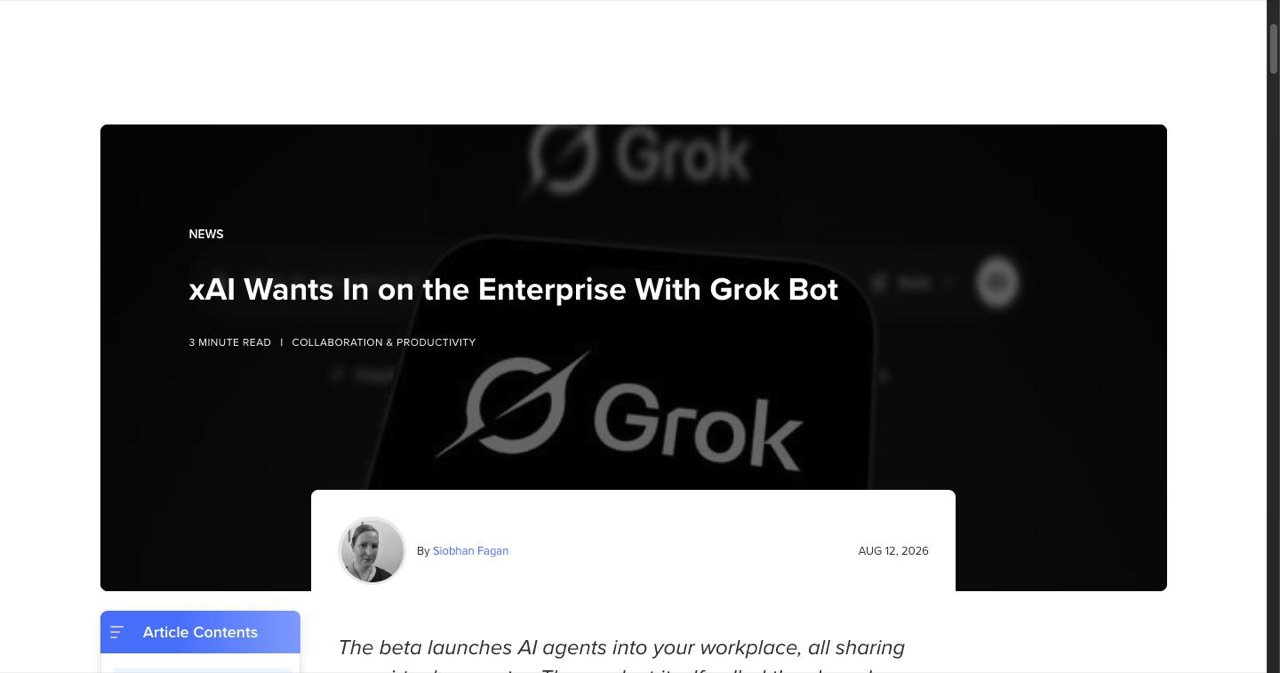
Sources: xAI Grok Bot documentation · Reworked: xAI Wants In on the Enterprise With Grok Bot · xAI release notes · Grok (chatbot), Wikipedia
Last updated: September 4, 2026. Template share IDs rot quickly and the Enterprise promo window is time-boxed — re-check the official x.ai pages before acting on anything dated here.
Get your SaaS in front of founders
List your product on the SaaSCity live city map - a permanent listing, real discovery, and a backlink from a high-DR directory. Free to start; upgrade for a dofollow link and a building on the map.