Launching May 24–30, 2027
This launch is approved and scheduled. The page is shareable now and goes fully live in its launch week.
Hues AI
Make your jewelry sing online.
350points
Recent Supporters
Details
Launched
November 22, 2026
Category
AI & Machine Learning
Pricing
Freemium
Tags
About Hues AI
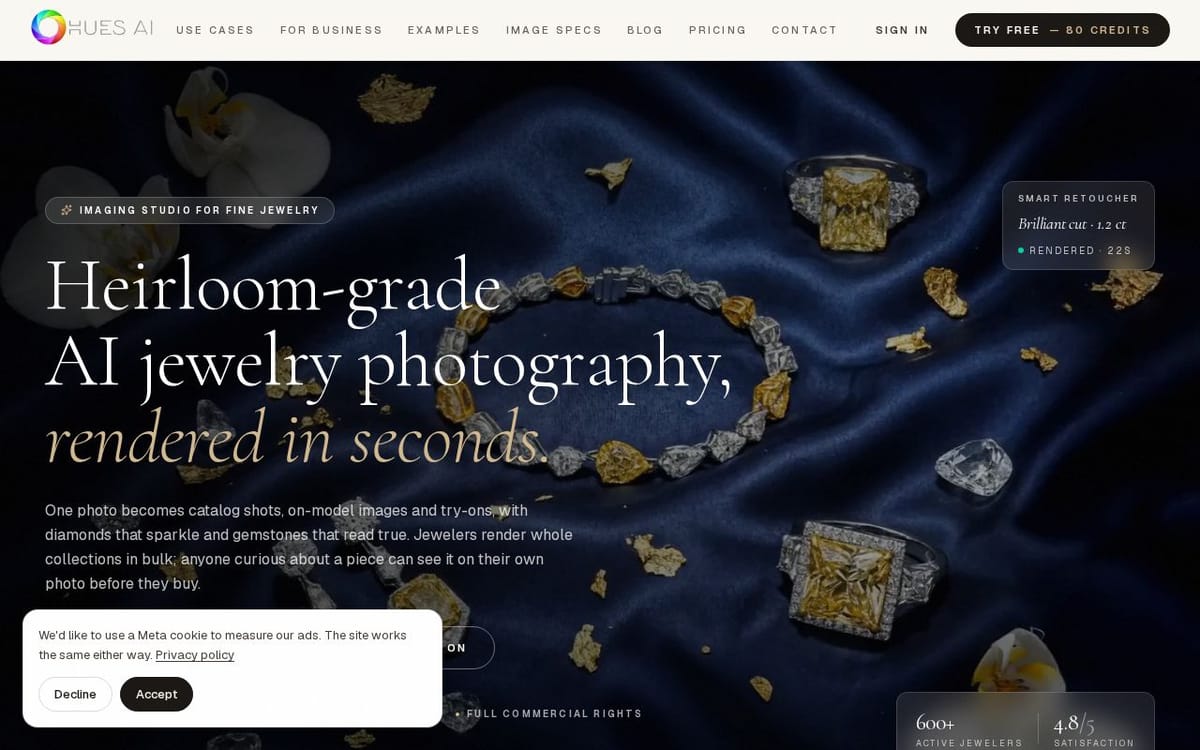
"Hues AI is an AI imaging studio built only for jewelry. More than 600 jewelers use it to turn ordinary photos into images they can sell with: clean studio shots, on-model photography, product videos and virtual try-ons. It runs in the browser, needs no install, and each render takes about 30 seconds.
Why a jewelry-only tool
Jewelry is hard to photograph well. A half-carat stone is a few millimeters across, polished gold reflects everything in the room, and a buyer scrolling on a phone can't tell how long a chain is or how a ring sits on a finger. Professional photography solves this, but a studio charges per image and a small jeweler releases new pieces every week. General AI photo apps are cheaper, but they were trained for shoes and skincare. They often soften facets, invent extra stones or change the shape of a setting. Hues is built to keep your piece as you made it: the setting, the metal and the stones stay the ones in your photo.
What you can make from one photo
Studio product shots. Remove a messy background and place the piece on white, a soft color or a styled scene such as marble, velvet or linen. Output is sized for marketplace rules, so the same upload works for Etsy, Shopify, Amazon, eBay, Google Shopping and a printed catalog.
Retouching. Clear away dust, scratches, fingerprints and harsh glare, even out metal tones and correct stone color, without redrawing the design.
On-model photography. Put rings, earrings, necklaces, bracelets, watches or a matched set on a lifelike model.
Virtual try-on. Shoppers can upload their own photo and see a piece on their hand, ear, neck or wrist. Sellers use the same feature to show scale on product pages, which answers the most common pre-sale question: how big is it, really?
Metal color changes. Show one design in another metal color, such as rose gold, without casting or shooting every version.
Product and scene video. Turn a still into a short product clip or a lifestyle scene for listings, ads, Reels and TikTok.
CAD and sketch to render. Upload a CAD screenshot or a pencil sketch and get a photoreal image of the finished piece. Custom jewelers use it to get client approval before any metal is cast.
Every output is up to 4000 x 4000 px (16 MP), nearly twice the detail of a 4K frame, which is enough for zoom views and print.
Who it's for
- Independent jewelers and designers who need new-arrival photos the same day.
- Etsy, Shopify and Amazon sellers who want consistent, compliant listing images without a studio budget.
- Manufacturers and wholesalers producing line sheets and catalogs with hundreds of SKUs.
- Retailers refreshing websites and social media for each season.
- Shoppers who want to try a piece on before they order it.
Free resources
The site also hosts free tools anyone can use without an account: a ring size converter covering US, UK, EU, Japan and India sizes, a printable ring sizer in A4 and US Letter, a jewelry photography cost calculator that compares a studio quote with doing it yourself, size charts for rings, bracelets, necklaces, earrings and watches, and image specification pages for 20 marketplaces, from Etsy and Amazon to Shopee and Zalando.
Pricing
Hues is pay as you go, with no subscription.
- 500 credits: $17.50
- 5,000 credits: $137.50
- 15,000 credits: $358.82
- 30,000 credits: $649.92
- 50,000 credits: $1,000.00
Each tool shows its exact credit cost before you run it. New accounts get 80 free credits after email verification, with no card required. Any credit pack can be cancelled within 14 days of payment and the unused credits are refunded to the original card.
Getting started
1. Create a free account at huesis.ai and verify your email to unlock 80 credits.
2. Upload a photo of your piece, or a CAD screenshot or sketch.
3. Choose a tool: studio shot, retouch, on-model, try-on, metal color, video or render.
4. Download the result, or run variations until it fits your listing.
About the company
Hues AI is a product of Hues Global Co., Ltd., based in the Gemopolis Industrial Estate in Bangkok, Thailand, with offices in India and New York. It is run by Dibyahas Saikia, Managing Director of Hues Global and co-founder of Hues AI. Contact: [email protected]."
What Hues AI does
HUES AI is an imaging platform for fine jewelry that turns product photos into catalog images, model shots, virtual try-ons, and videos. It offers specialized tools for retouching, background replacement, color changes, scene composition, and design visualization. The product is intended to help jewelers prepare visual content for stores and marketing, while also letting shoppers see jewelry on their own photos before buying. Outputs include high-resolution images and come with commercial rights.
Users upload a jewelry image from a phone, camera roll, or DSLR; supported formats include JPEG, PNG, and WebP. They choose from purpose-built tools such as retouching, background removal, scene composition, or virtual styling, then run the enhancement and export the result. The studio shows the credit cost before a tool runs, and users can queue multiple images for batch processing. The page also describes uploading photos of a piece and oneself to create a try-on image.
HUES AI is presented for jewelers and jewelry businesses producing catalog, marketplace, social, and print imagery, as well as shoppers who want to preview a piece on themselves. Its tools are specifically designed for jewelry workflows and optical properties, with options for individual edits and bulk catalog processing. New accounts receive 80 complimentary credits after email verification; further usage is paid through one-time credit purchases rather than subscriptions.
Based on huesis.ai, read on Nov 22, 2026.
Key features
- Jewelry photo retouching and background removal
- Virtual try-on for jewelry and watches
- Batch processing for jewelry catalogs
- AI-generated model and catalog images
- Product and scene video generation
- Commercial usage rights for generated files
What people use Hues AI for
- 01Create catalog-ready images from jewelry photos
- 02Preview rings, earrings, necklaces, and watches on a person
- 03Retouch product photos and replace backgrounds
- 04Generate model images and product videos
- 05Process multiple catalog images in batches
More in AI & Machine Learning
Browse all AI & Machine Learning APIMart
 is a unified AI API platform that provides access to over 500 AI models,
 MojoMake AI Video & Image Studio
Generate AI video and image with Veo, Kling, Flux, and 15+ models — plus 100+ effects
 MusVideo
 is the AI music to video generator that turns your audio tracks into cinematic music videos
 Image Translator Pixel-Perfect
AI Image Translator is an advanced tool that utilizes AI to translate text within images
 GPT Image 2 - Advanced Image 2
Create and edit high-fidelity images with GPT Image 2, featuring accurate multilingual text
 Omni Flash
 is a multimodal AI video generator that produces cinematic 4K clips