Launching Jun 7–13, 2027
This launch is approved and scheduled. The page is shareable now and goes fully live in its launch week.

iPhone Backup Sync
Fast & Incremental iPhone Backups for Windows
50points
Recent Supporters

Details
Launched
November 22, 2026
Category
Productivity
Pricing
Free
Tags
About iPhone Backup Sync
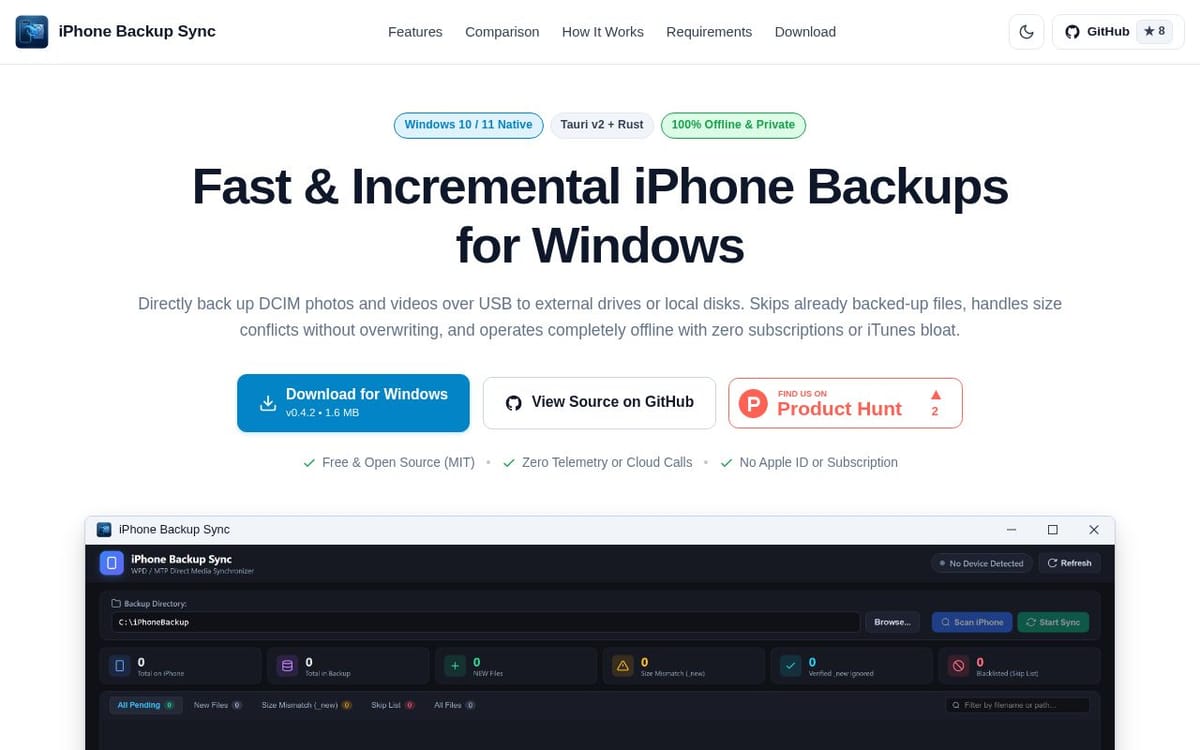
iPhone Backup Sync copies photos and videos from an iPhone’s DCIM folders over USB to a local disk, external drive, or network drive on Windows 10 or 11. It indexes the destination and transfers only new or modified files, while preserving existing files and adding a suffix to avoid overwriting files with conflicting sizes.
The app is designed for people who want to archive their iPhone camera roll without cloud services or subscriptions. It runs offline, provides transfer progress, and uses temporary files for safer recovery from interruptions. The project is open source under the MIT License and is built with Rust and Tauri v2.
What iPhone Backup Sync does
iPhone Backup Sync copies photos and videos from an iPhone’s DCIM folders to a Windows PC, external drive, or network drive over USB. It addresses transfer stalls, incomplete copies, and unclear backup contents associated with other Windows and Apple backup approaches. The app indexes the destination and transfers only new or modified media, while preserving existing files when names match but sizes differ. It operates offline and provides direct access to standard image and video files.
A user connects and unlocks an iPhone over USB, selects a destination directory, and scans the device. The app indexes files already at the destination and classifies media as new, mismatched, or verified ignored. Starting sync copies pending assets in chunks to temporary .part files, then renames them after verification. Users can skip an unreadable asset with S, stop a sync safely, or right-click a row to sync one file. The app uses Windows Portable Devices.
The page describes the app for Windows 10 and 11 users who want to back up iPhone photos and videos to their own storage. It is suited to people seeking local, offline transfers without an Apple ID, subscription, cloud calls, or iTunes. The page distinguishes it through incremental copying, non-destructive conflict handling, visible transfer progress, and recovery behavior. It is free and open source under the MIT license.
Based on mahdis24.tech, read on Nov 22, 2026.
Key features
- Incremental sync of new or modified media
- Non-destructive conflict handling with _new suffixes
- Direct USB transfer using Windows Portable Devices
- Offline transfers without telemetry or cloud calls
- Chunked streaming with crash recovery
- Skip unreadable files or sync individual files
What people use iPhone Backup Sync for
- 01Back up iPhone photos and videos to a local or external drive
- 02Sync only new or modified media files
- 03Archive a camera roll to a network drive
- 04Skip unreadable files while continuing a backup
More in Productivity
Browse all Productivity Mumble AI
 is a voice-first productivity app for Mac that combines meeting recording, dictation
 PixPin
An all-in-one productivity tool featuring smart screenshots, scrolling capture, screen recording
 DuoPlus Cloud Phone
 helps you run unlimited accounts on independent Android environments.
 VidBG Remover
 is an AI-powered online tool that allows users to remove video backgrounds quickly
 PDFtoMD
Convert any PDF into clean, structured Markdown in seconds with PDFtoMD
 MikeSullyTools
Fix blurry photos and improve short videos in your browser.