
Presentation to Video
Turn slides into a fully narrated video with AI voiceover.
0points
Details
Launched
November 6, 2026
Category
Design Tools
Pricing
Freemium
Tags
ai-presentationai-video-generatorai-productivity-toolscontent-creationai-presentationai-video-editing
About Presentation to Video
Vidsembly's Presentation to Video tool turns PowerPoint presentations and PDFs into professional narrated videos using AI. Upload your slides, import speaker notes or generate a narration script, choose from natural-sounding AI voices or use your own voice clone, and export a ready-to-share MP4 video.
Designed for educators, HR and training teams, sales professionals, and businesses, Presentation to Video makes it easy to create training videos, tutorials, presentations, and educational content without traditional video editing software. Multiple languages, premium AI voices, and customizable narration options make it simple to turn existing presentations into engaging video content.
What Presentation to Video does
Vidsembly Presentation to Video turns PowerPoint and PDF decks into narrated videos. It lets users add narration with a library AI voice or a clone of their own voice, creating a shareable MP4 without timeline editing or repeated recording. The page describes it as a way to carry a presentation’s message beyond a live meeting, helping viewers understand the story behind the slides and giving teams a way to reuse existing decks for training, sales follow-ups, and other updates.
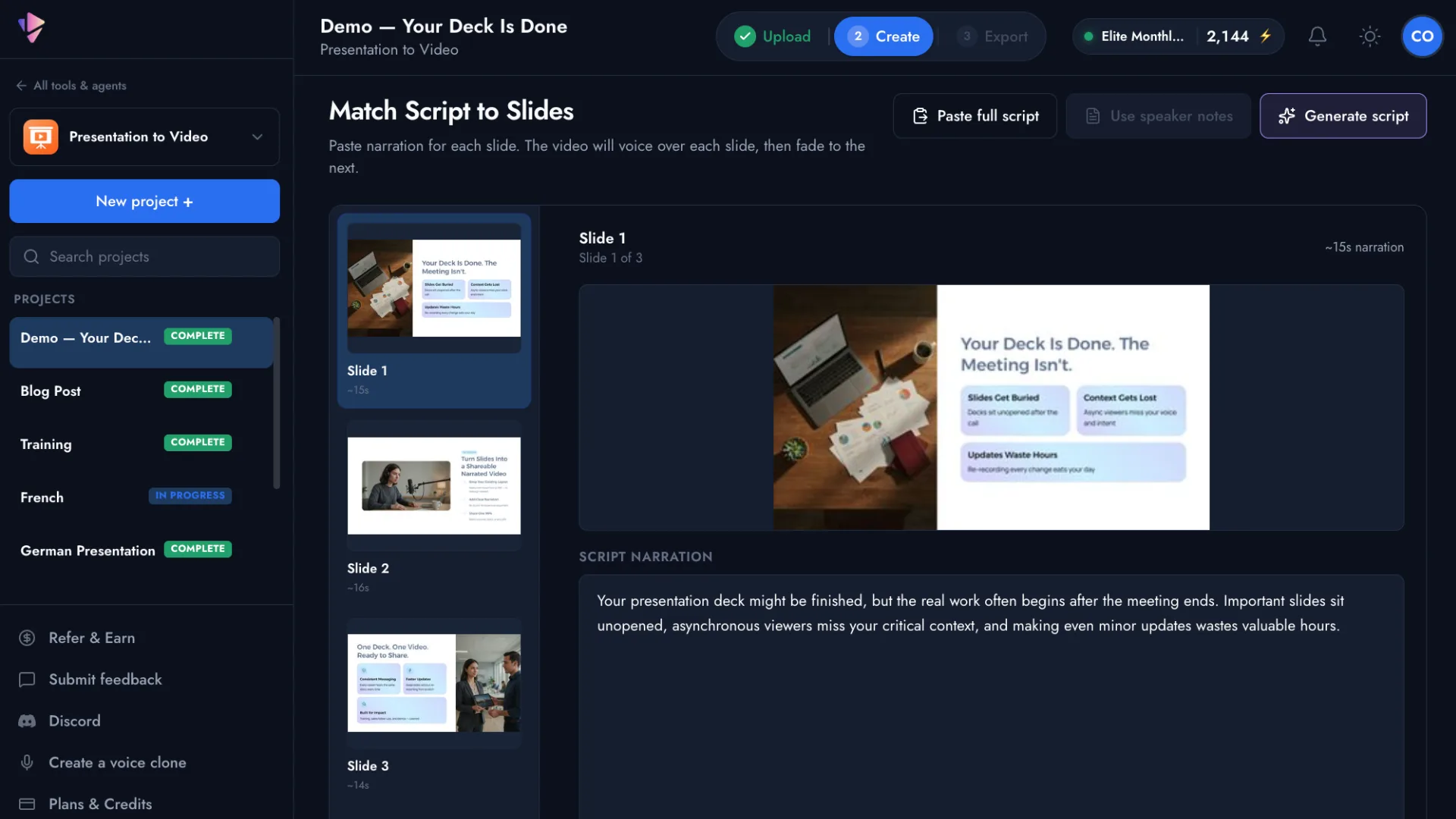
Users upload a PPTX or PDF and can import speaker notes from a PPTX, generate narration from the slides, or provide their own script. They can review and refine the script, select and preview a library AI voice or a voice clone, and choose a language for narration and script translation. After previewing the finished video, users download a shareable MP4 or regenerate it with a different voice or script. The page says no timeline editing is required.
The page presents Presentation to Video for anyone who already has slides and needs a narrated video, including trainers, teachers, sales enablement, HR, and business teams. It also describes uses for founders and consultants. A notable part of the workflow is that users can start from existing decks, import speaker notes or generate scripts, and choose from library voices or their own clone. The page says the workflow does not require timeline editing.
Based on vidsembly.com, read on Nov 8, 2026.
Key features
- PPTX, PPT, and PDF uploads
- Import speaker notes from PPTX
- Generate or edit narration scripts
- AI voices and voice clones
- Narration and script translation
- Export narrated videos as MP4
What people use Presentation to Video for
- 01Turn pitch decks into sales follow-ups
- 02Convert onboarding decks into training explainers
- 03Reuse lesson slides for classroom videos
- 04Share investor updates and client walkthroughs
Presentation to Video alternatives
Browse all Design Tools YouCam Online Editor
AI-powered online photo and video editor for creating, enhancing, and transforming visual content wi
 Copy Video AI
 analyzes YouTube links and MP4 uploads, then turns every reference into a detailed, re
 TransClipper
Steal the Blueprint Behind Any Viral Video
 Capafy AI
 The Best AI Video & Image Creator
 Craft Apps
Free online creative tools for photos, design, PDF, documents, video, audio, and CAD, all in your br
 PAMA AI
AI comic generator for consistent characters, turning scripts into editable storyboards with motion