Skip to main content
Launching May 10–16, 2027
This launch is approved and scheduled. The page and its dofollow backlink are live now - it joins the weekly drop in its launch week.
tunenoodle
AI Music Generator and Free Audio Tools
About tunenoodle
Tunenoodle — Product Details
Product name: Tunenoodle Website: https://tunenoodle.com Category: AI music generation and browser-based audio tools Platform: Web app — desktop and mobile browsers, nothing to install Languages: English, 简体中文, 繁體中文, 日本語, 한국어, Deutsch, Español, Français, Português, Tiếng Việt Free to start: Yes — welcome credits on sign-up, plus a daily check-in
Short description
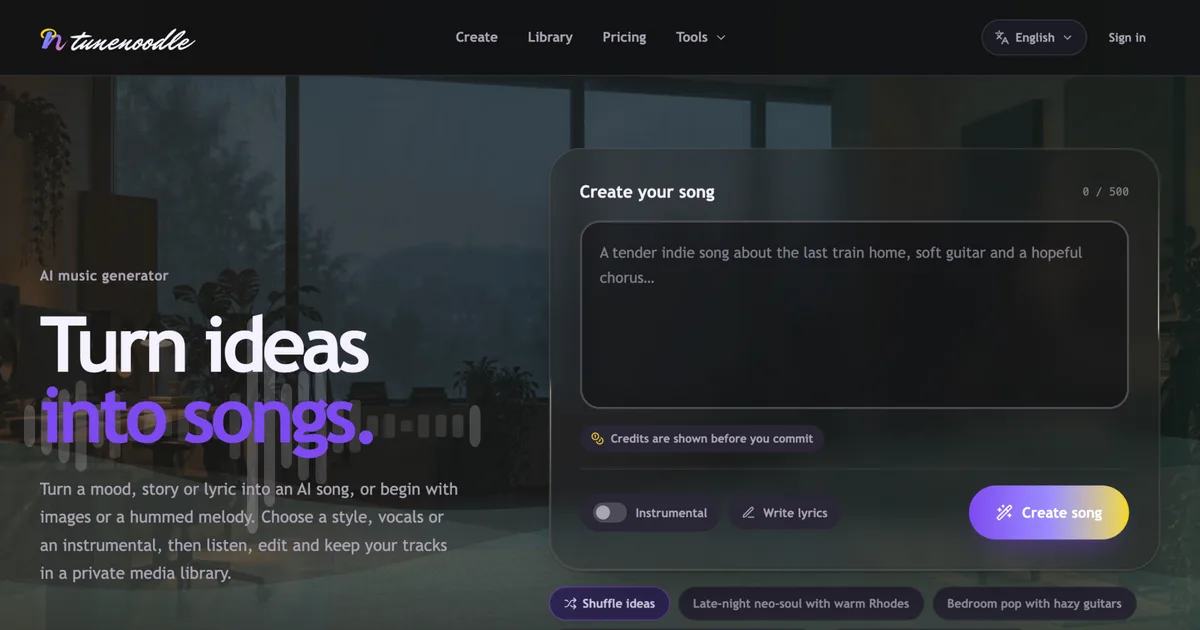
Tunenoodle turns a description, a set of lyrics, images or a hummed melody into a finished AI song, then lets you edit it, organise it in a private library and download it. Thirteen audio tools — BPM tapping, chord and spectrum analysis, speed and pitch, slowed + reverb, trimming and more — run free in your browser with no account.
Full description
Tunenoodle is a multilingual AI music studio for the whole arc of a song: the first idea, the finished track, and everything you do to it afterwards. Start by describing what you want to hear — the subject, mood, rhythm and instruments — or bring your own lyrics, images, or a melody you hummed into your microphone. Pick a style, choose vocals or an instrumental, and generate; a request usually returns two songs.
From there the track stays workable. Extend it from a chosen point, replace the passage you are not happy with, blend two tracks together, or make a cover from a hummed reference. Every edit creates a new version, so the original is never lost and you can compare as you go.
Everything you make lands in one private library alongside any audio you upload, with filtering, favourites and search. Saving and playing are free; downloading MP3 and WAV files of the songs you keep is part of a paid plan.
Alongside generation, Tunenoodle ships a set of studio tools: text-to-speech with preset voices or a voice you create yourself from a recording or a written description, stem separation that splits a track into 2, 4, 6 or 12 private stems, and a release metadata helper for when a song is ready to go out.
The tool layer is deliberately free. Thirteen audio utilities run entirely in your browser with no sign-in and no credits, and the audio you open in them is processed locally — it never leaves your device.
Key features
Create
Text to music in a simple mode for quick starts, or a custom mode with full control
A style library of genres, instruments and production directions you can browse and reuse as a prompt
Your own lyrics, or an AI-written draft you can revise
Instrumental or sung, with the vocal character you choose
Images or a hummed melody as the starting point for a song
Usually two songs per request
Edit
Extend a track from the point you choose
Replace a section you want changed
Mash up two tracks into one
Make a cover from a hummed reference
Edits produce new versions you can compare against the original
Voice and stems
Text to speech, with preset voices or your own voice created from audio or a description
Separate a song into 2, 4, 6 or 12 private stems
Keep and download
One private library for generated songs and your uploads
Filter, search and favourite; reuse your own tracks as source material
MP3 and WAV downloads for saved songs with a paid plan
Free browser tools (no account, no credits) BPM Tapper · Slowed + Reverb · Audio Speed & Pitch · Audio Trimmer · Silence Remover · Chord Progression Generator · Chord Analyzer · Spectrogram · Stereo Phase Check · Mix Dynamics · Ear Training · Tone Generator · Release Metadata
How pricing works
Creating and playing are free; welcome credits and a daily check-in keep you going
A standard generation costs 2 credits, writing lyrics costs 1, and the cost is shown before you commit
One-time credit packs — buy once, and the credits never expire
Memberships — monthly, quarterly or yearly; credits arrive once per paid period and expire when that period ends. Cancel anytime and the period you already paid for stays intact
Downloading the songs you keep in Tunenoodle requires a purchased credit pack or an active membership
Checkout is handled by Waffo Pancake; Tunenoodle never stores your card details
Who it is for
Songwriters and producers who want a fast first draft or a finished idea without leaving the browser, and anyone who wants a serious set of audio utilities — tempo, chords, spectrum, stems, speech — in one place, in their own language.