News
Optimizely Served Malware to 178 Sites. Your Marketing Tags Are the Supply Chain (2026)
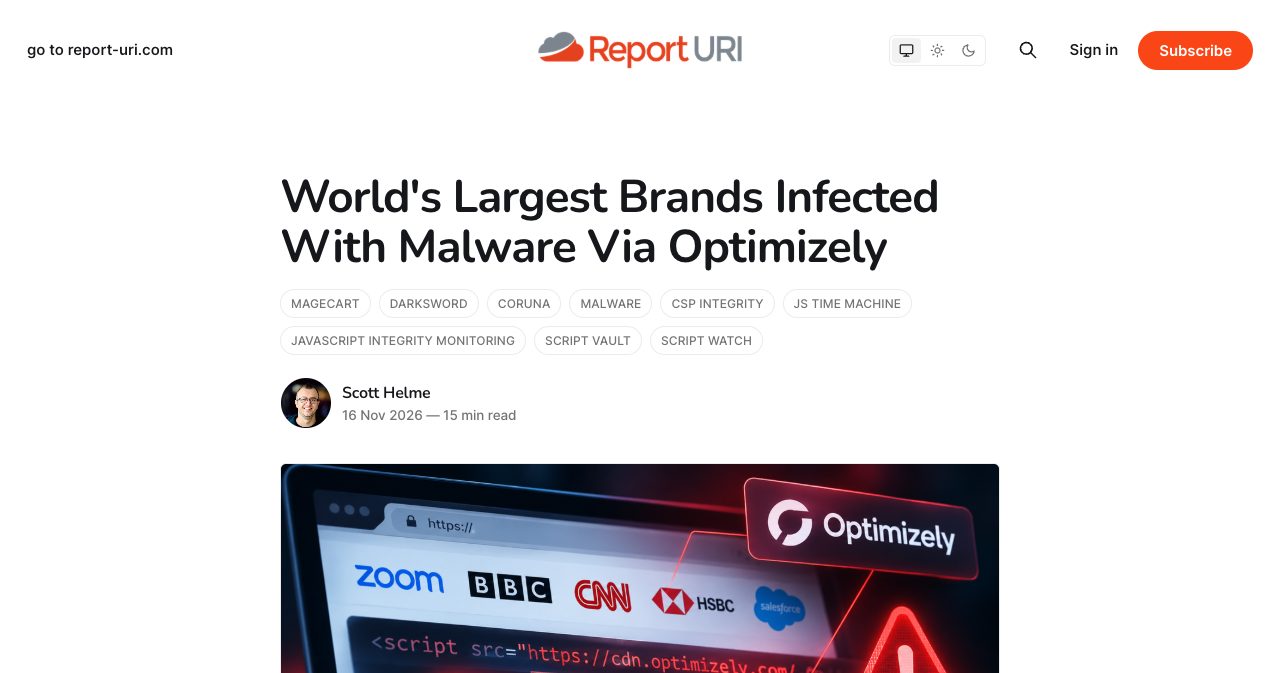
On 16 November 2026, the BBC, CNN, Zoom and HSBC served the same card skimmer to their visitors, and none of them wrote a line of it. The code came through Optimizely Web Experimentation, from a host every one of those sites trusted. Here's what happened, why Content Security Policy stopped it on only 24 sites, and the audit a small SaaS should run on its own tags this week, the SaaSCity badge included.

Contents (14)
- The Optimizely incident at a glance
- What happened in the Optimizely hack on 16 November 2026?
- What did the injected code do to visitors?
- Is Optimizely safe now, and what hasn't it said?
- Is my site affected by the Optimizely hack?
- Why didn't Content Security Policy block the Optimizely attack?
- Self-hosting, Google Tag Manager or a proxy: which delivery model would have helped?
- Your marketing site is a supply chain you never reviewed
- How to secure third-party JavaScript in a small SaaS
- The first hour: an incident-response checklist
- What do you owe customers after a third-party script breach?
- The tag you'd remove if you had to justify it
- FAQ
- Sources
On Monday, the BBC, CNN, Zoom and HSBC served the same card skimmer to their visitors, and none of them wrote a line of it.
Quick answer: On 16 November 2026, an attacker used a flaw in Optimizely Web Experimentation's account signup flow to write malicious JavaScript into the snippets of 178 organisations, according to Report URI. The code swapped crypto wallet addresses, skimmed card fields and targeted iPhones. Optimizely says the flaw is fixed. Content Security Policy blocked the payload on 24 of the sites Report URI tested.
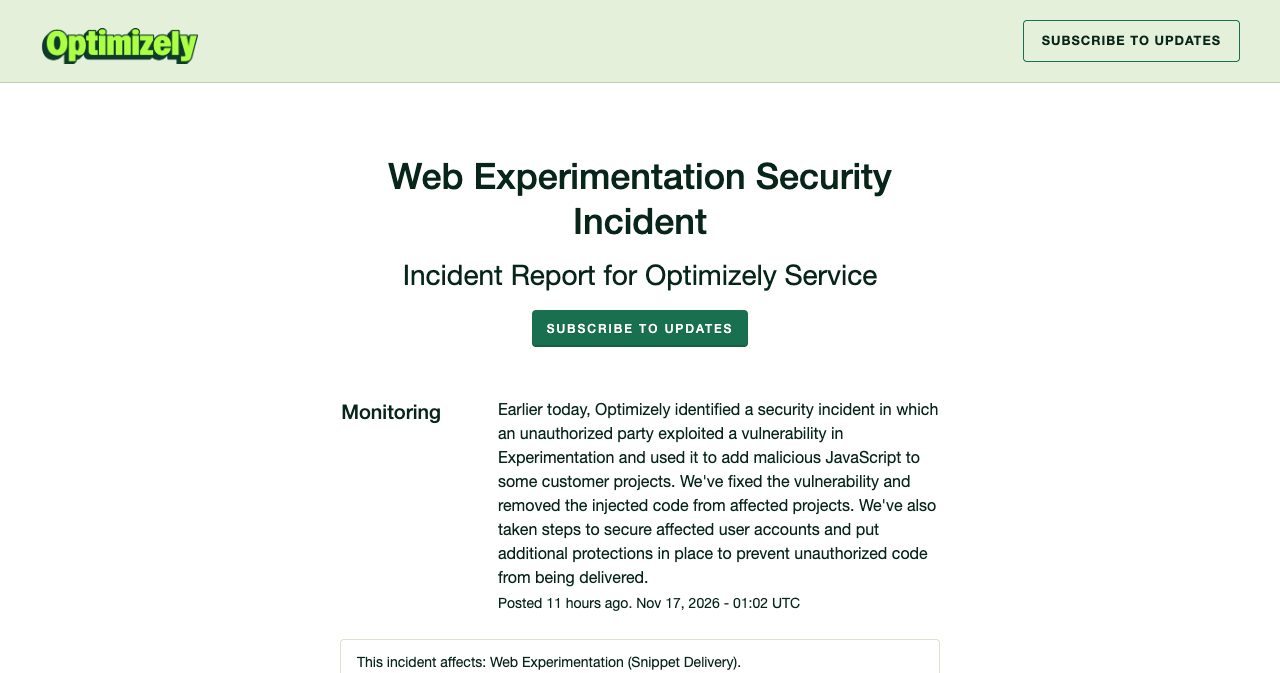
Figures checked on the morning of 17 November 2026. All times are UTC. Optimizely's incident is still in Monitoring, so expect the details to move.
One disclosure first. SaaSCity, which publishes this blog, is a startup directory that asks listed founders to paste a badge into their site footer. That makes us one of the third parties this post tells you to question, so our badge gets the same treatment as everyone else's further down.
The Optimizely incident at a glance
Optimizely Web Experimentation pushed attacker code to the visitors of 178 organisations for most of 16 November 2026. The table pulls the facts from Optimizely's own notice, Optimizely's statement to BleepingComputer and Report URI's analysis.
| Question | Answer | Source |
|---|---|---|
| Product | Optimizely Web Experimentation, snippet delivery | Optimizely status page |
| Entry point | "a vulnerability in the Experimentation account signup flow" | Optimizely to BleepingComputer |
| Scope | 188 infected snippets, 178 organisations, out of 1,611 checked | Report URI |
| First injection seen | 04:21 UTC, 16 November, in the BBC's snippet | Report URI |
| Every snippet clean | 23:11 UTC, 16 November | Report URI |
| Payload host | 1688360.cc, on clientHold from 00:37 UTC, 17 November | Report URI |
| What it did | Wallet address swaps, card skimming, cookie and screenshot theft, iOS exploit chain | Report URI |
| Crypto received | About $7,040 by 19:25 UTC, 16 November | Report URI |
| Sites where CSP blocked the payload | 24 | Report URI |
| Status | Monitoring, notice posted 01:02 UTC, 17 November | Optimizely status page |
What happened in the Optimizely hack on 16 November 2026?
An attacker got write access to customer projects in Optimizely Web Experimentation and put a loader into a field called Project JavaScript, which every visitor's browser then ran as part of the site's own experiment code.
A site using Optimizely Web loads one file per project from https://cdn.optimizely.com/js/<id>.js. Report URI's analysis, written by Scott Helme and published on 16 November, describes what's inside: Optimizely's code, the customer's experiments, and an optional field called Project JavaScript. Optimizely's own documentation calls that field "an advanced configuration setting that lets you run code before the Optimizely Web Experimentation code snippet without having to change your native site's code." For a marketing team that's the appeal. For an attacker with write access it's a way onto every page without touching the customer's codebase.
The attacker wrote a loader into Project JavaScript and left the rest of each snippet alone, so experiments kept working and nothing looked broken. The file still came from cdn.optimizely.com, over Optimizely's certificate. Report URI found three versions of the loader: a plain script tag pointing at https://1688360.cc/track.js, the same URL hidden in base64 behind atob() so a text search for the domain misses it, and a full inline copy of the payload that runs through eval if 1688360.cc is blocked.
Here is the day in order. Times come from Report URI, except the two marked rows, which come from Swati Khandelwal's 17 November report in The Hacker News.
| Time (UTC) | Event |
|---|---|
| 04:21, 16 Nov | First injection seen, in the BBC's snippet, loading an injector from webshell.lol |
| 04:28 to 05:23 | Certificates issued for 1688360.cc; domain registered at 05:23 |
| 08:28 | 1688360.cc/track.js first seen on bbc.com |
| 13:03 to 13:05 | Attacker sweeps stolen crypto to exchanges |
| 13:43 | Card skimmer added to the payload |
| 17:13 to 17:57 | Coruna iframe added for visits from iOS 18.6 or earlier (The Hacker News) |
| About 20:40 | Mass cleanup begins (The Hacker News) |
| 20:56 | 169 snippets still infected |
| 21:52 | One snippet still infected, TalkTalk's |
| 23:11 | Every infected snippet clean |
| 00:37, 17 Nov | 1688360.cc placed on clientHold and stops resolving |
| 01:02, 17 Nov | Optimizely posts its incident notice |
Two details from that timeline should bother anyone running a cleanup. Report URI says the payload was rebuilt 26 times during the day, so a single file hash won't catch every version. And Smartsheet's snippet "was cleaned at one point and then re-infected" with the base64 version, which means whoever wrote the code still had write access while cleanup was underway.
The actor wasn't new to this, either. The Hacker News, citing Report URI, says the same injector had been planted through Kissmetrics, StorifyMe and Minute Media scripts since the previous week, and first showed up on Turkish sites on 17 September. Optimizely was one of several script vendors this actor got into, and the one with the most customers.
What did the injected code do to visitors?
It stole crypto, card numbers and session cookies, and it tried to break into iPhones. Nobody has published how much of each it got.
The wallet swapper replaced valid crypto addresses in page text, forms, links, the clipboard and outgoing requests. According to StepSecurity's analysis, quoted by The Hacker News, it only swapped an address that passed its chain's checksum and sat near a payment word such as wallet, deposit or send. A visitor copying an address could paste the attacker's without noticing. Report URI counted about $7,040 received by the attacker's wallets by 19:25 UTC on 16 November. StepSecurity put the total at about $6,600 and pointed out that two of the addresses were in use before the injections began, so "the chain does not show which transfers came from victims."
The card skimmer arrived at 13:43 UTC. It captured card number, expiry date and CVV when they were submitted through the site's own form fields and sent them to 1688360.cc/card.php. It could not read cards typed into a cross-origin payment iframe, such as Stripe's hosted fields or Adyen's. Report URI says it has "no way to see how many credit cards were skimmed."
Cookies and screenshots went to the attacker only after the code swapped an address near wallet or payment wording, and only cookies without the HttpOnly flag.
On iPhones and iPads, the code loaded a script called boot.js from two .icu domains, which opened an exploit chain in a hidden iframe: Coruna for iOS 13 to 17, DarkSword for iOS 18, and, for iOS 26, a separate chain that so far only collects device details. Pages on iOS 18.6 or earlier reloaded every 60 seconds to retry the exploit, which is something a visitor might have noticed. The kit's own comments mark iOS 18.7.3 and later, and 26.3 and later, as patched. Cynet's researchers fetched the second stage with an emulated iPhone browser and described it to The Hacker News as conditional delivery, "not a successful compromise of a physical iPhone or iPad."
For a small SaaS, the useful part of that list is what the code couldn't do. It couldn't read a provider-hosted payment iframe, and it couldn't read HttpOnly cookies. Both are choices you make in your own stack, and on Monday they decided what a visitor lost.
Is Optimizely safe now, and what hasn't it said?
Optimizely says the flaw is fixed and the injected code is gone, and Report URI found every snippet clean by 23:11 UTC on 16 November. Optimizely has named its signup flow as the entry point and listed its cleanup steps, but it hasn't explained the flaw or said how many projects were changed.
The status page notice, posted at 01:02 UTC on 17 November and marked as affecting "Web Experimentation (Snippet Delivery)", says "an unauthorized party exploited a vulnerability in Experimentation and used it to add malicious JavaScript to some customer projects." It says Optimizely fixed the vulnerability, removed the injected code, secured affected accounts and added "additional protections in place to prevent unauthorized code from being delivered."
The fuller account went to BleepingComputer's Lawrence Abrams. In that statement, Optimizely said the attacker "exploited a vulnerability in the Experimentation account signup flow," that it had "blocked access to the vulnerable path and deployed a fix," and that it had "ended active sessions, revoked tokens, and reset access for affected user accounts." It also said it had "blocked any code from being delivered in Cloudflare" and had "notified all affected customers." The signup flow detail appears only in that statement, not on the status page.
The Hacker News lists the gaps: the notice does not say how the flaw worked, how many projects were changed, when the fix went in, whether the attacker still has any access, or what customers should do. Report URI wrote before the notice that "we don't know how the attacker got write access to so many unrelated customer projects." iTWire put it the same way: how a signup flaw reached across customer projects "remains unclear." That stays open until Optimizely publishes more.
As for the brands, Salesforce told BleepingComputer it was "confirming Optimizely scripts are disabled across preview and production instances." Helme described the attack to iTWire as "altered project content, not CDN cache poisoning," and Cynet told The Hacker News that a site which delivered the code has not necessarily had its own systems compromised. Hudson Rock said the same to iTWire. The 178 organisations were customers of a vendor that got broken into.
Is my site affected by the Optimizely hack?
If you ran Optimizely Web Experimentation on 16 November 2026, assume your visitors may have received the code until your snippet, your change history and your logs say otherwise.
A snippet that is clean now may still have served the payload on Monday, so check three places. Start with the file itself:
# Replace with each project ID you serve, from cdn.optimizely.com or your own domain
curl -sI https://cdn.optimizely.com/js/YOUR_PROJECT_ID.js | grep -i last-modified
curl -s  https://cdn.optimizely.com/js/YOUR_PROJECT_ID.js | grep -nE '1688360|atob\(|\.icu|track\.js'
A hit on atob( is a reason to read the code around it, not proof. A hit on 1688360 is proof.
Then open the project's History page in Optimizely. Optimizely's change history docs say it shows "the changes that were made, when, and by which collaborator," and you can filter by source, meaning the REST API or the web interface. Filter to 16 November and look for Project JavaScript or experiment code nobody on your team wrote.
Then check the logs. StepSecurity's advice, via The Hacker News, is to search DNS, proxy and endpoint logs back to 08:00 UTC on Monday for these indicators: 1688360.cc and its IP 136.113.106.136, 5vobauua3ojpklx.icu, eil786npto9u5bq.icu and webshell.lol. Ask Optimizely directly which of your project IDs were changed, and when and how. Report URI says it kept a copy of every infected snippet with hashes and timestamps and will share them with affected organisations and CERTs on request.
One thing not to do: block cdn.optimizely.com across your company network as an indicator. Cynet treats it as a legitimate delivery host and advises against broad blocks of that host or of the affected news sites.
Why didn't Content Security Policy block the Optimizely attack?
Because most Content Security Policies trust hosts, and the attacker's code came from a host every affected site had already allowed.
Report URI crawled the affected organisations' own sites and sorted what it found. 68 had no CSP at all. 50 had a CSP that let the payload run and steal data. 17 let the payload run but stopped the card, cookie and screenshot theft, because their connect-src limited where the page could send data (the address swapping still worked there, since it happens inside the page). 24 blocked the payload outright.
An allowlist entry for a vendor's host tells the browser to trust whatever that host serves, so it gives no protection when the vendor's own content is changed. Report URI's own summary of the crawl: "Allowing cdn.optimizely.com was never going to help." What separated the 24 was a script-src that listed only the hosts the site needed, so 1688360.cc had no way in. Two common settings let the payload through even on sites that had a policy.
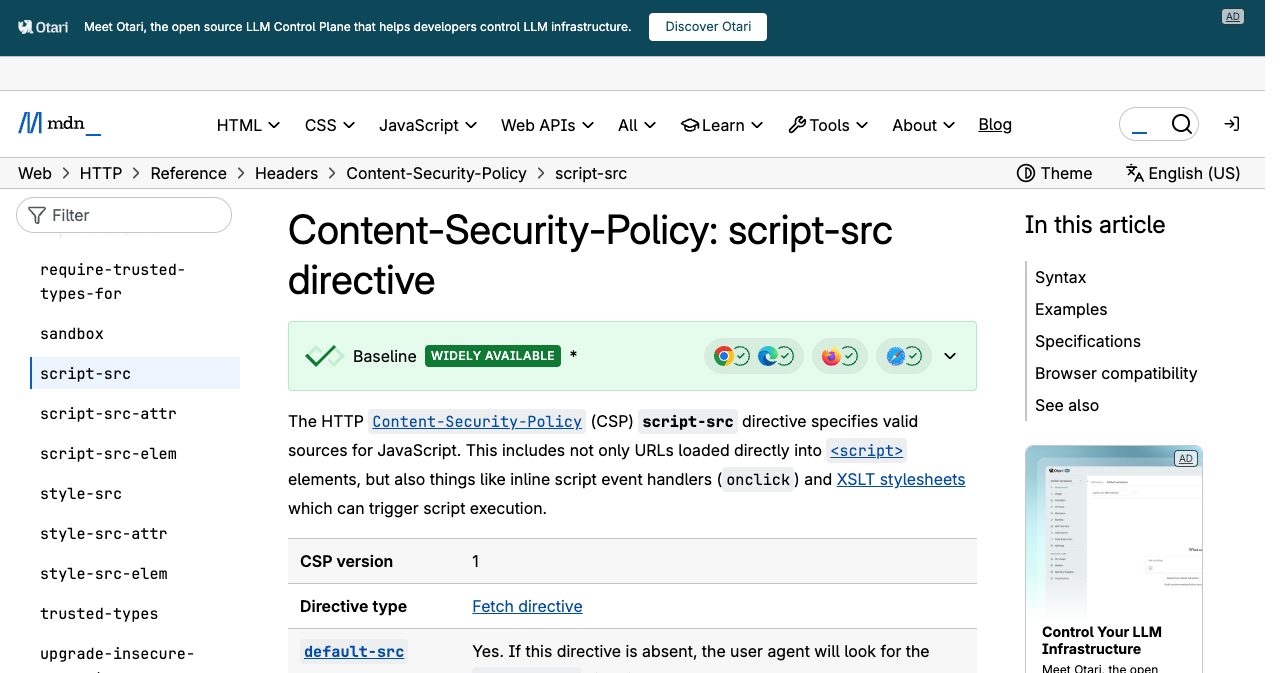
The first is 'strict-dynamic'. MDN's script-src reference explains that with it, trust given to a script by a nonce or hash "shall be propagated to all the scripts loaded by that root script," and host allowlists are ignored. So when the trusted Optimizely snippet created a script tag pointing at 1688360.cc, the browser treated that script as trusted too. Optimizely's own CSP guidance recommends exactly this setup.
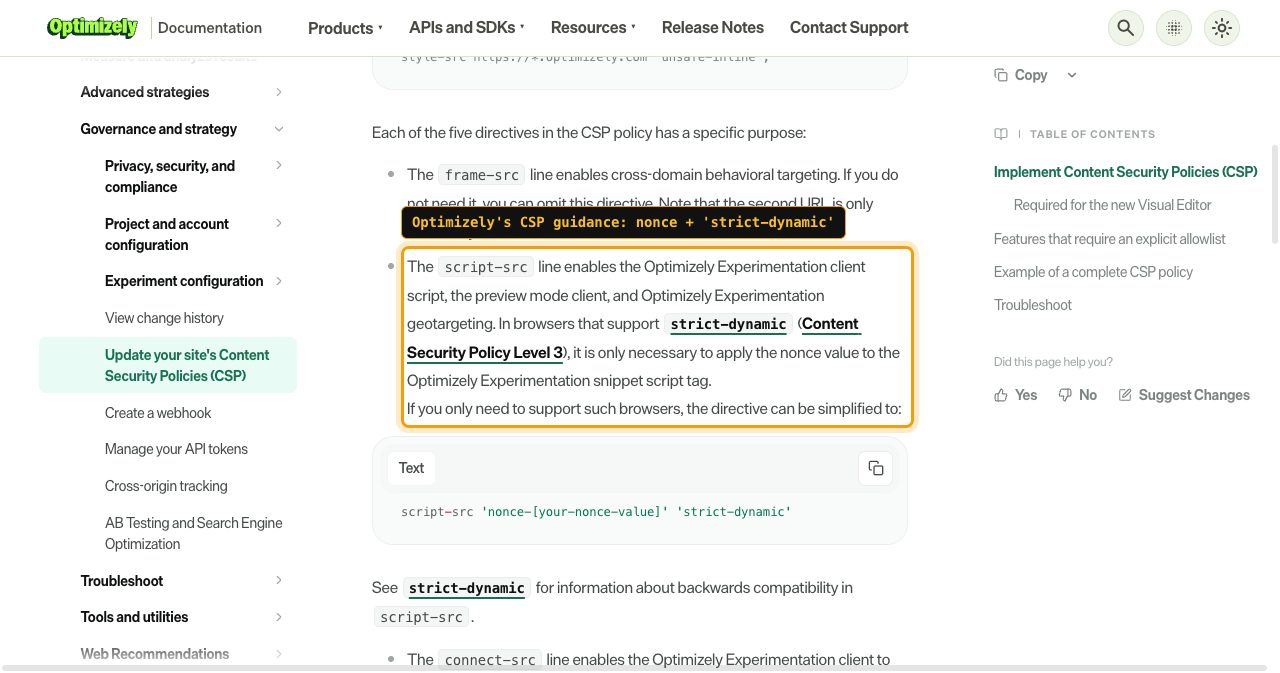
The Optimizely CSP page tells customers that in browsers that support strict-dynamic, "it is only necessary to apply the nonce value to the Optimizely Experimentation snippet script tag," and offers script-src 'nonce-[your-nonce-value]' 'strict-dynamic' as the simplified directive.
The second is 'unsafe-eval', which lets a page turn strings into running code through eval(), Function() and string arguments to setTimeout(). The same Optimizely page says "some features are not available in Optimizely Experimentation unless you include 'unsafe-eval' in the script-src directive," naming audiences with custom JavaScript conditions. At HSBC, Report URI found that the CSP "blocked track.js and the data theft, but the inline copy still ran." The attacker had built the third loader variant for exactly that case.
Google recommends 'strict-dynamic' too. Its strict CSP guide on web.dev pairs nonces or hashes with 'strict-dynamic' and says allowlist policies "can be bypassed in most configurations." Google and Report URI are answering different questions. Strict CSP stops an attacker who injects a string into your HTML, because that string has no nonce. It does nothing about a script you gave the nonce to, which is exactly where Monday's code lived. On a page with no vendor loaders, strict CSP is the right call. On a page where a third-party script creates other scripts, 'strict-dynamic' gives whoever controls that vendor account the run of your origin.
Google Tag Manager has the same problem. Google's Tag Manager CSP guide says Custom JavaScript variables "will evaluate to undefined in the presence of a CSP unless the 'unsafe-eval' directive is given," and that the container propagates its nonce "to any scripts that it adds to the page."
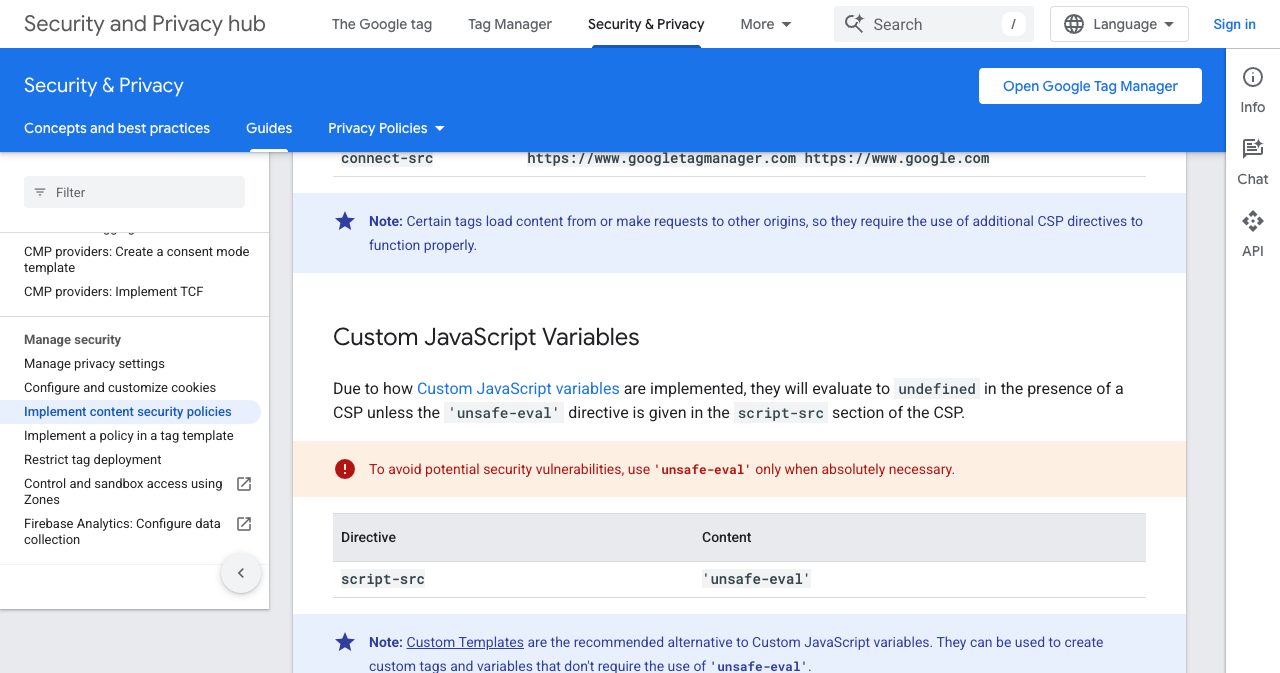
Google's own warning sits right under it: "use 'unsafe-eval' only when absolutely necessary." Its suggested way out is Custom Templates, which don't need 'unsafe-eval'.
Self-hosting, Google Tag Manager or a proxy: which delivery model would have helped?
None of the usual delivery models would have kept this code off your page by itself, and one of them makes the next incident worse.
| Delivery model | Did it help on 16 November? | What it protects against | What it doesn't |
|---|---|---|---|
Vendor CDN snippet (cdn.optimizely.com/js/<id>.js) | No. This was the delivery path | Tampering in transit, through TLS | Anything changed inside the vendor account |
Self-hosted snippet that syncs from the vendor (opt.scheels.com/js/<id>.js) | No. Report URI found self-hosted sites affected | Little, security-wise. The content is the same project | Project JavaScript written by an attacker |
| Pinned snapshot you review, served with an SRI hash | Probably, until your next sync (our judgement) | Silent changes, because the bytes are frozen | The next sync, if nobody reads the diff. It also breaks live experiments, which is the product's whole point |
| Google Tag Manager container | Not applicable here, and it adds a second account with publish rights | Central inventory, permissions, nonce handling | Anyone with publish access, plus Custom JavaScript variables that need 'unsafe-eval' |
First-party proxy (yourdomain.com/vendor/*) | No. Same bytes, now served from your own origin | Ad blockers and third-party hostnames in the page source (our judgement) | Nothing extra, and a 'self' rule in your CSP now covers the vendor's code |
The proxy row got the sharpest treatment in the Hacker News discussion, which had 406 points and 165 comments by the morning of 17 November. One commenter, weird-eye-issue, put it plainly: blindly proxying third-party scripts "is worse since it runs in the context of your own domain." Another, cowlevel, added that because a tag can request anything, a proxy can also hand your domain an open redirect.
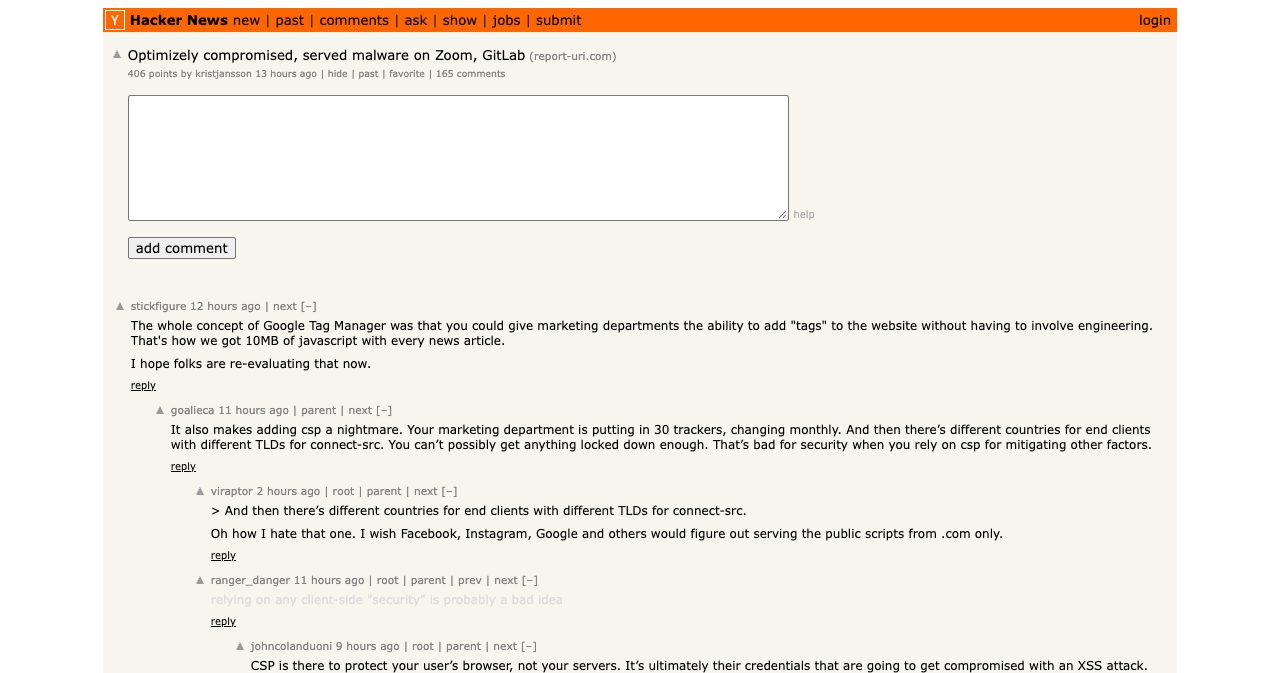
The top thread was about Google Tag Manager. "The whole concept of Google Tag Manager was that you could give marketing departments the ability to add 'tags' to the website without having to involve engineering," wrote stickfigure. A reply from goalieca described the CSP side of that deal: "Your marketing department is putting in 30 trackers, changing monthly," which makes a tight policy close to impossible. On Subresource Integrity, skeeter2020 noted it "doesn't stop a legit but compromised include from loading nefarious resources." And jeswin offered the bleakest read of all: "Most decisions in tech do not factor in risk, only cost." For most small teams that's an accurate description of how the tags got there.
Your marketing site is a supply chain you never reviewed
Every tag on your marketing site is code someone else can change after you've stopped looking, and it runs with the same reach as your own JavaScript.
A client-side supply chain attack is one where the attacker changes JavaScript that a site loads from a third party, so the site's visitors run the attacker's code even though the site's own servers were never touched. Magecart card skimming, as in the Ticketmaster case below, is the best-known kind.
List what's on a typical early-stage SaaS site: analytics, a heatmap tool, an A/B testing snippet, a chat widget, a review widget, a couple of directory badges, an affiliate pixel, maybe a scheduling embed. Each one that loads as a script can read the DOM, watch form fields, read cookies that aren't HttpOnly, read localStorage and send requests. Each is a deploy you didn't review, pushed by a company you have probably never spoken to.
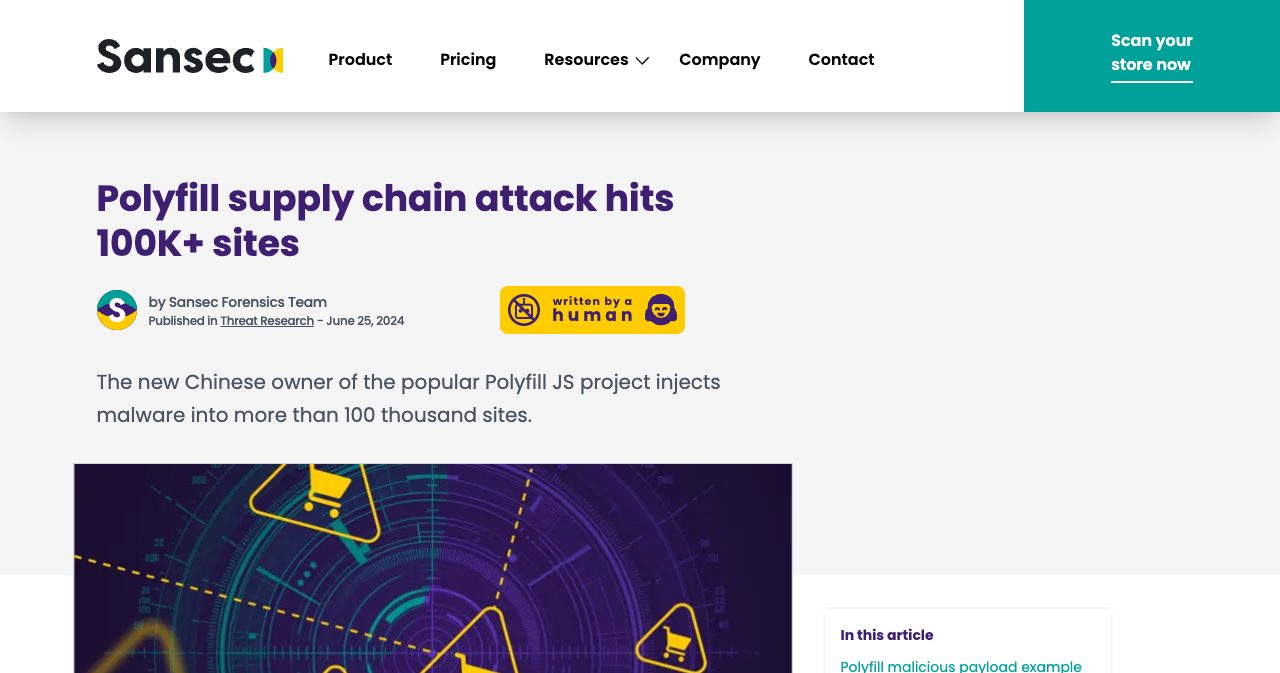
Zoom, the BBC, Salesforce and HSBC all picked Optimizely, and the hole was in a signup flow, a feature no customer would ever think to audit. The same actor had already used Kissmetrics, StorifyMe and Minute Media scripts, so swapping Optimizely for a competitor fixes nothing by itself. Two years earlier, Sansec reported on 25 June 2024 that the new owner of the Polyfill project had bought the domain and GitHub account that February and was injecting malware through cdn.polyfill.io into more than 100,000 sites that embedded it.
We keep writing versions of this post. The zod npm attack was the package registry. The LiteLLM 1.107.0 credential stealer was the Python index. Postman's AI plugin auto-install was a desktop app writing into other tools without asking. Cloudflare's GLM 5.3 cache leak showed tenant isolation is a vendor property. The browser version is harder to audit, because a package install leaves a lockfile and a tag change usually leaves nothing in your repo. The trust boundary of your product now includes vendors you've never met, and the practical work is keeping that list short.
How to secure third-party JavaScript in a small SaaS
Keep vendor code off the pages where people type secrets, and make the pages that do run it unable to send data anywhere you haven't named.
Split your pages into two groups. Marketing pages (home, pricing, blog) can carry tags. Checkout, signup, login, account settings and anything inside the app should carry none. StepSecurity's advice after Monday was the same: keep third-party tags off checkout pages and take card details through the payment provider's own fields in a cross-origin iframe. Monday's skimmer couldn't read those iframes. If you use Stripe Checkout or Elements, you already have that layer. Keep it, and don't let a tag manager onto the page around it.
Make session cookies HttpOnly. Monday's payload stole only cookies without that flag. If your auth library stores a token in localStorage, any script on the page can read it, so keep those pages free of vendor scripts. Our pre-launch security checklist covers the session and secrets basics in the order that blocks a launch.
Write a CSP per page group. On tag-free pages, use a nonce-based strict policy. On pages that run vendor tags, list the hosts explicitly, leave out 'strict-dynamic' and 'unsafe-eval', and accept that a few vendor features (custom JavaScript audiences in Optimizely, Custom JavaScript variables in GTM) will stop working. Restrict connect-src everywhere. Seventeen sites on Monday kept their visitors' cards because of that one directive. Ship it as Content-Security-Policy-Report-Only for a week first, read the reports, then enforce.
Use Subresource Integrity where the file is fixed. A pinned library version from a public CDN is a good fit: add the integrity hash and the crossorigin attribute, which MDN's SRI page says cross-origin SRI requires. Live marketing snippets change by design, so SRI doesn't fit them.
Control who can publish. Every Optimizely collaborator, every GTM user with publish rights and every API token is a person or key that can put code on your checkout. Keep the list short, remove people the day they leave, turn on two-factor login wherever the vendor offers it, and give tag changes the same review a pull request gets.
Keep a written inventory: for each script, the host, the pages it loads on, who owns it, why it's there and when you'll check it again. PCI DSS asks payment pages for that kind of list with a justification, and it's a good habit even if you're nowhere near PCI scope.
Directory badges belong on that inventory too, ours included. The SaaSCity badge is an HTML link wrapped around an SVG image, 150 by 54 pixels, with no script tag in the snippet. If you'd rather not load anything from us at all, copy the SVG to your own server and keep the link and the "Featured on SaaSCity" alt text, and our badge check still finds it. Adding it gets you a dofollow backlink from a domain rated DR 71 at our latest Ahrefs refresh (November 18, 2026), plus a Monday launch slot on SaaSCity. The rule we'd apply to anyone's badge: read the snippet before you paste it. If a "badge" comes with a script tag, it's a deploy channel that happens to look like an image.
The first hour: an incident-response checklist
When a vendor you load gets compromised, the first hour is for finding out what ran, cutting access and protecting the people who typed into your pages. Here is the order we'd work in, using Optimizely as the example.
- List every script that runs on your checkout, signup and login pages. Open each page with DevTools on the Network tab filtered to JS, and write down every host, including scripts that other scripts inject.
- Fetch each vendor snippet as it is served right now, save it with its Last-Modified header, and diff it against a copy from before the incident. For Optimizely, search it for 1688360, atob(, .icu and track.js.
- Open the Optimizely project's History page, filter to 16 November 2026, and look for Project JavaScript or experiment code changes nobody on your team made, including changes that came through the REST API.
- Remove collaborators you don't recognise, revoke and reissue API tokens for every vendor that can publish code to your pages, and turn on two-factor login wherever the vendor offers it.
- Treat session cookies without the HttpOnly flag as exposed. Rotate them, log out sessions that were active on 16 November, and set HttpOnly on every session cookie from now on.
- On checkout and login pages, list only the script hosts each page needs, drop 'unsafe-eval' and 'strict-dynamic' wherever vendor tags run, and restrict connect-src so the page can only send data to hosts you name.
- If your own forms took card details while the code was live, tell your payment processor, tell affected customers in plain language what loaded, when and what it could read, and watch card disputes in the weeks after.
- Record the timeline, the vendor's statements, your log findings and every change you made, and file it with your PCI DSS and breach records so the next audit or regulator question has an answer.
Step 2 is the one people skip because the vendor says it's clean. Smartsheet's snippet was clean once on Monday, too. When the compromised vendor is a server-side package instead of a browser tag, the rotation list gets longer, and our LiteLLM 1.107.0 write-up covers that version in order.
What do you owe customers after a third-party script breach?
The same duties you'd owe if your own code had leaked the data. Regulators have judged these cases by whose page the script ran on.
Ticketmaster is the case to know. The Register reported on 13 November 2020 that the UK Information Commissioner's Office fined Ticketmaster UK £1.25 million over a 2018 Magecart attack. The way in was a JavaScript chatbot from a supplier, Inbenta Technologies, that Ticketmaster had put on its payment pages. Some 9.4 million people's data was potentially affected and 66,000 cards had to be replaced. The ICO's finding was that Ticketmaster "did not adequately test, assess or evaluate whether the security measures operating between the chat bot and its own payment page were adequate." The code was the supplier's and the fine was Ticketmaster's, which is about as clear an answer as you'll get to "it was our vendor."
British Airways is the other reference point. CNBC reported on 16 October 2020 that the ICO fined the airline £20 million, down from the £183 million it had said it would issue in 2019, over a 2018 attack that exposed the details of 429,612 customers, including names, addresses, card numbers and CVVs for 244,000. It took BA more than two months to realise it had been breached.
Card data brings PCI DSS into it. Report URI's summary of PCI DSS 4.0.1, published 18 August 2026, says requirement 6.4.3 "applies to every script loaded and executed on a payment page": each needs an authorisation method, an integrity check and a line in a written inventory with a business or technical justification. Requirement 11.6.1 asks for a mechanism that detects unauthorised changes to a payment page's security-relevant headers and script content as the browser receives them. Report URI sells tools for exactly this, so weigh its reading accordingly. The PCI Security Standards Council's FAQ 1588, from February 2025, ties the same two requirements to how e-commerce merchants qualify for SAQ A.
Then there's notification. Under GDPR Article 33, a personal data breach goes to the supervisory authority "without undue delay and, where feasible, not later than 72 hours after having become aware of it," unless it's unlikely to put people at risk. Article 34 requires telling the people affected when the breach "is likely to result in a high risk" to them. In the US, the FTC's breach response guide notes that all states, the District of Columbia, Puerto Rico and the Virgin Islands have breach notification laws.
Card disputes land on your merchant account, whoever wrote the skimmer. Your status page is where customers will look first, so post what you know with times attached, the way Optimizely did with its notice, and then go a step further than Optimizely has so far: say what you don't know yet and when you'll update.
The tag you'd remove if you had to justify it
Here's a test for this week. Open your checkout page, list every script on it, and next to each one write why a customer paying you needs it there. A few lines will be easy, like the payment provider and your own bundle. The rest are tags someone added because it was one paste and no deploy, and any of them could have carried Monday's code if its vendor had shipped the wrong bug in the wrong signup form.
Delete whatever you can't write a reason for. For the rest, set the CSP and the publish permissions this week, while Monday is still fresh enough that nobody argues.
When you're ready to put the product in front of people, SaaSCity, a gamified startup directory with human editorial review, gives every listing a free page and a building on a live city map. Quick Pass ($19.99) goes live within 24 hours. Premium ($39.99) adds a written launch post with three dofollow links, and Max ($99.99) adds 30 days of billboard, ticker and homepage pin. The badge is an image and a link, three lines you can read before you paste them.
FAQ
What happened in the Optimizely hack?
On 16 November 2026, an attacker exploited a vulnerability that Optimizely says sat in its Experimentation account signup flow, and used it to add malicious JavaScript to customer projects in Optimizely Web Experimentation. The code travelled inside each customer's snippet from cdn.optimizely.com, so visitors to sites such as the BBC, CNN and Zoom received it from a host those sites already trusted. Optimizely posted its incident notice at 01:02 UTC on 17 November and says the flaw is fixed.
How many sites were affected by the Optimizely attack?
Report URI checked 1,611 Optimizely snippets and found malicious code in 188 of them, belonging to 178 organisations, in a write-up by Scott Helme published on 16 November 2026. Named sites include Zoom, the BBC, CNN, Salesforce, GitLab, IKEA, HSBC, Equifax, Air France-KLM, Ledger and Peacock. Report URI says the real number is likely higher, because it could only check the snippets it found in time. Optimizely has not published its own count of affected projects.
Is Optimizely safe to use now?
Optimizely told BleepingComputer on 16 November 2026 that it blocked the vulnerable path, deployed a fix, removed the injected code, ended active sessions, revoked tokens, reset access for affected accounts and notified all affected customers. Report URI found every infected snippet clean by 23:11 UTC that day. On the morning of 17 November the status page incident was still in Monitoring, and Optimizely had not explained how the flaw worked or confirmed that the attacker has no remaining access.
How do I check if my site was affected by the Optimizely hack?
Fetch every Optimizely snippet you serve, search it for 1688360, atob(, .icu and track.js, and record its Last-Modified header, as StepSecurity advised in The Hacker News on 17 November 2026. Open each project's History page in Optimizely and look for Project JavaScript changes on 16 November that nobody on your team made. Search DNS and proxy logs back to 08:00 UTC on 16 November for 1688360.cc and the .icu domains, and ask Optimizely which of your project IDs were changed.
Why didn't Content Security Policy block the Optimizely attack?
Because the code came from cdn.optimizely.com, a host every affected site had allowed. Report URI's 16 November 2026 crawl of affected sites found 68 with no CSP, 50 whose CSP let the payload run and steal data, 17 that stopped the theft through connect-src, and 24 that blocked the payload. Two settings let it through: 'strict-dynamic', which trusts any script the trusted snippet inserts, and 'unsafe-eval', which let an inline copy run even at HSBC, where the remote file was blocked.
Did self-hosting the Optimizely snippet protect sites?
No. Report URI found that sites serving the Optimizely snippet from their own domain, such as opt.scheels.com and www.vodafone.com.au, were affected too, because a self-hosted snippet still carries the content of the same Optimizely project, Project JavaScript included. Hacker News commenters added on 16 and 17 November 2026 that proxying a vendor script through your own domain can be worse, because the code then runs as first-party code that a 'self' rule in your CSP already allows.
What did the Optimizely malware steal?
According to Report URI's 16 November 2026 analysis, the payload swapped cryptocurrency wallet addresses for the attacker's, skimmed card number, expiry date and CVV from page forms after 13:43 UTC, and sent cookies without the HttpOnly flag plus a page screenshot whenever it swapped an address. The attacker's wallets had received about $7,040 by 19:25 UTC. The skimmer could not read cards typed into a cross-origin payment iframe such as Stripe's or Adyen's, and Report URI says it cannot see how many cards were taken.
Were iPhones hacked through the Optimizely attack?
No compromised iPhone has been reported. Report URI says the code loaded an exploit chain in a hidden iframe on iPhones and iPads, using the Coruna kit for iOS 13 to 17 and DarkSword for iOS 18, and only fingerprinted iOS 26. Cynet retrieved the second stage with an emulated iPhone browser and told The Hacker News on 17 November 2026 it was "not a successful compromise of a physical iPhone or iPad." The kit's own comments mark iOS 18.7.3 and 26.3 and later as patched.
Would Subresource Integrity have stopped the Optimizely attack?
Not in practice. Subresource Integrity makes the browser refuse a script whose hash doesn't match the one in your HTML, according to MDN, so it would catch a changed file. But the Optimizely snippet updates itself whenever a customer changes a setting, per The Hacker News on 17 November 2026, so a fixed hash breaks the product on the next experiment edit. SRI also needs the crossorigin attribute and CORS. It suits pinned libraries, not live marketing tags.
How should a small SaaS secure third-party JavaScript?
Start with an inventory of every script on your checkout, signup and login pages, then remove marketing tags from those pages. Take card details through your payment provider's hosted iframe, which the 16 November 2026 Optimizely skimmer could not read. Mark session cookies HttpOnly. On pages that run vendor tags, list only the hosts each page needs in script-src, leave out 'unsafe-eval' and 'strict-dynamic', restrict connect-src, and limit who can publish code through Optimizely, Google Tag Manager and similar tools.
What do I owe customers after a third-party script breach?
The same as if your own code leaked the data. PCI DSS requirements 6.4.3 and 11.6.1 expect a justified inventory, authorisation and tamper detection for payment page scripts. GDPR Article 33 gives you 72 hours to notify the supervisory authority unless the breach is unlikely to cause risk, and the FTC notes every US state has a breach notification law. In November 2020 the UK ICO fined Ticketmaster £1.25 million over a compromised third-party chatbot on its payment pages.
Does the SaaSCity badge load third-party JavaScript?
No. The SaaSCity badge is an HTML link wrapped around an SVG image, 150 by 54 pixels, with no script tag in the snippet. You can copy the SVG to your own server and keep the link and the "Featured on SaaSCity" alt text, and the badge check still finds it. Adding it to your site earns a dofollow backlink and a Monday launch slot on SaaSCity, a gamified startup directory with a live city map and human editorial review.
Sources
- Web Experimentation Security Incident (Optimizely status page, posted 17 November 2026, 01:02 UTC)
- World's Largest Brands Infected With Malware Via Optimizely (Report URI, Scott Helme, 16 November 2026, updated 17 November 09:17 UTC)
- Optimizely hack infected CNN, Fox News, BBC, Salesforce sites with malware (BleepingComputer, Lawrence Abrams, 16 November 2026)
- Hijacked Optimizely Scripts Served Card Skimmer and iOS Exploit Kits to CNN, BBC and Zoom Visitors (The Hacker News, Swati Khandelwal, 17 November 2026)
- Optimizely says it has fixed flaw used to inject malicious scripts (iTWire, 17 November 2026)
- Optimizely compromised, served malware on Zoom, GitLab (Hacker News discussion, 16 to 17 November 2026)
- Update your site's Content Security Policies (CSP) (Optimizely docs)
- Project Settings: jQuery and Project JavaScript settings (Optimizely docs)
- View change history (Optimizely docs)
- Content-Security-Policy: script-src directive (MDN)
- Subresource Integrity (MDN)
- Mitigate cross-site scripting with a strict Content Security Policy (web.dev)
- Use Tag Manager with a Content Security Policy (Google for Developers)
- Polyfill supply chain attack hits 100K+ sites (Sansec, 25 June 2024)
- Ticketmaster cops £1.25m ICO fine for 2018 Magecart breach (The Register, 13 November 2020)
- British Airways fined £20 million for data breach by ICO (CNBC, 16 October 2020)
- PCI DSS 4.0.1 and Requirements 6.4.3 and 11.6.1 (Report URI, 18 August 2026)
- FAQ 1588: How does an e-commerce merchant meet the SAQ A eligibility criteria for scripts? (PCI SSC, February 2025)
- GDPR Article 33 and Article 34
- Data Breach Response: A Guide for Business (FTC)
Get your SaaS in front of founders
List your product on SaaSCity for $19.99, one-time: a permanent listing and a building on the live city map.
Founder resources
Related articles
The FBI Says ARTEX Reaches Admin in Under Three Hours. It Starts With the Door You Forgot to Lock (2026)
Microsoft's Outage Hit 74 Countries in an Hour. Did Your Login Page Go Down With It? (2026)