Build with AI
The $0 Developer Toolkit: How to Ship Production Apps in 2026 Without Paying a Cent
That viral X post wasn't lying. You don't need a credit card to build production apps in 2026. Here's the exact free stack—Google Antigravity, Supabase, Stack Auth, OpenRouter, Vercel, and more—that lets you go from zero to deployed MVP without spending a dime.


Contents (9)
Quick answer: You can ship a production web app in 2026 without paying anything. The stack is Google Antigravity as the agent-first IDE, Supabase for Postgres with 500MB, 1GB storage and 50,000 monthly active users, Stack Auth for authentication free to 10,000 users, Gemini AI Studio and OpenRouter for models with Unsloth on free Colab GPUs for fine-tuning, GitHub for version control, Vercel's Hobby plan for deployment, and PostHog with Microsoft Clarity for analytics.
That viral X post wasn't lying. You don't need a credit card to build production apps in 2026.
Here's what changed: Google just dropped Antigravity (their agent-first IDE that makes Cursor look expensive), Supabase keeps expanding their free tier, and Stack Auth is giving away what Clerk charges $20/month for. The entire landscape shifted while most tutorials were still recommending paid tools.
I've spent the last month testing this exact stack—the one everyone's sharing on Twitter. Built three different MVPs without entering payment details once. And I'm about to show you how to do the same.
This isn't about "learning to code." This is about shipping real products as a beginner without monthly subscriptions eating your lunch money. If you want the full playbook on launching a SaaS in 2026, we've covered that separately—but first, you need the right tools. Let's go.
Key Takeaways
- The paid trap adds up fast: Cursor Pro, Clerk and Vercel Pro together run past $65 a month before a single user pays you anything.
- Antigravity's Manager View is the unlock: Parallel agents plus verifiable artifacts, task plans, screenshots and browser recordings you comment on.
- Supabase covers a real launch: 500MB database, 1GB storage, 50,000 monthly active users, 500K edge function calls, with pgvector and Row-Level Security included.
- Stack Auth matches what Clerk charges for: OAuth, magic links, organizations and RBAC, free to 10,000 users managed or unlimited self-hosted.
- Fine-tuning is free too: Unsloth on a Colab T4 runs 2x faster than HuggingFace at 40% less VRAM in 12-hour sessions.
- Read Vercel's terms: The Hobby plan technically disallows commercial use, and 100GB of bandwidth covers roughly 10,000 to 50,000 monthly visits.
- Costs arrive with traffic, not ambition: 5,000 users costs $0, 50,000 users costs roughly $50 a month, by which point there should be revenue.
Why the Free Stack Actually Wins in 2026
Remember when everyone said "you get what you pay for"? That advice is dead.
The paid tool trap works like this: You buy Cursor Pro ($20/month), add Clerk for auth ($25/month minimum when you ship), grab a Vercel Pro account because you hit limits ($20/month), and suddenly you're burning $65+ before a single user pays you. Most side projects die before month three.
Free tools in 2026 aren't compromises anymore. They're strategic choices:
You ship faster — No billing anxiety means you actually build instead of second-guessing every feature. When your database is free until 50,000 users, you focus on getting those users instead of optimizing costs. If you need help with user acquisition, check out our guide on how to get your first 100 users without spending a dime.
You learn real skills — Vendor lock-in is real. When you depend on proprietary features, you're learning the tool, not the fundamentals. Open-source alternatives teach transferable skills.
Scale becomes optional — Every tool here has paid tiers. But you only pay when you need them, not before validation. For more on validating your startup idea before building, we've written a step-by-step checklist.
Here's the 2026 reality: Google released Antigravity because they want developers building on Gemini. Supabase stays generous because they profit from Pro upgrades at scale. Stack Auth is YC-backed and playing the long game. The economics work, and we benefit.
The Complete $0 Tech Stack Breakdown
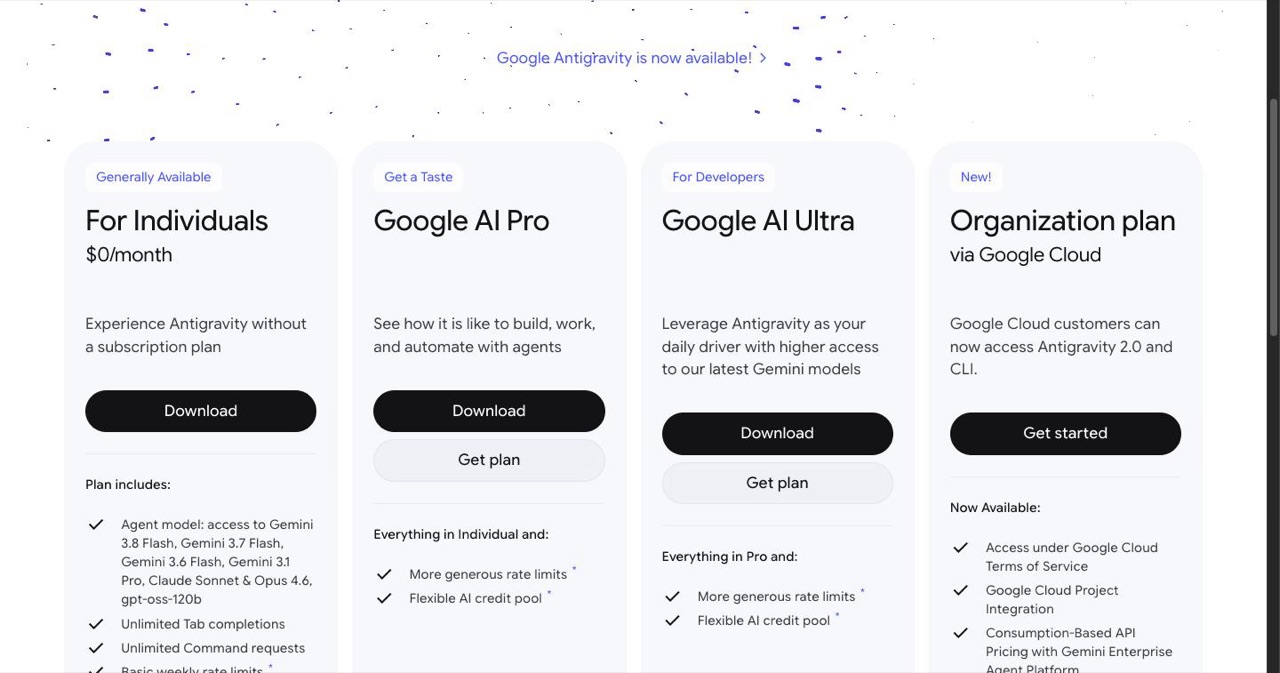
1. IDE: Google Antigravity
What it is: The first IDE built for AI agents, not autocomplete. Released November 2025 alongside Gemini 3.
Antigravity isn't VS Code with plugins. It's a fundamental rethink. You get two modes:
- Editor View — Works like any IDE. Code, sidebar chat, the usual.
- Manager View — This is where it clicks. Spawn multiple agents working in parallel. One refactors auth while another builds your API. You're the architect, they're the builders.
The "artifacts" system solves the trust problem. Agents don't just spit code—they generate task plans, screenshots, browser recordings you can verify. You comment on artifacts like Google Docs, and agents adjust without stopping.
Why it's perfect for beginners: Antigravity makes coding feel like delegation. You describe what you want, agents handle implementation details. The learning curve isn't "memorize syntax"—it's "learn to break problems into clear tasks." This is essentially vibe coding at its finest.
Setup in 5 minutes:
- Download from antigravity.google
- Sign in with Gmail (personal accounts work)
- Pick Gemini 3 Pro as your default agent
- Start your first project
The student boost: Verified students get Google AI Pro for free (one year). Higher rate limits that refresh every 5 hours. Use SheerID for verification.
Real limitations:
- Free tier has rate limits (refresh every 5 hours on AI Pro)
- Agents occasionally duplicate code or miss context
- Project persistence breaks if you move directories manually
Alternatives: VS Code + Continue extension (free but less powerful), Cursor (paid, $20/month)
Want to supercharge your Antigravity setup even further? Learn how to connect Google Antigravity with Google Stitch for a complete data pipeline, or explore advanced models like Kimi K2.5 with Agent Swarm Mode.
2. AI Documentation: SuperDocs
What it is: Point it at your GitHub repo, get production READMEs and API docs in minutes.
Documentation is that thing you know you need but never write. SuperDocs uses AI to generate proper docs from your codebase—architecture explanations, setup guides, API references. Open-source friendly, runs on Google Cloud.
Why it matters: Your portfolio projects actually look professional. And when you're stuck, AI-generated docs help you remember what you built.
Setup: Paste your GitHub URL at superdocs.cloud. Public repos are free.
Pro tip: Run it after each major feature. Docs stay current, and future you will thank present you.
3. Database: Supabase
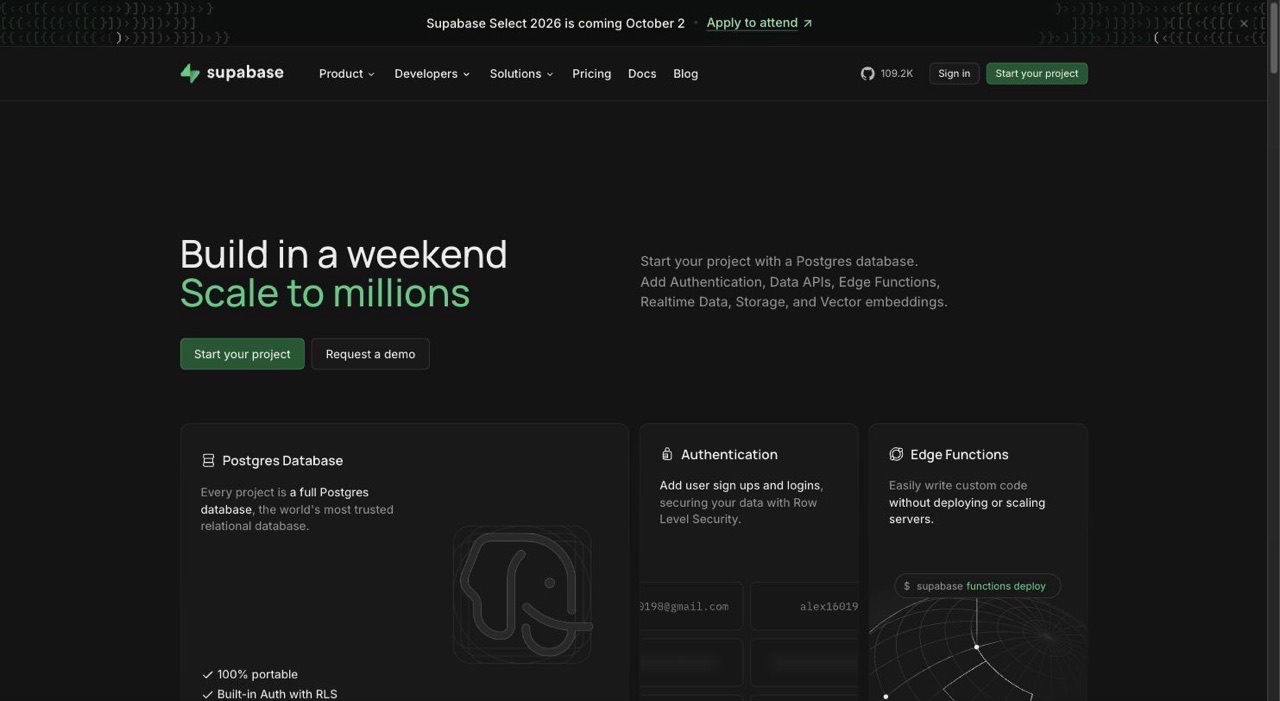
What it is: Open-source Firebase alternative. Real Postgres, not a proprietary database.
The free tier in 2026 gives you:
- 500MB database (enough for 500K+ rows of structured data)
- 1GB file storage
- 50,000 monthly active users for auth
- 500K edge function invocations
- 2GB bandwidth
What this actually means: You can build and launch a real product. The 50K user cap? Most beginners never hit it. The 500MB database? That's roughly a million tweets worth of text.
The catch: Free projects pause after 7 days of inactivity. Not a problem if you're actively building. Just visit your project or make an API call to wake it.
Why it's perfect: Real-time subscriptions out of the box. Your data updates live in the UI without polling. Row-Level Security means database-level authorization—no separate permission layer needed. If you're planning to build an AI SaaS, Supabase's pgvector extension means your embeddings live right next to your user data—no separate vector database needed.
Setup:
- Go to supabase.com
- Create account (GitHub login works)
- New project → auto-generates Postgres DB
- Copy connection strings
- Done
Integration: Supabase SDK works perfectly with Next.js. Install @supabase/supabase-js, paste your keys, start querying.
4. Authentication: Stack Auth
What it is: Open-source Clerk alternative. MIT/AGPL licensed.
Stack Auth gives you everything Clerk charges for:
- Email/password, OAuth (Google, GitHub, etc.)
- Magic links
- Organizations and teams
- RBAC (role-based access)
- Up to 10,000 users free on managed hosting
- Self-host forever for unlimited
Why it matters: Auth is complicated. JWTs, refresh tokens, email verification, password resets—Stack Auth handles it. Beautiful pre-built components that match your design system automatically.
Setup:
- Visit stack-auth.com
- Create project
- Install SDK:
npm install @stackframe/stack - Add
<SignIn />and<UserButton />components - Users can sign up
Real talk: The managed tier (free up to 10K users) is perfect for beginners. When you need more, self-hosting is straightforward. No vendor lock-in.
The developer experience: Impersonate users for debugging. Webhooks for user events. Token management handled automatically. This is what paid tools promised but Stack Auth actually delivers.
5. AI Models: Gemini AI Studio + OpenRouter + Unsloth
The testing stack:
Gemini AI Studio — Free Google AI Studio access. Gemini 3 Flash, Gemini 3 Pro, all the latest models. API keys, playground, no credit card needed until you go to production.
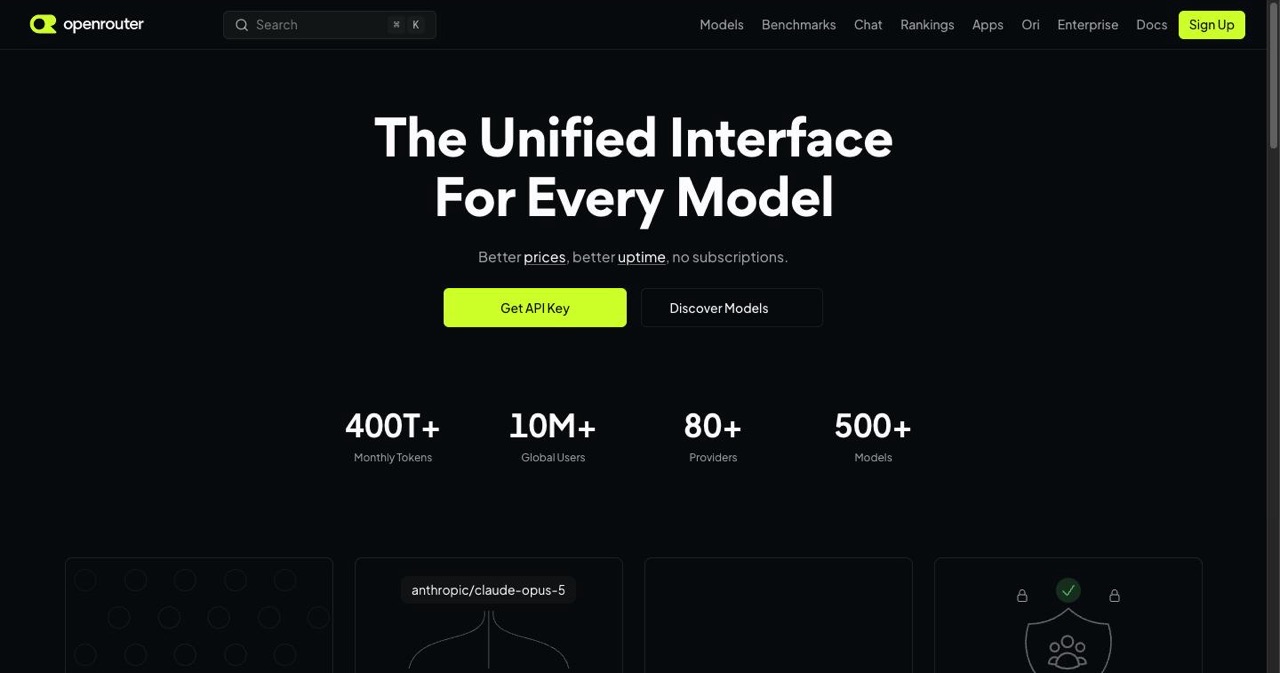
OpenRouter — One API for 25+ models. Free tier includes:
- GPT-5 nano (limited daily)
- Claude 4 Haiku
- Llama 4
- Mistral models
- No credit card required for starter limits
Why this matters: Test multiple models, find what works for your use case, without paying.
The production stack:
Unsloth for fine-tuning — Here's where it gets interesting. Run Unsloth in Google Colab (free T4 GPU). Fine-tune Llama 4, Mistral, or Gemma 3 models on your data. 2x faster than HuggingFace, uses 40% less VRAM.
What you can do:
- Turn a base model into your app's custom AI
- Create domain-specific assistants
- Build unique features competitors can't copy
Setup:
- Open Colab notebook from unsloth.ai
- Choose base model
- Upload training data (JSONL format)
- Run cells
- Download fine-tuned model
The economics: Free GPU for 12-hour sessions. Run overnight, wake up to your custom model.
For the full rundown of AI model costs and how to integrate them into a production app, check out our complete AI SaaS guide which covers credit systems, Stripe webhooks, and multi-provider integration.
6. Version Control: GitHub
What it is: You already know this one.
Free unlimited public and private repos. GitHub Actions gives you free CI/CD (2,000 minutes/month). GitHub Copilot is paid, but you don't need it with Antigravity.
The beginner mistake: Private repos for everything. Go public. Your commits are your resume.
7. Deployment: Vercel
What it is: Git push, app goes live. The deployment platform built by Next.js creators.
Free tier (Hobby plan) includes:
- Unlimited deployments
- 100GB bandwidth per month
- Preview deployments for every commit
- Custom domains
- Edge functions (serverless)
- 6,000 build minutes
Real limitations:
- Single user only (no team collaboration)
- 100GB bandwidth (enough for 10K-50K monthly visits depending on assets)
- Edge requests capped at 1M per month
- Commercial use technically not allowed
The deployment experience:
- Connect GitHub repo
- Auto-detects framework
- Deploys
- Your app is live with HTTPS
Every commit gets a preview URL. Share it before merging. This workflow alone is worth the ecosystem lock-in.
When to upgrade: When you hit bandwidth limits or need team features. Pro is $20/month per user, but by then you might have revenue.
Alternatives: Netlify (similar limits), Cloudflare Pages (more generous but different DX), Railway (includes database hosting)
8. Analytics: PostHog + Microsoft Clarity + Google Analytics
Why three tools? They're complementary and all free.
PostHog — Product analytics. Events, funnels, feature flags, session recordings. Free up to 1M events/month.
What you track: Button clicks, user flows, feature usage. "Do people actually use this thing I built?"
Microsoft Clarity — Free heatmaps and session recordings. Unlimited. Watch actual users interact with your app. See where they click, where they rage-click, where they give up.
Google Analytics — Basic traffic. Where users come from, how long they stay, bounce rate. The boring but necessary stuff.
Setup:
- PostHog:
npm install posthog-js, initialize, track events - Clarity: Paste snippet in
<head> - GA4: Create property, add tracking code
Pro tip: Start with Clarity. Actually watching user sessions teaches you more than any metric dashboard.
How to Build Your First App: Step-by-Step
Let's build something real. An AI-powered task manager that learns your priorities.
Why this project: Combines database, auth, AI features. Useful enough to actually use. Complex enough to learn from. And if you're looking for more project inspiration, check out our list of 10 micro SaaS ideas for 2026.
Tech stack:
- Next.js 16 (App Router + Turbopack)
- Supabase (database + auth)
- Stack Auth (user management)
- Gemini via OpenRouter (AI suggestions)
- Vercel (deployment)
Time estimate: 4-6 hours for working MVP
Step 1: Initialize Next.js in Antigravity (15 minutes)
Open Antigravity, spawn an agent:
Create a new Next.js 16 app with App Router, Turbopack, TypeScript, and Tailwind.
Set up the basic project structure for a task manager app.
Include: /app/dashboard, /app/tasks, auth pages
The agent generates your entire project structure. Review the artifact, approve.
Step 2: Configure Supabase (20 minutes)
Create Supabase project, run these SQL commands in the SQL editor:
-- Tasks table
create table tasks (
  id uuid primary key default uuid_generate_v4(),
  user_id uuid references auth.users,
  title text not null,
  description text,
  priority text check (priority in ('high', 'medium', 'low')),
  completed boolean default false,
  created_at timestamp with time zone default timezone('utc', now())
);

-- Enable RLS
alter table tasks enable row level security;

-- Policy: Users see only their tasks
create policy "Users can CRUD own tasks"
on tasks for all
using (auth.uid() = user_id);
Install Supabase client:
npm install @supabase/supabase-js
Create /lib/supabase.ts:
import { createClient } from '@supabase/supabase-js'

export const supabase = createClient(
  process.env.NEXT_PUBLIC_SUPABASE_URL!,
  process.env.NEXT_PUBLIC_SUPABASE_ANON_KEY!
)
Step 3: Add Stack Auth (30 minutes)
Install Stack:
npm install @stackframe/stack
Wrap your app in <StackProvider>, add sign-in page:
import { SignIn } from '@stackframe/stack'

export default function SignInPage() {
  return <SignIn />
}
Protected routes:
import { useUser } from '@stackframe/stack'

export default function Dashboard() {
  const user = useUser({ or: 'redirect' })
  return <div>Welcome, {user.displayName}</div>
}
Stack Auth handles everything: email verification, password reset, session management.
Step 4: Build Task CRUD with Antigravity (90 minutes)
Spawn an agent with context:
Using the Supabase client in /lib/supabase.ts and Stack Auth for user context:
1. Create a task list component that shows all user tasks
2. Add form to create new tasks
3. Include mark complete/delete functionality
4. Use React Server Components where possible
The agent builds your components, handles loading states, errors, optimistic updates. You review, suggest changes ("add loading skeleton"), agent refactors.
Step 5: Add AI Priority Suggestions (60 minutes)
Get OpenRouter API key (free tier), add to .env:
OPENROUTER_API_KEY=your_key
Create API route for AI suggestions:
// /app/api/prioritize/route.ts
import { NextResponse } from 'next/server'

export async function POST(req: Request) {
  const { tasks } = await req.json()

  const response = await fetch('https://openrouter.ai/api/v1/chat/completions', {
    method: 'POST',
    headers: {
      'Authorization': `Bearer ${process.env.OPENROUTER_API_KEY}`,
      'Content-Type': 'application/json',
    },
    body: JSON.stringify({
      model: 'google/gemini-3-flash:free',
      messages: [{
        role: 'user',
        content: `Analyze these tasks and suggest priority (high/medium/low) with reasoning: ${JSON.stringify(tasks)}`
      }]
    })
  })

  const data = await response.json()
  return NextResponse.json(data)
}
Add "Get AI Suggestions" button in your UI. When clicked, sends tasks to API, displays suggestions.
Step 6: Deploy to Vercel (10 minutes)
- Push to GitHub
- Connect repo to Vercel
- Add environment variables
- Deploy
Your app is live. Preview URL → share with friends → collect feedback.
Common Pitfalls & Fixes
Supabase RLS blocking queries:
- Check your policies match your auth setup
- Test queries in Supabase SQL editor as authenticated user
Stack Auth redirect loops:
- Verify callback URLs in Stack dashboard
- Check middleware configuration
Antigravity agents making mistakes:
- Be specific in prompts
- Review artifacts before approving
- Use "explain your reasoning" to debug agent logic
Vercel build failures:
- Check Next.js compatibility (App Router features)
- Ensure environment variables are set
- Review build logs for missing dependencies
Real Examples: What People Are Building
Solo developer built an AI note-taking app — 2,000 users, $0/month costs. Uses this exact stack. Monetizes at scale, not before validation.
Student team created a study group matcher — 500 active users on free tiers. Supabase RLS handles multi-tenant data, Stack Auth manages university SSO. Still on free plans after 4 months.
Indie hacker's analytics dashboard — Pulls data from APIs, generates reports with Gemini. Deployed on Vercel, runs entirely serverless. Charges customers $29/month, pays $0 in infrastructure.
These aren't hypotheticals. This stack handles real products with real users. And many of these products eventually end up listed on startup directories to gain even more visibility.
When to Scale (And How Much It Costs)
Free tiers have limits. Here's when you actually need to upgrade:
Supabase:
- Upgrade at ~40K monthly active users or 400MB database
- Pro plan: $25/month (8GB database, 100K MAU)
Vercel:
- When you hit 100GB bandwidth or need team collaboration
- Pro: $20/user/month
Stack Auth:
- Managed tier caps at 10K users
- Beyond that: self-host (free) or contact for pricing
The math: A product with 5K users, 50GB bandwidth, 2GB database costs $0. At 50K users, you're paying ~$50/month. At 500K users, maybe $500/month—but you have revenue by then.
Scale on revenue, not hope. For a deep dive on choosing the best payment processor when you do start charging, we've got you covered.
Tools I Didn't Include (And Why)
Frontend styling: Use Tailwind CSS (free) + shadcn/ui (free). Antigravity agents understand both. Pre-built components, accessible, beautiful. Want to avoid the "AI slop" look? Check our guide on creating stunning frontend designs with vibe coding.
Email sending: Resend has a generous free tier (3K emails/month). By the time you need more, you can afford it.
Background jobs: Supabase Edge Functions handle most use cases. For heavy lifting, Trigger.dev has a free tier.
Monitoring: Better Stack (formerly Logtail) free tier includes error tracking. PostHog handles user-facing issues.
Testing: Vitest and Playwright are free and fast. Antigravity can write tests if you ask.
The ecosystem has free solutions for almost everything. Don't pay until you need to.
Frequently Asked Questions
Is Google Antigravity really free forever?
Public preview is free right now. Google will likely introduce paid tiers in 2026 (estimated $20/month for Pro). But the free tier should remain functional for hobby projects. Worst case: export to VS Code.
Can I actually use this for commercial projects?
- Antigravity: Yes, though official paid plans coming soon
- Supabase: Yes, free tier is "paused after inactivity" not "non-commercial"
- Stack Auth: Yes, up to 10K users
- Vercel: Technically no on Hobby plan (read terms carefully)
For commercial projects with traffic, expect to pay Vercel Pro. Everything else scales free to meaningful revenue.
What about file storage?
Supabase includes 1GB storage free. Cloudflare R2 has a generous free tier (10GB storage, 1M reads/month). For images, use Cloudflare Images transform API (also has free tier).
How do I add payments?
Stripe has no monthly fee (just transaction costs). Use @stripe/stripe-js and create checkout sessions. Integrate with Stack Auth for user management. We have a detailed breakdown of how to choose the best payment processor for your SaaS.
Will I hit rate limits while learning?
Unlikely. Gemini's free tier refreshes every 5 hours. Supabase free tier handles thousands of requests per minute. OpenRouter's daily limits reset. You'd need to be building aggressively to hit walls.
What's the catch?
These companies bet on upgrade revenue. They know 95% of projects die. The 5% that succeed pay for enterprise features. You're not the product—you're a potential future customer. Enjoy the free tier.
Your Next Steps
Stop reading. Start building.
Pick one idea you've been sitting on. Open Antigravity. Spend this weekend shipping a working prototype. By Monday, you'll have a live URL to show people.
The best time to start building was when you first had the idea. The second-best time is now. This stack removes every excuse about costs or complexity.
You're one git push away from calling yourself a developer.
Make it happen.
P.S. When you ship something using this stack, tag me. I want to see what you build. The community is building wild stuff with these tools, and your project might be next.
Last updated: February 2026
Stack status: All tools actively maintained and free tiers confirmed as of Feb 2026
Get your SaaS in front of founders
List your product on the SaaSCity live city map - a permanent listing, real discovery, and a backlink from a high-DR directory. Free to start; upgrade for a dofollow link and a building on the map.