
MagicVio
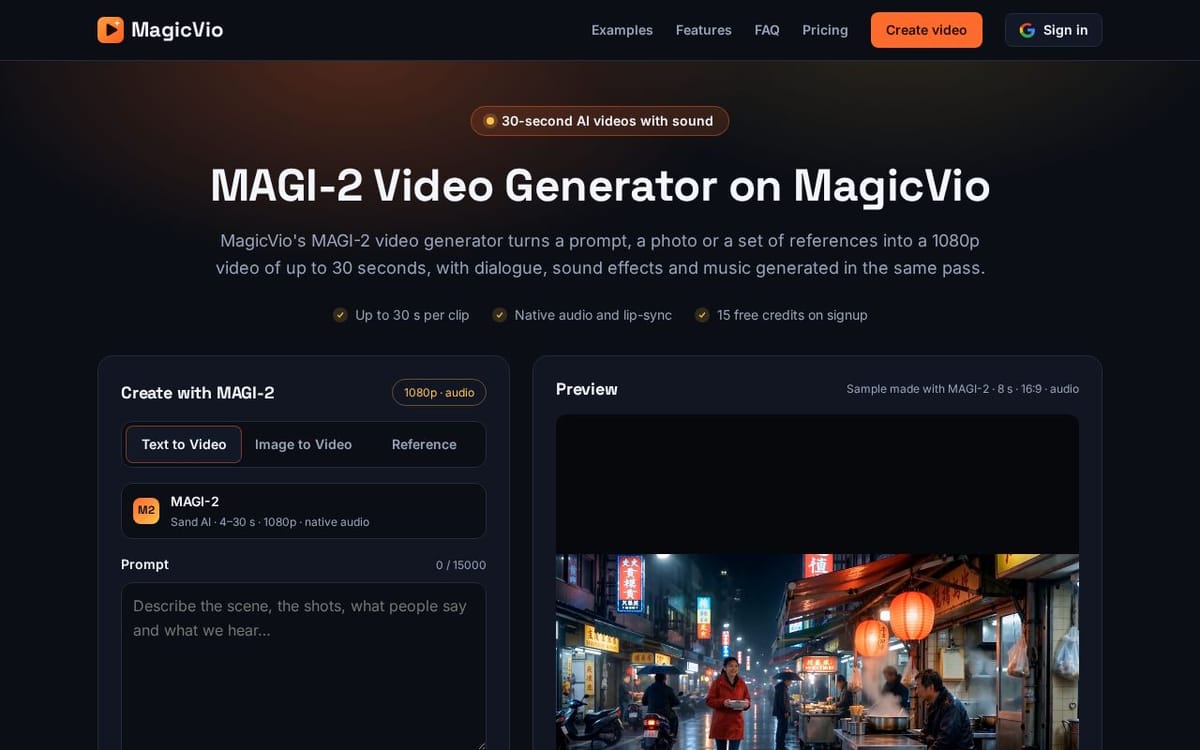
MagicVio's MAGI-2 video generator turns a prompt, a photo or a set of references into a 1080p video
650points
Recent Supporters
Details
Launched
November 27, 2026
Category
AI & Machine Learning
Pricing
Freemium
Platform
Web app
Tags
About MagicVio
MagicVio provides browser-based access to Sand AI’s MAGI-2 video generation model. Users can create clips from text prompts, animate a still image, or use reference images to keep a character or product consistent. Videos can run from 4 to 30 seconds at 1080p, with options for six aspect ratios and audio generated alongside the image, including dialogue, sound effects and music.
The generator is aimed at creators, marketers and filmmakers making product ads, social clips, short films or previs. Prompts can describe several shots, and users can upload up to 10 reference images. New accounts receive 15 free credits; additional use requires credit packs or a monthly plan. Videos can be downloaded as MP4, and the page states there is no watermark.
What MagicVio does
MagicVio's MAGI-2 video generator turns written prompts, still images, or reference images into videos up to 30 seconds long at 1080p. It generates audio with the video, including lip-synced dialogue, sound effects, ambience, and music. Users can create scenes with multiple shots or animate an image, while reference images can help keep a character or product consistent. The page presents it as a way to make finished-feeling clips without producing picture and sound separately.
Users choose text-to-video, image-to-video, or reference-to-video, then describe the shots and sounds they want. They can upload a first frame, an optional last frame, or up to 10 reference images in JPG, PNG, or WEBP format, and tag references in the prompt. Next, they select a duration from 4 to 30 seconds, an aspect ratio, and whether audio is on. The rendered video appears in a preview and is saved under My videos for later download as an MP4.
The page describes MAGI-2 for people making product ads, creator and social clips, short films, or previs. Its examples include turning a packshot into an ad, creating vertical clips with a consistent character, and testing a multi-shot scene before production. The generator runs in a browser, and the page says new accounts receive 15 free credits without a credit card. Uploaded photos are used for the video and deleted automatically within 24 hours.
Based on magicvio.com, read on Nov 28, 2026.
Key features
- Generates 4–30-second videos at 1080p
- Text-to-video, image-to-video, and reference-to-video modes
- Generates dialogue, sound effects, ambience, and music
- Lip-syncs spoken dialogue to characters
- Accepts up to 10 reference images
- Exports videos as downloadable MP4 files
What people use MagicVio for
- 01Create product ads from packshots
- 02Make creator and social clips
- 03Animate still images into video scenes
- 04Block out short films and previs
MagicVio alternatives
Browse all AI & Machine Learning ClipTrend.ai
 turns photos or text prompts into social-ready AI videos with one-click viral templates
AI & Machine LearningPaid AI Image Editor
Transform, edit and combine photos with simple text prompts.
AI & Machine LearningPaid Image to Video AI
Turn photos and product images into short AI video clips online with Image to Video AI.
AI & Machine LearningPaid Image to Video AI
Transform photos into stunning videos with our free image to video AI generator.
AI & Machine LearningPaid vid2vid
Create AI videos from clips, images, and prompts with vid2vid, enabling video remixes
AI & Machine LearningPaid
Building in AI & Machine Learning? List your product on SaaSCity.