News
A Hidden Settings File Put Real Secrets in 1,122 Public GitHub Repos (2026)
Pick "Yes, and don't ask again" in Claude Code and the whole command, password included, lands in a JSON file inside your project. Apiiro counted real secrets in 1,122 public GitHub copies of that file, and deleting it does not undo the leak. Here is the audit to run and the order to rotate in before you launch on SaaSCity or anywhere else.

Contents (13)
- Key takeaways
- What is .claude/settings.local.json and why does it contain my password?
- Why Claude Code's gitignore protection only covers the common case
- How many public repos are affected, and how many secrets?
- Why do gitleaks and TruffleHog miss these secrets?
- What does Anthropic say, and is auto mode safer?
- Am I affected? How to check your repos and your laptop
- What do I do first if I find one: rotate or delete?
- What does a leaked Supabase service-role key or AWS key cost a small SaaS?
- How do I stop this from happening in my next repo?
- Why founders launching in public should run this first
- Questions developers are asking
- Before Monday
You click "Yes, and don't ask again" once, and the database password inside that command gets copied into a JSON file you have probably never opened.
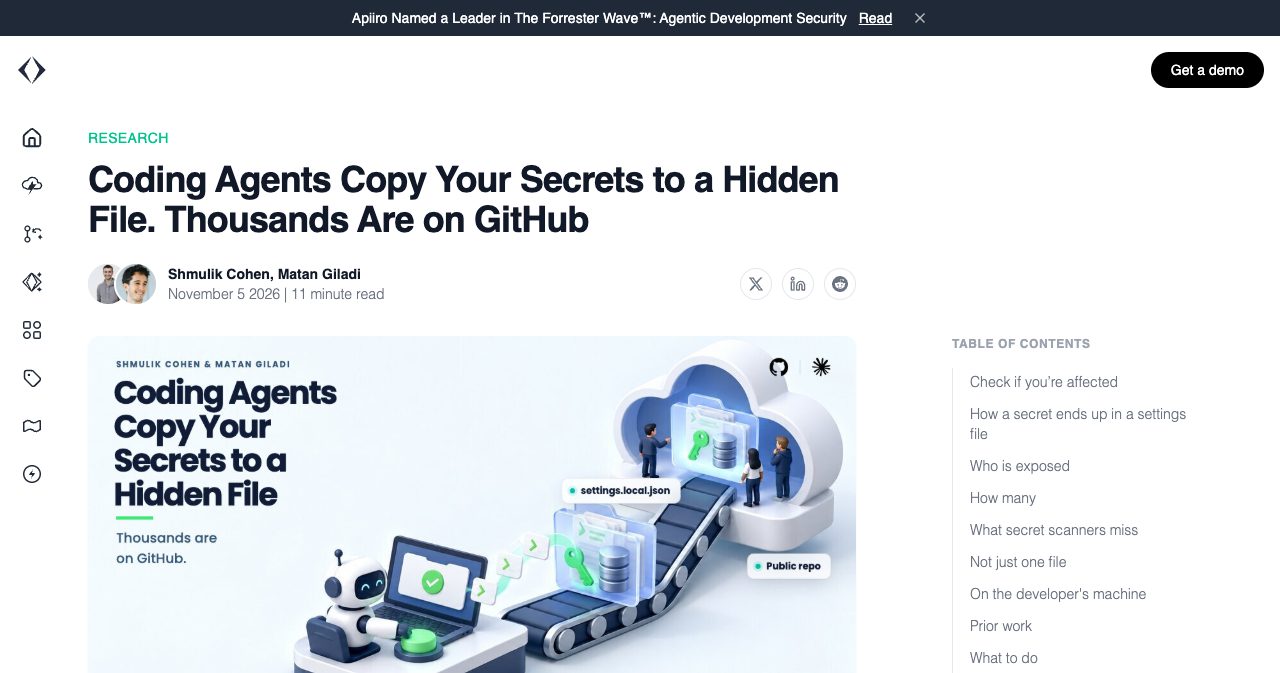
Quick answer: On 5 November 2026, application-security vendor Apiiro reported that .claude/settings.local.json, the file where Anthropic's Claude Code stores commands approved with "Yes, and don't ask again", held real secrets in 1,122 of 104,185 public GitHub copies. Audit your repos and git history, rotate what you find, then untrack the file.
Last updated: 8 November 2026. Counts for the GitHub exposure are Apiiro's, collected 1 to 3 November 2026, and each one was cross-checked against at least one independent report. Everything else is linked to its source and dated.
Disclosure before the numbers: you are reading this on a directory's blog. SaaSCity is a gamified startup directory with a live city map and human editorial review, and paid listings are how we make money. We want founders to launch, and one who finds a production password on GitHub that week doesn't. So this post skips the dunking on Claude Code and sticks to the file, the counts, the audit and what to do when the audit finds something.
Key takeaways
- Apiiro counted 104,185 public copies of the file. Of those, 1,122 held at least one real secret, for 1,379 distinct secrets.
- Claude Code protects the file with a line in your global git excludes, which lives on one machine and does nothing for a file that was already committed.
- The open-source scanners gitleaks and TruffleHog both missed 215 of those 1,122 files, by Apiiro's count, mostly passwords typed inside commands.
- Deleting the file doesn't undo the leak. By Apiiro's count, older versions held another 734 real secrets across 509 repos.
- Rotate first, untrack second. GitHub's own documentation gives the same order.
- Boris Cherny of the Claude Code team says fixes are being prototyped and recommends auto mode, which Anthropic itself documents as fallible.
What is .claude/settings.local.json and why does it contain my password?
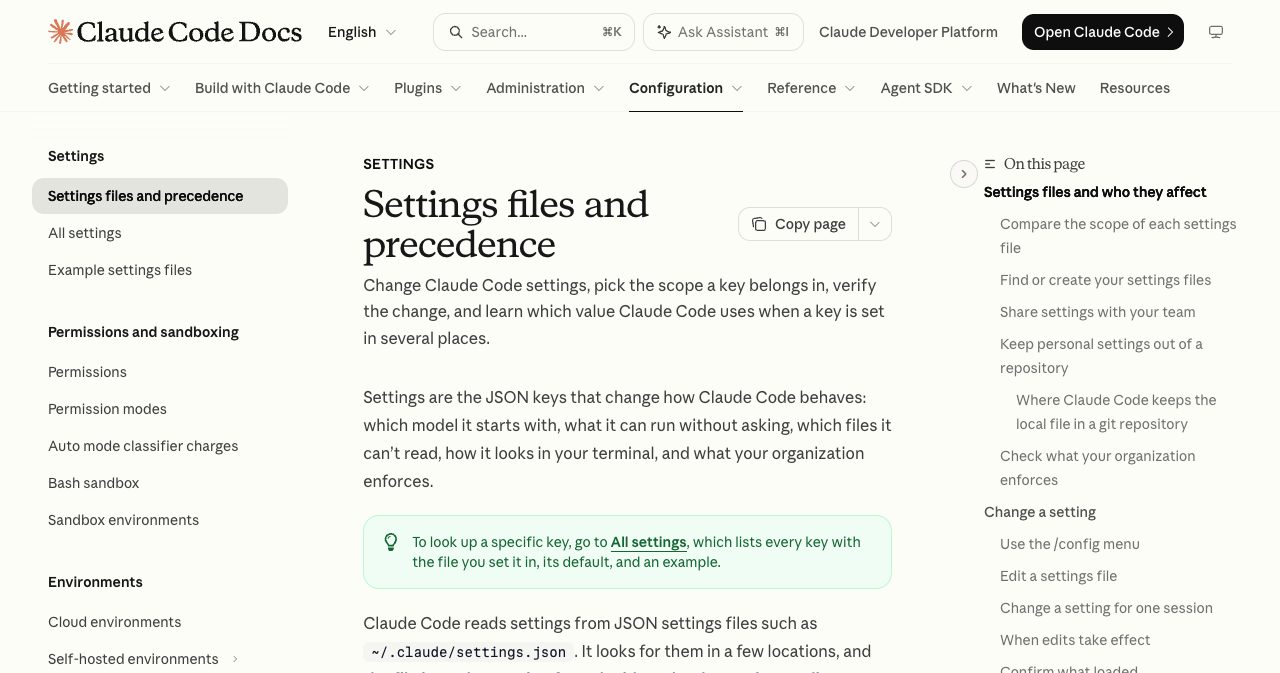
.claude/settings.local.json is Claude Code's personal settings file for one project, and it holds your password because approvals get saved as the literal command. The settings documentation lays out the sequence: when Claude asks to run a shell command and you choose "Yes, and don't ask again", Claude Code "saves that approval as an allow rule in .claude/settings.local.json."
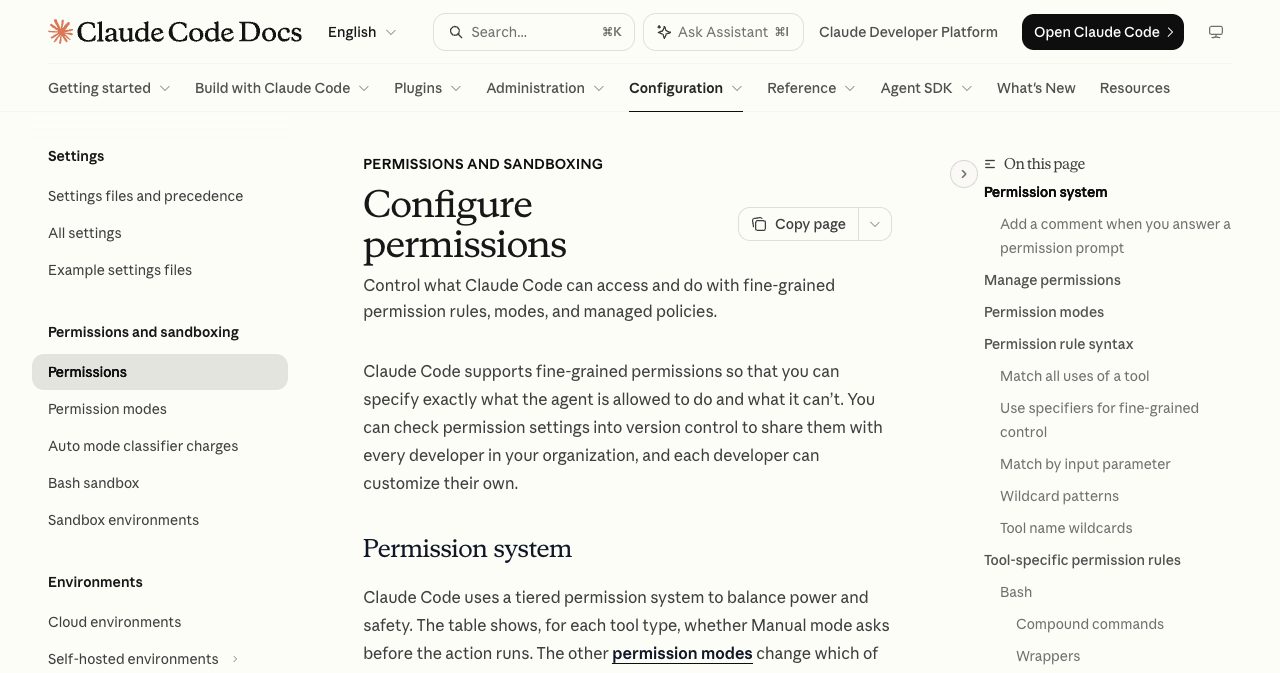
The permissions documentation tells you how literal that rule is: "A rule with no * matches one exact command." Now think about what Claude Code proposes when you ask it to check staging or run a migration. The command needs the credential to work, so the credential sits in the command, so the credential sits in the rule.
{
  "permissions": {
    "allow": [
      "Bash(PGPASSWORD=hunter2 psql -h db.example.com -U app -c \"select count(*) from users\")"
    ]
  }
}
That password is fake, and the shape is the one Apiiro keeps finding. GitHub issue #5544, opened on 11 August 2025, reported exactly this under a title that needs no editing: "approved bash commands containing credentials are stored as is with plain text credentials in settings.local.json."
No model has to misbehave for this to happen. Apiiro reproduced it with Claude Opus 5.5 and Claude Fable 5.1 and, as Vikram Singh's 7 November write-up quotes it, called it "Claude Code's own behavior, not the model's."
One location detail will matter when you audit. Since version 2.1.211, Claude Code keeps the file at the repository root even when you start a session in a subfolder. Before that it saved the file in whichever folder you started from, and the docs say it still reads those older copies. So a repo can hold more than one.
Why Claude Code's gitignore protection only covers the common case
Claude Code's protection is one line in a file on your own computer, so it guards a single machine and leaves the repository with nothing of its own. The docs describe it precisely: "The first time Claude Code writes the file in a git repository that doesn't already ignore it, it adds **/.claude/settings.local.json to your global git excludes file, so the file stays out of your commits in every repository."
The global git excludes file is a per-user ignore list that git applies to every repository on one machine. It usually sits at ~/.config/git/ignore, or wherever core.excludesFile points, and it is never committed, so it never reaches a clone. Claude Code adds its line there. The .gitignore inside your repo, the one every teammate gets, stays untouched.
For one developer on one laptop in one existing repo, that works. Step outside that setup and the line either doesn't exist yet or can't help:
| Situation | Global excludes entry (Claude Code's guard) | A line in the repo's own .gitignore |
|---|---|---|
| Claude Code writes the file inside a git repo on your laptop | Protected | Protected |
File written before git init, on a machine where Claude Code never wrote it inside a repo | Not protected until the next write | Protected |
| Project folder copied or restored onto a new machine | Not protected, the entry stayed on the old machine | Protected |
| You created the file by hand | Not protected, and the docs say to add it to .gitignore yourself | Protected |
| File was already committed once | Not protected | Not protected, needs git rm --cached |
The bottom row does the most damage, because Git's own documentation says "Files already tracked by Git are not affected" by ignore rules, whichever list they live in. Once the file is committed, no ignore line anywhere will get it back out.
You can see which kind of protection you have in ten seconds. Run git check-ignore -v .claude/settings.local.json inside a repo. If the output names a path in your home folder, the guard lives on your machine and the repo has no rule of its own.
How many public repos are affected, and how many secrets?
By Apiiro's count, 1,122 of the 104,185 public copies of the file held at least one real secret, which is 1.1%. The copies sat in 103,617 GitHub repositories, collected between 1 and 3 November 2026. Those 1,122 files held 1,379 distinct secrets: 636 provider-format keys and 743 passwords or tokens associated with public hosts.
| What the files held (Apiiro, November 2026) | Count |
|---|---|
| Database passwords | 379 |
| Supabase service-role keys | 122 |
| Supabase account tokens | 103 |
| SSH logins | 43 |
| GitHub, GitLab and npm tokens | 42 |
| AWS keys | 23 |
| Private keys | 6 |
Those categories don't add up to the full 1,379. They are the ones reported individually, and they tell you what kind of leak this is. The biggest bucket by far is direct access to someone's database.
"Real secret" needs a definition, because this is where a careless headline goes wrong. Apiiro counted a credential as real when it matched a provider format or pointed at a public host, with an LLM reviewer applying a rubric. It did not test the credentials or contact the hosts. So 1,379 counts credible credentials sitting in public, and Apiiro has not established how many of them still work.
At least one was live. Apiiro notified the 63 affected organisations on 2 and 3 November 2026, and iTWire reports that one company confirmed its exposed key had been live. The anonymised examples include a database vendor's own admin-level cloud key and the owner password of a medical-records database.
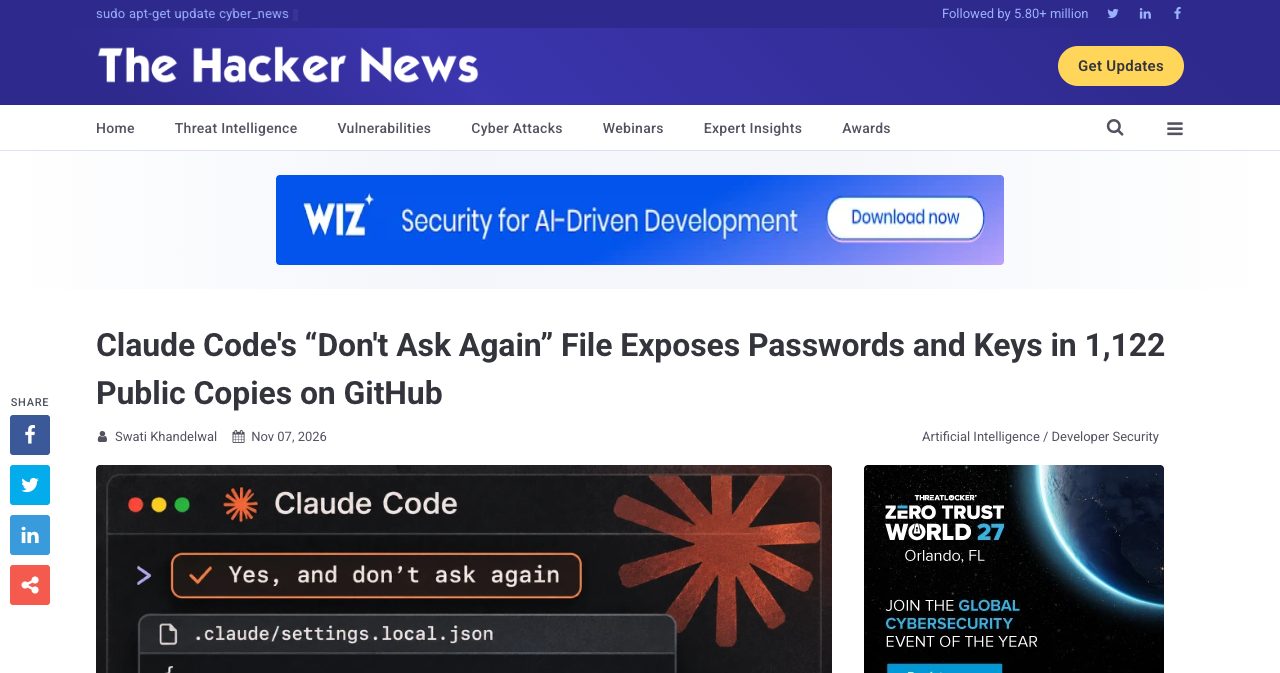
The Hacker News and iTWire both covered the research on 7 November if you want a second read. Three more of Apiiro's numbers explain why the cleanup is harder than it looks. In half the affected repos, the file had been committed for at least 217 days as of 2 November. Another 211 forks of 74 repos carry the same secrets. And older versions of the file hold 734 more real secrets across 509 repos, which a clean copy on main won't tell you about.
Claude Code's shared settings file is a separate exposure. .claude/settings.json is designed to be committed, and Apiiro found secrets in 298 of 76,011 public copies. Add git history and other files agents write, and the total reaches 2,539 distinct secrets in 1,994 repos.
People have been measuring this all year. ironPeak wrote on 17 February 2026 that the file had been committed to its own repo, and estimated that "roughly 2.4%" of repositories with AI tool configuration directories have sensitive information in their history. In April 2026, Lakera looked at about 46,500 npm packages, found the file in 428 of them and credentials in 33 files across 30 packages. GitGuardian's 17 March 2026 report measured a 3.2% secret-leak rate on Claude Code-assisted commits against a 1.5% baseline, while noting: "The leak still happens through a human workflow."
Why do gitleaks and TruffleHog miss these secrets?
Gitleaks and TruffleHog look for key formats, and a password typed into a command line doesn't have one. In Apiiro's November 2026 comparison, run with verification off, gitleaks flagged 564 of the 1,122 files holding a real secret, TruffleHog flagged 643, and 215 were flagged by neither. That's about 19% of the files that matter, invisible to both.
A write-up by Piekwerk on DEV Community puts the mechanism well: a password after PGPASSWORD=, sshpass -p or mysql -p "reads as one word among flags, and scanners look for known key formats, not words."
Frank Chu tested this directly on 8 November. Chu planted 12 fake secrets in 12 copies of the file and ran gitleaks 8.30.0 and TruffleHog 3.91.0 with default settings. Both tools missed four: a PGPASSWORD, an sshpass password, a mysql -p password and a Google key. An npm token that gets caught in plain text also slipped past gitleaks once it sat inside the Bash(...) wrapper. That is one person's small test, and it lines up with Apiiro's much larger one.
GitHub's built-in scanning has the same shape of blind spot. The documentation says secret scanning "runs automatically for free" on public repositories, with detection aimed by default at partner and provider secrets. Generic patterns and AI detection of unstructured passwords are listed as optional extras. A provider-format key can get reported to the provider. Nobody at a provider is watching your self-hosted Postgres password.
Keep running the scanners, since they caught most of what's out there, and read the matches yourself before you close the ticket.
What does Anthropic say, and is auto mode safer?
Anthropic's position, stated by Boris Cherny of the Claude Code team on Y Combinator's Hacker News forum on 7 November 2026, is that the file is meant to stay local, that these copies were committed by hand, and that auto mode beats permission rules. The top-level comment opens with a concession: "Historically Claude Code has not done secret scrubbing (there are many good tools for that), but we are looking into what we can do to prevent this."
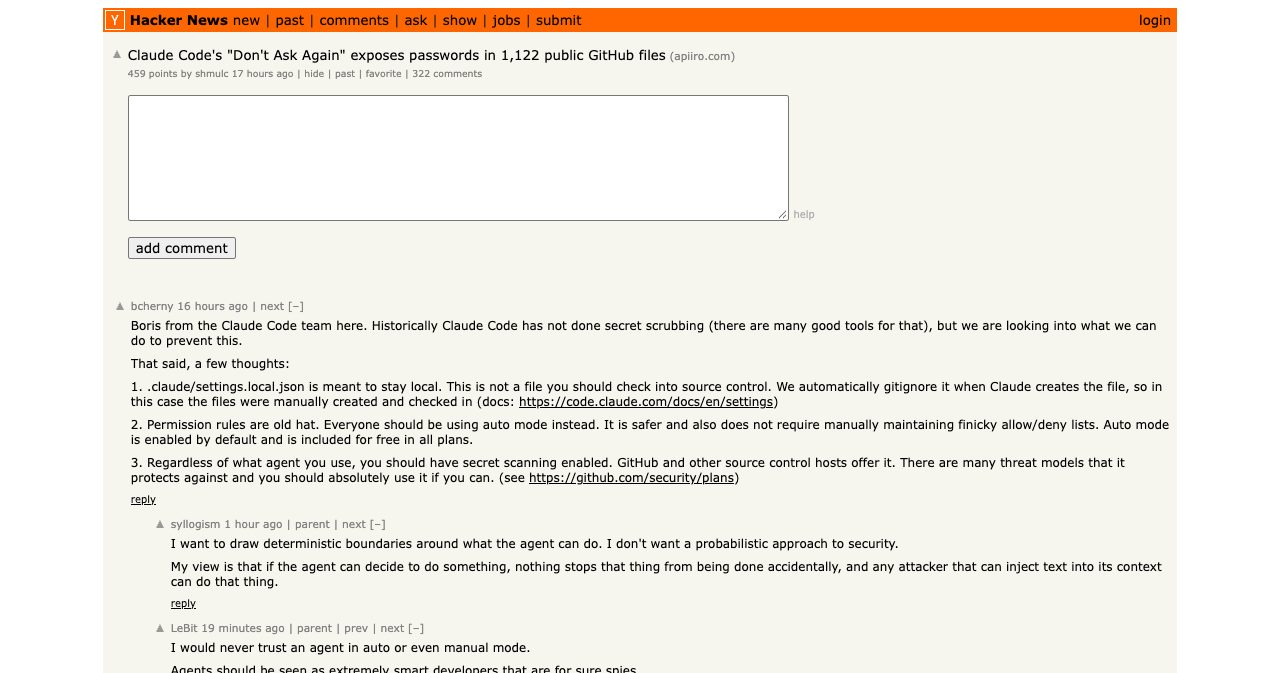
Three points follow. On the file: "We automatically gitignore it when Claude creates the file, so in this case the files were manually created and checked in." On rules: "Permission rules are old hat. Everyone should be using auto mode instead." On hosts: turn on secret scanning, whichever agent you use. A follow-up comment listed options including "making sure auto mode catches this, building in basic secret scanning", and added: "Going to prototype a few of these to understand the tradeoffs better before we ship something." As of 8 November, the newest changelog entry we read, 2.1.319 from 6 November, lists no fix for secrets in allow rules.
I can't settle the disagreement from the outside. Cherny says the files were manually created and checked in. Apiiro counted 539 of the 1,105 repos it traced with a Claude-co-authored commit that changed the file. Both can be accurate at once: a co-author trailer shows Claude was part of a commit touching the file, and it says nothing about how that file first got into git.
Two other records are worth weighing. Issue #11982, opened 19 November 2025, says Claude Code "no longer adds local settings file to .gitignore when it is created", and users were still reporting it in February 2026. And the changelog entry for 2.1.307, dated 21 October 2026, records a fix for self-hosted runner sessions using --use-anthropic-git-proxy "committing a .claude/settings.local.json" left behind by an earlier session. That is a narrow case, and it is also Anthropic's own record of a session committing this file. The check for your repo takes one command: git log --format='%h %an %s' -- .claude/settings.local.json lists the author of every commit that touched it.
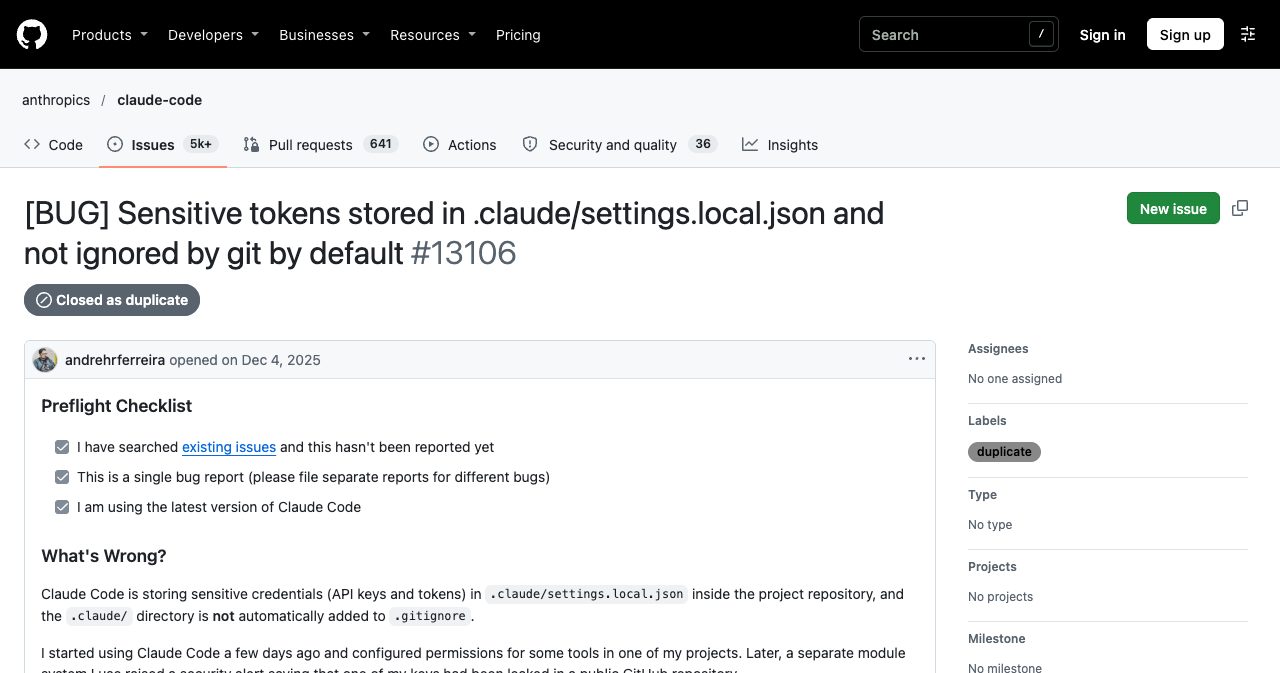
The reports go back at least 15 months. On 8 November we read the four issues Apiiro points to: #5544, #11982, #13106 and #91270. A bot closed each one, three as not planned and one as a duplicate, and none shows a reply from Anthropic staff.
Against the failure it was built for, Anthropic's evidence says auto mode is safer. Its 25 March 2026 engineering post reports that users accept 93% of permission prompts, which makes a tired human a weak checkpoint. Cherny made the same argument in the thread: "human attention is limited." The classifier scored a 0.4% false-positive rate on 10,000 real tool calls and a 17% false-negative rate on 52 real overeager actions, a number the post itself calls honest. The permission modes docs state the limit in one line: "Auto mode reduces permission prompts but does not guarantee safety."
The trouble is that this leak is a different failure. A classifier decides whether a command should run, and a psql call with a password in it may be a perfectly reasonable thing to run. Fewer prompts should mean fewer "don't ask again" clicks, but the docs don't say whether auto mode ever writes rules, and nothing about it cleans a file that already exists. Cherny listing "making sure auto mode catches this" as future work tells you where that stands today.
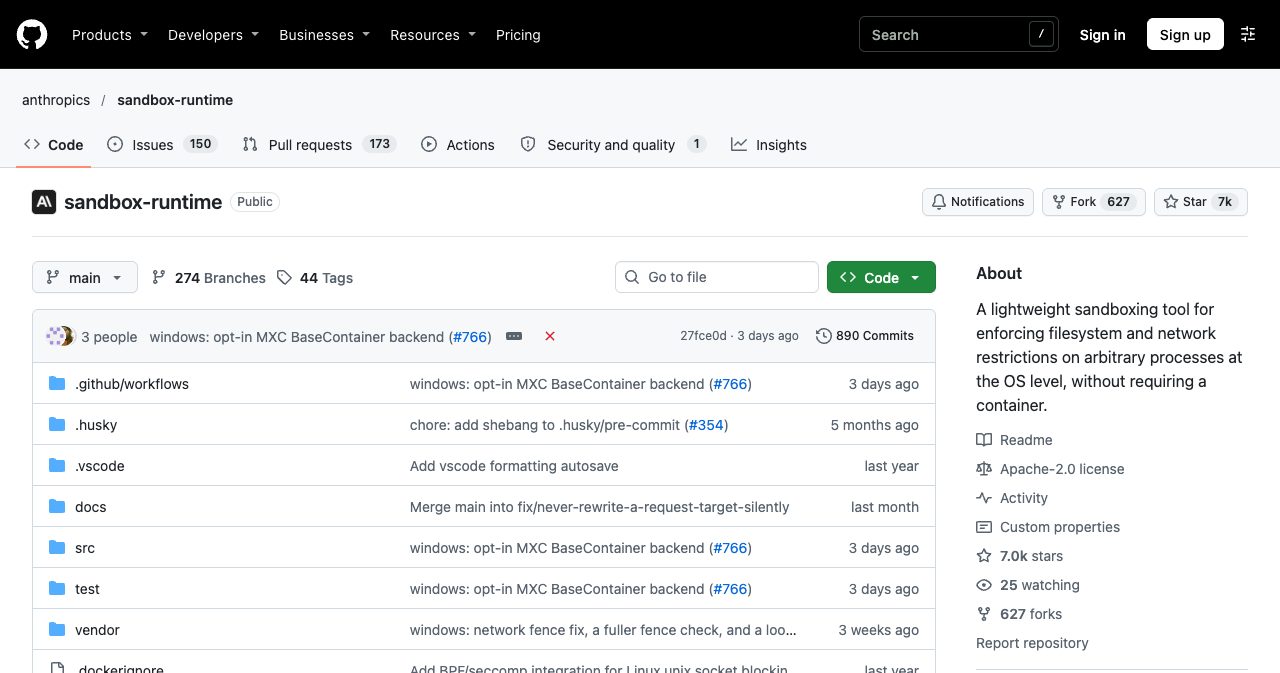
Cherny also pointed at the sandbox, in a separate comment calling sandbox-runtime an "open source agent-agnostic sandbox." The project carries a Beta Research Preview banner, and Claude Code's sandbox docs say it is "off by default" and runs on macOS, Linux and WSL2. Turn it on with /sandbox if you run agents all day. It limits what a command can reach, which helps with a lot of things and has no bearing on whether a password got saved to a file.
Am I affected? How to check your repos and your laptop
You are affected if the file was ever committed to a repo that anyone outside your team could read, and you can find out in about ten minutes. Run this against every repo that was ever public, including the ones you later made private. Apiiro only measured public copies, but a private repo still hands the password to everyone with read access, and it becomes a public leak the day you flip the switch.
- Find every copy of the file. Run
find ~ -path '*/.claude/settings.local.json' -not -path '*/node_modules/*' 2>/dev/nullon your laptop, then search GitHub code forpath:.claude/settings.local.json user:YOUR_NAMEororg:YOUR_ORG. Keep subfolders in scope, because Claude Code versions before 2.1.211 saved the file in whichever folder the session started. - Check whether git tracks it or ever did. In each repository run
git ls-files '*.claude/settings.local.json'to see whether a copy is tracked today, andgit log --all --oneline -- '*.claude/settings.local.json'to see whether any commit ever held one. Any output from the second command means the contents live in history, even if the file is gone now. - Read it for the passwords scanners miss. Run
grep -nE 'PGPASSWORD=|sshpass -p|mysql .*-p|[Bb]earer |://[^:/]+:[^@/]+@|sb_secret_|sbp_|eyJ[A-Za-z0-9_-]{20,}' .claude/settings.local.json .claude/settings.json, then pipegit log --all -p -- '*.claude/settings.local.json'through the same pattern to cover history. Add gitleaks and TruffleHog for provider-format keys, and read the matches yourself. - Rotate every credential before touching the file. Treat every match as exposed, whether or not the repository is still public. Change the database password, replace the Supabase secret key, revoke the access token, disable the AWS key and change any SSH password, then point your deployed app at the new values before you do anything to the file.
- Check the logs for use of the old credential. Review database connection logs, Supabase logs, AWS CloudTrail and token activity for the whole period the file was public. If customer data was read, get legal advice on notification, because Article 33 of the EU's GDPR asks controllers to notify the regulator within 72 hours where feasible, unless the breach is unlikely to put people's rights at risk.
- Untrack the file and ignore it in the repository. Run
git rm --cached .claude/settings.local.json, add.claude/settings.local.jsonto the repository's own.gitignore, commit and push. The file stays on your disk, git stops tracking it, and the ignore rule now travels with every clone. - Decide whether to rewrite history. With every credential rotated, rewriting history is optional hygiene. If you want it, use
git-filter-repowith--sensitive-data-removalas GitHub documents, tell your collaborators to rebase, and remember that forks keep their copies, so rotation stays the fix that counts.
If step 1 finds the file only on your laptop and step 2 comes back empty everywhere, nothing went public. The password is still sitting on your disk in plain text, though, and that is a real exposure of its own. The LiteLLM 1.107.0 stealer went after SSH keys, cloud credentials and AI coding tool tokens on developer machines last month, and a JSON file full of working passwords is the same kind of prize. Clear out the rules you no longer need.
What do I do first if I find one: rotate or delete?
Rotate first, every time, because deleting the file changes nothing an attacker can already read. GitHub's guide to removing sensitive data says that "as a first step you need to revoke and/or rotate that secret." Apiiro's advice, as reported, is the same: rotate first, clean up second.
Deleting first also throws away your inventory of what needs rotating.
The GitHub guide spells out why a rewrite can't carry the job alone. "If the commit that introduced the sensitive data exists in any forks, it will continue to be accessible there," and commits can stay reachable by SHA-1 in cached views. GitHub Support says it only helps with removal where "the risk can't be mitigated by rotating affected credentials."
| What you found | What to do | Source |
|---|---|---|
| Postgres or MySQL password | Set a new password on the role, update the app, then check connection logs | Your database docs |
Supabase legacy service_role key | Create a new secret key, replace it everywhere, deactivate the legacy keys, then revoke the legacy JWT secret | Supabase |
Supabase sb_secret_ key | Create a new key, replace it, delete the old one. Deletion can't be undone | Supabase |
| Supabase classic personal access token | Revoke it and issue a scoped token instead | Supabase |
| AWS access key | Disable it (don't delete it yet), issue new credentials, review CloudTrail | AWS |
| GitHub, GitLab or npm token | Revoke it and reissue with narrower scopes | Provider settings |
| SSH password or key | Change it, then check login history and authorized keys | Your server |
Supabase's guide adds a useful exception: if a key is being actively abused, retire it right away and accept that anything still using it stops working until you replace it.
What does a leaked Supabase service-role key or AWS key cost a small SaaS?
I couldn't find a reliable published figure for a two-person SaaS, so the useful way to price this is by what each key unlocks. A Supabase secret key unlocks everything. The API keys documentation says it plainly: "A secret key bypasses every Row Level Security policy you have." Row Level Security is the wall that keeps one customer's rows away from another's, and we covered what happens without it in the 16,326 exposed Supabase databases story. A leaked service-role key takes that wall down even when your policies are perfect.
A classic Supabase personal access token goes further. The Management API docs say it "carries the same privileges as your user account", so one token reaches every project you can reach. Apiiro counted 103 Supabase account tokens. Supabase is also deprecating the old anon and service_role keys by the end of 2026, so if you are rotating anyway, move to the new key format now and give each backend component its own secret key.
Amazon Web Services (AWS) is where the number gets immediate. In a controlled test published on 30 October 2023, Palo Alto Networks' Unit 42 saw an attacker detect and use exposed AWS credentials "within five minutes of their initial exposure on GitHub". AWS applied its quarantine policy within two minutes, and the researchers deliberately swapped that policy out to watch what happened next, which was c5a.24xlarge instances mining Monero. Vantage listed that instance at $3.696 per hour on demand as of 8 November 2026. My arithmetic, purely as illustration: ten of them running for a 48-hour weekend comes to about $1,774 before storage and data transfer.
The big breach numbers are real and mostly the wrong size for you. IBM's 2026 report, as summarised by Baker Donelson on 30 July 2026, puts the global average at $4.99 million and the US average at $11.5 million, with 247 days to identify and contain a breach. Neither that summary nor eSecurity Planet's gives a figure for small companies, so don't apply those numbers to your runway.
For a small SaaS the bill arrives as a weekend of rotation and log reading, an email to every customer and a launch that moves. If personal data was involved there is also a regulator clock: Article 33 of the EU's GDPR asks for notification "not later than 72 hours after having become aware of it" where feasible. The exposure doesn't age out on its own either. GitGuardian's March 2026 report found that over 64% of secrets from its 2022 cohort were still valid when retested in January 2026.
How do I stop this from happening in my next repo?
Keep credentials out of command strings and put the ignore rule inside the repository, because those two habits survive a new laptop and a new teammate. Apiiro's recommendations, as reported, start in the same place: use secrets-manager variables instead of literal secrets, and treat agent folders the way you treat .env files.
In practice, four changes do most of the work:
- Reference credentials by name.
psql "$DATABASE_URL" -c "..."gives Claude Code a rule that stores a variable name, and the password stays in your environment. If you see a real password in a permission prompt, answer "Yes" and skip "don't ask again". - Add
.claude/settings.local.jsonto the.gitignoreof every repo and to your project template. Apiiro suggests adding it to org templates too, and scanning.claude/,.cursor/,.gemini/and.specstory/in pre-commit and CI with history included. - Keep GitHub push protection on, which is available by default for public repositories, and accept that it won't see a plain password.
- Write wildcard rules by hand in your personal settings (
Bash(npm run *)is the docs' own example) so you stop generating one-off exact rules with arguments in them.
Scoped credentials shrink whatever still slips through, since a read-only database role or a scoped Supabase token limits what a leaked value can do. The same reasoning runs through our pre-launch security checklist for vibe-coded startups, and if you only do one thing from that list this week, do the secrets step.
Any developer tool that records what you ran now doubles as a secrets store, and the tool often makes that decision for you. We wrote about the same kind of default when Postman installed an AI plugin into other tools without asking.
Why founders launching in public should run this first
Public repos are how a lot of small products get found, and launch week is when the most strangers read yours. Portfolio projects, open-source distribution, build-in-public threads and a Hacker News post all send people straight to the code. With a median of 217 days since the file was first committed, plenty of those repos have been sitting there through earlier launches too.
So put the audit on the launch checklist, ahead of the screenshots. Then launch properly. SaaSCity's free listing gets you a page and a building on the city map, and adding the SaaSCity badge to your site earns a dofollow backlink and a Monday launch slot. Quick Pass ($19.99) goes live within 24 hours. Premium ($39.99) adds a written launch post with three dofollow links, and Max ($99.99) adds 30 days of billboard, ticker and homepage pin. Every listing goes through human editorial review before it appears on the map.
Questions developers are asking
What is .claude/settings.local.json in Claude Code? It is the personal settings file Anthropic's Claude Code keeps inside a project. The Claude Code settings documentation says that choosing "Yes, and don't ask again" on a shell command saves an allow rule there, and a rule with no wildcard matches one exact command. Claude Code adds the file to your global git excludes the first time it writes it in a git repository. Apiiro counted 104,185 public copies on GitHub between 1 and 3 November 2026.
Why does Claude Code's settings file contain my password?
Because the approval is saved word for word. When a shell command carries a credential, such as PGPASSWORD= in front of psql, choosing "Yes, and don't ask again" stores that literal command as an allow rule in .claude/settings.local.json. GitHub issue 5544 reported this on 11 August 2025. Apiiro's 5 November 2026 research reproduced it with Claude Opus 5.5 and Claude Fable 5.1 and called it Claude Code's own behavior rather than the model's.
How many GitHub repositories leaked secrets through Claude Code's settings file?
Apiiro counted 104,185 public copies of .claude/settings.local.json across 103,617 GitHub repositories, collected 1 to 3 November 2026. Of those, 1,122 files, or 1.1%, held at least one real secret, for 1,379 distinct secrets. Adding git history and other agent files brought the total to 2,539 distinct secrets in 1,994 repositories, with 63 organisations affected. Apiiro did not test whether the credentials still work, and one notified company confirmed its key had been live.
How do I check whether my repositories leaked .claude/settings.local.json?
Search GitHub code for path:.claude/settings.local.json under your account or organisation, then run git log --all -- on that path in each repository to see whether any commit ever held it. Read every match for PGPASSWORD=, sshpass -p, mysql -p, bearer headers and connection strings. Scanners alone are not enough: in Apiiro's November 2026 data, gitleaks and TruffleHog both missed 215 of the 1,122 files holding a real secret.
Why do gitleaks and TruffleHog miss secrets in settings.local.json?
Most misses are passwords typed inside shell commands, after PGPASSWORD=, sshpass -p or mysql -p, which have no provider prefix for a pattern to match. In Apiiro's November 2026 data, gitleaks flagged 564 of the 1,122 files holding a real secret, TruffleHog flagged 643, and 215 were flagged by neither. Developer Frank Chu reproduced the gap on 8 November 2026 with 12 planted secrets, and both tools missed four of them.
Should I rotate the credential or delete the file first? Rotate first. GitHub's guide to removing sensitive data says that as a first step you need to revoke or rotate the secret, because deleting a file only changes future commits and the old commit stays readable. Apiiro's November 2026 research found 734 more real secrets across 509 repositories in older versions of the file, so a clean current copy proves very little. Keep the file until you have used it as your list of what to rotate.
Does adding settings.local.json to .gitignore fix a leak?
No. Git's documentation says files already tracked by Git are not affected by ignore rules, so a committed copy stays tracked until you run git rm --cached on it, and that only changes future commits. GitHub's guide warns that old commits stay accessible in forks and by SHA-1 hash in cached views. Apiiro counted 211 forks of 74 repositories carrying the same secrets in November 2026. Rotating the credential is the fix that holds.
What has Anthropic said about the settings.local.json leak? On Hacker News on 7 November 2026, Boris Cherny of the Claude Code team wrote that the file is meant to stay local, that Claude Code gitignores it when it creates the file, and that in these cases the files were manually created and checked in. Cherny said the team will prototype fixes, including basic secret scanning. Apiiro's data shows 539 of 1,105 traced repositories had a Claude-co-authored commit that changed the file.
Is Claude Code auto mode safer than permission rules? Anthropic says so and publishes the limits. Its 25 March 2026 engineering post reports that users accept 93% of manual permission prompts, and that the auto mode classifier had a 0.4% false-positive rate on 10,000 real tool calls and a 17% false-negative rate on 52 real overeager actions. The Claude Code documentation adds that auto mode reduces prompts but does not guarantee safety. It also does nothing about secrets already saved in an existing file.
What can someone do with a leaked Supabase service-role key? Read and change everything in that project. Supabase's API keys documentation says a secret key bypasses every Row Level Security policy, and its rotation guide says a leaked legacy service_role key also calls for revoking the legacy JWT secret. A classic Supabase personal access token goes further, carrying the same privileges as your user account. Apiiro counted 122 service-role keys and 103 Supabase account tokens in public GitHub files in November 2026.
How fast are leaked AWS keys exploited, and what does it cost? Within minutes. In a controlled test published on 30 October 2023, Palo Alto Networks' Unit 42 saw an attacker find and use exposed AWS credentials within five minutes of their appearing on GitHub, then launch c5a.24xlarge instances to mine Monero. Vantage lists that instance at $3.696 per hour on demand, so ten of them for 48 hours come to about $1,774 before storage and traffic. AWS advises disabling the key first, then reviewing CloudTrail logs. Apiiro counted 23 AWS keys in November 2026.
How do I stop Claude Code from leaking secrets in my next repository?
Keep secrets out of commands by reading them from environment variables, so a saved rule holds a variable name instead of a password. Add .claude/settings.local.json to each repository's own .gitignore, because Claude Code's global excludes entry exists on one machine only. Run a pre-commit scan that covers your .claude folder and keep GitHub push protection on. Apiiro's November 2026 research also recommends treating agent folders like .env files.
Before Monday
Open a terminal and run step 1. If it comes back clean, you spent a minute and can stop thinking about this. If it doesn't, you just found the cheapest possible version of this problem, the one where you change a password on a Sunday night instead of writing to your customers. Then launch on SaaSCity with nothing in your repo you'd be embarrassed to have strangers read.
Which of your repos went public before you ever opened that file?
Get your SaaS in front of founders
List your product on SaaSCity for $19.99, one-time: a permanent listing, a dofollow backlink and a building on the live city map.