Build with AI
AI Design Tools in Practice: Why a Jane Street Designer Now Ships in Claude Code Instead of Figma
Edwin Morris, a designer on Jane Street's options desk, now ships working features directly from Claude Code — his Figma usage has 'fallen off a cliff.' Here's the exact workflow, the honest tradeoffs, and what it means for SaaS builders.

Contents (8)
- Key Takeaways
- The Problem That Figma Never Actually Solved
- The 6-Step Workflow That Replaced His Figma Process
- What Claude Handles vs. What Figma Handled
- What 266 Hacker News Comments Actually Said
- List Your AI Design Tool on SaaSCity
- What This Means for SaaS Builders
- The Part That Changes the Job Description
Quick answer: Edwin Morris, a designer on Jane Street's options desk, wrote in February 2026 that his Figma usage has fallen off a cliff because Claude Code lets him ship working features himself. His six-step workflow replaces spec docs and mockups with a problem description, a build server, and free iteration, ending in a deployed prototype real users test. He shipped LLM prompting in JSQL, Jane Street's internal SQL tool, in 2000+ line diffs without writing OCaml.
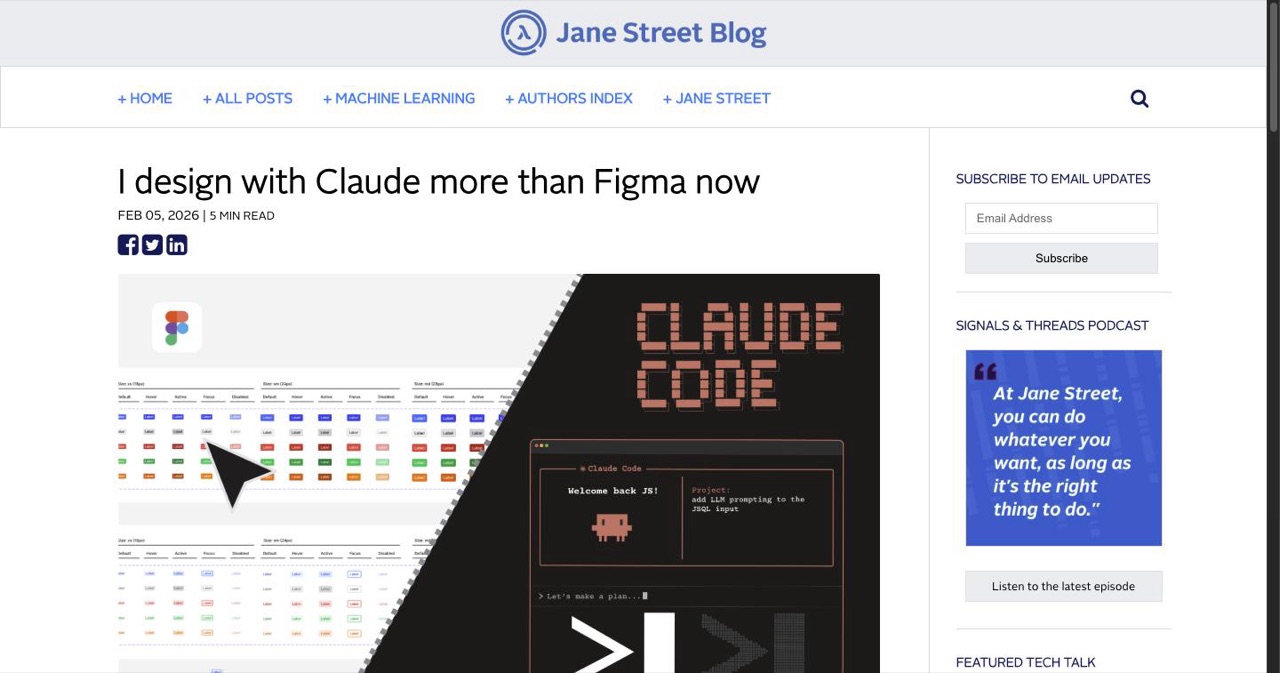
Jane Street runs one of the most technically demanding engineering cultures on earth — mostly OCaml, ferociously high code review standards, quant finance. A designer there just published that he reaches for AI design tools more than Figma now.
That sentence deserves a second read.
Edwin Morris, a designer on Jane Street's options desk, published "I Design with Claude More Than Figma Now" in February 2026. It landed 324 points and 266 comments on Hacker News — significant engagement for a post from a firm that publishes sparingly. The reason it spread: it put into words something a lot of designers had been experiencing quietly but hadn't found a clean framework for.
The core observation isn't "AI is better than Figma." It's more specific: for the first time, designers can ship working proof-of-concept features without asking an engineer to build them first. That's the disruption. Not the aesthetics. The autonomy.
Key Takeaways
- The disruption is autonomy, not aesthetics: Designers can now ship working proof-of-concept features without asking an engineer to build them first.
- Six steps replace the handoff: Problem description, editor plus build server plus Claude, basic functionality, free iteration, push to development, submit the feature.
- A real shipped example: Morris added LLM prompting to JSQL, Jane Street's internal SQL dialect tool, in 2000+ line diffs without writing OCaml.
- Figma still wins somewhere: Pure visual exploration stays in Figma. Concept validation, iteration, stakeholder review, and polish moved to Claude Code.
- The Hacker News split was three ways: Obvious and overdue, the trust erosion risk of non-deterministic diffs, and the point that mature codebases with existing component libraries make output far more viable.
- Morris's own worry: The workflow keeps him in an iterative mindset rather than a fluid, creative one, constrained to outcomes he thinks Claude can produce.
- The tooling gap is open: There is no design-specific Claude interface, no Figma context mode, and no clean way to hand off a component frame and get it built in your system.
The Problem That Figma Never Actually Solved
Morris frames the fundamental tension cleanly: "Engineers have the ability to create working proofs of concept when they have an idea. Designers have to convince other people to do that for us."
That gap has existed forever. A designer has an idea. They build a mockup in Figma. They write a spec. They present it. An engineer implements it — weeks later, with interpretations that drift from the original vision. Feedback happens on a version that never quite matched the intent. Each round of iteration costs political capital and calendar time. The cycle repeats.
This isn't unique to Jane Street. It's the handoff problem every design-engineering team has navigated for 30 years. Figma is excellent at communicating what something should look like — but it doesn't ship. The prototype and the product have always been two different things built by two different people.
Claude Code changes that cost structure.
The 6-Step Workflow That Replaced His Figma Process
Here's how Morris actually works now, drawn from his original post:
- Write a problem description and proposal — not a formal spec, just a clear statement of what the feature needs to do and what he's thinking
- Open an editor, start a build server, and open Claude with that description as the first prompt
- Get basic functionality working — just enough to prove the concept is feasible
- Iterate freely — no constraints on changing direction, no engineer time being burned
- Push to development — real users test the actual working prototype
- Submit the feature — the final product matches exactly what he envisioned
Steps 1–6 used to require a designer, at least one engineer, two weeks of scheduling, and multiple rounds of feedback. With Claude Code for design work, they still take time — but it's his time, and the output is a working feature, not a Figma frame.
"Instead of laboring over spec docs, building Figma mockups, writing proposals, and reviewing the implementation with devs, I find myself building prototype features," Morris writes.
The specific example he walks through: he added LLM prompting capabilities to JSQL, Jane Street's internal SQL dialect tool. He spent multiple days testing the feature in context, refining the submit button design, keyboard shortcuts, copy, and generated confirmation messages — the kind of iterative polish work that previously required constant back-and-forth. He shipped it himself.
That feature involved 2000+ line diffs. From a designer who doesn't write OCaml.
What Claude Handles vs. What Figma Handled
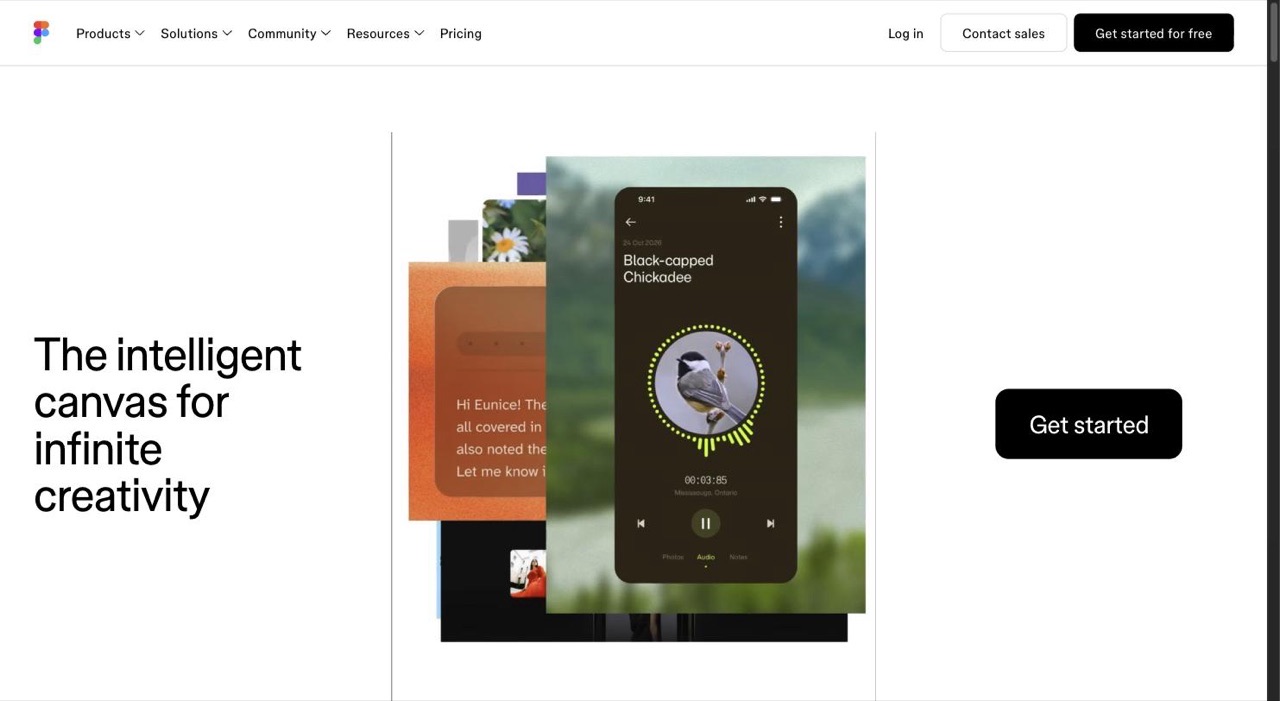
This isn't an either/or replacement. Morris still reaches for Figma — just significantly less often.
| Task | Before (Figma-first) | Now (Claude Code-first) |
|---|---|---|
| UI concept validation | Static Figma mockup | Working prototype in codebase |
| Iteration | Designer-engineer back-and-forth | Solo iteration with Claude |
| Stakeholder review | Shareable Figma link | Deployed dev URL |
| Polish (copy, shortcuts, microinteractions) | Comments on spec | Direct code refinement |
| Large new applications | Figma + spec doc | Claude Code (scope-dependent) |
| Pure visual exploration | Figma | Still Figma |
The phrase that captures the shift: "Claude gave me free, unlimited iteration, unbothered when I changed my mind for the 50th time or asked for a small tweak."
No static design tool can offer that. Figma stores decisions. Claude implements them, immediately, without sighing about sprint capacity.
What 266 Hacker News Comments Actually Said
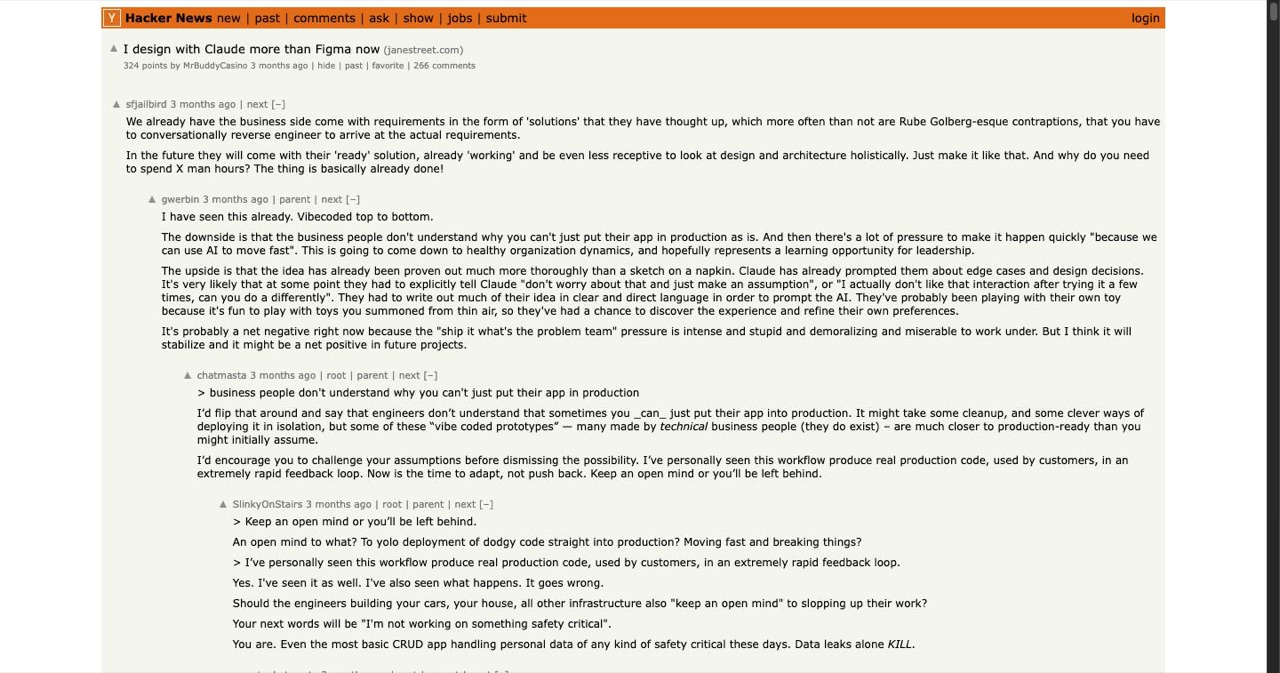
The HN discussion split roughly into three camps — all of them making real points.
Camp 1: This is obvious and overdue. Experienced designers validated the premise immediately. A 32-year design veteran noted that Claude generates clean, minimal HTML/CSS without unnecessary animations — exactly the output quality-obsessed designers actually want. The pattern of keeping reference screenshots and prompting around design fundamentals (type scale, borders, whitespace) mirrors how senior designers already think when briefing other humans.
Camp 2: The risks are real. The sharpest pushback came from zoltan, who pointed out that LLMs aren't deterministic like compilers — they "erode trust" through subtle, hard-to-detect errors in diffs. When you're reviewing a 2000-line diff that Claude wrote, you're trusting inference, not syntax. Another commenter identified a specific friction: "Now there's this extra cognitive burden of reading the code and determining intended changes versus slop." That's a real cost that gets buried in the speed-of-shipping story.
Camp 3: Context determines everything. Multiple engineers noted that mature codebases with existing stylesheets and component libraries make Claude's output far more viable — there's a system for it to work within. Generic Claude output on a greenfield project behaves differently from Claude working inside a design system that already constrains component styles, naming, and patterns.
All three camps are right. This AI prototyping workflow works best when: the scope is bounded, the codebase has existing patterns to follow, and the designer can read enough code to catch slop.
Morris himself flags the risk he watches most closely: "Designing with Claude keeps me out of a fluid, creative mindset and stuck in an iterative one, constrained to the outcomes I think Claude can produce." The iterative clarity that makes Claude powerful for prototyping may suppress the divergent thinking that generates genuinely new ideas.
That's worth taking seriously. Claude Code for UI design excels at refinement. It's not yet a replacement for exploratory ideation.
List Your AI Design Tool on SaaSCity
Building a tool that helps designers work with AI? Shipping a Figma alternative, AI prototyping tool, or design-to-code product?
SaaSCity.io is the premier directory for SaaS and AI tools — and your target users are here. Every listing gets a permanent indexed page, and your product is visualized as a building in our interactive 3D digital city, visible to founders, designers, and early adopters actively looking for tools to adopt.
- Free to list: No cost. No credit card. Submit in under 2 minutes.
- Earn dofollow backlinks: Every listing builds domain authority that compounds over time.
- 3D city map visibility: Your product gets real estate in the most distinctive product directory in the space.
- Reach designers and builders: Our audience is actively evaluating tools — higher purchase intent than social traffic.
What This Means for SaaS Builders
Three things worth tracking if you're building tools, working with designers, or building the products designers will use next.
The Design-Engineering Handoff Is Getting Disrupted From the Design Side
For a decade, the proposed solution to the handoff problem has been "designers should learn to code" or "engineers should learn to design." Neither worked at scale. The skill ceilings were too high.
Claude Code approaches the problem differently: the designer describes intent, Claude handles the syntax. Morris isn't becoming an engineer. He's becoming someone who can direct implementation with enough precision to get exactly what he wants. That's a new category of practitioner that didn't exist two years ago.
If you're building SaaS products with design-engineering teams, the handoff process you have today may be obsolete faster than you expect. The vibe coding workflow that's reshaped how non-technical founders ship is hitting design teams with the same force — but the implications for professional designers are more interesting because they're working in real production codebases, not greenfield side projects.
AI Prototyping Tools Are Massively Underbuilt
Morris's workflow requires stitching together Claude Code, an editor, a local build server, and manual prompt engineering. There's no design-specific Claude interface. No mode that understands Figma context. No clean way to hand off a component frame and say "make this real in our system."
That's a product gap the size of a building. The micro SaaS space for designer tools in 2026 keeps pointing at the same unsolved problem: the layer between "I have a design" and "I have working code" is still friction-heavy even after Claude made it faster. Someone will build the design-to-prototype wrapper that makes the Morris workflow accessible without touching a terminal.
Whoever does it first on a widely-used design system — shadcn, Radix, MUI — has a real waiting audience. The gap is real. The demand exists. The tooling doesn't.
If you want to go deeper on how to actually work with Claude Code as a designer today, the advanced Claude Code tips guide covers prompt structures, diff review strategies, and how to scope tasks for cleaner output.
The "Disposable Prototype" Culture Problem Is Coming
One underexplored tension from Morris's post: he knows his Claude prototypes are proposal documents, not production implementations. His engineering colleagues might not.
When a designer shows a fully-working feature in the actual codebase, it's easy for the team to treat it as done. Morris is careful to position his prototypes as conversation starters — but maintaining that framing requires active effort. The same thing happened with early Figma: "high-fidelity mockup" became "spec that engineers implement without deviation," which killed collaborative design in many teams.
If AI prototyping reaches the same tipping point — where working prototypes become assumed implementations — the backlash will follow. Designers who've built working features won't get design feedback. They'll get code review.
The teams that avoid this are the ones that explicitly treat Claude-built prototypes the same way they treat Figma files: artifacts for conversation, not handoffs for execution. That's a team culture conversation worth having before the first designer on your team ships a 2000-line diff and wonders why nobody wants to iterate on it.
The Part That Changes the Job Description
Morris ends with a simple observation: for 25 years, designers have been told they should learn to code. He never did. He learned to direct Claude, and the output is the same working feature in the production codebase.
That's not a productivity story. It's a capability story.
If you're building tools for designers in 2026, the question isn't "does this help them design better?" It's "does this help them ship?" Because designers now have a taste for shipping directly — and they're not going back to a more sophisticated mockup tool that still requires an engineer to make it real.
The firms that understand this early won't redesign their design tooling. They'll redesign what they expect designers to own.
SaaSCity.io covers AI design tools and the tools reshaping how SaaS gets built. Explore the SaaSCity directory to discover what's shipping right now — or list your own product.
Get your SaaS in front of founders
List your product on the SaaSCity live city map - a permanent listing, real discovery, and a backlink from a high-DR directory. Free to start; upgrade for a dofollow link and a building on the map.