Reviews
FitDesk Review 2026: Free UK Personal Trainer Software With Bookings, Workouts and a 0.7% Payment Fee
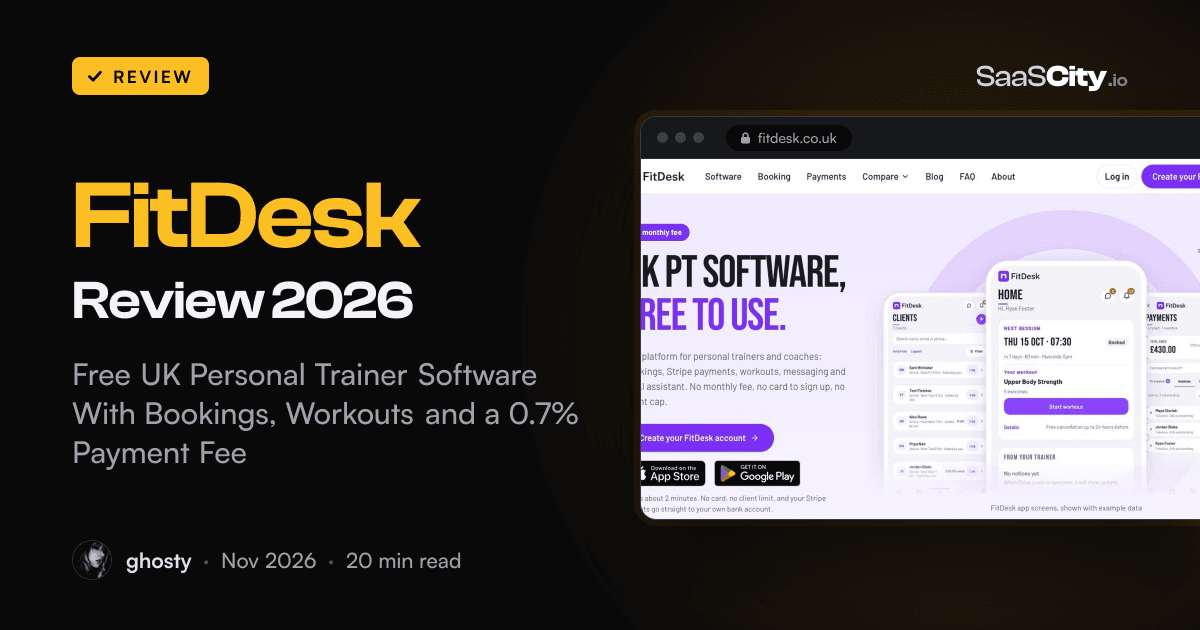
FitDesk (fitdesk.co.uk) gives UK personal trainers bookings, client records, workout plans, messaging and Stripe payments with no monthly fee and no client cap. It charges 0.7% on card and Direct Debit payments instead. Here is how it works, what that fee adds up to, what it leaves out, and who it suits.

Contents (13)
- Key takeaways
- What is FitDesk?
- Where did FitDesk come from?
- What does FitDesk include?
- How do payments work in FitDesk?
- How much does FitDesk cost?
- How does FitDesk compare with Trainerize, My PT Hub and PT Distinction?
- How do you set up FitDesk?
- Who is FitDesk best for?
- What should you know before you sign up?
- Who is behind FitDesk, and is client data safe?
- Is FitDesk worth it?
- FAQ
Disclosure: this is a sponsored review.
Product details were checked against fitdesk.co.uk, its about, FAQ, Stripe, trust and comparison pages, and Companies House on November 10, 2026. Screenshots were taken from the live site in Google Chrome.
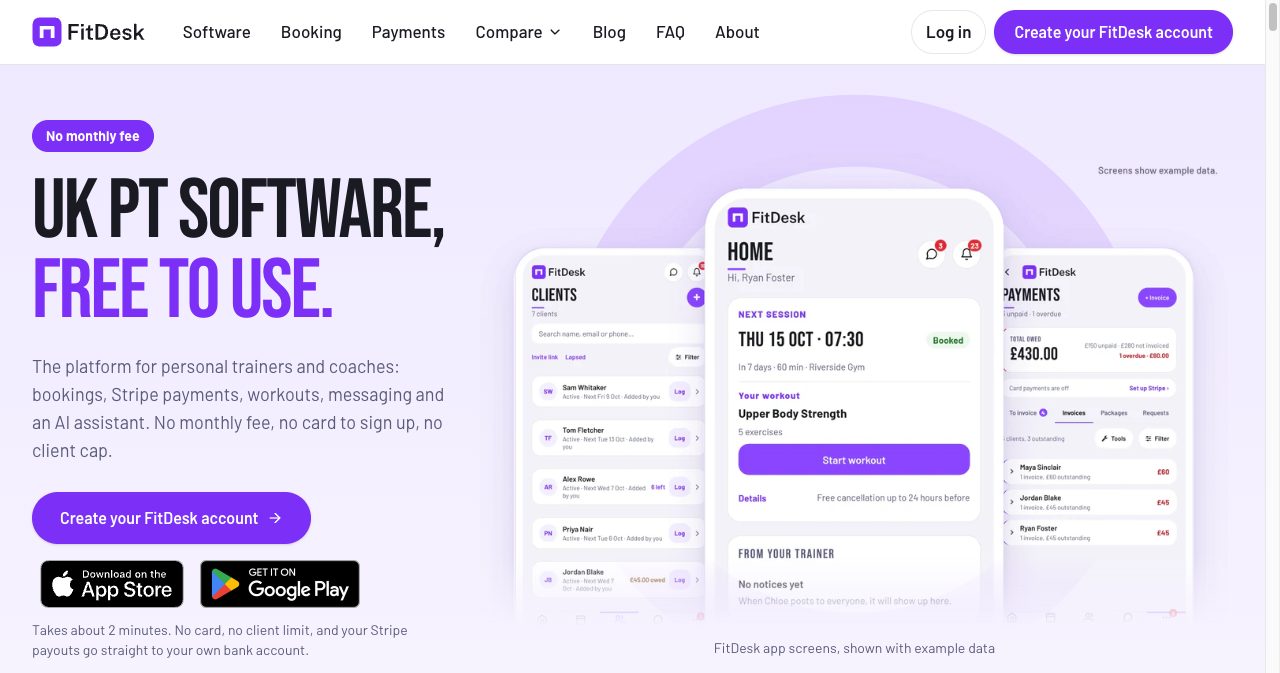
Quick answer: FitDesk is free software for independent personal trainers in the UK. It covers client self-booking, client records, workout programmes, progress tracking, messaging and payments through your own Stripe account, in a web app and native iPhone and Android apps. There is no monthly fee and no client cap. FitDesk takes 0.7% of card and Direct Debit payments, with a 1p minimum, and Stripe's own fees apply on top. Cash costs nothing.
A self-employed trainer in the UK usually runs the business from four places at once. The diary lives in a calendar app. Payment requests go out by bank transfer details pasted into WhatsApp. Programmes sit in a notes app or a spreadsheet. The question of who still owes for last Thursday is answered by scrolling back through messages on a Sunday night.
Software exists for all of this, and most of it bills by the month, often with a cap on clients and a surcharge for taking payments. FitDesk is a 2026 arrival from Gloucestershire that prices the other way round: the software is free at any number of clients, and it earns a small cut only when a client pays by card. This review covers what you get, what the fee comes to in pounds, what FitDesk says it does not do, and which trainers it suits.
Key takeaways
- FitDesk has no monthly fee, no client cap, no contract and needs no card at signup.
- The only FitDesk charge is 0.7% on card and Direct Debit payments (minimum 1p). Stripe's fees are separate, and cash carries no FitDesk fee.
- Bookings, packages, invoices, workout templates, progress tracking, habits, messaging and an AI assistant are all included. There are no paid tiers.
- Money goes to your own Stripe account and then your bank. FitDesk says it never holds funds.
- It is built for the UK: pounds, Direct Debit, UK GDPR documents and a UK registered company.
- It has no built-in video calling, no accounting features and no app-store listing under your own brand.
- The company was incorporated in May 2026, so the product is young. It had passed 400 users by early November 2026, according to KrispiTech.
What is FitDesk?
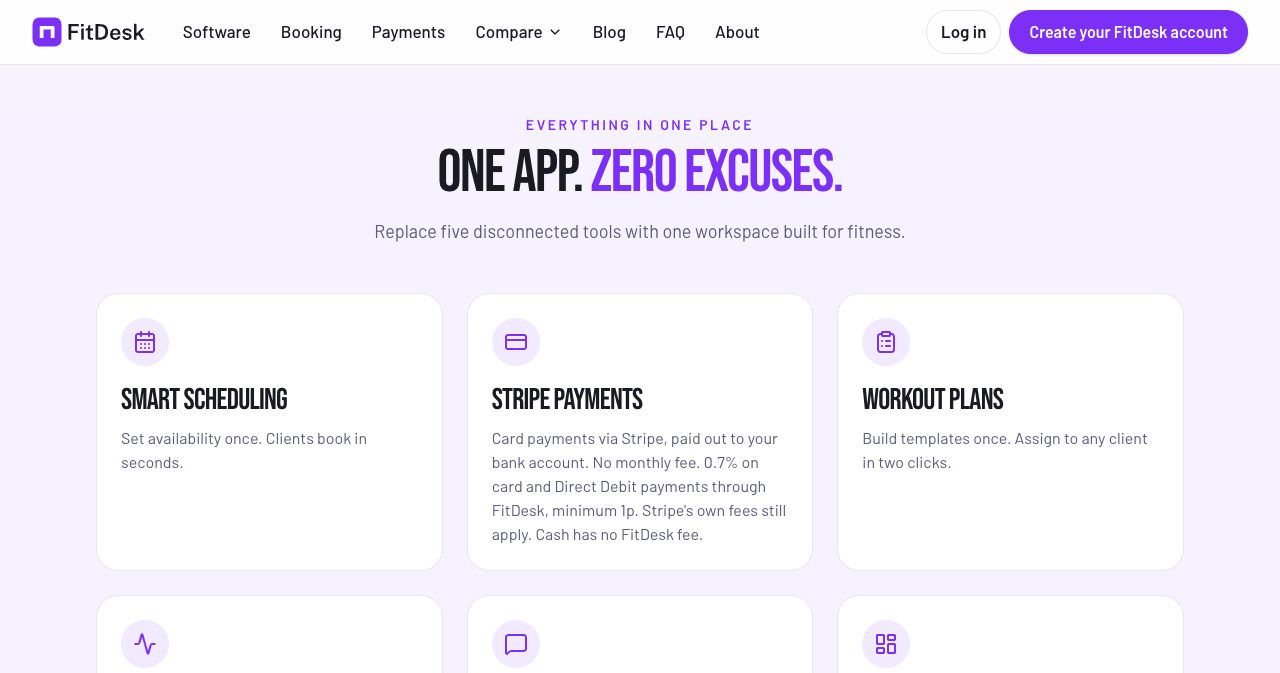
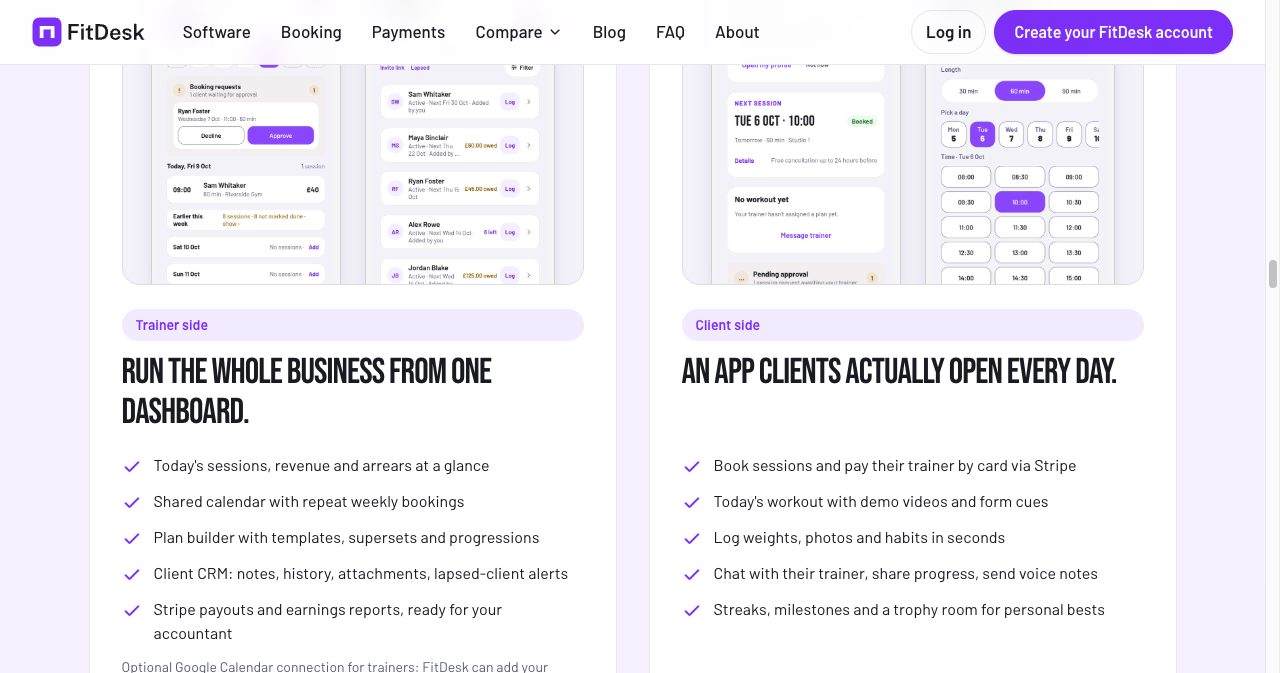
FitDesk is an all-in-one business app for personal trainers, fitness coaches and small coaching businesses in the UK. One account replaces the diary, the invoice tool, the workout builder, the progress tracker and the client chat. Trainers get a dashboard for the business. Clients get an app that shows their next session, today's workout and a way to pay.
It runs in a browser and as native apps for iPhone and Android. Clients never pay FitDesk anything and can only join through their trainer's invite, so it is a tool for coaching your existing clients. It is not a marketplace where strangers search for a trainer.
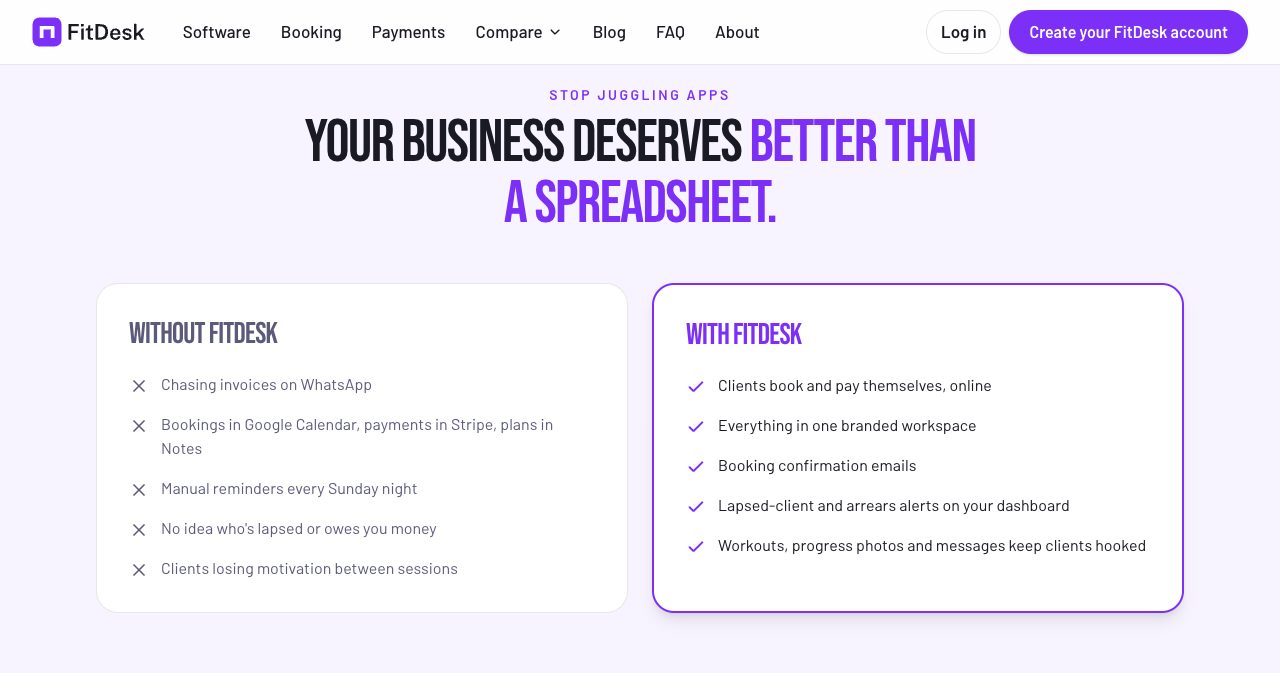
The pitch on the homepage is a side-by-side list. On one side sit the habits most solo trainers will recognise: chasing invoices on WhatsApp, bookings in one app and payments in another, manual reminders on a Sunday night. On the other side is what FitDesk swaps in.
Where did FitDesk come from?
It started with one trainer's software bill. According to a KrispiTech product showcase published on November 7, 2026, founder Matt Brailey trains with a personal trainer three times a week. During one session the conversation turned to running costs, and it came out that his trainer was paying more than £200 a month across several apps and add-ons, and still losing hours each week to admin and scheduling.
Brailey built him a free tool. Other trainers heard about it and asked for access. KrispiTech puts the user count at over 400 and growing as of that article.
That origin explains two things about the product. The feature list reads like one working trainer's week, with arrears, lapsed clients and late cancellations treated as first-class problems. And the pricing is a reaction to the bill that started it. FitDesk's own site says the team is tired of PT apps raising prices and moving standard tools into paid add-ons.
What does FitDesk include?
Everything below is part of the one free account. FitDesk has no plan ladder, so nothing here sits behind an upgrade.
Bookings and scheduling
You publish your working hours and your session types once. Clients open your scheduler, see only the times you are free and book themselves in. One-to-one sessions, group sessions and consultations share a single calendar, and clients who train at the same time every week can have a repeat booking.
Emails go out when a session is booked or cancelled, and FitDesk says reminders are sent about 24 hours and about 1 hour before a session. You set your own cancellation window, with 24 hours as the default. If a client cancels with enough notice, the session goes back to their package. If they cancel late, you decide whether the credit is kept, and clients see your rules before they confirm. Trainers who prefer to approve each request can hold bookings for approval. There is an optional Google Calendar connection that copies sessions into your own calendar.
The booking software page goes through each of these in more detail, including how FitDesk differs from a general scheduling tool.
Client records
Clients come in by CSV upload or a pasted list, and a single invite link gets them into the app. Each client record holds sessions, package credits, notes, history, attachments, progress and messages. The trainer dashboard opens on today's sessions and two lists that matter for cash flow: who owes money and who has lapsed.
Workouts and programmes
You build a programme once, save it as a template and assign it to as many clients as you like. Editing the template updates every client plan and scheduled session linked to it, which saves the usual copy-and-paste round when you tweak a block. The builder supports supersets and progressions.
The exercise library has hundreds of demo videos, and you can add your own exercises with form cues and coaching notes. Clients log sets, reps and weights as they train. They can also create their own workouts and correct a logged session afterwards.
Progress, habits and check-ins
FitDesk tracks weight, body measurements, progress photos and personal bests. Personal bests are collected in what the app calls a trophy room, which the client can see. Daily habits and weekly check-ins cover mood and sleep as well as training, and the lapsed-client alert on your dashboard is there to catch a client drifting before they cancel.
Messaging
In-app chat carries files, photos, voice notes and form-check videos, with email notifications. The practical gain is that client conversations leave your personal WhatsApp, and a client's messages sit next to their bookings and their plan.
Branding and the AI assistant
Your logo and brand colours appear inside the app your clients use. The AI assistant, as FitDesk describes it, drafts messages and helps chase invoices. KrispiTech's write-up adds that it can produce workout or diet plans quickly. Treat anything it drafts as a first pass that a qualified trainer still reads before a client does.
How do payments work in FitDesk?
Payments run through your own Stripe account, connected with Stripe Connect. That detail matters. The money is taken on your account, appears in your Stripe dashboard and is paid out to your bank on Stripe's schedule. FitDesk says it never holds your funds and that card numbers never touch its servers.
Clients can pay in four ways:
- Session packages. Clients buy a pack up front by card, and credits count down as they book. You can require payment before booking.
- Invoices. Raise an invoice for a session, a package or a custom amount. The client gets an email with a pay link and settles through Stripe Checkout.
- Monthly plans. Collect a set amount each month by card or Direct Debit. Plans can be paused and resumed.
- Cash. Record it against the client so your records stay complete. FitDesk charges nothing on cash.
Overdue invoices are flagged on the dashboard, and invoices can be sent, resent and marked in bulk. Refunds are issued from inside FitDesk under your own policy, and the FitDesk fee on a refunded payment is returned in proportion. Stripe keeps its original processing fee on a refund, which is Stripe's standard behaviour and applies whichever software you use.
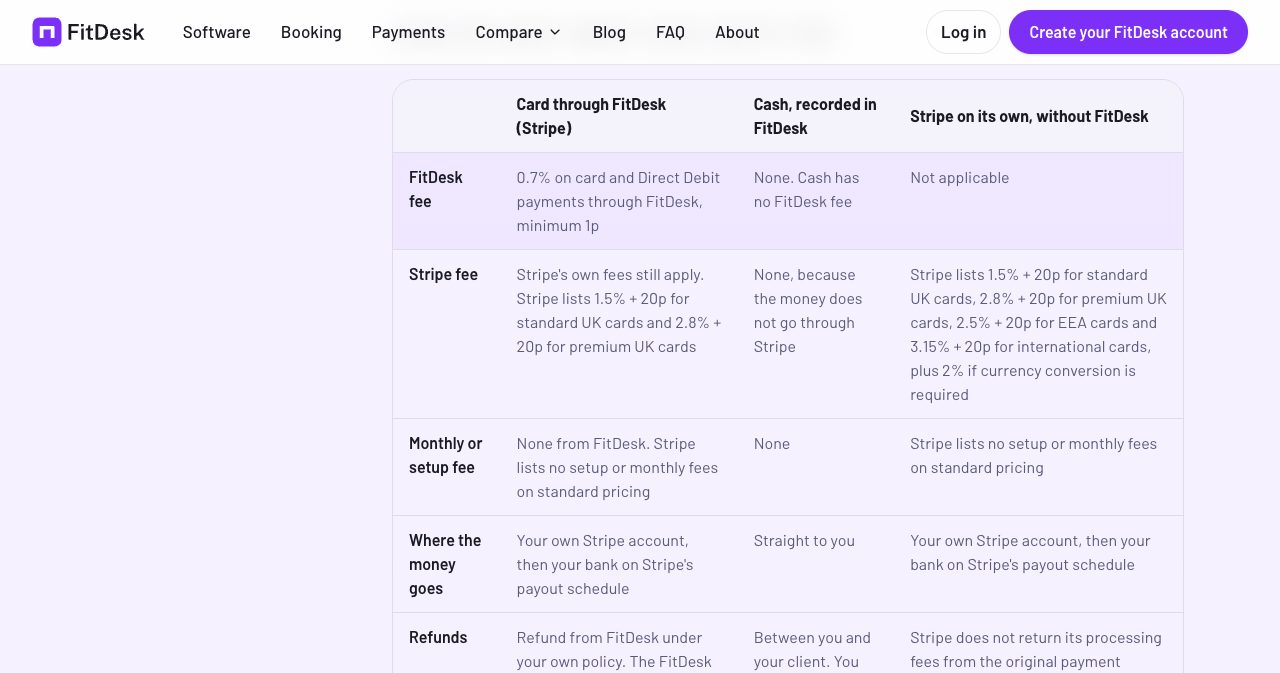
FitDesk's Stripe for personal trainers page lays out the full table, including the less cheerful rows. Stripe lists £20 for each dispute received, and FitDesk does not manage disputes in the app, so a chargeback is dealt with in your Stripe dashboard.
How much does FitDesk cost?
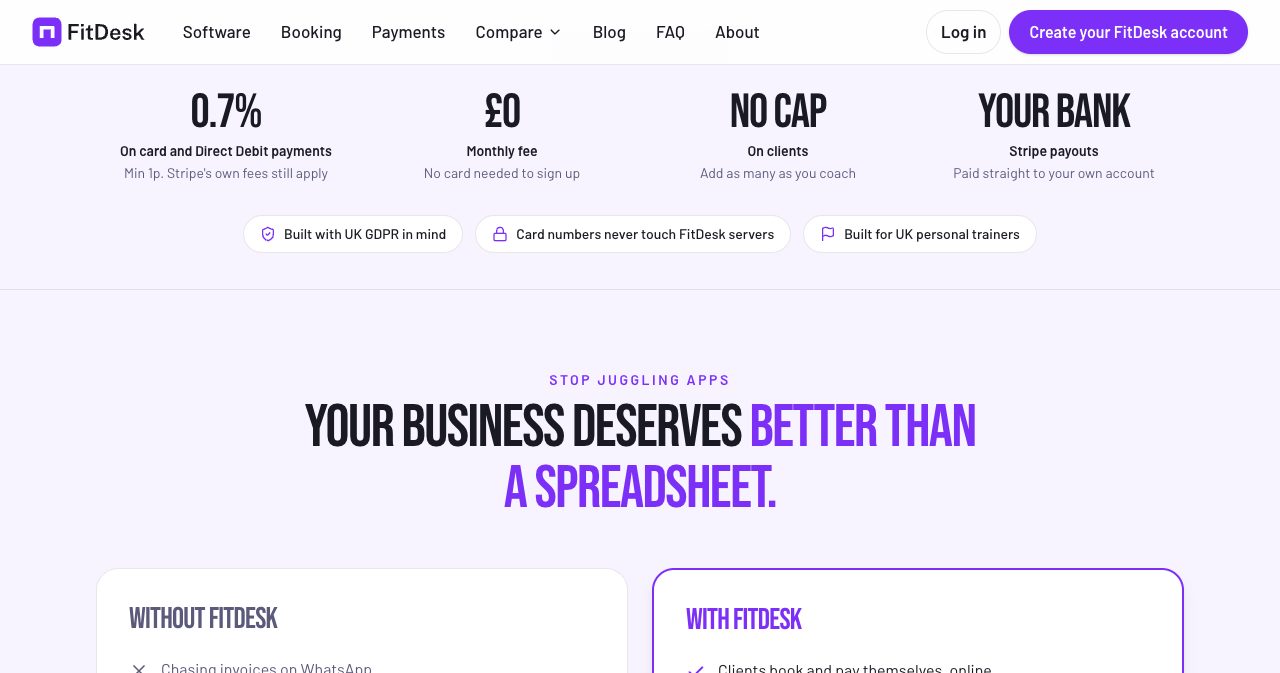
FitDesk costs £0 a month. The charge is 0.7% of each card or Direct Debit payment that goes through it, with a minimum of 1p. There is no setup fee, no per-client fee and no paid plan.
Stripe's fees come on top, as they would with any tool that uses Stripe. Stripe's UK pricing page lists 1.5% plus 20p for standard UK cards, and FitDesk's site repeats those figures with a check date of October 7, 2026.
FitDesk's own worked example is a £50 payment on a standard UK card:
| Amount | |
|---|---|
| Client pays | £50.00 |
| Stripe fee (1.5% + 20p) | 95p |
| FitDesk fee (0.7%) | 35p |
| You receive | £48.70 |
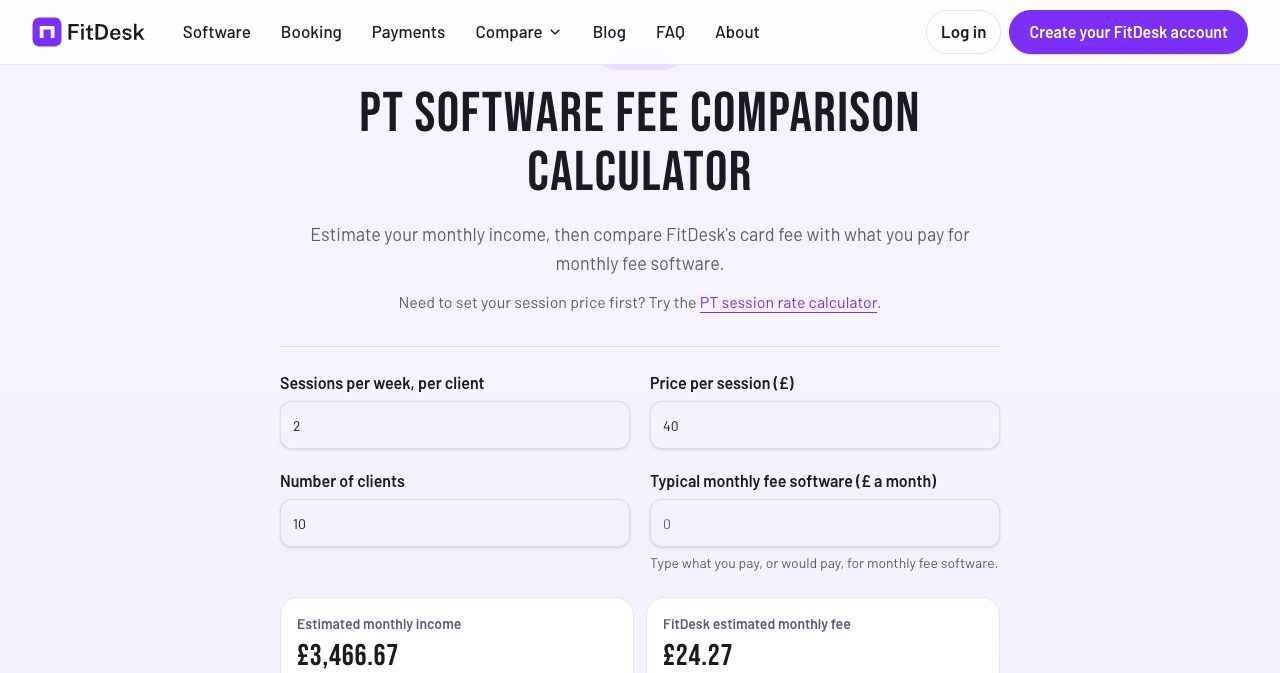
What does 0.7% come to over a month? FitDesk has a fee calculator for this. Its default example is 10 clients training twice a week at £40 a session, which it works out as £3,466.67 a month in income and £24.27 in FitDesk fees if every session is paid by card.
We ran the same sum at a few other levels. These are our own figures, and they cover the FitDesk fee only:
| Monthly card takings | FitDesk fee at 0.7% |
|---|---|
| £1,000 | £7.00 |
| £2,000 | £14.00 |
| £3,467 | £24.27 |
| £5,000 | £35.00 |
| £8,000 | £56.00 |
Two things stand out. First, the fee tracks your income. A new trainer with five clients pays a few pounds, a trainer on holiday for a fortnight pays less that month, and a trainer whose clients mostly pay cash pays close to nothing. A subscription costs the same in a quiet January as in a full September.
Second, a busy trainer who takes everything by card will pay about what a mid-priced subscription costs. At £3,500 a month in card payments, the FitDesk fee is roughly £24.50. The difference is what that buys: no client cap, no payments add-on and every feature included. Against the £200 a month that the founder's own trainer was paying, the fee would only catch up at around £28,500 a month in card takings.
FitDesk says it plans to stay free, that the 0.7% covers its running costs, and that it will give notice before any change to its charges, as set out in its terms.
How does FitDesk compare with Trainerize, My PT Hub and PT Distinction?
FitDesk publishes its own comparison on the homepage, sourced from each competitor's public pricing page and dated. Here is that table as it stood when we looked:
| FitDesk | Trainerize | My PT Hub | PT Distinction | |
|---|---|---|---|---|
| Free plan | No monthly fee, no client cap | Yes, 1 client only | Limited free plan after the trial | No |
| Paid plans from | None | $9 a month | $25 a month | $19.90 a month |
| Card payments | 0.7% FitDesk fee | Stripe add-on, $10 a month | Included, via Stripe | Included, fee not stated |
Source: FitDesk's homepage comparison. Prices last checked by FitDesk on September 29, 2026, and My PT Hub on October 16, 2026. Stripe's own fees apply on every platform.
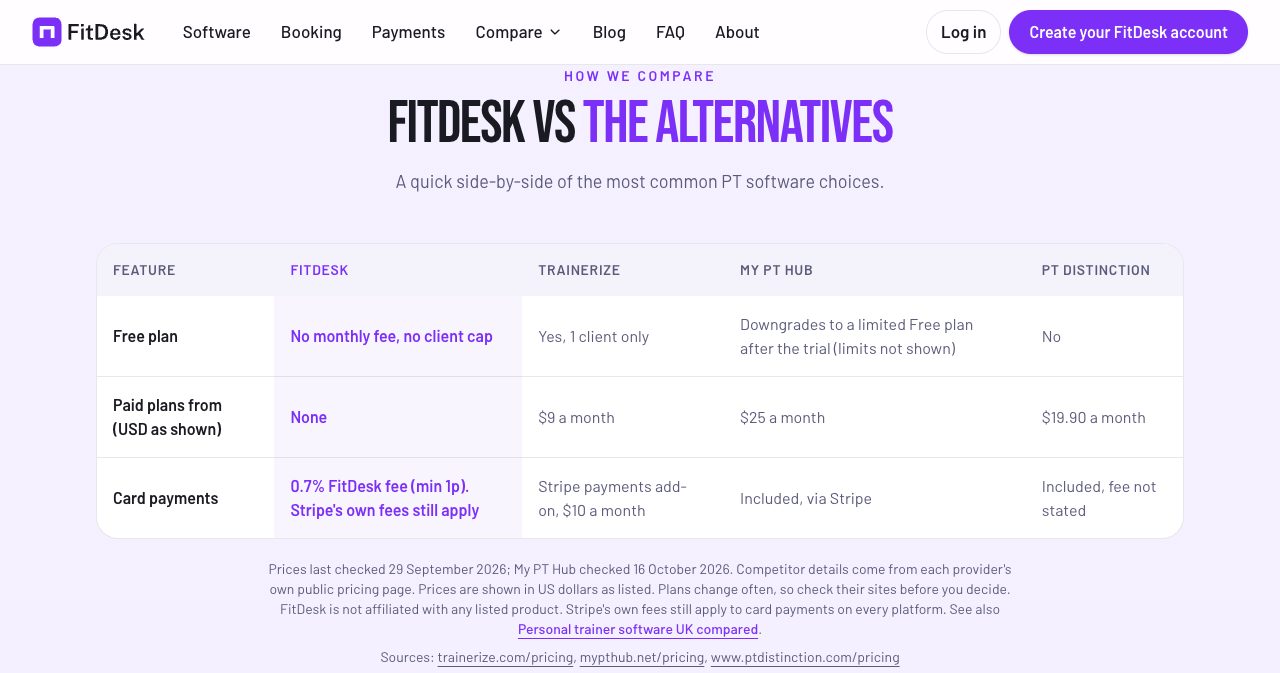
This is a vendor's own table, so read it as a starting point and open the competitor pricing pages yourself. Those products have been around longer, and some go deeper in areas FitDesk does not cover, such as video coaching and apps published under your own name.
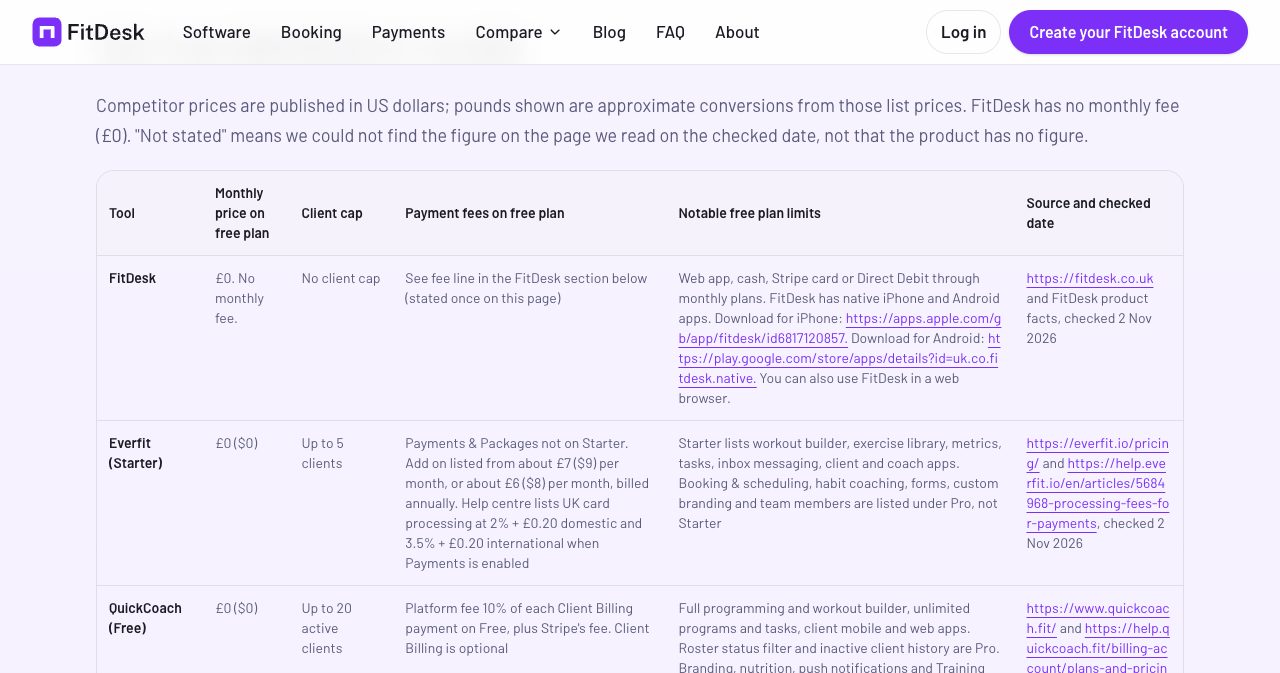
For trainers comparing free tiers specifically, FitDesk also keeps a free personal trainer software comparison that sets it beside Everfit, QuickCoach, FitPros and Trainerize. It was checked on November 2, 2026, and it writes "not stated" wherever a competitor's page did not give a figure. The pattern across that page is that free plans tend to limit clients (Everfit's Starter at 5, QuickCoach at 20 active, Trainerize at 1) or leave payments to a paid add-on.
How do you set up FitDesk?
FitDesk says an account takes about two minutes and a working setup about ten. There are no setup calls and no onboarding fee.
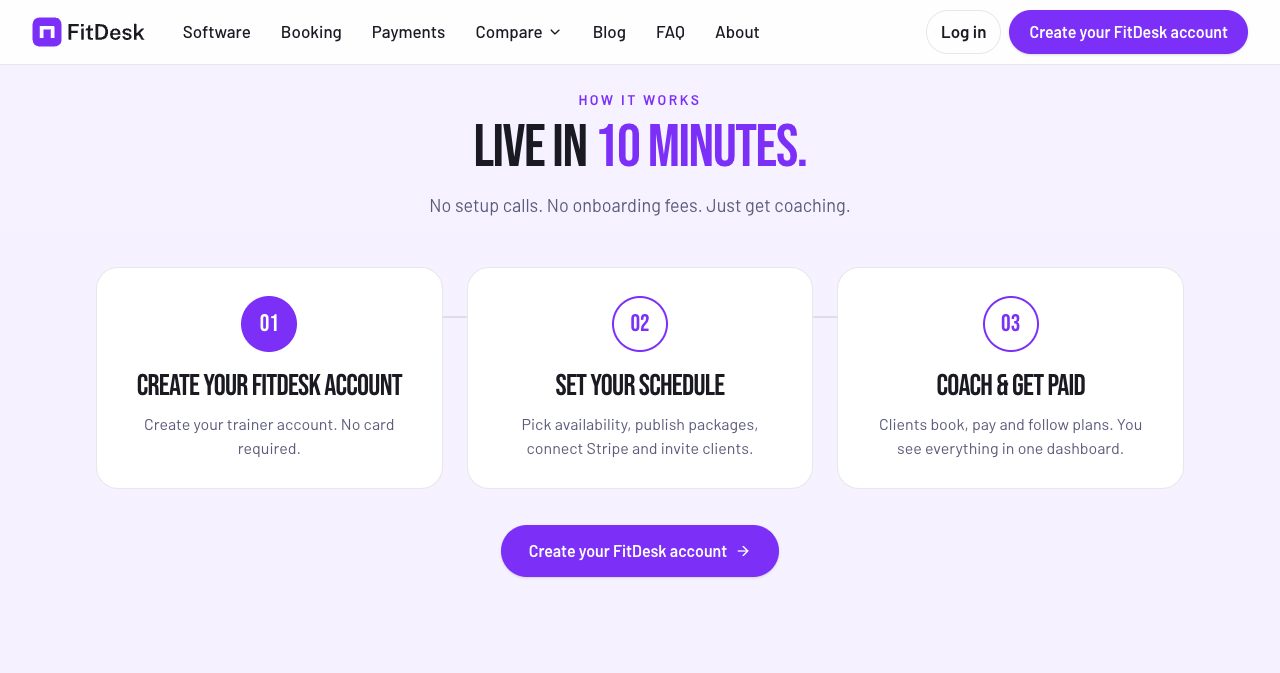
- Create a trainer account. Use an email address, Google or Apple. No card is asked for.
- Connect Stripe. Link your existing Stripe account or open one through Stripe Connect.
- Publish your schedule. Set availability, name your session types, add packages or monthly plans and choose your cancellation window.
- Bring your clients. Upload a CSV or paste a list, then send your invite link.
- Assign a programme. Build one template and assign it. Your first client can book the same day.
If you are moving from another PT app, you do not have to switch every client at once. FitDesk also says that if you message the team after signing up, they will help set up your first plans and packages.
Who is FitDesk best for?
FitDesk fits a specific kind of business well.
- Independent UK trainers who are tired of the monthly bill. If you pay for a booking tool, a workout app and a payments add-on separately, one free account replaces the three.
- New trainers building a client list. A percentage fee is gentle while income is small, and there is no client cap to outgrow.
- Trainers who take a mix of cash and card. Cash is recorded for free and still shows up in your arrears and income records.
- Trainers selling blocks and memberships. Session packages with credits and monthly Direct Debit plans are built in.
- Small coaching businesses that want clients on one app. Group sessions, one-to-ones and consultations share a calendar.
FitDesk's own site says who should look elsewhere first: trainers who need an app listed under their own brand in the app stores, and anyone who needs a payment method other than cash, Stripe card or Direct Debit.
What should you know before you sign up?
FitDesk publishes a short list titled "What FitDesk does not do" on its about page. Not many software companies do that, and it makes the decision easier.
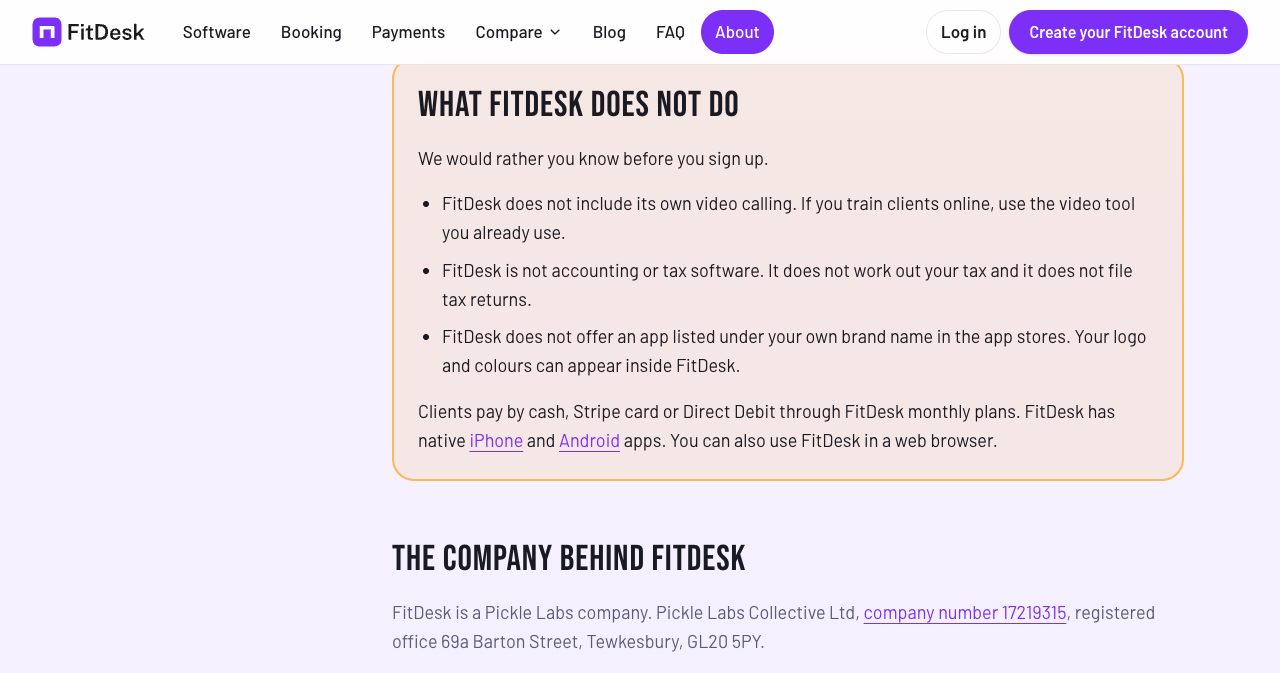
- No built-in video calling. Online coaches keep using Zoom, FaceTime or whatever they use now.
- No accounting or tax. It keeps payment records and exports invoices as a CSV, and it does not work out or file your tax.
- No white-label app. Your logo and colours sit inside the FitDesk app, and the app-store listing stays FitDesk's.
- Disputes live in Stripe. A chargeback is handled in your Stripe dashboard.
- The fee grows with your card income. Put your own figures through the calculator before you assume it is cheaper than your current plan.
- It is a young product. The company dates from May 2026. FitDesk's trust page says it has no separate status page and does not publish support response times yet. Outage notices are posted in the app, and support runs by email.
None of these is hidden, and for most solo trainers none is a dealbreaker. They are worth knowing on day one, and you can leave without penalty: there is no contract, and you can download your data before you go.
Who is behind FitDesk, and is client data safe?
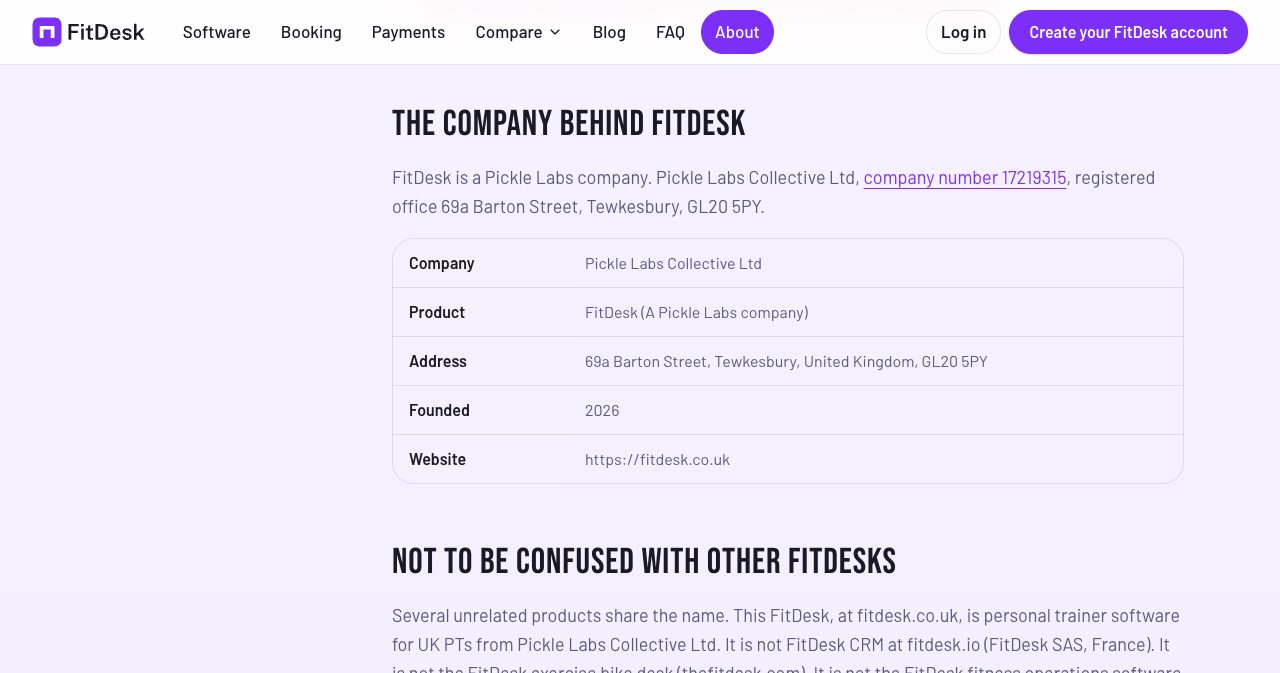
FitDesk is a trading name of Pickle Labs Collective Ltd. Companies House lists the company under number 17219315 as an active private limited company, incorporated on May 14, 2026, with its registered office at 69a Barton Street, Tewkesbury, GL20 5PY. The same details are printed in the site footer and on the about page.
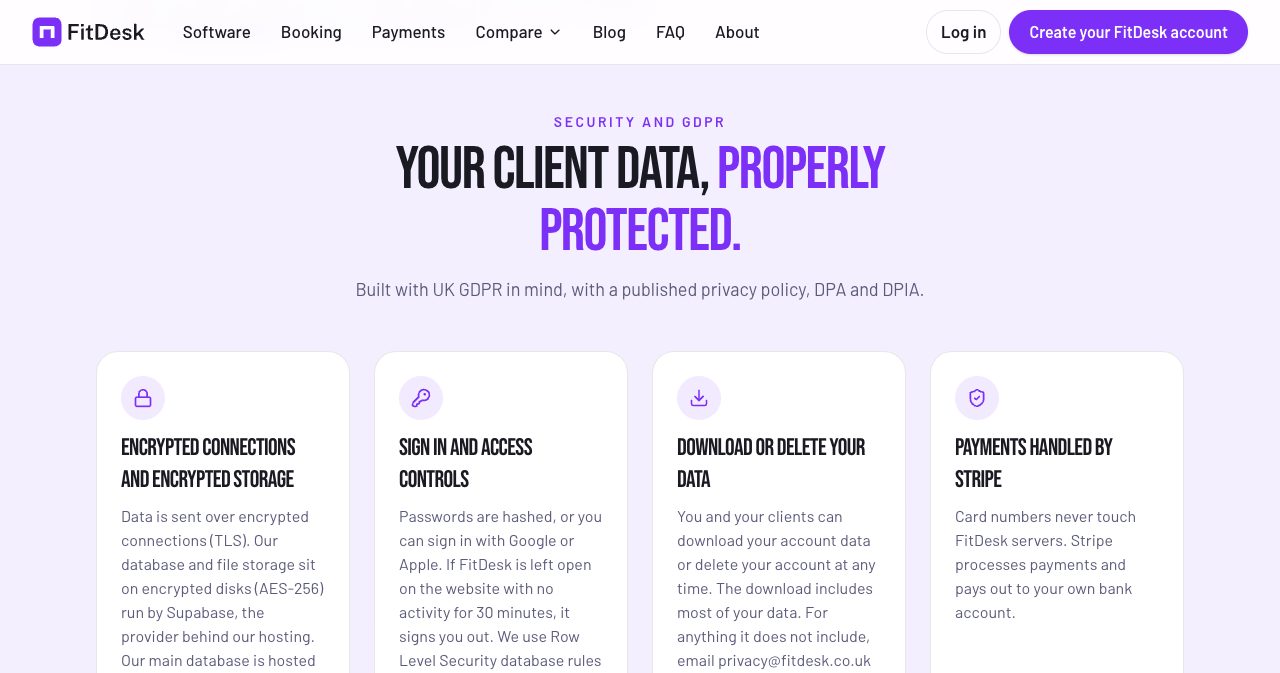
Client data in a PT app includes body measurements, progress photos and health notes, so the storage matters. FitDesk states the following:
- Connections are encrypted with TLS, and the database and file storage sit on AES-256 encrypted disks run by Supabase.
- The main database is hosted in the EU, in Sweden.
- Passwords are hashed, sign-in with Google or Apple is available, and the website signs you out after 30 minutes without activity.
- Database rules limit which records each account can open.
- Trainers and clients can download their data as a JSON file or delete their account from Settings.
- Invoices are kept for six years after the end of the financial year, as UK law requires, and data is never sold.
It also publishes a privacy policy, a data processing agreement and a data protection impact assessment, which are the documents a UK trainer needs when acting as the data controller for client records.
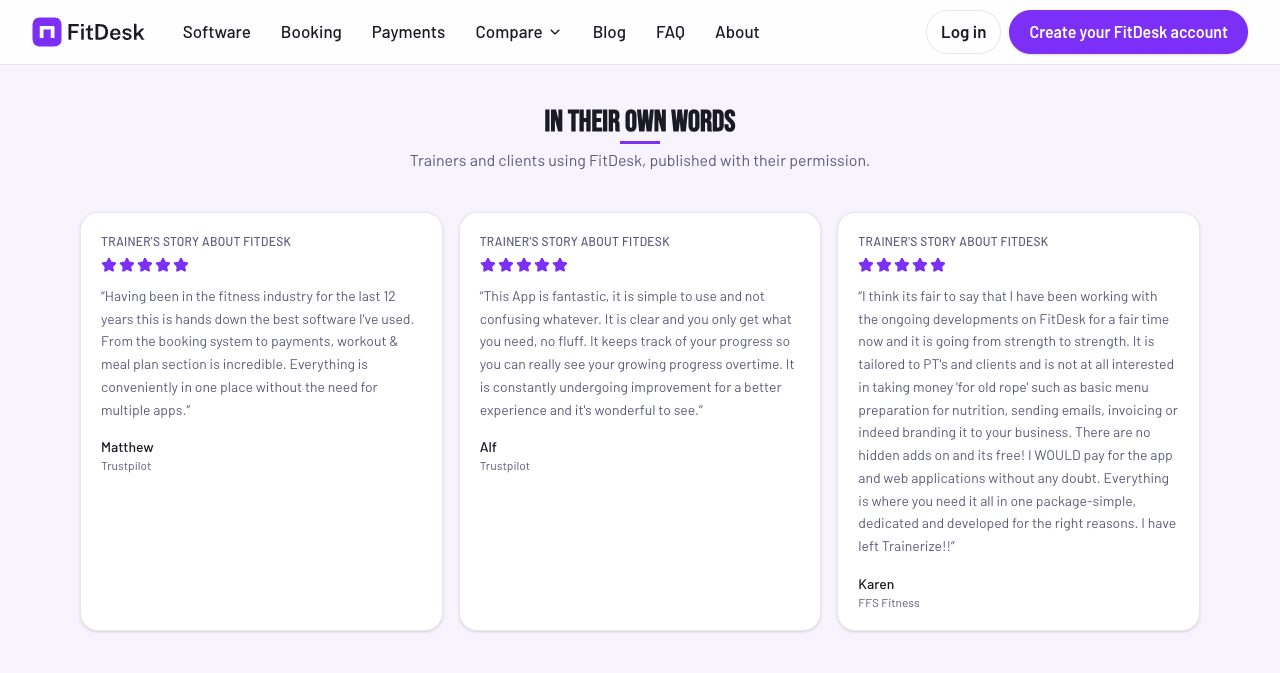
As for what users say, the homepage carries three reviews published with permission, two of them credited to Trustpilot. One comes from a trainer with 12 years in the industry who praises having bookings, payments and plans in one place. Another, from Karen of FFS Fitness, ends with "I have left Trainerize!!" Independent reviews outside those are thin so far, which is normal for a product this new.
Is FitDesk worth it?
Yes, for an independent UK trainer who wants bookings, programmes, messaging and payments in one place and would rather pay a share of card income than a fixed bill.
The model lines the company up with its users. FitDesk earns when a trainer gets paid, so its incentive is to help clients book and pay on time, and the features follow from that: self-booking, pay-before-booking packages, overdue flags, lapsed-client alerts. A trainer with three clients and a trainer with sixty get the same software.
It is also plain about its limits. The about page lists what the product does not do, the comparison pages carry dates and sources, and the Stripe page shows the dispute fee next to the good news. That is a good sign in a company you are about to trust with your income and your clients' data.
The fair caveats are age and scale. FitDesk is months old, and a busy card-only trainer should check the sums first. Both are easy to test at no cost. Put your own sessions and prices into the FitDesk fee calculator, compare the result with what you pay now, and if it comes out ahead, open an account at fitdesk.co.uk and move two or three clients over first.
FAQ
What is FitDesk?
FitDesk is software for independent personal trainers and small coaching businesses in the UK, found at fitdesk.co.uk. It combines client self-booking, client records, workout programmes, progress tracking, in-app messaging and payments through the trainer's own Stripe account. It runs as a web app and as native iPhone and Android apps.
Is FitDesk really free?
There is no monthly fee, no client cap, no contract and no card needed to sign up. FitDesk charges 0.7% on card and Direct Debit payments that go through it, with a minimum of 1p per payment. Stripe's own processing fees apply on top. Cash payments recorded in the app carry no FitDesk fee, and clients pay FitDesk nothing.
How much does FitDesk cost on a £50 session?
On a £50 payment with a standard UK card, Stripe's fee is 95p and the FitDesk fee is 35p, so you receive £48.70. That is FitDesk's own worked example. The same £50 paid in cash costs nothing in fees. Premium, EEA and international cards carry higher Stripe rates.
How do trainers get paid through FitDesk?
You connect your own Stripe account through Stripe Connect. Clients pay by card, by Direct Debit on a monthly plan, or in cash that you record. Card money lands in your Stripe account and Stripe pays it out to your bank on its normal schedule. FitDesk says it never holds your funds.
Does FitDesk have a mobile app?
Yes. There are native apps for iPhone on the App Store and for Android on Google Play, and FitDesk also runs in a web browser. Trainers and clients use the same app with different views.
Can clients book and pay for sessions themselves?
Yes. You publish availability and session types, and clients book from your scheduler. They see only the times you have marked as free. They can buy a session package by card, and credits count down as they book. Bookings can wait for your approval if you prefer.
What does FitDesk not do?
It has no built-in video calling, it is not accounting or tax software, and it does not offer an app published under your own brand name in the app stores. Card disputes are handled in Stripe. FitDesk lists these points on its own about page.
How does FitDesk compare with Trainerize and My PT Hub?
The pricing model is the main difference. FitDesk's comparison table, checked on September 29, 2026, lists Trainerize with a one-client free plan and paid plans from $9 a month plus a $10 a month payments add-on, and My PT Hub from $25 a month. FitDesk has no monthly fee and no client cap, and takes 0.7% of card and Direct Debit payments.
Is client data safe in FitDesk?
FitDesk says data is sent over TLS and stored on AES-256 encrypted disks run by Supabase, with the main database in the EU, in Sweden. It publishes a privacy policy, a data processing agreement and a data protection impact assessment. You and your clients can download your data or delete your accounts from Settings.
Who is behind FitDesk?
FitDesk is a trading name of Pickle Labs Collective Ltd, company number 17219315, incorporated on May 14, 2026 and registered at 69a Barton Street, Tewkesbury. KrispiTech names Matt Brailey as the founder and reported more than 400 users on November 7, 2026.
Is FitDesk at fitdesk.co.uk the same as other products called FitDesk?
No. FitDesk CRM at fitdesk.io belongs to FitDesk SAS in France, the FitDesk exercise bike desk is sold at thefitdesk.com, and FitDesk leisure-centre software at fitdesk.com.au comes from GreeneDesk in Australia. None of them is connected to the UK personal trainer software reviewed here.
FitDesk is a tidy example of software built for one trade, the kind we wrote about in the boring SaaS ideas that quietly print $5K MRR. If you are building something like it yourself, SaaSCity is a human-reviewed startup directory with a live city map, and submitting takes about ten minutes.
Get your SaaS in front of founders
List your product on SaaSCity for $19.99, one-time: a permanent listing, a dofollow backlink and a building on the live city map.