Reviews
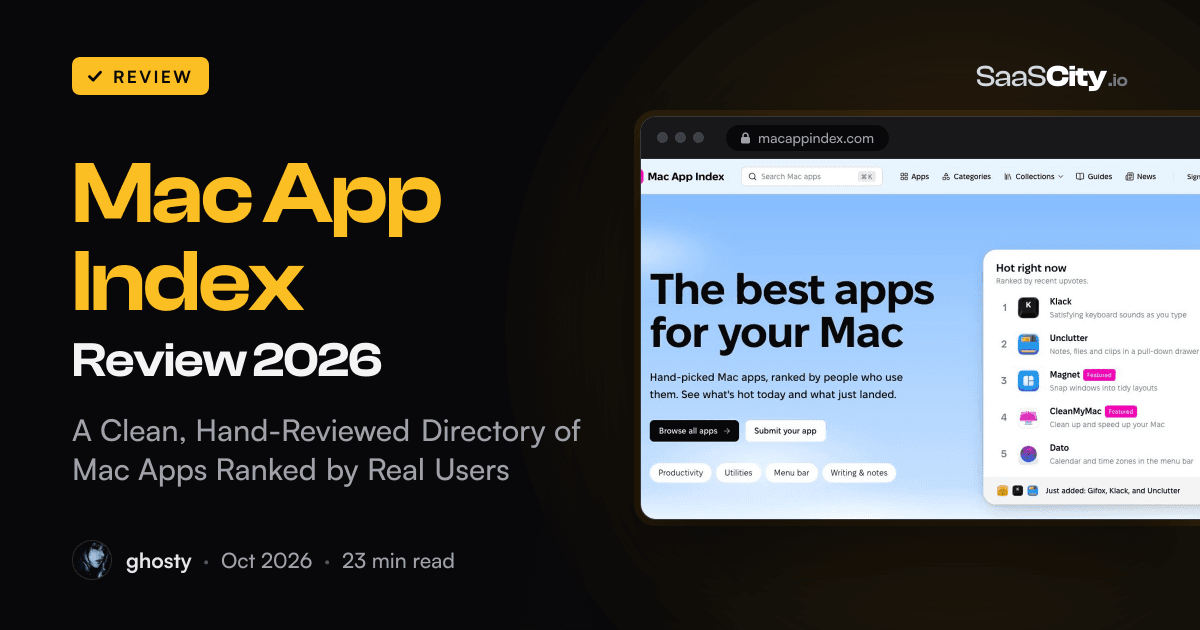
Mac App Index Review 2026: A Clean, Hand-Reviewed Directory of Mac Apps Ranked by Real Users
Mac App Index is an independent directory of Mac software where a person reviews every app and signed-in users decide the order with upvotes. Here is how its Hot, Top and New rankings work, what an app page tells you, how the collections and guides help, where paid placement shows up and how developers get listed for free.

Contents (16)
- Mac App Index at a glance
- What is Mac App Index?
- A clean design that makes browsing a pleasure
- How do the Hot, Top and New rankings work?
- Where does paid placement show up?
- What does a Mac App Index app page show?
- How can you browse Mac App Index?
- Are the Mac App Index guides worth reading?
- How does Mac App Index review apps?
- How do developers get listed on Mac App Index?
- How to list your Mac app on Mac App Index
- What to know before you start
- How does Mac App Index compare with other places to find Mac apps?
- Who is Mac App Index for?
- Is Mac App Index worth using?
- FAQ
Sponsored post. Product details checked against macappindex.com, its How we rank, editorial policy, FAQ, badge, advertise and contact pages, and a sample of app, alternatives, category, collection and guide pages on October 23, 2026. Screenshots taken from the live site in Google Chrome the same day.
Quick answer: Mac App Index is an independent directory of software for the Mac. A person reviews every app before it goes live, and signed-in visitors decide the order with upvotes. You can sort the catalog by Hot (recent votes, which lose half their weight every 72 hours), Top (all-time votes) or New (latest listings), or browse 12 categories, curated collections and a growing shelf of practical guides. It's free to browse, free for developers who add a small badge to their site, and has no ties to Apple. At 160 apps it's still young, and it's already one of the nicest places we've found to pick a good Mac app.
Finding good Mac software is harder than it should be. Plenty of the best utilities are sold only from the developer's own website, so the Mac App Store never shows them. Search results for "best Mac apps" lead to long listicles, and the recommendation threads you find are often a few macOS versions out of date.
Mac App Index takes a smaller, more careful route. A person checks every app, the community votes, and the rules behind every ranking are written down in public. This review walks through what the site looks like, how the rankings work, what an app page tells you, how the collections and guides help, and how developers get listed.
Mac App Index at a glance
- An independent directory of native Mac apps, including apps sold outside the Mac App Store. Not affiliated with Apple.
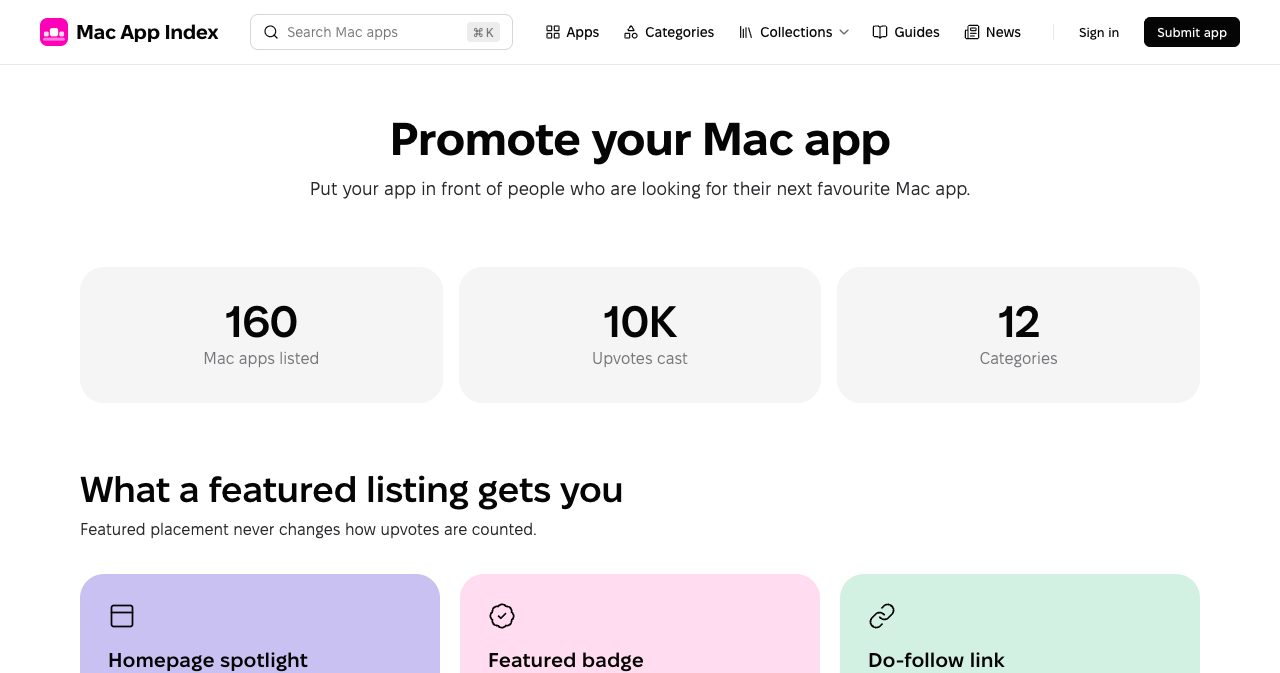
- 160 apps across 12 categories and about 10,000 upvotes cast, according to the site's Advertise page on the day we checked.
- A person reviews every listing before it's published, and paying doesn't skip that step.
- Three public sorts, Hot, Top and New, computed only from upvotes and publish dates.
- Collections for menu bar apps, free apps, open-source apps and pay-once apps with no subscription.
- Short, practical guides and Mac news under the byline Mac App Index Editorial, plus a newsletter of new Mac apps every Friday.
- Free listings for developers who place the Mac App Index badge, and featured placement for those who want more reach. Paid spots are always labelled.
What is Mac App Index?
Mac App Index is a directory of software that runs on the Mac. Its own tagline is "Hand-picked Mac apps, ranked by people who use them", and the site sticks to that closely.
It lists native macOS apps and Mac builds of cross-platform apps. Web apps with no Mac version aren't accepted. An app also has to be available today rather than just announced, have a working website or Mac App Store page, run on a recent version of macOS, and be free of malware, adware and misleading claims about what it does or costs.
The site is independent, and the footer of every page says it's not affiliated with Apple Inc. It earns money from featured listings and labelled ads, and it explains where those appear in more detail than most directories bother to.
A clean design that makes browsing a pleasure
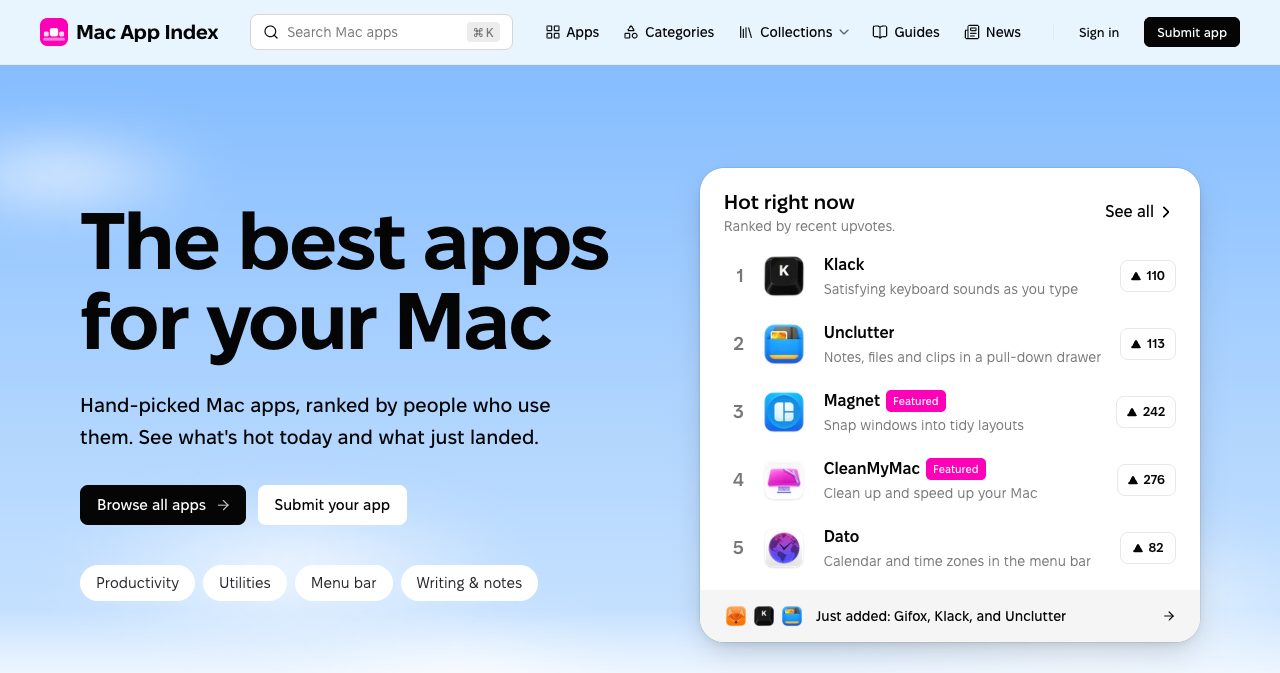
The design is the first thing you notice, so it gets its own section. The homepage opens on a soft blue sky gradient with a big, confident headline, two buttons and a white card listing the five apps that are hot right now. There's no wall of banners and no pop-up asking for your email. A ⌘K search box sits in the header on every page.
Scroll down and the Featured carousel gives each paid app a pastel banner with its own artwork, with "Featured · Magnet" printed plainly under the headline. Below that, Latest added shows the newest apps as large screenshot cards with the icon, tagline, vote count, price and category underneath.
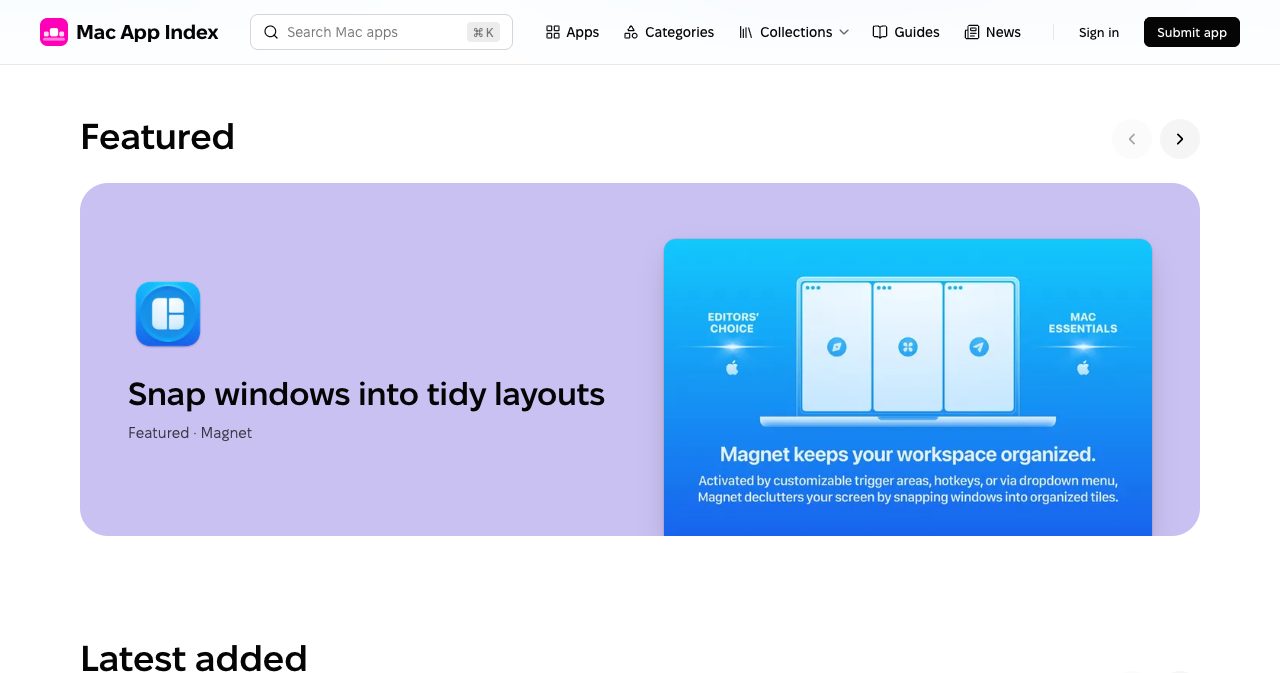
Everything has generous white space, rounded corners and big app icons, so the apps give the page most of its colour. The only strong colour the site adds is a magenta accent on the logo and the Featured tags. Taglines are short and literal ("Snap windows into tidy layouts", "Clipboard history you can search"), and the price sits next to every app. There's a light and a dark theme.
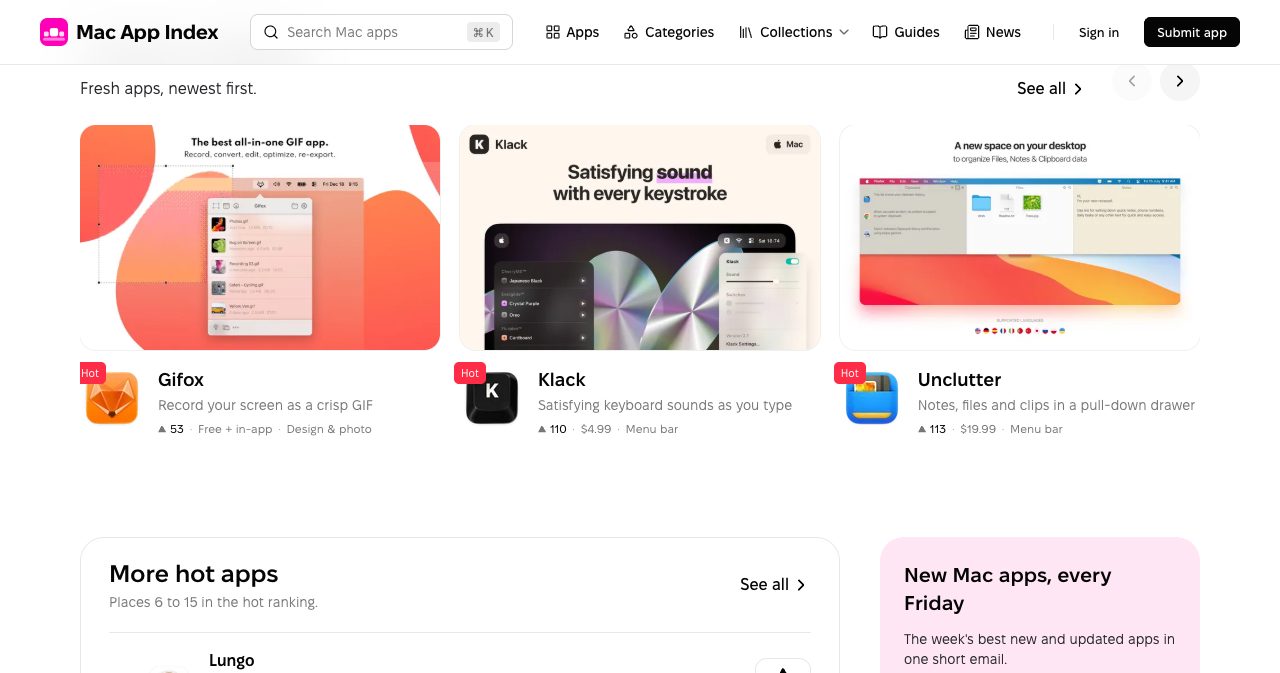
For a directory, where most visits are "scan, compare, click", this restraint is the right call. It's a big part of why the site feels trustworthy the moment it loads.
How do the Hot, Top and New rankings work?
Every list on the site can be sorted three ways, and the How we rank page publishes the exact rules. Upvotes are the only input. You need an account to vote, either a magic link sent to your email or Google sign-in. Each account gets one vote per app, enforced by the database, and you can take a vote back at any time. Voting is rate limited, and accounts created to inflate an app's votes are removed along with their votes.
Hot
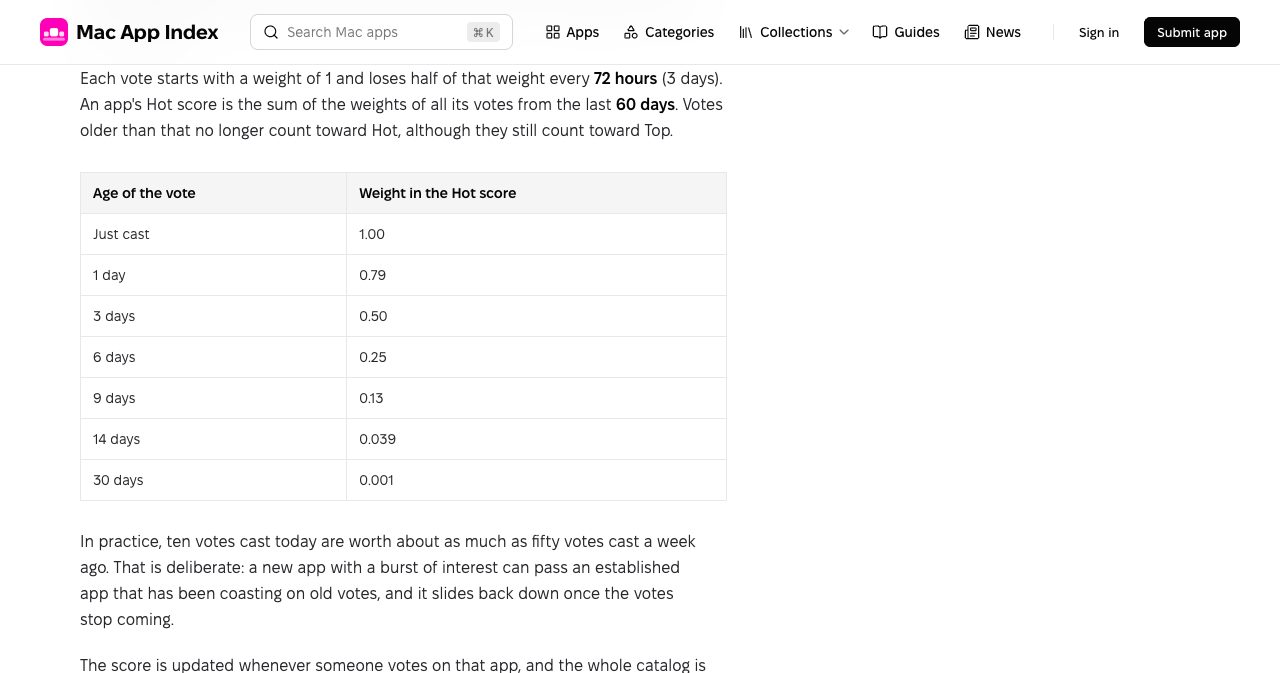
Hot answers "what are people upvoting right now?" It's the default sort on All apps and category pages. Each vote starts with a weight of 1 and loses half its weight every 72 hours. An app's Hot score is the sum of its vote weights from the last 60 days. Scores update on every vote, and the whole catalog is recalculated every hour, so an app nobody is voting for keeps losing ground.
| Age of the vote | Weight in the Hot score |
|---|---|
| Just cast | 1.00 |
| 1 day | 0.79 |
| 3 days | 0.50 |
| 6 days | 0.25 |
| 9 days | 0.13 |
| 14 days | 0.039 |
| 30 days | 0.001 |
In practice, ten votes cast today are worth about as much as fifty from a week ago. You can see it on the homepage. On the day we checked, Klack, a small app that plays keyboard sounds as you type, was first in Hot with 110 votes. Magnet sat third with 242 and CleanMyMac fourth with 276. Klack's votes were recent, and the other two built theirs up over months.
That's what makes the Hot list worth opening every week or so. A new app with a burst of interest gets a real chance to be seen, and it slides back down once the votes stop coming. When two apps tie, the one with more total votes goes first, then the more recently published one.
Top and New
Top is the all-time vote count, with no decay, and it drives the "Most loved" list on the homepage. Things 3 led it with 355 votes when we checked, followed by CleanMyMac (276), Magnet (242), Pixelmator Pro (213) and Paste (199). New lists apps by the date they went live on Mac App Index, which is usually not the app's own release date.
Badges on app cards
Each card shows at most one badge. Featured marks a paid listing and wins over the others. Hot appears once an app's Hot score reaches 30, which takes roughly 30 fresh votes. New appears for the first 7 days after an app is published.
Where does paid placement show up?
Some directories blur paid visibility into their rankings. Mac App Index lists every place where money changes what you see:
- The Featured carousel near the top of the homepage, with a Featured badge on those apps' cards.
- A Featured strip at the top of All apps and of category, tag and collection pages, in a shaded box marked "Paid placement · how it works". The ranked list underneath keeps its order.
- The default order of lists that have no Hot, Top or New sort applied, such as quick search results, where Premium listings come first.
- Ads, when they run, labelled "Ad", in a banner under the header and a card on app pages and guides.
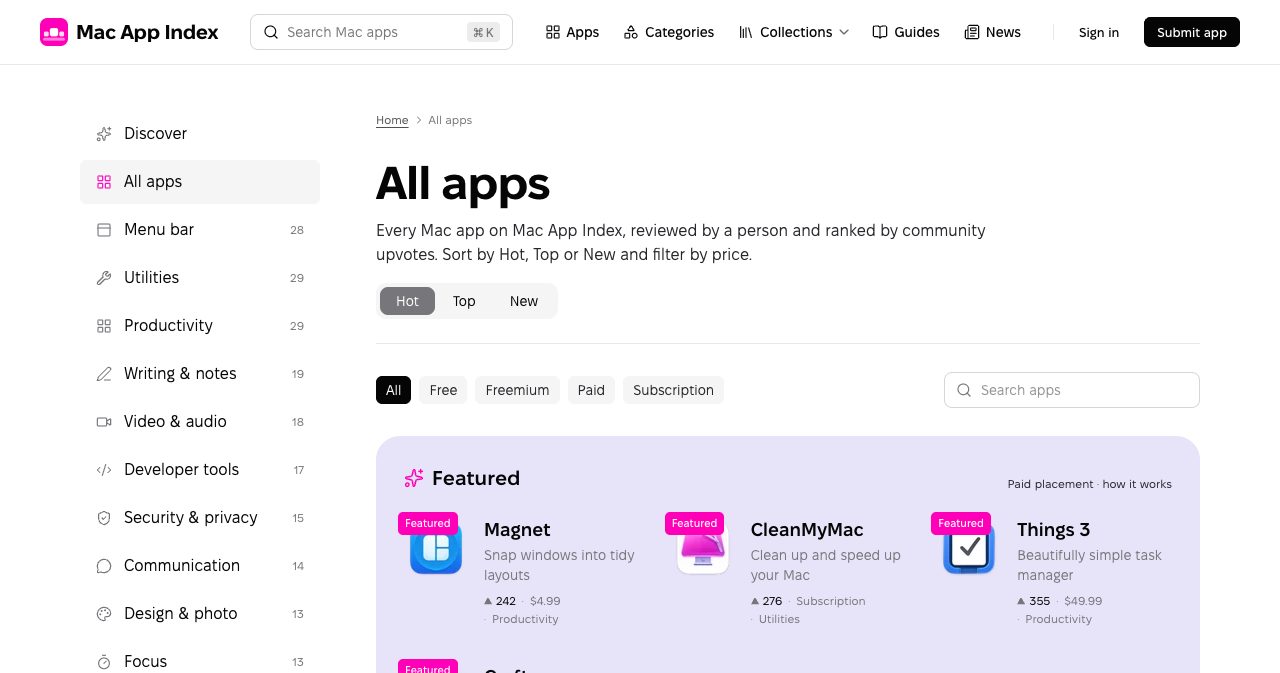
Payment doesn't add votes, doesn't move an app in Hot or Top and doesn't skip review. A featured app sorted by Hot sits exactly where its votes put it. The editorial policy also says that some "Visit website" links may be affiliate links, and that this never affects whether an app is listed, how it's described or where it ranks. Having all of that written down in one place is a good sign for a directory this young.
What does a Mac App Index app page show?
App pages are where the site earns its keep. The top of the Things 3 page shows the icon, the name with a gold verified mark, a one-line tagline, buttons for the Mac App Store and the developer's website, the price and developer, and the vote count. Small buttons let you verify ownership, save the app to your bookmarks, report a problem or copy an embed code. A row of the app's screenshots follows.
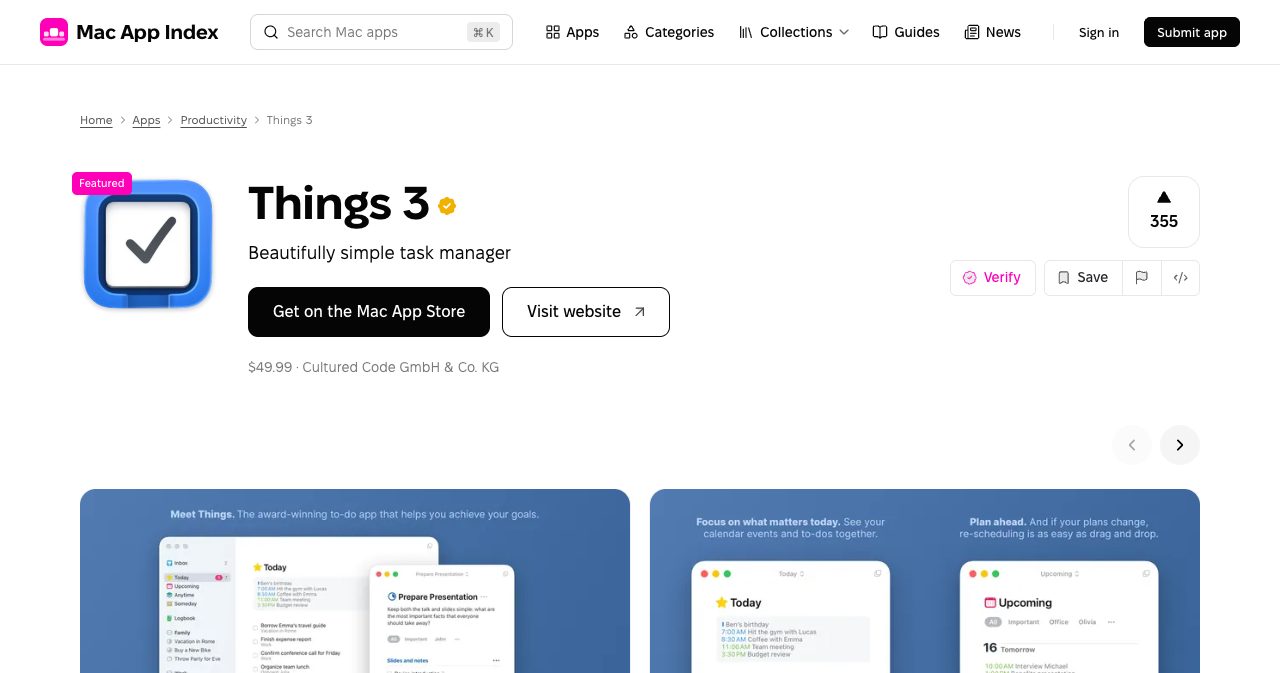
Further down there's a plain-language overview, three highlights and a sidebar with the developer, price, website, categories and tags such as "Keyboard-driven" and "One-time purchase". The page also lists the version, minimum macOS version and download size. For Things 3 that was version 3.24.1, macOS 13.3 or later and 22 MB. A short "Questions about Things 3" section covers price, requirements, developer, where to download and alternatives, and "More like Things 3" closes the page.
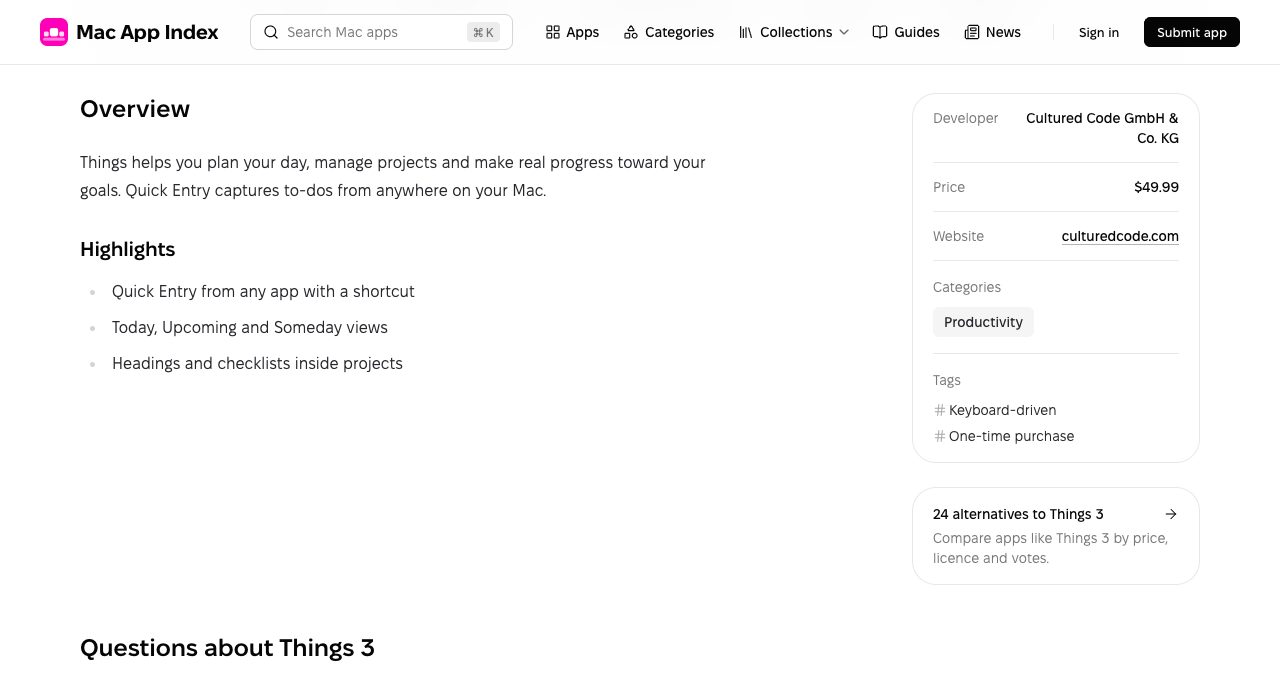
The facts come from two public sources: the developer's website and Apple's iTunes Search API, which supplies the icon, screenshots, version, size and price. Parts of the text, such as the tagline, summary and highlights, may start as an AI draft from that material. A person reads and edits every draft, and the model isn't allowed to invent features, prices or compatibility claims. When the sources disagree, the site goes with what the developer publishes. It's a sensible, openly disclosed way to keep listings consistent, and the result reads cleanly, without marketing filler.
Alternatives pages
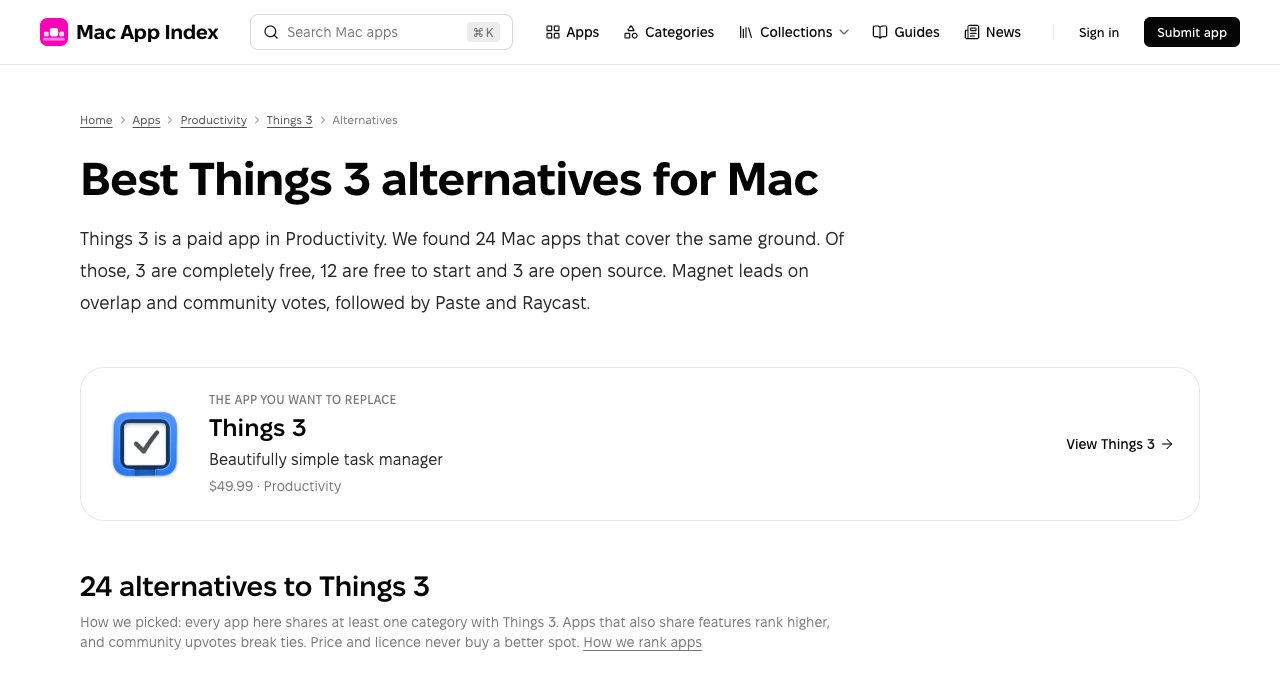
Popular apps also get an alternatives page, which is handy when you want to replace something. "Best Things 3 alternatives for Mac" lists 24 apps and sums them up in the first paragraph: 3 are completely free, 12 are free to start and 3 are open source. Every app on the page shares at least one category with Things 3. Apps that also share features rank higher, community votes break ties, and price or licence never buys a better spot.
How can you browse Mac App Index?
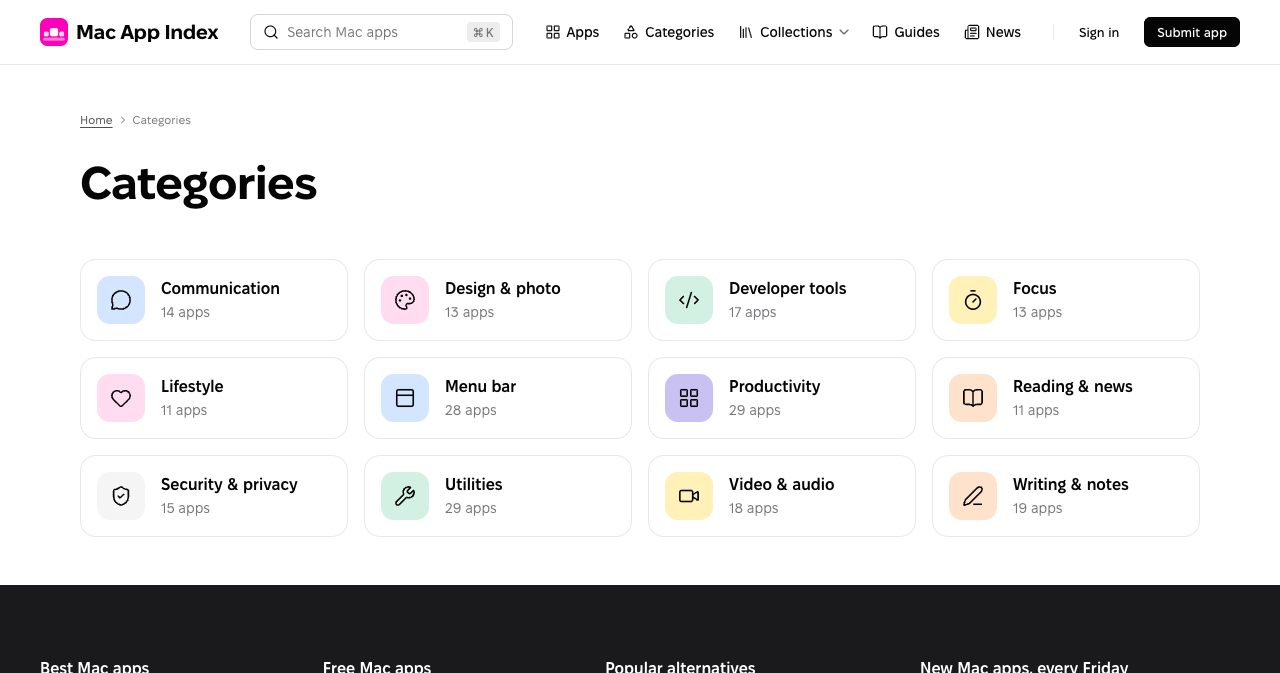
There are four ways in: categories, collections, search and the three sorts. The All apps page also filters by price, with Free, Freemium, Paid and Subscription tabs, and several categories have a free-only view, such as free menu bar apps and free developer tools.
The 12 categories, with their app counts on the day we checked:
| Category | Apps |
|---|---|
| Productivity | 29 |
| Utilities | 29 |
| Menu bar | 28 |
| Writing & notes | 19 |
| Video & audio | 18 |
| Developer tools | 17 |
| Security & privacy | 15 |
| Communication | 14 |
| Design & photo | 13 |
| Focus | 13 |
| Reading & news | 11 |
| Lifestyle | 11 |
An app can sit in more than one category, so the counts add up to more than 160. Menu bar is the standout for its size. Twenty-eight hand-checked menu bar apps, from Dato's calendar and time zones to Lungo's keep-awake switch, is a better shortlist than most dedicated roundups.
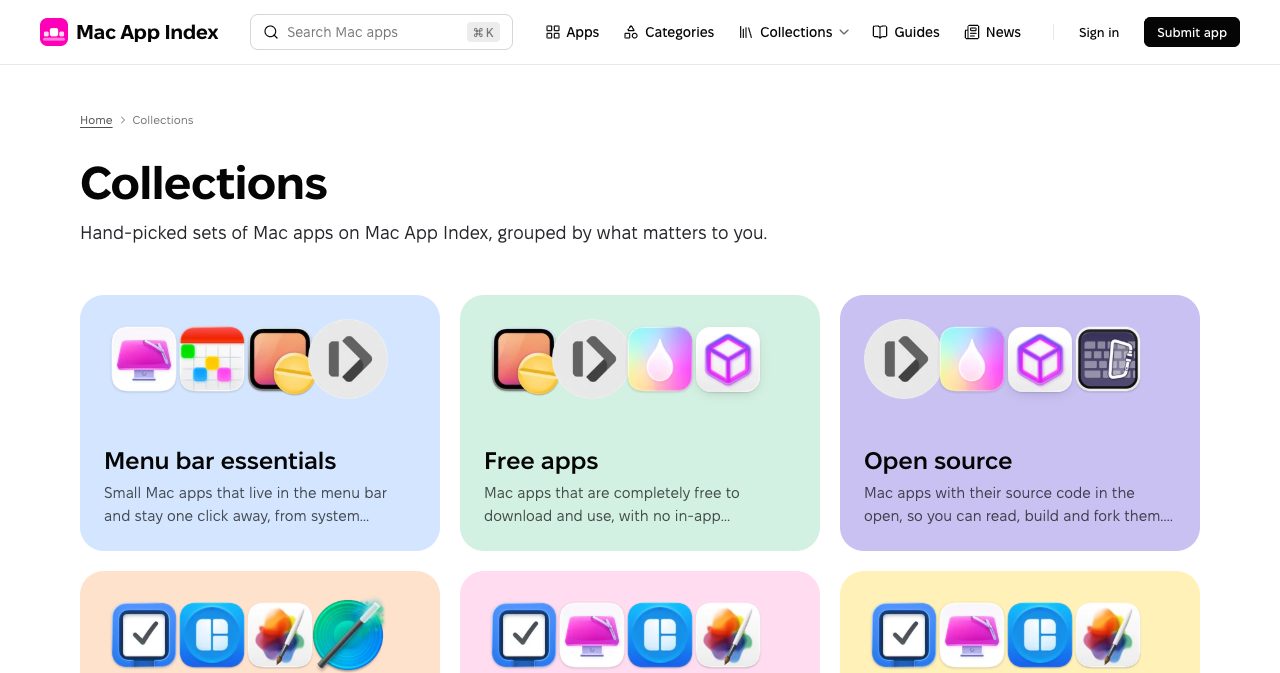
Collections cut across categories:
- Menu bar essentials: small apps that live in the menu bar and stay one click away.
- Free apps: completely free to download and use, with no in-app purchases needed.
- Open source: apps whose source code you can read, build and fork.
- Pay once: apps you buy once and keep, with no monthly or yearly fees.
- Latest: the newest listings, sorted by the date they went live.
- Featured: apps from developers who support the site.
- Coming soon: apps scheduled to go live next.
Pay once is the collection we'd bookmark. A lot of Mac users are tired of subscriptions, and a vote-ranked list of good apps you buy once (Things 3, Magnet, Pixelmator Pro, Unclutter, Keka, SoundSource and more) is hard to find anywhere else.
Are the Mac App Index guides worth reading?
Yes, especially if you're setting up a new Mac or replacing one app. The guides are short (about four minutes each), opinionated and practical, and they're grouped into Comparisons, Getting started, How-to, Privacy & security, Roundups and Workflows. Recent ones include:
- Apps to install on a new Mac: our first-day list
- The best free Mac apps worth installing
- The best menu bar apps for Mac
- Best clipboard managers for Mac, compared (Paste, Raycast, Unclutter and the built-in Spotlight clipboard)
- Window management on Mac: Magnet vs Rectangle vs tiling
- How to keep your Mac awake, with and without an app
- How to hide menu bar icons on a Mac
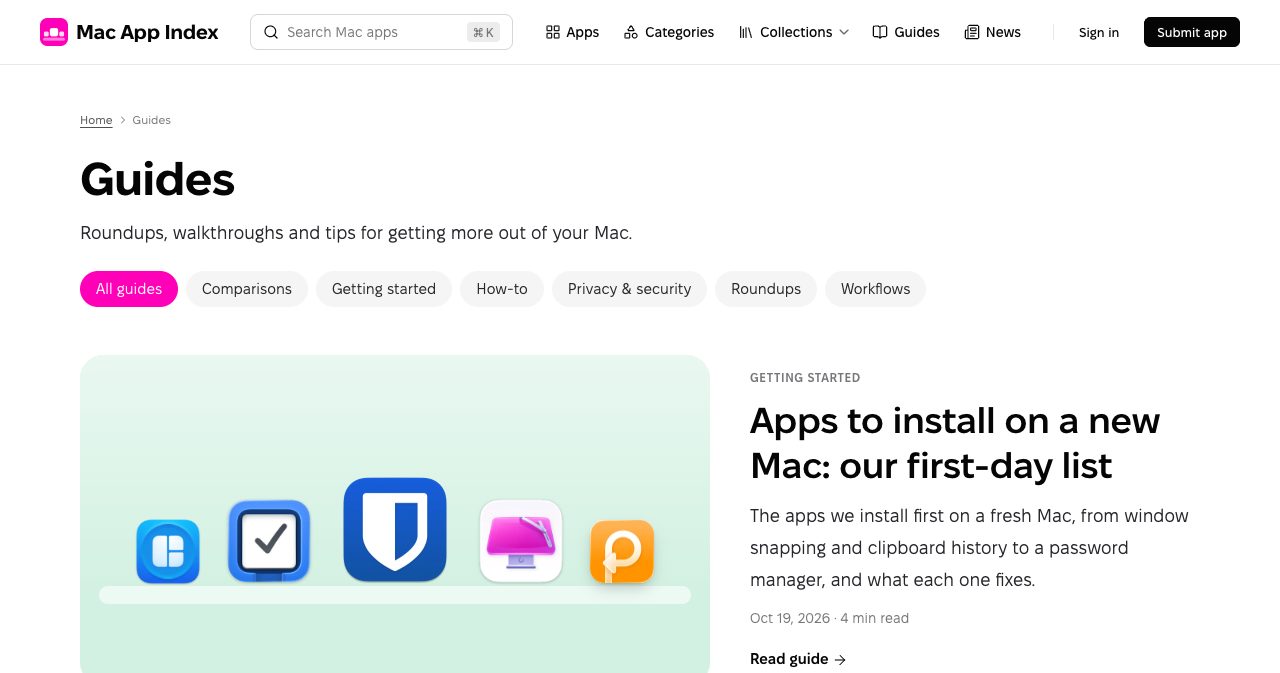
What we liked most is that the guides start from what macOS already does. The new-Mac guide tells you to run Software Update and turn on FileVault before installing anything, and the keep-awake guide covers System Settings and the caffeinate command alongside apps like Amphetamine and Lungo. The first-day list also says how its picks were made: the team set up several Macs from scratch, wrote down which apps they reached for on day one and checked which ones they still used a month later.
A News section covers Mac app releases and macOS updates, such as KeePassXC 2.8.0 and Raycast 2.8 in October, and there are RSS feeds for news, guides and new apps. The editorial policy says the site takes no payment for guide placement or positive coverage.
How does Mac App Index review apps?
The editorial policy applies to every app, paid or free, and describes four checks a person makes before an app goes live:
- Install or open the app, or check its Mac App Store page, to confirm it exists.
- Check the price, the minimum macOS version and the developer name.
- Assign one or more categories and a few tags.
- Edit the description so it says what the app does in plain terms.
Approved apps are published a few at a time, in the order they entered the queue, and the submitter gets an email when the app is scheduled and again when it goes live. Paying for a listing doesn't skip review and doesn't guarantee approval.
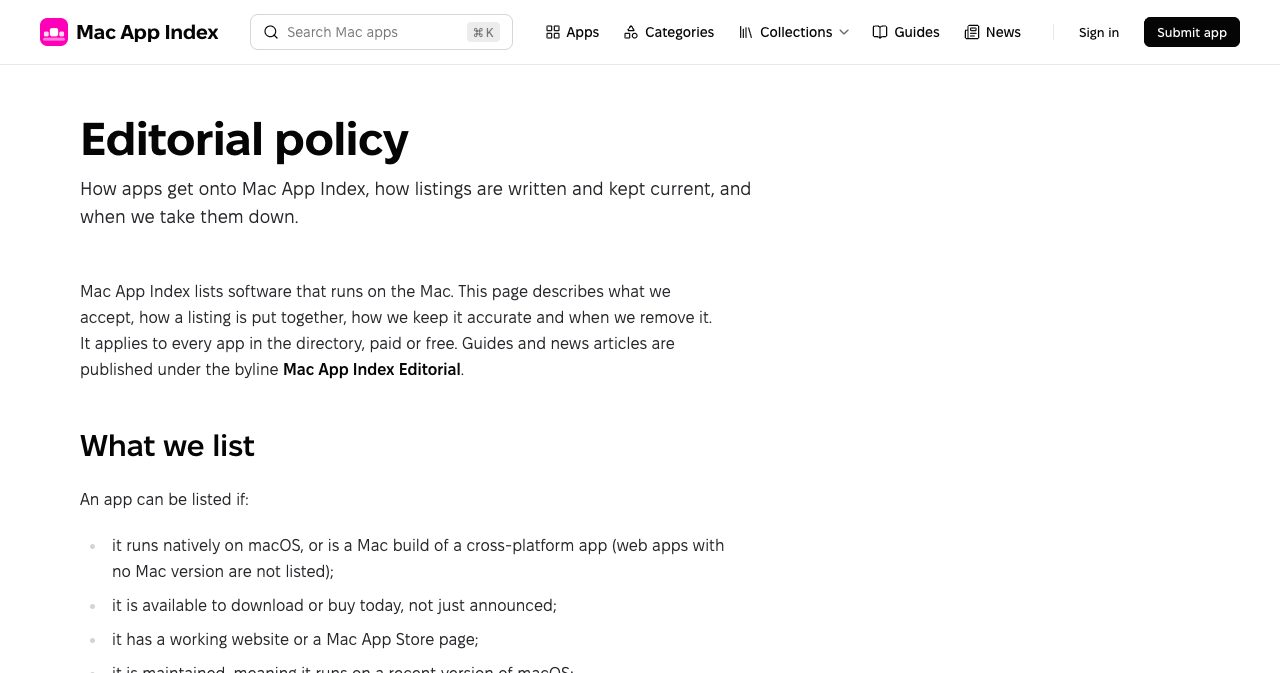
Listings are kept up to date after launch too. Developers can email corrections, which the site aims to apply within a few working days, and readers can flag a broken link or wrong category with the Report option on any app page. A developer who confirms a code sent to an address on the app's domain gets a verified mark next to the app's name. Listings come down when the developer asks, when the app is discontinued or stops running on a supported macOS, or when coordinated or fake votes turn up.
Contact is by email. A person reads every message, replies usually come within two working days, and the team answers in English or Polish.
How do developers get listed on Mac App Index?
A standard listing is free. In return, the developer puts a small "Listed on Mac App Index" badge on a page of the app's website, linking back to the app's page on the directory. It's a badge exchange, and for an indie developer it's a fair deal: one small link in a footer buys a reviewed listing among well-known apps, and the badge tells your visitors where they can upvote you.
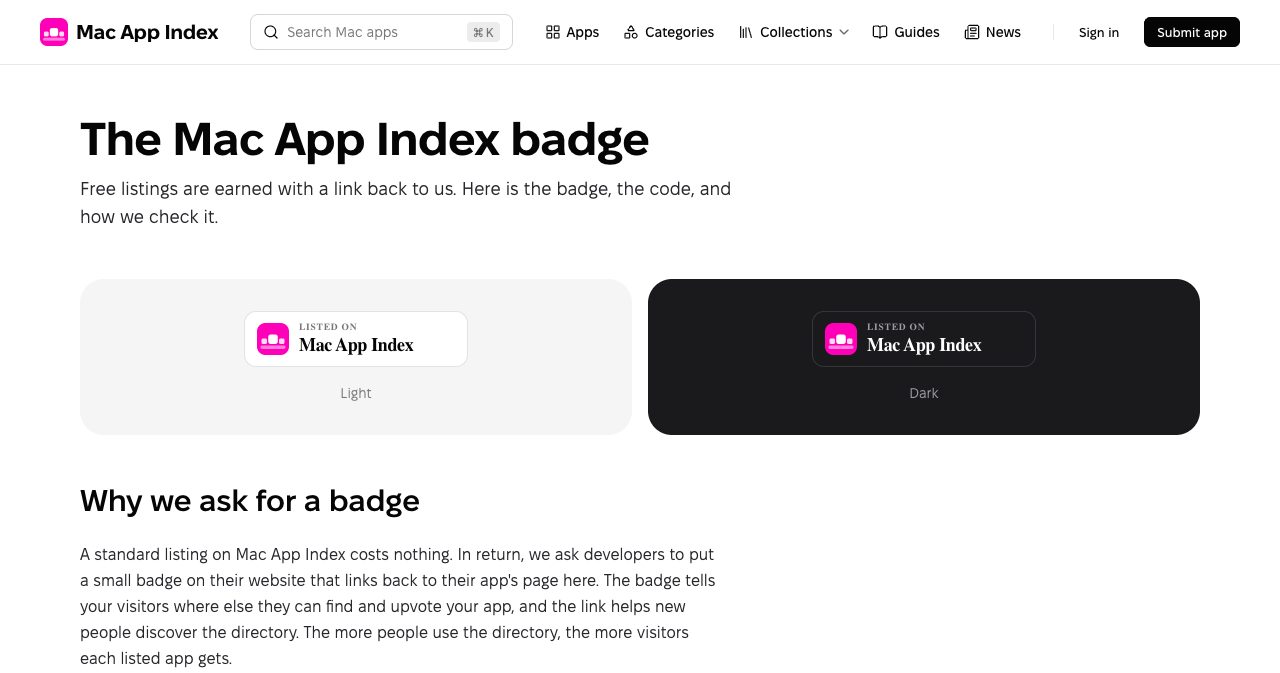
The badge page spells out the rules. The badge comes in light or dark, at 56px or 40px tall, and the code is a plain link around an image:
<a href="https://macappindex.com/apps/your-app?ref=badge" target="_blank" title="Your App on Mac App Index"><img src="https://macappindex.com/apps/your-app/badge.svg?theme=light&height=56" alt="Your App on Mac App Index" width="224" height="56" /></a>
You can restyle the HTML around it, but the link has to point to macappindex.com and can't carry rel="nofollow", "sponsored" or "ugc". When you press Verify badge, the server downloads your page, follows up to five redirects and looks for the link. If the page is built with JavaScript, it tries again with a rendering service. You get one of three results: Found, Nofollow (the link is there but marked) or Missing or unreachable.
Badges on free listings are re-checked once a day. A page that's temporarily down doesn't count against you, and the checker identifies itself with the user agent "Mac App Index badge check", so you can allow it if your firewall is strict. A paid listing that needs no badge is being prepared and isn't on the Submit page yet.
Featured listings
For developers who want more reach, the Advertise page lists what a featured listing includes:
- A homepage spotlight: a pastel banner in the Featured carousel at the top of the homepage.
- A Featured badge on every card, plus a gold verified mark on the app page.
- A link to your website without the nofollow attribute.
Featured placement never changes how upvotes are counted, and prices aren't published on the page, so you ask through the contact form or by email. For comparison, free listings link to the developer's website with nofollow. If you're not sure what that difference means for your site, our glossary entry on dofollow vs nofollow links explains it.
How to list your Mac app on Mac App Index
The free route takes about 15 minutes of your time, plus the wait for review.
- Sign in at macappindex.com with a magic link sent to your email or with Google.
- Open Submit and enter the app's website, plus its Mac App Store link if it has one. If the website is already listed, the submission attaches to the existing listing.
- On the listing options page, choose the free listing, then pick a badge style (light or dark) and a size (56px or 40px tall).
- Paste the badge code on a page of the same website you submitted, such as the homepage footer. Keep it free of
rel="nofollow","sponsored"and"ugc". - Enter the address of that page and press Verify badge, signed in with the account you submitted from. Once the link is found, the app joins the review queue.
- Wait for the two emails, one when the app is scheduled and one when it goes live. Then press Verify on the app page and confirm the code sent to an address on your domain to get the verified mark.
Once you're live, link your listing from your launch posts and newsletter so your users can upvote you. Votes in the first days count most toward Hot, and a Hot badge on your card is good free exposure.
What to know before you start
A few details are worth knowing up front, mostly because the site is still young:
- The catalog is growing. At 160 apps it's a curated start, so a very niche tool may not be listed yet. The Coming soon collection shows what's next.
- Publishing is paced. New apps go live a few at a time in queue order, so don't submit the night before your launch.
- The free listing needs the badge. A badge-free paid listing is planned but not available yet.
- Free listings link out with nofollow. A followed link to your website comes with a featured listing.
- Featured prices are on request. The Advertise page describes what you get, and the contact page is where you ask what it costs.
- Voting needs an account, so ask your users to sign in before you send them to upvote.
Every one of these is stated on the site's own pages, so nothing here should catch you out.
How does Mac App Index compare with other places to find Mac apps?
| Where to look | What it covers | Best for |
|---|---|---|
| Mac App Index | Native Mac apps in and out of the Mac App Store, each checked by a person | Finding apps Mac users love right now, with guides for new setups |
| Mac App Store | Apps distributed through Apple | Buying and updating apps with your Apple account |
| Product Hunt | New products of every kind, launched daily | Catching launches on the day they happen |
| AlternativeTo | Software for every platform | Finding a replacement for an app you already use |
These sit well side by side. Of the four, Mac App Index is the one that covers only the Mac while also listing apps sold outside the App Store, lets the community set the order and publishes its ranking formula. If you build for Apple platforms more widely, our guide to the best directories for iOS apps covers the iPhone side, and the developer tools directory list helps if your Mac app is aimed at developers.
Who is Mac App Index for?
For Mac users, it's a good fit if you:
- just bought a new Mac and want a short, trustworthy list of first-day apps;
- like menu bar utilities and want them in one place;
- want to avoid subscriptions and prefer apps you buy once;
- prefer open-source apps you can inspect and build;
- want to see what other Mac users are excited about this week.
For developers, it suits:
- indie Mac developers who want a reviewed listing without paying;
- makers of menu bar apps and small utilities, the directory's strongest category;
- developers who sell outside the Mac App Store and miss its built-in discovery;
- open-source maintainers, who get their own collection;
- developers with a paid app and no subscription, who show up in Pay once.
If you're planning a wider launch, our walkthrough on how to submit your product to directories covers how to prepare your listing copy and screenshots once and reuse them everywhere.
Is Mac App Index worth using?
Yes. For Mac users it's a calm, good-looking place to find software, with rankings you can understand, app pages that answer the practical questions (price, macOS version, size, alternatives) and guides written by people who clearly use their Macs every day. For developers, a free listing costs one badge and gets the app in front of an audience that came looking for Mac apps.
It's promising because of how carefully it's run. The ranking formula is public, paid placement is labelled wherever it appears, and AI drafts are disclosed and edited by a person. The catalog is still small, and the team clearly prefers getting each listing right to growing fast. If that holds as it grows, this could become the place we send people when they ask what to install on their Mac.
Start with the Hot list or the Pay once collection, and if you make a Mac app, submit it here.
FAQ
What is Mac App Index?
Mac App Index (macappindex.com) is an independent directory of software for the Mac. A person reviews every app before it is listed, and signed-in visitors upvote the apps they like. You can sort the catalog by Hot (recent upvotes), Top (all-time upvotes) or New (latest listings), or browse 12 categories, curated collections and practical guides.
Is Mac App Index affiliated with Apple?
No. Mac App Index is an independent site and is not affiliated with, endorsed by or sponsored by Apple. It lists Mac App Store apps and apps sold directly from developers' own websites.
How does the Hot ranking on Mac App Index work?
Each upvote starts with a weight of 1 and loses half its weight every 72 hours. An app's Hot score is the sum of its vote weights from the last 60 days, updated on every vote and recalculated for the whole catalog every hour. Ten votes cast today are worth about as much as fifty votes cast a week ago.
Can developers pay to rank higher on Mac App Index?
No. Hot, Top and New are calculated only from upvotes and publish dates. Paid featured apps appear in a labelled Featured carousel on the homepage and a Featured strip above listings, but payment never adds votes, changes a Hot or Top position or skips review.
Is it free to list a Mac app on Mac App Index?
Yes. A standard listing is free if the developer places the Mac App Index badge, with a followed link, on a page of the app's website. The site checks the link automatically and re-checks it daily. A paid listing without the badge is planned, and featured placement is sold separately.
How do I submit my app to Mac App Index?
Sign in with a magic link or Google, open the Submit page and enter your app's website and Mac App Store link if it has one. Choose the free listing, add the badge to your site and press Verify badge. Once the link is found, the app joins the review queue, and you get an email when it is scheduled and when it goes live.
Are Mac App Index listings written by AI?
Partly. Listing data comes from the developer's website and Apple's public iTunes Search API. The tagline, summary and highlights may start as an AI draft from that material, but a person reads and edits every draft, and the model is not allowed to invent features, prices or compatibility claims.
Does a Mac App Index listing link to my website with dofollow?
Paid and featured listings link to the developer's website without the nofollow attribute. Free listings use nofollow on that website link. Either way the app gets a reviewed page, a place in categories, collections and alternatives pages, and community votes.
How many apps are on Mac App Index?
The Advertise page listed 160 Mac apps, about 10,000 upvotes cast and 12 categories when we checked on October 23, 2026. The biggest categories are Productivity and Utilities with 29 apps each, followed by Menu bar with 28.
What are the best collections on Mac App Index?
Menu bar essentials, Free apps, Open source and Pay once are the four most useful. Pay once lists apps you buy once with no subscription, ranked by votes. There are also Latest, Featured and Coming soon collections.
If you're building a SaaS, an AI tool or a web app rather than a Mac app, SaaSCity is a free, human-reviewed startup directory with a live city map, where your listing is a permanent page that other founders browse.
Get your SaaS in front of founders
List your product on the SaaSCity live city map - a permanent listing, real discovery, and a backlink from a high-DR directory. Free to start; upgrade for a dofollow link and a building on the map.