Reviews
MyFreeTools Review 2026: 55 Free File Tools That Never Upload Your Files
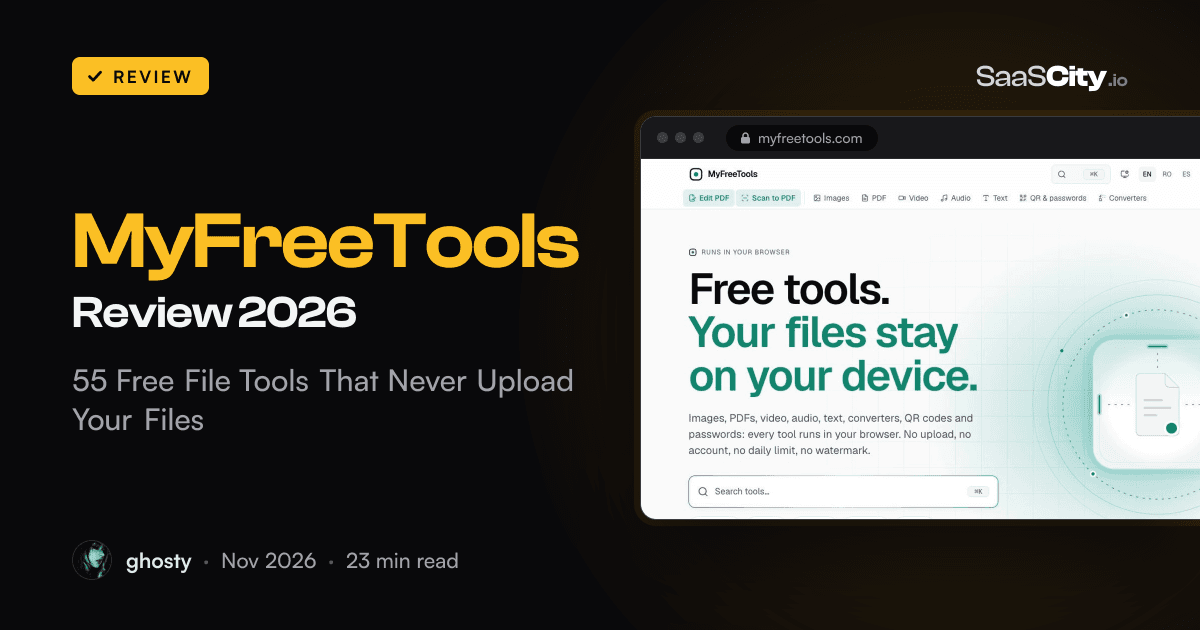
MyFreeTools (myfreetools.com) is a free set of 55 browser tools for PDFs, images, video, audio and text. Every one of them does its work on your own device, and a counter under each result shows how much of your file went over the network: 0 B. We ran real files through it in Chrome, watched the network, and switched the connection off to see what still worked.

Contents (14)
- Key takeaways
- What is MyFreeTools?
- How does MyFreeTools work without uploading files?
- We tested the 0 B claim in Chrome. What happened?
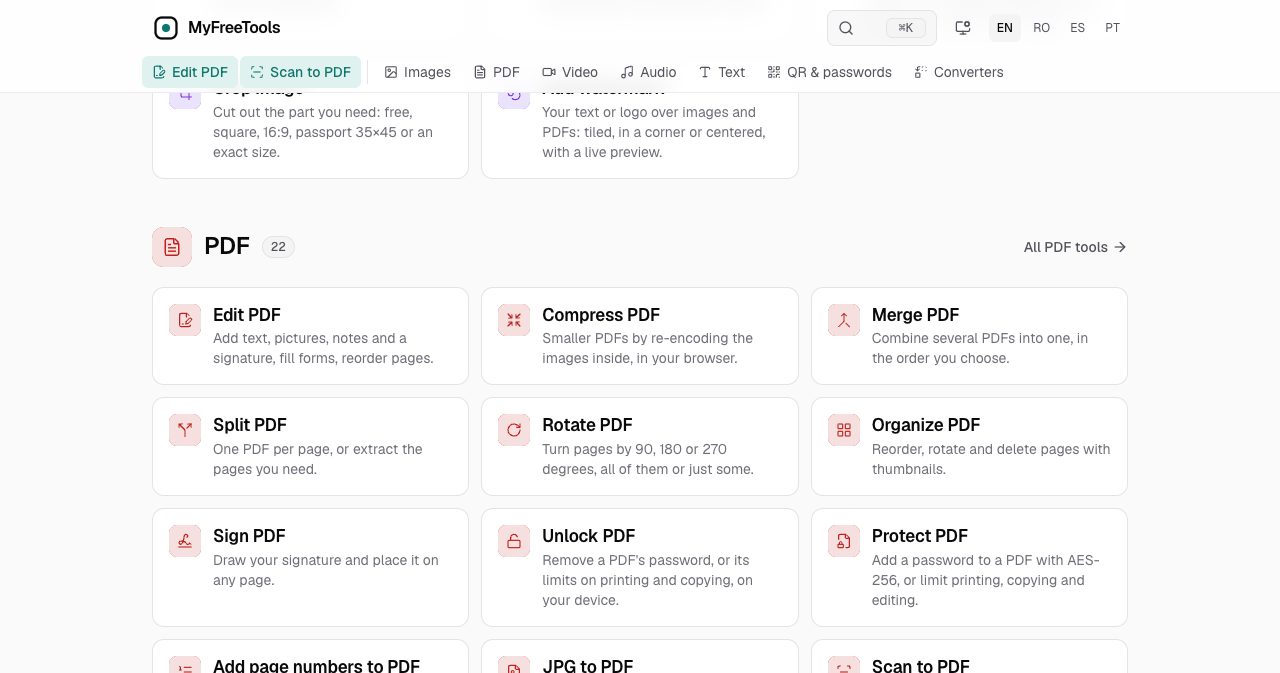
- What can the PDF tools do?
- What about images, video, audio and passwords?
- Is MyFreeTools safe to use for sensitive documents?
- How do you check that a tool does not upload your files?
- What open-source engines does MyFreeTools use?
- What are the guides like?
- What are the limits of MyFreeTools?
- Who is MyFreeTools for?
- Is MyFreeTools worth using?
- FAQ
Sponsored post. Product details checked against myfreetools.com and its privacy, terms, licenses and testing pages on November 14, 2026. Screenshots and test runs made on the live site in Google Chrome.
Quick answer: MyFreeTools is a free set of 55 file tools that run inside your web browser: PDF editing and compression, image compression, video and audio trimming, OCR, document translation, QR codes and passwords. Your files are processed on your own device and are not uploaded. There is no account, no daily limit and no watermark. In our Chrome test, a 1 MB PDF came out at 438 KB in 1.2 seconds, and the counter under the result read 0 B of network traffic.
You have probably done this: a job portal wants your payslip under 200 KB, so you search for a PDF compressor, pick the first result and drag the payslip in. Somewhere between the drop and the download, a copy of that payslip went to a server you know nothing about.
MyFreeTools is built so that this step does not exist. This review covers what the site offers, how the no-upload design works, what happened when we tested it with real files and the network switched off, and where a browser-only tool reaches its limits.
Key takeaways
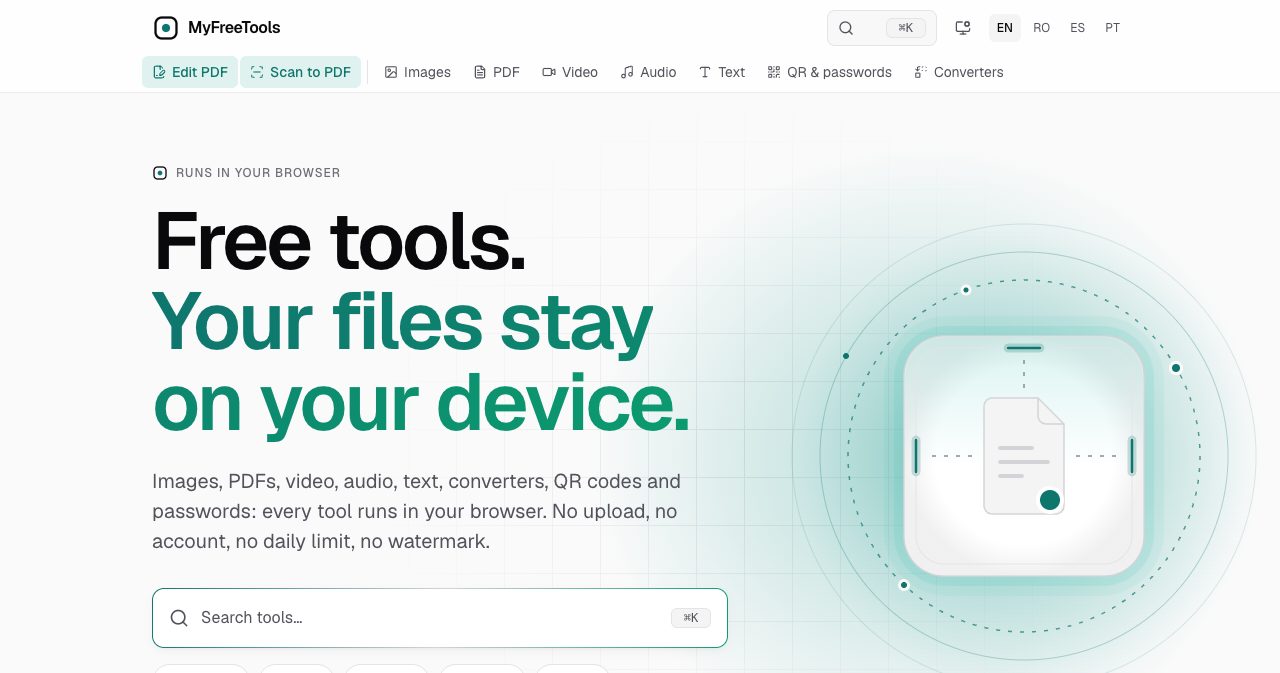
- MyFreeTools has 55 tools in seven categories, and 22 of them are for PDFs.
- Every tool runs on your device as WebAssembly. The site says it has no address that accepts files.
- A counter under each result shows the network traffic during processing. It read "0 requests · 0 B" in every run we did.
- It is free with no account, no daily limit, no watermark and no ads.
- Tools you have used once keep working offline. A format you have never used needs one online run first.
- The PDF editor changes existing text in the page when the font allows it, and tells you up front when it cannot.
- The site is available in English, Romanian, Spanish and Portuguese, and installs as an app on phones and desktops.
What is MyFreeTools?
MyFreeTools is a website of everyday file tools where the work happens in your browser. You open a page, drop a file, and the result is written to your Downloads folder. Nothing is installed and nothing is sent away for processing.
The About page, last updated on October 28, 2026, puts the idea in one line: "Nothing you drop here is uploaded, stored or seen by us." It also says why the site exists. Most online tools, the page argues, upload your file, cap free use per day, ask for an account before they handle batches and cover the page in pop-ups. MyFreeTools set out to do the opposite: "no upload, no account, no daily limit, no watermark, no waiting timer."
The homepage sorts the tools into seven groups:
| Category | Tools | Examples |
|---|---|---|
| 22 | Edit, compress, merge, split, sign, protect, scan, translate, Word and Excel conversion | |
| Video | 13 | Compress, trim, merge, crop, rotate, change speed, video to GIF |
| Audio | 6 | Trim, join, reverse, change volume or speed, convert formats |
| Images | 5 | Compress, resize, convert, crop, watermark |
| Text | 3 | Word counter, compare text, image to text (OCR) |
| QR and passwords | 3 | QR generator, QR and barcode reader, password generator |
| Converters | 3 | Archive extractor, font converter, document converter |
Source: the tool counts shown on the MyFreeTools homepage on November 14, 2026.
How does MyFreeTools work without uploading files?
Each tool is a program that your browser downloads once and then runs locally. When you drop a file, the browser reads it into memory and hands it to a Web Worker, a background thread that keeps the page responsive while the file is processed. The result is created in that same memory and saved as a new file on your device.
The heavy work is done by well-known open-source engines compiled to WebAssembly, a format that lets code written for desktop software run in a browser at close to native speed. The homepage names them: MozJPEG, libwebp and libavif for images, pdf-lib and PDF.js for documents, Tesseract for text recognition, libarchive for archives, Google's woff2 for fonts and LAME for MP3. Video and audio use the encoders already built into your browser.
The privacy explainer on the site is blunt about the server side: "No server takes part: the site has no address that accepts files."
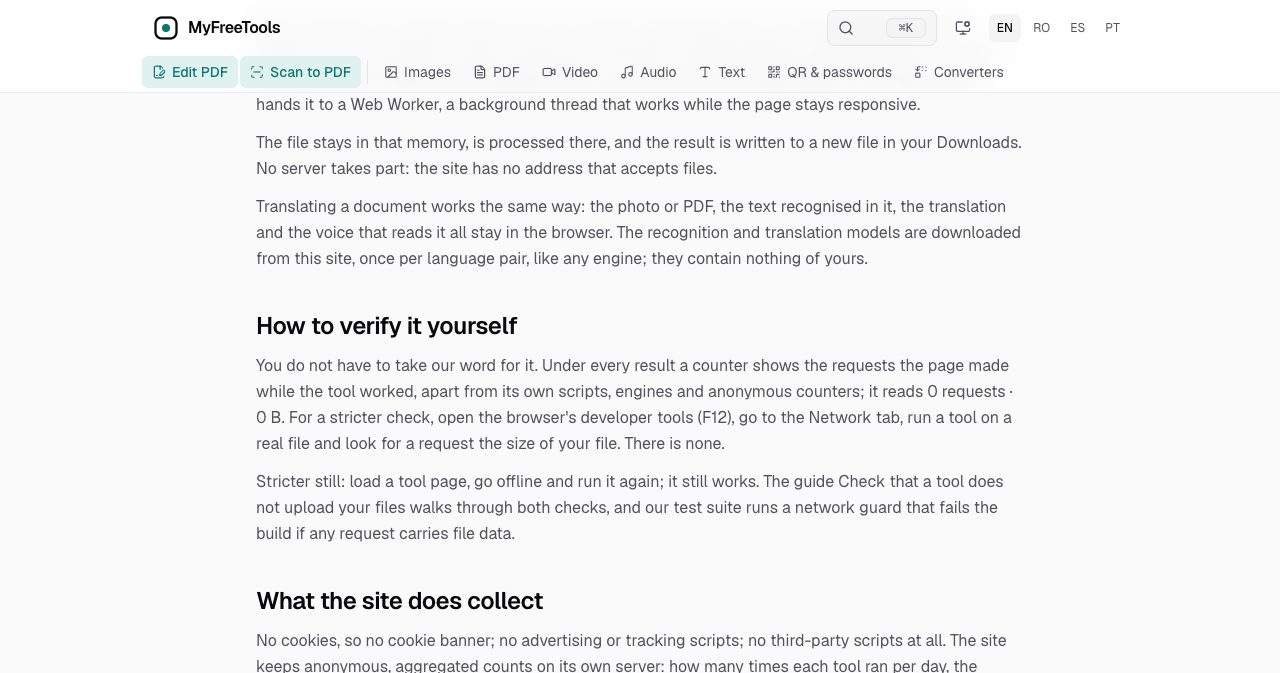
Two details make the claim checkable instead of something you take on trust. First, every result carries a small counter showing the requests the page made while the tool worked. Second, the site tells you how to audit it yourself with your browser's developer tools, and says its own test suite runs a network guard that fails the build if any request carries file data.
We tested the 0 B claim in Chrome. What happened?
We ran three files through MyFreeTools in Google Chrome 157 on a Mac on November 14, 2026, and logged every network request the page made from the moment each file was dropped.
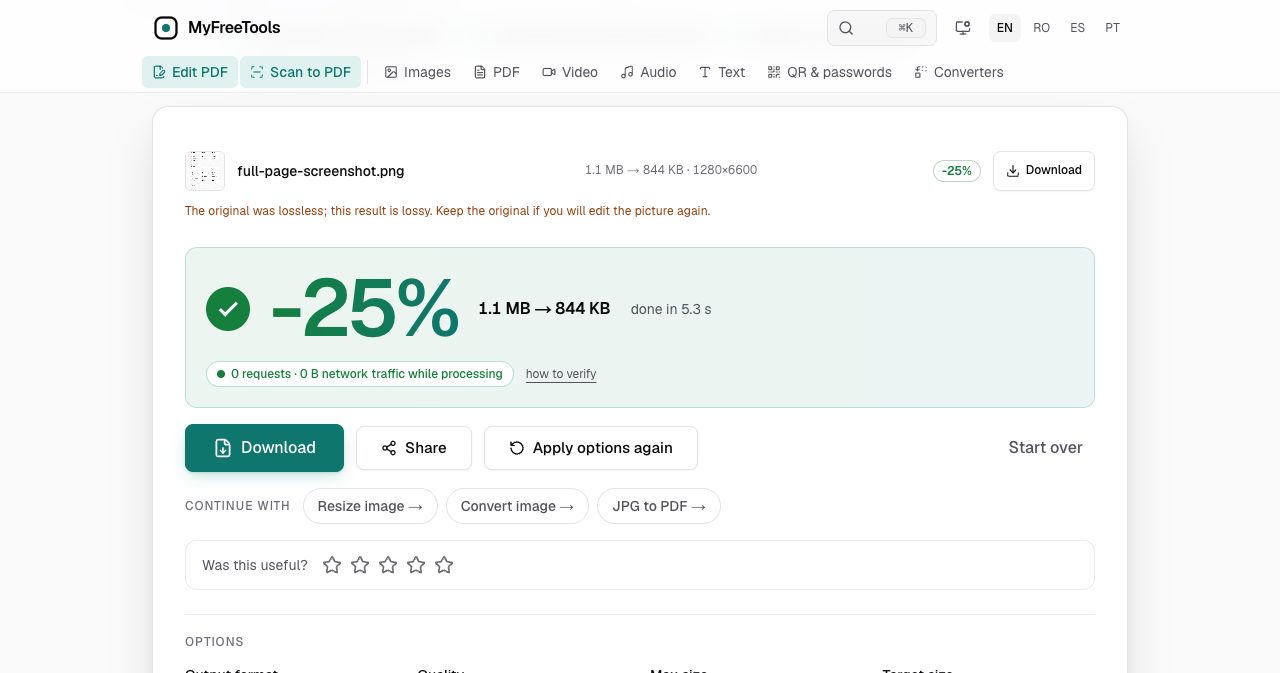
Test 1: a 1.1 MB PNG. We used a full-page screenshot, 1280 by 6600 pixels, and left Compress image on its defaults. The result was 844 KB, a 25% saving, in 5.3 seconds. The tool added a note we did not expect and liked: "The original was lossless; this result is lossy. Keep the original if you will edit the picture again."
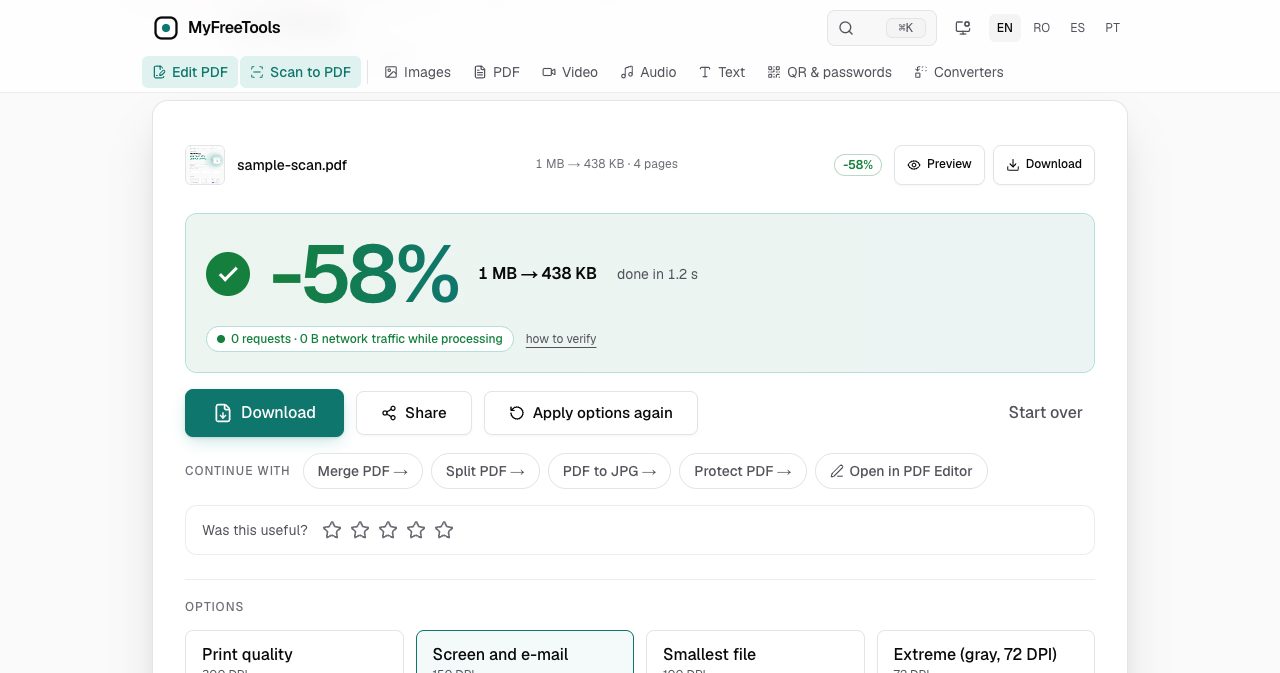
Test 2: a 1 MB PDF. We printed the same screenshot into a four-page PDF so the file was mostly image data, the way a scan is. On the default level, "Screen and e-mail" at 150 DPI, Compress PDF returned a 438 KB file in 1.2 seconds, a 58% saving.
Test 3: a 73 KB JPG, which came out at 48 KB, 34% smaller.
Here is what the request log showed during those runs:
- JavaScript chunks from myfreetools.com itself.
- The codec files each job needed, such as the OxiPNG and MozJPEG WebAssembly binaries and the PDF.js worker.
- One POST to the site's own
/api/eventsaddress per run, which the privacy policy describes as an anonymous usage count.
No request went to another domain, and nothing in the log was anywhere near the size of the files we dropped. After visiting 12 pages, the browser held zero cookies from the site.
Then we switched the network off. With Chrome set to offline, the JPG compressed again with the same result, and it kept working after we reloaded the page offline. That is hard to fake: a tool that needs a server cannot produce a result without a connection.
The offline test also turned up one thing worth knowing. A PNG dropped offline, in a browser session that had only compressed JPGs so far, failed with "Something went wrong with this file." The PNG codec is a separate file that the site downloads the first time you need it, and we had not needed it yet. So the offline promise holds for the tools and formats you have already used. If you plan to work on a plane, run each format once before you leave.
What can the PDF tools do?
PDF is the largest category, with 22 tools, and it is where the site has clearly spent the most effort.
Edit PDF: changing the text that is already there
Many free PDF editors only let you place new text boxes on top of a page. Edit PDF also changes existing text in the page itself, under one condition that the tool states plainly: the font has to be embedded in the file as TrueType or OpenType. That is the usual case for PDFs made with Word, LibreOffice or Google Docs. If you type a letter the embedded font does not contain, the editor shows the line in a substitute font next to the original, and you decide whether to keep it.
Beyond text, the editor adds pictures, notes, highlights and links, fills forms, draws new form fields, places a signature, reorders pages and redacts. A few details stood out:
- Redaction removes the content. The text, picture pixels and notes under each box are deleted from the saved file, and the editor re-reads the file to confirm nothing is left. If it cannot confirm that, it does not offer the file.
- Drafts survive a closed tab. Every change is an undoable step, kept in your browser for 7 days.
- Signatures are checked on your device. The editor tells you whether a signed document changed after signing. It also says what it cannot do: it does not verify the signer's identity against an authority, so it "never says a signature is legally valid."
- Certificate signing is supported. You can sign with a .p12 or .pfx file, read in your browser, in the PAdES format other PDF programs read.
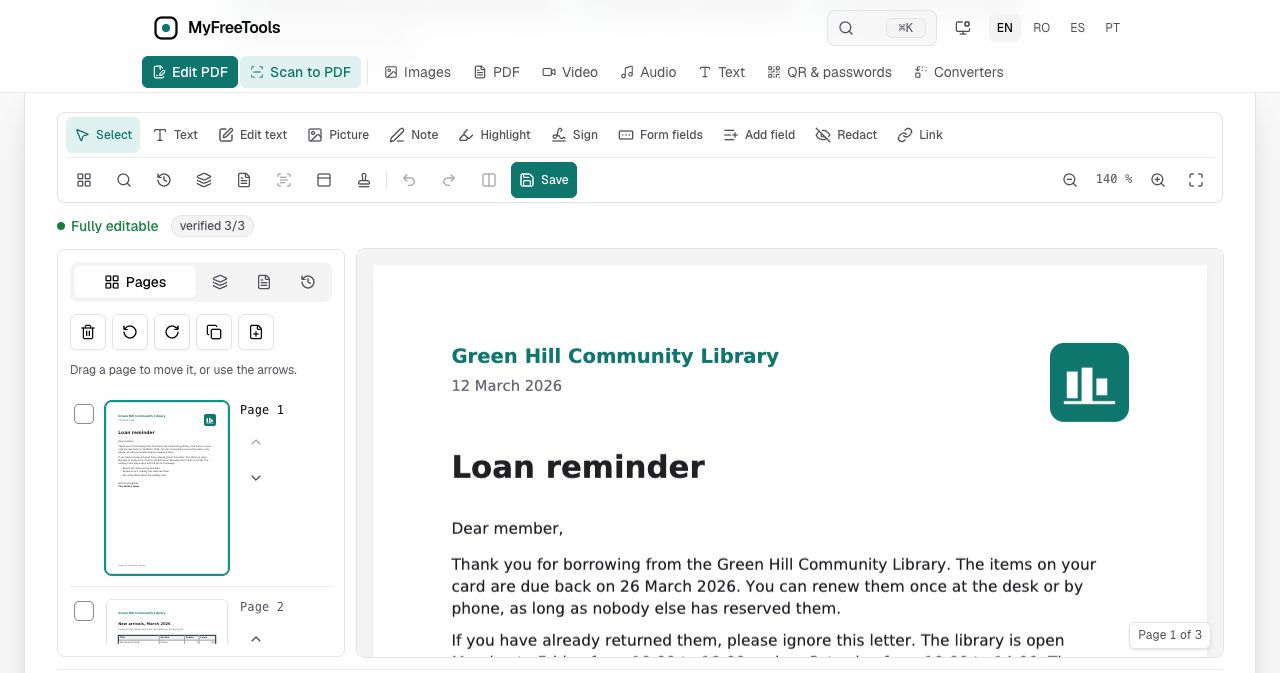
We opened the built-in sample document. The editor loaded a three-page letter, labeled it "Fully editable" and showed "verified 3/3" beside it before we had touched anything.
Compress PDF: four levels and a target size
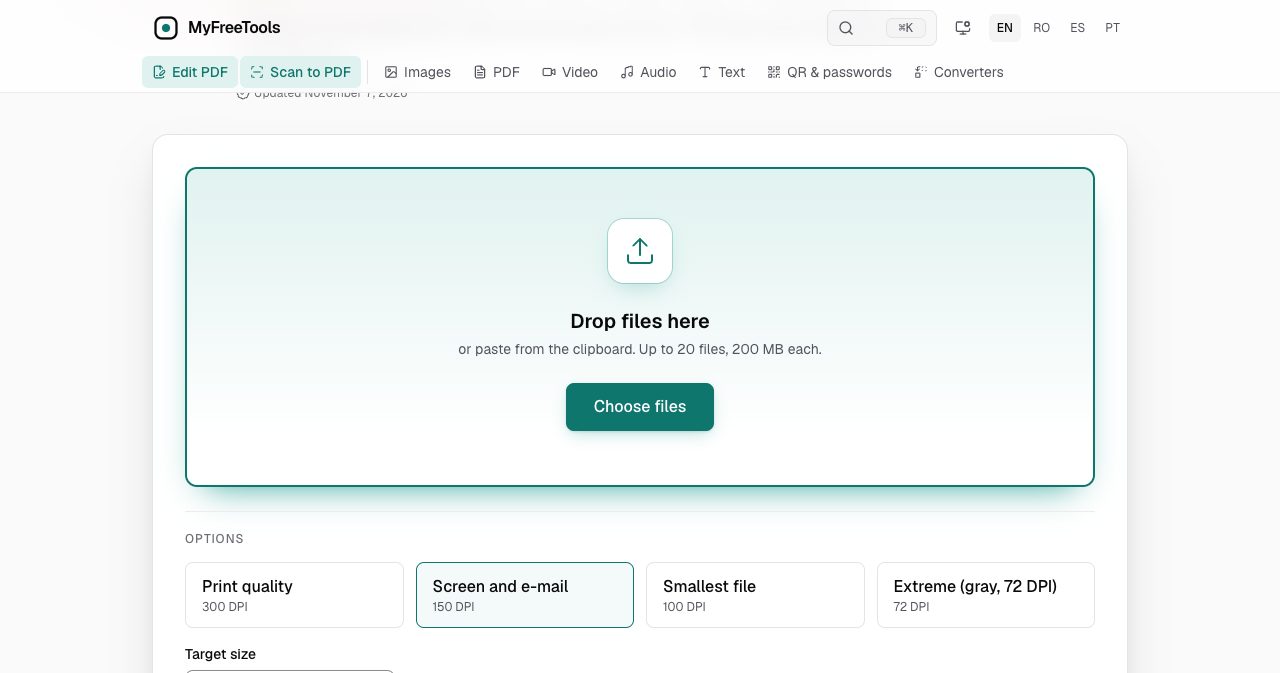
Compress PDF works by re-encoding the images inside a file. Text, fonts and vector drawings are left alone, so a contract stays as sharp as it was. There are four levels:
| Level | Image resolution | Meant for |
|---|---|---|
| Print quality | 300 DPI | A brochure going to a printer |
| Screen and e-mail (default) | 150 DPI | Attachments and on-screen reading |
| Smallest file | 100 DPI | Forms that are only read on a screen |
| Extreme | 72 DPI, gray | The smallest result possible |
Source: the Compress PDF page on myfreetools.com, updated November 7, 2026.
If a portal states a limit, you type it into Target size in KB and the tool tries stronger settings until the file fits. When even the lowest setting cannot reach the number, you get the smallest file it found and the row says so. Up to 20 PDFs of 200 MB each go through in one batch.
One warning from the tool itself is worth repeating: compressing a digitally signed PDF rewrites the file, so the signature stops validating. Compress first and sign afterwards.
Scan to PDF: a document scanner without an app
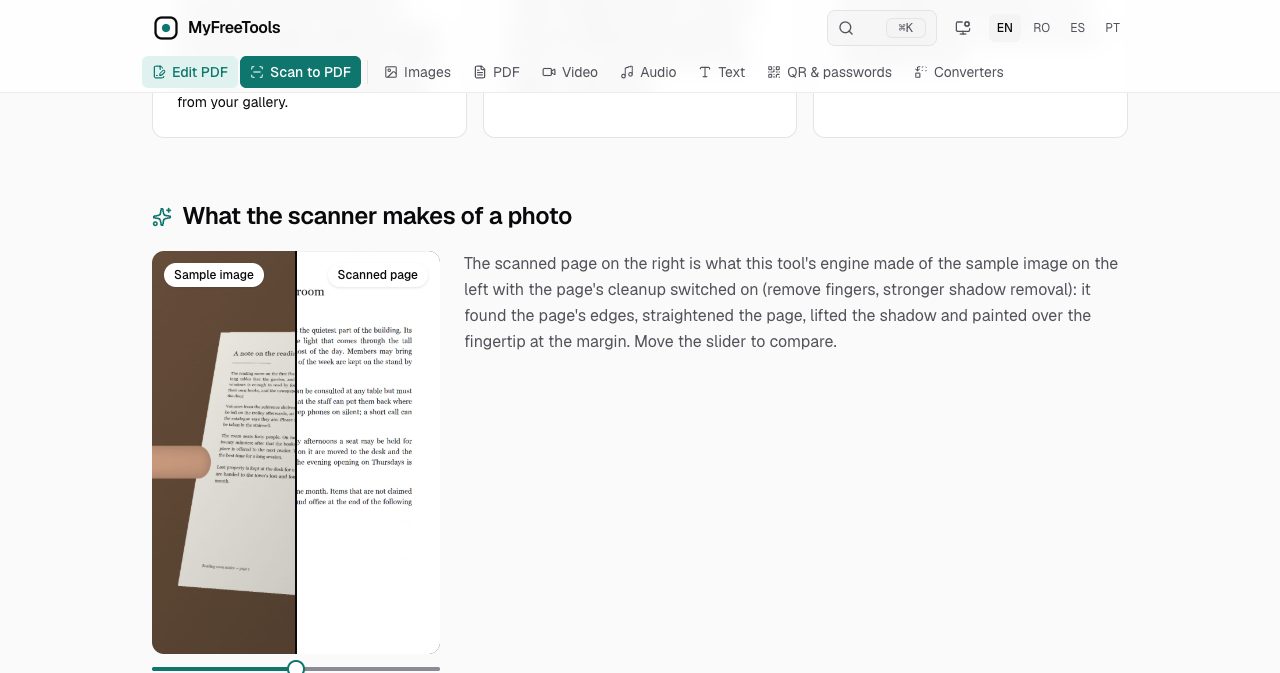
Scan to PDF turns a phone's browser into a document scanner. You hold the phone over a page and it takes the picture when the page is still. It then finds the edges, straightens the page, lifts shadows and can paint over a fingertip at the margin.
There are presets for a document, a receipt, an ID card, a book and a whiteboard. The book preset flattens a curved page and can split the photo at the fold. A scan holds up to 100 pages, and ticking "Searchable text (OCR)" lays the recognized words invisibly over the image so the PDF can be searched. The pages are kept in the browser's storage on your device, which means you can put the phone down halfway through a stack and come back to it.
Translate a document: reading a letter in your own language
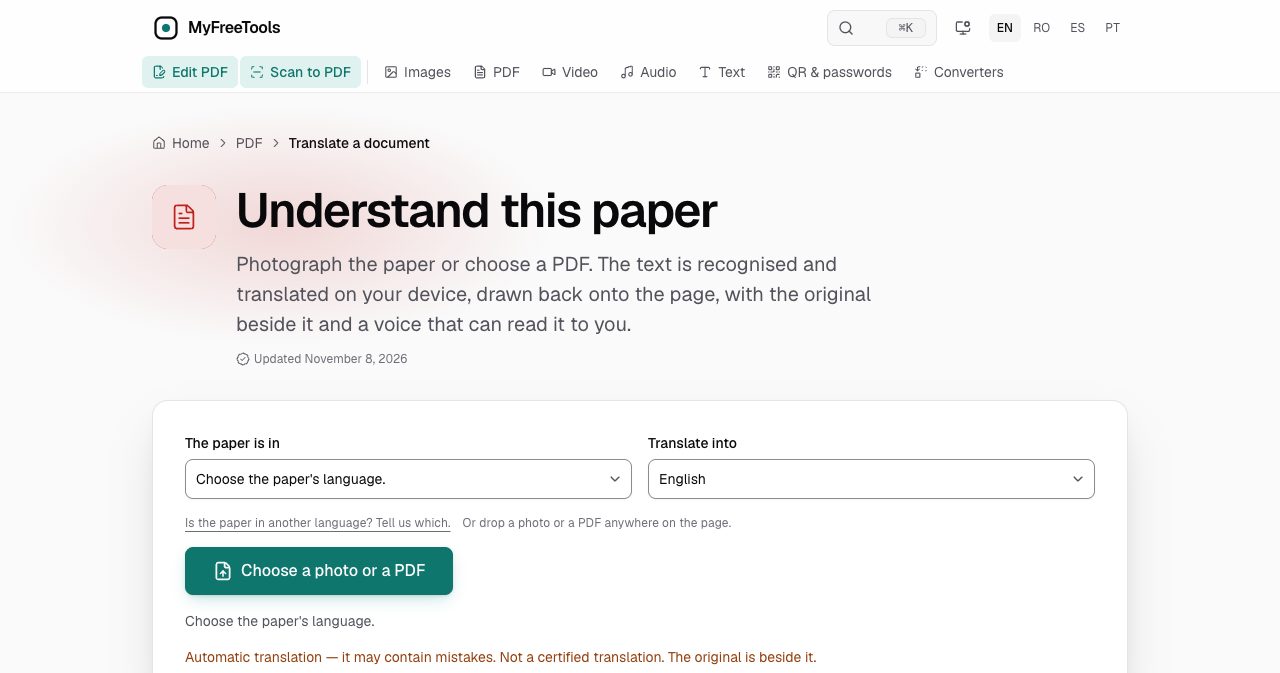
This is the tool we have seen least often elsewhere. You photograph a letter or open a PDF, pick the two languages, and the page comes back translated with the original beside it. Recognition, translation and the read-aloud voice all run on your device. The translation engine is Bergamot, the one Firefox ships, with models published by Mozilla.
Papers can be in 18 languages, including German, French, Italian, Polish, Ukrainian, Turkish, Arabic, Persian and Hebrew, and are translated into English, Romanian, Spanish or Portuguese. Each language pair is a one-time download of tens of MB and then works offline.
The page is careful about what the result is. A notice under the button reads "Not a certified translation," the saved PDF repeats it, and the FAQ tells you to take the original to a doctor, lawyer or office before acting on anything. For a discharge note or a letter from a town hall, that is the right framing: the tool tells you what the paper says so you know what to do next.
What about images, video, audio and passwords?
Images. Compress image handles JPG, PNG, WebP and AVIF, accepts HEIC photos from an iPhone, and takes up to 50 files of 100 MB each. Its most useful option is Target size: type 100 for a form that wants a photo under 100 KB, and the tool lowers quality first and only then scales the picture down. Because the image is rebuilt from its pixels, GPS location and the embedded thumbnail are removed by default. If a result would be larger than the original, you get the original back.
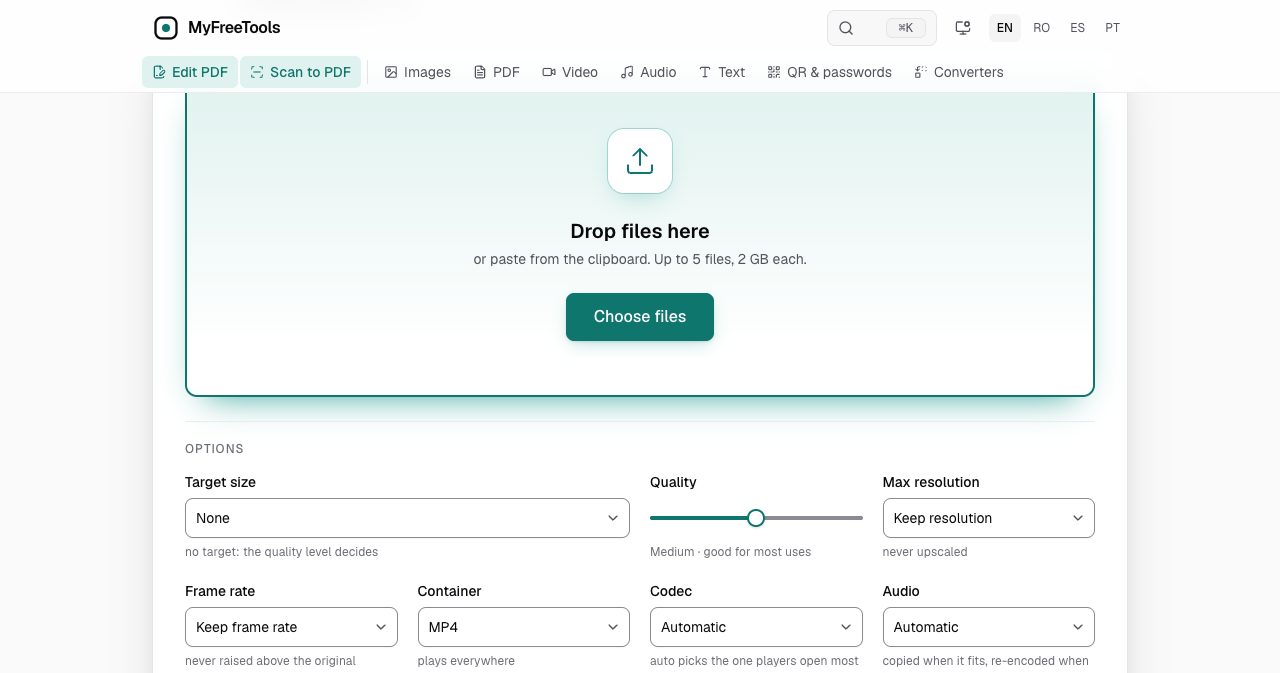
Video. Compress video outputs MP4 and has target-size presets that do the arithmetic for you: 16 MB for WhatsApp, 25 MB for email and 8 MB for Discord. It accepts up to 5 files of 2 GB each. The page does not oversell the speed. Encoding runs on your own processor, so in the site's words "a 10-minute clip takes a few minutes and a phone is slower than a laptop." The other twelve video tools cover trimming, merging, cropping, rotating, speed changes and GIFs.
Audio. Six tools trim on a waveform, join files, reverse them, change volume or speed and convert between MP3, WAV, M4A, OGG, Opus and FLAC.
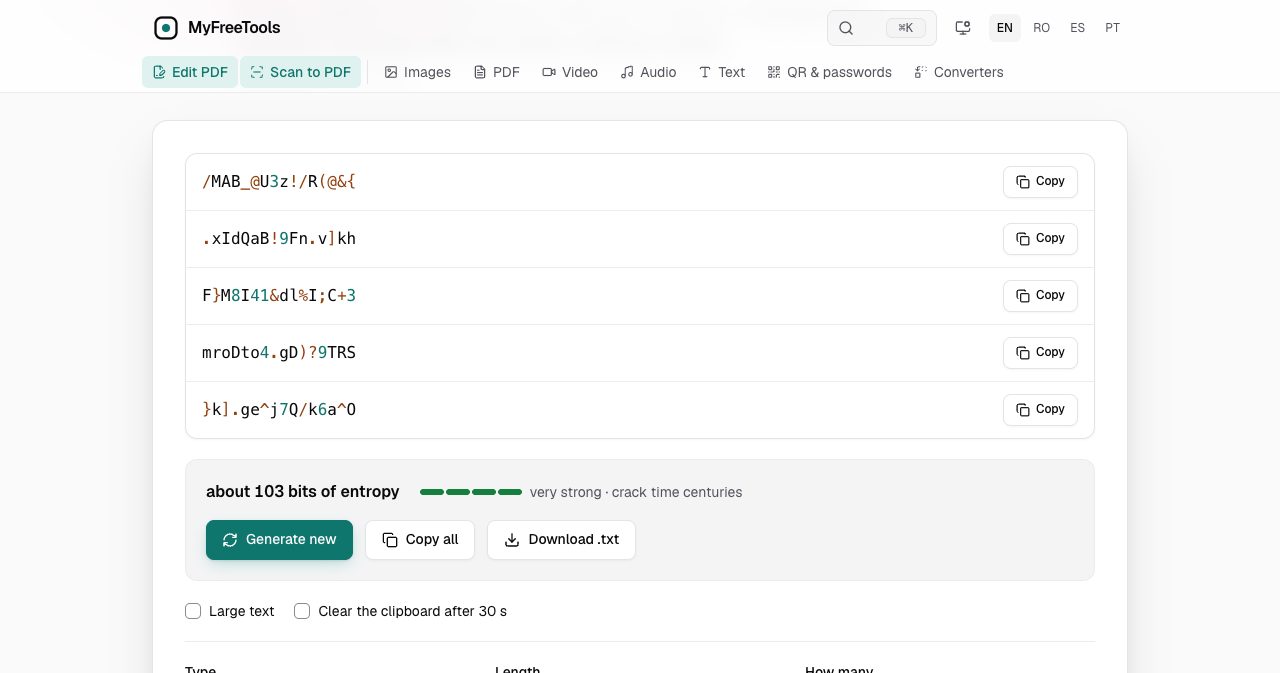
Passwords and QR codes. The password generator draws from the browser's cryptographic random source and shows an entropy estimate for what it produced: about 103 bits for the default 16-character set. It also makes passphrases from the EFF long word list and PINs, and can clear the clipboard after 30 seconds. The page is clear that it is not a password manager and saves nothing. The QR generator covers links, Wi-Fi, email and phone, with PNG or SVG output.
Is MyFreeTools safe to use for sensitive documents?
For the specific risk that most people worry about, a stranger's server holding a copy of your file, the answer is yes, and you do not have to rely on the site's word for it. The file never leaves the browser, which our request log and offline run both supported.
The privacy policy, last updated on November 8, 2026, lists what the site does collect:
- No cookies and no third-party scripts. There is no cookie banner because there is nothing to consent to.
- Anonymous counts kept on the site's own server: which tool ran, language, country, whether it succeeded, how long it took and a rough size bucket. Page views are counted with a self-hosted, cookie-free Umami instance.
- Error reports when a tool fails, with any file name removed, deleted after 90 days.
- Text you type into the feedback box, the request page or a search with no match. The policy asks you not to put personal data there.
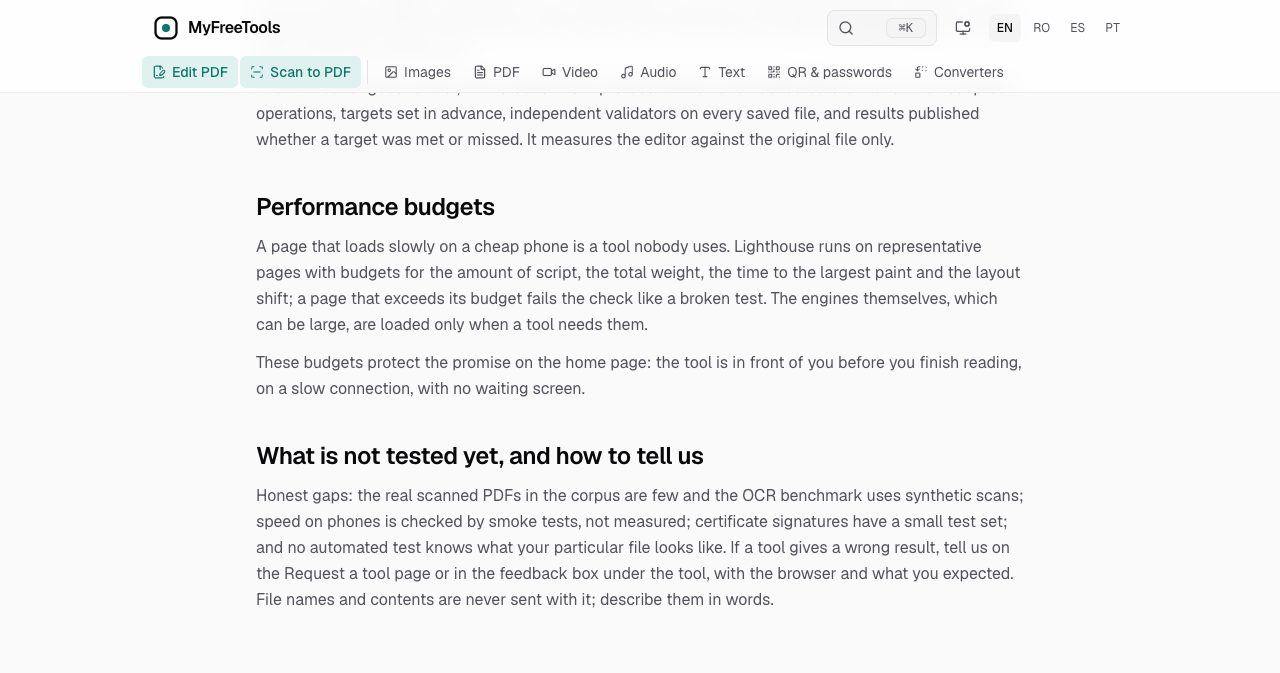
The site is also open about how it tests. Its "How we test" page describes thousands of automated tests on every change, run in the engines behind Chrome, Firefox and Safari plus a phone-sized viewport. More unusually, the same page lists what is not covered yet: few real scanned PDFs in the test corpus, phone speed checked by smoke tests instead of measured, and a small test set for certificate signatures.
One caveat belongs here, and the site's own guide makes it too: a local tool protects the file while it is being processed. It cannot protect a document you then email unencrypted. Browser extensions can also read any page you open, so run the check with extensions disabled if you want to be strict.
How do you check that a tool does not upload your files?
The method works on any website, and MyFreeTools publishes it as a guide called Check that a tool does not upload your files. It takes about two minutes:
- Open the tool's page and press F12, or Cmd+Option+I on a Mac.
- Go to the Network tab and clear the list.
- Run the tool on a real file.
- Read the requests. A tool that uploads shows a POST or PUT with a size close to your file's. A tool that works locally shows only small requests for its own scripts, or none.
- For a stricter check, set the Network tab to Offline and run the tool again. If it still works, the processing is local.
This is worth doing once on whichever file tool you use most, whatever its homepage says about security.
What open-source engines does MyFreeTools use?
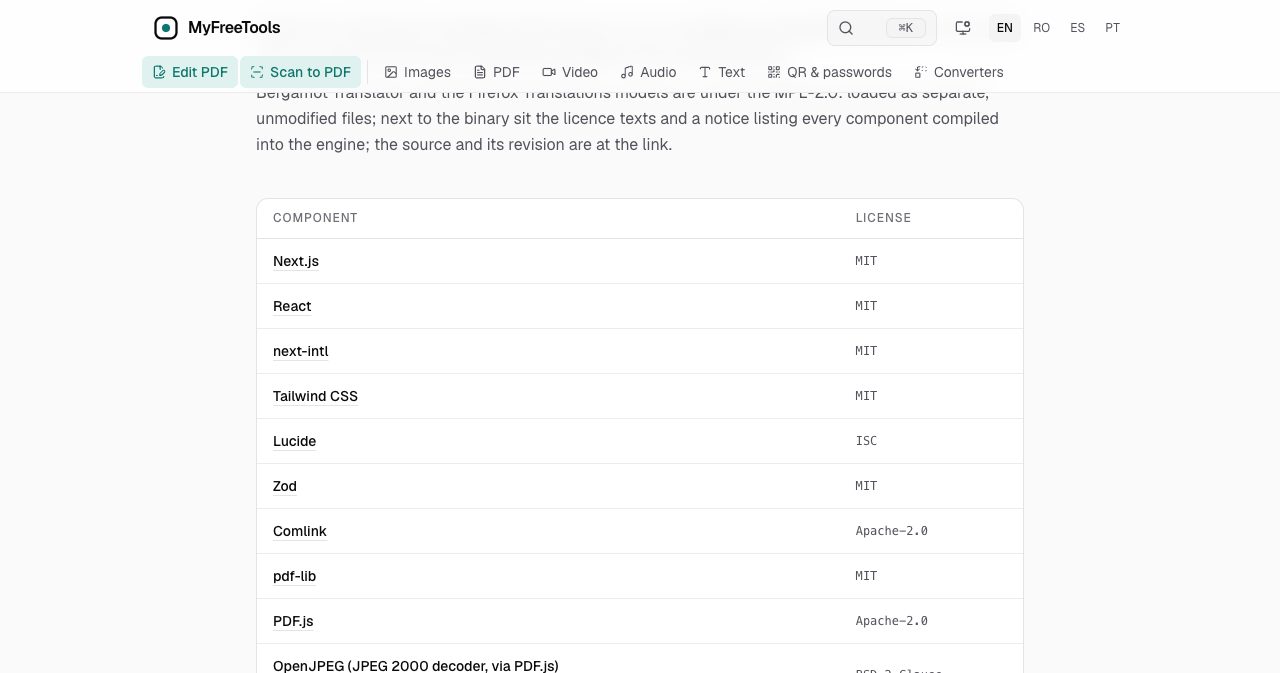
The Licenses page lists every component with its license, and notes which ones are loaded as separate files because their license requires it. The main engines:
| Job | Engine | License |
|---|---|---|
| JPEG, WebP, AVIF, PNG, JPEG XL | jSquash (MozJPEG, libwebp, libavif, OxiPNG, libjxl) | Apache-2.0 |
| Reading and writing PDFs | pdf-lib, PDF.js | MIT, Apache-2.0 |
| Password-protected PDFs | qpdf | Apache-2.0 |
| Text recognition | Tesseract, with 15 language models | Apache-2.0 |
| Translation | Bergamot Translator, Firefox Translations models | MPL-2.0 |
| Video and audio | Mediabunny, with the browser's own codecs | MPL-2.0 |
| MP3 output | LAME 3.100 | LGPL |
| HEIC photos | libheif | LGPL-3.0 |
| Archives | libarchive 3.7.2 | BSD-2-Clause |
| QR reading | zxing-wasm | MIT / Apache-2.0 |
Source: the Licenses page on myfreetools.com, updated November 8, 2026.
The page is equally clear about the other half: the site's own code, meaning its processing pipelines and interface, is not open source.
What are the guides like?
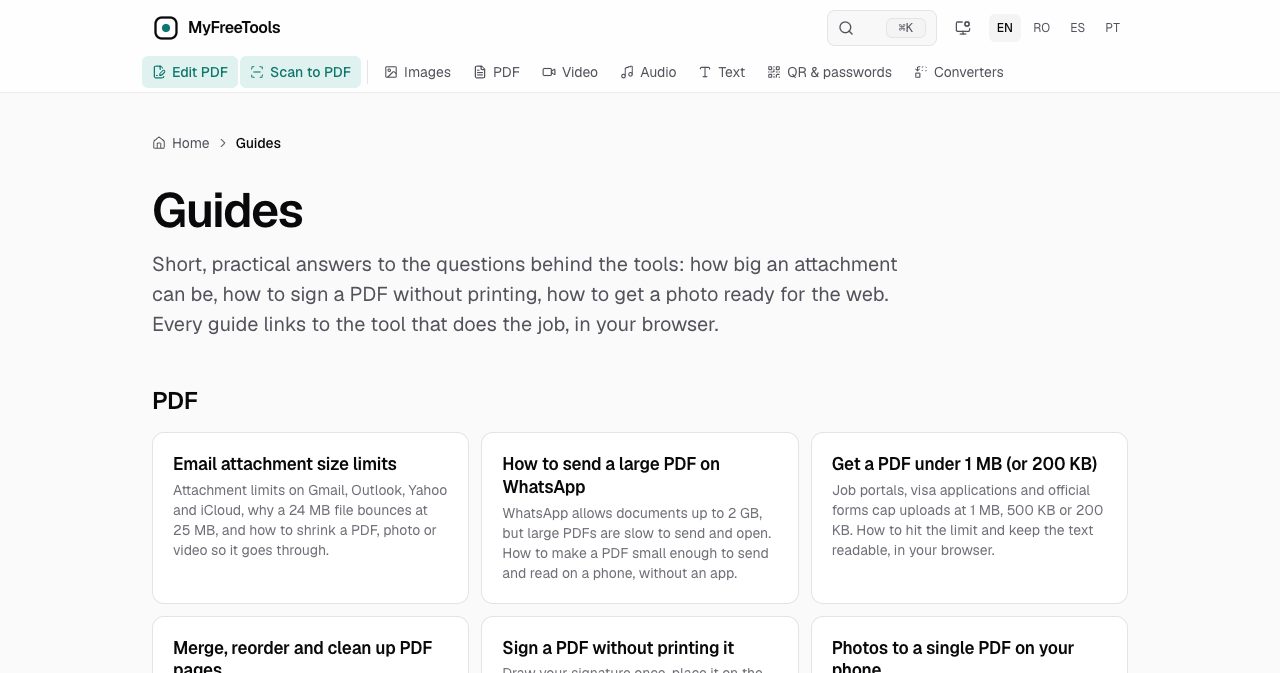
MyFreeTools publishes 24 short guides, and they are organized around the situation you are in more than around the tool. A few of the titles: email attachment size limits, getting a PDF under 1 MB or 200 KB, opening iPhone HEIC photos on Windows, a 35×45 mm passport photo at home, an ID card front and back in one PDF, fixing a sideways phone video, and turning a WhatsApp voice note into an MP3.
Each one explains the constraint first, such as why a scan from a phone is so large, and then links to the tool that deals with it. If you arrive with a problem and no idea which tool you need, the guides page is the better starting point than the tool list.
What are the limits of MyFreeTools?
Running everything in a browser has costs, and the site names most of them itself.
- Your device does the work. There is no server farm behind the page, so video compression takes minutes and large files depend on the memory you have. The PDF editor shows the size it can open on your device before the file loads.
- Offline needs a first run. As our test showed, a format you have never processed has to be used once online before it works without a connection.
- Some PDF text cannot be edited. Text inside pictures, text drawn as shapes and some older font types are covered and rewritten instead of edited in place. Tables drawn only with lines can have cells edited, but rows cannot be added or deleted yet.
- No handwriting recognition. OCR, searchable scans and translation all work on printed text.
- Translation is for understanding. It is automatic, it can be wrong on names, numbers and specialist terms, and it is not accepted where a certified translation is required.
- Video codecs depend on the browser. H.264, VP8, VP9 and AV1 are read everywhere. H.265/HEVC works only where the browser has it, such as Safari.
- The operator is not named yet. On November 14, 2026, the About and Privacy pages still showed a placeholder where the company name, address and contact email should be. The terms say Romanian and EU law apply. Since no file ever reaches the operator, this matters less here than it would for an upload service, but a named company would be a welcome addition.
Who is MyFreeTools for?
- Anyone handling personal paperwork. Payslips, ID copies, medical letters and contracts are the files you least want on someone else's server, and they are also the files that portals insist on shrinking, signing or scanning.
- People working under upload limits. The KB target in Compress image and Compress PDF is built for job portals, visa forms and email attachments.
- Phone-first users. Scan to PDF, the compressors and the editor's fill-and-sign features run in a mobile browser, and the site installs to the home screen.
- Travelers and anyone on a weak connection. After the first visit, the tools you have used work with mobile data off.
- Freelancers and small teams who cannot send client documents through a third-party service, and who want a free tool whose terms allow commercial use.
- People reading official mail in a second language. The translation tool is aimed at exactly this, in four interface languages.
If you need to convert a complex Word file with perfect fidelity, process hours of 4K footage, or produce a certified translation, a desktop application or a professional service is still the right choice.
Is MyFreeTools worth using?
Yes. It costs nothing, asks for nothing and does what it says, and the central claim is one you can check yourself in two minutes. In our tests the tools were quick, the results were honest about what had changed (the lossy warning on a PNG, the note about signatures), and the network log matched the counter on the page.
What sets it apart from other free tool sites is the amount of plain disclosure. The site tells you which fonts the editor can handle, why a file did not get smaller, what its tests do not cover and what a translation cannot be used for. A product that documents its own limits this carefully is easier to trust with a payslip.
The gaps are the ones you would expect from a young, browser-only project: speed tied to your hardware, a first online run before offline use, and an operator who has not put a name on the About page yet. None of them changes the basic appeal. If you have a file to compress, sign, scan or convert today, open the tool, press F12 if you are curious, and watch nothing leave.
FAQ
What is MyFreeTools?
MyFreeTools (myfreetools.com) is a free collection of 55 file tools that run in your web browser: 22 for PDFs, 13 for video, 6 for audio, 5 for images, 3 for text, 3 for QR codes and passwords, and 3 converters. The tools are WebAssembly programs that the browser downloads once and runs on your own device, so the files you open are never uploaded to a server. There is no account, no daily limit and no watermark on the results.
Is MyFreeTools really free?
Yes. As of November 14, 2026, every tool on MyFreeTools is free, with no sign-up, no email address, no daily quota and no watermark on the output. The site shows no ads and has no paid plan. Its terms of use allow both personal and commercial use.
Does MyFreeTools upload my files?
No. Files are read into your device's memory and processed there by your browser. In our test in Google Chrome on November 14, 2026, compressing a 1.1 MB PNG and a 1 MB PDF triggered requests only for the site's own scripts and codec files, plus one small call to the site's usage counter. The counter under each result read 0 requests and 0 B of network traffic while processing.
How can I check that MyFreeTools does not upload my files?
Open a tool page, press F12 (Cmd+Option+I on a Mac) and go to the Network tab. Clear the list, run the tool on a real file and look for a POST or PUT request close to the size of your file. A tool that uploads shows one. MyFreeTools shows only small requests for its own files. For a stricter check, switch the Network tab to Offline and run the tool again.
Does MyFreeTools work offline?
Yes, for tools and formats you have already used once. A service worker keeps the pages and engines in your browser. In our test, a JPG compressed with the network switched off, and again after an offline reload. A PNG failed offline because its codec had not been downloaded yet, so run each format once while you are online before you rely on it offline.
Can MyFreeTools edit the existing text in a PDF?
Yes, where the font allows it. The Edit PDF tool changes text in the page itself when the font is embedded as TrueType or OpenType, which is the usual case for PDFs made with Word, LibreOffice or Google Docs. If you type a letter the embedded font lacks, the editor shows a substitute font next to the original before you save. Text inside pictures and text drawn as shapes cannot be edited, only covered.
What are the file size limits on MyFreeTools?
Limits depend on the tool and on your device's memory. Compress image takes up to 50 files of 100 MB each, Compress PDF up to 20 files of 200 MB each, and Compress video up to 5 files of 2 GB each. Scan to PDF handles up to 100 pages per scan. The PDF editor opens one file at a time and shows the size it can take on your device before the file opens.
Does MyFreeTools work on a phone?
Yes. The tools run in the browser on iPhone and Android with nothing to install, and the site can be added to the home screen as an app. Scan to PDF uses the phone's camera directly. Heavy jobs such as video compression are slower on a phone than on a laptop, and the site advises keeping the page in front while it works.
What data does MyFreeTools collect?
According to its privacy policy, updated November 8, 2026, MyFreeTools sets no cookies and loads no third-party scripts. It keeps anonymous, aggregated counts on its own server: which tool ran, language, country, success, duration and a rough size bucket. Failed runs send an anonymous error report with any file name removed, deleted after 90 days. Text typed into feedback, requests or search is stored.
Is MyFreeTools open source?
Partly. The engines that do the processing are open-source projects, including MozJPEG, pdf-lib, PDF.js, Tesseract, Bergamot Translator, qpdf and libarchive, and each one is listed with its license on the site's Licenses page. The site's own code, meaning the processing pipelines and the interface, is not open source.
Who runs MyFreeTools?
The site does not name its operator yet. On November 14, 2026, the About and Privacy pages still showed a placeholder where the company name, address and contact email belong. The terms of use say the service is governed by the laws of Romania and the European Union.
Can I use a MyFreeTools translation for an official application?
No. Translate a document produces an automatic translation for your own understanding. The tool states that it is not a certified translation, and the saved PDF carries a line saying so. For anything you must sign or submit, MyFreeTools itself recommends a certified translator or the office that sent you the paper.
If you are building a tool like this yourself, SaaSCity is a human-reviewed startup directory with a live city map where a listing is a permanent page other founders actually see. Submitting takes about ten minutes.
Get your SaaS in front of founders
List your product on SaaSCity for $19.99, one-time: a permanent listing and a building on the live city map.