Reviews
HaloVoice Review 2026: Real-Time Voice Translation for Discord, OBS and Zoom Through One Virtual Mic
HaloVoice (halovoice.app) translates your speech in real time and sends the translated voice into Discord, OBS, Zoom, Teams, Google Meet and in-game chat through a virtual microphone. We walk through how it works, the v1.0.1 two-way update, Voice Studio, pricing, privacy terms and who it suits best in 2026.

Contents (14)
- What is HaloVoice?
- Why the virtual microphone approach matters
- How to set up HaloVoice in 5 steps
- Features that stand out
- HaloVoice for gaming
- HaloVoice for streamers
- HaloVoice for meetings
- Supported languages
- HaloVoice pricing (2026)
- Privacy and voice-cloning rules
- System requirements
- HaloVoice vs other translation tools
- Who should use HaloVoice?
- Verdict
Quick answer: HaloVoice is a real-time AI voice translator for streaming, gaming and meetings. You speak in your language, and HaloVoice sends a translated voice plus live captions into Discord, OBS Studio, Zoom, Microsoft Teams, Google Meet, Slack or in-game voice chat. It does this by acting as a virtual microphone, so there is no bot to invite and no plugin to install in each app. It runs on Windows 10/11 and macOS 10.15+, supports 30+ languages, and starts free with 60 minutes a month. Pro is $9.90 per month.
Most translation tools ask you to leave the conversation to use them. You copy text into a box, wait, read the result, and paste it back. That works for an email. It does not work when your Discord squad is calling rotations, when a Twitch chat full of viewers from five countries is waiting on your next sentence, or when a client in Madrid is on the other side of a Zoom call.
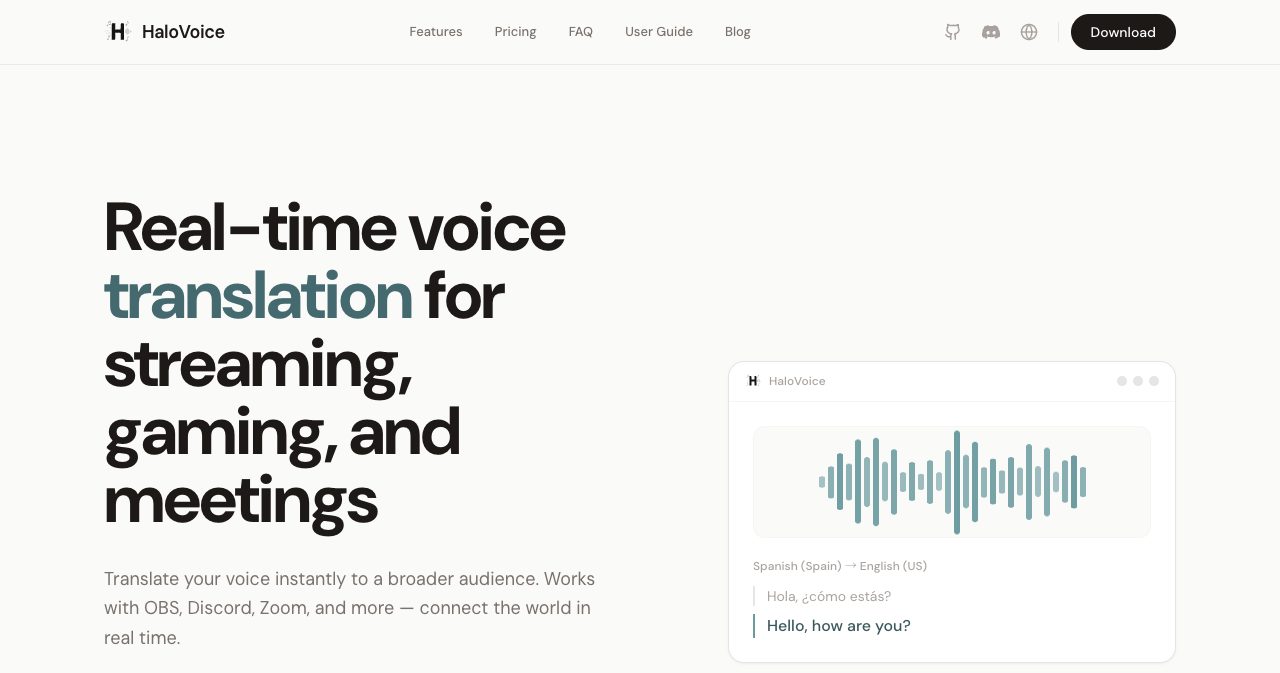
HaloVoice takes a different route. It sits between your real microphone and the apps you already use, translates your speech as you talk, and hands those apps a translated voice. The people listening do not need to install anything. They just hear you in their language.
This review covers what HaloVoice does, how the setup works, what changed in the v1.0.1 update, the Voice Studio and dictionary features, pricing, privacy terms, and who will get the most out of it.
What is HaloVoice?
HaloVoice is a real-time voice-to-voice translator and live-caption app built by Halo AI Labs. Its own one-line description is "real-time voice translation for streaming, gaming, and meetings."
The product has three parts:
| Part | What it does |
|---|---|
| Web console (console.halovoice.app) | Sign in, pick your mic and languages, start a translation session |
| Desktop client (Windows and macOS) | Installs the virtual audio driver, adds a movable subtitle overlay |
| HaloVoice Virtual Microphone | The audio device other apps select to receive your translated voice |
You sign up with Google or email. HaloVoice is available for users aged 13 and over, and its terms are governed by California law.
Why the virtual microphone approach matters
The most interesting decision in HaloVoice is architectural. It does not try to be a Zoom app, a Discord bot or a game mod. It presents itself to your operating system as a microphone.
That has practical consequences:
- It works almost everywhere. If an app lets you choose an input device, it can use HaloVoice. The official list covers OBS Studio, Discord, Zoom, Microsoft Teams, Google Meet, Slack, Steam, Twitch, YouTube and TikTok workflows.
- Nobody else needs to set anything up. Your Discord server admin does not have to approve a bot. Your meeting host does not have to enable an add-on. The people on the other end hear a normal voice.
- One setup covers every server and every call. Set the Discord input device once, and it applies across all your servers.
- It stays out of the game. HaloVoice says it does not inject code into games, read game memory or overlay the game window. To a game, it looks like any other headset.
How to set up HaloVoice in 5 steps
The official flow is short. Here it is for Discord, which is the most common first use:
- Open HaloVoice. Go to the HaloVoice web console or install the Windows or macOS client. The Windows installer adds the virtual audio driver automatically.
- Sign in with Google or email.
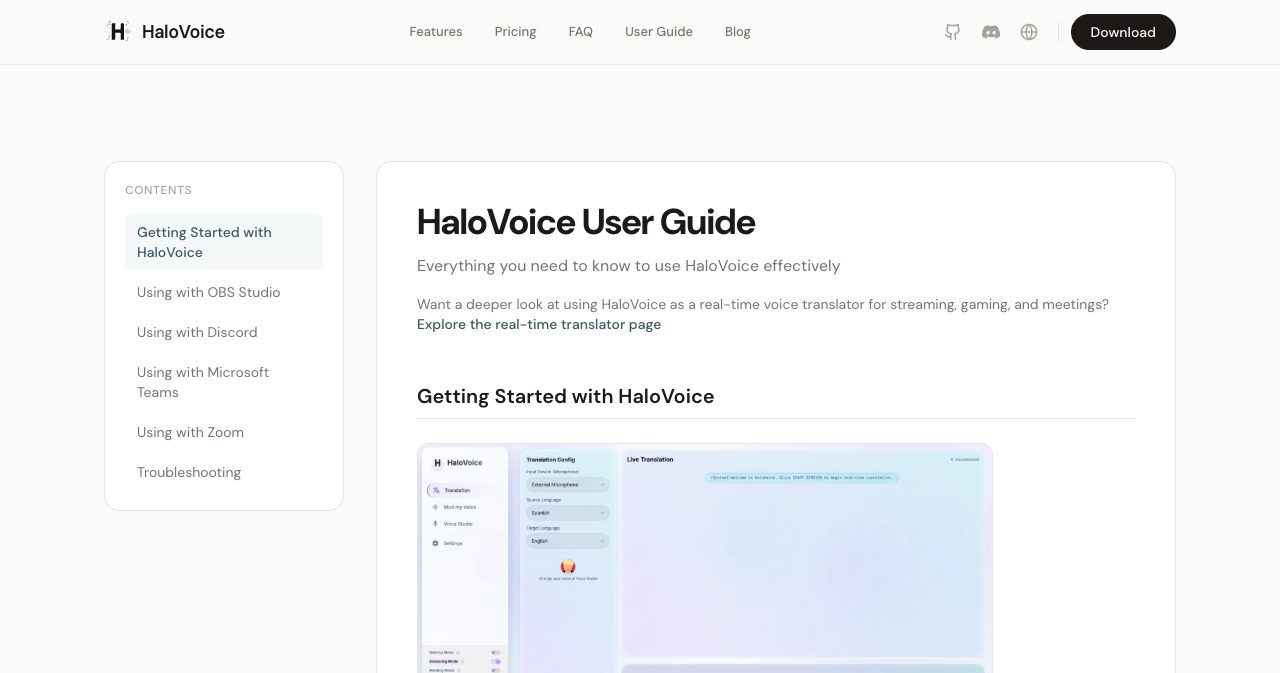
- Choose your microphone, source language and target language. For example: your headset mic, Spanish to English.
- Click Start Session.
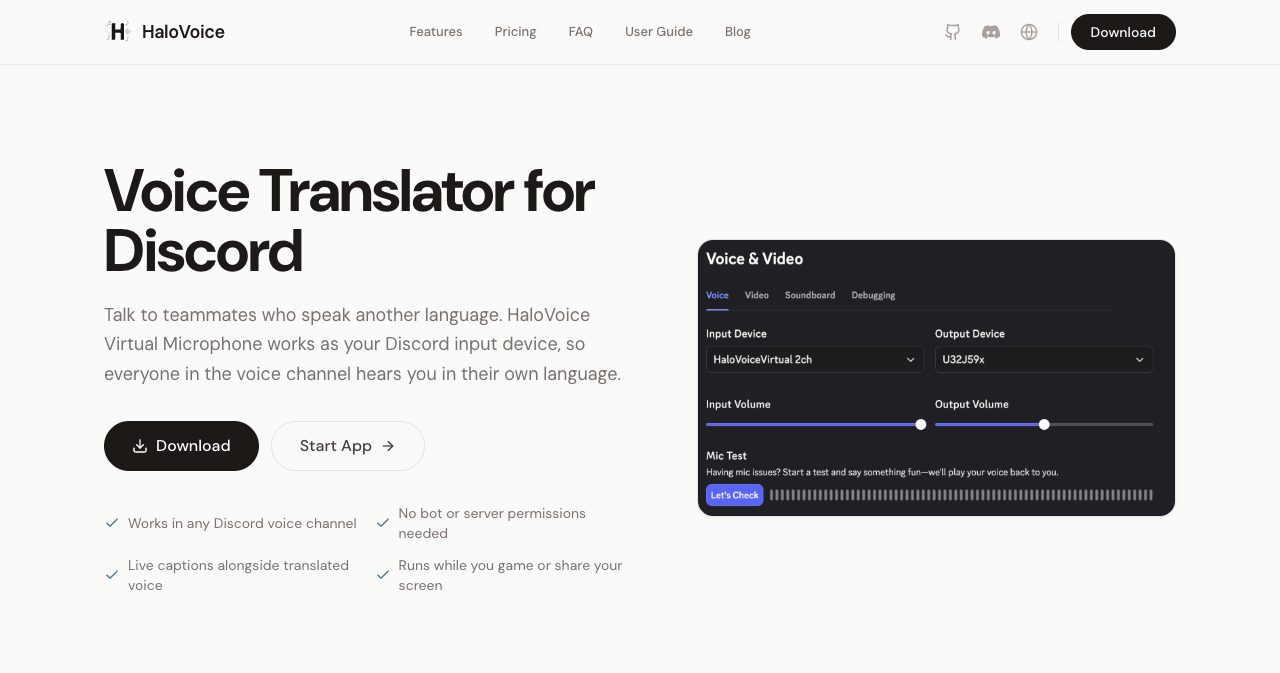
- In Discord, go to User Settings, then Voice & Video, and set Input Device to HaloVoice Virtual Microphone. Speak normally. Your channel hears the translated voice.
The same pattern works in other apps:
| App | Where to select HaloVoice Virtual Microphone |
|---|---|
| OBS Studio | Add an Audio Input Capture source, choose HaloVoice Virtual Microphone |
| Discord | User Settings, Voice & Video, Input Device |
| Zoom | Settings, Audio, Microphone |
| Microsoft Teams | Settings, Devices, Microphone |
| Google Meet / Slack | Audio settings, microphone input |
| In-game voice chat | The game's audio or voice settings, input device |
Two tips from the guide are worth knowing. First, use "Hear what others hear" to preview the exact audio your listeners get before you go live. Second, if Discord, OBS or Zoom was already open when you installed the driver, restart that app once so it sees the new device.
Features that stand out
Real-time voice translation and live captions
The core feature translates your outgoing voice and shows captions with both the original and translated text. HaloVoice says typical latency is under 200 milliseconds, depending on device and network. It also includes noise cancellation to keep the output clean in a noisy room.
Two-way translation (new in v1.0.1)
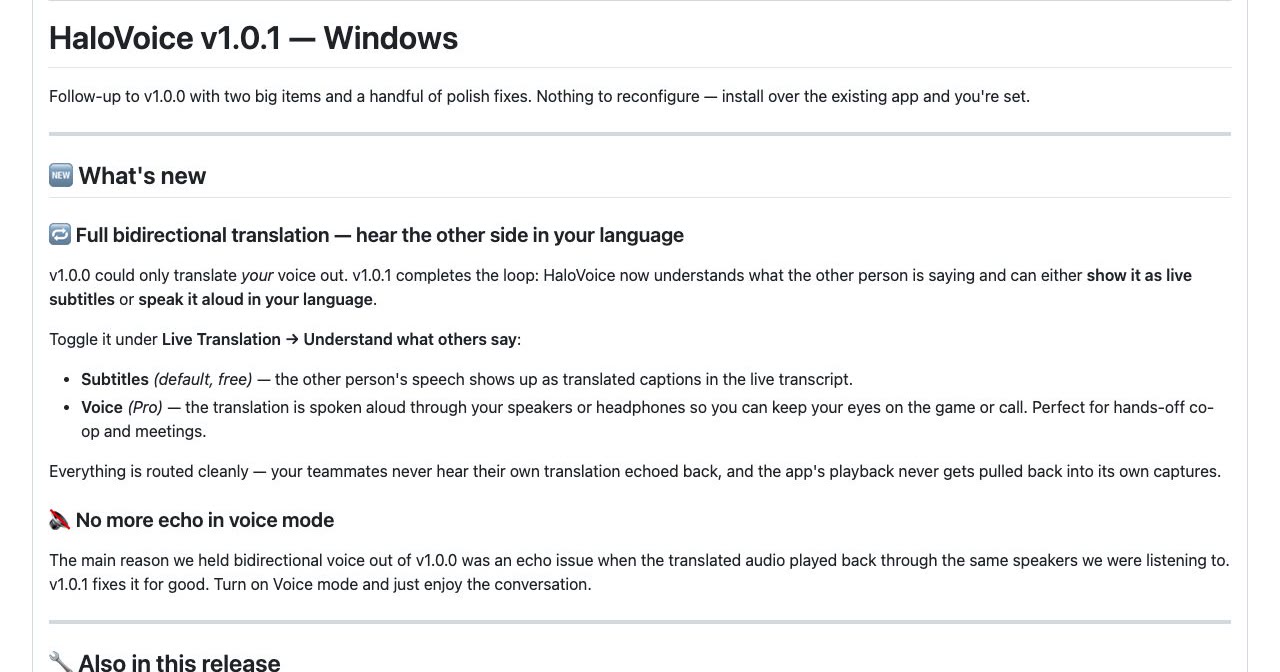
Version 1.0.0 translated only your outgoing voice. The v1.0.1 Windows release on 1 July 2026 completed the loop. HaloVoice can now also understand what the other person says, in one of two ways:
- Subtitles (default, free): the other person's speech appears as translated captions in your live transcript.
- Voice (Pro): the translation is spoken aloud in your headphones, so you can keep your eyes on the game or the call.
You turn it on under Live Translation, then Understand what others say.
The release notes are refreshingly direct about why this took a second version. Two-way voice was held back from v1.0.0 because of an echo problem when translated audio played through the same speakers the app was listening to. The team says v1.0.1 fixes it, and that your teammates never hear their own translation echoed back. Upgrading is simple too: install over v1.0.0 with no reconfiguration.
Scenario modes for gaming, streaming and meetings
HaloVoice ships with three modes tuned for different situations:
| Mode | What it is tuned for |
|---|---|
| Gaming | Lowest latency |
| Streaming | Studio-grade audio |
| Meeting | Balanced audio with noise suppression |
There is also an AI Precision Control slider so you can trade a little speed for accuracy, or the other way around.
Voice Studio and voice cloning
Voice Studio lets you pick a premium voice profile or create a clone of your own voice, so listeners hear something close to you speaking their language rather than a generic text-to-speech voice. A separate Voice Mod option changes your voice style without translating at all.
This is the feature HaloVoice leans on hardest when it compares itself with Google Translate, DeepL and Microsoft Translator, none of which offer a cloned voice for live conversations. Cloning is part of the Pro plan. Referrals are a nice extra: when you invite a friend, both of you get 7 days of unlimited premium voices.
Custom dictionary
The dictionary accepts up to 100 custom terms, such as product names, teammate names, game callouts or internal code names. New entries apply from your next session. It is a small feature, but it is what separates a tool for real work from one built for travel phrases. If your product is called something unusual, this is where you teach HaloVoice to say it correctly.
Subtitle overlay
The desktop client includes a draggable, always-on-top subtitle bar. Streamers can position it over their scene, and meeting users can keep it near the speaker's video.
HaloVoice for gaming
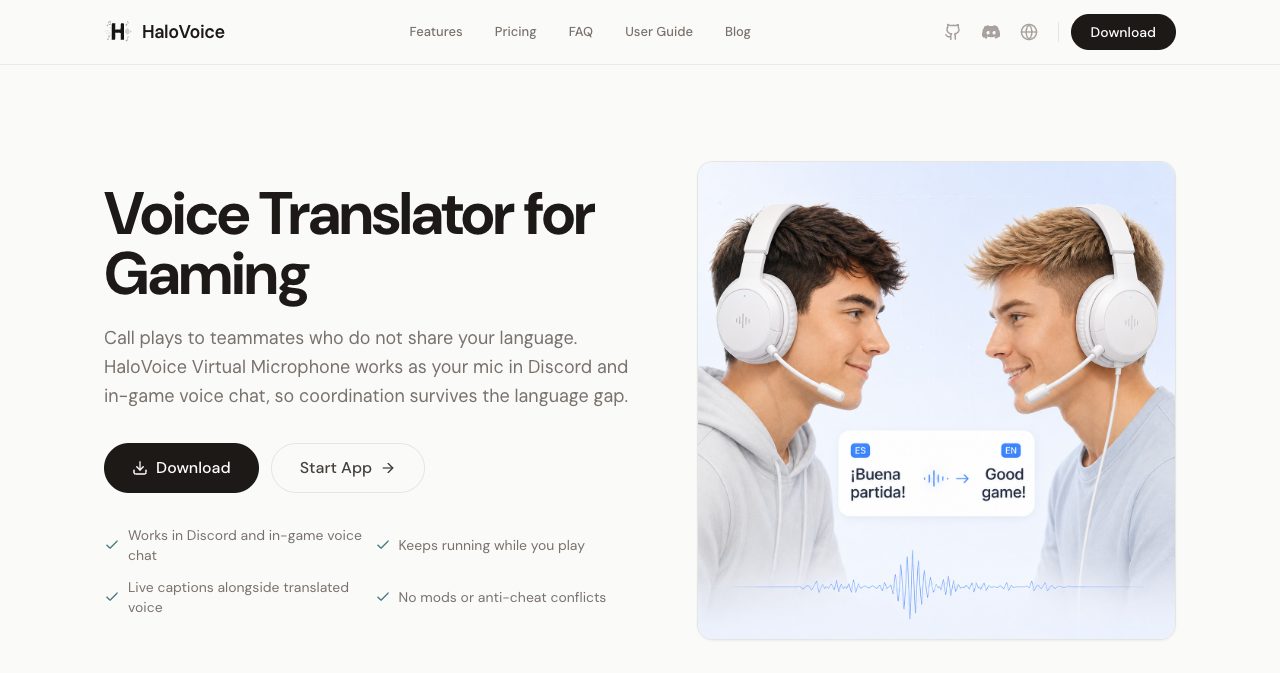
Gaming is where the virtual mic design pays off most. Multiplayer lobbies mix languages constantly, and good callouts depend on speed.
HaloVoice works in both Discord and in-game voice chat, and it keeps running while you play. The Gaming mode prioritizes latency, and the company says the app is built to be light on CPU so your frame rate stays stable. On the ban question, HaloVoice's answer is its architecture: it is a standard audio device with no code injection, no memory reading and no game overlay. That is the same footprint as a USB headset. If you play a title with very strict third-party software rules, it is still sensible to check that game's policy.
HaloVoice for streamers
For streamers on Twitch, YouTube or TikTok, the value is audience reach. You can keep talking in your native language while a translated voice and bilingual captions go out through OBS. Add HaloVoice Virtual Microphone as an Audio Input Capture source, pick the Streaming mode for better audio quality, and place the subtitle overlay in your scene.
HaloVoice for meetings
In Zoom, Teams, Google Meet or Slack huddles, HaloVoice fits bilingual calls, sales demos, customer onboarding and support. The Meeting mode balances audio quality with noise suppression, and v1.0.1's inbound subtitles mean you can follow the other side of the conversation too.
HaloVoice's own blog is honest about the limit here: for legal, medical, diplomatic or other highly sensitive work, a professional human interpreter is still the right choice. For everyday business conversations, the tool is built to remove friction.
Supported languages
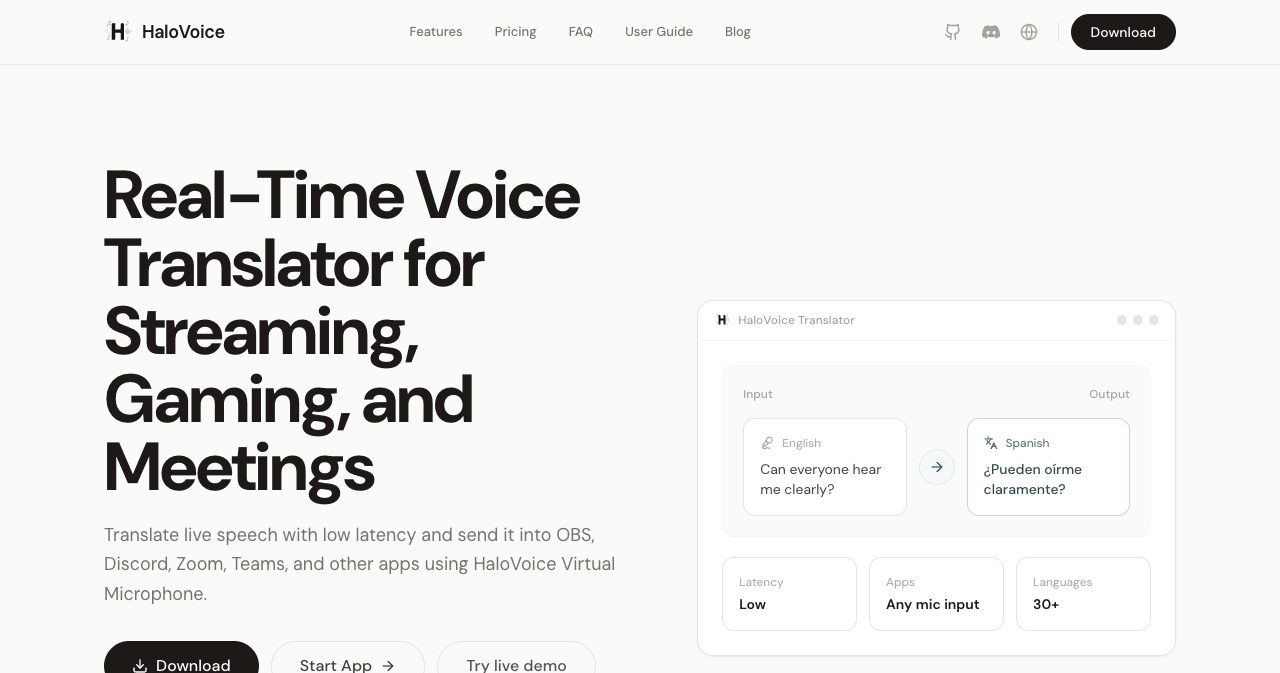
HaloVoice supports 30+ languages. The ones named on its site include English, Spanish, French, German, Japanese, Korean, Mandarin, Portuguese and Arabic. The full list lives in the source and target dropdowns inside the app, so check there for your specific language pair before you commit to a paid plan.
HaloVoice pricing (2026)
| Plan | Price | What you get |
|---|---|---|
| Free | $0 | 60 minutes per month, live captions and translation, works with OBS, Zoom and Discord, no credit card required |
| Pro | $9.90 / month | Unlimited translation, all languages, priority processing, premium voices, custom voice cloning, premium support, early access to features |
| Enterprise | Custom | Dedicated server, API access, SLA, 24/7 support, SSO |
Paid plans renew automatically unless you cancel before the end of the billing cycle. Pricing is flat per user, which keeps the maths simple. At under ten dollars a month, Pro costs less than most single streaming subscriptions, and the free 60 minutes are enough to test a real Discord session or a meeting before you decide.
Privacy and voice-cloning rules
HaloVoice publishes Terms of Service and a Data Processing Agreement, both last updated 11 February 2026. The key points:
- Audio is processed to deliver the translation feature.
- Your audio is not used to train shared models unless you opt in.
- Voice-clone recordings are used only to build and maintain your own voice model, with your consent.
- HaloVoice says it does not sell personal data and aims to comply with GDPR and CCPA/CPRA.
- Business customers get a DPA where HaloVoice acts as the processor and the customer is the controller.
The voice-cloning rules are clear and sensible. You may only clone a voice that is yours or that you have explicit permission to use. Impersonation without consent, fraud and harassment are prohibited, and HaloVoice can disable voice models that break the rules. For a tool that can reproduce a voice, that is the right line to draw.
Teams with strict data-residency needs should ask about hosting regions and subprocessors through the Enterprise plan, which also offers a dedicated server.
System requirements
| Requirement | Recommendation |
|---|---|
| Operating system | Windows 10/11 (64-bit) or macOS 10.15+ |
| Processor | Intel i3 / AMD Ryzen 3 or better |
| Memory | 4 GB minimum, 8 GB recommended |
| Internet | Stable connection, 10 Mbps or faster |
There is also the browser-based console for getting started without installing anything.
HaloVoice vs other translation tools
| Capability | HaloVoice | Google Translate | DeepL | Microsoft Translator |
|---|---|---|---|---|
| Real-time voice translation | Yes | Partial | No | Yes |
| Two-way live conversation | Yes | Partial | No | Partial |
| AI voice cloning | Yes | No | No | No |
| Works as a mic in Discord, OBS, Zoom | Yes | No | No | No |
| Text and document translation | Partial | Yes | Yes | Yes |
Capability comparison based on HaloVoice's own published comparison and each product's public feature set.
The short version: Google Translate, DeepL and Microsoft Translator are excellent at text and documents. Zoom and Teams have native caption features that only work inside those apps. HaloVoice's advantage is that one tool covers every app with a microphone, adds a translated voice rather than only captions, and can make that voice sound like you. Other names in the category include Palabra, JotMe, Wordly, Maestra and DeepL Voice, which lean more toward meetings and events.
Who should use HaloVoice?
A good fit for:
- Gamers in international Discord servers or mixed-language lobbies who want to talk, not type.
- Streamers and creators who want to reach viewers beyond their native language on Twitch, YouTube or TikTok.
- Remote and global teams running bilingual Zoom, Teams or Meet calls for sales, onboarding or support.
- Anyone who switches apps a lot, since one virtual mic covers all of them.
Look elsewhere if you need:
- Certified interpretation for legal, medical or diplomatic settings.
- A native mobile app. HaloVoice currently targets Windows, macOS and the browser.
- Mostly written document translation, where DeepL or Google Translate are better tools.
Verdict
HaloVoice has a clear idea and executes it cleanly: be the microphone, and translation works everywhere you already talk. Setup takes a few minutes, the free tier is generous enough for a real test, and Pro at $9.90 a month adds unlimited use and a cloned voice that makes translated speech feel personal. The v1.0.1 update turned it into a genuine two-way tool, and the changelog shows a team that explains its decisions openly.
It is a young product, launched in 2026, and it is moving quickly. If you game, stream or meet across languages, it is worth trying today. The easiest way to start is to try HaloVoice free for 60 minutes using the official setup guide, then point Discord or OBS at the virtual mic and hear the difference for yourself.
Building a tool like this yourself? You can launch your product on SaaSCity and put it in front of founders and early adopters.
Get your SaaS in front of founders
List your product on the SaaSCity live city map - a permanent listing, real discovery, and a backlink from a high-DR directory. Free to start; upgrade for a dofollow link and a building on the map.