Launch & Growth
Best Mac App Directories in 2026: 11 Places to List or Find Mac Software, Checked Live
MacUpdate was listing Mac software 14 years before the Mac App Store opened, and four Mac-only directories for indie apps now sit beside it. We opened 11 of them on November 14, 2026 and wrote down what each one showed: app counts, free listing rules, paid placement prices and who reviews submissions. We run SaaSCity, a startup directory, so we read these pages the way a competitor would.

Contents (15)
- Key takeaways
- Mac app directories at a glance
- Why do Mac apps need directories when the Mac App Store exists?
- How we checked these directories
- The four Mac-only directories for indie apps
- Two catalogs that cover every Apple platform
- The established places Mac users already search
- What does it cost to list or feature a Mac app?
- Is trading a badge for a listing worth it?
- Which Mac app directory fits your app?
- How to submit a Mac app to directories in 14 days
- Beyond directories: where a Mac launch gets its first users
- Where SaaSCity fits
- FAQ
- Sources
The Mac App Store opened in 2011. MacUpdate had already been listing Mac software for 14 years by then, and it still is.
Quick answer: The best Mac app directories in 2026 fall into two groups. Four newer Mac-only sites take free submissions from indie developers: MacBase (332 apps), MacNative (295), MacPip (289) and Mac App Index (221). The older, bigger places are MacUpdate (32,000+ apps), AlternativeTo (29,216 Mac titles), Setapp (a paid catalog of 300+ apps), Awesome Mac on GitHub (118,497 stars) and Homebrew Cask (7,833 casks). Every figure here was read from the live site on November 14, 2026.
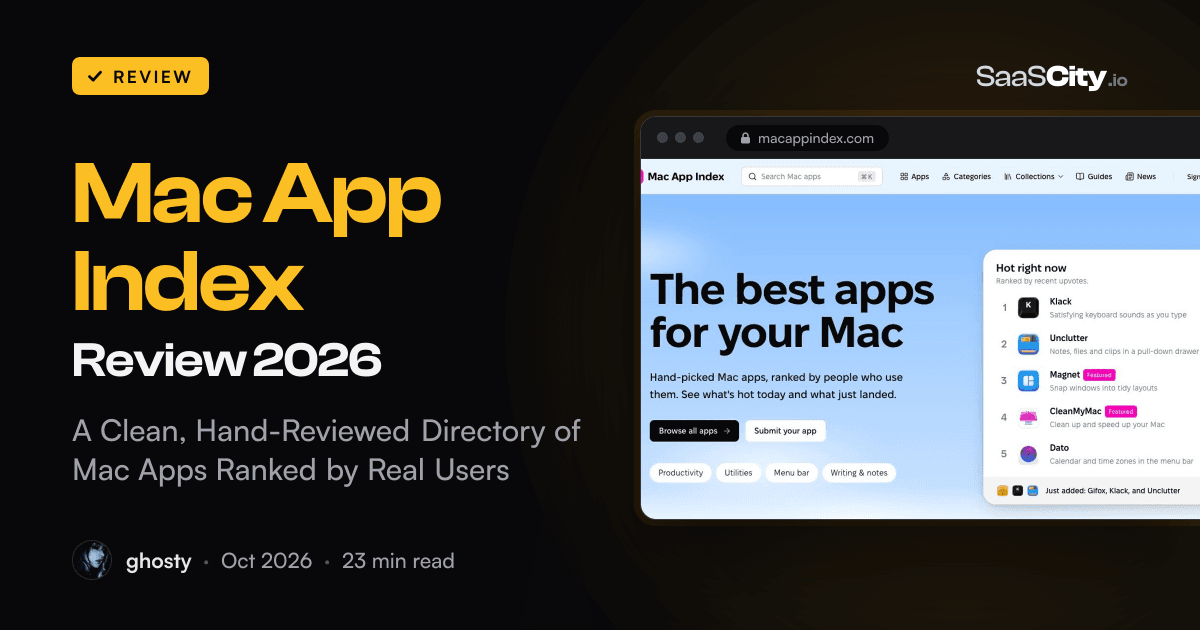
Two disclosures before the list. We run SaaSCity, a startup directory, so some of these sites compete with us for the same makers. And Mac App Index paid for a sponsored review on this blog in October. It gets the same treatment as everyone else here: the Mac-only directories are ordered by how many apps they list, which puts it fourth.
Key takeaways
- Four Mac-only directories take free submissions from indie developers, and each lists between 221 and 332 apps. A new app is visible in a catalog that size in a way it never is among 30,000.
- "Free" means different things. Mac App Index and NativeShelf ask for a badge on your website. MacBase and MacPip give you a plain listing without one, and MacPip asks for the badge only if you want a free launch day.
- Paid placement is cheap. The entry tier costs between 9 euros and $20 on every site that publishes a price.
- MacNative is the only one that rejects Electron apps in writing. Its guidelines turn away browser wrappers and ask for native code.
- The Domain Rating numbers on these pricing pages are self-reported, and Ahrefs changes how the number is calculated on December 1, 2026. Pick directories for the people who browse them.
- Awesome Mac has about 1,900 open pull requests. Submit, but don't plan a launch around it.
Mac app directories at a glance
| Directory | Size on Nov 14, 2026 | Focus | Free route | Paid placement | Who reviews |
|---|---|---|---|---|---|
| MacBase | 332 apps | Mac only, any source | Free | Featured: $20 a week, $59 a month, $149 for 90 days | AI review, a person checks the rest |
| MacNative | 295 apps | Native Mac apps | Free | Launch Boost $15 once, Pro $29 per app a month | By hand, against published guidelines |
| MacPip | 289 apps | Mac only, daily launches | Free | Paid launch $19.99 once, Featured $25 for 7 days | A check, usually within minutes |
| Mac App Index | 221 apps | Mac only, upvote ranking | Free with badge | Featured, price on request | A person reviews every app |
| NativeShelf | 61+ apps | Mac, iPhone, iPad, Watch, Vision Pro | Free with badge | Premium 9 euros once, Launch Week 29 euros | A person, for free listings |
| Indie App Catalog | 2,538 apps | Indie apps on Apple platforms | Submit form | None seen | Hand-curated |
| MacUpdate | 32,000+ apps | Mac downloads and updates | Add App link (not tested) | By email | Listed by MacUpdate's team |
| AlternativeTo | 29,216 Mac titles | Alternatives, all platforms | Account | Partner slots | Community |
| Setapp | 300+ apps | Paid subscription catalog | Apply | Revenue share | Technical review |
| Awesome Mac | 118,497 stars | GitHub reference list | Pull request | None | Maintainers |
| Homebrew Cask | 7,833 casks | Command-line installs | Pull request | None | Maintainers and CI |
Sizes are what each site showed on its own pages that day. "Free with badge" means the free listing needs a link back from your website.
Why do Mac apps need directories when the Mac App Store exists?
Because plenty of Mac software never goes through Apple. Developers sell from their own sites to keep licensing flexible, skip the sandbox or avoid the commission, and open source apps live on GitHub. The Mac App Store can't list any of that, and it has no filter for "native on Apple silicon" or "pay once".
One number makes the point. Homebrew's cask tap, the part of Homebrew that installs apps from the vendor's own download, listed 7,833 casks when we counted its public API on November 14. That is thousands of maintained install recipes for software you download outside the App Store.
The other half of the problem is stale advice. Search for the best Mac apps and you get roundups written two or three years ago, with old prices and apps that stopped shipping updates. The newer directories exist to fix that. They show the price, the minimum macOS version and the date an app was added, and several of them publish how their ranking works.
There is also a newer reader to think about. People now ask ChatGPT, Claude or Perplexity for "a clipboard manager for Mac that isn't a subscription". An assistant can only repeat facts it can find stated plainly somewhere, and a directory page that lists price, macOS version and what the app does is that kind of page. MacBase goes furthest here with a read-only MCP server and an llms.txt file, which we cover below. We wrote up the general method in our GEO playbook.
How we checked these directories
We opened every site in Google Chrome on November 14, 2026 and read the homepage, the pricing or advertise page, the submission rules and, where one existed, the ranking or editorial policy. App counts are the numbers the sites print about themselves. GitHub stars and the Homebrew cask count come from their public APIs.
Three limits. We did not submit a test app, so review times are the sites' own claims. We could not load Reddit from our crawler, so r/macapps appears without numbers. And one screenshot (AlternativeTo) was dropped because a consent popup covered it.
The four Mac-only directories for indie apps
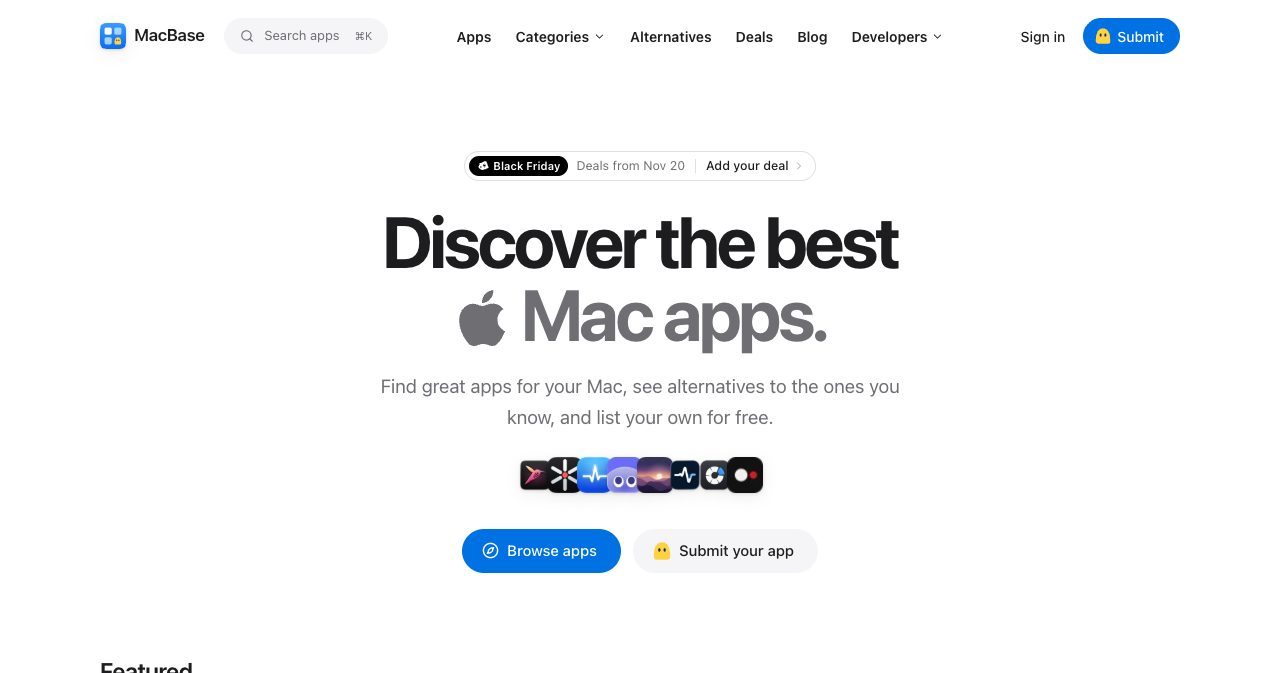
1. MacBase: the same facts on every app page
MacBase is the newest site we could put a date on, and already the largest of the four. Its llms.txt file said 332 apps were listed on November 14, with alternatives pages for 308 well-known apps. According to a review written by its founder on November 4, it launched at the end of October 2026 and had 160 apps after one week, so the catalog has roughly doubled since.
What sets it apart is consistency. Every app page shows the price, the oldest macOS version supported, whether the app runs natively on Apple silicon and whether Apple has notarized it. Categories are named after jobs (clipboard, window management, dictation, coding agents), and there are separate pages for open source apps sorted by GitHub stars and for apps that work offline.
Listing is free. You paste a Mac App Store link, a website or a GitHub repository and MacBase drafts the listing for you to correct. The founder's review says an AI review publishes listings that are clearly real Mac apps and a person checks everything else, usually within a day. Adding the MacBase badge to your site is optional and earns a check mark plus a spot above unverified apps.
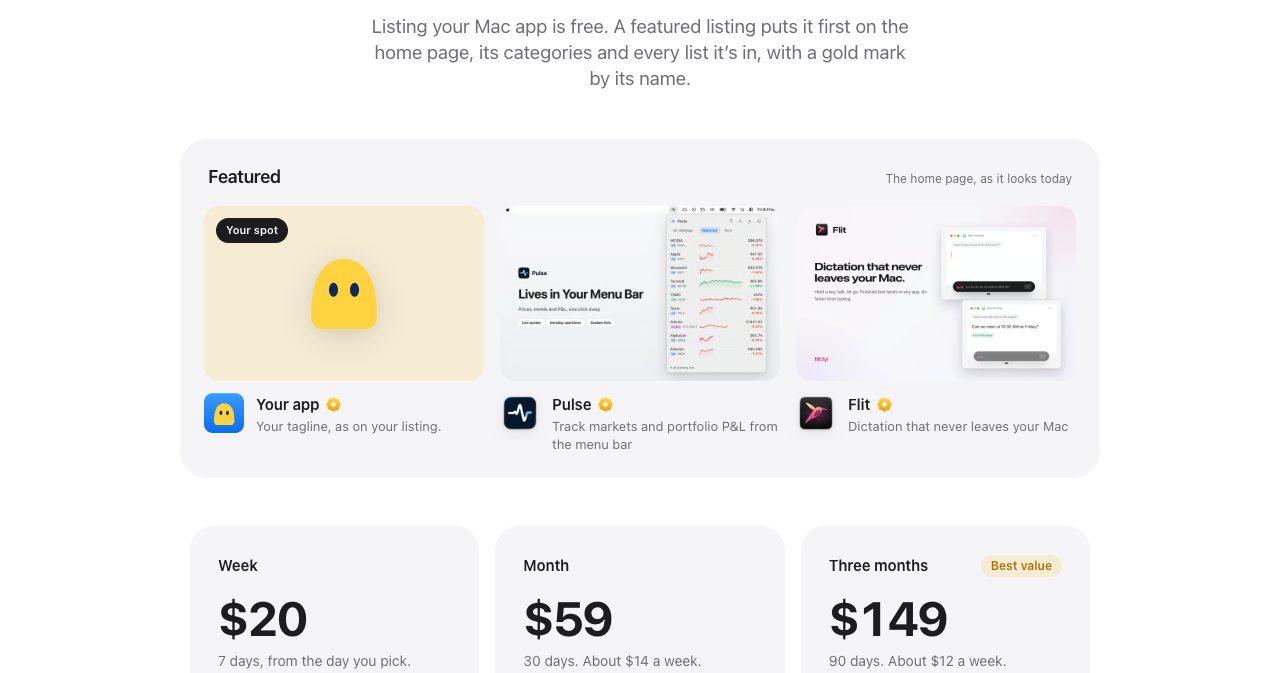
Featured spots cost $20 for a week, $59 for 30 days or $149 for 90 days, paid once, with a gold mark so visitors can tell them from organic listings. Two things to know: three of the featured apps (Vitals, Flit and Levers) belong to the team behind MacBase, which the site discloses, and the directory is about two weeks old, so its traffic is unproven.
For agents, MacBase runs a public MCP server at macbase.app/mcp with five read-only tools, including search_apps and alternatives_to. If you want assistants to find your app through a structured source, this is the only Mac directory we found that offers one.
2. MacNative: a published bar for native apps
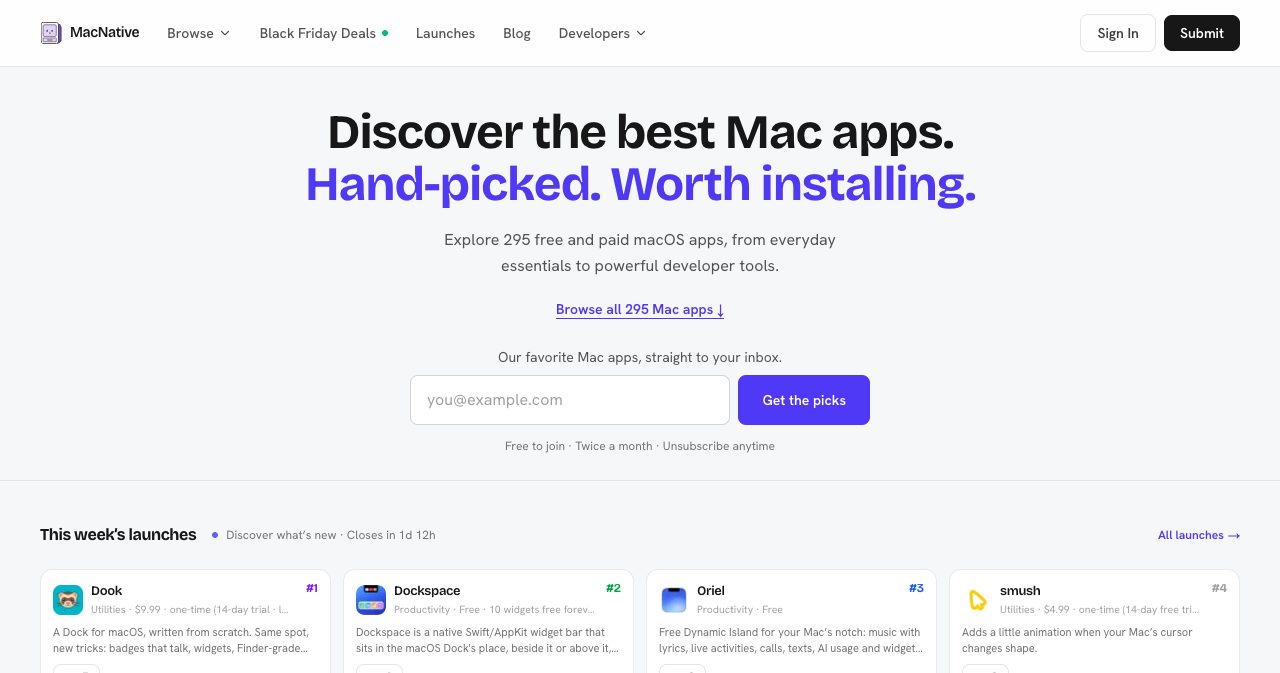
MacNative lists 295 apps and is the strictest about what gets in. Its submission guidelines say every submission is reviewed by hand, and they spell out both sides. Welcome: Swift, SwiftUI, AppKit or Objective-C, and systems languages that compile to a real binary such as Rust, C++, Go or Zig. Rejected: Electron, NW.js, a Tauri app that is only web UI, or a site in a WKWebView. Apps with real native work on top of Electron or Tauri are judged case by case.
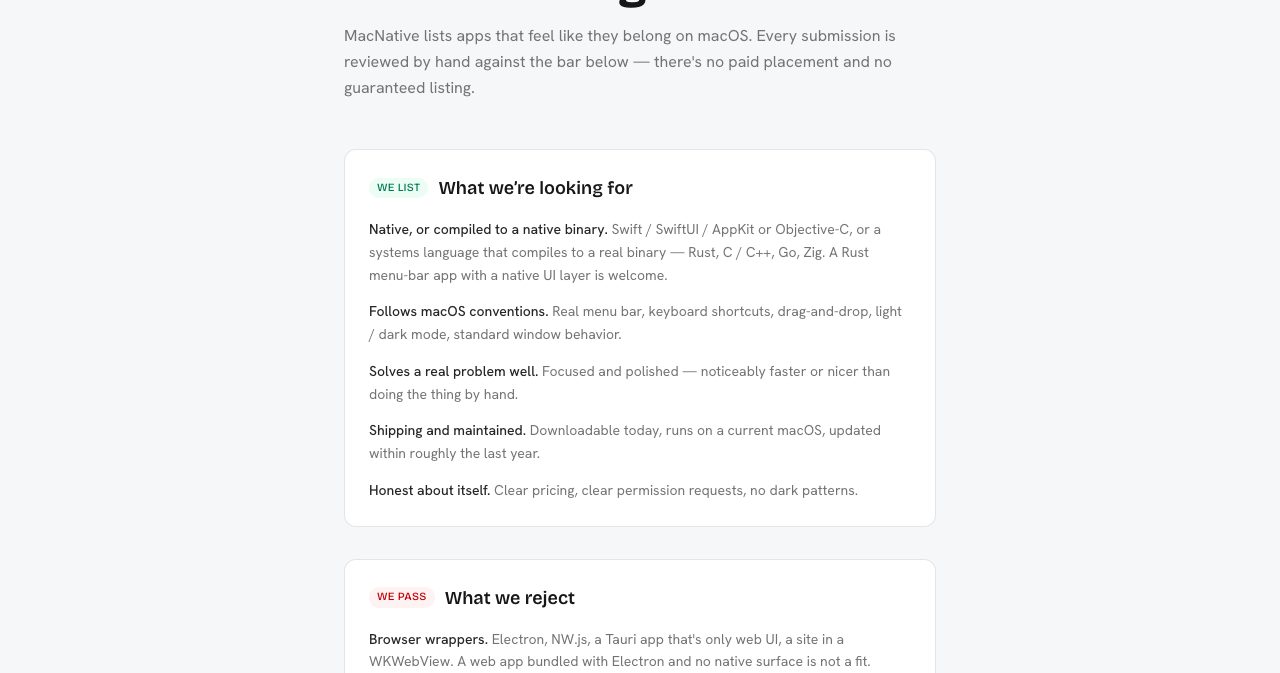
The guidelines also reject "low-effort AI-generated apps", described as vibe-coded output shipped as-is. Building with AI is fine by their rules. Shipping the first draft isn't.
The pricing page has three tiers. Free gets you a listing page, a dofollow link and basic analytics. Launch Boost is $15 once for a highlighted week of your choosing. It lists "no website badge requirement" as a benefit, which implies the free tier expects the badge, though the page doesn't say so directly. Pro is $29 per app per month and adds homepage highlighting, priority review, newsletter and social promotion, and a place in MacNative's own GitHub list of native apps. A custom SEO article is a $50 add-on.
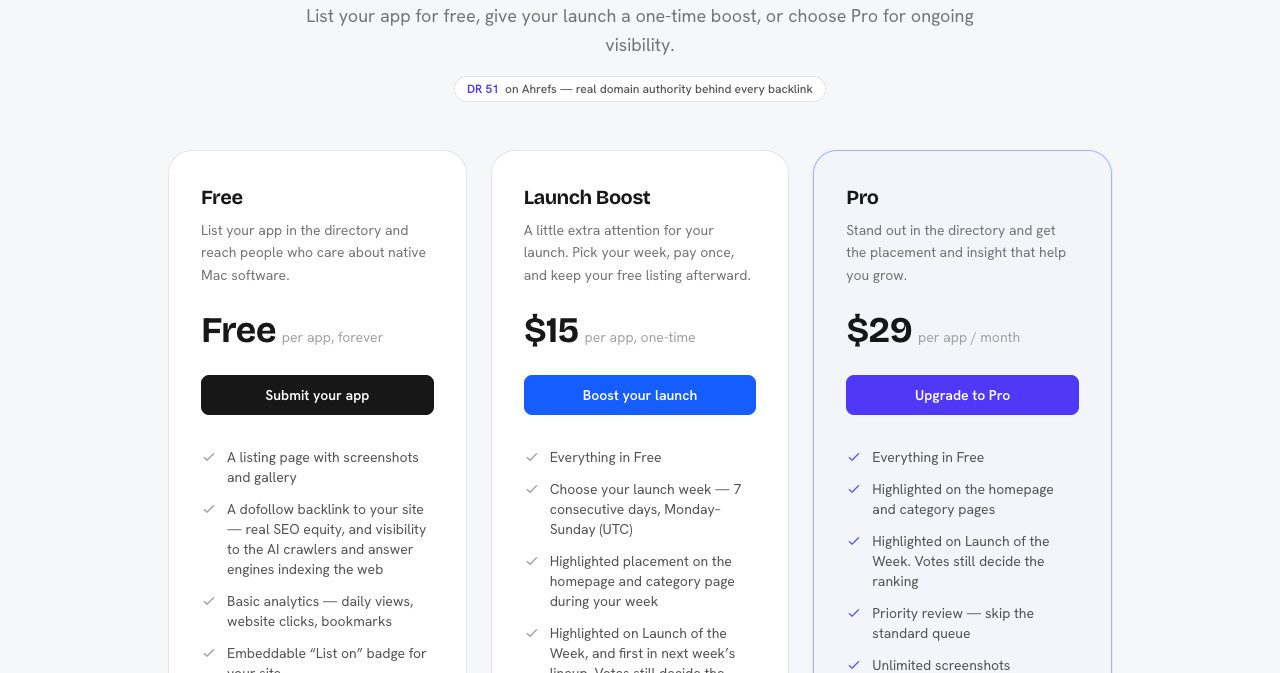
One wording clash is worth knowing about. The guidelines say "there's no paid placement and no guaranteed listing", while the pricing page sells highlighted placement. Read together, they mean payment never buys acceptance, and the weekly launch ranking is decided by votes. Paid apps are still shown more prominently.
3. MacPip: a launch every day
MacPip is the loudest of the four, with a retro Mac look and a daily launch board. On November 14 the homepage counted 289 apps from 297 makers, 6 apps launching that day and 45 that week. Apps are ranked by votes within their launch day, and voting closes at midnight UTC.
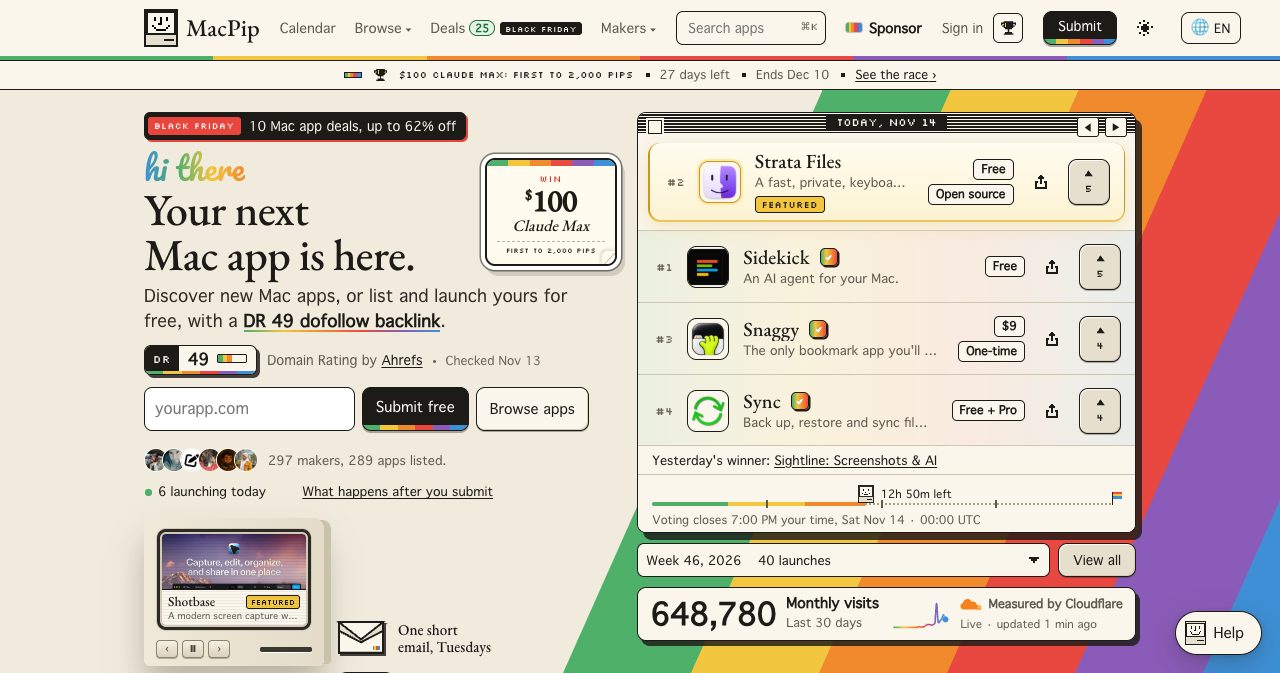
The pricing page separates a listing from a launch. A plain listing is free, permanent and needs no badge. A free launch day adds a slot on the homepage with voting and needs the MacPip badge on your site. Free launches are capped at five a day, and the next open free day was November 30 when we looked. A paid launch is $19.99 once: any day, no badge, pinned at the top and labelled Featured. On the sponsor page, a Featured band costs $25 for seven days and Top Spot $100.
The site states that paid launches keep their real rank number by votes, which is the right way to do it. The pricing page is also candid about its newsletter: "162 subscribers today. The list is new."
MacPip also publishes 82 "best of" lists built from its own listings, plus a deals page. The homepage shows 648,780 monthly visits "measured by Cloudflare". Treat that as a ceiling, since request-based counts like Cloudflare's include bots and crawlers. We stopped showing a Cloudflare figure on our own site this month for that reason.
4. Mac App Index: upvotes with a published decay formula
Mac App Index showed 221 apps, 12 categories and 10,033 upvotes on November 14. That is up from 160 apps when we reviewed it on October 23. A person reviews every app before it goes live, and the site publishes a few new apps each week in the order their badges were verified.
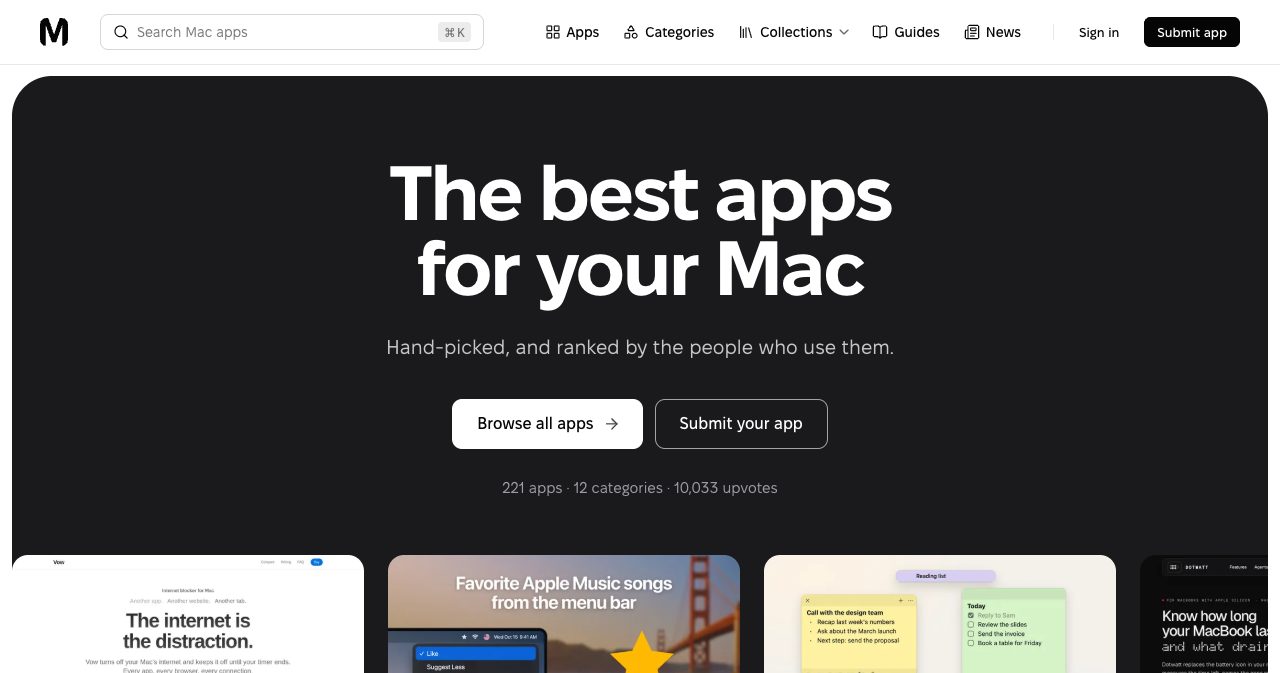
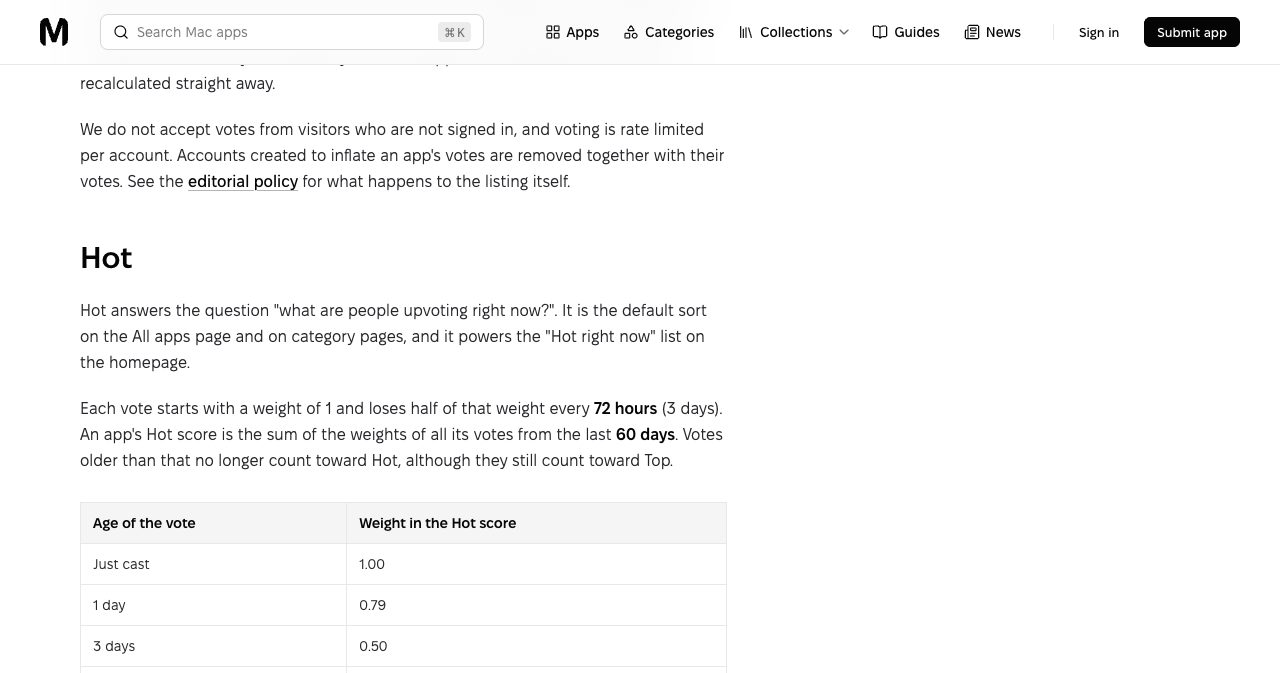
Its distinguishing feature is the How we rank page. The default Hot sort gives each upvote a weight of 1 that halves every 72 hours, and only votes from the last 60 days count. Ten votes today are worth about as much as fifty from a week ago. Top is the all-time total and New is by listing date. Nobody can buy a position in any of the three.
The free listing needs the Mac App Index badge on your site, and the FAQ says the link is re-checked daily and must not be nofollow, sponsored or ugc. In the other direction, the advertise page says paid listings link to your site without nofollow, and when we reviewed the site in October free listings used nofollow. So the free tier is a followed link from you in exchange for a nofollow link, a reviewed page and votes. A paid listing without the badge is "planned", and featured placement has no public price.
Two catalogs that cover every Apple platform
5. NativeShelf
NativeShelf is small: "61+ hand-picked apps from 57 creators" across Mac, iPhone, iPad, Apple Watch and Vision Pro. The free listing is reviewed by a person, published in order and needs the NativeShelf badge on your site, with a dofollow link back.
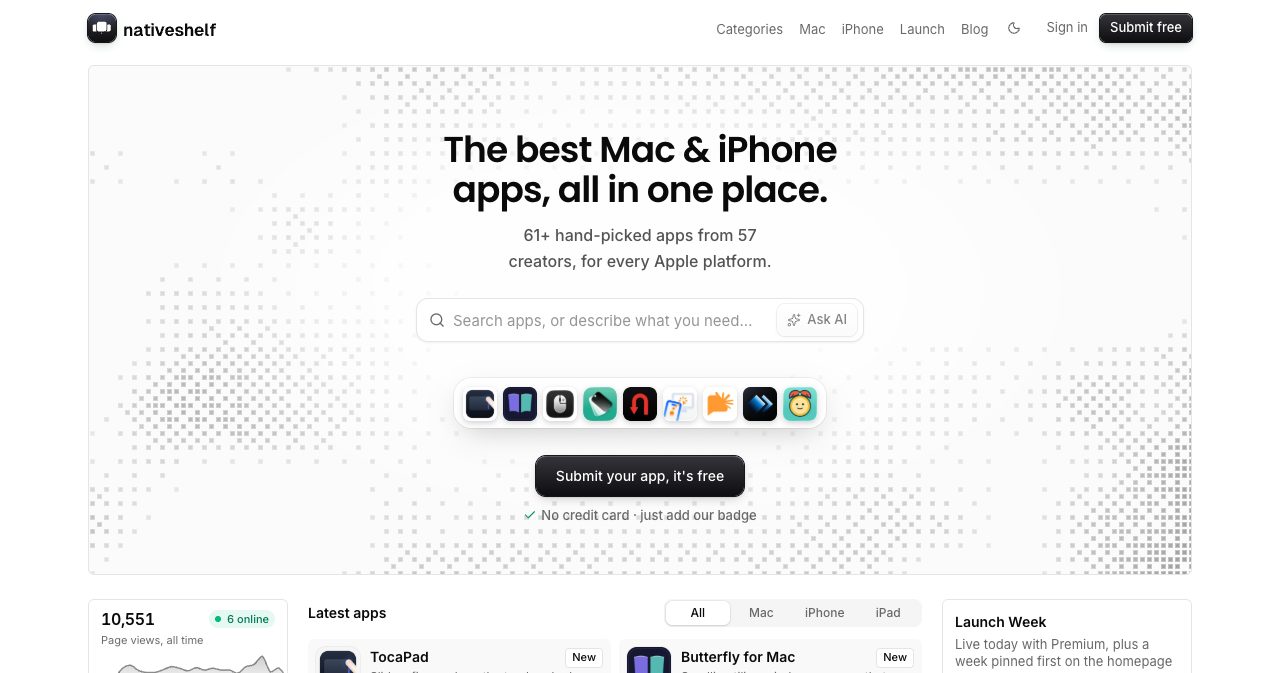
The paid ladder is the cheapest we saw. Premium is 9 euros one-time at launch pricing (the page says it rises to 15) and goes live in minutes with no badge and no review queue. Launch Week is 29 euros for a week pinned on the homepage, and a written review of your app starts at 79 euros. Note what Premium changes: the human review applies to free listings, and paying skips the queue. The site's own counter showed about 10,500 page views all time, so expect a trickle of visitors for now.
6. Indie App Catalog
Indie App Catalog is far bigger and less commercial: a hand-curated catalog of 2,538 apps from 1,447 indie developers on Apple platforms, with "no big studios". It has collections such as Mac helpers, a new releases feed, a TestFlight section and a "Not in the App Store" section, which is the part Mac developers who sell direct will care about.
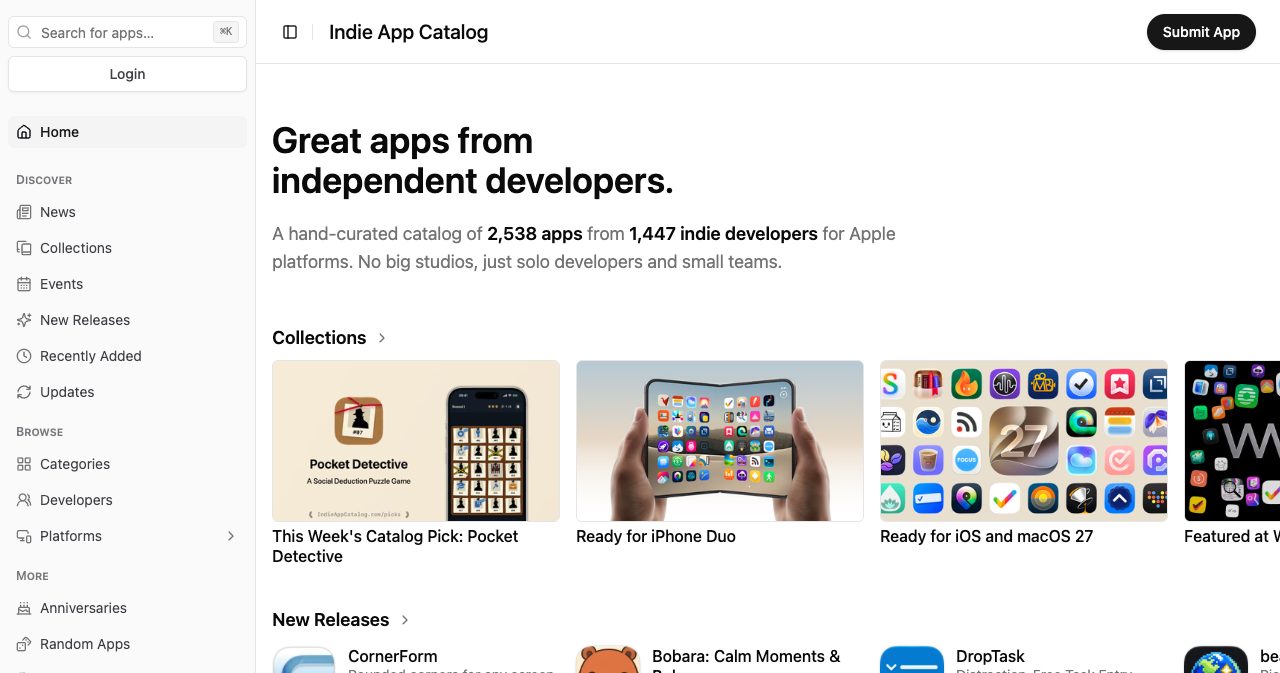
There is a Submit App button and we saw no paid tiers on the homepage. If you ship on iPhone too, our iOS app directories list covers that side.
The established places Mac users already search
7. MacUpdate
MacUpdate launched in Michigan in 1997 and says it lists 32,000+ Mac apps from 12,000+ developers for over a million users. It joined Clario in 2020. Each app has a version history, which is why people still land on it years after an app was added.
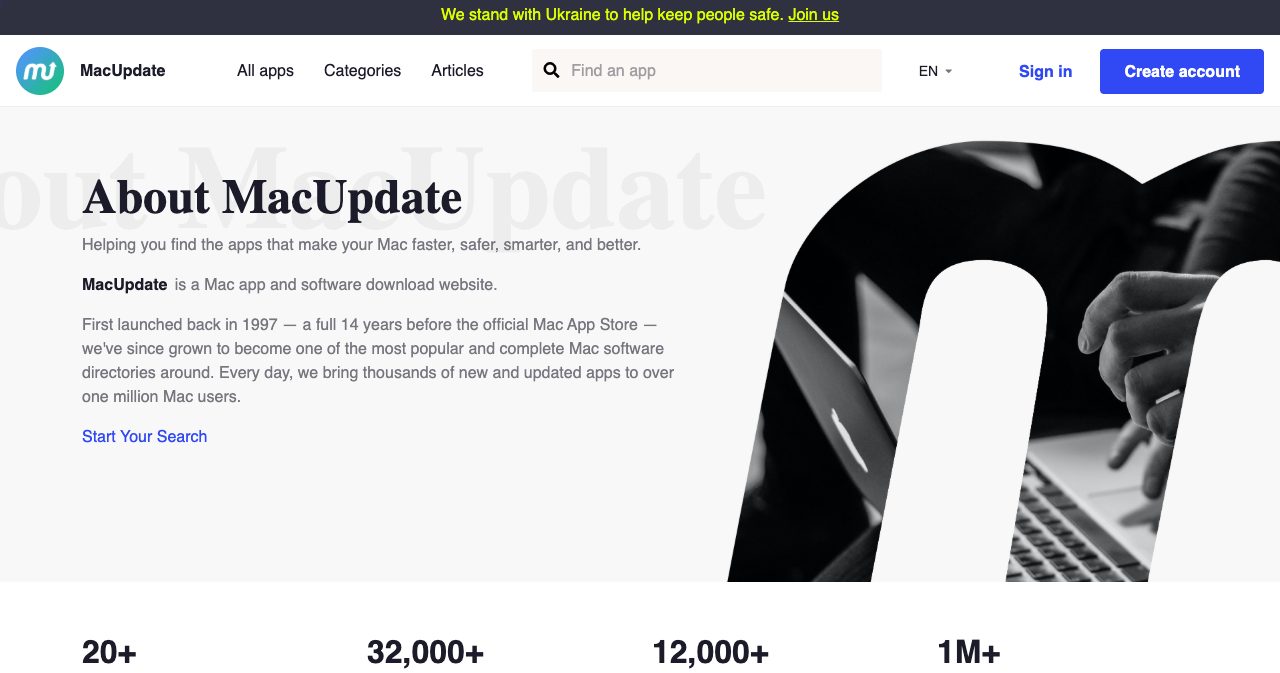
The footer has an Add App link, and the About page gives a support email for developers who want to sell through MacUpdate. We did not test the submission flow, so we can't tell you how long review takes. Check whether your app is already there first. With a catalog this old, it may be, with a stale description.
8. AlternativeTo
AlternativeTo listed 29,216 Mac titles on its Mac platform page. It is crowd-sourced and built around one question: what can I use instead of X? If your app replaces something well known, like CleanMyMac, Alfred or Rectangle, this is where that search ends up.
Search for an existing entry before creating one, then say plainly how you differ on price, offline use or workflow. MacNative's launch guide makes the same point and adds a good rule: say when the other app is the better fit.
9. Setapp
Setapp is a subscription from MacPaw. Members pay monthly for a catalog its site describes as "300+ apps for Mac, iOS and web" from $14.99. The pricing page we loaded showed tax-inclusive prices for our region: $18.44 a month for one Mac, $23.36 for Mac plus iOS and $28.28 for the Power User plan.
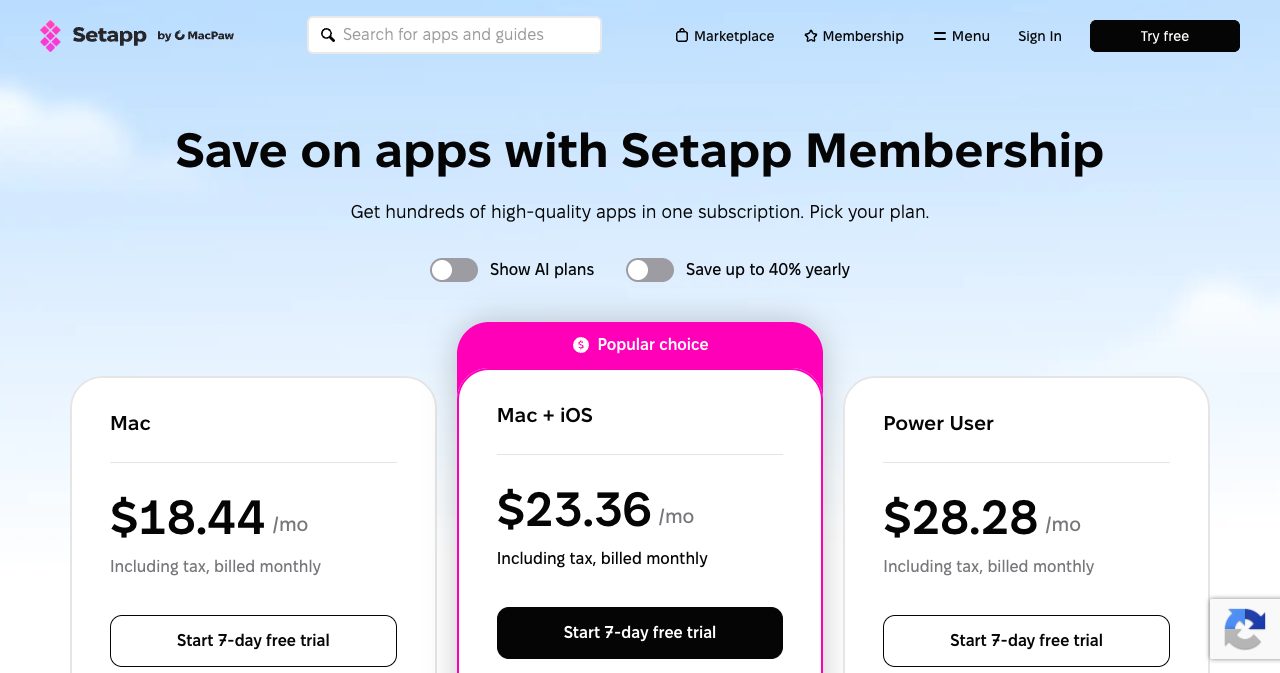
You apply rather than submit. The developer page describes a 70/30 membership model with usage-based revenue share, a single-app Marketplace where Setapp takes 15% on subscription sales and 25% on one-time sales, and a technical review before release. It is a sales channel with an audience attached, and it suits mature apps better than week-one launches.
10. Awesome Mac
Awesome Mac is the reference list: 118,497 stars, 10,295 forks and 3,658 commits on November 14, with the last push that same morning. It is a categorized README of macOS software with markers for free and open source apps, translated into several languages.
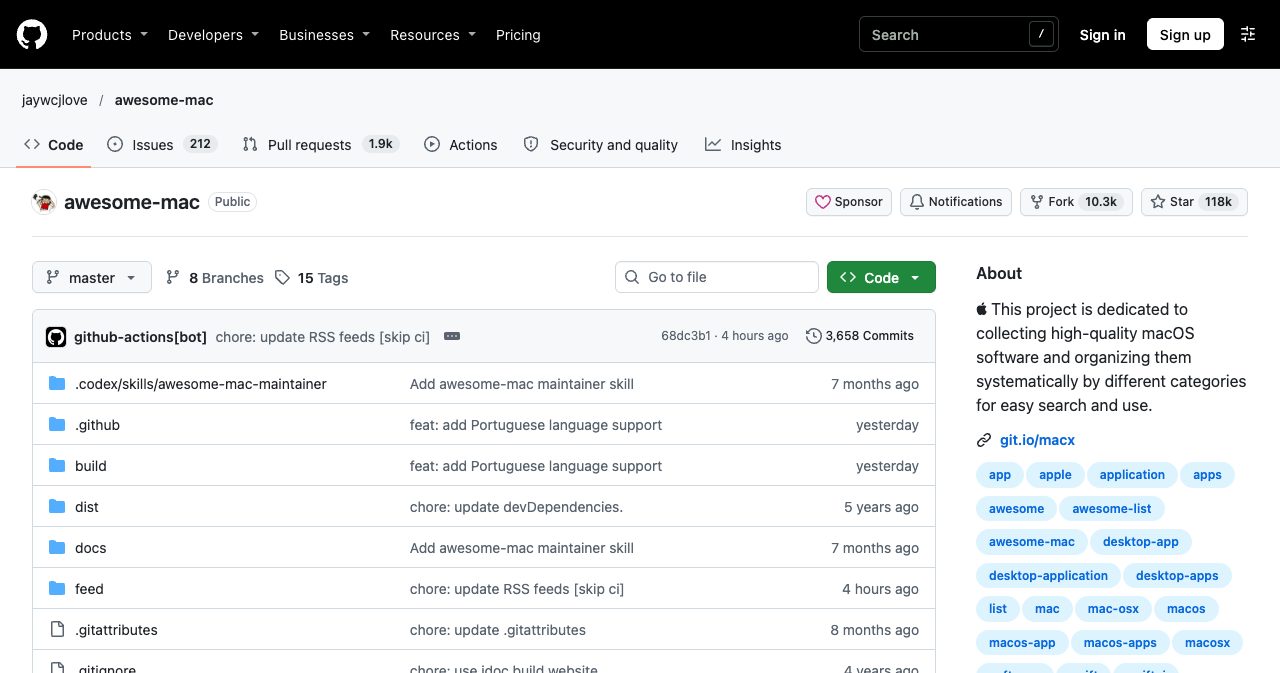
You get in by pull request. The same screenshot shows the catch: about 1,900 pull requests are open. Submit a clean one-line entry in the right category and move on. If your project is open source, our guide on where to promote open source projects lists more places like this.
11. Homebrew Cask
Homebrew Cask is a package index, and developers are who it reaches. Once a cask exists, brew install --cask yourapp works on any Mac with Homebrew, and your app has a page on formulae.brew.sh. The public API listed 7,833 casks on November 14.
A cask is added by pull request to the cask tap, and the maintainers have acceptance rules, so read their documentation before you open one. For developer tools and menu bar utilities, this beats most directories for actual installs.
What does it cost to list or feature a Mac app?
Every site that takes open submissions has a free route. The difference is what "free" asks of you and what the first paid tier buys.
| Directory | Free listing asks for | Cheapest paid tier | What it buys |
|---|---|---|---|
| MacBase | Nothing (badge optional) | $20 for 7 days | First position on the homepage and in every list, gold mark |
| MacNative | Passing hand review (badge implied) | $15 one-time | A highlighted launch week, priority review, no badge |
| MacPip | Nothing for a listing, badge for a free launch day | $19.99 one-time | A launch on any day, pinned and labelled, no badge |
| Mac App Index | Badge with a followed link | No public price | Homepage carousel, Featured badge, followed link |
| NativeShelf | Badge on your site | 9 euros one-time | Live in minutes, verified badge, no badge needed |
Buying the entry tier on all four that publish one comes to $54.99 plus 9 euros. Whether that is worth it depends on traffic none of these sites can prove yet, so start free and pay only where your free listing already sends visitors.
Is trading a badge for a listing worth it?
It can be, as long as you know what you are trading. A badge is a link from your site to the directory. Google's spam policies list "excessive link exchanges" as link spam, and the word doing the work there is excessive. One or two badges for directories you would recommend anyway is ordinary. A footer with fifteen of them is a pattern.
Check which way the followed link runs. NativeShelf says its free listing links back with dofollow. Mac App Index asks for a followed link from you and, when we checked in October, gave free listings a nofollow link back. Our dofollow vs nofollow glossary entry explains the difference if the terms are new.
Don't choose on Domain Rating. MacNative prints DR 51 and MacPip DR 49 on their pages, and MacBase's founder reported DR 44 after one week. Those are self-reported Ahrefs scores for sites that are months or weeks old. Ahrefs switches its interface to DR version 4 on December 1, 2026, and when we checked 2,405 directories against the DR4 preview, launch directories and badge-exchange sites lost around 30 points. A number that can drop that far overnight is a poor reason to pick a directory. Choose the ones whose visitors look like your users.
Which Mac app directory fits your app?
| If your app is | Start with | Then add |
|---|---|---|
| A native menu bar or utility app | MacNative, Mac App Index | MacBase, MacPip |
| Built on Electron or Tauri | MacBase, MacPip, Mac App Index | AlternativeTo (MacNative only if it has real native work) |
| A replacement for a well-known paid app | AlternativeTo, MacBase alternatives pages | Mac App Index alternatives pages |
| Open source | Awesome Mac, Homebrew Cask | MacBase open source page |
| A developer tool | Homebrew Cask, MacNative | Show HN |
| Mature, with steady sales | Setapp | MacUpdate |
| On iPhone and iPad as well | Indie App Catalog, NativeShelf | The four Mac-only directories |
How to submit a Mac app to directories in 14 days
Most of the work is one fact sheet, written once and reused. This plan covers six to eight directories without turning into a second job.
- Write one fact sheet. Put the app name, a one-sentence description, price and billing model, minimum macOS version, Apple silicon support, notarization status and download link in one file, with a square icon and three real screenshots.
- Check which directories your app qualifies for. Read MacNative's submission guidelines if your app uses Electron or Tauri, and check that your app is not already listed on AlternativeTo, Awesome Mac or MacUpdate before you create a duplicate.
- Submit to the four Mac-only directories. Submit to MacBase, MacNative, MacPip and Mac App Index in the first three days. Each one is free, each has a review step, and Mac App Index publishes only a few apps a week, so the queue is the slow part.
- Decide on badges before you paste them. Mac App Index and NativeShelf need their badge on your site for a free listing, and MacPip needs it for a free launch day. Pick the badges you are willing to keep, put them on one page such as the footer or a press page, and skip the rest.
- Add your app to alternatives pages. Create an AlternativeTo entry and name the well-known apps yours replaces, then check MacBase's alternatives pages. People who search for a replacement already know what they want to stop paying for.
- Open the pull requests. If your app qualifies, open one pull request to Awesome Mac and one to the Homebrew cask tap. Follow each repository's format exactly, because maintainers close requests that ignore it.
- Check every listing on day 14. Open each listing, confirm the price and macOS version match your fact sheet, click the link to your site and write down which directories sent visitors. Update the listings again when the price or requirements change.
A listing is only as good as its first sentence and its screenshots. We counted what goes wrong on real listings in how to write a directory listing, and the same mistakes show up on Mac directories: taglines that run long, no pricing, no screenshots.
Beyond directories: where a Mac launch gets its first users
Directories give you pages that stay up. The first hundred users usually come from somewhere noisier. MacNative's own guide to launching a Mac app lists seven channels, and its non-directory picks are sound:
- r/macapps for feedback. Read the posting rules first. They restrict format and frequency.
- Product Hunt for apps you can demo in a few seconds. It prohibits asking for upvotes directly. Our list of Product Hunt alternatives covers the other launch platforms.
- Show HN when the technical story matters. Link to something people can try without signing up.
- Mac newsletters and writers. The guide names Native Mac Apps, MacStories Weekly, Six Colors, TidBITS, The Sweet Setup and Daring Fireball, and notes that sponsorship is sold separately from editorial coverage.
Where SaaSCity fits
SaaSCity is not a Mac directory, and for a Mac app the sites above come first. We are a general startup directory: every product gets a listing page that a person reviews, plus a building on a live city map. Mac apps are welcome alongside SaaS and AI tools.
The terms, so you can compare them with the table above: a free badge listing is available when a weekly slot is open, and its link to your site is ugc nofollow. The Basic listing ($19.99) goes live within 24 hours. The Premium listing ($39.99) adds a written launch review on this blog. If your Mac app is also a business you are launching, you can list it on SaaSCity after you have done the Mac-specific ones.
One last thing to do today: open the App Store page or website for your own app and check that the price, the minimum macOS version and a one-sentence description are all in plain text on the page. Most directories in this list build their listing from those three facts.
FAQ
What is the best Mac app directory in 2026?
It depends on the job. For a new indie app, the four Mac-only directories are the practical start: MacBase (332 apps), MacNative (295), MacPip (289) and Mac App Index (221), all free to list on November 14, 2026. For sheer catalog size, MacUpdate lists 32,000+ apps and AlternativeTo lists 29,216 Mac titles. For a reference list, Awesome Mac has 118,497 GitHub stars.
Where can I submit my Mac app for free?
MacBase, MacNative, MacPip, Mac App Index and NativeShelf all had a free listing on November 14, 2026. Mac App Index and NativeShelf require their badge on your website for the free tier, and MacPip requires it only for a free launch day. Awesome Mac takes submissions by pull request, Homebrew Cask by pull request to its tap, and AlternativeTo and MacUpdate through a free account.
Do Mac app directories help with SEO?
A little, and less than their pricing pages suggest. A listing gives you an indexed page that names your app, its price and its macOS requirements, and sometimes a followed link. MacNative advertises DR 51 and MacPip DR 49, both self-reported. Ahrefs moves its interface to Domain Rating version 4 on December 1, 2026, so expect those numbers to change.
Is the Mac App Store enough to get a Mac app discovered?
Usually not. The Mac App Store only lists apps sold through Apple, and many Mac apps ship from the developer's own website or GitHub. Homebrew's cask tap alone listed 7,833 casks on November 14, 2026, each installed from the vendor's own download. Directories cover both kinds of app and add filters the store does not have.
How much does it cost to feature a Mac app on a directory?
On November 14, 2026 the cheapest paid options were NativeShelf Premium at 9 euros one-time, MacNative Launch Boost at $15 one-time, a paid MacPip launch at $19.99 one-time and MacBase featured at $20 for a week. MacNative Pro costs $29 per app per month. Mac App Index sells featured placement by request and publishes no price.
What is the difference between MacNative, MacBase, MacPip and Mac App Index?
MacNative curates for native code and rejects browser wrappers. MacBase shows the same facts on every page (price, minimum macOS, Apple silicon, notarization) and runs a public MCP server. MacPip runs daily launches ranked by votes, with five free launch slots a day. Mac App Index ranks by upvotes that lose half their weight every 72 hours, and a person reviews every app.
Does Mac App Index or MacNative accept Electron apps?
MacNative's guidelines reject browser wrappers, including Electron, NW.js and Tauri apps that are only a web UI, and consider apps with real native work case by case. Mac App Index is looser: its editorial policy accepts apps that run natively on macOS or are a Mac build of a cross-platform app, and excludes web apps with no Mac version.
How do I get my app into Awesome Mac?
Open a pull request against jaywcjlove/awesome-mac on GitHub that adds one line in the right category, following the format in the contributing guide. Expect to wait. The repository had 118,497 stars and about 1,900 open pull requests on November 14, 2026, so check whether your app is already listed before you add to the queue.
Is Setapp a directory I can submit my Mac app to?
Setapp is a paid subscription catalog from MacPaw, not an open directory. Developers apply, and the app goes through a technical review. Setapp's developer page lists a 70/30 membership model based on usage, and a single-app Marketplace where Setapp takes 15% on subscription sales and 25% on one-time sales.
How many directories should I submit a Mac app to?
Six to eight is a sensible first pass: the four Mac-only directories, AlternativeTo, one Apple-platform catalog such as Indie App Catalog or NativeShelf, and a pull request to Awesome Mac or Homebrew Cask if your app qualifies. Keep one fact sheet with the price, minimum macOS version and a one-sentence description, and reuse it everywhere.
Sources
All pages read on November 14, 2026.
- Mac App Index homepage, How we rank, FAQ, editorial policy and advertise page
- MacNative homepage, pricing, submission guidelines and Where to Launch Your Mac App (September 23, 2026)
- MacBase homepage, llms.txt, pricing and MacBase Review by Atta (StartupBase, November 4, 2026)
- MacPip homepage, pricing, best-of lists and sponsor page
- NativeShelf homepage and pricing
- Indie App Catalog homepage
- MacUpdate About page
- AlternativeTo Mac software
- Setapp pricing, how it works and developer page
- jaywcjlove/awesome-mac on GitHub and the GitHub REST API for star and fork counts
- Homebrew cask listing and its JSON API for the cask count
- Google Search spam policies
Get your SaaS in front of founders
List your product on SaaSCity for $19.99, one-time: a permanent listing and a building on the live city map.