Reviews
The Saved App Review: Finally Search the Instagram, TikTok and YouTube Saves You Swore You'd Come Back To (2026)
The Saved is an AI app from Austin that turns forgotten Instagram, TikTok, YouTube, Pinterest and Reddit saves into a searchable library with summaries, step-by-step extractions, product links, Smart Shelves and a map. Here's what it does, how it works, what it costs, which platforms it runs on, and who gets the most out of it.

Contents (14)
- Key takeaways
- Why is your saved folder a graveyard?
- What is The Saved?
- How does The Saved work?
- What does The Saved extract from a save?
- Which features matter most?
- Who is The Saved for?
- How do you share and collaborate in The Saved?
- Which platforms does The Saved run on?
- How much does The Saved cost?
- How does The Saved compare to Raindrop, Pocket and native saved folders?
- What should you know before signing up?
- Is The Saved worth it?
- FAQ
Product details checked against thesaved.app, the Google Play listing and the Chrome Web Store listing during the week of September 8, 2026.
Quick answer: The Saved is an AI app that turns the Instagram Reels, TikToks, YouTube videos, Pins, Reddit posts, tweets, podcasts and web pages you save into one searchable library. It transcribes each save, writes a summary, extracts recipes and step-by-step instructions, links the products mentioned, timestamps where they were said, pins places on a map, and lets you search all of it by what is inside the content rather than by title. It runs on the web, Android, iPhone via TestFlight, and a Chrome extension. There is a free monthly allowance and no credit card is needed to start.
You saved it. "You'll definitely use it." Three weeks later, it's the 412th item in a folder you have never once scrolled back through.
That sentence is the entire pitch for The Saved, and it is a pitch I hear a lot of versions of, because I run a startup directory and "AI organizes your life" is a crowded shelf. Most of those products are a URL list with a chatbot stapled on. The Saved is a different thing: it reads the content, not the link, and that one design decision is what makes the rest of this review worth your time.
Key takeaways
- The Saved searches inside your saves. Audio, captions and on-screen text are transcribed, so a recipe spoken over music is findable by ingredient.
- One library for every platform. Instagram, TikTok, YouTube, Pinterest, Reddit, X, podcasts and any web page land in the same searchable place.
- It extracts, not just stores. Summaries, numbered steps, product links with timestamps, and a map of every save with a location.
- Smart Shelves are living saved searches. Define "gift ideas under $50" once and the shelf fills itself, forever.
- It is AI-agent ready. MCP support plus bring-your-own OpenAI, Anthropic or Gemini key.
- Free to start. Monthly free allowance, non-expiring save packs, monthly plans, no card required.
- Available now on web, Google Play, TestFlight for iPhone, and a Chrome extension.
Why is your saved folder a graveyard?
Because every platform gives you a save button and none of them give you a search box worth using.
- Instagram Saved holds Instagram content only, and searching it matches captions at best. A recipe Reel where the ingredients were spoken, not typed, is invisible.
- TikTok Favorites is a chronological list that gets harder to use the more you save.
- YouTube Watch Later is a queue, not a library. Finding the one video that recommended a specific book means rewatching.
- Pinterest is searchable, but only for things you pinned to Pinterest.
- Screenshots are the worst of all. Your camera roll has 300 of them and no idea what any of them say.
So the useful thing lives in five vaults with no master key. When you need it, you scroll, you give up, and you Google it again. The Saved's own copy calls this paying "a toll on every save," and anyone who has opened their Instagram Saved folder and found a wall of forgotten Reels knows exactly what that toll feels like.
What is The Saved?
The Saved is an AI-powered save organizer that ingests content from Instagram, TikTok, YouTube, Pinterest, Reddit, X, podcasts and any web page, extracts the useful parts, and makes everything searchable across all of those platforms at once.
It is built by SaveIt Social, Inc., based in Austin, Texas, and credited on the site to a founder named Amber, who built it because she kept losing track of everything she saved. The brand also lives at getsaveit.app, which redirects to the main domain, and it rallies users under the hashtag #saveit.
The marketing voice is the first thing you notice, and it is worth quoting rather than paraphrasing, because it is the opposite of every productivity app you have ever seen:
The Algorithm's Been Using You. That's Over. We're not another productivity app. We're the resurrection.
We don't organize your chaos. We take it hostage.
This is for the degenerates of taste.
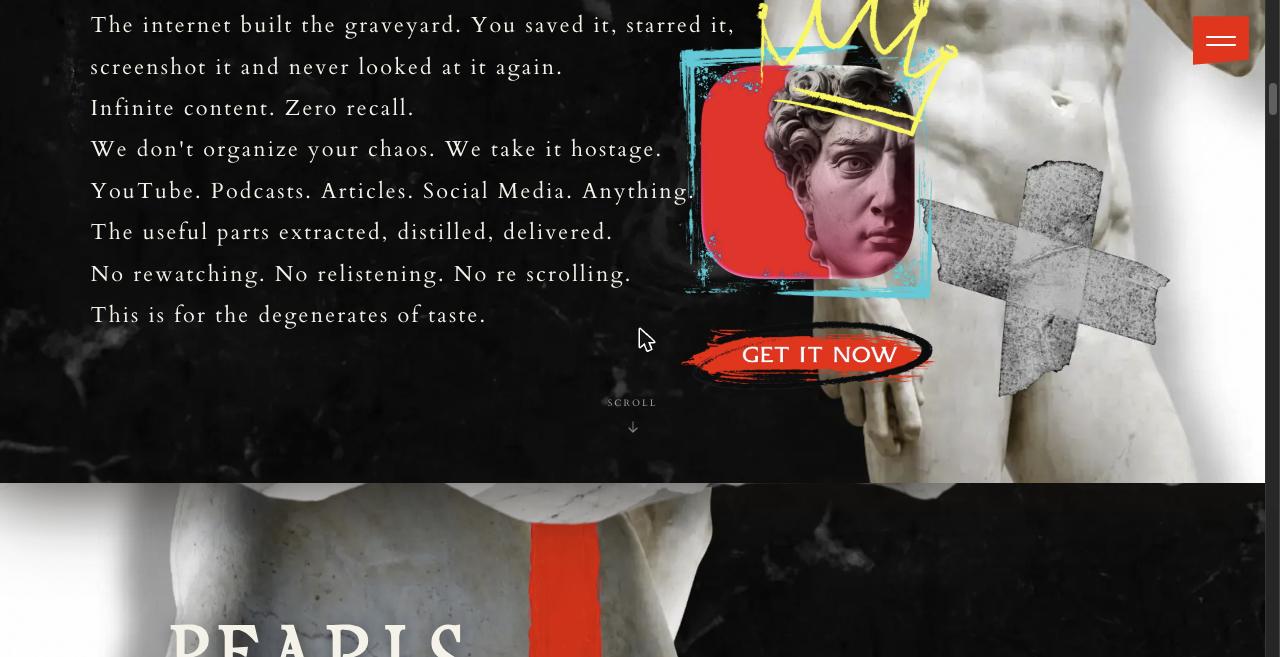
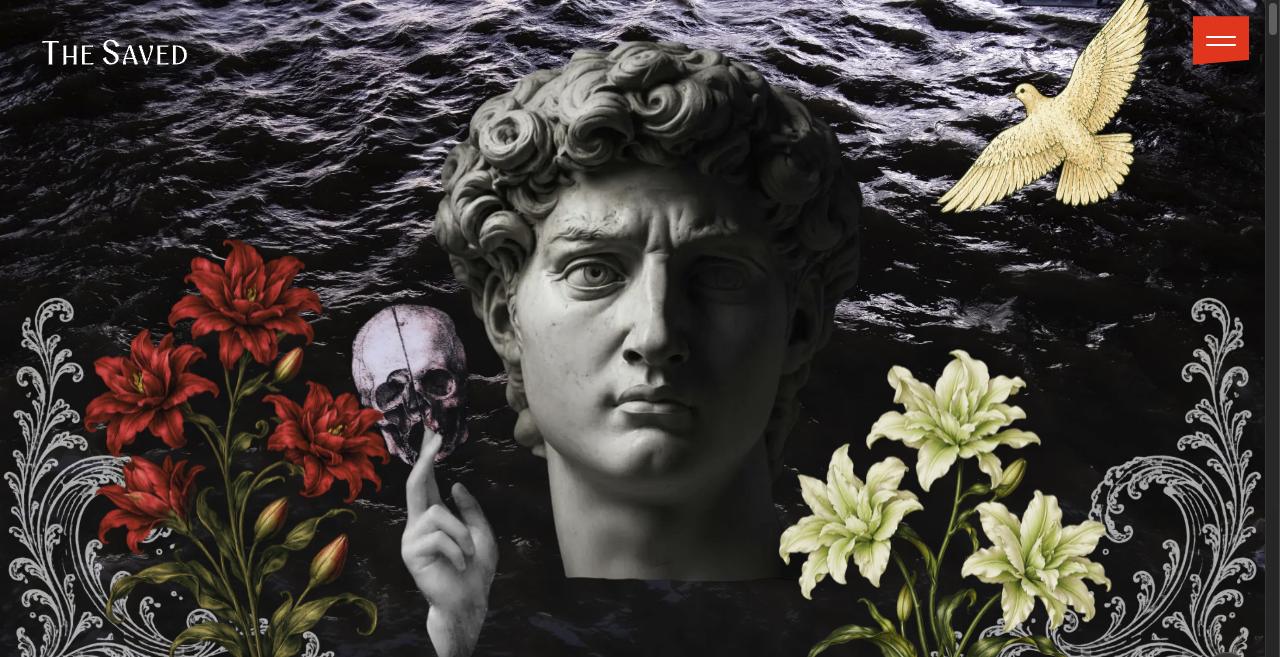
Underneath the marble statues is a very practical product. Here is the plain-English version.
How does The Saved work?
The Saved works in three stages: you capture a save, the AI processes it, and you find it later by searching what is inside it.
Step 1: Capture from anywhere
On mobile, share a post to The Saved from the platform's native share sheet on Instagram, TikTok, Pinterest, YouTube, Reddit or X. On desktop, paste a link into the web app, drop in a screenshot, or use the Chrome extension, which doubles as a one-click web clipper for any page. Bulk imports let you bring an existing pile of saves over in one go, so you are not starting from scratch.
Step 2: The AI extracts the useful parts
This is what separates The Saved from a bookmark manager. For every save, it:
- writes a scannable summary of the video, post or article
- extracts step-by-step instructions where they exist, for recipes, routines and how-tos
- auto-tags the save and files it into a category, or into one you created
- finds the products mentioned and turns them into shopping links, including the "DM me for the link" kind that never had a public link at all
- timestamps the exact moment a product or place is named, so you can jump back into the original video at that second
- for Reels and TikToks, reads on-screen text, captions and audio; for YouTube, indexes the transcript and pulls out book, tool and product recommendations
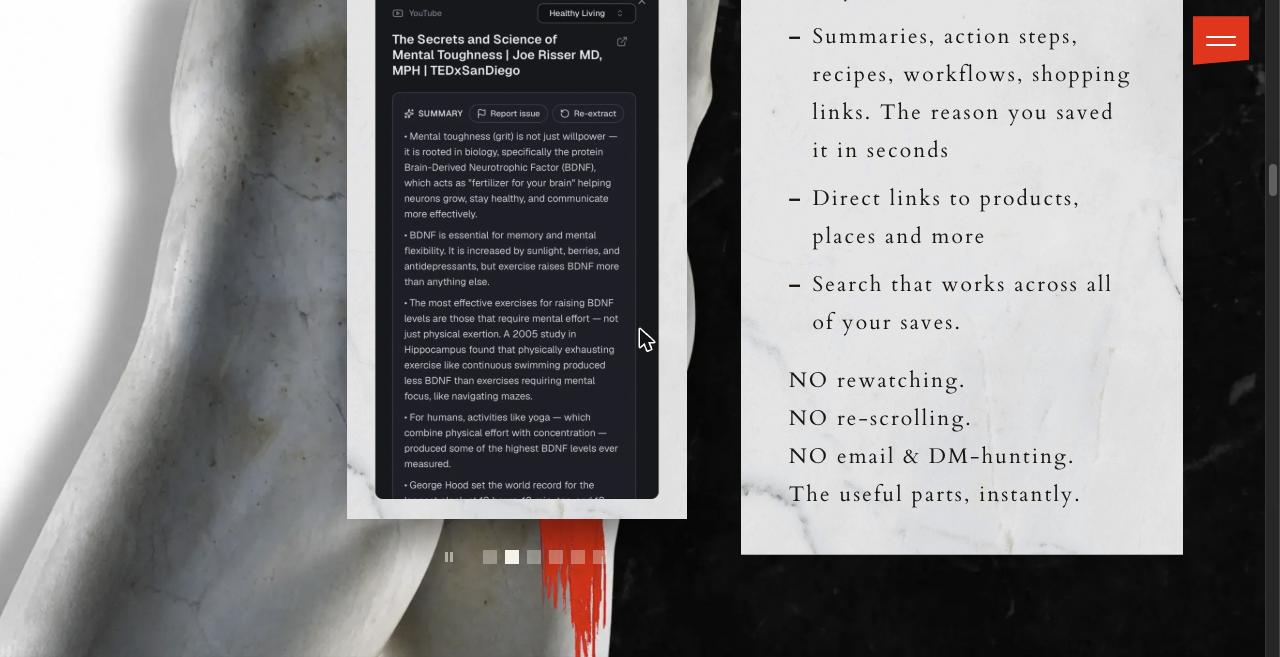
Here is what a processed save looks like. This is a YouTube TEDx talk on mental toughness, distilled into a bullet-point summary card with re-extract and report controls:
Step 3: Find it by what it contains
Search works the way a search engine works, not the way a title filter works. The queries the company demonstrates are the right ones to try first: "Amalfi Coast hotels," "birthday gifts under $50," "core workout," "recipes with chicken," "SEO marketing." A save surfaces because of what is in it, not what someone titled it, and results come from every platform on one page.
What does The Saved extract from a save?
The Saved extracts six things from each save: a summary, action steps, product links, timestamps, tags and categories, and a location.
| Extraction | What you get | Example |
|---|---|---|
| Summary | A scannable digest of the video, post or article | A 45-minute YouTube video becomes four bullet points |
| Action steps | Numbered instructions for recipes, routines, how-tos | A 40-second recipe Reel becomes an ingredient list and method |
| Product links | Shoppable links for every product mentioned, creator link first | The serum named at minute 31 becomes a link |
| Timestamps | The exact second a product or place is mentioned | Click through to the moment the hotel is named |
| Tags and categories | Auto-tagged, auto-filed, fully customisable | A gym Reel lands in Fitness & Health with your own tags added |
| Location | Any save with a clear place appears on a map | Six food Reels become a weekend map of Rome |
The default categories are Travel & Destinations, Recipes & Food, Gifts & Wishlist, Home & Interior, Beauty & Skincare, Fitness & Health, Shopping & Finds, Work & Business, Wellness & Biohacking, Learning & Ideas, and Inspo & Aesthetics. You can rename any of them, add custom tags, and build collections your own way.
Which features matter most?
Six features decide whether The Saved is the right tool for you: cross-platform search, summaries with action steps, product links with timestamps, Smart Shelves, the map, and MCP with your own AI key.
Cross-platform search that reads the content
This is the core product. Because the app transcribes audio and reads on-screen text, a Reel where "pasta" was only ever spoken over music surfaces for a "pasta" search, and a query like "Lisbon" returns the TikTok, the YouTube vlog and the Reel together on one result page. No native saved folder can do that, which is why the company leads with it.
Summaries and action steps
Every save gets a summary, and how-to content gets numbered steps. For recipe Reels this is the headline feature: 40 seconds of fast cuts and background music become an ingredient list you can shop from. For a long YouTube video it means you read the four product recommendations instead of rewatching to find them. The site's own line for this is "the reason you saved it, in seconds."
Product links with timestamps
The Saved detects shoppable products and links them, then timestamps where each product was mentioned so you can check the context in the source video. The affiliate policy is worth knowing because it is creator-friendly:
- If the creator included an affiliate link, that link is used first. Creators keep their attribution when fans save their content.
- If there is no creator link, your own Amazon affiliate tag from settings is used instead.
- If neither exists, The Saved may add its own link.
Any of those three can earn a commission. The company's "monetize your taste" positioning, where you publish a gallery with your own tag on it, is a genuinely different angle from Raindrop or Pocket.
Smart Shelves
A Smart Shelf is a saved search that keeps running. Define "gift ideas under $50" once and it collects every matching save you already have plus everything you add later. This is the feature that makes folders obsolete: you stop filing things and let the query do it. Shelves like "Amalfi Coast hotels," "core workout" and "recipes with chicken" quietly absorb things you forgot you saved.
Map view
Any save with a clear location appears on a map, linked back to the original. Save six food Reels and a hotel TikTok for a weekend in Rome and you get a map of the trip without doing anything. Named restaurants, hotels and landmarks pin best; a save that only shows B-roll of "this café" has nothing for the map to pin, so name the place in your own tag if you want it mapped.
MCP and bring-your-own AI key
This is the 2026 feature. The Saved exposes your library to AI agents through MCP, the Model Context Protocol, and lets you plug in your own OpenAI, Anthropic or Gemini API key to chat with your saves or generate new content from them. The company states the key is never stored on their servers. If you already run Claude Code with a stack of MCP servers, this turns "everything I ever saved" into a context source for whatever you're building. We have written about the AI model treadmill for SaaS before, and letting the user pick the model is the sane answer to it.
Who is The Saved for?
The Saved is for anyone with hundreds of forgotten saves who wants to use them instead of scrolling past them. The site frames its users as archetypes, which I found funnier than expected:
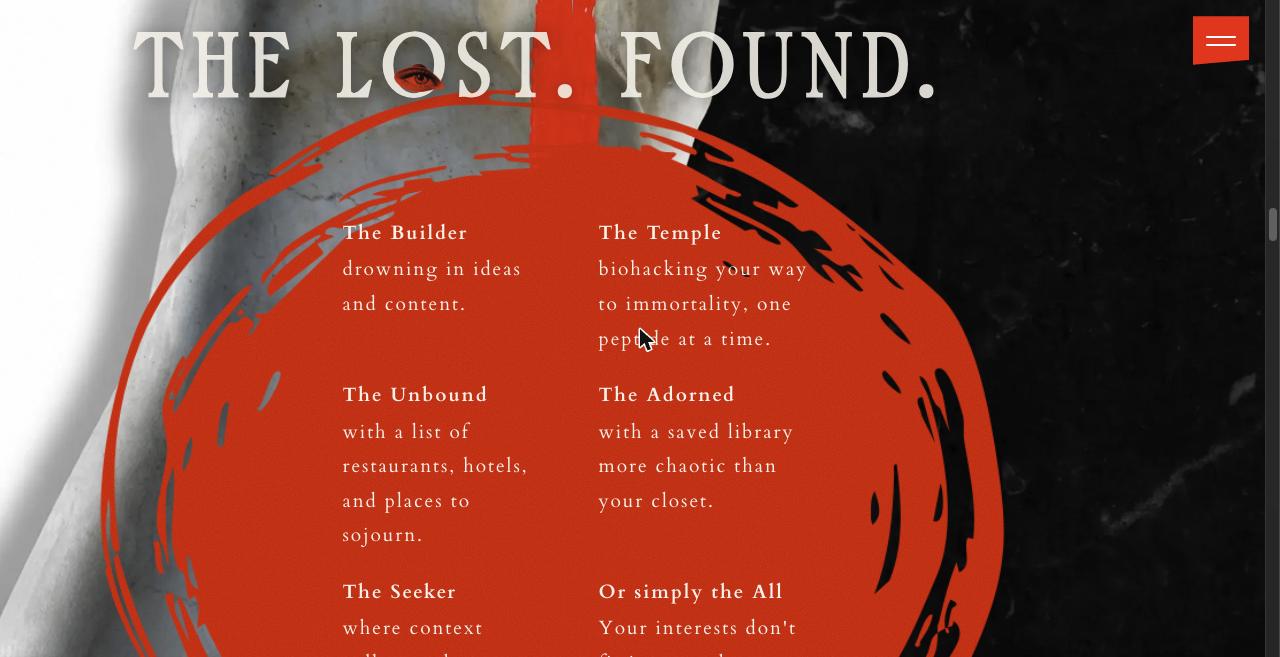
Translated out of the manifesto:
| Persona | Site language | What they do with it |
|---|---|---|
| The Builder | "drowning in ideas and content" | Founders and creators who save 20 tweets and YouTube videos a day and want them summarised, then queried through MCP |
| The Temple | "biohacking your way to immortality, one peptide at a time" | Wellness savers who need protocols, dosages and product names extracted from long podcasts |
| The Unbound | "restaurants, hotels, and places to sojourn" | Travel planners who want the map view and a shareable "Lisbon eats" shelf |
| The Adorned | "a saved library more chaotic than your closet" | Fashion, beauty and home shoppers who want the serum from the Reel without DMing anyone |
| The Seeker | "context collapses the moment you save" | Knowledge workers who want the web clipper and transcript search |
In plain buyer terms: anyone with 500-plus Instagram saves, home cooks who save recipe Reels, gift shoppers, skincare product hunters, fitness routine collectors, and affiliate curators who want a public gallery with their own tag on it. If that last group sounds like a business rather than a hobby, we have a separate list of micro-SaaS ideas for content creators.
How do you share and collaborate in The Saved?
You can publish any category or Smart Shelf as a public page, claim a personal handle for clean share URLs, and invite members to shared boards.
That covers the three most common cases: a public "Rome eats" shelf you send to friends, a shared board for a group trip or a house move, and a recipe collection two people add to. Creators' original content and affiliate links stay intact when their posts are saved and shared this way.
Which platforms does The Saved run on?
The Saved runs on the web, Android, iPhone and Chrome.
| Surface | Status (September 2026) | Where |
|---|---|---|
| Web app | Live | thesaved.app |
| Android | Live on Google Play | package app.getsaveit.main |
| iOS | Early access via TestFlight | TestFlight invite link on the site |
| Chrome extension | Live, labelled BETA | Chrome Web Store, "The Saved BETA" |
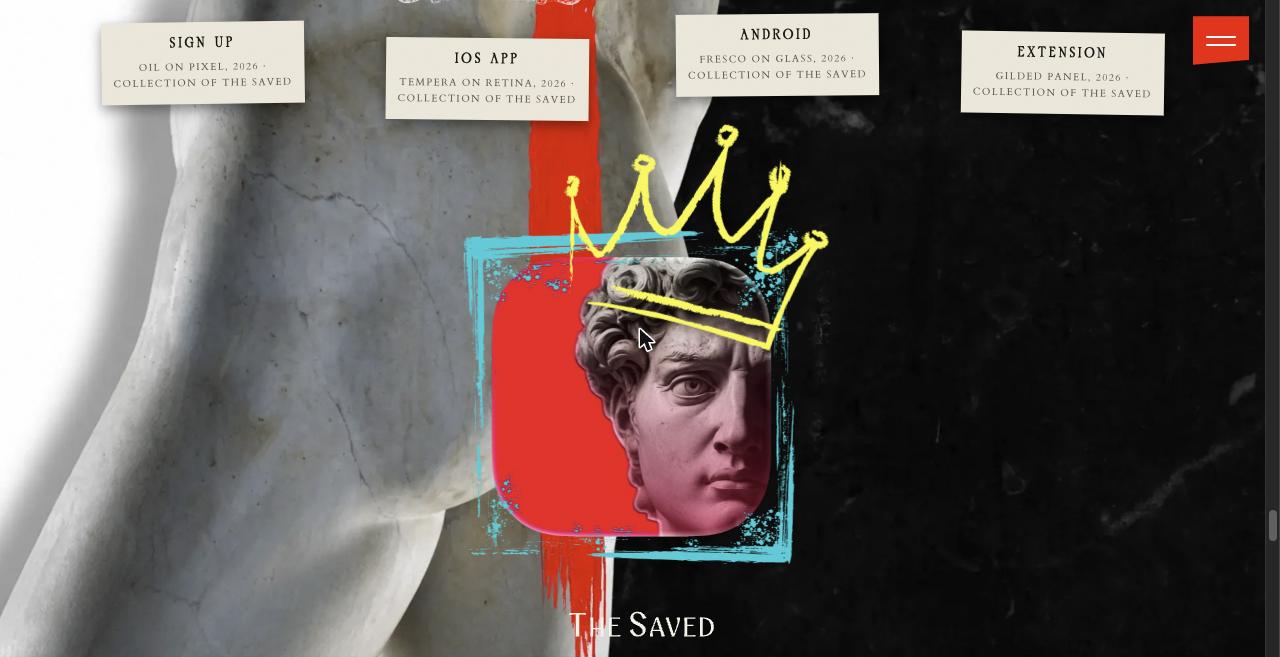
iPhone users install through TestFlight, Apple's early-access channel, rather than a regular App Store search. Everything else is a normal install. The web app is the most complete surface and the fastest way to see the whole product.
How much does The Saved cost?
The Saved is free to start, with a limited monthly allowance of saves, and then sells non-expiring save packs or a monthly subscription from the web dashboard.
No credit card is required to sign up and you can cancel any time. Current prices, the free-tier limit and pack sizes are shown in-app after you create an account, which takes about a minute.
On the trust side: data is encrypted, you can export everything or delete the account from settings, you can flag any card where the AI extraction missed something, and bug reports and feature requests go straight from settings without an email. The Chrome and Play listings state that it reads product details, article text and transcripts from the page you are actively saving and does not modify pages, which is a narrower permission than a lot of extensions ask for.
How does The Saved compare to Raindrop, Pocket and native saved folders?
The Saved is the only option in this table that combines content search, extraction, shopping links, a map and saved searches in one library.
| Native Instagram / TikTok Saved | Raindrop.io / Pocket | Place-only apps | The Saved | |
|---|---|---|---|---|
| Multi-platform library | No | Yes | Reels only | Yes |
| Searches inside video audio and text | No | No | Partially | Yes |
| Summaries and action steps | No | No | No | Yes |
| Product links with timestamps | No | No | No | Yes |
| Map view | No | No | Yes | Yes |
| Saved searches (Smart Shelves) | No | Filters only | No | Yes |
| MCP / bring-your-own AI key | No | No | No | Yes |
| Shareable public pages | No | Yes | Some | Yes |
Against article readers like Pocket and Instapaper, The Saved is built for social video first and long-form reading second. Against place apps, it is not limited to restaurants; recipes, products, workouts and ideas all get the same treatment. Against native saved folders, it is not the same product category. Most of the alternatives are listed in the same AI tool directories buyers browse, which is a useful place to check the category yourself.
What should you know before signing up?
Four practical things, none of them dealbreakers.
- iPhone is early access. Install through TestFlight for now. The web app and Android build are the fully public surfaces.
- Give the AI something to read. Saves with spoken words, captions or on-screen text extract best. A Reel that is only music and B-roll gives the model less to work with; the re-extract button and your own tags cover those.
- Name the place if you want it mapped. The map pins saves with a clear, unambiguous location.
- Shopping links may earn a commission. Creator first, then your own Amazon tag, then The Saved's. If you never shop from social, the links sit quietly in the card and stay out of the way.
Is The Saved worth it?
Yes, if you have a large backlog of saves you actually want to use. The Saved does the one thing native saved folders will never do: it reads what you saved and lets you search it, across every platform, in one place. Summaries, step extraction, product links with timestamps, Smart Shelves and the map are shipping features, and the MCP layer with your own AI key is the most forward-looking feature in this category right now.
If you save five things a month, the free allowance will cover you and you will still get the search. If you save fifty, this is the most complete answer to the problem I have seen, wrapped in a brand that calls its own users "degenerates of taste" and means it as a compliment.
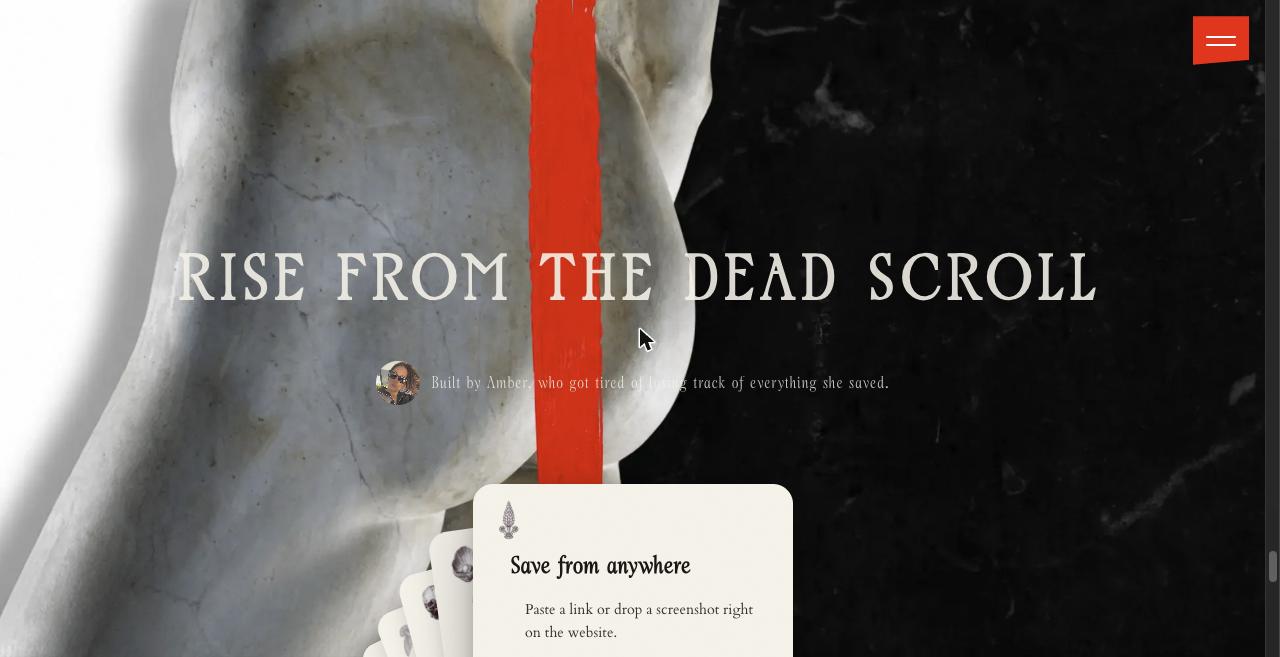
Start on the web, since that is the most complete surface: get started with The Saved. Android is on Google Play, iPhone is on TestFlight, and the Chrome extension is the fastest way to try the web clipper.
FAQ
What is The Saved app?
The Saved is an AI organizer for social media and web saves, built by SaveIt Social, Inc. in Austin, Texas. You share a Reel, TikTok, YouTube video, Pin, Reddit post, tweet, podcast or web page into it, and it transcribes the content, writes a summary, pulls out step-by-step instructions, tags products with shopping links, timestamps where things are mentioned, and files the save into a category. Everything is then searchable across platforms from one library at thesaved.app.
Is The Saved free?
Yes, to start. There is a limited free allowance each month, and you can sign up without entering a credit card. Beyond that, the company sells non-expiring save packs and monthly subscription plans, managed from the web dashboard. Current prices and the free-tier save limit are shown in-app after signup.
Does The Saved work on iPhone?
Yes. iPhone users install it through TestFlight, Apple's early-access channel, at the time of writing in September 2026. Android users get it from Google Play, and everyone can use the web app at thesaved.app plus the Chrome extension.
How is The Saved different from Instagram's built-in Saved folder?
Instagram Saved only holds Instagram content, and it cannot search by what is inside a video. The Saved reads the audio, captions and on-screen text of each save, so a Reel with a hotel name spoken over music surfaces when you search that hotel, alongside TikToks, YouTube videos and Pins on the same topic.
Can The Saved import my existing saves?
Yes. The Saved offers bulk imports so you are not starting from an empty library. You share or import the items you want, and the AI processes each one the same way it handles a new save.
Does The Saved replace creators' affiliate links?
No. The policy is creator link first. If the original creator included an affiliate link, that link is preserved. If there is none, your own Amazon affiliate tag from settings is used, and only if neither exists may The Saved insert its own link. Any of those three can earn a commission.
What are Smart Shelves in The Saved?
A Smart Shelf is a saved search. You define a query such as "recipes with chicken" or "Amalfi Coast hotels" and the shelf keeps matching saves, both the ones already in your library and anything you add later. It replaces manually dragging items into folders.
Can I connect The Saved to ChatGPT, Claude or Gemini?
Yes. The Saved exposes your library to AI agents through MCP, the Model Context Protocol, and you can bring your own OpenAI, Anthropic or Gemini API key to chat with your saves or generate new content from them. The company states the key is never stored on its servers.
Who is The Saved best for?
People with hundreds of forgotten saves across Instagram, TikTok, YouTube and Pinterest: home cooks who save recipe Reels, travel planners, gift shoppers, skincare and fashion product hunters, fitness routine collectors, creators who curate public galleries with affiliate tags, and power users who want their saves available to an AI agent through MCP.
If you build something in this space yourself, or in any other, SaaSCity is a free, human-reviewed startup directory with a live city map where a listing is a permanent page other founders actually see. Submitting takes about ten minutes.
Get your SaaS in front of founders
List your product on the SaaSCity live city map - a permanent listing, real discovery, and a backlink from a high-DR directory. Free to start; upgrade for a dofollow link and a building on the map.