Launch & Growth
OpenAI Opened Business Profiles in ChatGPT. Your SaaS Probably Can't Claim One Yet (2026)
OpenAI just built Google Business Profile for ChatGPT, and the form asks software companies for a return policy. Here's how to claim and verify a business in Business Hub, what the 28-day insights actually count, and why most B2B SaaS can't get a profile that fits yet. We run a directory, SaaSCity, so we also cover where third-party listings still feed the answers.

Contents (12)
- Key takeaways
- What is ChatGPT Business Hub?
- Is ChatGPT Business Hub the Google Business Profile of AI search?
- How to claim your business in ChatGPT, step by step
- Why your B2B SaaS probably can't claim the profile it needs yet
- Is claiming a ChatGPT business profile free, and does it boost visibility?
- What is a ChatGPT Business Agent, who can publish one, and what can't it do?
- How to measure ChatGPT traffic and mentions with Business Hub insights
- How to get your SaaS listed in ChatGPT in 2026, even before you can claim
- Where a directory listing still fits
- Questions founders are asking about ChatGPT Business Hub
- What to watch next
OpenAI just built Google Business Profile for ChatGPT, and if you sell software, the form wants your return policy.
Quick answer: Businesses in ChatGPT, launched in beta by OpenAI on November 10, 2026, lets a company claim, verify and edit its profile inside ChatGPT through Business Hub, see aggregated mention and click data, and, for eligible U.S. ecommerce and online service businesses, publish a Business Agent. Claiming has no listed price, and OpenAI says it doesn't guarantee more visibility.
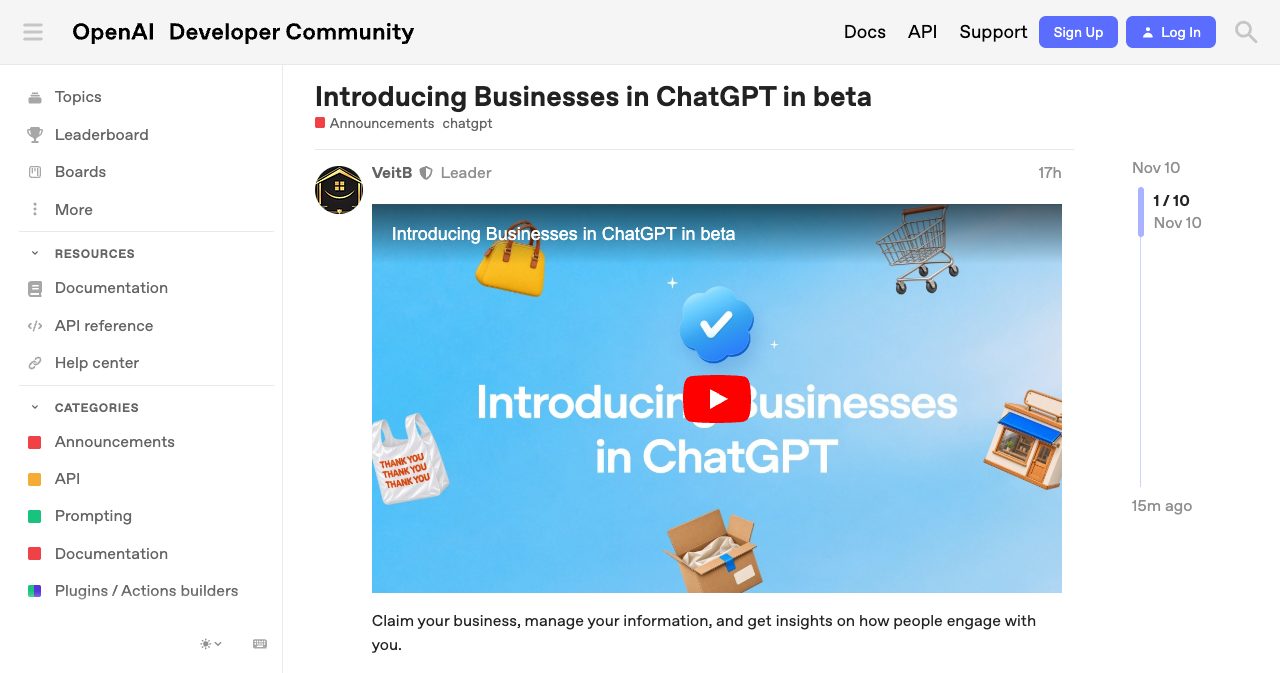
Last updated: November 11, 2026. OpenAI facts come from its Help Center article and two policy pages, all read on November 11. Launch-day reports from journalists and practitioners are linked and dated where they appear. Business Hub is a beta, so expect the details to move.
You're reading this on a directory's blog. SaaSCity is a gamified startup directory with a live city map, and we earn money when founders list with us, which gives us a reason to want listings to look important. Weigh the SaaSCity parts of this post with that in mind. Everything about OpenAI's product is sourced to OpenAI or to a named reporter or practitioner.
I'm writing about this one because it's the first time an AI answer engine has shipped a listing you can own. You verify it, edit it and get numbers back, the job Google Business Profile has done for local search for years. The catch for B2B SaaS is that the profile is shaped like a shop. It asks for delivery and return policies, the self-serve service type was reported as "Coming soon" on launch day, and a software company ChatGPT already knows can land on a waitlist while a business it has never heard of gets straight in. So this post covers both halves: how the claim flow works, and what to do this week if your SaaS can't use it yet.
Key takeaways
- OpenAI launched Businesses in ChatGPT in beta on November 10, 2026. Business Hub is where you claim and manage a profile. Business Agents are optional chatbots for eligible U.S. ecommerce and online service businesses.
- A claim takes two checks: an ownership check (business phone, business email, a DNS TXT record or Shopify), then a Persona identity check. The blue check appears only after Persona approves you.
- OpenAI's Help Center says claiming "doesn't guarantee increased visibility" and that claiming or disputing a profile "doesn't change its visibility in ChatGPT."
- B2B SaaS sits in a gap. One launch-day test found the service business type marked "Coming soon," and the editable fields include a delivery policy and a return policy.
- Insights cover 28 days of mentions, website clicks and discovery topics. A mention counts only when ChatGPT references your website, so your brand name alone doesn't register.
- Business Hub clicks aren't visits. Reconcile them with Google Analytics 4 (GA4) sessions tagged utm_source=chatgpt.com, and remember that the tag dropped below 1% from October 9 to 15, 2026.
- OpenAI Support can't delete, unpublish or hide a published profile, so a wrong business type may stick.
What is ChatGPT Business Hub?
ChatGPT Business Hub is the dashboard where a business claims its ChatGPT profile, edits the details ChatGPT shows, connects product feeds and reads aggregated insights. It sits in the ChatGPT sidebar and at chatgpt.com/business-hub, and it's the management half of a beta OpenAI calls Businesses in ChatGPT, which went live on November 10, 2026.
OpenAI's announcement frames the stakes around the 1.2 billion people it says use ChatGPT each week. The product has two parts. Business Hub is where you claim the profile, edit your website, description, product or service category, logo, cover photo, delivery policy and return policy, connect a product feed (a CSV, a hosted file or a Shopify feed), and read insights. Business Agents are optional chatbots that answer buyers' questions in their own chat, separate from ChatGPT's answers.
Not everyone uses the same door. Per the announcement, as summarized by Fone Arena on November 11, existing OpenAI Enterprise customers and advertisers claim through their OpenAI representative, Shopify merchants can connect their store from Business Hub or the Shopify admin, and eligible Shopify products are already in ChatGPT through Shopify Catalog. Everyone else self-serves. OpenAI's Help Center article says it directly: "You don't need an Ads account or a ChatGPT Enterprise agreement to claim an eligible business."
Your profile exists whether you claim it or not, and that changes how you should think about all of this. OpenAI's Businesses in ChatGPT policy, updated November 10, 2026, says "Profiles may also include information from other sources," and the Help Center adds that "ChatGPT may also use other sources when answering questions about your business." A claim lets you correct the record, and ChatGPT keeps mixing in what other sources say.
Is ChatGPT Business Hub the Google Business Profile of AI search?
ChatGPT Business Hub works like Google Business Profile: a verified owner edits a public profile and gets engagement numbers back. TechCrunch's Lucas Ropek wrote on November 10, 2026 that the feature "greatly resembles the kind of profiles that Google and other search engines already offer." The eligibility rules run almost the other way, though.
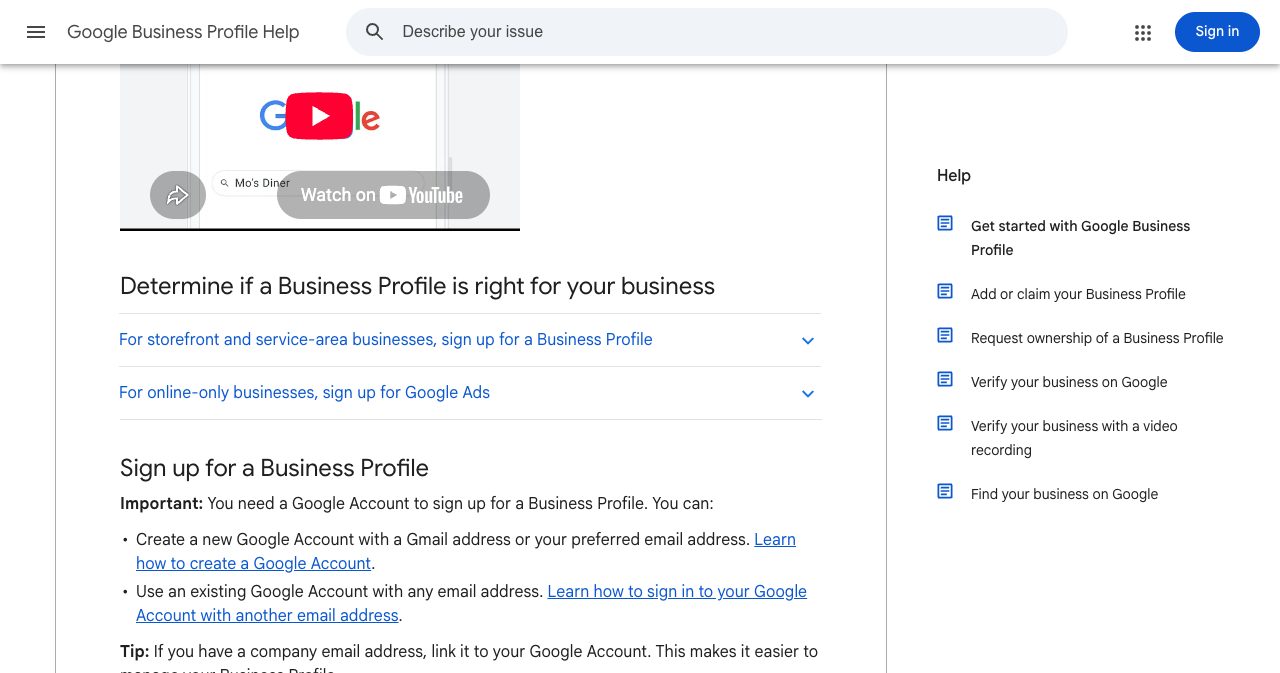
Google's Get started page says "Business Profiles aren't for online-only businesses" and sends those businesses to Google Ads. OpenAI does roughly the reverse. Its Help Center says that if you run an eligible online business and can't find yourself, "you may see an option to add it," while "Local stores and restaurants can currently claim only an existing U.S. listing." On paper, that makes ChatGPT friendlier to SaaS than Google's profiles ever were. In practice, the forms were built for shops, which I'll get to.
Here's how the three tools compare, based on Google's help pages and OpenAI's Help Center as read on November 11, 2026:
| Google Business Profile | Google Search Console | ChatGPT Business Hub | |
|---|---|---|---|
| Who it's for | Businesses with a storefront or a service area; not online-only businesses | Anyone who can prove they own a site | Eligible businesses where ChatGPT is available; local stores and restaurants only through existing U.S. listings |
| Price | "At no charge" | "A free service offered by Google" | No listed price, no Ads account needed |
| Ownership check | Phone or SMS, email, live video call, postcard or video recording; Google picks the method | HTML file, HTML tag, Google Analytics, Tag Manager, or a DNS TXT or CNAME record | Business phone (SMS or call), business email code, DNS TXT record or Shopify, then a Persona ID check |
| What you control | Hours, website, phone, location, photos, review replies | No public profile; it reports on your site | Website, description, category, logo, cover photo, delivery and return policies |
| What you measure | Searches, views, calls, website clicks, directions, messages, bookings | Clicks, impressions, CTR, average position | Mentions, website clicks, discovery topics |
| Default window | A date range you set; searches update monthly | Past three months | Past 28 days |
The row that matters most for marketers is the measurement one. Search Console shows the queries that found you. Business Hub never shows prompts. The Help Center states it plainly: "Businesses don't receive individual prompts or consumer conversations, including chats with their business agents." You get themes and totals with no query-level detail.
Google is building its own entry point into the answer layer too, through a submission form for apps in Search and Gemini, which we covered in Google's connected apps platform. So two of the biggest answer engines now run their own listing and review queues, which is how directories have always worked.
How to claim your business in ChatGPT, step by step
You claim a business in ChatGPT by finding it in Business Hub, proving you represent it with one of four ownership checks, and then passing an identity check run by Persona, the verification provider OpenAI uses. The steps below follow OpenAI's Help Center article as updated on November 10, 2026.
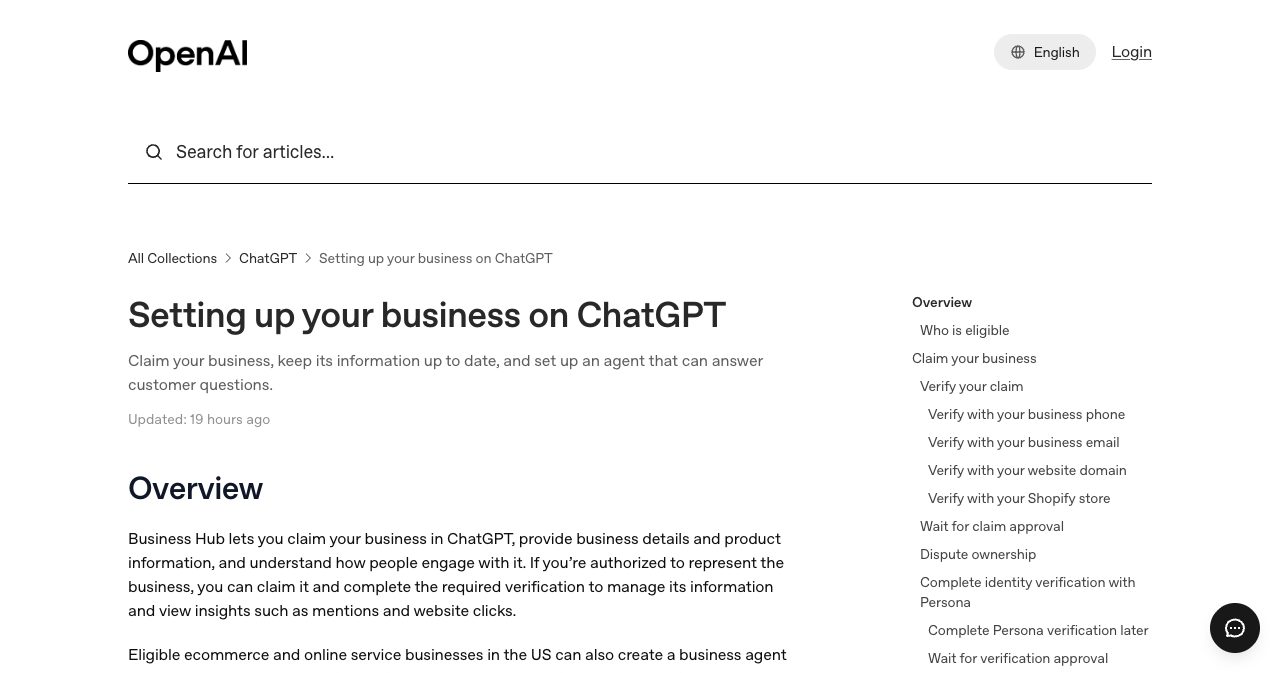
- Open Business Hub and search for your business. Sign in to ChatGPT, open Business Hub from the sidebar or at chatgpt.com/business-hub, and search for your business by name.
- Pick the listing and confirm the managing account. Select the listing that matches your business and confirm the ChatGPT account you'll use to manage it. Use an account your company controls. If ChatGPT doesn't know your business and you run an eligible online business, you may see an option to add it.
- Verify that you represent the business. Choose one of the methods shown: a code by text message or automated call to the business phone, a code sent to the business email, a TXT record added to your website domain's DNS, or a Shopify store connection.
- Wait for OpenAI's claim decision. OpenAI reviews the claim and emails you its decision or a request for more information. You can cancel the claim while it's under review.
- Complete identity verification with Persona. Select Verify with Persona and submit what it asks for, which may include a government-issued ID, business registration information and proof that you're authorized to represent the business. The blue check appears only after Persona approval, and a new profile publishes automatically when it's approved.
- Fill in your business information. Open your profile in the Business tab and add your website, description, product or service category, logo, cover photo, delivery policy and return policy. OpenAI reviews changes before they appear.
- Open Insights and record a baseline. Select Insights and write down your 28-day mentions, website clicks and discovery topics, so you have a starting point to compare against your own analytics.
The DNS route is the one most SaaS teams will use
Plenty of software companies have no published business phone line, and a shared inbox may not match the email ChatGPT has on file, so the DNS TXT record is the natural route. The Help Center's instruction is short: add the TXT record shown in ChatGPT and "Copy the type, name or host, and value exactly." Two launch-day guides, from Promptwatch and DeltaV Digital, printed different record names, so copy the host from ChatGPT itself and from no blog post, this one included.
Timing is the other trap. DeltaV's Zach Stone notes that "The record ChatGPT issues has an expiry date," and a developer in the OpenAI Developer Community thread complained of "only a 30-minute window" when DNS propagation can take "24 to 48 hours." If your DNS sits with a slow provider, have the record ready to paste before you click Verify. DeltaV says its own domain verified the same day.
Persona is where people get stuck
Most of Business Hub stays locked until Persona approves you. The Help Center says you need that approval to publish changes, connect a product feed, view insights or create an agent, and that "Claiming your business alone doesn't give its profile a verified badge."
The replies in the community thread show where it breaks. A UK user wrote that "Persona makes the VAT number field mandatory, even when selecting Sole Proprietor," and another said verification "failed for no apparent reason" and that they "can't resubmit." OpenAI's advice is to make sure "the business name, address, and any registration or tax number you provide match your official business records," and to use Try again if the email offers it. OpenAI publishes no review time. "Review time varies," says the Help Center.
One oddity: DeltaV reported that insights "were visible right away, before we had finished identity verification," which contradicts the Help Center. Plan on needing Persona anyway.
Why your B2B SaaS probably can't claim the profile it needs yet
Most B2B SaaS companies can't get a profile that fits yet, because the self-serve service business type was reported as "Coming soon" on launch day and the profile fields were designed for stores. OpenAI hasn't published a rule about software companies, so the evidence comes from people who tried the flow.
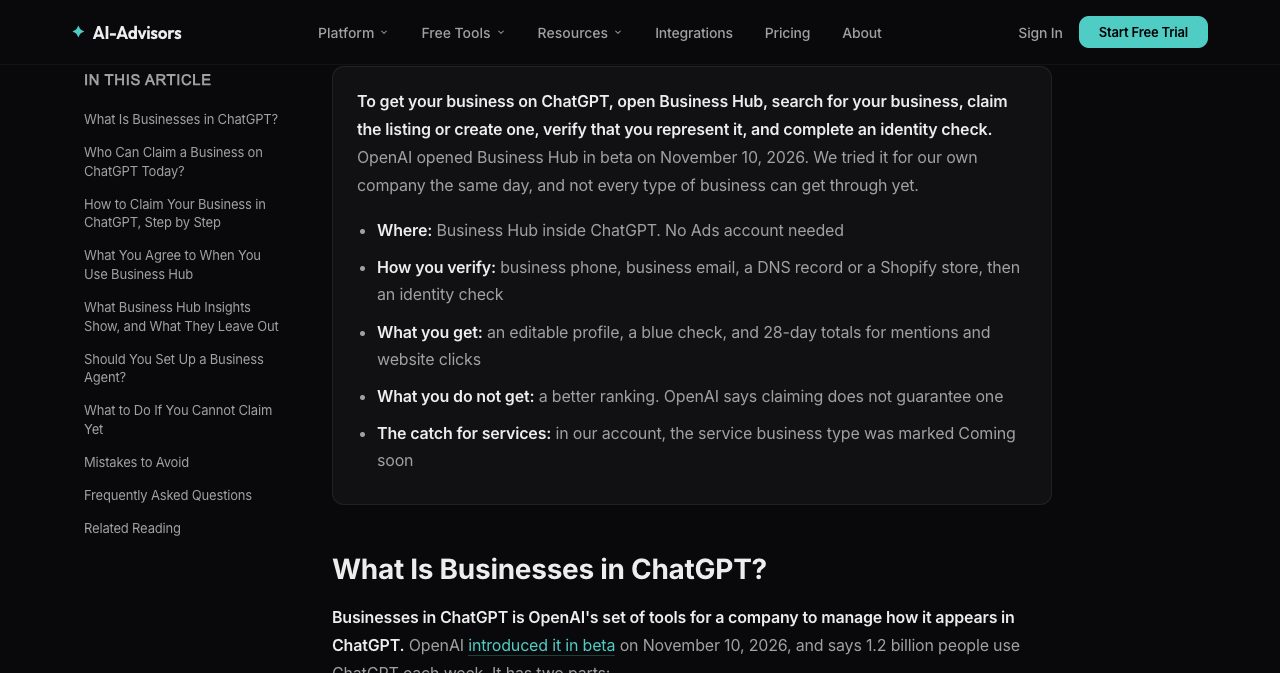
Kevin O'Connell of AI-Advisors tested the create flow for his own company on November 10. The flow offered three options, "At a physical location, Through an online store, or Through a service," and "Through a service was greyed out and marked Coming soon." His read: "a software company, consultancy or agency with no existing listing had no path that fit on launch day." He summed up the field problem in a single sentence: "a profile that asks for a delivery policy does not describe a software subscription."
Then there's the waitlist. Promptwatch, which sells AI visibility software, reported on November 11 that "a business ChatGPT already lists may have to wait," and published the screen it got: "Join the waitlist to claim Promptwatch." In another test, run from the Netherlands, a real estate agency ChatGPT didn't know could be created and verified straight away, and the form suggested "Home goods store" as its category. So the software company ChatGPT already knew had to wait, while the agency it had never heard of got in under the wrong category.
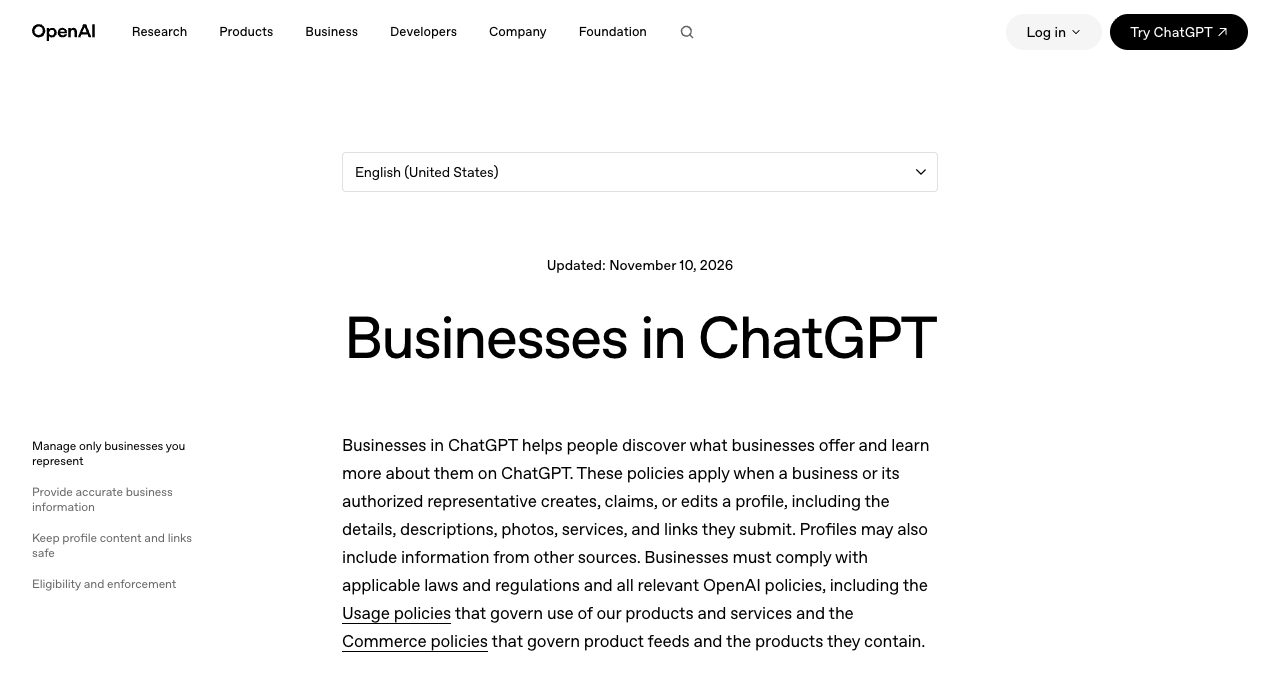
OpenAI's policy leaves room for exactly this. The Businesses in ChatGPT policy says "Not every business can create or claim a profile" and "We may also hold off on allowing businesses in other categories to create or claim profiles until we have the safeguards needed to support them responsibly." TechCrunch quoted Benji Shomair, OpenAI's VP of Monetization, saying there are "multiple verification methods that we use for different types of business in different markets." In plain terms, what you see depends on your business type and your country, and it will change.
If the only option on offer is "online store," don't pick it just to get in. The Help Center says "Only unpublished draft profiles can be deleted" and that "OpenAI Support is unable to delete, unpublish, or hide a published profile." It also says that when you create a new profile through Persona, "OpenAI's approval automatically publishes the profile." A SaaS company permanently listed as a home goods store is worse off than one that never claimed.
One question is still open. The Help Center describes agents as available to "eligible ecommerce and online service businesses in the US with a website," and OpenAI hasn't defined "online service." A U.S. SaaS product may well qualify once the service type opens. Nobody outside OpenAI can confirm that yet.
Is claiming a ChatGPT business profile free, and does it boost visibility?
Claiming a ChatGPT business profile appears to be free, and it won't boost your rankings. OpenAI lists no price, requires no Ads account, and says outright that a claim doesn't guarantee more visibility. What you buy with the paperwork is accuracy and data. Citeme, which went through the flow on November 10, wrote that OpenAI's pages "list no price for claiming or for Business Hub, and we met no payment step."
On visibility, the Help Center FAQ is blunt: "It doesn't guarantee increased visibility or give you direct control over ChatGPT's independent recommendations. Advertising doesn't influence ChatGPT's independent answers." The product feed section says the same about feeds: "Connecting a feed doesn't publish an agent or guarantee that ChatGPT recommends your products." OpenAI's business landing page repeats that claiming does not guarantee higher placement or sales. If you wanted to pay for reach, that's what ChatGPT Ads and sponsored agents are for, and OpenAI says they're kept apart from the answers.
I'd still claim, and here's my order of reasons.
A source of truth comes first. ChatGPT will describe you anyway, partly from other sources, and a verified profile with the right website, description and category is the one input OpenAI treats as coming from you.
Then there's defense. Barry Schwartz of Search Engine Roundtable claimed his own business on launch day and wrote, "I am honestly nervous about people hijacking businesses on here." If someone else claims you first, the fix is a Dispute ownership flow that runs through Persona. Being the first verified owner is less work.
Last, data. Business Hub gives you the only first-party numbers OpenAI offers on how ChatGPT treats your site. That counts for more than it sounds, given how poorly referral tracking from AI answers has held up. We covered the court records on how much generative answers cut publisher clicks. A mention count at least shows you the part of the funnel that never reaches your analytics.
What is a ChatGPT Business Agent, who can publish one, and what can't it do?
A Business Agent is an optional AI agent that answers buyers' questions about your business inside ChatGPT, in its own chat, separate from ChatGPT's answers. At launch, only eligible ecommerce and online service businesses in the U.S. with a website can create one, and only after both the claim and the Persona check are approved.
Setup is short. In the Business tab you review what the agent will use, such as product details and your return policy, write instructions, and preview it with a real customer question. The Help Center's example is "Can I return an item I bought on sale?" When the answers look right, you publish. Customers can only chat with a published agent, and Promptwatch's summary of the rules puts it at one agent per profile.
The Help Center rules out purchases, bookings and order lookups: "The current experience lets your agent explain products and policies and link to your website, where customers complete those actions." The agent also doesn't use data from any plugin your business runs in ChatGPT. And you won't see the conversations, per the privacy line quoted above.
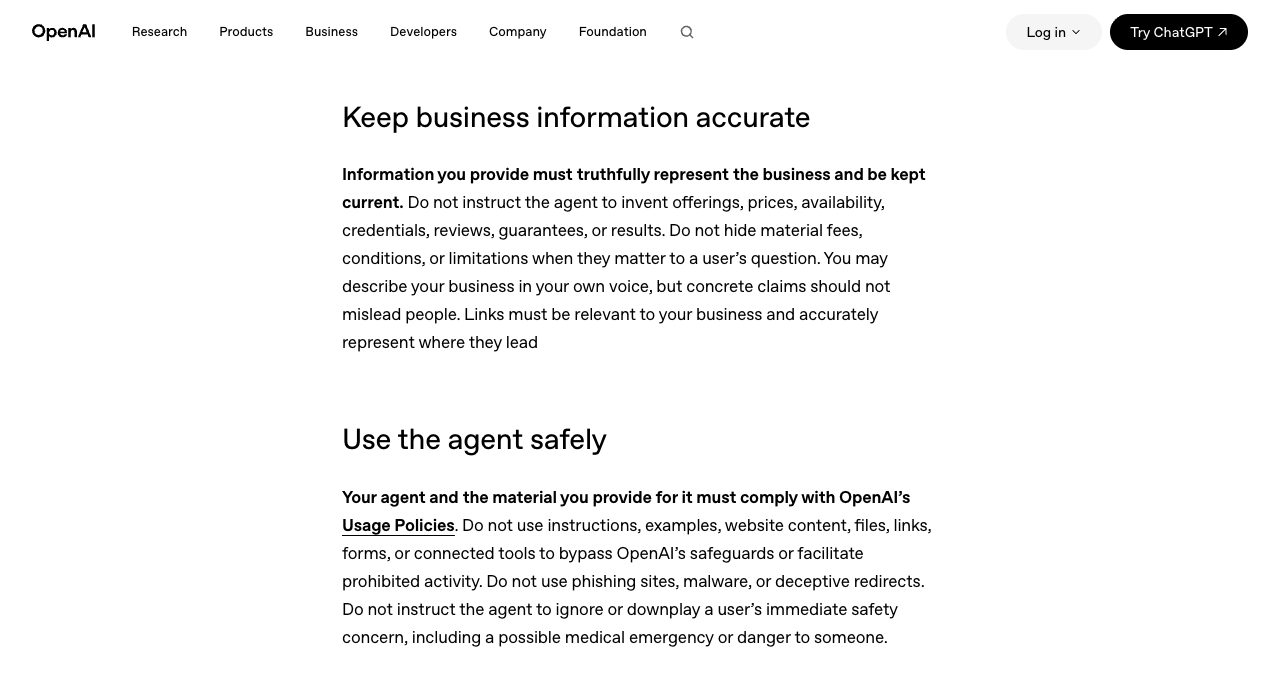
The Business Agents Policy, updated November 10, 2026, is strict in ways SaaS teams should read twice. You can't instruct the agent "to invent offerings, prices, availability, credentials, reviews, guarantees, or results," or "hide material fees, conditions, or limitations when they matter to a user's question." It bans false urgency and pushing a sale after someone says no. The agent can't ask for "health details, protected traits, government IDs, or financial or authentication credentials," can't give "advice that legally requires a professional license," and must be clear "that it is AI representing the business." OpenAI says it may "suspend or remove your agent" and can restrict a business from creating agents when "concerns are serious or repeated." And: "Business verification alone does not guarantee agent eligibility."
For a SaaS company the realistic risk is stale pricing. Change your plans, forget the agent's instructions, and you're hiding material fees by accident.
There's no checkout because OpenAI already tried one. TechCrunch reported on March 24, 2026 that "Instant Checkout has not been a huge success" and that OpenAI was "deprioritizing the development of Instant Checkout as a stand-alone feature." Its November 10 story says the effort was retired in March. For SaaS founders that's good news. Signup and payment stay on your site, unlike the login screen, which OpenAI has been trying to own with Sign in with ChatGPT.
How to measure ChatGPT traffic and mentions with Business Hub insights
Business Hub insights show 28-day totals for mentions, website clicks and discovery topics. Treat them as an early-funnel signal you reconcile with your own analytics, because the clicks aren't visits and the mentions aren't recommendations.
Here's what each number counts, per the Help Center unless noted:
| Metric | What counts | What it won't tell you |
|---|---|---|
| Mentions | For an online business, ChatGPT referencing your website; naming the brand alone doesn't count | Whether the answer recommended you or steered people away |
| Website clicks | Recorded clicks on links to your website in ChatGPT | Visits or conversions: "Clicks don't confirm website visits or conversions," per the tooltip Search Engine Roundtable published |
| Discovery topics | Common themes in ChatGPT answers that mentioned or cited you | Individual prompts or customer intent |
| Profile views | Listed by TechCrunch, Promptwatch and DeltaV Digital, not by the Help Center | What counts as a view; Promptwatch says "No public definition yet" |
Numbers appear only above a reporting threshold, and the Help Center says a blank "doesn't necessarily mean zero activity." Promptwatch says the data "lags at least one day" and offers 7-day and 28-day views. And early numbers are small: DeltaV reported "23 mentions and 0 website clicks for the past 28 days" on day one, and Schwartz wrote, "I don't see any data yet."
The mention rule should change your content plan. If a mention only counts when ChatGPT references your website, then the pages ChatGPT can cite, such as pricing, docs, comparisons and integrations, are what move the counter. Our GEO and AEO playbook covers how to make those pages citable.
Matching Business Hub clicks to GA4
On the analytics side you depend on ChatGPT tagging its outbound links with utm_source=chatgpt.com, and that tag isn't guaranteed.
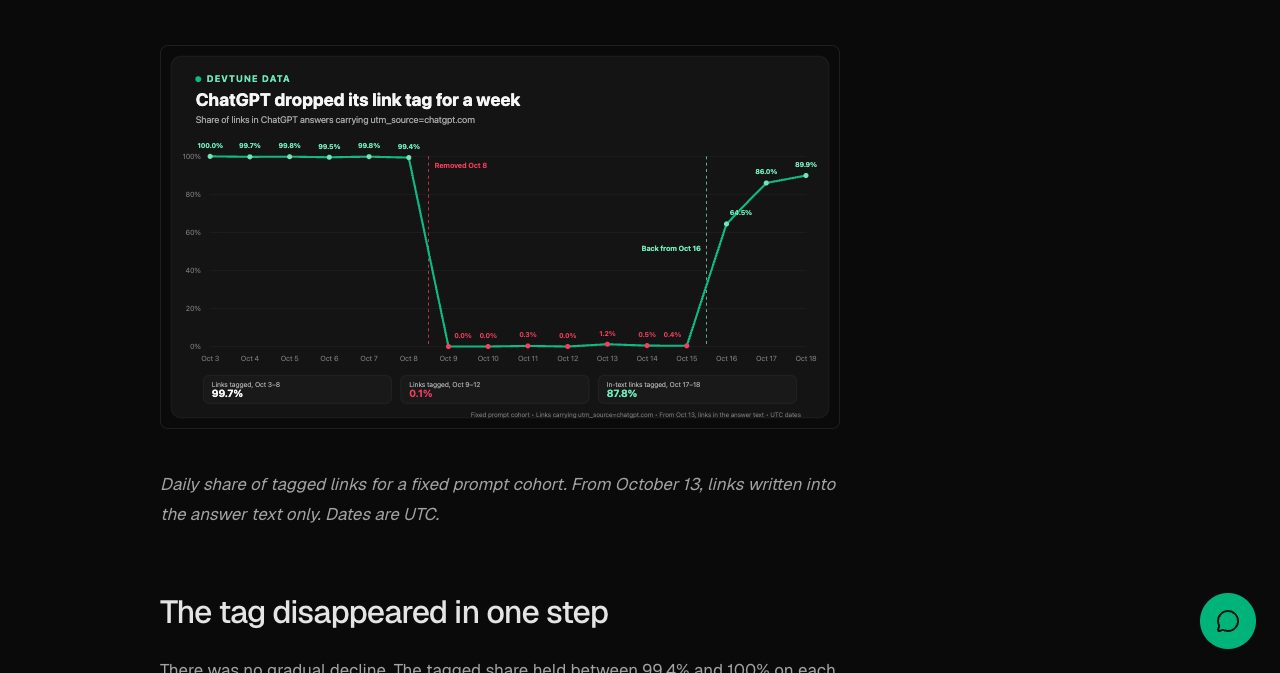
DevTune tracked a fixed set of prompts through October. From October 3 to 8, 2026, 99.7% of links in ChatGPT's answers carried the tag. From October 9 to 15, fewer than 1% did. The tag returned on October 16, and on October 17 and 18, 88% of in-text links had it again. Search Engine Roundtable reported the drop on October 14, and Adobe's Cedric Huesler, whose tests it cited, updated his post on October 15 to say it was a bug. DevTune also found that only 38% of ChatGPT-attributed visits on its sensor sites carried a ChatGPT referrer, so if you've been counting referrers alone, you've been undercounting.
A setup that works for a small team:
- Screenshot Business Hub insights every Monday. The window is 28 days, so the history is gone unless you keep it.
- In GA4, build a segment for sessions whose source contains chatgpt, and compare it each week with Business Hub's click count. The gap is a rough measure of your untagged ChatGPT traffic.
- Add "ChatGPT or another AI assistant" to the "How did you hear about us?" question at signup. Self-reported attribution catches people who read an answer and typed your URL later.
- Watch clicks divided by mentions over time. It's the closest thing Business Hub gives you to a click-through rate.
How to get your SaaS listed in ChatGPT in 2026, even before you can claim
To get a SaaS product listed in ChatGPT in 2026, check what Business Hub already shows about you, claim only if the business type fits, draft your profile fields, fix your pricing page, set up ChatGPT tracking and make your third-party descriptions match. None of it costs money, and a few hours this week put you ahead of founders who wait for the "Coming soon" label to go away.
- Search for your company in Business Hub today. If a listing exists, screenshot it, because that's what ChatGPT currently believes about you.
- Claim only if it fits. If an existing listing has the right category, claim it with a ChatGPT account your company controls. The Help Center says the admin who claimed can add teammates and give an agency access, so nobody needs to share a login.
- If the only path is the wrong business type, wait, and join the waitlist if it's offered.
- Write the profile now, in a doc: a two-sentence description, your category, a logo and a cover image. For the shop-shaped fields, have answers ready. Treat "delivery" as how customers get access (instantly, after signup) and "returns" as your refund and cancellation terms. That mapping is mine, not OpenAI's, but it beats leaving the fields blank or inventing something.
- Fix your pricing page. Mentions count references to your website, and the Business Agents Policy punishes hidden fees. A current pricing page with plans and limits in plain text, not locked behind a "contact sales" button or a script that has to run first, gives ChatGPT something it can read and cite.
- Make third-party descriptions match. ChatGPT reads other sources about you, and if your site, review profiles and directory listings describe you three different ways, the model has to guess.
Where a directory listing still fits
Business Hub moves listing logic inside the answer engine, and listings are our business at SaaSCity, so I'll keep this part honest. A Business Hub profile is what you tell OpenAI about yourself. The answer is still built partly from what everyone else says about you, and OpenAI's own Help Center says so. Third-party pages are part of that input, which is why being listed on surfaces you don't own still counts.
SaaSCity is a gamified startup directory with a live city map and human editorial review. A free listing gets you a listing page and a building on the map. Add the SaaSCity badge to your site and you get a Monday launch slot. Quick Pass ($19.99) goes live within 24 hours. Premium ($39.99) adds a written launch post with three dofollow links, and Max ($99.99) adds 30 days of billboard, ticker and homepage pin. The domain is rated DR 71 at our latest Ahrefs refresh (November 12, 2026).
A listing won't put you in ChatGPT's answers by itself, and anyone who promises that is selling something. What it adds is one more consistent, indexed description of your product, which is the raw material answer engines work from. The longer argument is in our post on the SEO benefits of listing SaaS products, and you can list at SaaSCity.
Questions founders are asking about ChatGPT Business Hub
What is ChatGPT Business Hub? It's the dashboard inside ChatGPT, at chatgpt.com/business-hub, where a business claims its profile, edits its details, connects product feeds and reads aggregated insights. OpenAI launched it in beta on November 10, 2026, as part of Businesses in ChatGPT.
How do I claim my business in ChatGPT? Search for it in Business Hub, pick the listing, confirm the managing account, and verify by business phone, business email, a DNS TXT record or Shopify. After OpenAI approves the claim, pass a Persona identity check to publish edits and see insights.
Can a B2B SaaS company claim a ChatGPT business profile? Often not cleanly yet. On November 10, 2026, AI-Advisors found the service business type marked "Coming soon," and Promptwatch hit a waitlist for its existing listing on November 11. Don't force a wrong type, because only unpublished drafts can be deleted.
How do I get my SaaS listed in ChatGPT in 2026? ChatGPT already describes many companies from other sources. Search Business Hub, claim if your listing and category fit, and keep your pricing, product and comparison pages clear and consistent with your third-party listings. Mentions count only when ChatGPT references your website.
Is claiming a ChatGPT business profile free? OpenAI lists no price, and its Help Center says you don't need an Ads account or a ChatGPT Enterprise agreement to claim. Citeme reported no payment step on launch day. ChatGPT Ads are a separate, paid product.
Does claiming improve my visibility or rankings in ChatGPT? No boost is promised. OpenAI's Help Center says claiming "doesn't guarantee increased visibility" and doesn't change a profile's visibility in ChatGPT. You get a verified source of truth, a blue check, protection against hijacking and first-party data.
What is a ChatGPT Business Agent? An optional AI agent that answers buyers' questions about your business in a chat separate from ChatGPT's answers. At launch, only eligible U.S. ecommerce and online service businesses with a website can publish one, after claim and Persona approval.
What can't a ChatGPT Business Agent do? It can't complete purchases, make bookings or check orders, and under the November 10, 2026 Business Agents Policy it can't invent prices or reviews, create false urgency, ask for government IDs or credentials, or give licensed professional advice.
What do Business Hub insights measure? Mentions, website clicks and discovery topics over the past 28 days. A mention counts when ChatGPT references your website, clicks don't confirm visits, and blank metrics can sit below a reporting threshold rather than mean zero.
How do I track ChatGPT traffic in Google Analytics? Segment sessions from chatgpt.com, whether by utm_source or referrer, and compare them with Business Hub clicks. DevTune saw the tag vanish from October 9 to 15, 2026, so add an AI-assistant option to your signup survey as a backstop.
Can I delete or unpublish a ChatGPT business profile? Only drafts. OpenAI Support can't delete, unpublish or hide a published profile, and a new profile created through Persona publishes automatically on approval.
How is Business Hub different from Google Business Profile? The mechanics are alike, but eligibility is flipped. Google excludes online-only businesses, while OpenAI lets eligible online businesses add themselves and limits local stores to existing U.S. listings. Google reports searches and calls; Business Hub reports mentions, clicks and topics.
What to watch next
Google Business Profile started as a form most businesses ignored, and now I can't picture a restaurant skipping it. Business Hub could go the same way, or OpenAI could rebuild it a few more times, as it did with checkout. I can't tell which yet.
The profile records what you tell OpenAI. ChatGPT builds the rest of the answer from your pricing page, your docs, your reviews, your directory listings and the comparison posts other people write about you. So open Business Hub today, search for your company, and screenshot what ChatGPT already says. Is that the company you think you're running?
Get your SaaS in front of founders
List your product on SaaSCity for $19.99, one-time: a permanent listing and a building on the live city map.