News
Alibaba Releases Qwen-Image-2.1: Local Text-to-Image and Editing With Native Transparent Output
Alibaba open-weighted Qwen-Image-2.1 on September 20, 2026: a 7B unified DiT model with native RGBA transparency, 10 reference images, 2K output, and a research license.

Contents (12)
- Key Takeaways
- What Qwen-Image-2.1 Actually Is
- Native RGBA Transparency: The Real Product Differentiator
- Editing With Up to 10 Visual References
- Benchmarks: What the 60.28 Score Actually Means
- The License Dilemma: Research Only vs Output Ownership
- Local Deployment: Diffusers, ComfyUI, and Serving Frameworks
- Direct Architectural Comparison: Five Major Models Head-to-Head
- How SaaS Founders Can Capitalize on Qwen-Image-2.1 in 2026
- Detailed Frequently Asked Questions
- Conclusion: An Open-Weight Milestone With Commercial Boundaries
- Primary References and Official Links
Quick answer: Alibaba released Qwen-Image-2.1 on September 20, 2026 as a 7B open-weight model combining text-to-image synthesis, multi-reference editing, and native RGBA transparency in a single checkpoint. It scores 60.28 on Qwen-Image-Bench, placing 1st among open models and 7th among 29 total models, edging Google's Nano Banana 2.0 by 0.46 points while six closed commercial models lead. It runs locally in ComfyUI 0.37+ and Diffusers on 24GB GPUs via INT8 or offloading, under a research-only license where users keep output ownership.
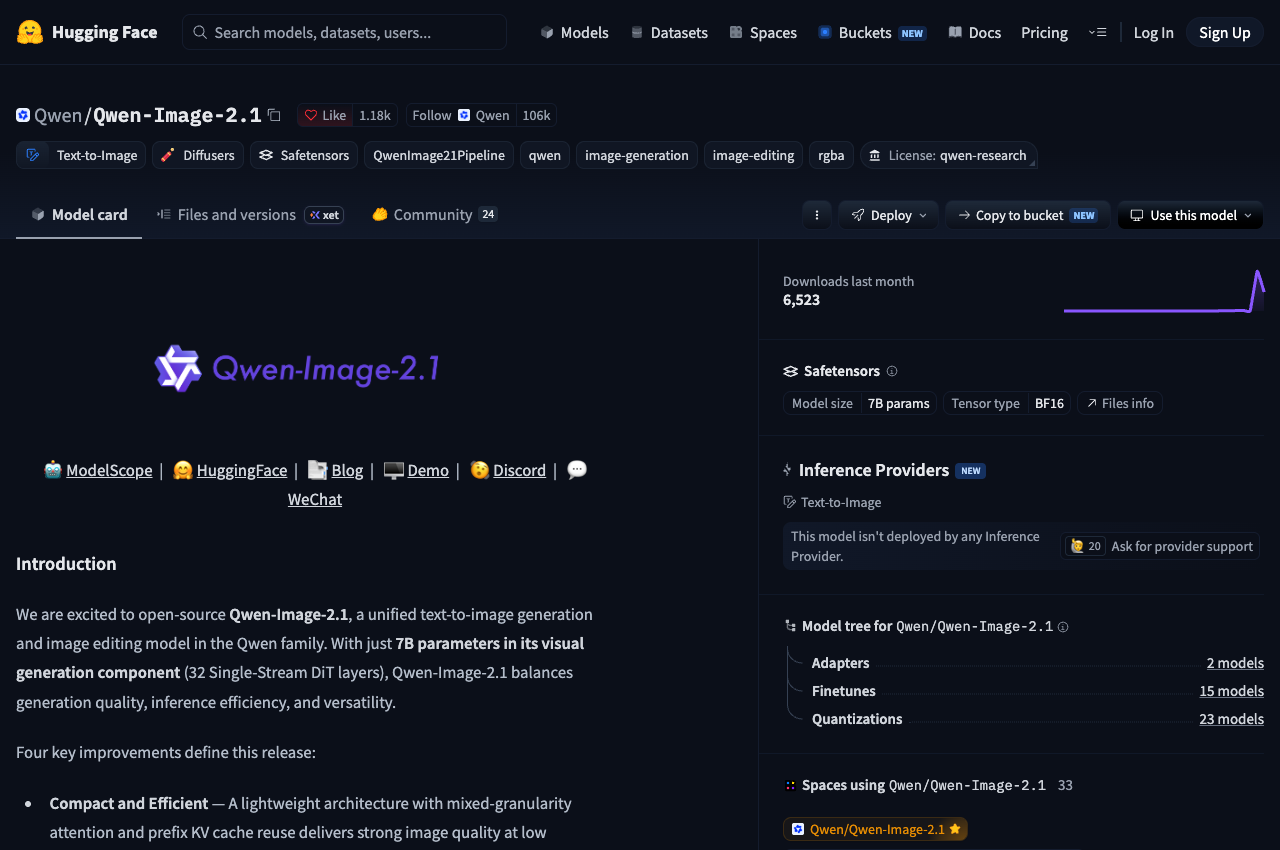
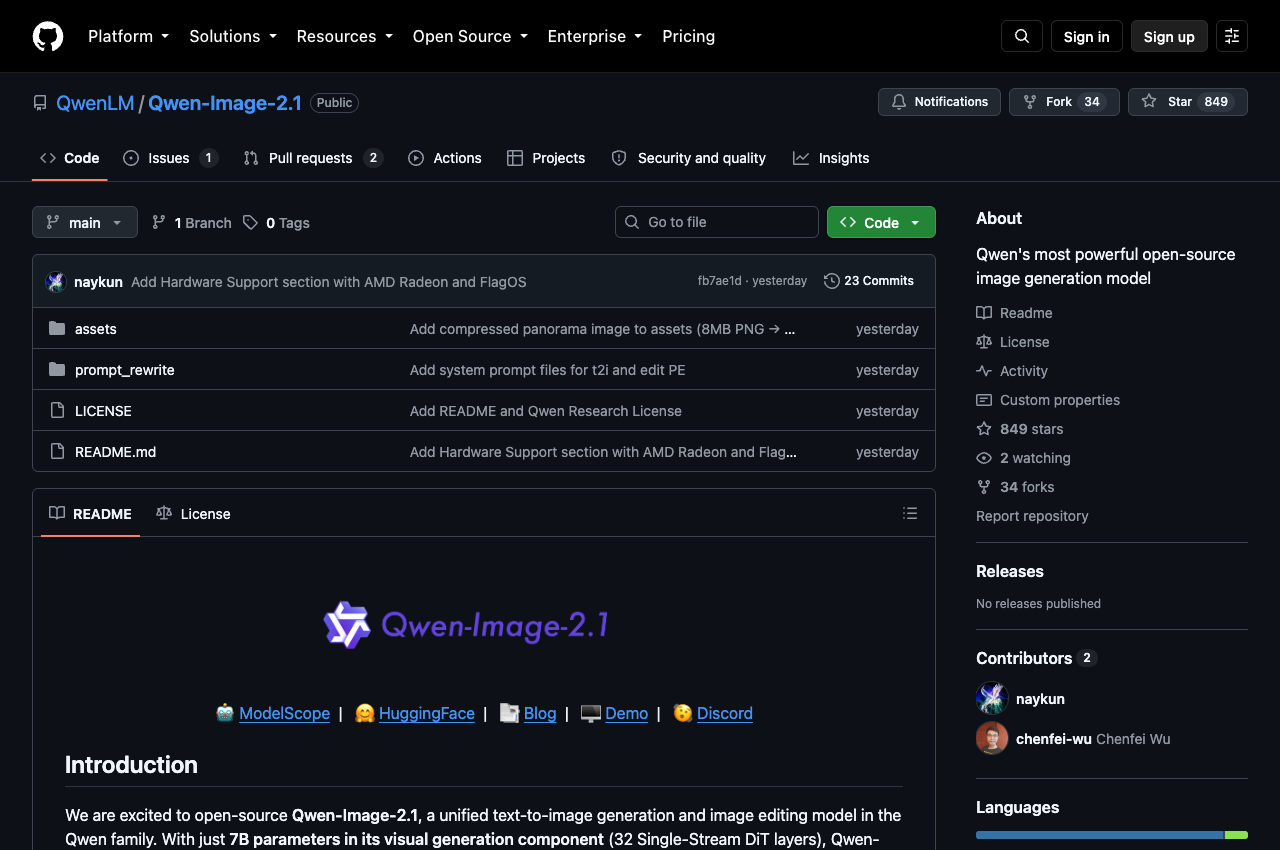
Alibaba's Qwen team released Qwen-Image-2.1 on September 20, 2026. The release marks a distinct shift in how open-weight visual foundation models are packaged and deployed. Rather than maintaining separate checkpoints for text-to-image generation, local inpainting, instruction editing, and background separation, Qwen-Image-2.1 unifies these workflows into a single 7-billion-parameter Diffusion Transformer (DiT).
The headline feature for builders and designers is native RGBA transparency. Rather than generating an RGB bitmap and running a secondary matting network like BiRefNet or RMBG to strip backgrounds, Qwen-Image-2.1 synthesizes a real alpha channel directly inside its 64-channel variational autoencoder (VAE). Alongside native transparency, the model accepts up to 10 condition reference images in one prompt, scales to native 2048-pixel resolutions without secondary upscalers, and shipped with day-zero support in ComfyUI and Hugging Face Diffusers.
The release also introduces a structural business change: Alibaba moved Qwen-Image-2.1 from the permissive Apache 2.0 terms of earlier releases to the proprietary Qwen Research License Agreement. While developers can download the weights and experiment locally, embedding the model into a commercial SaaS backend requires a private commercial agreement.
Here is an examination of what the model does, its architectural mechanics, verified benchmarks, local deployment workflows, and the practical tradeoffs for software builders evaluating open-weight generative media in 2026.
Key Takeaways
- Single unified 7B checkpoint: Qwen-Image-2.1 handles text-to-image generation, multi-image composition, and precision editing without switching model weights.
- Native RGBA transparency: Features a 64-channel VAE with a 16x spatial compression factor that generates transparent PNGs directly from text prompts, replacing multi-stage background removal tools.
- Up to 10 visual condition references: Supports complex multi-subject editing, virtual apparel try-on, multi-character composition, and sequential asset generation within one inference pass.
- Top open-weight score on vendor board: Scored 60.28 on Qwen-Image-Bench, leading all open-weight models and edging Google's Nano Banana 2.0 (59.82) by 0.46 points.
- Seventh of 29 overall: Six closed proprietary systems rank above Qwen-Image-2.1, led by GPT Image 2.5 Sunburst (67.01), GPT Image 2 (64.69), and Grok Imagine 2.0 (63.47).
- Runs on 24GB consumer GPUs: While full BF16 weights total roughly 33 GB, INT8 convrot quantizations and CPU text-encoder offloading allow local inference on Nvidia RTX 3090 and RTX 4090 cards.
- Day-zero ecosystem integration: Supported in Hugging Face Diffusers 0.33+ via
QwenImage21Pipeline, ComfyUI 0.37.0+, SGLang-Diffusion, and vLLM-Omni. - Research-only license with output retention: The model weights are restricted to non-commercial research, but Alibaba officially clarified that users retain full ownership of the images they generate.
What Qwen-Image-2.1 Actually Is
To understand Qwen-Image-2.1, it helps to examine how open-weight image generation has developed over the past year.
In August 2025, Alibaba launched Qwen-Image 1.0 as a 20-billion-parameter dual-stream Multimodal Diffusion Transformer (MMDiT). While that original model set a standard for bilingual Chinese and English typography rendering, running a 20B visual generator locally required substantial hardware resources. Editing required auxiliary checkpoints like Qwen-Image-Edit (released across iterations 2509 and 2511), and generating transparent graphic assets required a separate dedicated pipeline known as Qwen-Image-Layered in December 2025.
Qwen-Image-2.1 collapses that multi-model fragmentation into a compact 7B visual backbone.
The Four Core Architectural Improvements
Alibaba's technical report highlights four specific architectural developments in the 2.1 release:
- Compact efficiency via single-stream DiT: Rather than keeping text and image tokens in separate transformer blocks, the visual backbone processes tokens through 32 single-stream DiT layers (correcting an error in some early third-party press translations that reported 20 layers). Single-stream processing forces multimodal interaction at every depth, allowing a 7B model to match or exceed the representation capacity of older 20B systems.
- Native transparency and unified editing: Generation and editing operate on the same latent space. The model outputs standard 3-channel RGB or 4-channel RGBA bitmaps based purely on prompt phrasing and input flags.
- Multi-reference condition encoding: The model ingests up to 10 visual condition references through mixed-granularity attention, allowing users to guide generation with visual prompts, colored boundary circles, or explicit masks.
- Enhanced detail and typography: Building on Alibaba's vision-language foundations, the model handles dense font layouts, complex lighting interactions, and fine micro-textures without requiring secondary upscaling steps.
Technical Specification Matrix
| Component | Technical Specification | Practical Implication for Developers |
|---|---|---|
| Visual Generator | 7B parameters (7.12B in safetensors format), 32 single-stream DiT layers | Fits into consumer VRAM when quantized; rapid convergence per step |
| Multimodal Encoder | Qwen3-VL 8B | Jointly processes textual prompt tokens and condition image tokens |
| VAE Architecture | 64-channel RGBA, 16x spatial downsampling | Generates native alpha channels; retains edge fidelity on cutouts |
| Attention Mechanism | Mixed-granularity attention (token-level causal for text; chunk-level bidirectional for images) | Isolates prompt syntax while permitting rich spatial attention across image patches |
| Inference Optimization | Prefix Key-Value (KV) cache reuse | Condition images and system prompts encode once, slashing multi-step latency |
| Scheduler | Flow matching, Euler discrete scheduler with dynamic shift | Stable trajectories across standard 40 inference steps |
| Default CFG | No guidance (Classifier-Free Guidance disabled by default) | Faster single-pass generation; enabling true CFG doubles compute passes |
| Native Resolutions | 2048x2048 (1:1), 2400x1792 (4:3), 2752x1536 (16:9), and vertical pairs | Full 2K outputs without external super-resolution models |
| Full Weights Footprint | ~33 GB in BF16 (Encoder ~17.5 GB, DiT ~14.2 GB, VAE ~1.4 GB) | Requires dual GPUs or offloading in unquantized precision |
| Companion Models | Qwen-Image-2.1-PE-T2I & Qwen-Image-2.1-PE-I2I (Qwen3.5-VL 9B) | Dedicated prompt expansion modules for text-to-image and image-to-image |
If your team is building software tools around generative media, choosing the right baseline model dictates your hardware margins. Discover other high-performing open foundational tools and developer stacks on our curated directory of the best AI developer tools and platforms.
Native RGBA Transparency: The Real Product Differentiator
Most generative image pipelines treat background transparency as an afterthought. In a standard production setup, a developer prompts a model for an object on a plain white or green backdrop, passes the resulting RGB image to an auxiliary segmentation model (such as RMBG 2.0 or BiRefNet), and hopes the matting mask cleanly separates fine elements like hair strands, translucent glass, or motion-blurred edges.
This post-processing workflow breaks down consistently in real production environments:
- Edge haloing: Light pixels from the generated background bleed into semi-transparent edge pixels, leaving ugly borders on dark UI themes.
- Dropped translucency: Materials like smoked glass, sheer fabrics, water drops, and soft shadows lose their intermediate alpha values and get clipped to hard binary cutoffs.
- Pipeline latency: Running a 7B diffusion model followed by a 1B segmentation model adds memory thrashing and increases total request latency.
Traditional Multi-Stage Pipeline:
[Text Prompt] -> [Image Generator (RGB)] -> [Background Matting Model] -> [Post-Clean Mask] -> [Composite PNG]
(Prone to color fringing, lost alpha translucency, and double inference overhead)

Qwen-Image-2.1 Native Pipeline:
[Text Prompt] -> [Unified 7B DiT + 64-Channel RGBA VAE] -> [Native Transparent PNG]
(Direct alpha synthesis, perfect semi-transparent shadows, zero secondary models)
Qwen-Image-2.1 solves this by generating alpha channel latents directly within its 64-channel VAE.
How to Prompt for Native Transparency
The model uses a specific prompt convention to trigger alpha channel synthesis. Prompts intended for transparent asset generation should open with the explicit declaration:
"This is an RGBA image with transparency. A high-detail vector-style mascot sticker of a cybernetic red panda wearing headphones. The image has alpha channel and the background is transparent."
Because transparency is native to the latent space, the model does not merely remove the background. It calculates edge anti-aliasing and semi-transparent shadows against nothingness. Semi-transparent elements (like glowing neon halos, soft drop shadows, or frosted glass) retain true fractional alpha values ranging between 0 and 255.
Core Transparency Use Cases for Software Products
- Digital sticker and icon generation: Generating standalone assets for mobile applications, chat platforms, and design systems without post-processing artifacts.
- E-commerce product staging: Extracting a physical product from an uploaded smartphone photograph into a clean RGBA layer, then editing the lighting or compositing it into branded catalog templates.
- Dynamic UI asset pipelines: Games and interactive web apps can synthesize game sprites, inventory icons, and badges on demand.
- Transparent layer editing: Modifying text, logos, or character expressions on an existing transparent graphic while preserving the exact original alpha boundary.
Founders building automated marketing generators or design SaaS tools can explore how top startups position their launch assets in our directory of SaaS platforms and directories.
Editing With Up to 10 Visual References
While image generation models frequently showcase isolated benchmark images, production design tasks almost always involve editing existing content or combining disparate visual elements.
Qwen-Image-2.1 handles up to 10 visual condition references in a single forward pass. The unified architecture processes condition images through the Qwen3-VL 8B vision encoder, mapping their visual features directly into the DiT's cross-attention layers.
Multi-Reference Workflows
The ability to ingest up to 10 visual condition inputs enables workflows that previously required complex ControlNet and IP-Adapter stacks:
- Virtual apparel try-on: Feeding a model photograph, a shirt image, a pair of trousers, shoes, and an accessory (four distinct condition references) into one prompt:
"Render the person in <image1> wearing the shirt from <image2>, pants from <image3>, and shoes from <image4> walking down a sunny street." - Group portrait synthesis: Taking up to six individual portrait photographs and compositing the subjects into a single cohesive group picture with unified lighting, matching perspective, and accurate shadows.
- Architectural and interior staging: Ingesting up to 10 reference images of specific furniture items (sofas, floor lamps, tables, rugs) and generating a fully rendered living room interior that places those exact items into an architecturally sound 3D space.
- Character continuity and storyboarding: Using a three-view character turnaround sheet (front, side, three-quarter view) as conditions to generate multi-panel comic or storyboard sequences where character clothing, facial proportions, and hair remain identical across frames.
- 360-degree panorama expansion: Taking a standard smartphone selfie or landscape photo and expanding it into a full 2752x1536 panoramic environment that extrapolates surroundings while preserving original scene lighting.
Three Precise Local Editing Modalities
Qwen-Image-2.1 provides three distinct methods for guiding spatial edits:
- Colored circle markers: Users place rough colored circles or bounding strokes directly over the region they wish to modify, referencing the color in the prompt (for example: "Replace the watch circled in red with a vintage leather chronograph, and change the hair circled in blue to dark brown").
- Painted annotations: Hand-drawn visual sketches or color overlays that provide both spatial positioning and coarse color guidance for the model to refine.
- Separate alpha masks: Traditional binary or grayscale inpainting masks where white represents the region to recalculate and black represents frozen pixels.
In ComfyUI, nodes expose image_1 through image_16 input slots. While the user interface permits loading up to 16 slots, users should remember that the underlying Qwen-Image-2.1 architecture is trained and officially capped at 10 reference images. Exceeding 10 inputs causes condition token truncation and degrades subject fidelity.
Benchmarks: What the 60.28 Score Actually Means
Alibaba's launch materials prominently feature a 60.28 benchmark score on Qwen-Image-Bench. While vendor benchmarks must always be interpreted with healthy skepticism, examining the full board reveals exactly where Qwen-Image-2.1 stands relative to the broader AI image ecosystem.
Understanding Qwen-Image-Bench
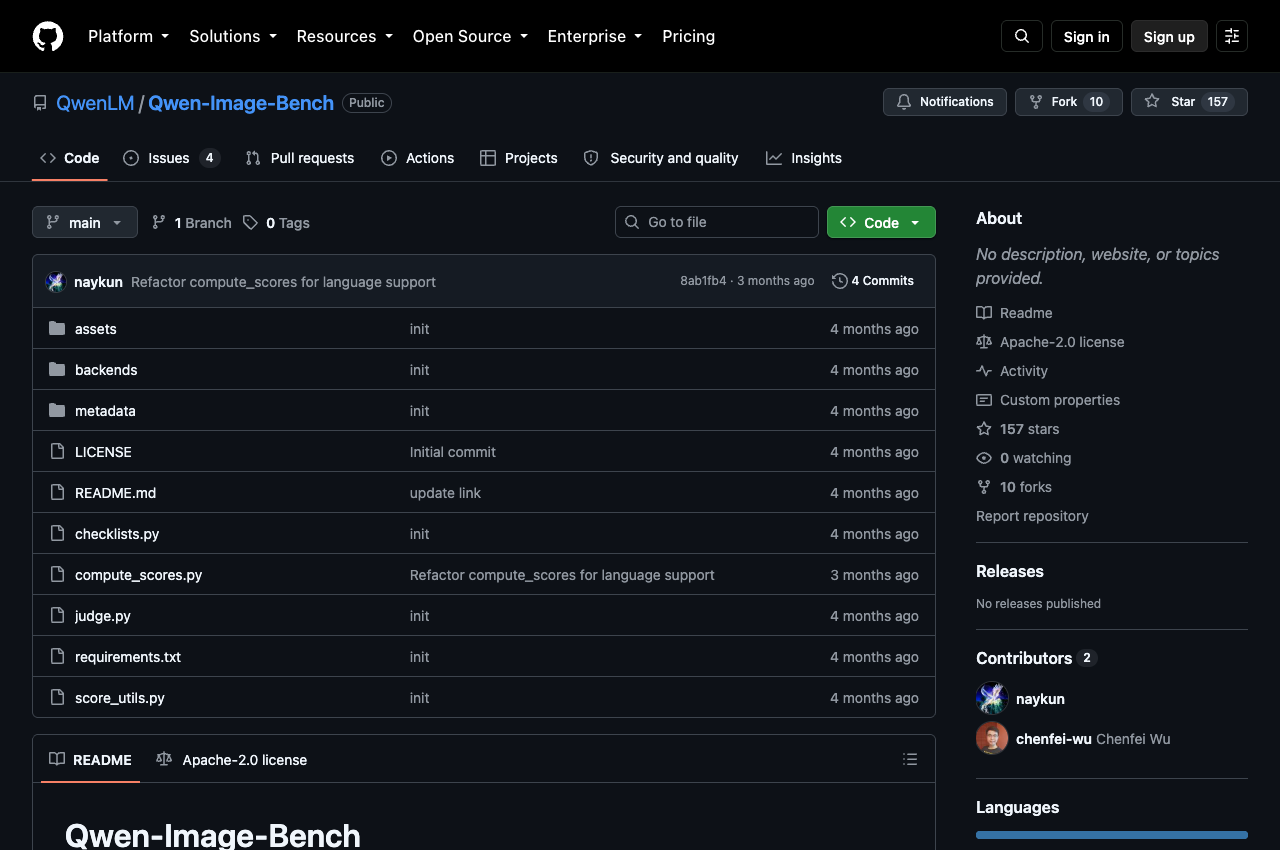
Qwen-Image-Bench is an internal evaluation suite constructed by Alibaba. It comprises approximately 1,000 bilingual (English and Chinese) evaluation prompts spanning five primary Level-1 dimensions:
- Quality: High-frequency detail resolution, lack of compression artifacts, structural clarity.
- Aesthetics: Compositional balance, color theory, lighting realism.
- Alignment: How accurately the generated image honors complex, multi-clause prompt instructions.
- Real-world Fidelity: Physical plausibility of reflections, perspective consistency, anatomy.
- Creative Generation: Metaphor interpretation, stylized graphics, novel concept blending.
To score outputs objectively without subjective human fatigue, the benchmark employs Q-Judger, a specialized evaluator fine-tuned on top of Qwen3.6-27B across 56 fine-grained evaluation facets.
The Full 29-Model Leaderboard
The complete published evaluation includes 29 frontier models across both closed API providers and open-weight checkpoints:
| Rank | Model Name | Overall Score | Architecture Type | Weight Availability |
|---|---|---|---|---|
| 1 | GPT Image 2.5 Sunburst | 67.01 | Proprietary DiT | Closed API |
| 2 | GPT Image 2 | 64.69 | Proprietary DiT | Closed API |
| 3 | Grok Imagine 2.0 | 63.47 | Proprietary DiT | Closed API |
| 4 | Qwen Image 3 Pro | 62.36 | Proprietary (Alibaba) | Closed API |
| 5 | Muse Image | 62.34 | Proprietary | Closed API |
| 6 | MAI Image 2.5 Pro | 61.02 | Proprietary | Closed API |
| 7 | Qwen-Image-2.1 | 60.28 | 7B Single-Stream DiT | Open Weights (Research) |
| 8 | Nano Banana 2.0 | 59.82 | Google Gemini 3.1 Flash Image | Closed API |
| 9 | GPT Image 1.5 | 59.65 | Proprietary DiT | Closed API |
| 10 | Seedream 5 Pro | 59.53 | Proprietary | Closed API |
| 11 | Nano Banana Pro | 59.45 | Google Gemini 3.1 Pro Image | Closed API |
| 12 | Qwen Image 2.0 Pro | 57.84 | Proprietary (Alibaba) | Closed API |
| 13 | FLUX 2 Max | 55.33 | 32B Multi-Modal DiT | Open Weights |
| 14 | FLUX 2 Pro | 54.57 | 32B Multi-Modal DiT | Open Weights |
| 15 | Qwen Image 2512 | 52.06 | 20B MMDiT | Open Weights (Apache 2.0) |
| 16 | Qwen-Image 1.0 | 49.23 | 20B MMDiT | Open Weights (Apache 2.0) |
Analyzing the Competitive Hierarchy
A careful review of the leaderboard establishes three critical facts:
- Qwen-Image-2.1 leads the open-weight category: At 60.28, it comfortably outscores Black Forest Labs' FLUX 2 Max (55.33) and FLUX 2 Pro (54.57), despite running on a much smaller 7B visual backbone compared to FLUX's 32B-class parameters.
- It edges Google's Nano Banana 2.0: Nano Banana 2.0 (the internal codename for Google's Gemini 3.1 Flash Image service released in early 2026) scored 59.82. Qwen-Image-2.1 edges it by a narrow margin of +0.46 points. It also marginally leads OpenAI's GPT Image 1.5 (59.65).
- Six closed models remain ahead: Writers claiming Qwen-Image-2.1 "defeats closed commercial models" are misrepresenting the data. Six proprietary hosted platforms outperform it, led decisively by OpenAI's GPT Image 2.5 Sunburst at 67.01.
Independent Early Signals and Known Quality Quirks
Early community testers running un-cherry-picked prompts through day-one test suites noted specific real-world behaviors:
- GenAI Showdown test: On an independent 15-prompt stress test evaluating difficult text layout and complex physics, Qwen-Image-2.1 scored 7 out of 15 passes. By comparison, Ideogram 4 scored 8/15, and the original Qwen-Image 1.0 scored 4/15.
- Warm color cast: Several testers on the Stable Diffusion and ComfyUI subreddits reported a subtle yellow or warm amber tint on portraits and outdoor scenes generated without negative prompts. Adding subtle negative guidance (
yellow tint, warm cast, oversaturated yellow) remedies the issue. - Condition consistency degradation: While the model accepts 10 reference images, prompt adherence remains strongest across 1 to 4 references. Exceeding 5 references frequently leads the model to prioritize the primary subject while blending stylistic details from secondary condition images.
For teams building AI-powered startups, technical benchmarks represent only half the battle. Earning organic search visibility, getting listed in search engines, and winning AI citations in ChatGPT and Perplexity are essential for survival. Review our comprehensive playbook on how to optimize your website for AI citations and GEO.
The License Dilemma: Research Only vs Output Ownership
The most debated aspect of the Qwen-Image-2.1 launch within developer circles is its licensing structure.
Previous models in the Qwen-Image family (including Qwen-Image 1.0, the Qwen-Image-Edit series, and Qwen-Image 2512) shipped under the permissive Apache 2.0 license. Apache 2.0 granted startups and enterprise developers unencumbered rights to inspect, fine-tune, self-host, and commercialize weights inside proprietary products without paying royalties or seeking special permission.
With Qwen-Image-2.1, Alibaba transitioned the release to the Qwen Research License Agreement (dated September 20, 2026, tagged on Hugging Face as qwen-research).
Licensing Evolution in Alibaba's Visual Models:
[Qwen-Image 1.0 (2025)]    --> Apache 2.0  (Free commercial self-hosting)
[Qwen-Image-Edit (2025)]   --> Apache 2.0  (Free commercial self-hosting)
[Qwen-Image-Layered (2025)] --> Apache 2.0  (Free commercial self-hosting)
[Qwen-Image-2.1 (Sep 2026)] --> Qwen Research License (Commercial use restricted)
What the Qwen Research License Grants
Under the explicit terms drafted by Hangzhou Tongyi Laboratory Technology Co., Ltd.:
- Research and evaluation: Developers may freely run, benchmark, study, fine-tune, and modify the model weights for academic, educational, and personal non-commercial research.
- Redistribution with attribution: Modified checkpoints and derivatives can be redistributed publicly, provided they include the following mandatory notice:
"Qwen is licensed under the Qwen RESEARCH LICENSE AGREEMENT, Copyright (c) 2026 Hangzhou Tongyi Laboratory Technology Co., Ltd. All Rights Reserved."
- Model lineage tagging: If you train or fine-tune a public derivative foundation model on Qwen-Image-2.1 or its synthetic outputs, you must prominently display "Built with Qwen" or "Improved using Qwen" on your product interface.
What the License Strictly Prohibits
- Commercial operation without a contract: You may not run the model weights inside a paid SaaS backend, charge API fees for inference, bundle the checkpoint into a commercial desktop application, or use the model to provide commercial design services without executing a separate commercial agreement.
- Brand hijacking: You may not use "Qwen" as the primary trademark or brand name of any commercial offering.
- Inquiries: Teams seeking commercial licensing terms must email Alibaba directly at
[email protected].
The Critical Output Ownership Clarification
Following widespread community discussion on launch day regarding whether the restriction applied to generated images, the official Qwen team published a binding clarification across their official developer channels on September 21, 2026:
"Outputs are not part of the licensed Materials. Users retain the rights to images and other content they generate using the model."
This distinction is fundamental for product teams:
- You own your generated assets: If a designer or studio runs Qwen-Image-2.1 locally to generate transparent PNG stickers, product mockups, game sprites, or marketing graphics, the user owns those resulting image files. You can sell those image files, use them in client deliverables, and print them on physical merchandise without paying royalties to Alibaba.
- You cannot sell the pipeline: A startup cannot host Qwen-Image-2.1 on an AWS cluster and sell a monthly $29 subscription to users for automated image generation or editing, unless they negotiate a direct enterprise agreement with Alibaba.
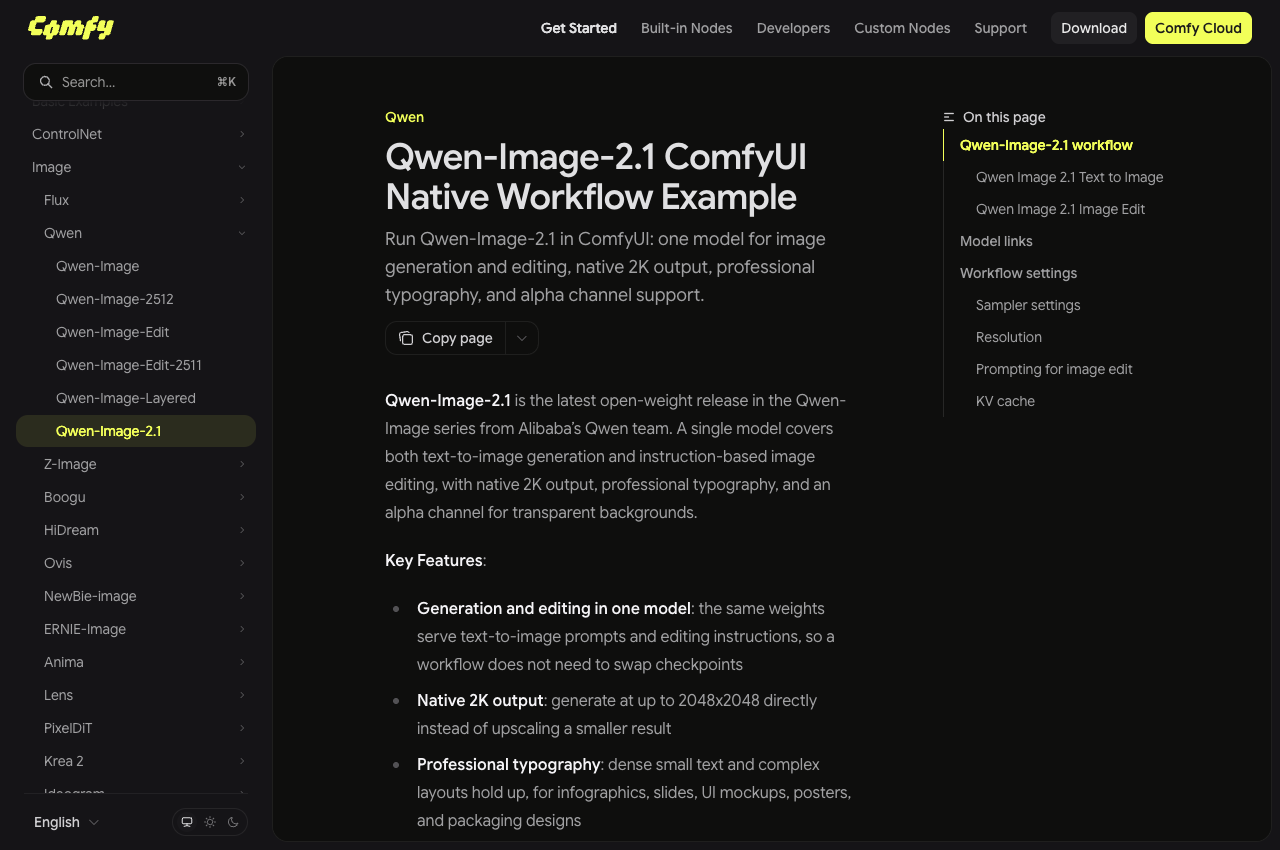
ComfyUI's official documentation explicitly flags this distinction, noting that while running the workflow locally is free, commercial deployment remains restricted. If your business model relies on deploying self-hosted generative models in production, factor commercial licensing discussions into your roadmap before committing your infrastructure.
Local Deployment: Diffusers, ComfyUI, and Serving Frameworks
One of the greatest operational strengths of Qwen-Image-2.1 is its day-zero tooling ecosystem. Rather than waiting weeks for community reverse-engineering, official pipelines and nodes landed across major platforms simultaneously with the weights upload.
Running Qwen-Image-2.1 With Diffusers
Hugging Face integrated support directly into the core Diffusers library via PR #14804, exposing the QwenImage21Pipeline.
Installation Prerequisites
pip install --upgrade torch>=2.4.0 transformers>=5.17 accelerate pillow
pip install git+https://github.com/huggingface/diffusers
Minimal Text-to-Image Generation Script
The following Python script initializes the pipeline, loads the BF16 weights, offloads the Qwen3-VL 8B text encoder to system RAM when idle, and synthesizes a native 2048x2048 transparent RGBA PNG:
import torch
from diffusers import QwenImage21Pipeline

# 1. Initialize the unified pipeline
pipeline = QwenImage21Pipeline.from_pretrained(
    "Qwen/Qwen-Image-2.1",
    torch_dtype=torch.bfloat16
)

# 2. Enable CPU offload to run on a single 24GB consumer GPU
pipeline.enable_model_cpu_offload()

# 3. Formulate the prompt using the official RGBA transparency convention
prompt = (
    "This is an RGBA image with transparency. "
    "A sleek, futuristic neon app icon depicting an isometric skyscraper with glowing blue windows. "
    "The image has alpha channel and the background is transparent."
)

# 4. Generate native 2K output (40 steps, default no guidance)
image = pipeline(
    prompt=prompt,
    width=2048,
    height=2048,
    num_inference_steps=40,
    generator=torch.Generator(device="cuda").manual_seed(42),
).images[0]

# 5. Save directly as a transparent PNG
image.save("futuristic_icon_transparent.png")
ComfyUI 0.37+ Setup and Workflow
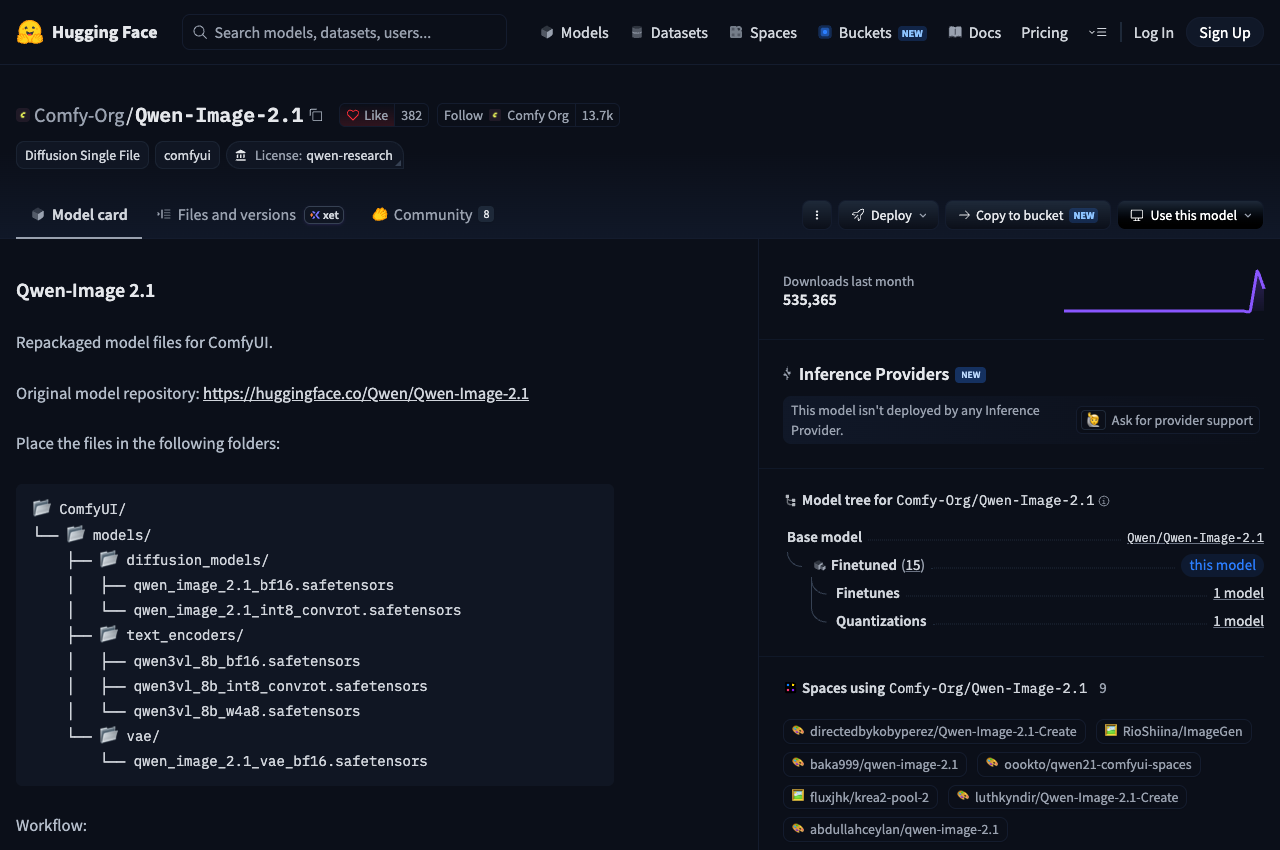
ComfyUI merged native support via PR #16400 (authored by core maintainer Kijai). The team at Comfy-Org provided pre-packaged, organized model weights under the repository Comfy-Org/Qwen-Image-2.1.
File Placement Structure
To configure ComfyUI, place the respective safetensors files into their designated directory paths:
ComfyUI/
└── models/
    ├── diffusion_models/
    │   ├── qwen_image_2.1_bf16.safetensors          (Full 13.25 GB BF16 DiT)
    │   └── qwen_image_2.1_int8_convrot.safetensors   (Quantized 6.76 GB DiT)
    ├── text_encoders/
    │   ├── qwen3vl_8b_bf16.safetensors              (Full 16.3 GB Encoder)
    │   ├── qwen3vl_8b_int8_convrot.safetensors       (Quantized 8.8 GB Encoder)
    │   └── qwen3vl_8b_w4a8.safetensors              (Aggressive 4-bit Encoder)
    └── vae/
        └── qwen_image_2.1_vae_bf16.safetensors      (64-channel RGBA VAE, ~1.4 GB)
In ComfyUI's standard template, the default loader utilizes the qwen_image_2.1_int8_convrot.safetensors model alongside the qwen3vl_8b_bf16.safetensors text encoder. When generating RGBA graphics in ComfyUI, route the latent output through the specialized Qwen RGBA VAE decode node and connect it directly to the Save Image (PNG) node to retain the 32-bit alpha transparency.
High-Throughput Serving Frameworks
For production clusters and local API inference, specialized serving engines shipped optimized backends:
- SGLang-Diffusion: Implements Cache-DiT, dynamic CUDA graphs, prefix KV caching, and Tensor Parallelism (TP). SGLang provides an OpenAI-compatible
/v1/images/generationsendpoint with native support for LoRA adapters. - vLLM-Omni: Features step-wise execution scheduling, FP8 kernel quantization, and Ulysses sequence parallelism for distributed multi-GPU clusters.
- LightX2V: Specializes in rapid compilation routines, cutting latency on Nvidia Ada Lovelace and Blackwell architectures.
Hardware Performance and Latency Matrix
Early hardware latency figures gathered from engineering reports and developer testing show distinct performance profiles across consumer and enterprise hardware:
| Hardware Configuration | Precision & Setup | Resolution & Steps | Generation Latency | Peak VRAM |
|---|---|---|---|---|
| Nvidia RTX 4090 (24GB) | BF16 DiT + CPU Text Offload (SGLang) | 1024x1024, 40 steps | 18.7s (T2I) / 21.7s (Edit) | 22.7 GiB |
| Nvidia RTX 4090 (24GB) | INT8 Convrot DiT + ComfyUI | 1024x1024, 40 steps | ~5.2s per megapixel | 15.6 GiB |
| Nvidia RTX 5090 (32GB) | FP8 DiT via LightX2V | 1024x1024, 40 steps | 5.93s (T2I) / 7.14s (Edit) | 18.2 GiB |
| Nvidia RTX PRO 6000 (96GB) | Pure BF16 (No Offload, SGLang) | 1024x1024, 40 steps | 8.0s (T2I) / 9.6s (Edit) | 33.4 GiB |
| AMD RX 7900 XTX (24GB) | ROCm 6.2 + INT8 (ComfyUI) | 1024x1536, 40 steps | ~60.0s total generation | 19.8 GiB |
| Apple Silicon (M3/M4 Max 64GB) | MLX / Diffusers MPS | 1024x1024, 40 steps | ~42.0s total generation | Unified 31.0 GB |
Note: Alibaba's marketing slides cited an extreme editing latency of 1.59 seconds for a 2K image with 10 reference images. That number relies on internal enterprise clustering with speculative decoding on unannounced hardware. Do not expect 1.5-second generation speeds on consumer single-GPU setups.
If you are planning a technical startup launch around new models, discover battle-tested frameworks in our directory of the best Next.js and Supabase AI boilerplates for 2026.
Direct Architectural Comparison: Five Major Models Head-to-Head
To understand where Qwen-Image-2.1 sits in the 2026 generative media spectrum, we compared it against its predecessor (Qwen-Image 1.0), its closest benchmark peer (Google's Nano Banana 2.0), the open-weight titan (FLUX 2 Max), and the premier typography model (Ideogram 4):
| Feature / Metric | Qwen-Image-2.1 | Qwen-Image 1.0 | Nano Banana 2.0 | FLUX 2 Max | Ideogram 4 |
|---|---|---|---|---|---|
| Developer | Alibaba Qwen | Alibaba Qwen | Google DeepMind | Black Forest Labs | Ideogram |
| Release Date | September 20, 2026 | August 4, 2025 | February 26, 2026 | Mid 2026 | June 3, 2026 |
| Parameter Scale | 7B DiT + 8B Vision-LLM | 20B MMDiT + Encoder | Undisclosed | ~32B Multi-Modal DiT | 9.3B Single-Stream DiT |
| Weight Availability | Open Weights | Open Weights | Closed API Only | Open Weights | Open Weights |
| License Type | Qwen Research License | Apache 2.0 | Google Cloud Terms | BFL Open License | Non-Commercial Agreement |
| Generation & Editing | Unified Checkpoint | Separate Checkpoints | Multi-surface API | Separate Workflows | Primarily Generation |
| Transparency (Alpha) | Native RGBA (True Alpha) | Separate Layered Model | No Native Alpha | No Native Alpha | No Native Alpha |
| Reference Capacity | Up to 10 Images | Limited / 1 to 2 Images | Multi-image (~14 API) | Varies by Pipeline | Strict JSON Layers |
| Native Max Resolution | 2048x2048 (2K Native) | ~1328x1328 Native | Up to 4096 (4K) | High-Res Native | 2048x2048 Native |
| Vendor Score | 60.28 | 49.23 | 59.82 | 55.33 | N/A (Elo ~1285) |
| English Typography | High Fidelity | Moderate / Strong Bilingual | Strong | High Fidelity | SOTA OCR (0.97 Score) |
| Consumer 24GB GPU | Yes (via INT8 / Offload) | Difficult (Requires Multi-GPU) | N/A (Cloud Only) | Requires Offload/Quant | Yes (NF4 Checkpoint) |
How SaaS Founders Can Capitalize on Qwen-Image-2.1 in 2026
For technical founders, bootstrappers, and indie hackers, foundational model releases represent product opportunities. Qwen-Image-2.1 is particularly fertile ground because native transparency and 10-reference editing address specific pain points that previously required custom software pipelines.
Four Actionable Product Plays
- Automated e-commerce catalog generators: E-commerce merchants waste hundreds of hours cutting products out of supplier photos and placing them into lifestyle backdrops. A tool that combines Qwen-Image-2.1's native subject extraction with multi-reference interior staging can convert raw product photos into polished catalog spreads in seconds.
- Dynamic UI asset and sprite generators: Web applications and game studios can synthesize custom iconography, isometric buildings, character avatars, and UI badges with guaranteed alpha transparency directly from user inputs.
- Personalized marketing asset suites: By passing a user's brand logo, color palette, and portrait into the 10-reference condition slots, a marketing platform can generate hundreds of customized social cards, banners, and flyers with crisp typography.
- Local desktop design tools: While cloud-hosted commercial deployment requires an enterprise license, developers can build locally installed productivity software (such as Electron, Tauri, or ComfyUI wrappers) where users run the model on their own local GPUs, remaining fully compliant with research and personal usage guidelines.
Launching and Scaling Your AI Tool on SaaSCity
Once you build an AI application or SaaS tool, gaining immediate market traction is your primary obstacle. In 2026, traditional product directories often bury launches under noisy paywalls and fleeting 24-hour upvote cycles.
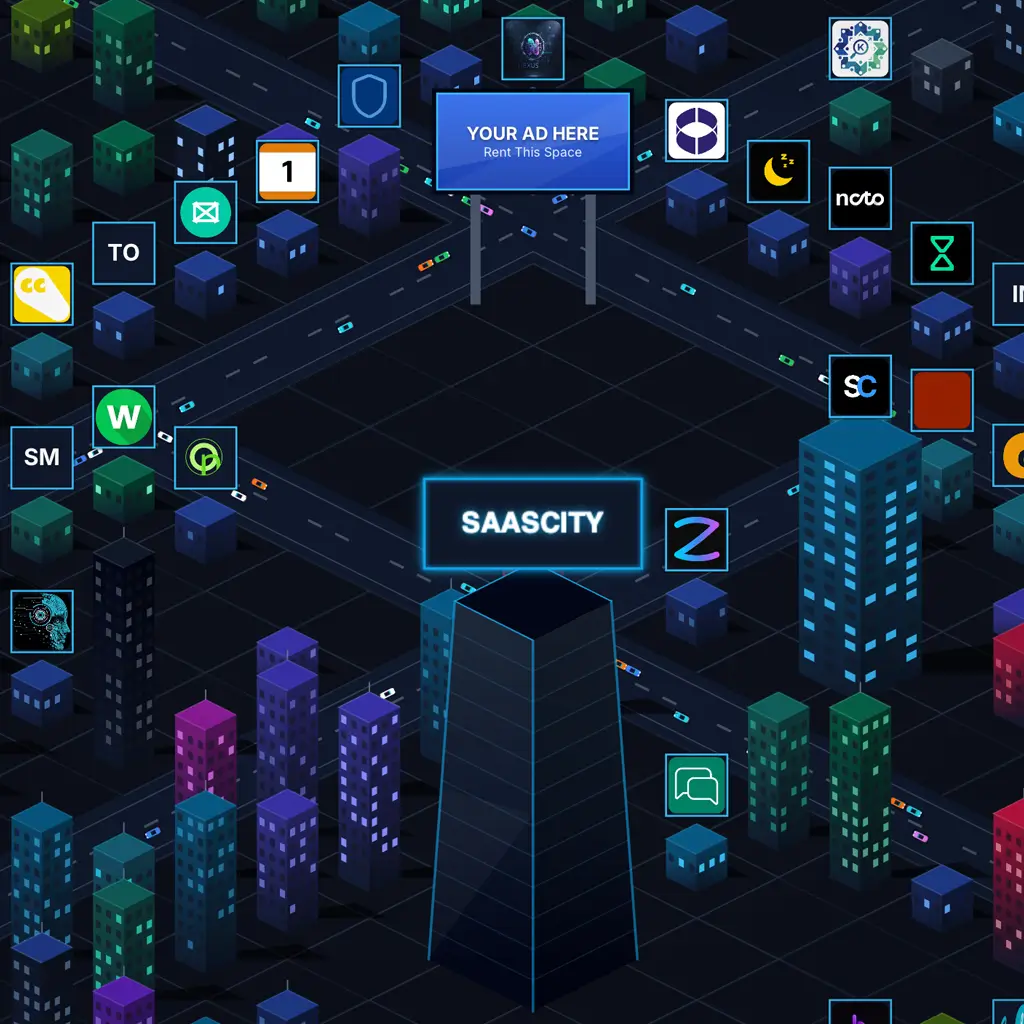
SaaSCity reimagines software discovery as a living, interactive isometric 3D digital city. Instead of disappearing into an endless vertical list, a paid listing breaks ground as a permanent building in specialized city districts:
- Interactive 3D metropolis: Your startup appears as a physical building on the city map at saascity.io/saascity, growing in height, visual prestige, and prominence as users explore and upvote your tool.
- Permanent dofollow backlinks: Every verified launch earns a dofollow backlink from a platform engineered specifically for software discovery. See how to get backlinks for SaaS.
- Generative Engine Optimization (GEO): SaaSCity is architected with complete Schema.org structured data, clean markdown endpoints, and machine-readable profiles that feed directly into ChatGPT, Claude, Perplexity, and Google AI Overviews.
- Automated directory submission: Rather than manually filling out hundreds of submission forms, founders can leverage SaaSCity's automated directory submission engine to get listed across dozens of directories.
- Free authority tools: Check your site's authority metrics instantly with our free Domain Rating checker and display trust badges with our dynamic DR badge tool.
Explore our transparent launch pricing tiers to break ground on your startup's building in the city today.
Detailed Frequently Asked Questions
What makes Qwen-Image-2.1 different from other open-weight models?
Qwen-Image-2.1 is unique because it integrates generation, precision editing, and native RGBA transparency into a single 7B parameter checkpoint. Older models like Stable Diffusion or FLUX require external post-processing networks to extract transparent layers and separate pipelines for local editing. Qwen-Image-2.1 synthesizes both the RGB color channels and the 32-bit alpha transparency channel simultaneously in its 64-channel VAE.
Can Qwen-Image-2.1 run on an Nvidia RTX 3060 or 4060 with 12GB or 16GB VRAM?
Yes, using community-quantized checkpoints. While the official BF16 pipeline requires roughly 30GB to 34GB of memory, community quantizations in GGUF format (specifically Q4_K_M) and aggressive 4-bit encoder pairings (qwen3vl_8b_w4a8.safetensors) reduce the memory requirement to approximately 10.4 GB of VRAM. ComfyUI also supports aggressive CPU offloading, which swaps weights between system RAM and GPU memory during execution.
What is the exact prompt syntax for generating transparent graphics?
To generate clean transparent assets, open your prompt with the phrase: "This is an RGBA image with transparency." Follow this with a detailed description of your desired subject, and conclude the prompt by reinforcing: "The image has alpha channel and the background is transparent." This prompt structure directs the Qwen3-VL condition encoder to activate the alpha channel latents in the VAE.
How does Qwen-Image-2.1 handle text rendering in English and Chinese?
The model inherits the strong bilingual typography capabilities of the Qwen vision-language family. It can render complex multi-word headlines, shop signages, UI mockups, and Chinese calligraphy without typographic distortion or misspelled characters. In benchmark evaluations, testers rated its English typography rendering among the strongest of any open-weight model at its parameter scale, trailing only specialized typography systems like Ideogram 4.
Why did Alibaba change the license from Apache 2.0 to a Research License?
Alibaba transitioned Qwen-Image-2.1 to the proprietary Qwen Research License Agreement to protect commercial value and prevent large cloud competitors from reselling the model without attribution or commercial compensation. While the research license allows free academic, personal, and evaluation use, commercial software integration requires a direct agreement with Alibaba.
Are generated images legally safe for commercial client projects?
Per Alibaba's official declaration on September 21, 2026, generated outputs are not part of the licensed Materials, and users retain full intellectual property rights to the images they create. If you run the model locally to produce graphics, icons, or artwork for client work, you own those images. However, providing a commercial SaaS platform where users run the restricted model weights without an enterprise license violates the software terms.
How does Qwen-Image-2.1 compare to Google's Nano Banana 2.0?
Nano Banana 2.0 is Google's internal code name for Gemini 3.1 Flash Image. On Alibaba's Qwen-Image-Bench, Qwen-Image-2.1 scored 60.28, narrowly exceeding Nano Banana 2.0's 59.82 by 0.46 points. While Nano Banana 2.0 operates exclusively as a cloud API with access to Google's multi-modal ecosystem, Qwen-Image-2.1 provides open weights that can be inspected, self-hosted, and run offline on private infrastructure.
What are the prompt expansion companion models?
Alibaba published two companion models alongside Qwen-Image-2.1: Qwen-Image-2.1-PE-T2I (for text-to-image prompt expansion) and Qwen-Image-2.1-PE-I2I (for image-to-image prompt expansion). These models are fine-tuned versions of Qwen3.5-VL 9B that automatically translate brief human prompts into the detailed, descriptive visual syntax that diffusion transformers interpret best.
Where can I download the official weights and ComfyUI templates?
Official weights are hosted on Hugging Face at Qwen/Qwen-Image-2.1 and ModelScope. Pre-packaged ComfyUI models organized into specific directory structures are maintained by Comfy-Org at Comfy-Org/Qwen-Image-2.1. The official code repository is located on GitHub under QwenLM/Qwen-Image-2.1.
Does Qwen-Image-2.1 support fine-tuning and LoRA training?
Yes. Because the model uses standard Diffusion Transformer architecture with flow matching, standard fine-tuning toolkits like Kohya, Diffusers, and SGLang support LoRA (Low-Rank Adaptation) training. Any publicly released fine-tuned checkpoint derived from Qwen-Image-2.1 must include the required attribution notices and the "Built with Qwen" designation.
Conclusion: An Open-Weight Milestone With Commercial Boundaries
Qwen-Image-2.1 represents a significant technical achievement in open-weight generative media. By collapsing text-to-image synthesis, multi-reference editing, and native RGBA transparency into a compact 7B single-stream DiT architecture, Alibaba demonstrated that specialized design capabilities do not require massive 20B+ parameter footprints or cumbersome multi-model pipelines.
For creators, developers, and researchers running local workstations, day-zero support across ComfyUI, Diffusers, and SGLang makes Qwen-Image-2.1 immediately accessible. The ability to synthesize real alpha transparency and edit up to 10 reference images locally changes the economics of asset generation for indie creators and boutique studios.
At the same time, the transition from Apache 2.0 to the Qwen Research License Agreement signals a broader shift in the open-source AI ecosystem. As foundational models become commercially competitive with proprietary closed APIs, frontier labs are increasingly guarding their commercial deployment rights. For founders building the next generation of visual AI software, reviewing license terms is now just as critical as analyzing benchmark scores.
To stay ahead of the curve with emerging developer tools, backlink strategies, and market-ready AI frameworks, explore the latest startup resources on SaaSCity. Whether you are submitting your startup to top directories or studying how to build long-term search authority, our platform is built to help founders build, launch, and dominate.
Primary References and Official Links
- Official Alibaba Qwen Announcement: qwen.ai/blog?id=qwen-image-2.1
- Official Hugging Face Model Repository: huggingface.co/Qwen/Qwen-Image-2.1
- Official GitHub Code Repository: github.com/QwenLM/Qwen-Image-2.1
- Official Qwen Research License Agreement: github.com/QwenLM/Qwen-Image-2.1/blob/main/LICENSE
- ComfyUI Official Tutorial and Workflows: docs.comfy.org/tutorials/image/qwen/qwen-image-2-1
- Comfy-Org Repackaged Model Weights: huggingface.co/Comfy-Org/Qwen-Image-2.1
- Qwen-Image-Bench Evaluation Suite: github.com/QwenLM/Qwen-Image-Bench
- Interactive Hugging Face Demo Space: huggingface.co/spaces/Qwen/Qwen-Image-2.1
- Prompt Expansion Companion Models: huggingface.co/Qwen/Qwen-Image-2.1-PE-T2I and huggingface.co/Qwen/Qwen-Image-2.1-PE-I2I
Get your SaaS in front of founders
List your product on SaaSCity for $19.99, one-time: a permanent listing, a dofollow backlink and a building on the live city map.