Directory review · Company database
How to add your company to Crunchbase for free
A Crunchbase company profile costs nothing; the paid plans are for researching other companies. We read its pricing page and help center on October 7, 2026.

Founder, SaaSCity
Updated
Checked by hand. DR from Ahrefs.
- 91
- Domain Rating
- Nofollow
- Direct link, nofollow (May 2026 copy)
- Yes, always
- Free route
- None needed to list
- Paid from
Contents (9)
The short answer
A Crunchbase listing, which Crunchbase calls a company profile, is free as of October 2026: register, connect Google or LinkedIn in Account Settings, then choose Resources and Create Profile. To claim a profile that already exists, verify through Manage My Company with an email on your company's domain, which gives verified employees exclusive edit rights to the Overview section. You do not need Crunchbase Pro for either; it costs $49 a month billed annually for the first year, or $99 billed monthly. The website link on a profile is marked nofollow in the latest copy we could read, from May 2026.
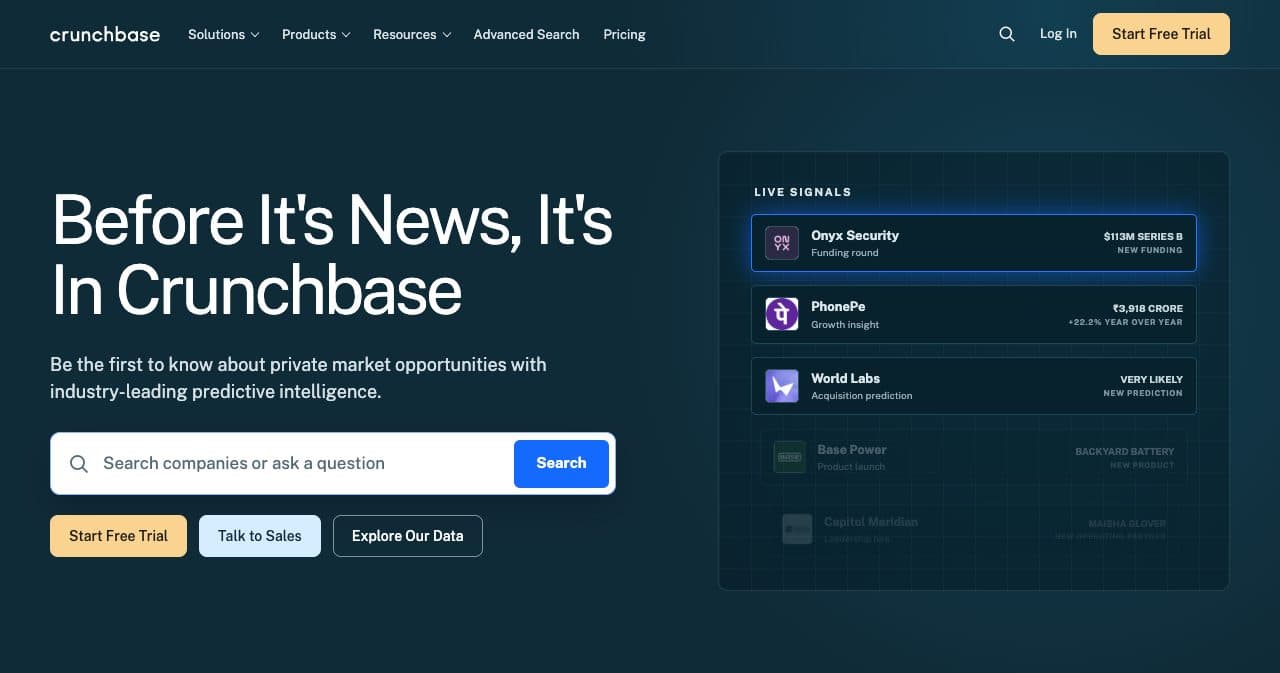
Crunchbase at a glance
- Type
- Private-company database that registered users can add to and edit
- Who looks
- Investors, customers, recruits and partners, per its help center
- Free route
- Free account with Google or LinkedIn connected, then Create Profile
- Claiming
- Manage My Company, with an email on the company's domain
- Edit speed
- Typically instant; email support if not live after 24 hours
- Paid plans
- Pro from $49 a month billed annually, Business from $199, as of October 2026
- Link
- Direct website link, rel="nofollow noopener noreferrer"
- Targets
- Funded and pre-funding startups, investors and tech companies
- Gets flagged
- Local small businesses, web directories, pure ads and non-English profiles
- Wait or review time
- Edits show instantly
- Domain Rating
- 91 (Ahrefs)
- Website
- crunchbase.com
What Crunchbase is
Crunchbase describes itself as the leading database of technology companies, people and investors. The data is crowd-edited and staff-moderated: any registered user can add or change a profile, and moderation queues remove spam daily. It sells access to that data through Pro, Business and custom data plans; creating and editing a profile stays free on every plan.
A company profile holds your logo, founded date, website and social links, short and long descriptions, headquarters, industries, founders, funding rounds and team. Some of it is not yours to change. Insights, Predictions, CB Rank and CB Trend are not editable; users cannot delete founders, funding rounds or acquisitions once they are on the record.
Founders bother because people check. Its help center says investors, customers, potential employees and partners may research a company there before getting in touch. The editors of the Crunchbase Daily newsletter favor funding rounds with a well filled-out profile. And its robots.txt lets AI answer agents such as ChatGPT-User, Claude-User and PerplexityBot crawl every path while blocking AI training crawlers.
Is Crunchbase dofollow?
No. The website link on a Crunchbase company profile is a direct link marked rel="nofollow noopener noreferrer". We read it in the Internet Archive's copy of OpenAI's profile captured May 27, 2026, because Crunchbase blocked every client we tried on profile pages on October 7, 2026.
On October 7, 2026, every profile URL we requested, from curl, headless Chrome and a visible Chrome window, returned a Cloudflare page reading "We must verify your session before you can proceed". We did not try to get around it. The homepage, the pricing page and the help center loaded normally.
So we read raw archived HTML. OpenAI's profile, captured May 27, 2026, links to www.openai.com with rel="nofollow noopener noreferrer", has a canonical pointing to itself and no robots meta tag. Supabase's profile, captured February 14, 2025, carries the same rel on its supabase.com link, so the attribute matched in two captures 15 months apart.
Value the profile for the facts it publishes about you. Crunchbase does not document the link attribute, and nothing on its pricing page sells a profile upgrade, so there is no paid route to a followed link either.
The link in the archived crunchbase.com page
<a rel="nofollow noopener noreferrer" role="link" class="component--field-formatter accent" href="https://www.openai.com" target="_blank" title="www.openai.com">www.openai.com</a>Is a Crunchbase listing free? Pricing
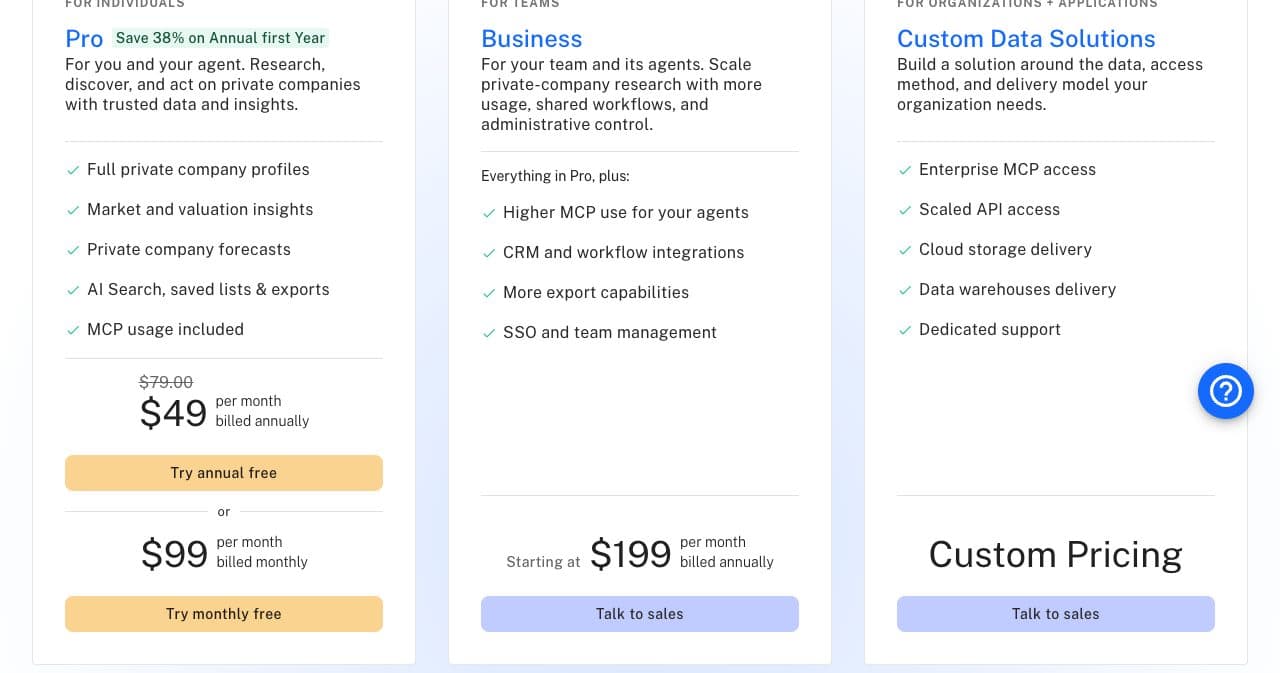
Listing your company is free. The plans below buy research access to other companies' data; as of October 2026, its pricing page prints them like this.
When the 7-day Pro trial ends, the plan you picked starts and your card is charged unless you cancel first; data exports begin with the paid subscription. The pricing page also says it has 80M users and counting.
How to add your company to Crunchbase
All free, on a registered account. The create-profile form itself sits behind a login.
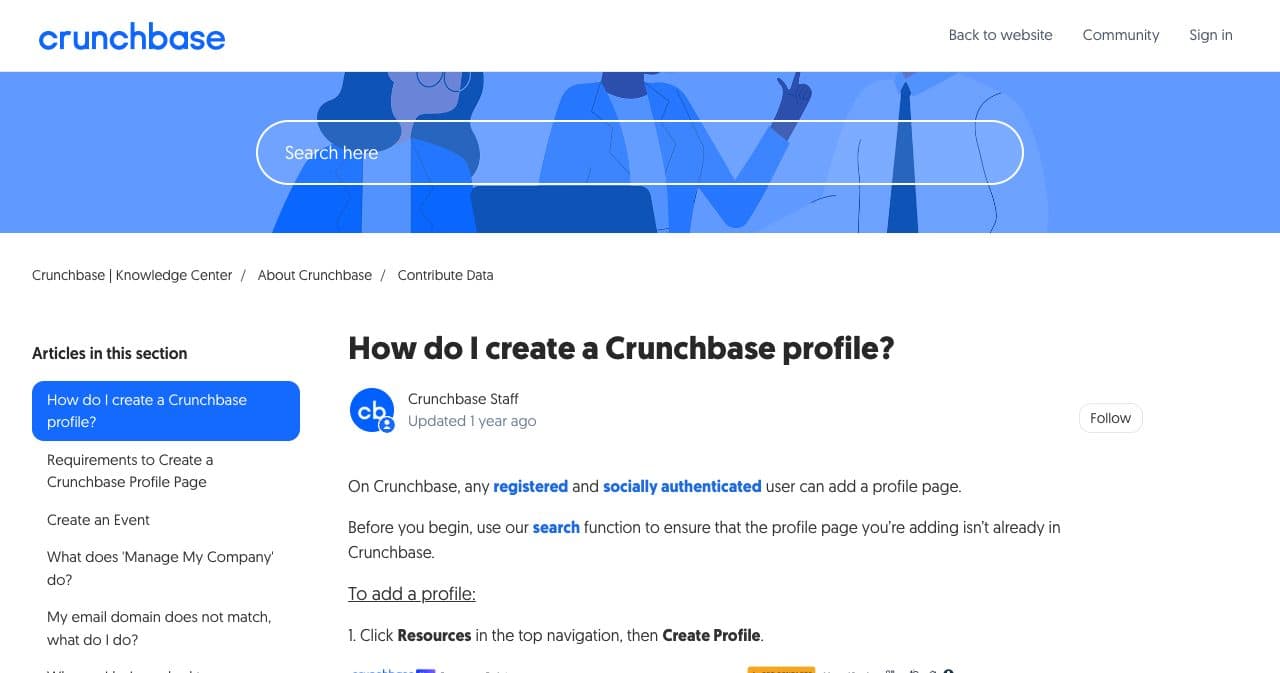
- Search first Look your company up before adding it. Crunchbase asks contributors to check the profile is not already there; someone else may have created it.
- Register Sign up with an email and password, or with Google or LinkedIn. Use your work email if you plan to claim the profile, because verification needs a matching domain.
- Connect a social account In Account Settings, under Social Authentication, connect LinkedIn or Google. Crunchbase requires this before you can add or edit profiles.
- Create the profile Choose Resources in the top menu, then Create Profile. Pick the profile type, fill in the details and click Save All Edits in the top right corner.
- Fill in the key fields Logo, founded date, website and social links, both descriptions, headquarters, 3 to 5 industries, founders, funding rounds and team. Crunchbase says completing them maximizes your appearance in search results and improves your CB Rank.
- Verify to claim the Overview Open the account menu, choose Manage My Company, find your company and enter your work email, then click the link in the verification email. Verified employees then get the exclusive right to edit the Overview section.

Crunchbase records you; a launch still needs an audience
A Crunchbase profile tells investors who you are, but it brings little traffic to the product itself. SaaSCity, which we run, gives a launch week and a permanent page on a DR 66 domain. The free route waits for one of 15 Monday slots a week and turns dofollow once our badge is on your homepage; Quick Pass ($19.99) goes live within 24 hours after a human review. Use the same name, description and founding facts on both.
What Crunchbase flags or removes
From its help center, as of October 2026. Moderation queues review new content daily.
Local small businesses
Spas, dentists, pest control, home repair and landscaping profiles may be flagged. Crunchbase targets startups, investors and tech companies.
Directories and submission sites
Web directories and website submission sites may be flagged, and so may URL shorteners.
Advertising
Promotional profiles that are purely ads may be flagged. Its content guidelines say a profile cannot be used as a marketing tool to sell a product.
Non-English profiles
Profiles written entirely in a language other than English may be flagged.
Permanent history
Users cannot delete founders, funding rounds, acquisitions, jobs, CB Rank or the scores. Corrections go to [email protected] with the profile link and a reason.
Is a Crunchbase profile worth it?
Yes, for a tech company or any startup that has raised money or plans to. It is free and it shows up when people research you. The facts on it also travel: its robots.txt lets AI answer agents crawl its pages, and its daily newsletter favors funding rounds with well-kept profiles.
Do not file it under SEO. The website link is nofollow and a profile brings no launch-day traffic. You also do not fully control the page: anyone registered can edit it, history cannot be deleted and CB Rank is not editable. Verify early so the Overview section is yours.
Skip Pro unless you need the data. Its $49 a month (billed annually, first year) buys research on other companies, lists and exports; nothing on the pricing page upgrades your own profile.
Good fit
- Funded or fundraising startups
- Founders who want investors to find accurate facts
- Tech companies with founders, rounds or news to record
Skip it if
- You run a local service business
- You run a directory or submission site
- You want a dofollow backlink
Other places to put your company on record
Other free profiles a young software company can set up, as of October 2026.
- DR 80
A free software listing whose main link is followed once you verify with a company email.
- DR 91
A free B2B software profile built around customer reviews.
- DR 91
A free software profile with verified reviews, now part of G2 Digital Markets.
- DR 91
A free launch day that gives a new product its first public page and comments.
- DR 87
Its homepage says posting jobs is free; the place to be listed once you are hiring.
Crunchbase FAQ
- Is it free to add a company to Crunchbase?
- Yes. As of October 2026, creating and editing a company profile is free for any registered user who has connected Google or LinkedIn to the account.
- How do I add my company to Crunchbase?
- Register, connect Google or LinkedIn under Social Authentication in Account Settings, then choose Resources and Create Profile. Fill in the details and click Save All Edits.
- How do I claim my company profile on Crunchbase?
- Log in with an account on your company email, open the account menu, choose Manage My Company, find the company and confirm the verification email. As of October 2026, the email domain has to match your company's.
- How long do Crunchbase edits take to show?
- Its help center says edits typically appear instantly once you click Save All Edits. If they have not appeared after 24 hours, email [email protected] with the profile URL.
- Does Crunchbase give a dofollow backlink?
- No. The website link on a company profile is marked rel="nofollow noopener noreferrer" in the latest copy we could read, captured May 27, 2026.
- How much does Crunchbase Pro cost?
- As of October 2026, Pro costs $49 a month billed annually for the first year or $99 a month billed monthly, with a 7-day free trial. You do not need it to create or edit your profile.
- Can I delete my company from Crunchbase?
- Usually not. As of October 2026, its content guidelines say Crunchbase corrects problematic profiles rather than removing them and removes a profile only when it is entirely fictitious; requests go to [email protected].
How we checked
Every fact on this page was read on the site it describes. Last checked on . Prices and rules change, so check the site before you pay.
- Crunchbase pricing
- robots.txt
- How do I create a Crunchbase profile?
- Requirements to create a profile page
- How do I register for an account?
- Founder visibility checklist
- How do I verify my account?
- Requirements to edit a profile
- Why are my edits not appearing?
- Why was my company profile removed?
- Guidelines for adding content
- What information can I remove?
Put your product on the map
Free with our badge, or $19.99 to go live within 24 hours.
SaaSCity runs a launch directory, so we are not a neutral party. Nobody paid for this review, and the facts in it come from the pages listed under How we checked.