Launch & Growth
Best AI iOS App Store Screenshot Generators in 2026: Create Pro Screenshots in Minutes
Your app screenshots get three seconds before users bounce. These 8 AI screenshot generators create store-ready, localized mockups in minutes—no design skills needed.

Contents (12)
- Key Takeaways
- What Is an AI iOS App Store Screenshot Generator?
- Why Use AI Instead of Just Designing Them?
- Apple App Store Screenshot Requirements (2026)
- The 8 Best AI iOS App Store Screenshot Generators in 2026
- Side-by-Side Comparison
- How to Choose the Right Tool
- How to Generate iOS Screenshots with AI: Step by Step
- 7 Things That Kill Conversions (and How AI Fixes Them)
- Get More Visibility for Your App Beyond the App Store
- Frequently Asked Questions
- The Bottom Line
Best AI iOS App Store Screenshot Generators in 2026: Create Pro Screenshots in Minutes (No Design Skills Needed)
Quick answer: An AI iOS App Store screenshot generator turns raw app captures into Apple-compliant marketing assets with generated captions, device frames, branded backgrounds, and localization. AppScreens leads for multi-market teams with 70+ languages and RTL support from $25/month. AppDrift is the best free pick with unlimited watermark-free exports. AppMockupGenerator matches a competitor's style from an App Store URL starting at $9. Full sets export to every required iPhone and iPad size in under five minutes.
Your app screenshots are getting three seconds. That's it. Three seconds before a potential user decides to download or bounce—and most indie developers are still spending three days making those screenshots in Figma.
With over 8 million apps competing for attention on the App Store, your screenshots aren't a nice-to-have. They're your conversion funnel. Studies consistently show that the first three screenshots decide 80% of install decisions. And yet, most developers treat them as an afterthought—wrong dimensions, generic templates, zero localization, and a rejection email from Apple for dessert.
AI iOS App Store screenshot generators change the entire game. Upload your raw UI captures, and within two minutes you get store-ready mockups with AI-generated captions, branded backgrounds, proper device frames, and localization across 80+ languages. No designer needed. No Figma subscription. No Apple rejection.
This guide covers the best tools in 2026, how they actually work, what they cost, and exactly when to use which one. If you're launching a SaaS or app in 2026, getting your App Store presence right is non-negotiable.
Key Takeaways
- First impression window: The first three screenshots decide roughly 80% of install decisions, and only the first one shows in App Store search results.
- Apple specs: Screenshots must be JPEG or PNG, 1 to 10 per device type, at sizes like 1320x2868 for the 6.9" iPhone and 2064x2752 for the 13" iPad Pro.
- Best for localization: AppScreens covers 70+ languages with RTL support, is used by over 70,000 developers, and starts at $25/month after a 4-template free tier.
- Best free option: AppDrift gives unlimited exports with no watermarks and charges for AI translation across 40+ languages on a pay-as-you-go basis.
- Style matching: AppMockupGenerator reverse-engineers a competitor's visual style from an App Store URL and claims a 98% App Store approval rate from $9.
- Native Apple workflow: FrameKit and Screenshot Studio run on iPhone, iPad, or Mac, with Screenshot Studio uploading straight to App Store Connect.
- Testing pays: App Store Connect Product Page Optimization is free, and some developers report 15%+ conversion gains from a single change.
What Is an AI iOS App Store Screenshot Generator?
It's a web or native app that uses AI—style matching, caption generation, machine translation, background synthesis—to turn raw app UI captures into polished, Apple-compliant marketing assets automatically.
The difference from traditional tools like Canva or Figma? Those require you to do the design work. These do it for you.
The core AI capabilities you'll find across the best tools: auto-generated headlines that highlight your app's value, competitor style matching (point it at a rival's App Store listing and it reverse-engineers the aesthetic), automatic iPhone-to-iPad layout conversion, and real-time localization that handles everything from German to Arabic RTL layouts.
Why Use AI Instead of Just Designing Them?
Speed. What takes a designer 2–3 days takes these tools under 5 minutes per screenshot set. That's time you could spend on your actual product launch checklist.
Compliance. Apple's screenshot requirements are specific and change with new device releases. AI tools stay updated automatically—wrong pixel dimensions and incorrect formats are the two most common rejection reasons, and good generators make those impossible.
Localization at scale. If your app targets multiple markets, you need separate screenshot sets per language. Doing that manually is a nightmare. With AI translation built in, you generate 30 language variants as fast as you generate one.
Conversion impact. This isn't marketing fluff—developers using tools like AppScreens have reported conversion boosts up to 35%. Professional visuals communicate trust instantly. If you want to dive deeper into what actually moves the needle for app marketing, check out our SaaS marketing playbook.
Cost. Free tiers exist on most tools. Paid plans start around $9/month. That's a fraction of hiring a designer for a single app update.
Apple App Store Screenshot Requirements (2026)
Before you generate anything, know the rules. Apple accepts JPEG or PNG only. You can submit 1–10 screenshots per device type, and portrait orientation is preferred unless your app is landscape-only.
Required sizes for iPhone:
- 6.9" display (iPhone 16 Pro Max): 1320×2868 px
- 6.7" display (iPhone 16 Plus): 1290×2796 px
- 6.5" display (iPhone 14 Plus): 1284×2778 px
- 5.5" display (iPhone 8 Plus): 1242×2208 px
For iPad:
- 13" display (iPad Pro M4): 2064×2752 px
- 11" display (iPad Pro): 1668×2388 px
Apple requires screenshots to show actual app UI—not pure marketing graphics. Your first screenshot is the most important; it's the only one shown in search results. And if you're targeting multiple regions, you need separate localized sets per language.
All the AI tools in this guide handle every one of these specs automatically.
The 8 Best AI iOS App Store Screenshot Generators in 2026
1. AppScreens — Best Overall for Localization
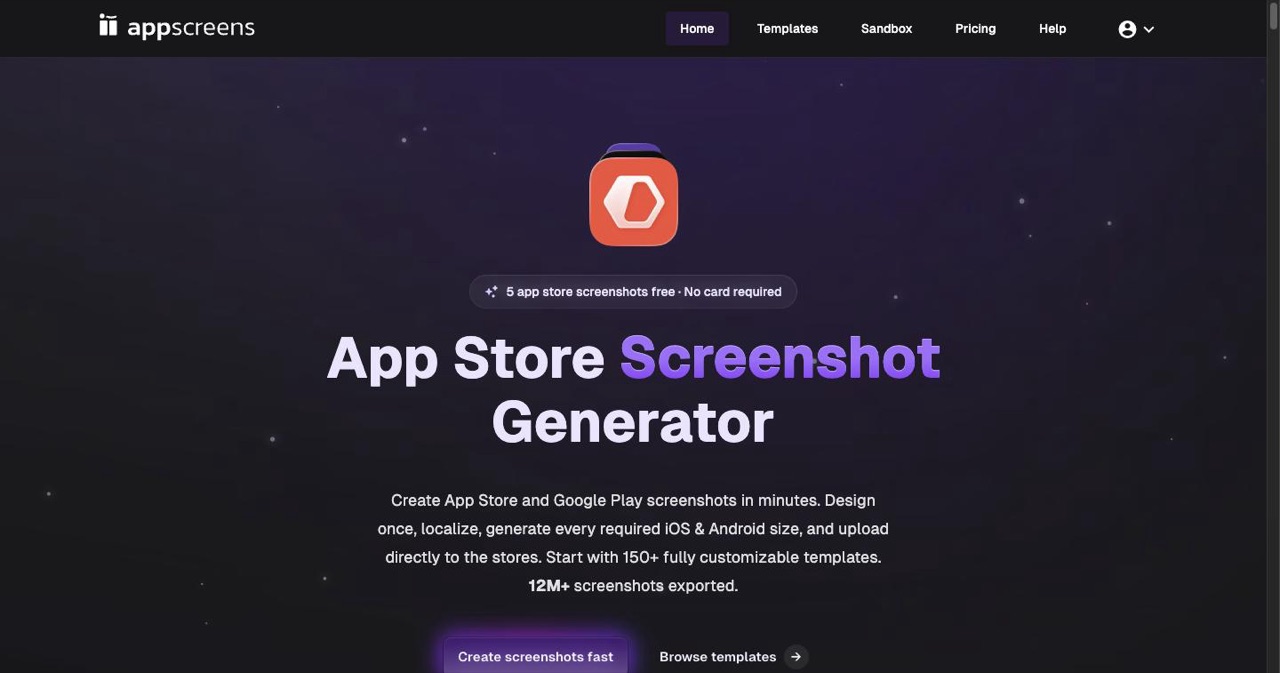
AppScreens is trusted by over 70,000 developers who've generated more than 5 million screenshots. The pitch is simple: build one responsive design, and AppScreens automatically adapts it to every device, platform, and language.
Key AI features: 70+ language localization with full RTL support, AI-assisted caption generation, responsive layout engine that resizes everything from Apple Vision Pro to Apple Watch, direct upload to App Store Connect and Google Play Console.
iOS-specific strength: One-click export for every required iPhone and iPad size. You don't even think about dimensions.
Pricing: Free tier available (4 templates). Pro starts at $25/month or $89/year.
Best for: Teams shipping to multiple markets. The localization pipeline alone saves hours per release.
Real user take: "I don't think I could release my app without this tool. It single-handedly creates all the output sizes I need from one design." — Product Hunt review
2. AppMockupGenerator — Best for AI Creativity
If you want AI to do the actual creative heavy lifting—not just resize and translate—AppMockupGenerator is the standout pick. Its signature feature: paste a competitor's App Store URL, and it reverse-engineers their visual style to apply to your screenshots.
Key AI features: Style matching from any App Store listing, AI-generated backgrounds and hero images, auto-generated text overlays, automatic iPhone-to-iPad conversion.
iOS-specific strength: 98% App Store approval rate. The tool is built around Apple's compliance rules.
Pricing: 3 free credits, then from $9.
Best for: Indie devs who want something that looks like it was made by a real design team, fast.
3. FrameKit: AI Screenshot Maker — Best Native iOS Experience
FrameKit is a native iOS app, not a web tool. If you're building on iPhone or iPad, this fits naturally into your workflow. You paste an App Store URL for style reference, the AI generates matching headlines and layouts, and you export all required sizes in about 30 seconds.
Key AI features: Style referencing from App Store URLs, AI headline generation, 30-second full set generation.
iOS-specific strength: Native Apple ecosystem integration. Works on iPhone and iPad. Local processing means no uploads to a third-party server.
Pricing: Free to try, then $79.99/year or $4.99/week.
Best for: iOS developers who want to stay in the Apple ecosystem and never touch a browser.
4. AppDrift — Best Completely Free Option
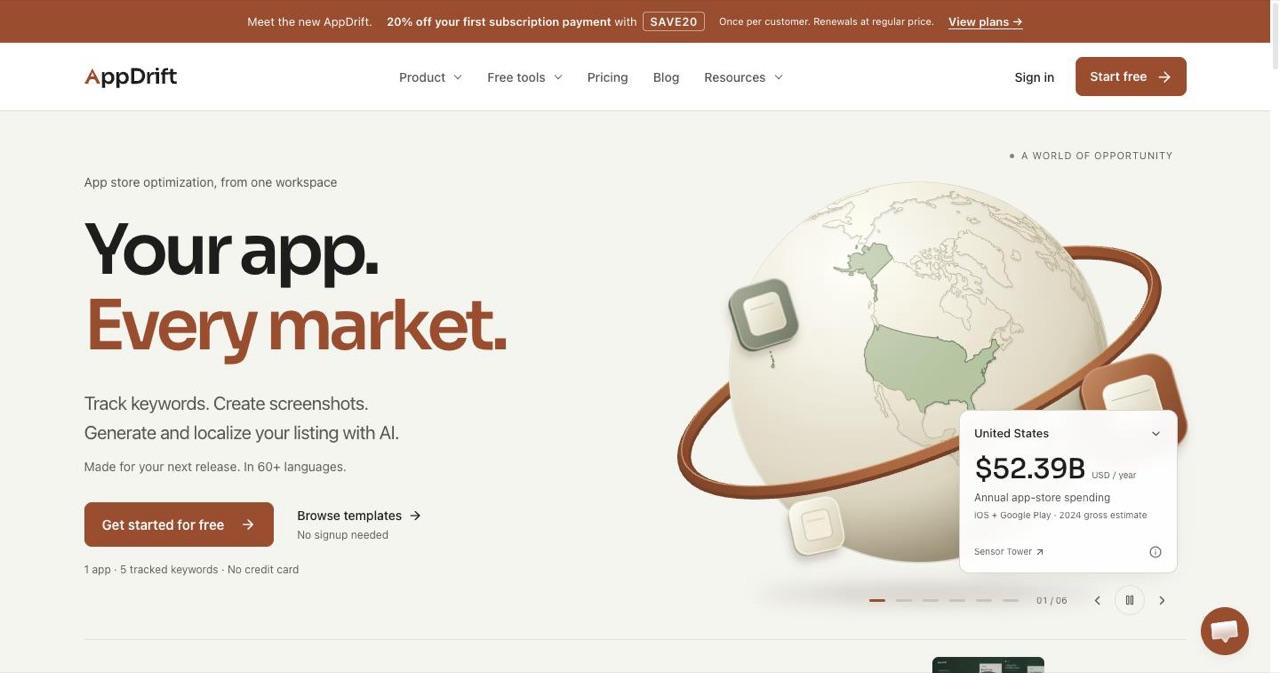
AppDrift is the answer when the budget is zero. It offers unlimited exports with no watermarks, a true drag-and-drop canvas editor, and AI translation for 40+ languages—no subscription required for the base tool.
Key AI features: AI-powered translation (pay-as-you-go), AI background generation, drag-and-drop canvas with real-time preview.
iOS-specific strength: Exports in all required App Store sizes automatically. Multi-artboard workflow lets you design all screenshots side-by-side.
Pricing: Free for design and export. AI translation is pay-as-you-go (no monthly commitment).
Best for: Solo devs and indie makers who need professional results without spending anything upfront. If you're bootstrapping on a zero budget, pair this with our guide on getting your first 100 users without spending a dime.
5. AppLaunchpad — Best Template Library
AppLaunchpad's library is genuinely massive: 1,000+ templates, 4,000+ graphics, 150+ device frames, and Unsplash integration built directly into the editor. If you want variety and creative control without starting from a blank canvas, nothing else comes close.
Key AI features: AI-assisted localization, smart auto-scaling for all iPhone/iPad sizes, intelligent layout adjustments.
iOS-specific strength: Supports every current iPhone model automatically, with templates updated as Apple releases new devices.
Pricing: Free plan available. Paid plans for advanced features.
Best for: Product managers and marketers who want to A/B test radically different visual directions quickly.
6. AppScreen Studio — Best for Quick Professional Results
AppScreen Studio started as a pure free tool (no watermarks, no paywalled device frames), and it's stayed that way. For developers who want to generate something clean and professional without any friction, this gets it done.
Key AI features: AI translation, AI mascot generation, modern device library (iPhone 15, Pixel 8), cross-platform export.
iOS-specific strength: Drag-and-drop into iPhone 15 frames, exports ready for both App Store and Google Play in one action.
Pricing: Free core product. Pay-as-you-go AI features.
Best for: Developers who need professional results without a subscription commitment.
7. Screenshot Studio (Mac/iOS App) — Best for App Store Connect Workflow
Screenshot Studio is the native macOS and iOS pick for developers fully embedded in Apple's ecosystem. Its standout feature is the direct App Store Connect integration—you can generate and upload without ever leaving the tool.
Key AI features: AI translation across languages, customizable templates, local processing on-device.
iOS-specific strength: Native macOS/iOS app. Deepest App Store Connect integration of any tool in this list.
Pricing: Subscription-based with free trial.
Best for: Mac developers who do everything natively and want an end-to-end workflow inside Apple's ecosystem.
8. Hotpot.ai — Best Drag-and-Drop AI Editing for Indies
Hotpot.ai is the most accessible entry point for developers with zero design instincts. Drag your screenshots in, pick a layout, add your text, done. The free tier is genuinely useful, and AI image tools are baked in for background generation and composition.
Key AI features: AI image generation for backgrounds, drag-and-drop editor, all latest iOS and Android device frames.
iOS-specific strength: All required iPhone sizes supported, clean output with no technical setup.
Pricing: Free tier with paid upgrades for premium templates and AI features.
Best for: Complete beginners who need something good in the next 20 minutes.
Bonus: For Developers Who Code Their Screenshots
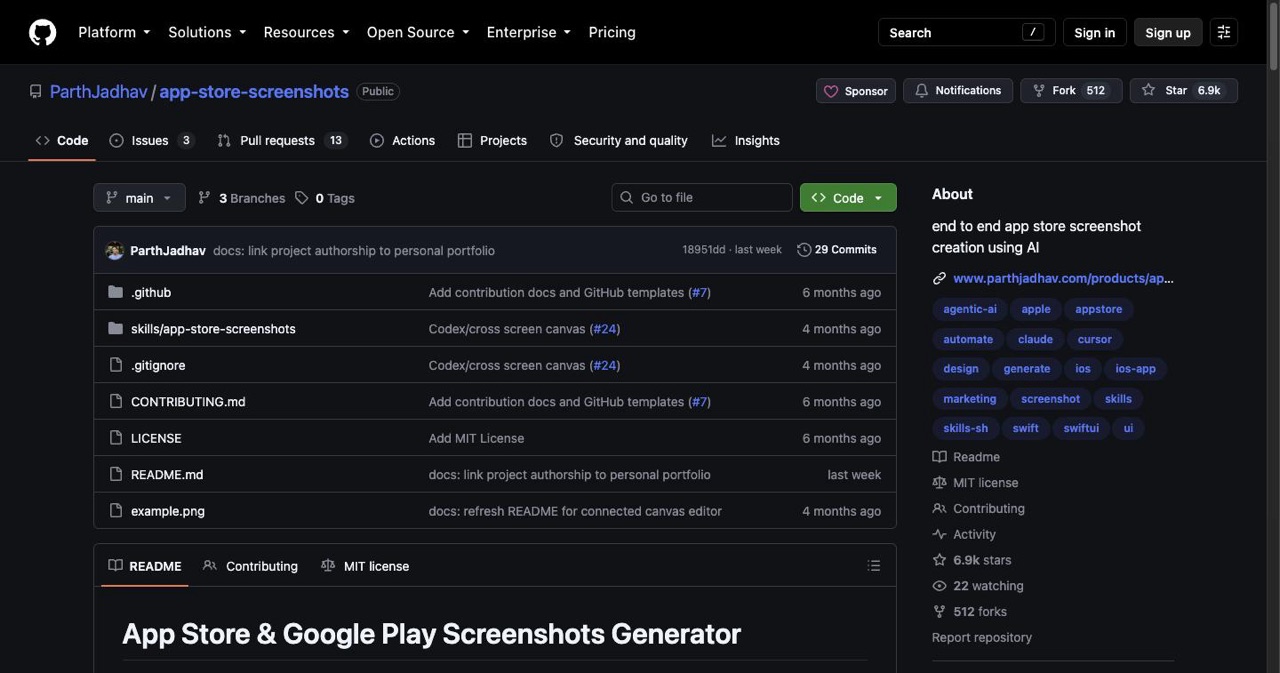
ParthJadhav's app-store-screenshots on GitHub is an AI agent skill for Claude Code, Cursor, and Windsurf. You describe your app's brand and features in a prompt, the agent scaffolds a Next.js project, designs advertisement-style screenshots (not UI showcases), and exports PNGs at all four required Apple sizes. It even supports RTL layouts and multi-locale bulk export. If you're already using AI coding tools—or exploring vibe coding—this is worth a look.
Side-by-Side Comparison
| Tool | Top AI Feature | Free Tier | Localization | iOS Sizes | Best For |
|---|---|---|---|---|---|
| AppScreens | 70+ language localization | ✅ (4 templates) | 70+ languages | All | Teams, multi-market |
| AppMockupGenerator | Competitor style matching | ✅ (3 credits) | Limited | All | Indie, creative AI |
| FrameKit | 30-sec native generation | ✅ Trial | Good | All | iOS-native devs |
| AppDrift | Pay-as-you-go AI translation | ✅ Unlimited exports | 40+ languages | All | Zero-budget devs |
| AppLaunchpad | 1,000+ templates + 4,000+ graphics | ✅ | Good | All | A/B testing |
| AppScreen Studio | Free + AI mascot generation | ✅ Fully free | 30+ languages | All | Quick pro results |
| Screenshot Studio | App Store Connect upload | ✅ Trial | Good | All | Mac-native workflow |
| Hotpot.ai | AI background generation | ✅ | Basic | All | Beginners |
How to Choose the Right Tool
Run through this quick checklist:
- Budget zero? → AppDrift or AppScreen Studio
- Shipping to 10+ markets? → AppScreens (localization is its core strength)
- Want AI to match a competitor's visual style? → AppMockupGenerator
- Building on iPhone/Mac? → FrameKit or Screenshot Studio
- Need to A/B test wildly different designs fast? → AppLaunchpad
- Complete beginner, need something in 20 minutes? → Hotpot.ai
- Developer who prefers code? → ParthJadhav's GitHub tool
How to Generate iOS Screenshots with AI: Step by Step
The general workflow is almost identical across every tool listed above.
Step 1: Capture your raw screens. Take clean screenshots inside your app—no status bar clutter, no debug overlays. Shoot at the highest resolution your device supports.
Step 2: Upload your raw screens. Every tool accepts PNG or JPEG drag-and-drop. For AppScreens and AppLaunchpad, you can upload multiple screens at once.
Step 3: Pick a template or let AI suggest one. AppMockupGenerator can auto-match a competitor's style if you paste their App Store URL. AppScreens lets you browse by category.
Step 4: Let AI generate captions. Don't write your own headlines first. Let the AI generate five options, then edit the best one. AI-generated headlines are trained on high-converting App Store copy patterns.
Step 5: Adjust branding. Swap colors to match your app's palette. Upload your custom font if you have one. Most tools have font import built in.
Step 6: Add localization. For AppScreens, one click generates all language variants from your base design. For AppDrift, the translation layer is pay-as-you-go per language.
Step 7: Export all sizes. Hit export and every required iPhone and iPad size generates automatically. No manual resizing.
Step 8: Upload to App Store Connect. AppScreens and Screenshot Studio do this directly from the tool. Other tools give you a ZIP you upload manually through App Store Connect.
Pro tip: Don't upload all screenshots at once. Start with your top-performing market, run Apple's Product Page Optimization A/B test for 2–4 weeks, then roll out the winning variant globally.
7 Things That Kill Conversions (and How AI Fixes Them)
Wrong dimensions. Still the #1 rejection reason. AI tools make this impossible by auto-exporting to spec.
Too much text on slide 1. Your first screenshot should communicate one thing. AI caption generators are trained to write short, punchy headlines—not paragraphs.
Generic backgrounds. Default white or blue gradients signal "indie dev who didn't try." AI background generators match your app's aesthetic.
No localization. An English-only screenshot set loses you every non-English market automatically. This is free money left on the table.
Screenshots that show UI instead of benefits. Nobody cares what your settings screen looks like. They care what problem you solve. Good AI caption generation forces you to think in benefits.
Inconsistent branding. Mixing fonts, colors, and layout styles across slides looks amateur. Templates enforce visual consistency automatically.
Never testing. App Store Connect's Product Page Optimization tool is free. Run a color test, a copy test, a layout test. Even a 10% conversion lift compounds into thousands of extra downloads over time. This is the same principle behind mastering SaaS marketing—small optimizations compound.
Get More Visibility for Your App Beyond the App Store
Great screenshots get people to download. But how do they find your app in the first place?
If you've built an iOS app or a SaaS product, getting listed in the right directories is one of the highest-ROI moves you can make. SaaSCity.io is the first gamified SaaS directory—an interactive city where real users discover, upvote, and engage with products.
Here's how SaaSCity can help your launch:
- Submit your app or startup in just two minutes and get it in front of thousands of active users browsing the directory daily.
- Browse the live launches to see what's trending and how top-performing products present themselves.
- Browse our SaaS directories ranked by live DR — where to submit your product for backlinks and exposure. It's one of the steadier ways to increase your domain rating.
Already building your product? Our AI SaaS Boilerplate gives you a production-ready starter kit so you can skip the infrastructure grind and focus on what makes your app unique. Pair it with the complete guide to building an AI SaaS for a full blueprint.
Frequently Asked Questions
What is the best free AI iOS App Store screenshot generator? AppDrift is the strongest free option for most developers—unlimited exports, no watermarks, drag-and-drop editor, and AI translation available on a pay-as-you-go basis. AppScreen Studio is a close second as a completely free web tool.
Do AI tools guarantee App Store approval? No tool can guarantee approval—Apple's review team always has the final word. But the best tools (AppScreens, AppLaunchpad, AppMockupGenerator) auto-export to exact Apple specifications, which eliminates the most common rejection reasons: wrong format, wrong dimensions, incorrect color space.
How does AI localization work for RTL languages like Arabic and Hebrew? Tools like AppScreens handle RTL automatically—text flows right-to-left, layout elements mirror, and device frames adjust accordingly. You don't need to create a separate template; the localization engine does it from your base design.
Can I use AI-generated screenshots for Apple Vision Pro or Mac? AppScreens supports Vision Pro and Apple Watch exports. For Mac, AppScreen Studio generates the required 2560×1600 minimum resolution. Most other tools focus on iPhone and iPad only, so check before committing.
How long does it actually take? Under five minutes for a full single-language set across all iPhone sizes. Under 30 minutes for a complete multi-language, multi-device set with 10+ languages. Compare that to 2–3 days in Figma.
What's the difference between AI screenshot generators and Canva or Figma? Canva and Figma are general design tools—you do all the work. AI screenshot generators are purpose-built: they know Apple's exact specs, they auto-export every size, they localize automatically, and AI generates creative elements for you. They're not substitutes; they're specialized tools for a specific job.
Can I A/B test different AI-generated screenshot sets? Yes. Generate multiple variants with different color schemes, headlines, or layouts, then upload them as separate product page variants in App Store Connect. The platform runs the test and shows you which converts better. Some developers have seen 15%+ conversion improvements from a single color change.
Is it worth paying for a premium plan? If you're shipping to more than two or three markets, yes. The time saved on localization alone pays back a $25/month plan in the first release cycle. For solo devs shipping one English-only app, the free tiers are genuinely sufficient.
The Bottom Line
Your app could be the best in its category and still lose to a worse app that has better screenshots. That's the reality of the App Store in 2026.
The tools covered here have removed every excuse: no budget (AppDrift), no design skills (Hotpot.ai), no time (AppScreens), no English-only limitation (AppMockupGenerator, AppLaunchpad). The entire workflow from raw screenshots to store-ready assets now takes minutes, not days.
Pick a tool, run one export, upload it, and start an A/B test. You'll know within a month whether your screenshots were the bottleneck.
They probably were.
Ready to boost your downloads? Try AppScreens free or start with AppDrift at zero cost—no credit card needed for either.
Once your screenshots are converting, the next step is getting discovered. Submit to the best iOS app directories in 2026 — we've verified 30+ sites with real DR data and submission steps. And list your app on SaaSCity.io to put your product in front of a community that's actively looking for tools like yours.
Related reading: Launching a SaaS in 2026 · How to Get Your First 100 Users · Startup Launch Checklist 2026 · Complete Guide to SaaS Directory Submissions · 10 AI-Powered iOS App Ideas for 2026
Get your SaaS in front of founders
List your product on the SaaSCity live city map - a permanent listing, real discovery, and a backlink from a high-DR directory. Free to start; upgrade for a dofollow link and a building on the map.